Repository navigation
Conversation


…on the expense view

Co-authored-by: Mukhriddin Shakhriyorov <mukhrr@users.noreply.github.com>
 MelvinBot
added
the
HelpDot
MelvinBot
added
the
HelpDot
 github-actions
Bot
changed the title
github-actions
Bot
changed the title

|
A preview of your ExpensifyHelp changes have been deployed to https://50486e74.helpdot.pages.dev ⚡️ Updated articles: |

@mukhrr bump on this! |

|
🤖 Web test steps verification results: ✅ pass While
Code verification — all 7 doc claims, plus 4 optional accuracy nitsAll strings byte-checked against
Optional polish — none of these make the article wrong:
view run · no recording available |
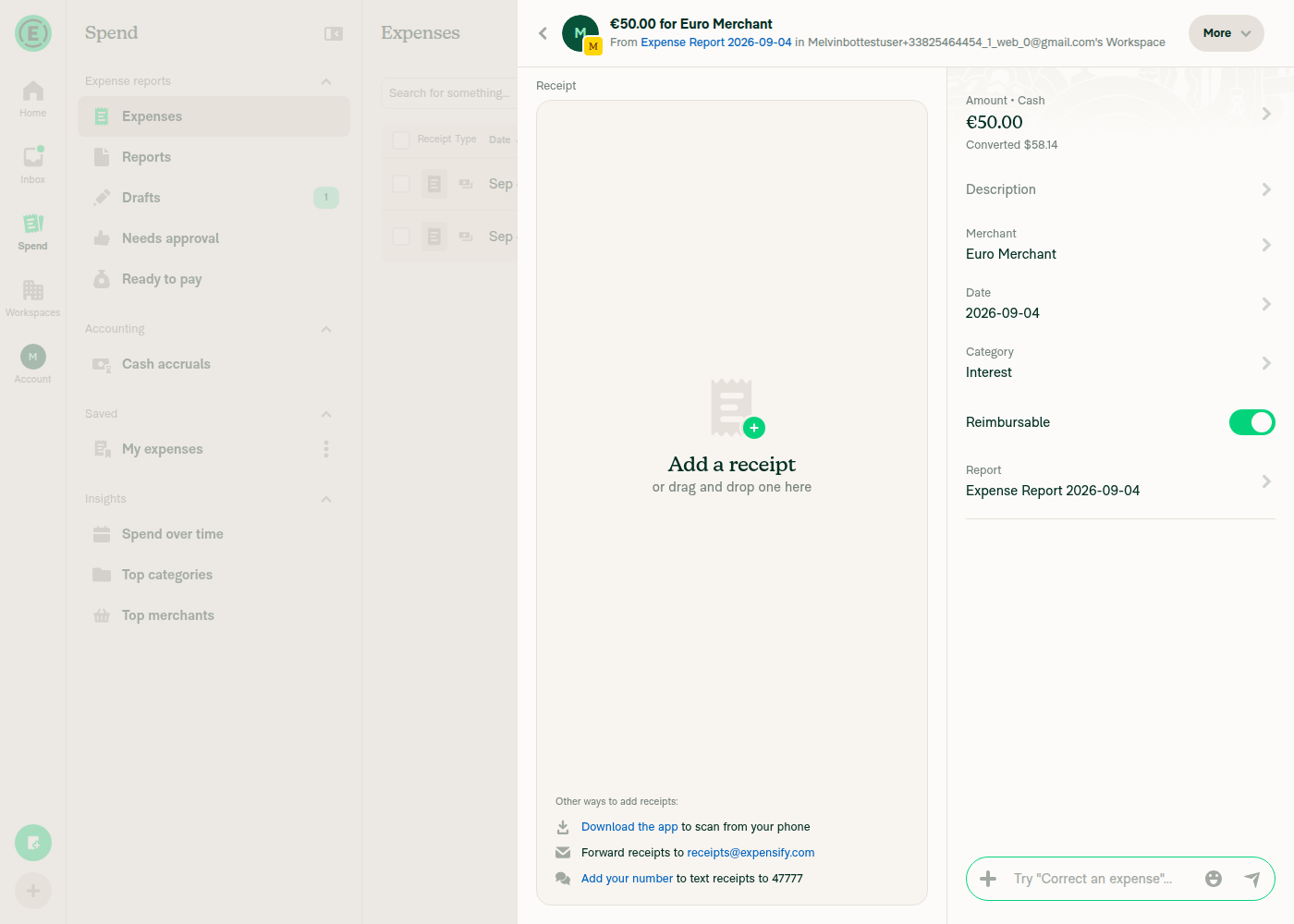
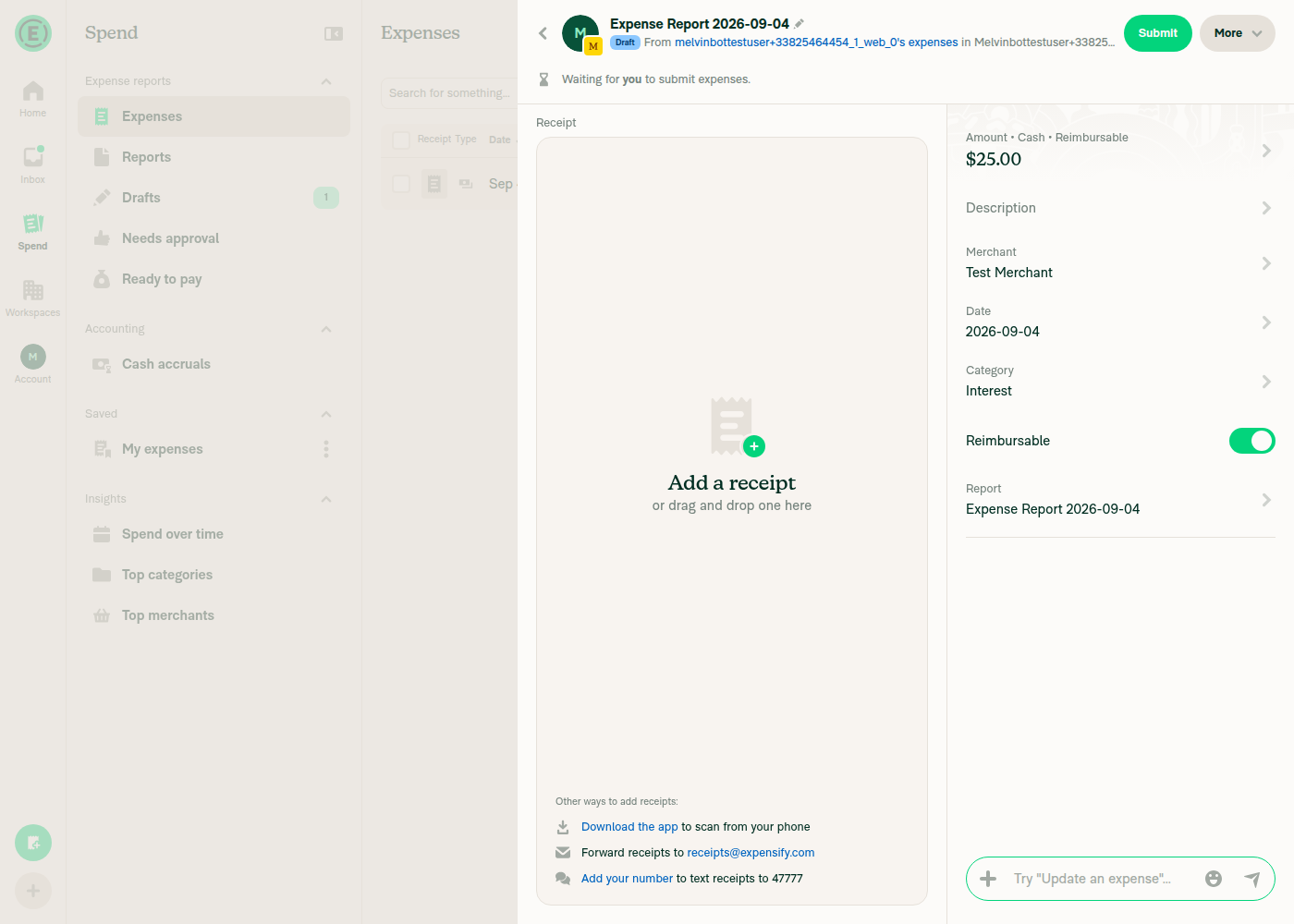
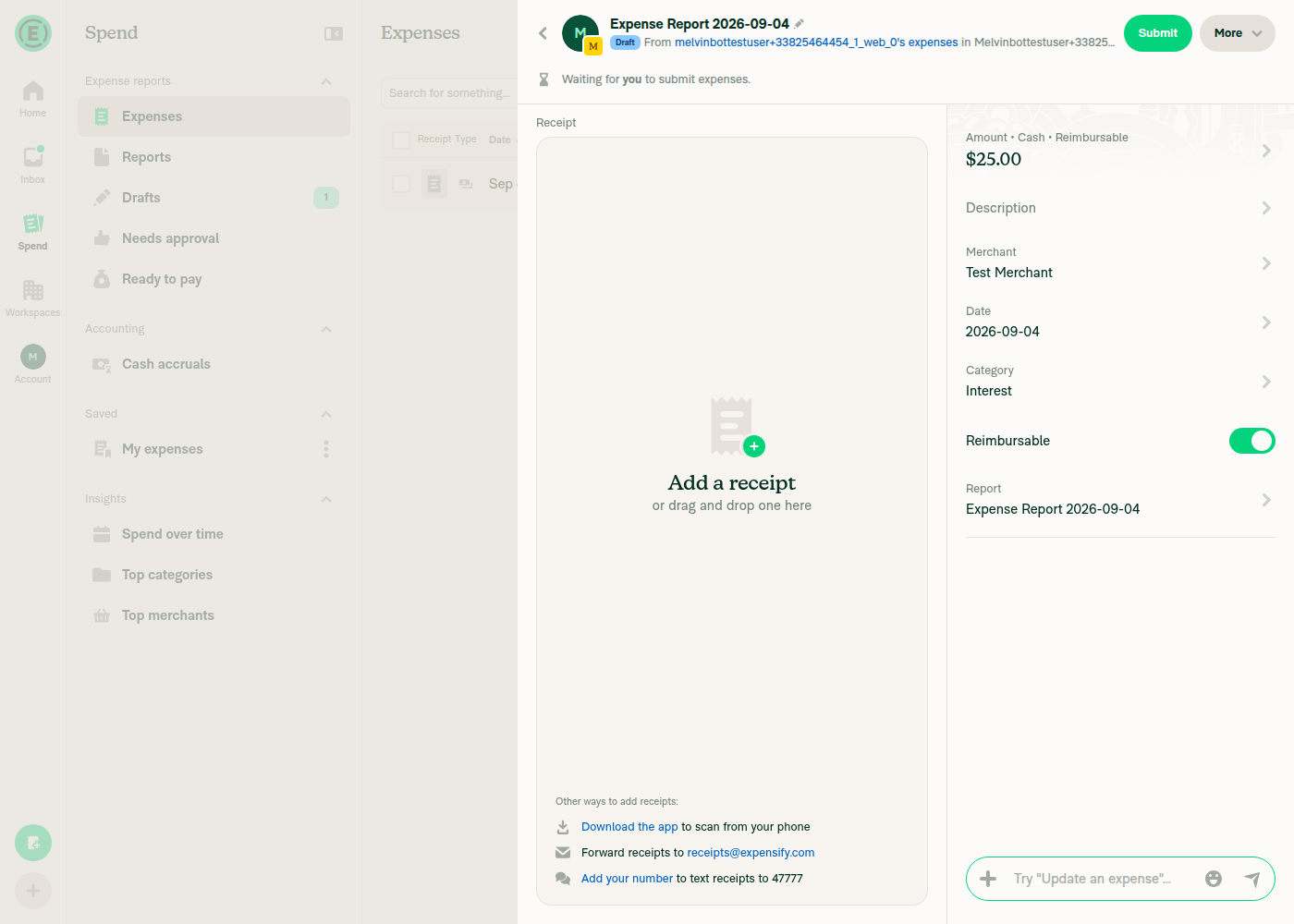
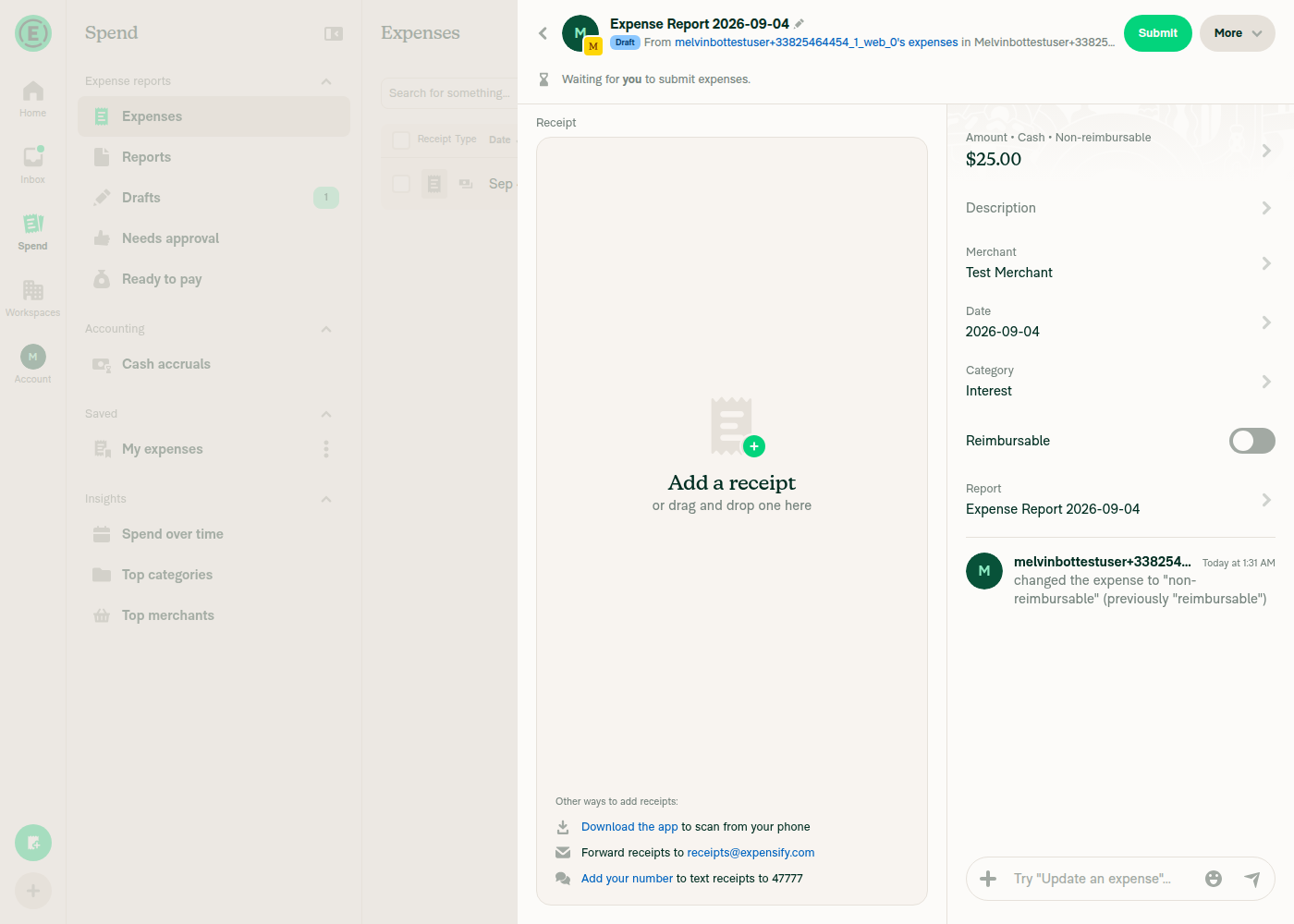

|
@MelvinBot you shared a screenshot of the UI change in this comment, which was very helpful. If I wanted you to take the same action on another PR, how should I prompt you? |
|
Ask me to verify the change in the running app. The screenshots come from the browser/emulator tester I spawn, and I only spawn it when the request is about testing UI behavior — not when it's about reviewing the diff. Prompts that work:
A few things that make the output better:
Heads up: browser control wasn't available on this run, so I couldn't demo it live here. |
|
No update needed on this, per tightened Melvinbot criteria (see https://github.com/Expensify/Expensify/issues/685679). Please comment or reopen if you disagree! |
3 participants


Explanation of Change
Documentation-only follow-up for #99132, which changed what the expense details show in New Expensify.
Nothing on the help site described the single-expense detail view, so no article stated the old behavior — these are gaps rather than corrections. Two articles are updated:
docs/articles/new-expensify/reports-and-expenses/Managing-Expenses-in-a-Report.mdThis article already ends its expense table section with "Clicking a row opens the full expense details in a side panel (web) or details screen (mobile)" but never said what those details contain. Two new sections pick up from there:
Amount • [expense type] • [reimbursable status]label, lists the expense types, notes that the reimbursable status now shows both Reimbursable and Non-reimbursable (previously only the non-reimbursable case appeared) and only on single-expense reports, and documents Purchase [amount] and Converted [amount] now appearing on their own line under the Amount row instead of inline.{feed name} - {last four}instead of the masked card number, that a custom feed name is used when set, and that the workspace Company cards list is unaffected.internalScopewas also added to the front matter, which the article was missing.docs/articles/new-expensify/connect-credit-cards/Configure-Company-Card-Settings.mdAdds one sentence under the Card feed name setting explaining that this name now surfaces on each imported expense, since that is the setting admins use to control the new label.
Verification
Label text was verified against the live web UI rather than inferred from the diff:
•(U+2022,CONST.DOT_SEPARATOR), not·— byte-checked againstsrc/CONST/index.ts.Amount • Cash • Reimbursable, andAmount • Cash • Non-reimbursableafter toggling the Reimbursable switch off.Expense type strings were taken from
getDetailedExpenseTypeTranslationKeyandsrc/languages/en.ts: Cash, Distance, Per diem, Time, Pending, Expensify Card, Company card, Personal card, Travel Card. TheVisa cards - 1234example matches thegetCommercialFeedCardDescriptionunit test.The feed settings page itself could not be reached in the test environment — Add cards requires a magic-code account validation step, so the Card feed name label is sourced from the existing article rather than re-verified live.
Applied
docs/HELPSITE_NAMING_CONVENTIONS.md,docs/HELP_AUTHORING_GUIDELINES.md, anddocs/TEMPLATE.md: all new headings are##, task-based and start with a question word, UI labels are bolded and match the UI exactly, and the single cross-link uses a relative path with descriptive anchor text.Fixed Issues
$ #98913
PROPOSAL:
Tests
// TODO: The human co-author must fill out the tests you ran before marking this PR as "ready for review"
// Please describe what tests you performed that validates your changed worked.
Offline tests
Not applicable — documentation-only change.
QA Steps
// TODO: The human co-author must fill out the QA tests you ran before marking this PR as "ready for review".
// Please describe what QA needs to do to validate your changes and what areas do they need to test for regressions.
PR Author Checklist
### Fixed Issuessection aboveTestssectionOffline stepssectionQA stepssectionAvatar, I verified the components usingAvatarare working as expected)StyleUtils.getBackgroundAndBorderStyle(theme.componentBG))npm run compress-svg)Avataris modified, I verified thatAvataris working as expected in all cases)Designlabel and/or tagged@Expensify/designso the design team can review the changes.mainbranch was merged into this PR after a review, I tested again and verified the outcome was still expected according to theTeststeps.Screenshots/Videos
Android: Native
Android: mWeb Chrome
iOS: Native
iOS: mWeb Safari
MacOS: Chrome / Safari
@mukhrr, please review the files changed and confirm they reflect the current behavior. Then post a new comment saying
@MelvinBot mark this PR as ready for review.