Repository navigation
fix: Invoice created via duplicate workspace shows error - #97209
Conversation


Codecov Report❌ Looks like you've decreased code coverage for some files. Please write tests to increase, or at least maintain, the existing level of code coverage. See our documentation here for how to interpret this table.
|


|
@aimane-chnaif Please copy/paste the Reviewer Checklist from here into a new comment on this PR and complete it. If you have the K2 extension, you can simply click: [this button] |

 flaviadefaria
left a comment
flaviadefaria
left a comment
flaviadefaria
left a comment
There was a problem hiding this comment.
From a product standpoint, the fix looks good to me.

|
@aimane-chnaif kindly bump |

|
Codex Review: Didn't find any major issues. You're on a roll. Reviewed commit: ℹ️ About Codex in GitHubCodex has been enabled to automatically review pull requests in this repo. Reviews are triggered when you
If Codex has suggestions, it will comment; otherwise it will react with 👍. When you sign up for Codex through ChatGPT, Codex can also answer questions or update the PR, like "@codex address that feedback". |

|
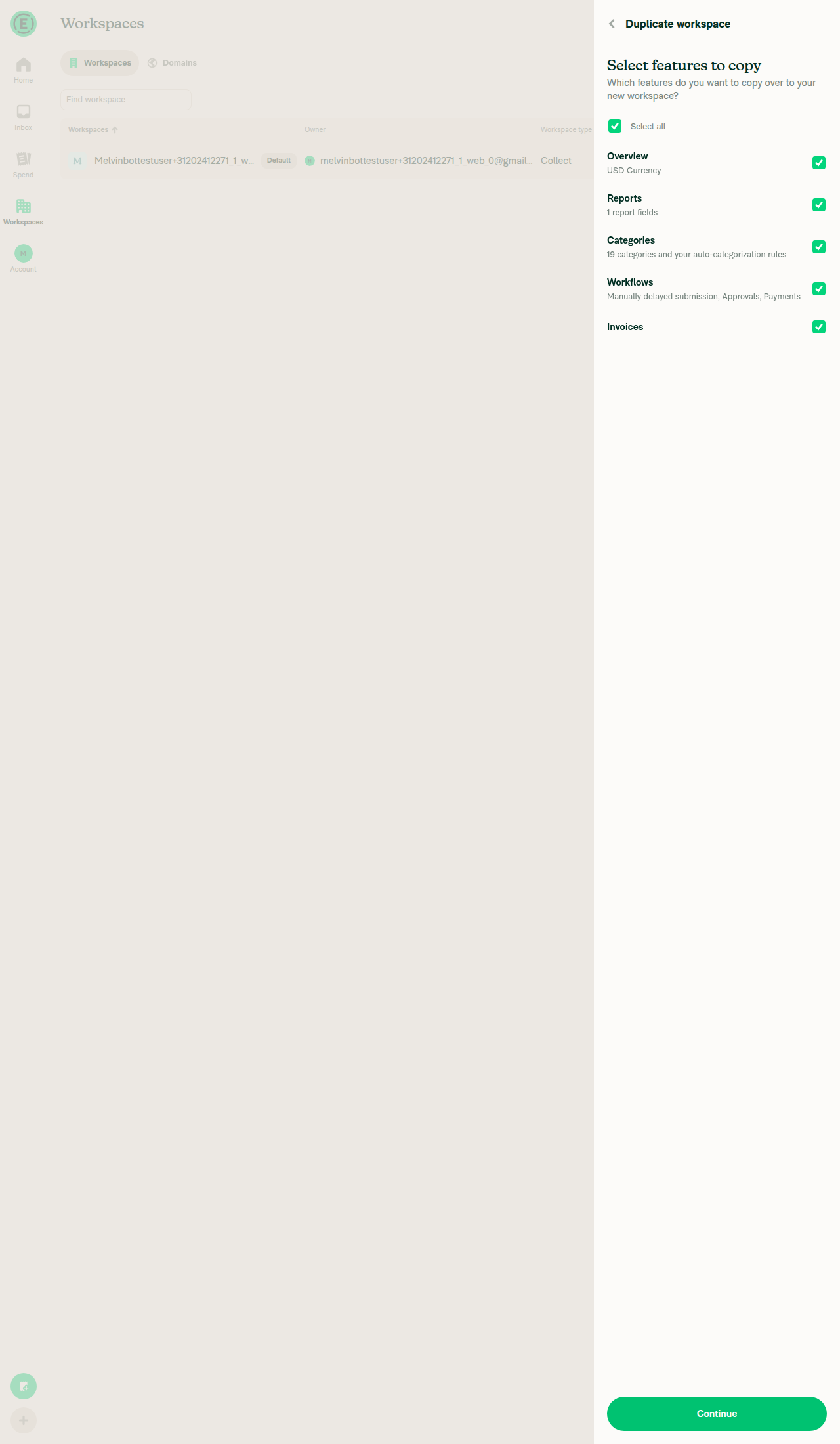
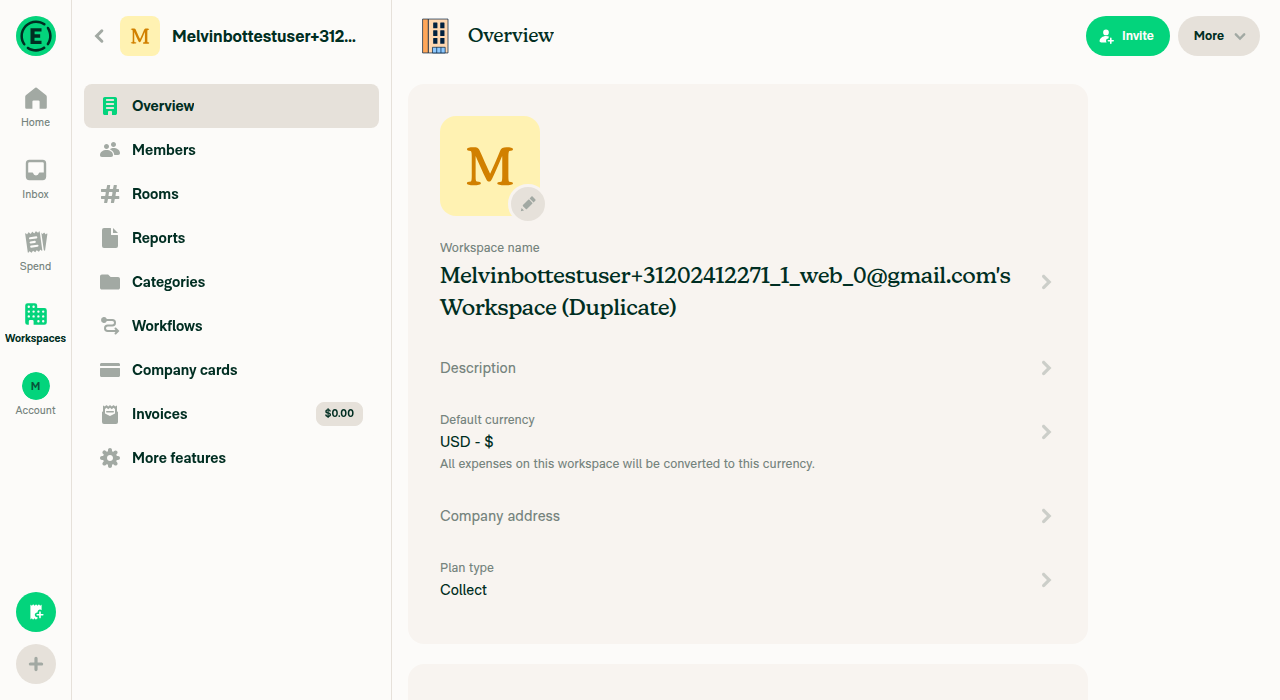
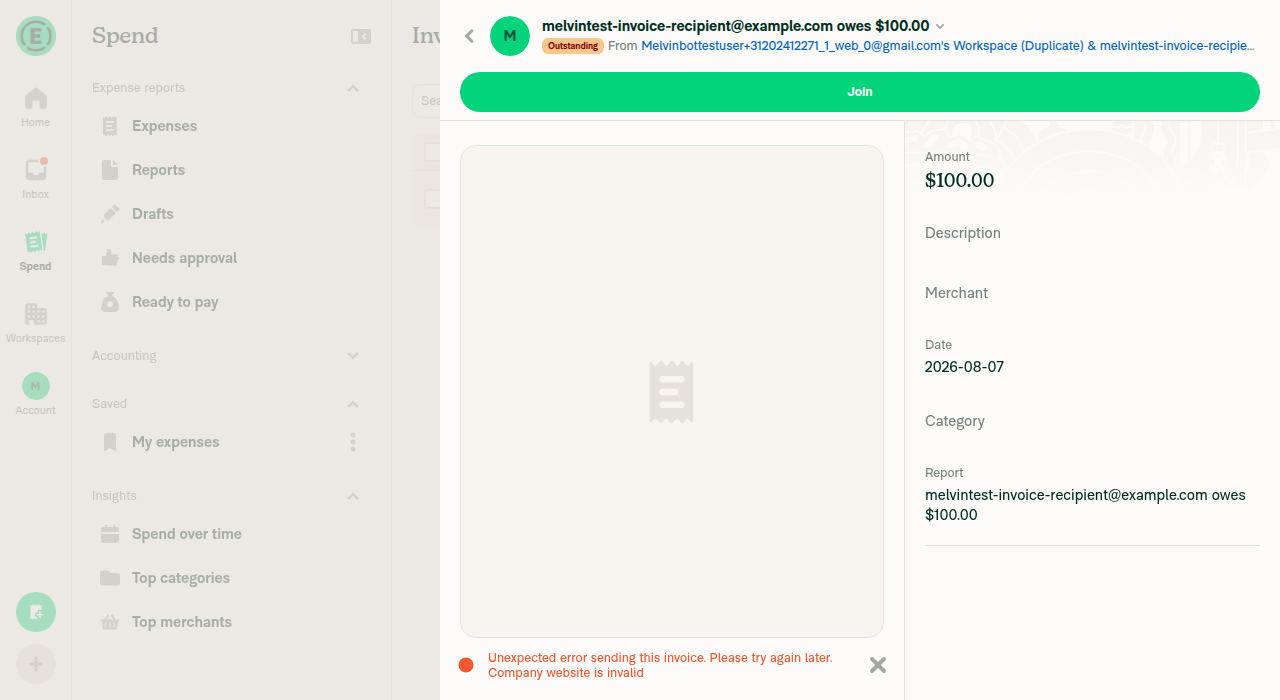
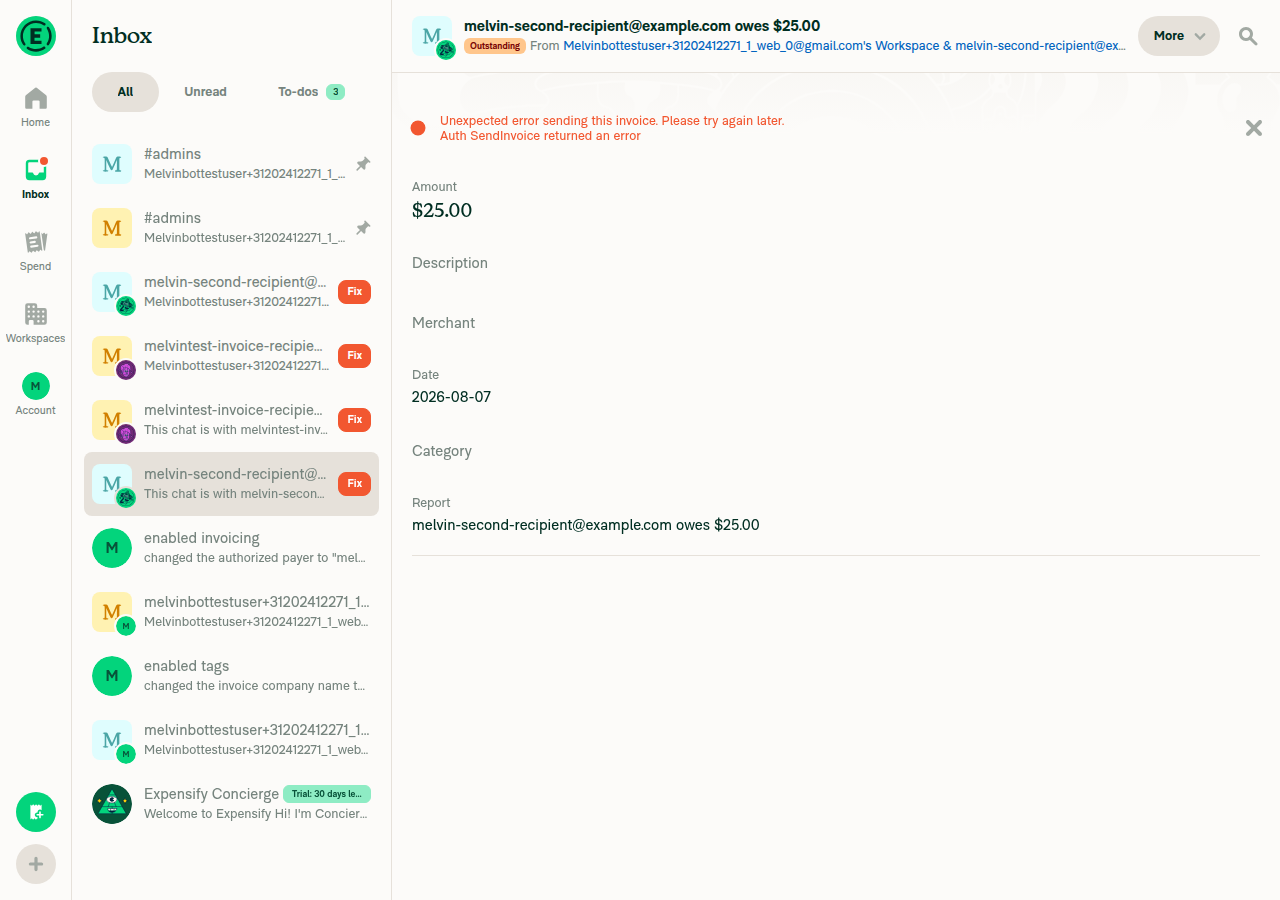
Review: The core fix is correct and well-scoped. There's one consistency gap worth addressing, and the end-to-end test was inconclusive in this sandbox (see below). The fix is correct ✅The bug: Setting Suggestion:
|
|
Regression check: No functional regressions found. The duplicate-workspace flow works across scenarios (tested on web), and the code change's blast radius is contained. There is one behavioral change worth confirming with QA, plus a stale comment to tidy up. Behavioral change to confirm (not a bug — verify it's intended)The Invoices row isn't display-only — its presence drives what gets duplicated. Every rendered row is auto-selected on mount ( Since the visibility condition was relaxed from Test results (web) — all pass
Minor: stale cross-flow comment
Blast radius & optimistic-data safety
Evidence (screenshots)Scenario 1: source workspace without Invoices — no Invoices row; duplication succeeds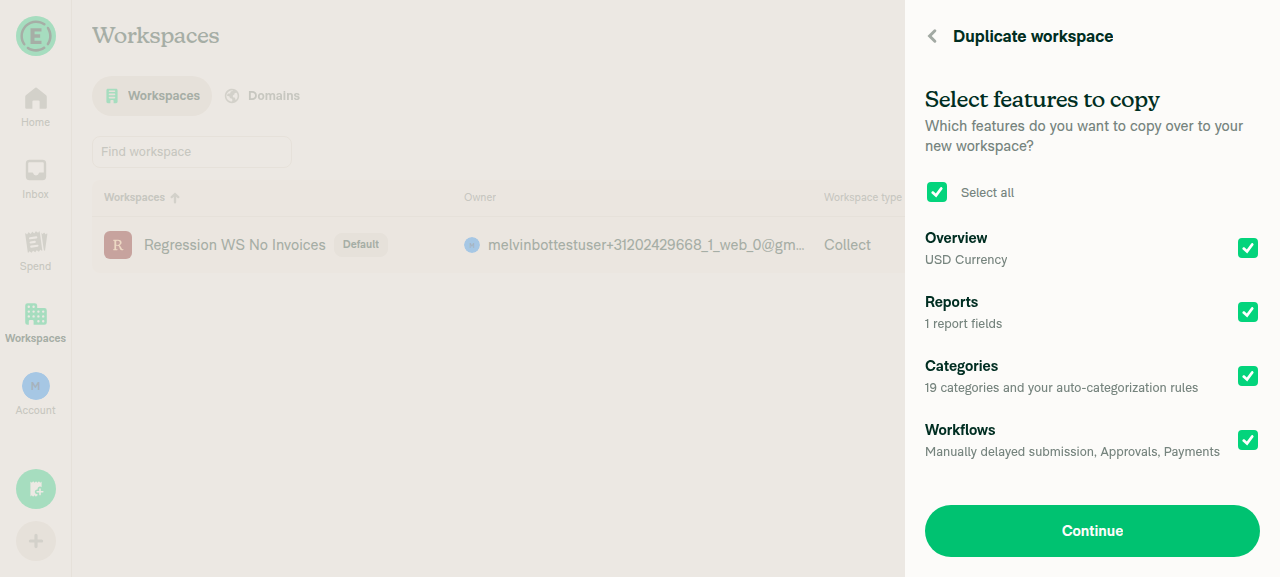
Scenario 2: Invoices enabled but unconfigured — Invoices row now appears (no subtitle) and is selectable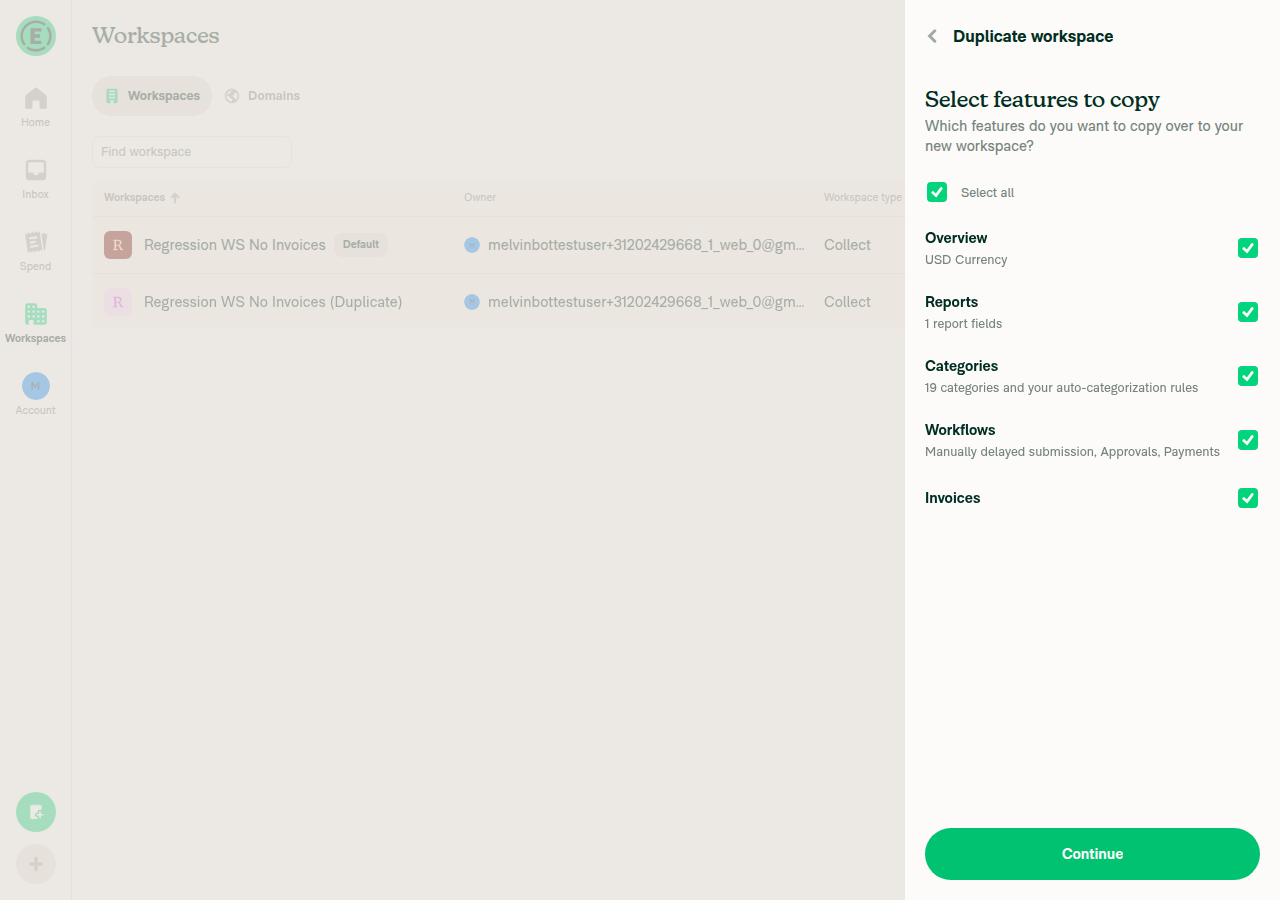
Duplicate's Invoicing details — company name/website and bank accounts correctly NOT copied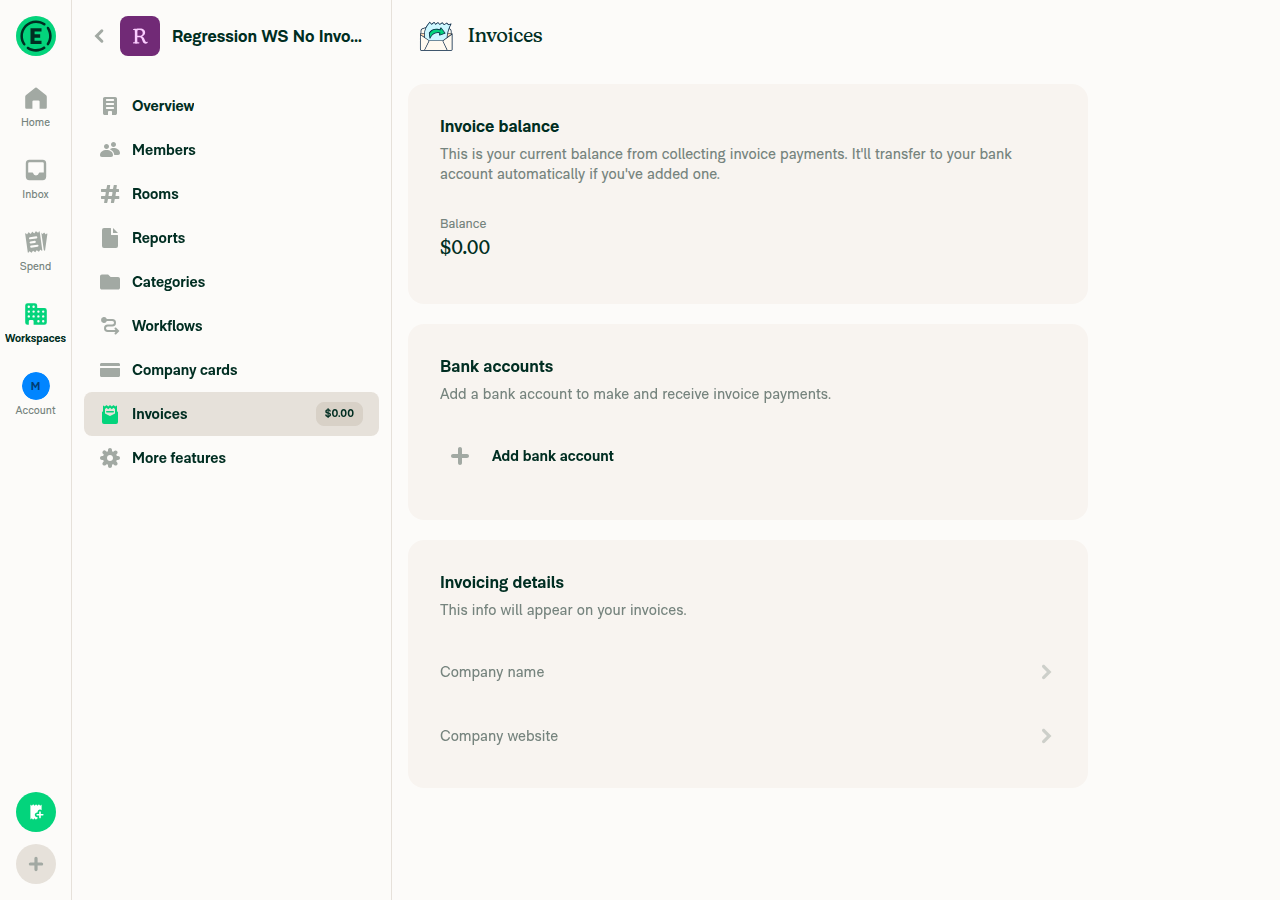
Final state: all workspaces (original + both duplicates) intact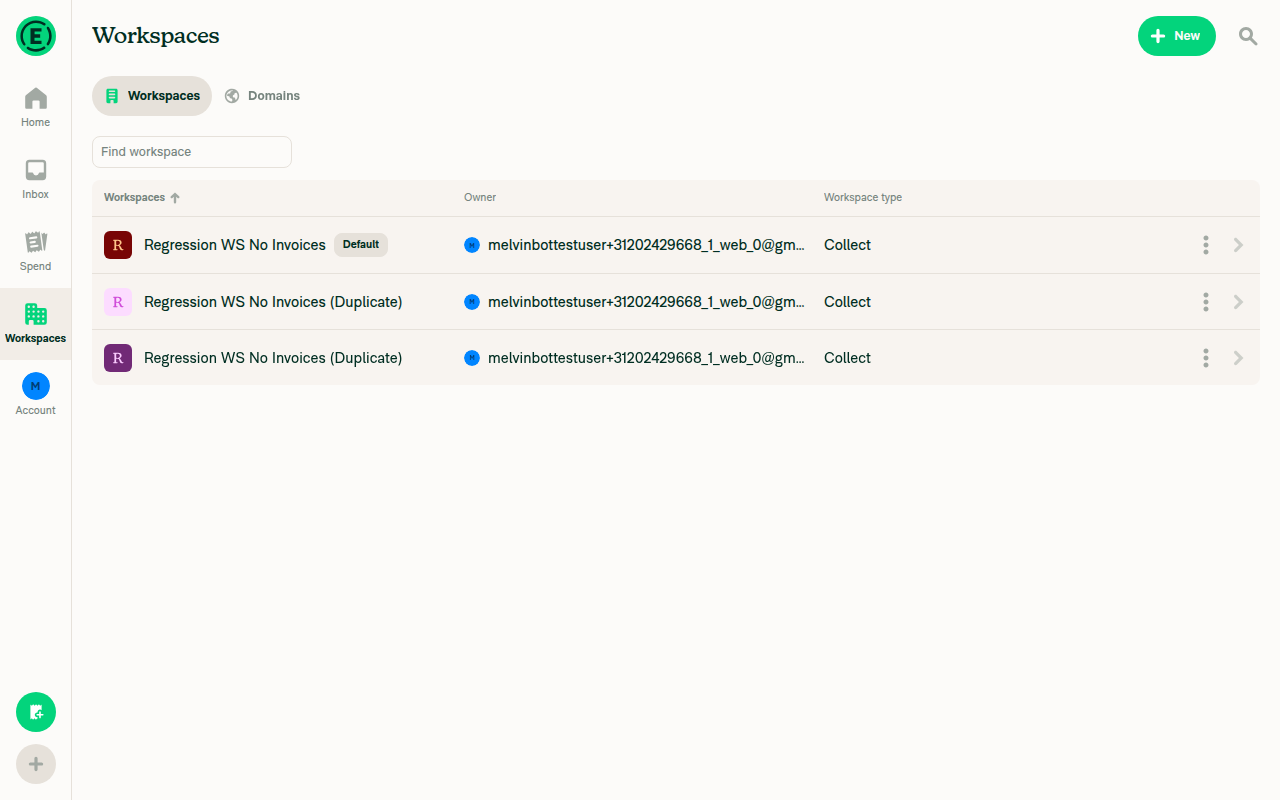
|

Reviewer Checklist
Screenshots/VideosAndroid: HybridAppAndroid: mWeb ChromeiOS: HybridAppios.moviOS: mWeb SafariMacOS: Chrome / Safariweb.mov |


|
✋ This PR was not deployed to staging yet because QA is ongoing. It will be automatically deployed to staging after the next production release. |

|
🚧 MonilBhavsar has triggered a test Expensify/App build. You can view the workflow run here. |
|
🧪🧪 Use the links below to test this adhoc build on Android, iOS, and Web. Happy testing! 🧪🧪
|


|
🚀 Deployed to staging by https://github.com/MonilBhavsar in version: 9.4.52-0 🚀
|

Help site review — docs update required ✅I reviewed the changes in this PR and yes, a help site update is warranted. What this PR changes (behavior): When duplicating a workspace, the source workspace's Invoicing details (Company name, Company website, and connected bank account) are no longer copied to the duplicate — only the invoicing feature toggle carries over. Copying those details is what caused the error in Expensify/App#92166. Why docs need updating: The Duplicate Workspace article lists Invoices among the settings carried over, but doesn't clarify that the invoicing details themselves are not copied and must be re-entered in the new workspace. That could set the wrong expectation. Draft PR created: #98212 — adds a short FAQ entry to Notes
@lorretheboy, please review the linked help site PR and confirm it reflects the current behavior. Then mark the linked help site PR |
|
🚀 Deployed to production by https://github.com/roryabraham in version: 9.4.52-11 🚀
Bundle Size Analysis (Sentry): |
6 participants


Explanation of Change
Fixed Issues
$ #92166
PROPOSAL: #92166 (comment)
Tests
Offline tests
QA Steps
PR Author Checklist
### Fixed Issuessection aboveTestssectionOffline stepssectionQA stepssectiontoggleReportand notonIconClick)Avatar, I verified the components usingAvatarare working as expected)StyleUtils.getBackgroundAndBorderStyle(theme.componentBG))npm run compress-svg)Avataris modified, I verified thatAvataris working as expected in all cases)Designlabel and/or tagged@Expensify/designso the design team can review the changes.mainbranch was merged into this PR after a review, I tested again and verified the outcome was still expected according to theTeststeps.Screenshots/Videos
Android: Native
Screen.Recording.2026-07-28.at.16.51.21.mov
Android: mWeb Chrome
Screen.Recording.2026-07-28.at.16.47.58.mov
iOS: Native
Screen.Recording.2026-07-28.at.16.40.54.mov
iOS: mWeb Safari
Screen.Recording.2026-07-28.at.16.37.30.mov
MacOS: Chrome / Safari
Screen.Recording.2026-07-28.at.16.33.44.mov