Skip to content

[LegendList 7/12] chore: upgrade LegendList to 3.7.0 - #105474

Merged
roryabraham merged 1 commit into
Expensify:mainfrom
margelo:@chrispader/chore/upgrade-legend-list-3.7.0
Oct 30, 2026
Merged

roryabraham merged 1 commit into
Expensify:mainfrom
margelo:@chrispader/chore/upgrade-legend-list-3.7.0

Conversation

@chrispader

Copy link
Copy Markdown
Contributor

The app pins LegendList 3.3.10, but the chronological report-actions migration in #100733 needs 3.7.0, which includes the upstream Fabric content-size fix. Upgrading inside the migration mixes a dependency change into a large behavior change. This PR upgrades LegendList on its own.

@roryabraham @dmkt9

Explanation of Change

This is layer 7 of the twelve-part LegendList rollout. It changes @legendapp/list from ^3.3.10 to ^3.7.0 in package.json and the lockfile. The lockfile change adds no new dependencies.

No list renders with LegendList yet. The only runtime use is useRecyclingState, which report-action rows call through useReportActionItemState. Outside a LegendList, those rows use React state, and 3.7.0 still supports calling the hook without a list context.

Fixed Issues

$ #98994

This PR is part of the migration split from #98270. No approved proposal is linked.

Tests

All platforms means desktop web, mobile web, Android, and iOS.

All platforms, report-action rows

  1. Open a chat with scrollable history that contains a PDF attachment.
  2. Scroll through the history. Messages and the PDF preview should render normally.
  3. Open the action menu of a message you sent.
  4. Choose Edit.
  5. Change the message text.
  6. Save the edit. The message should update in place.
  • Verify that no errors appear in the JS console

Offline tests

All platforms, cached chat offline

  1. Open a chat while online.
  2. Disconnect the internet.
  3. Return to the inbox.
  4. Reopen the chat. The cached messages should remain visible in the correct order.

QA Steps

Same as Tests, including Offline tests.

  • Verify that no errors appear in the JS console

PR Author Checklist

  • I linked the correct issue in the ### Fixed Issues section above
  • I wrote clear testing steps that cover the changes made in this PR
    • I added steps for local testing in the Tests section
    • I added steps for the expected offline behavior in the Offline steps section
    • I added steps for Staging and/or Production testing in the QA steps section
    • I added steps to cover failure scenarios (i.e. verify an input displays the correct error message if the entered data is not correct)
    • I turned off my network connection and tested it while offline to ensure it matches the expected behavior (i.e. verify the default avatar icon is displayed if app is offline)
    • I tested this PR with a High Traffic account against the staging or production API to ensure there are no regressions (e.g. long loading states that impact usability).
  • I included screenshots or videos for tests on all platforms
  • I ran the tests on all platforms & verified they passed on:
    • Android: Native
    • Android: mWeb Chrome
    • iOS: Native
    • iOS: mWeb Safari
    • MacOS: Chrome / Safari
  • I verified there are no console errors (if there's a console error not related to the PR, report it or open an issue for it to be fixed)
  • I verified any copy / text that was added to the app is either coming verbatim from figma or has been approved by marketing (in order to get marketing approval, ask the Bug Zero team member to add the Waiting for copy label to the issue)
  • If a new code pattern is added I verified it was agreed to be used by multiple Expensify engineers
  • I tested other components that can be impacted by my changes (i.e. if the PR modifies a shared library or component like Avatar, I verified the components using Avatar are working as expected)
  • If new assets were added or existing ones were modified, I verified that:
    • The assets are optimized and compressed (for SVG files, run npm run compress-svg)
    • The assets load correctly across all supported platforms.
  • If the PR modifies code that runs when editing or sending messages, I tested and verified there is no unexpected behavior for all supported markdown - URLs, single line code, code blocks, quotes, headings, bold, strikethrough, and italic.
  • If the PR modifies a generic component, I tested and verified that those changes do not break usages of that component in the rest of the App (i.e. if a shared library or component like Avatar is modified, I verified that Avatar is working as expected in all cases)
  • If the PR modifies a component related to any of the existing Storybook stories, I tested and verified all stories for that component are still working as expected.
  • If the PR modifies a component or page that can be accessed by a direct deeplink, I verified that the code functions as expected when the deeplink is used - from a logged in and logged out account.
  • If the PR modifies the UI (e.g. new buttons, new UI components, changing the padding/spacing/sizing, moving components, etc) or modifies the form input styles:
    • I verified that all the inputs inside a form are aligned with each other.
    • I added Design label and/or tagged @Expensify/design so the design team can review the changes.
  • If the PR adds or modifies the UI:
    • I asked an AI agent to review the changes for accessibility issues and addressed its findings.
    • I tested with a screen reader (VoiceOver on macOS) and verified all new/changed elements are reachable with a logical focus order.
    • I verified all new/changed elements have meaningful accessible names and roles.
    • I verified state changes are announced (e.g. checked/unchecked, expanded/collapsed, selected).
  • I added unit tests for any new feature or bug fix in this PR to help automatically prevent regressions in this user flow.
  • If the main branch was merged into this PR after a review, I tested again and verified the outcome was still expected according to the Test steps.

Screenshots/Videos

Android: Native

Cold chat open and initial loading

FlashList is on the left and LegendList is on the right. FlashList leaves the report body blank during loading; LegendList shows the report-action skeleton before messages appear.

ColdOpenLoading.mp4

Cold expense-chat open

FlashList is on the left and LegendList is on the right. Both progress from the loading skeleton to an expense preview and its surrounding report actions.

Android screen recording TBD.

Warm expense-chat open

FlashList is on the left and LegendList is on the right. Both open the cached expense preview and report actions from the inbox.

Android screen recording TBD.

Warm chat open

Side-by-side opens of the same cached chat, ending on the same report-action history. The implementations are not labeled in this recording.

Android screen recording TBD.

Android: mWeb Chrome
iOS: Native

Cold chat open and initial loading

FlashList is on the left and LegendList is on the right. FlashList leaves the report body blank during loading; LegendList shows the report-action skeleton before messages appear.

LegendListLoadingSkeletonVsFlashList.mp4

Cold expense-chat open

FlashList is on the left and LegendList is on the right. Both progress from the loading skeleton to an expense preview and its surrounding report actions.

ExpenseChatCold.mp4

Warm expense-chat open

FlashList is on the left and LegendList is on the right. Both open the cached expense preview and report actions from the inbox.

ExpenseChatWarm.mp4

Warm chat open

Side-by-side opens of the same cached chat, ending on the same report-action history. The implementations are not labeled in this recording.

LegendListWarmReportOpen.mp4
iOS: mWeb Safari
MacOS: Chrome / Safari

Co-Authored-By: Claude Opus 5.5 <noreply@anthropic.com>
@chrispader
chrispader requested a review from a team as a code owner October 30, 2026 09:56
@melvin-bot
melvin-bot Bot requested review from dmkt9 and removed request for a team October 30, 2026 09:56
@melvin-bot

melvin-bot Bot commented Oct 30, 2026

Copy link
Copy Markdown

@dmkt9 Please copy/paste the Reviewer Checklist from here into a new comment on this PR and complete it. If you have the K2 extension, you can simply click: [this button]

@chatgpt-codex-connector

chatgpt-codex-connector Bot commented Oct 30, 2026 •

Copy link
Copy Markdown

Codex Review Summary

This comment shows the latest Codex review activity on this pull request.

Review Status Commit Review trigger
📝 Code Review ⚠️ Failed 2026-10-30T10:20:10.820676Z
We couldn’t complete this review. Comment @codex review to try again.
ab5cdca PR opened
ℹ️ About Codex in GitHub

Your team has set up Codex to review pull requests in this repo. Reviews are triggered when you

  • Open a pull request for review
  • Mark a draft as ready
  • Comment "@codex review" or "@codex security review".

Codex reacts with 👀 while any review is running, comments if it has suggestions, and reacts with 👍 once all reviews finish with no findings.

@github-actions

Copy link
Copy Markdown
Contributor

⚠️ This PR is possibly changing native code and/or updating libraries, it may cause problems with HybridApp. Please check if any patch updates are required in the HybridApp repo and run an AdHoc build to verify that HybridApp will not break. Ask Contributor Plus for help if you are not sure how to handle this. ⚠️

@codecov

codecov Bot commented Oct 30, 2026 •

Copy link
Copy Markdown

Codecov Report

✅ All modified and coverable lines are covered by tests.
see 72 files with indirect coverage changes

@chrispader

Copy link
Copy Markdown
Contributor Author

@roryabraham this can also be merged right away, independently of #105473

@roryabraham roryabraham added Melvin-Test-Web Triggers Melvin to run the testing steps of the PR on web Melvin-Test-Android labels Oct 30, 2026
@MelvinBot

MelvinBot commented Oct 30, 2026 •

Copy link
Copy Markdown
Contributor

🤖 Android test steps verification results: ⚠️ partial

On standalone Android NewDot, scrollable chat history renders correctly and editing a message updates it in place, with no crashes or errors. I could not verify PDF preview rendering, because no PDF was available on the emulator to attach. I also could not run the offline steps, because the test session blocks network toggles and I found no in-app offline toggle. These gaps come from the test environment, not the app.
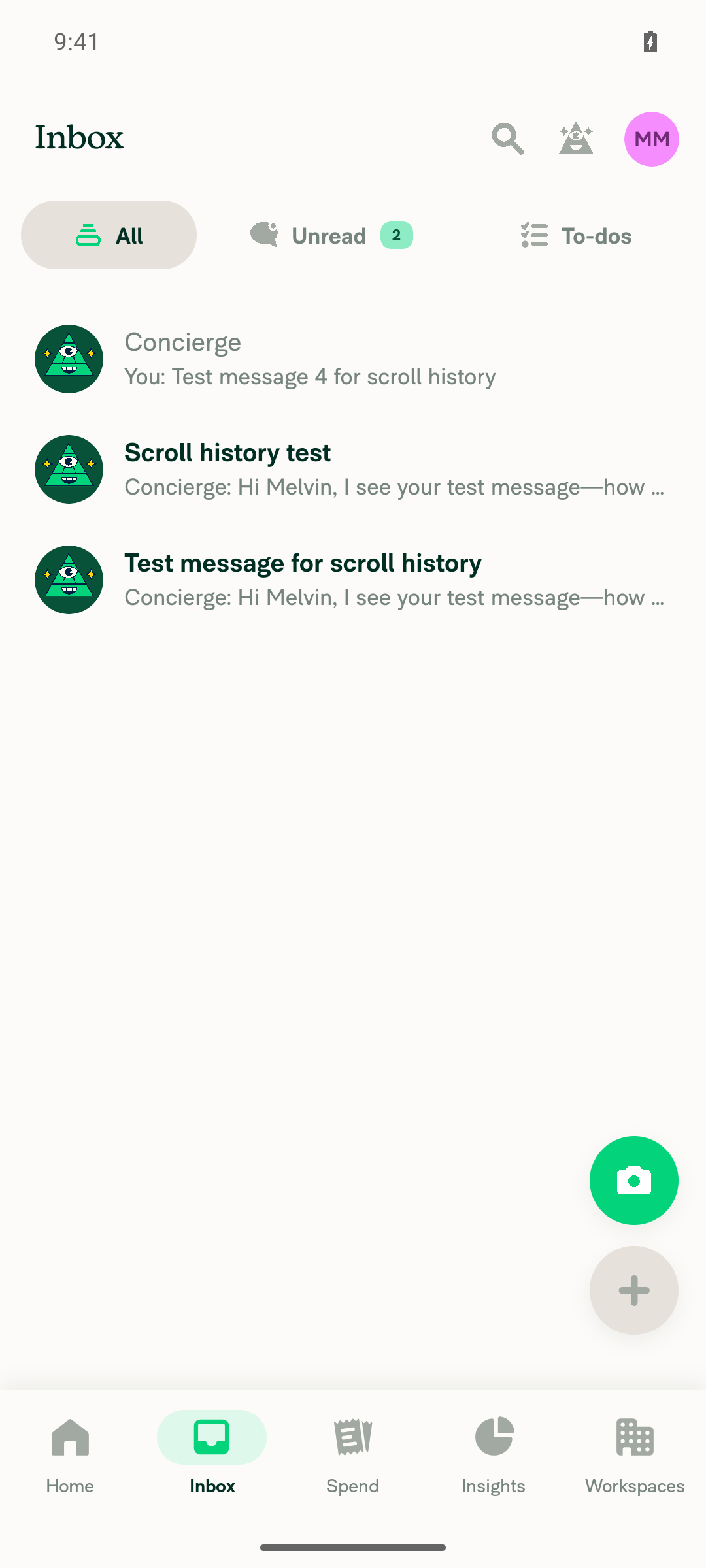
App stable on Inbox at end of run

Step Status
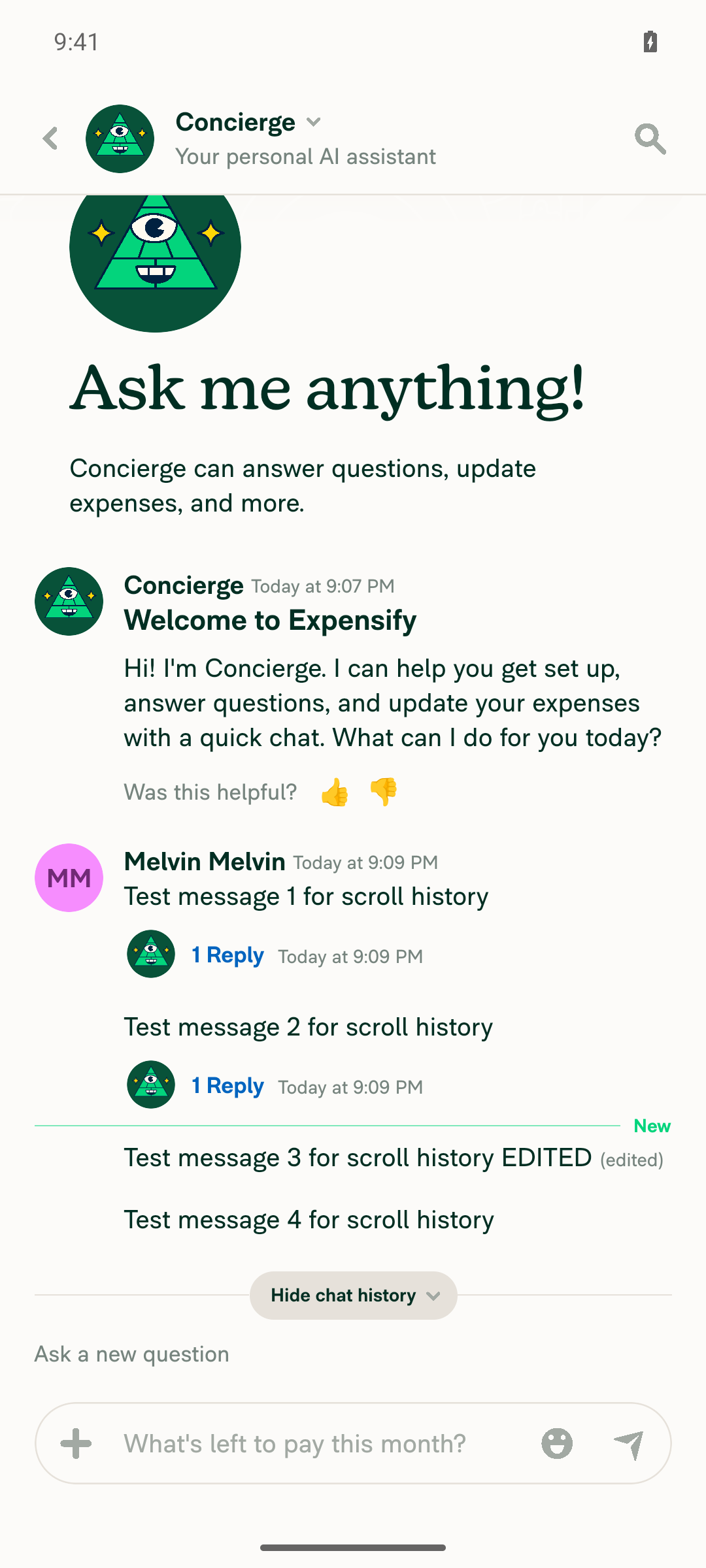
Open a chat with scrollable history containing a PDF attachmentThe test account had no chat with history. I sent 4 messages to Concierge to build scrollable history. I could not attach a PDF: the Android file picker showed no PDF on the device, and no tooling was available to add one. PDF preview rendering was not tested.
❌
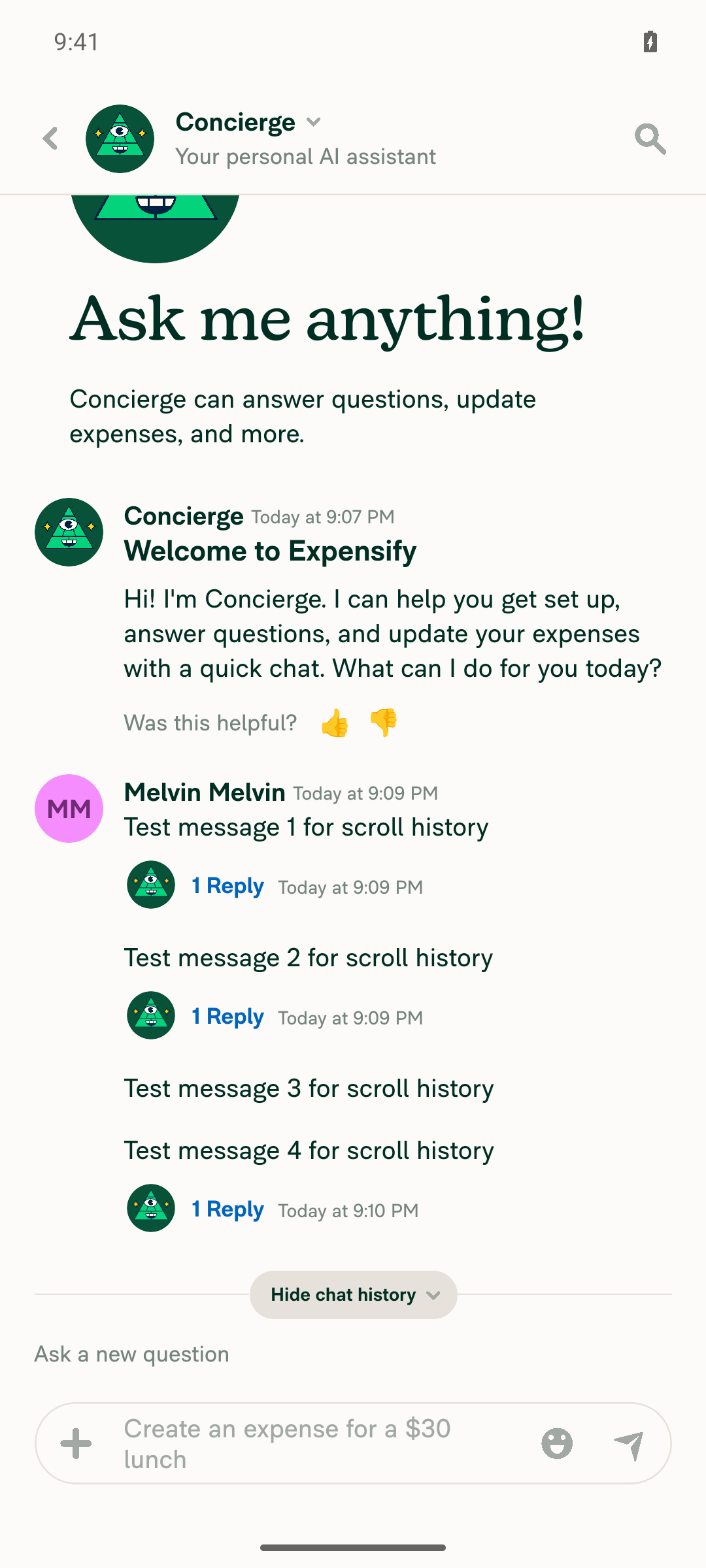
Scroll through history; messages and PDF preview render normallyAll 4 test messages and the welcome message rendered in the correct order with no layout glitches. The PDF part does not apply (no PDF present).
Concierge chat showing 4 test messages in order
✅
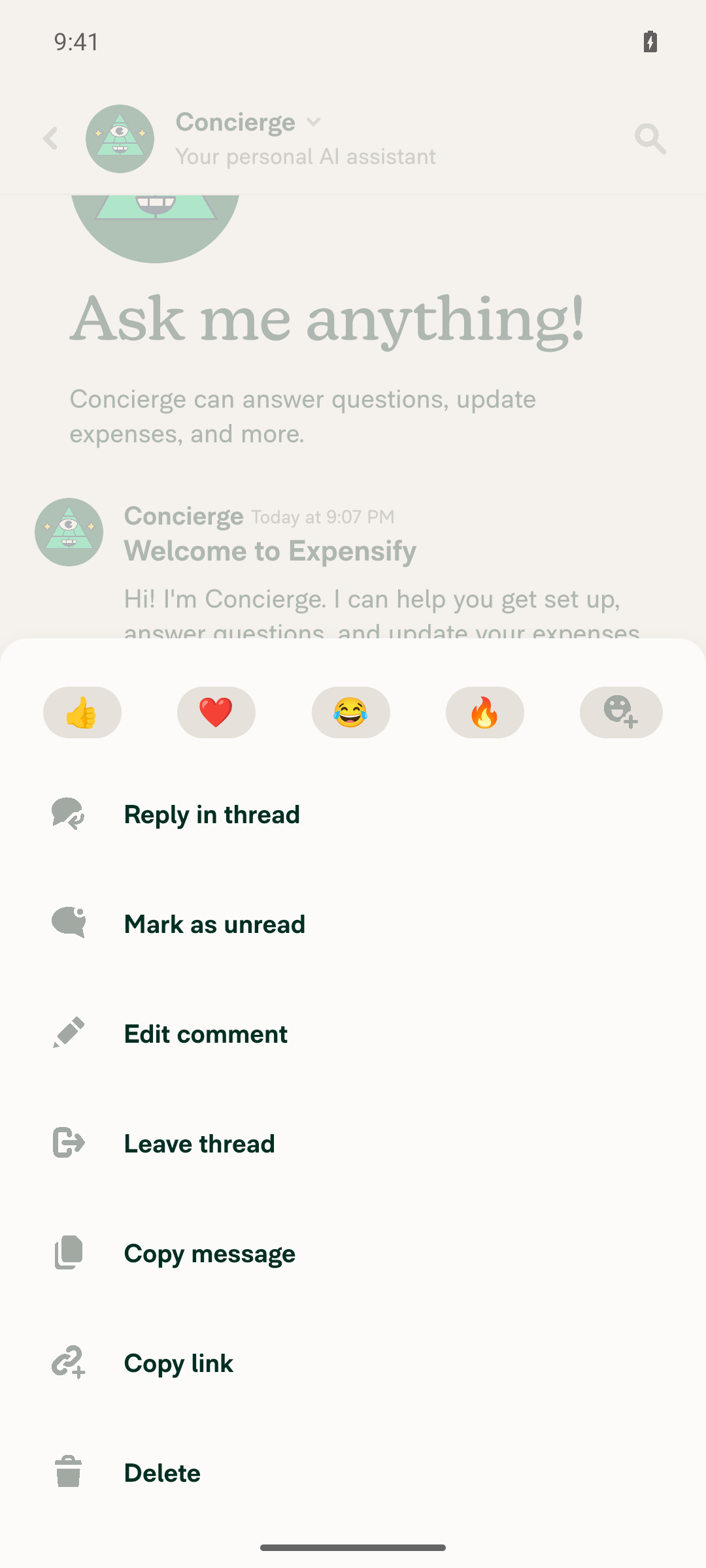
Open the action menu of a message I sentLong-pressing a sent message opened the action sheet with Reply in thread, Mark as unread, Edit comment, Leave thread, Copy message, Copy link, and Delete.
Message action menu with Edit comment
✅
Choose EditTapping Edit comment opened an inline edit field pre-filled with "Test message 3 for scroll history" and a Save changes button.
✅
Change the message textChanged the text to "Test message 3 for scroll history EDITED". A read-back confirmed the new text was in the field before saving.
✅
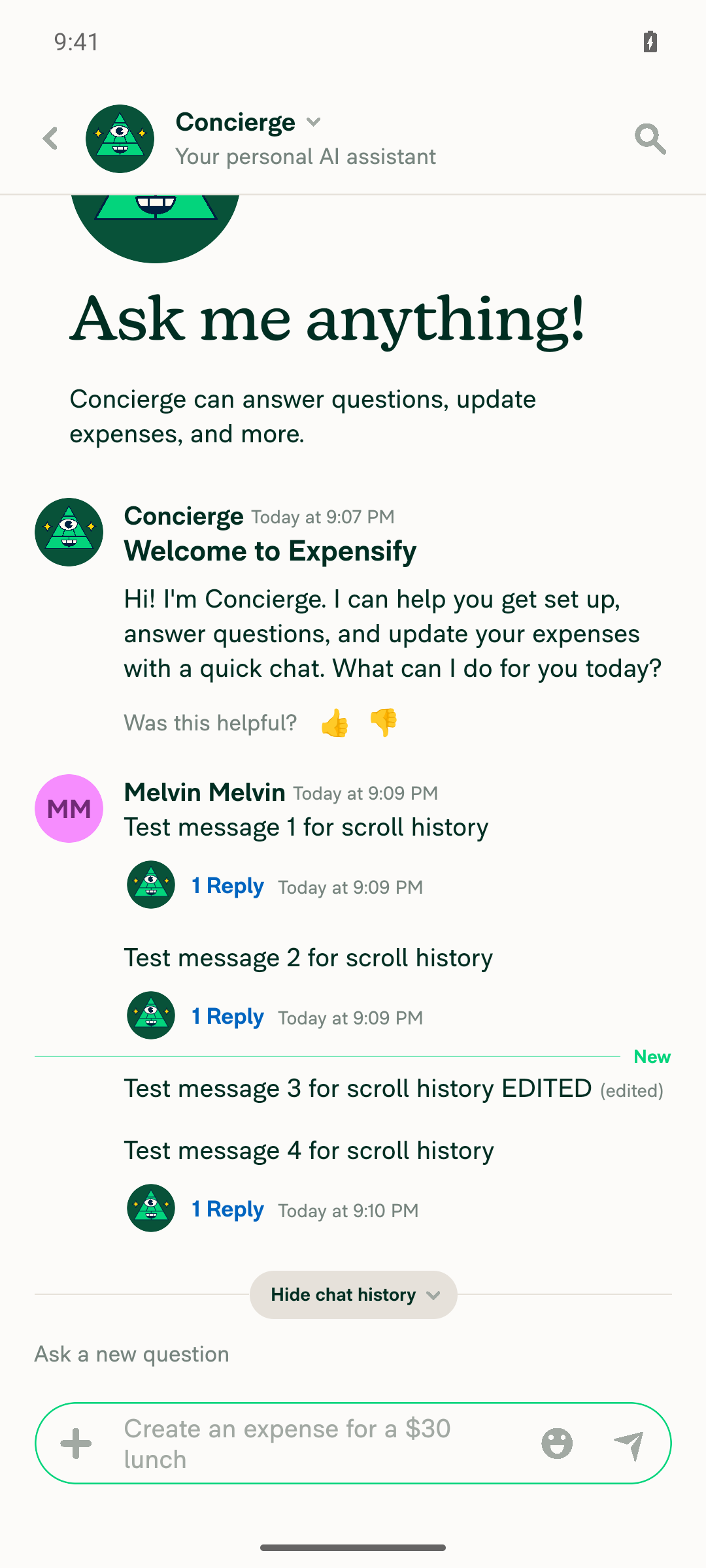
Save the edit; message updates in placeAfter Save changes, the row showed "Test message 3 for scroll history EDITED (edited)" in its original position in the list.
Message updated in place with (edited) tag
✅
No JS errors, red boxes, or crashes during the aboveNo error overlays, red boxes, or crashes appeared during sign-in, onboarding, sending, editing, or navigation. The app stayed stable and responsive.
App stable on Inbox at end of run
✅
Offline: open a chat while onlineReopened the Concierge chat from the inbox while online. All messages, including the edited one, rendered in order.
Concierge chat open while online
✅
Offline: disconnect the internetBlocked by the test environment. Airplane mode and Wi-Fi toggles are disabled for this session, and I found no in-app offline toggle under Preferences, Security, Profile, or Help.
❌
Offline: return to the inboxNot run, because the network could not be disconnected.
❌
Offline: reopen the chat; cached messages remain visible in correct orderNot run, because the network could not be disconnected.
❌

view run · view recording

@MelvinBot

MelvinBot commented Oct 30, 2026 •

Copy link
Copy Markdown
Contributor

🤖 Web test steps verification results: ⚠️ partial

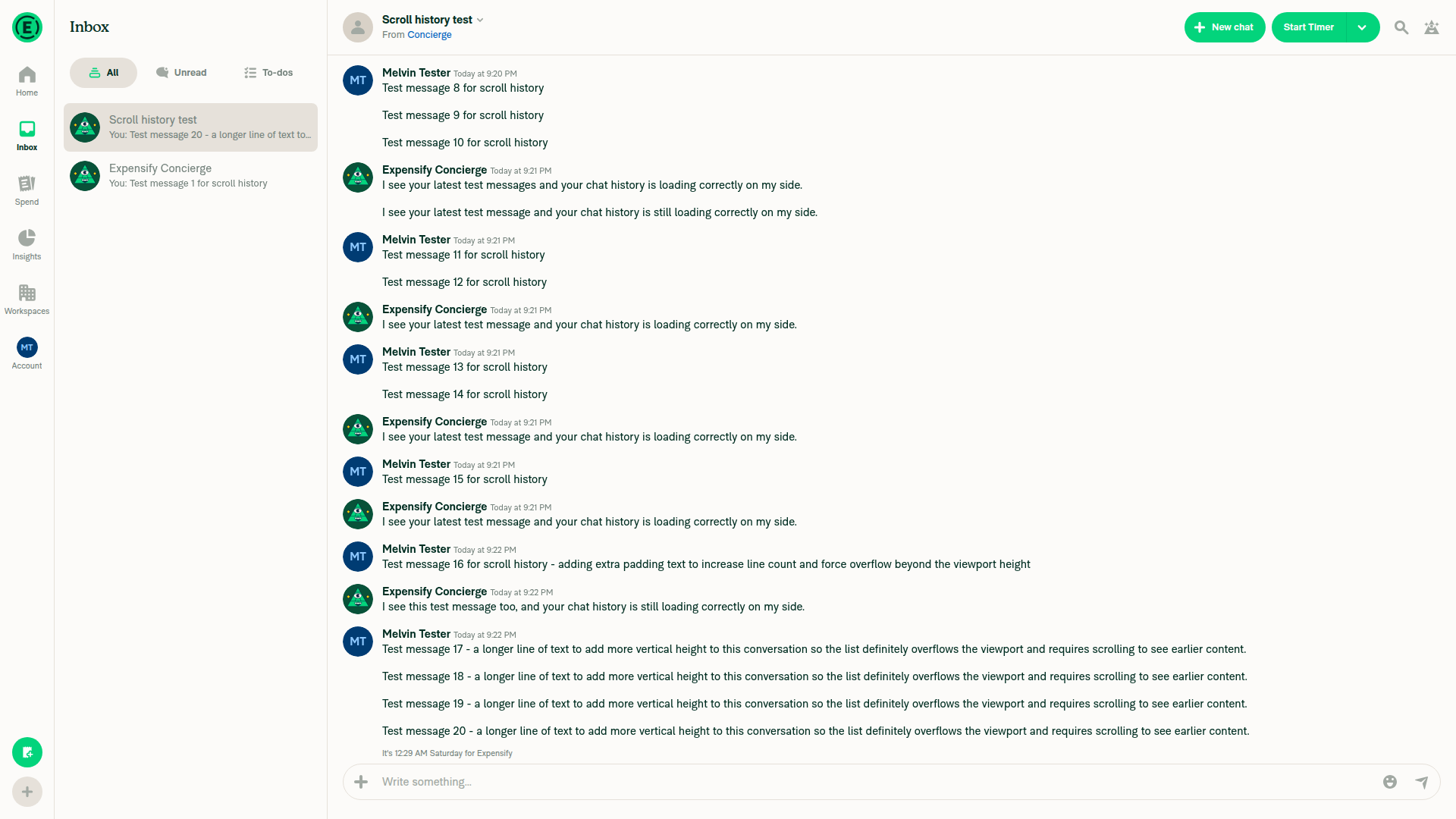
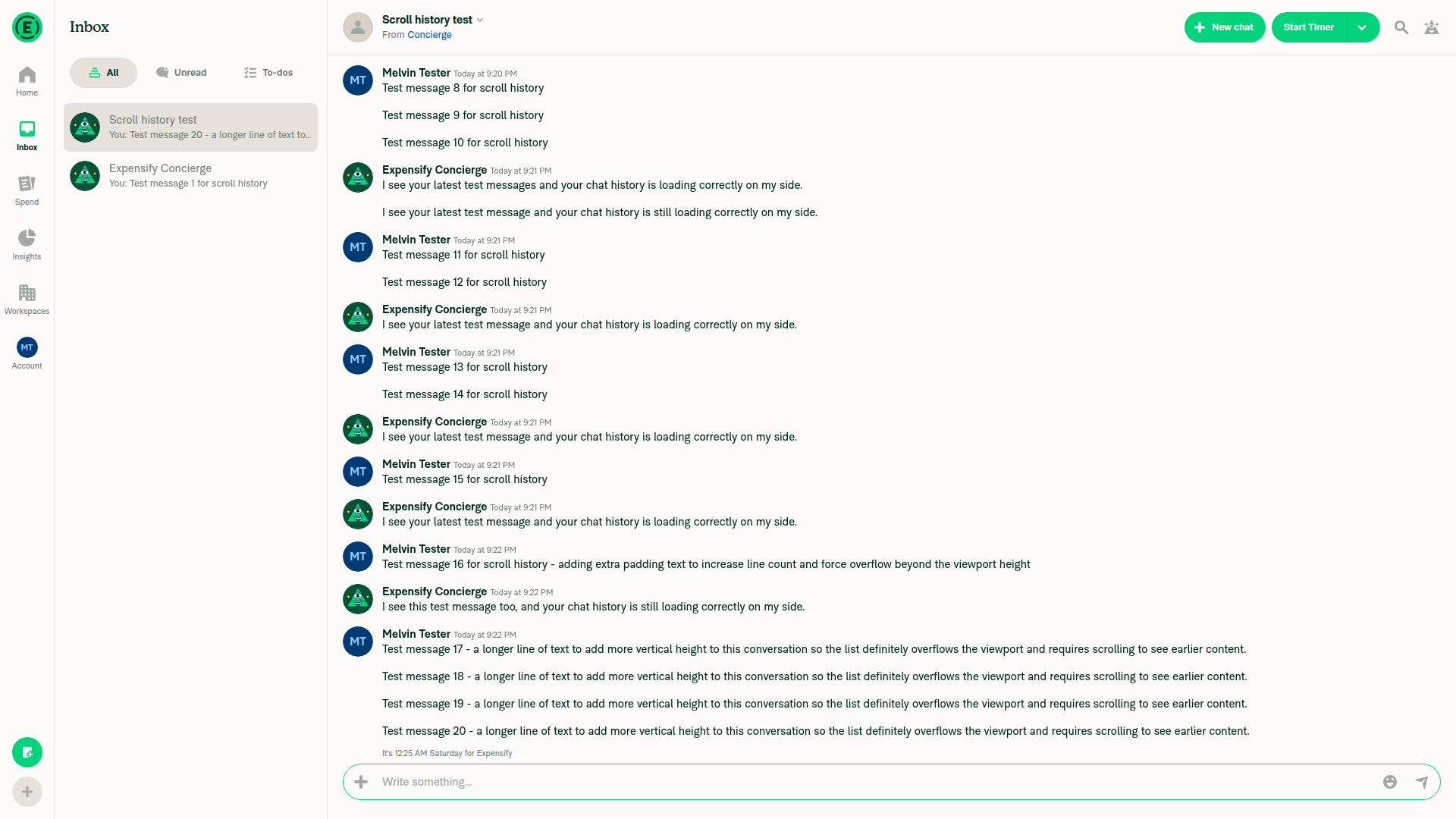
I signed in, finished onboarding, and built a 20-message Concierge chat, but the web test tool could not complete any documented step. It cannot upload files, trigger the hover menu that opens Edit, read the browser console, or simulate offline mode. These are tool limits, not confirmed app defects. Scrolling the chat and selecting message rows also behaved oddly, so a human should check those.
Final state of the chat at end of run

Step Status
1. Open a chat with scrollable history that contains a PDF attachmentThe new account had no chat with history, so I sent 20 messages to Concierge. I could not attach a PDF: Add attachment opens the native file picker, and the web test tool cannot upload files.
Chat with 20 messages built for scroll testing
❌
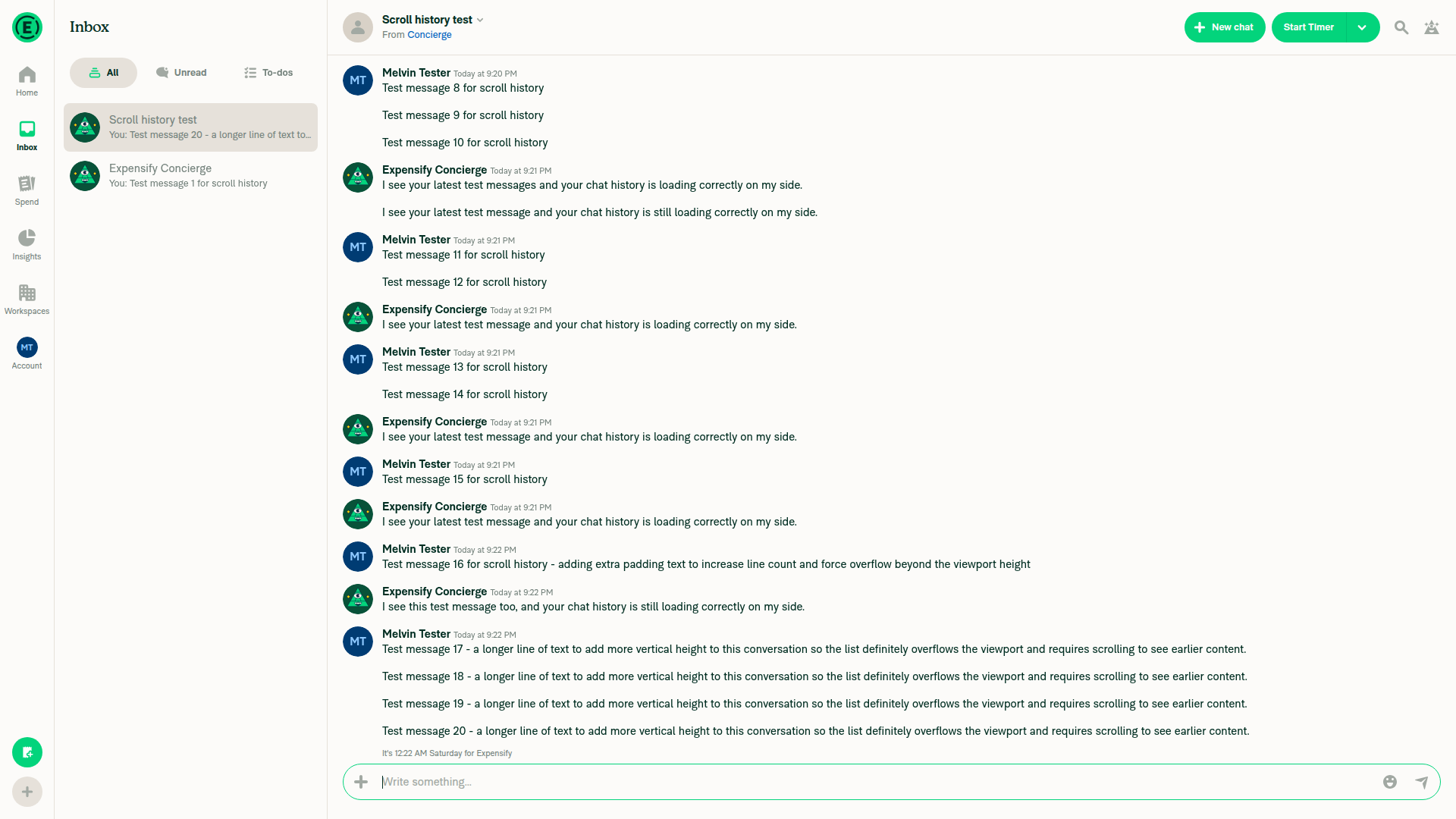
2. Scroll through the history; messages and PDF preview render normallyNo PDF was present. Every scroll command reported no movement, even though only messages 8–20 were visible. Scrolling also failed on an unrelated Personal Details page, which points to a tool limit rather than this PR. All visible messages rendered correctly in every screenshot.
Chat after scroll command, viewport unchanged
❌
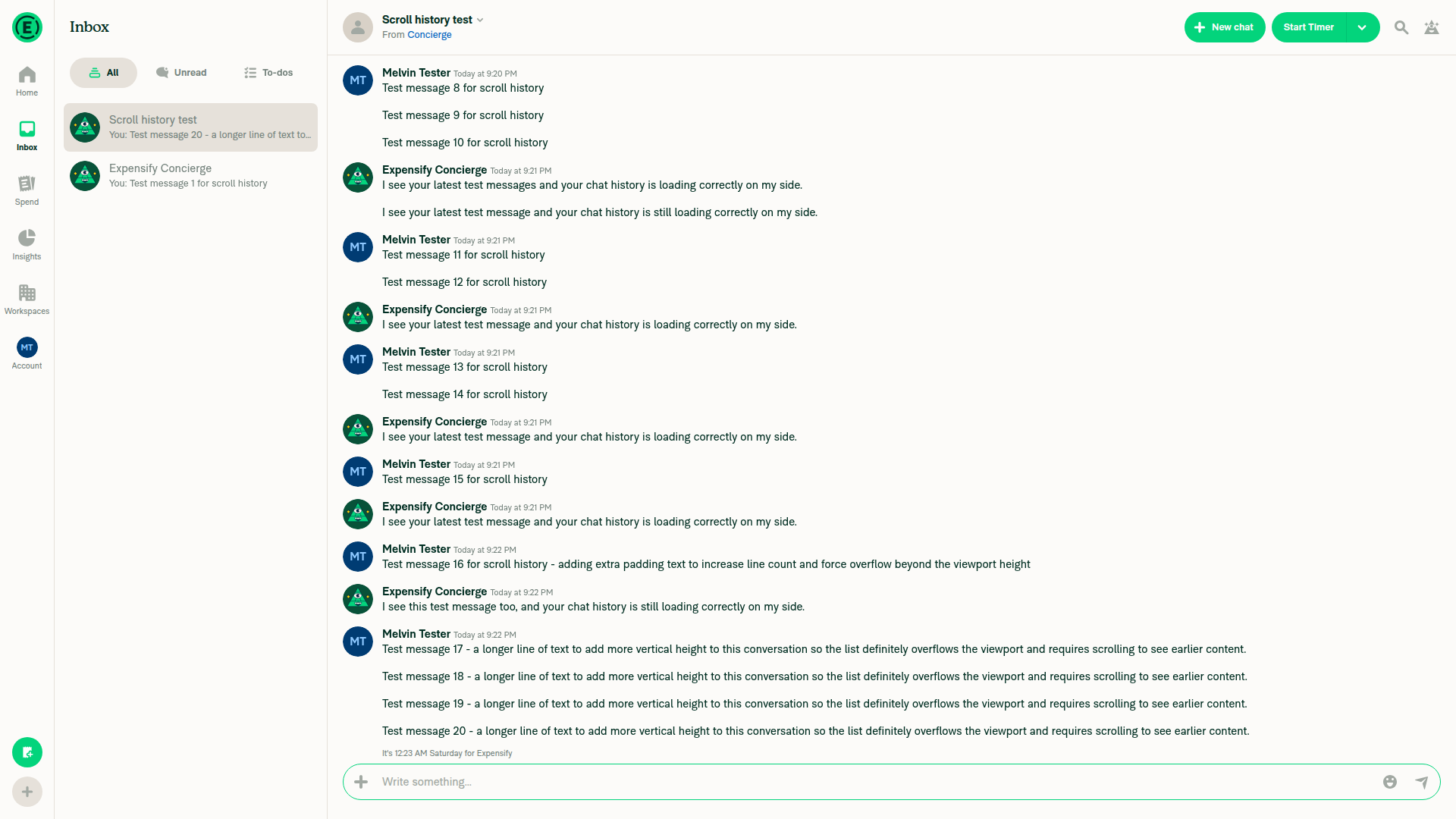
3–6. Open the action menu on my message, choose Edit, change the text, and saveThe action menu never appeared. I tried element and coordinate hover, click, double-click, right-click, and a mobile-width viewport. Message rows also sometimes failed to resolve as tap targets right after a fresh snapshot. These rows are the recycled report-action rows this PR touches, so a human should check this, although it may be a tool artifact.
No hover toolbar over own message after hover
❌
7. No errors appear in the JS console during the aboveThe web test tool cannot read the browser console. No error banners, blank screens, or crashes appeared in about 15 screenshots, but that does not replace a console check.
❌
8–11. Offline: open the chat online, disconnect, return to the inbox, and reopen the chat with cached messages in orderNot run. The web test tool cannot simulate network loss, and it has no network toggle.
❌

view run · no recording available

@roryabraham
roryabraham merged commit de45a4d into Expensify:main Oct 30, 2026
45 of 47 checks passed
@github-actions

Copy link
Copy Markdown
Contributor

🚧 roryabraham has triggered a test Expensify/App build. You can view the workflow run here.

@OSBotify

Copy link
Copy Markdown
Contributor

✋ This PR was not deployed to staging yet because QA is ongoing. It will be automatically deployed to staging after the next production release.

@github-actions

Copy link
Copy Markdown
Contributor

@OSBotify

Copy link
Copy Markdown
Contributor

🚀 Deployed to staging by https://github.com/roryabraham in version: 9.5.27-0 🚀

platform result
🕸 web 🕸 success ✅
🤖 android 🤖 success ✅
🍎 iOS 🍎 success ✅

@OSBotify

OSBotify commented Nov 2, 2026

Copy link
Copy Markdown
Contributor

🚀 Deployed to production by https://github.com/blimpich in version: 9.5.27-2 🚀

platform result
🕸 web 🕸 success ✅
🤖 android 🤖 success ✅
🍎 iOS 🍎 success ✅

Bundle Size Analysis (Sentry):

Sign up for free to join this conversation on GitHub. Already have an account? Sign in to comment

Labels

Melvin-Test-Android Melvin-Test-Web Triggers Melvin to run the testing steps of the PR on web

Projects

None yet

Development

Successfully merging this pull request may close these issues.

4 participants