Skip to content

Show the status emoji on the account avatar in the native tab bar - #104972

Merged
marcaaron merged 7 commits into
mainfrom
claude-nativeTabBarEmojiStatus
Oct 26, 2026
Merged

marcaaron merged 7 commits into
mainfrom
claude-nativeTabBarEmojiStatus

Conversation

@MelvinBot

@MelvinBot MelvinBot commented Oct 26, 2026 •

Copy link
Copy Markdown
Contributor

Explanation of Change

On iOS and Android, the bottom bar is the platform's native tab bar. Its icons are PNGs drawn with Skia in tabIconRasterizer.ts. The Account icon was drawn from only the avatar, the status dot and the label. The user's status emoji never reached it, so the emoji badge that the JS tab bar shows (AccountNavigationAvatar → AvatarWithOptionalStatus) was missing.

This PR:

  • Reads status.emojiCode from useCurrentUserPersonalDetails in the Android and iOS useNativeTabBarOptions, and passes it to the Account tab icon only. The badge background is theme.border, the same as the JS badge.
  • Draws the emoji badge in drawTabIcon at the bottom-right of the avatar, opposite the status dot. It uses the same cutout ring as the dot and stays inside the canvas so it isn't cut off. The emoji is drawn as a Skia paragraph, so it falls back to the system color emoji font. The badge is drawn over the account glyph too, while the avatar is still loading.
  • Adds the emoji and badge color to the icon cache key, so setting, changing or clearing a status redraws the Account icon.
  • Adds unit tests for both platforms: the emoji reaches the Account icon in both selection states, other tabs get no badge, and clearing the status removes it.

AI Tests (run by MelvinBot): ESLint, npm run typecheck, oxfmt, the React Compiler check (both hooks compile with Babel and OXC) and npm run spell-changed all pass on the changed files. The new test and the related tab bar tests pass (useNativeTabBarOptionsTest, NativeBottomTabViewTest, nativeTabScreenListenersTest, useAccountTabIndicatorStatusTest: 43 tests). The full Jest suite and the Storybook smoke test were not run. The changed code runs only on native, so I could not check the drawn badge on a device or emulator in this run.

Fixed Issues

$ #104966
PROPOSAL: #104966 (comment)

Tests

// TODO: The human co-author must fill out the tests you ran before marking this PR as "ready for review"
// Please describe what tests you performed that validates your changed worked.

  • Verify that no errors appear in the JS console

Offline tests

QA Steps

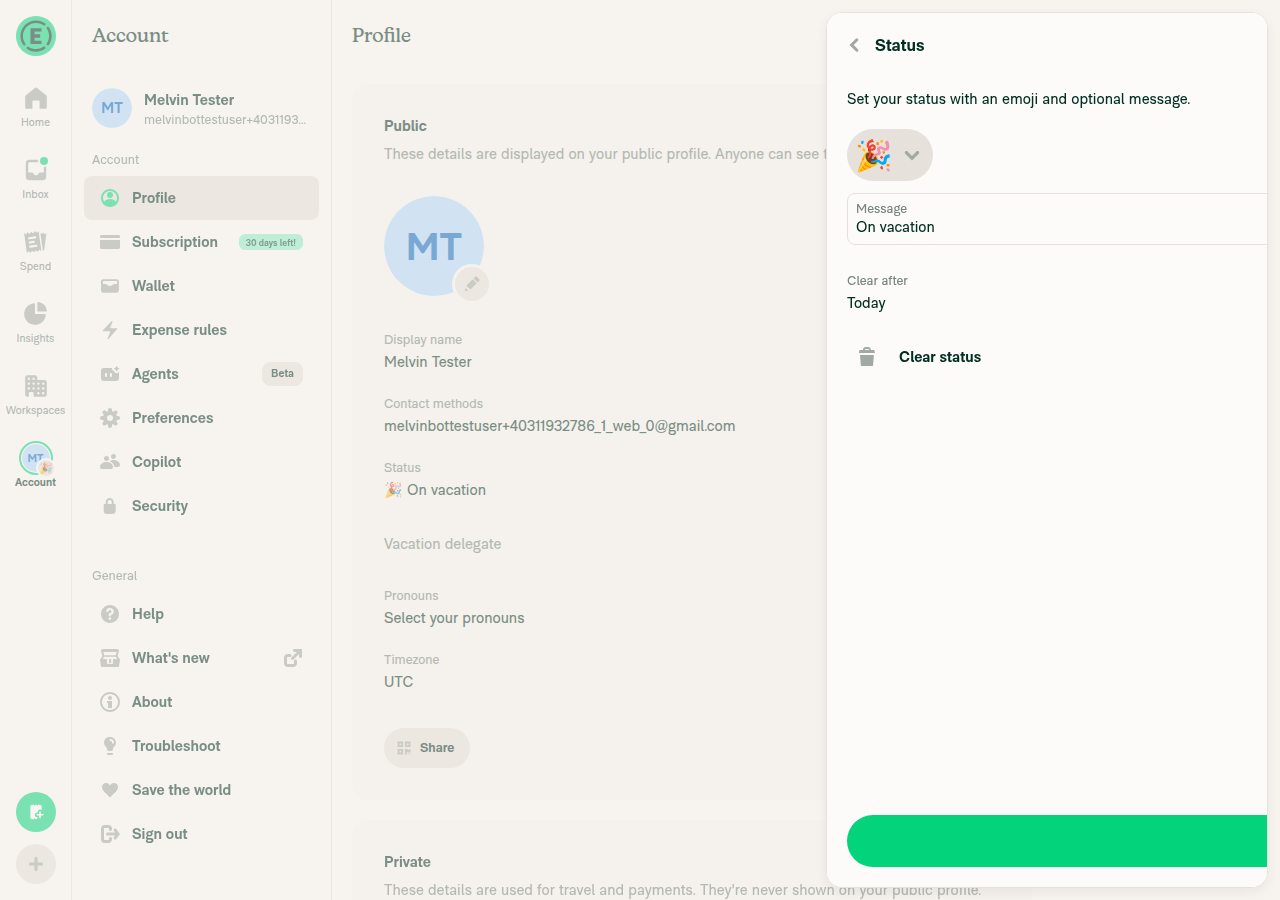
  1. Navigate to Accounts > Profile > Status
  2. Set a new status with an emoji
  3. Verify that emoji for status is displayed on user avatar at the bottom navigation
  • Verify that no errors appear in the JS console

PR Author Checklist

  • I linked the correct issue in the ### Fixed Issues section above
  • I wrote clear testing steps that cover the changes made in this PR
    • I added steps for local testing in the Tests section
    • I added steps for the expected offline behavior in the Offline steps section
    • I added steps for Staging and/or Production testing in the QA steps section
    • I added steps to cover failure scenarios (i.e. verify an input displays the correct error message if the entered data is not correct)
    • I turned off my network connection and tested it while offline to ensure it matches the expected behavior (i.e. verify the default avatar icon is displayed if app is offline)
    • I tested this PR with a High Traffic account against the staging or production API to ensure there are no regressions (e.g. long loading states that impact usability).
  • I included screenshots or videos for tests on all platforms
  • I ran the tests on all platforms & verified they passed on:
    • Android: Native
    • Android: mWeb Chrome
    • iOS: Native
    • iOS: mWeb Safari
    • MacOS: Chrome / Safari
  • I verified there are no console errors (if there's a console error not related to the PR, report it or open an issue for it to be fixed)
  • I verified any copy / text that was added to the app is either coming verbatim from figma or has been approved by marketing (in order to get marketing approval, ask the Bug Zero team member to add the Waiting for copy label to the issue)
  • If a new code pattern is added I verified it was agreed to be used by multiple Expensify engineers
  • I tested other components that can be impacted by my changes (i.e. if the PR modifies a shared library or component like Avatar, I verified the components using Avatar are working as expected)
  • If new assets were added or existing ones were modified, I verified that:
    • The assets are optimized and compressed (for SVG files, run npm run compress-svg)
    • The assets load correctly across all supported platforms.
  • If the PR modifies code that runs when editing or sending messages, I tested and verified there is no unexpected behavior for all supported markdown - URLs, single line code, code blocks, quotes, headings, bold, strikethrough, and italic.
  • If the PR modifies a generic component, I tested and verified that those changes do not break usages of that component in the rest of the App (i.e. if a shared library or component like Avatar is modified, I verified that Avatar is working as expected in all cases)
  • If the PR modifies a component related to any of the existing Storybook stories, I tested and verified all stories for that component are still working as expected.
  • If the PR modifies a component or page that can be accessed by a direct deeplink, I verified that the code functions as expected when the deeplink is used - from a logged in and logged out account.
  • If the PR modifies the UI (e.g. new buttons, new UI components, changing the padding/spacing/sizing, moving components, etc) or modifies the form input styles:
    • I verified that all the inputs inside a form are aligned with each other.
    • I added Design label and/or tagged @Expensify/design so the design team can review the changes.
  • If the PR adds or modifies the UI:
    • I asked an AI agent to review the changes for accessibility issues and addressed its findings.
    • I tested with a screen reader (VoiceOver on macOS) and verified all new/changed elements are reachable with a logical focus order.
    • I verified all new/changed elements have meaningful accessible names and roles.
    • I verified state changes are announced (e.g. checked/unchecked, expanded/collapsed, selected).
  • I added unit tests for any new feature or bug fix in this PR to help automatically prevent regressions in this user flow.
  • If the main branch was merged into this PR after a review, I tested again and verified the outcome was still expected according to the Test steps.

Screenshots/Videos

Android: Native
Android: mWeb Chrome
iOS: Native
iOS: mWeb Safari
MacOS: Chrome / Safari

Co-authored-by: Aimane Chnaif <aimane-chnaif@users.noreply.github.com>
@codecov

codecov Bot commented Oct 26, 2026 •

Copy link
Copy Markdown

Codecov Report

✅ Changes either increased or maintained existing code coverage, great job!

Files with missing lines Coverage Δ
...bNavigator/useNativeTabBarOptions/index.android.ts 100.00% <100.00%> (+100.00%) ⬆️
...veTabNavigator/useNativeTabBarOptions/index.ios.ts 100.00% <100.00%> (+20.00%) ⬆️
src/styles/variables.ts 100.00% <ø> (ø)
...Navigators/NativeTabNavigator/useTabEmojiStatus.ts 95.23% <95.23%> (ø)
...Navigators/NativeTabNavigator/tabIconRasterizer.ts 0.00% <0.00%> (ø)
... and 46 files with indirect coverage changes

@MelvinBot

MelvinBot commented Oct 26, 2026 •

Copy link
Copy Markdown
Contributor Author

🤖 Android test steps verification results: ✅ pass

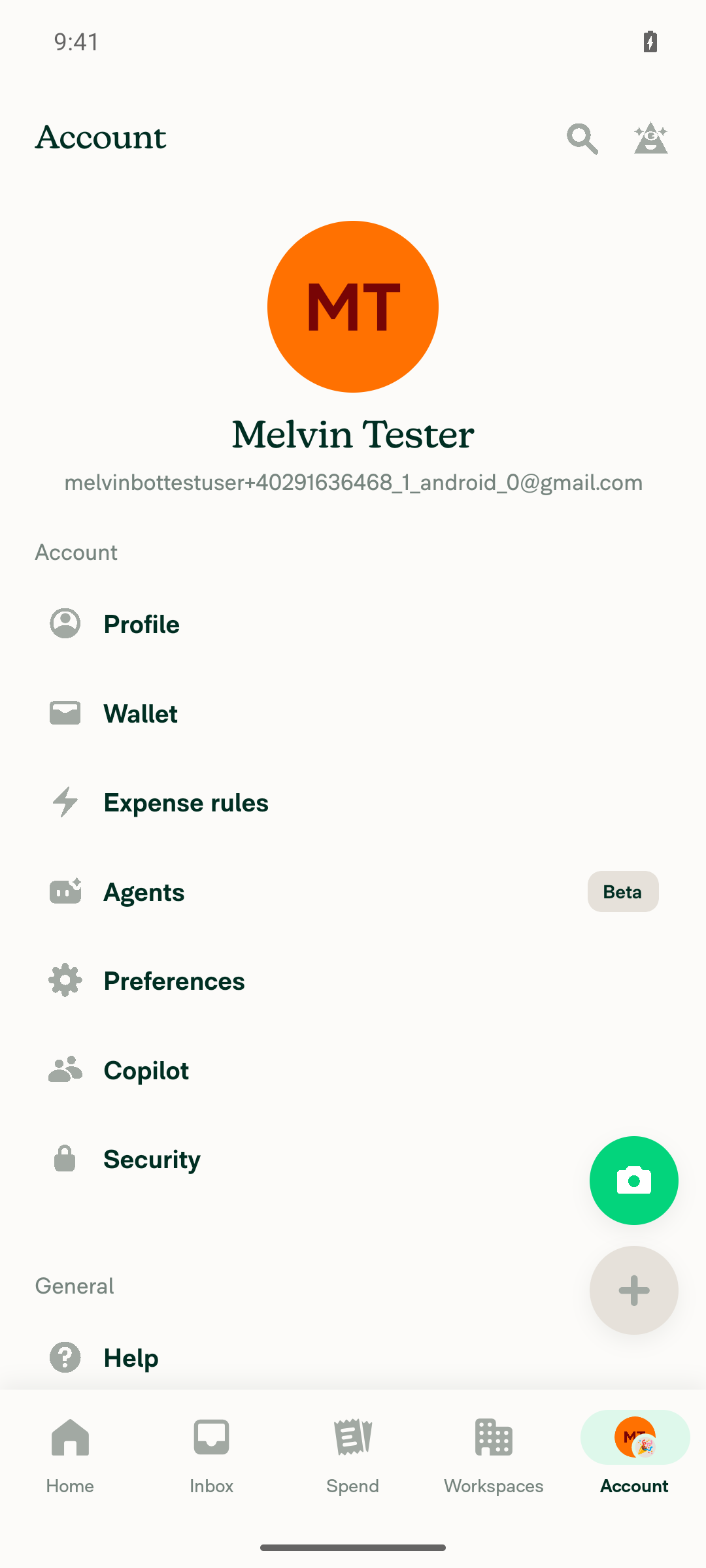
On Android, the Account tab avatar in the native bottom tab bar shows a small status emoji badge at the bottom-right once a status is set. The badge updates when the emoji changes, disappears when the status is cleared, and never appears on other tabs. The PR's Tests section is still a placeholder, so these steps come from the linked issue and the PR description.
Account tab avatar after clearing status - no emoji badge

Step Status
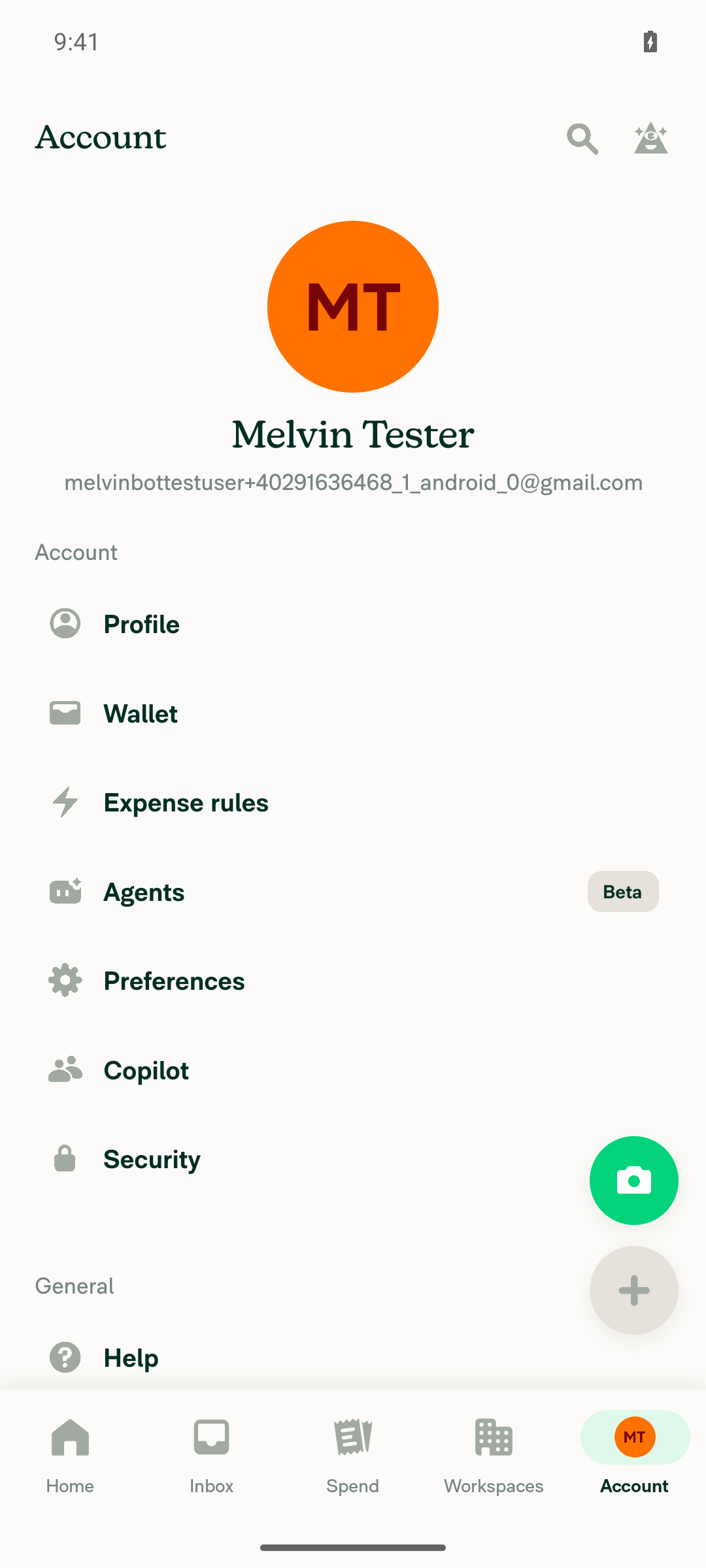
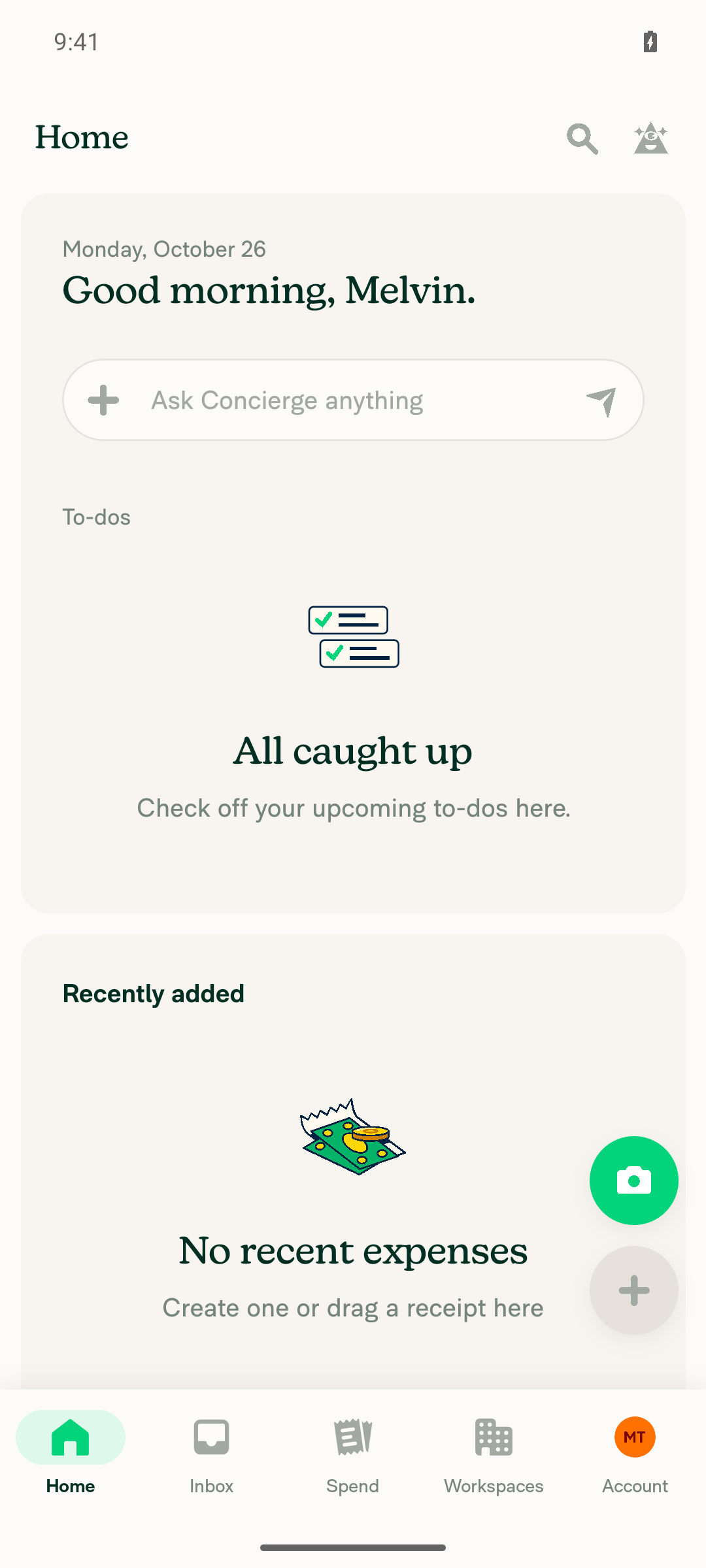
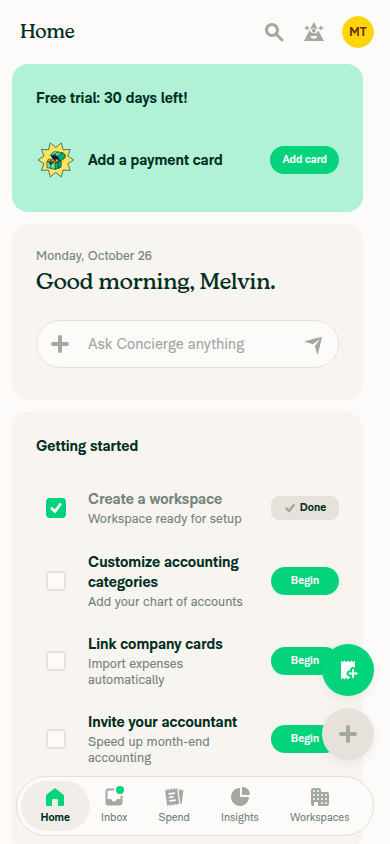
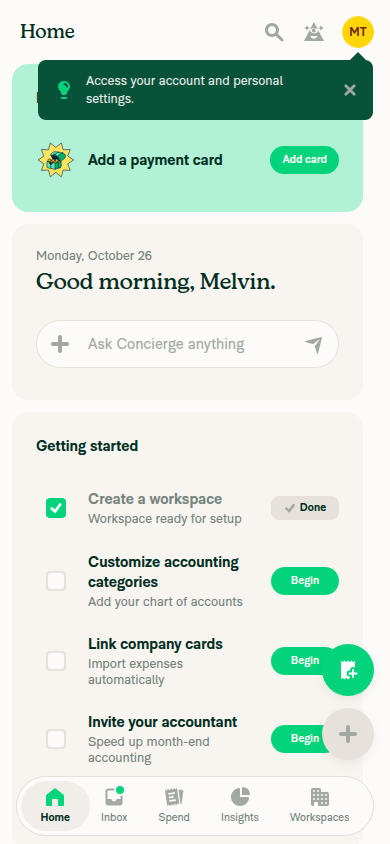
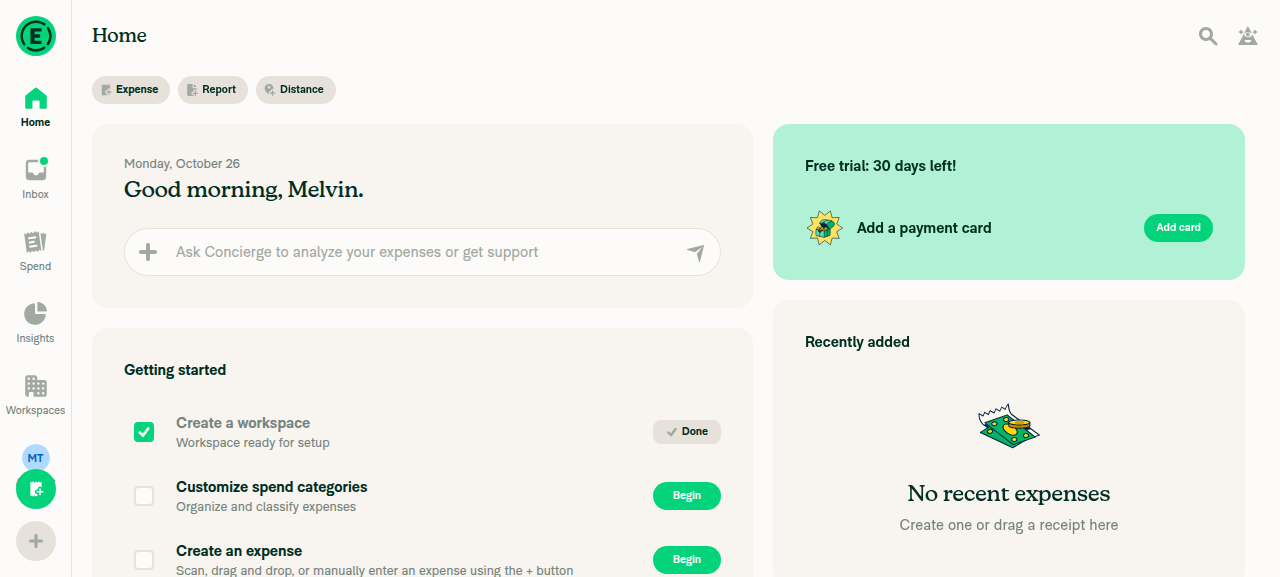
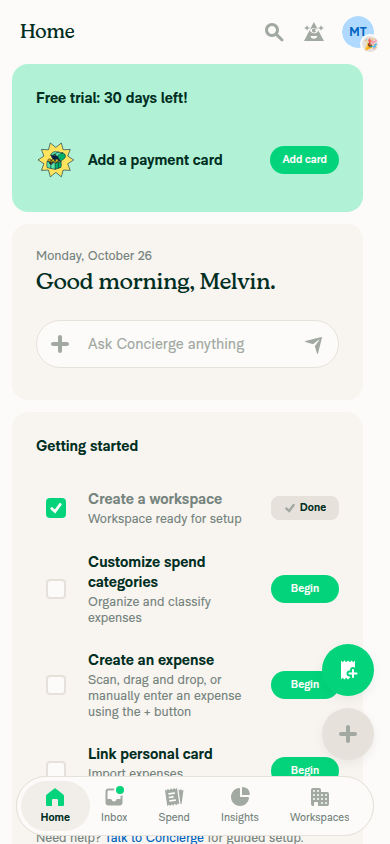
1. Before setting a status, the Account tab avatar shows no emoji badgeThe Home screen showed the Account tab's "MT" avatar with no badge.
Bottom tab bar before any status is set - Account avatar has no emoji badge
✅
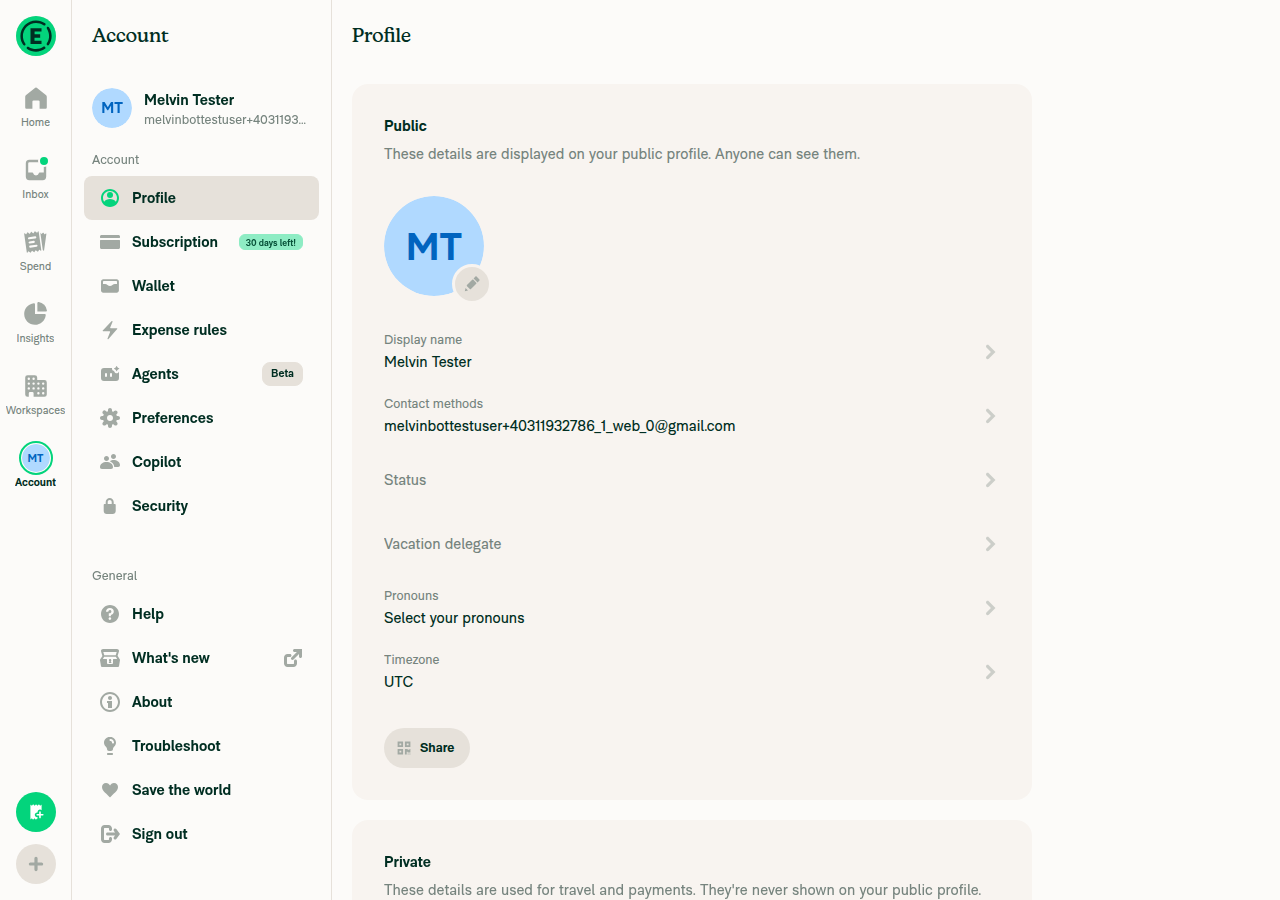
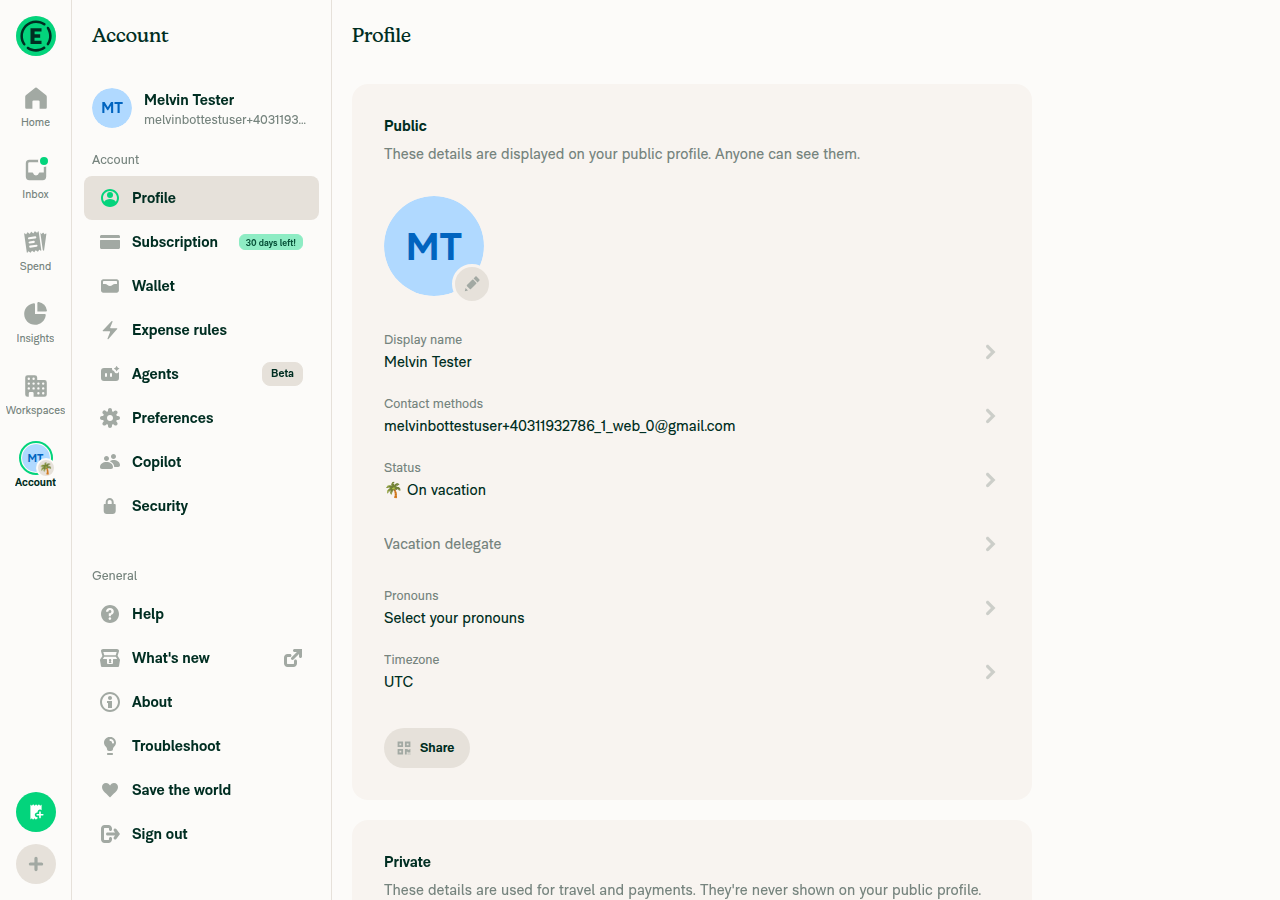
2. Set a status with an emoji (🌴) in Account > Profile > Status and saveThe Status page accepted 🌴 with the message "On vacation". After saving, the Profile row read "🌴 On vacation".
✅
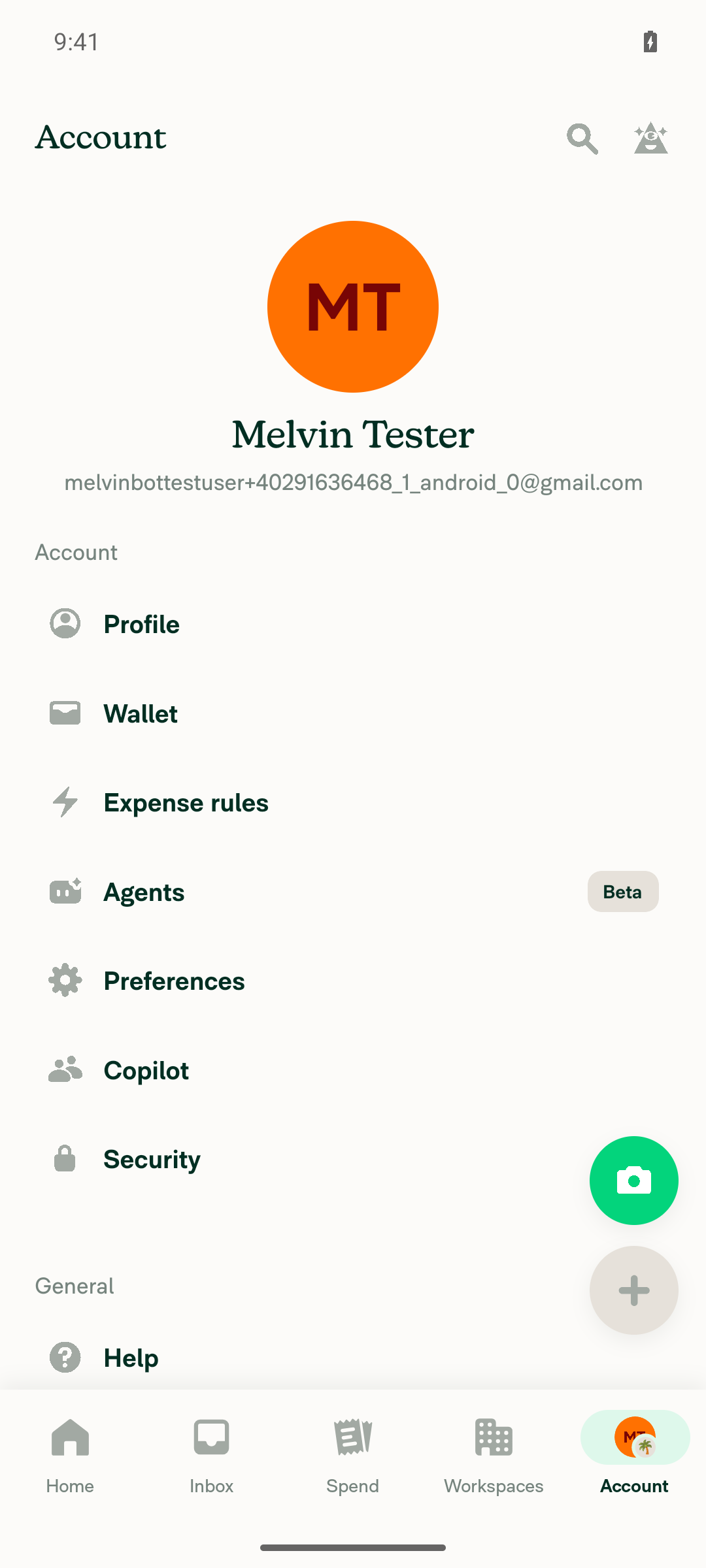
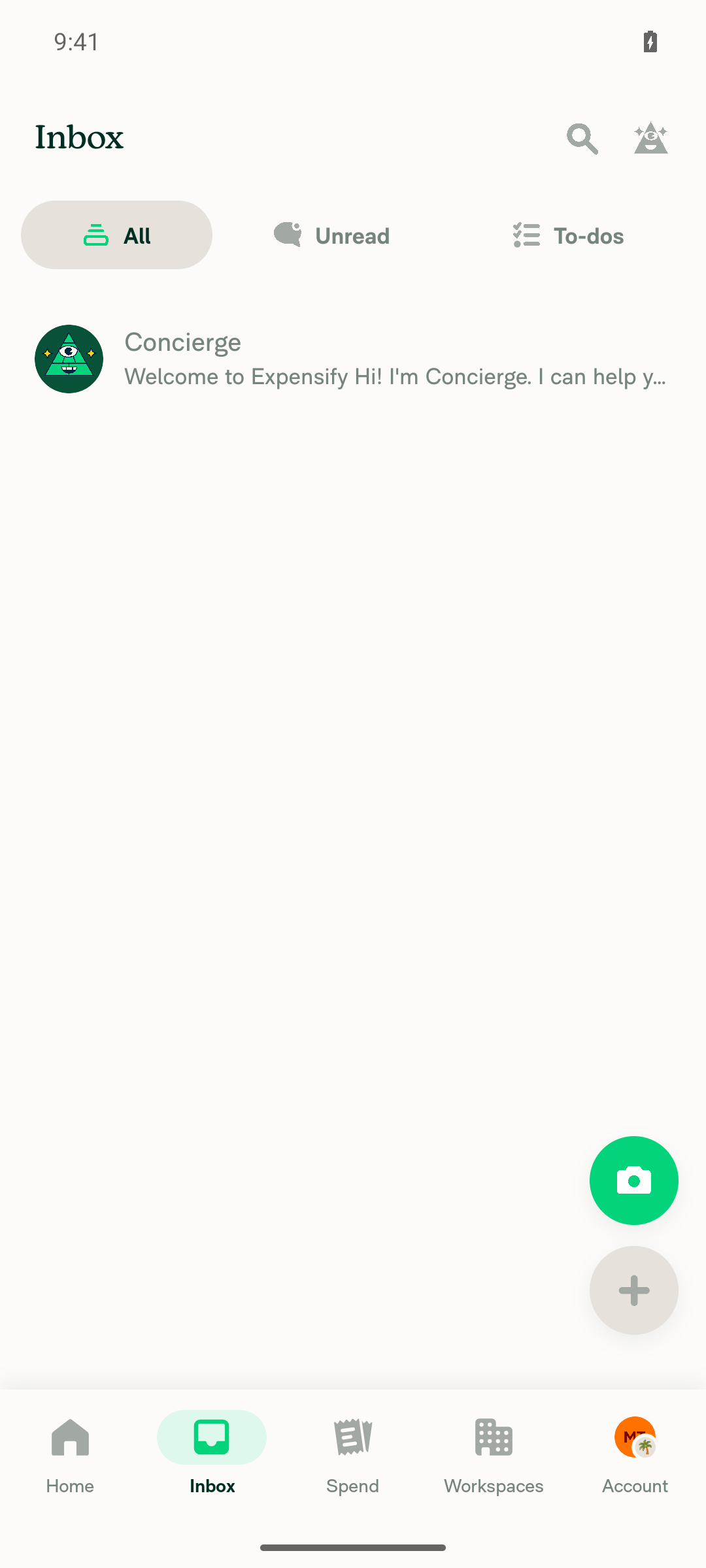
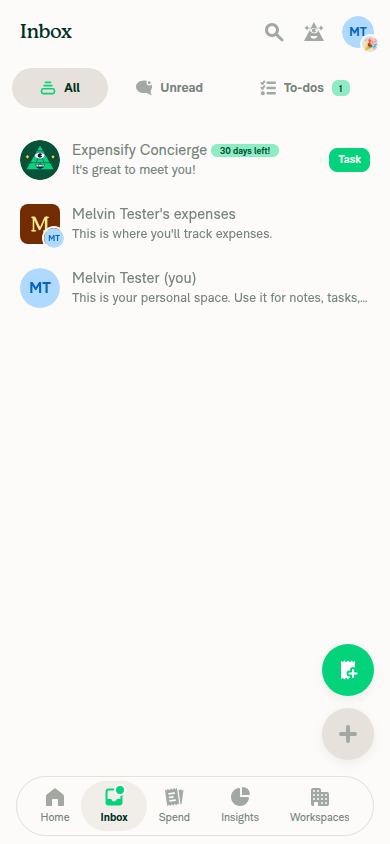
3. The emoji badge shows on the Account tab avatar when Account is selected and when Inbox is selectedWith Account selected, the avatar showed a palm tree badge at the bottom-right. After switching to Inbox, the badge stayed on the unselected Account tab.
Account tab selected - avatar shows palm tree emoji badge
Inbox tab selected - Account tab avatar still shows palm tree emoji badge
✅
4. Changing the emoji (🌴 → 🎉) updates the Account tab badgeAfter saving 🎉, the badge changed from a palm tree to a party popper.
Account tab avatar badge updated to the new party-popper emoji
✅
5. Clearing the status removes the badgeAfter "Clear status" and save, the Profile row went back to "Status" and the Account avatar showed plain "MT" with no badge.
Account tab avatar after clearing status - no emoji badge
✅
6. Other tabs never show an emoji badgeHome, Inbox, Spend and Workspaces showed no badge in any captured state (no status, 🌴 with Account selected, 🌴 with Inbox selected, 🎉, cleared).
Home/Inbox/Spend/Workspaces show no badge while Account has one
✅

view run · view recording

@MelvinBot

MelvinBot commented Oct 26, 2026 •

Copy link
Copy Markdown
Contributor Author

🤖 Web test steps verification results: ⚠️ partial

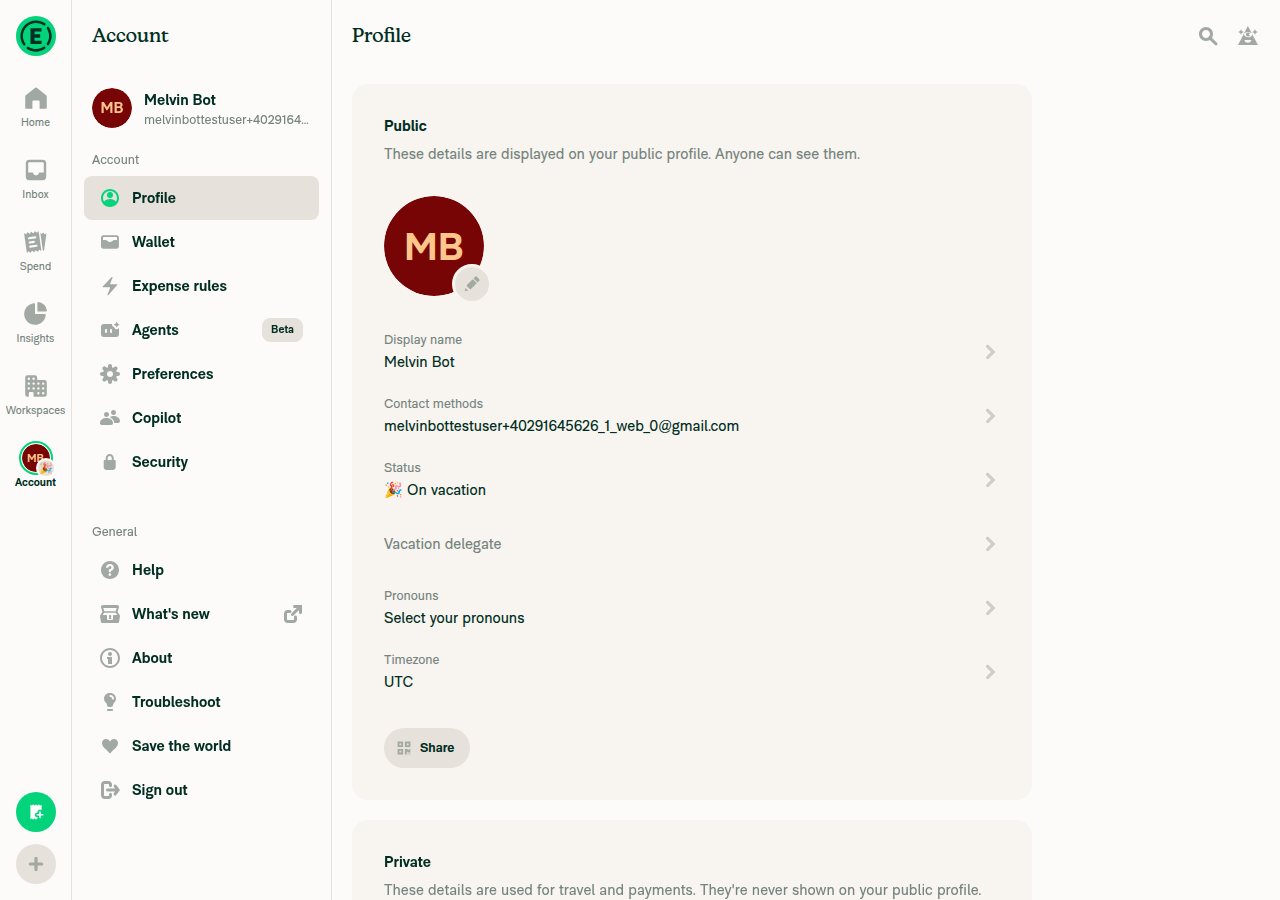
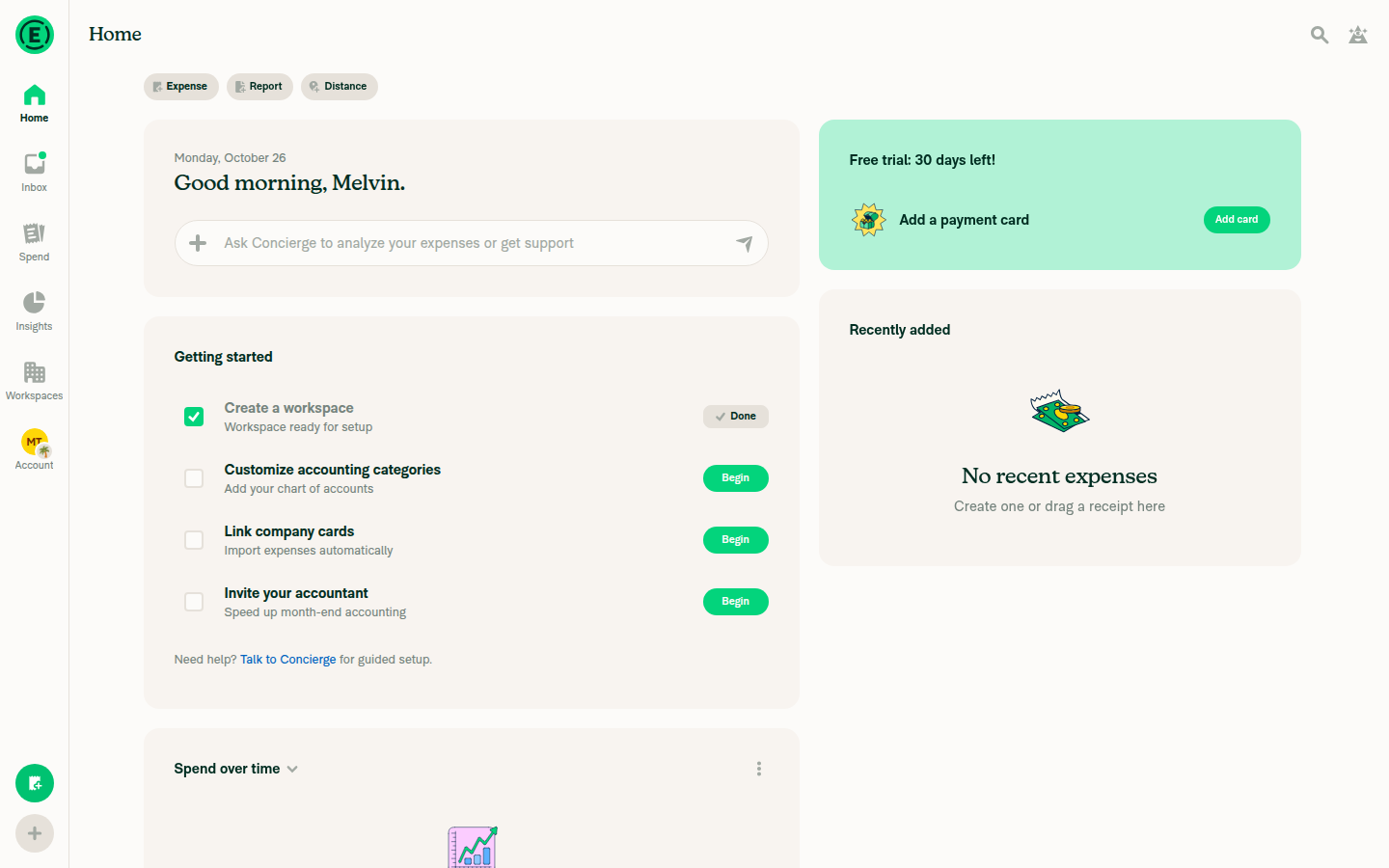
On web, the Account avatar in the navigation bar shows, updates and clears the status emoji badge across tab switches, so the existing web behavior still works. The PR changes only the native tab bar, so this was a regression check using the linked issue's steps. I could not check the JS console because the web test tool has no console capture.
Avatar reverted to plain MB initials with no status badge

Step Status
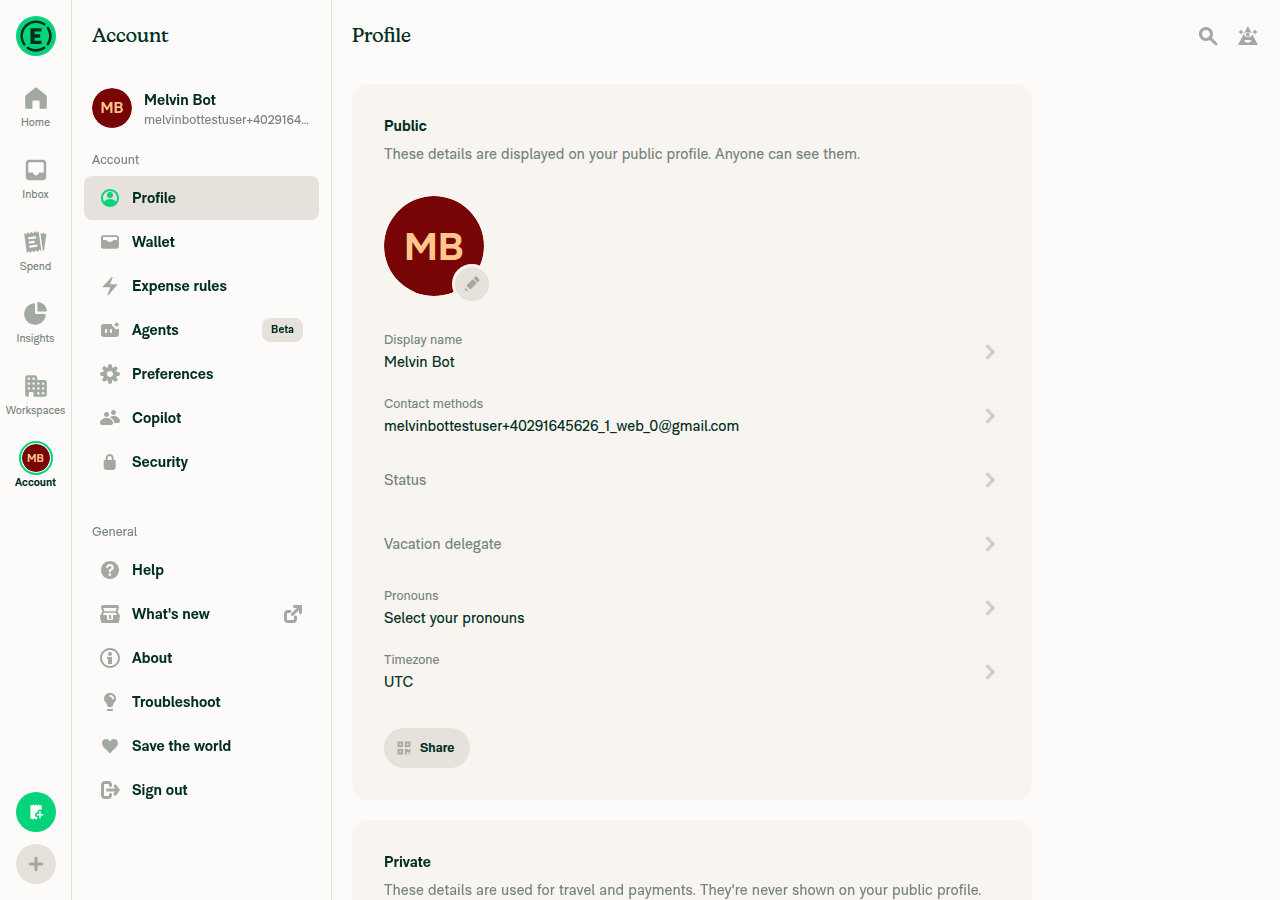
1. Before setting a status, the Account avatar shows no emoji badgeThe avatar showed plain "MB" initials with no emoji next to it.
Home screen with plain MB avatar, no status badge
✅
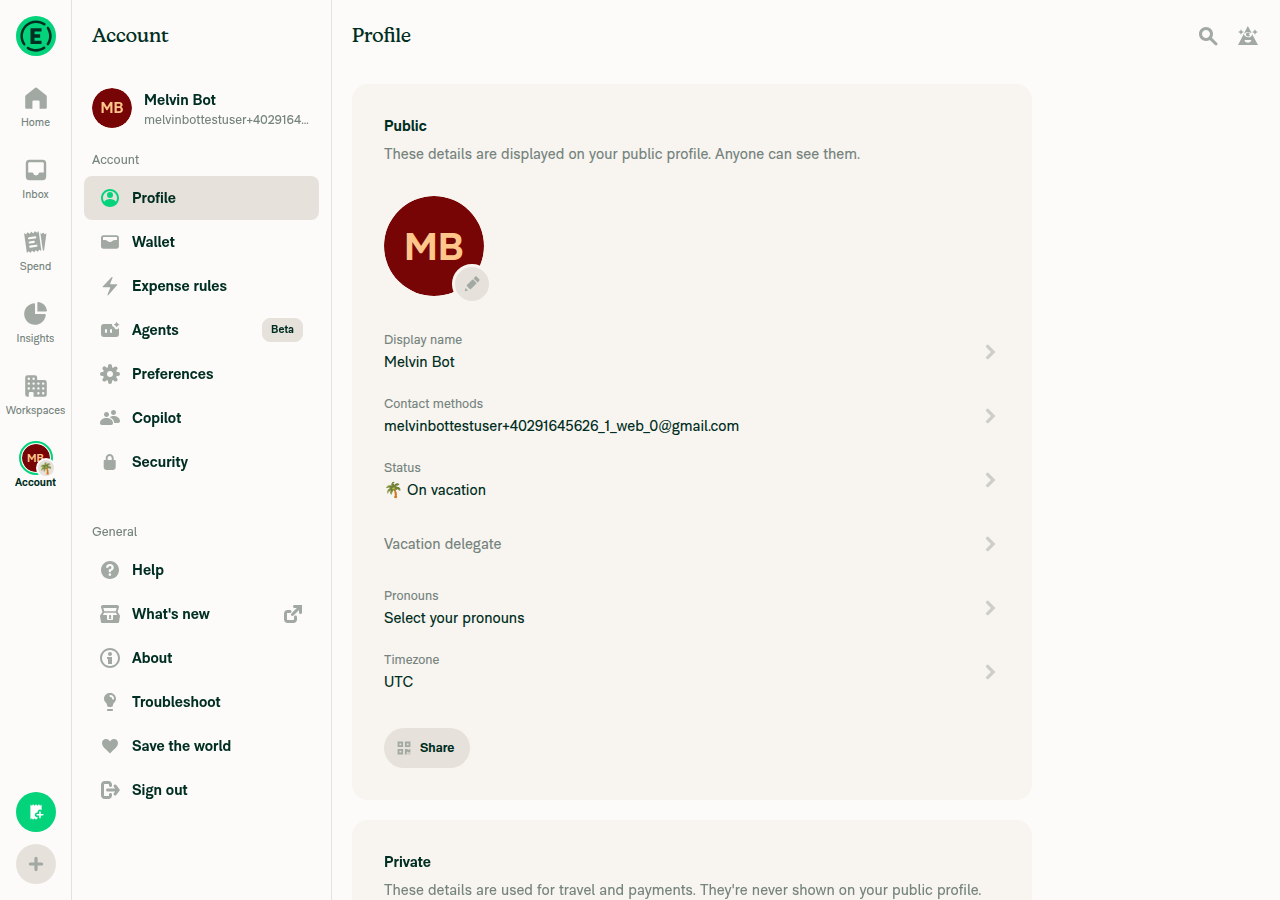
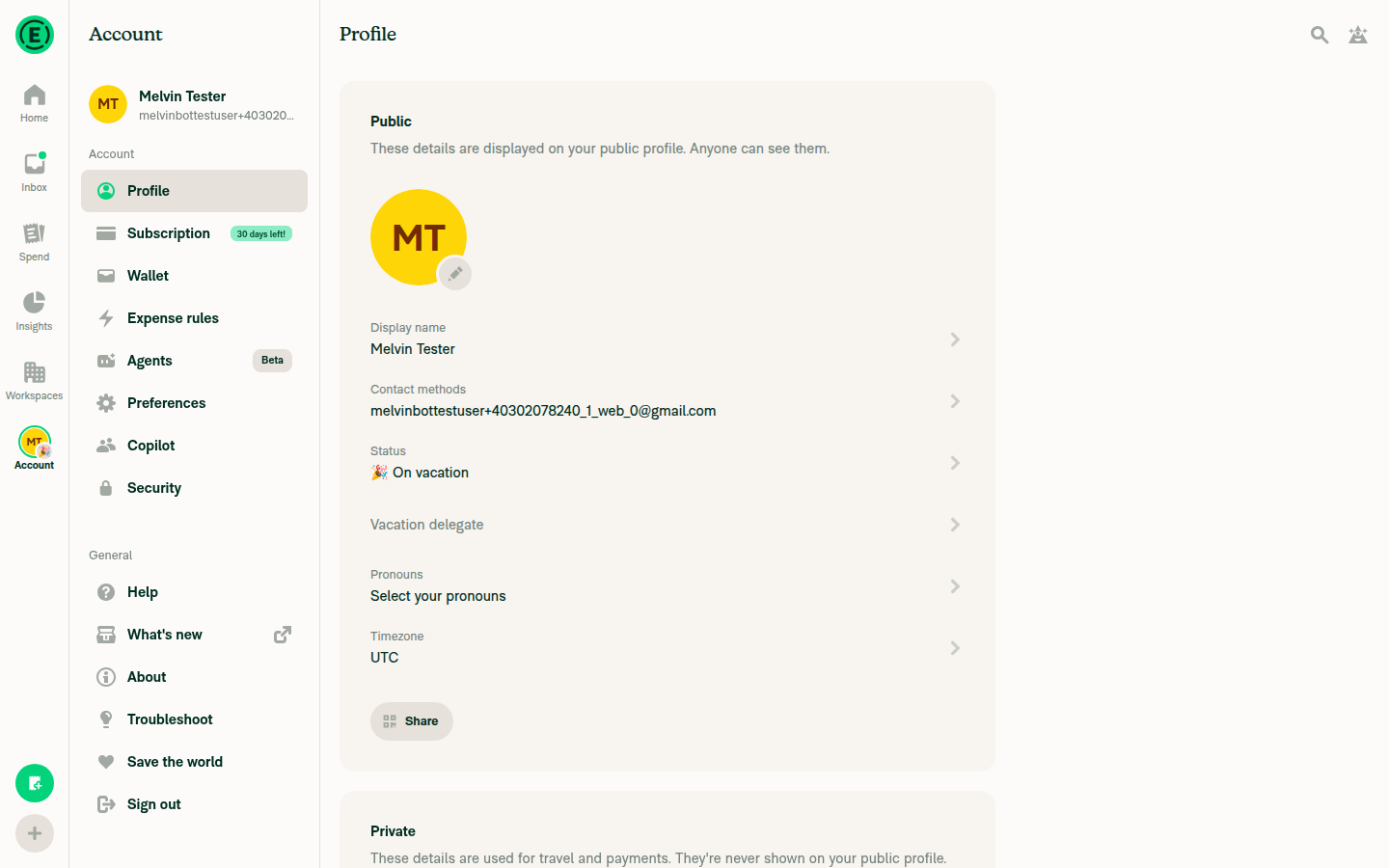
2. Set a status with an emoji (🌴) in Account > Profile > Status and saveThe status saved with 🌴 and the message "On vacation". The Profile row read "🌴 On vacation".
Profile page showing Status: 🌴 On vacation, avatar badge visible in nav
✅
3. The emoji shows on the Account avatar on the Account page and after switching to InboxThe 🌴 badge appeared next to the avatar on the Profile page. It stayed after switching to Inbox.
Avatar badge visible while on Account/Profile page
Avatar badge still visible after switching to the Inbox tab
✅
4. Changing the emoji (🌴 → 🎉) updates the avatar badgeAfter saving 🎉, the badge changed to 🎉 and the Profile row read "🎉 On vacation".
Avatar badge updated to 🎉 party popper emoji
✅
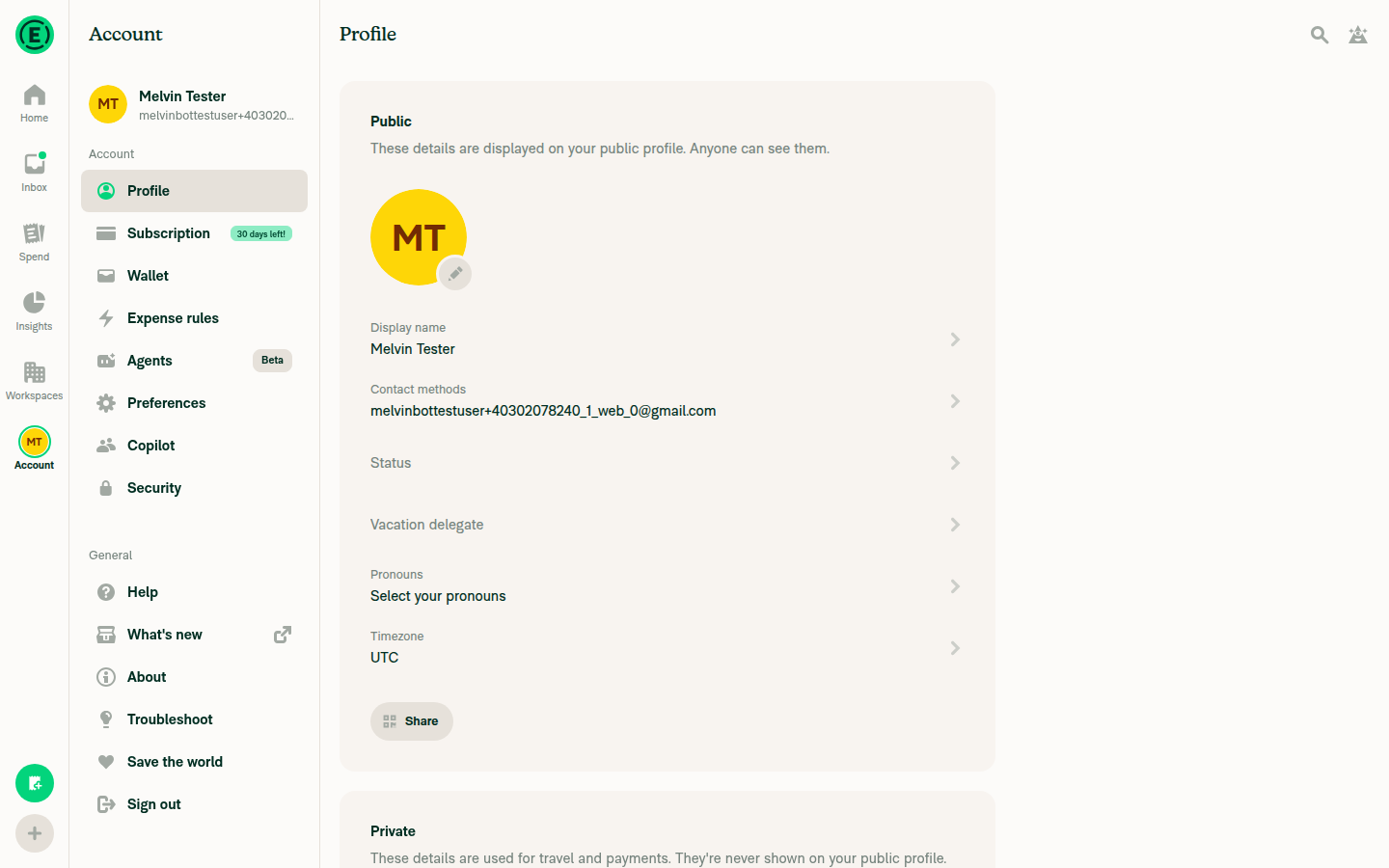
5. Clearing the status removes the badgeAfter "Clear status", the avatar went back to plain "MB" and the Profile row showed an empty "Status".
Avatar reverted to plain MB initials with no status badge
✅
6. No errors appear in the JS consoleNot verified. The web test tool cannot read console logs. No error banners, crash dialogs or broken UI appeared during the run.
⚠️

view run · view recording

@aimane-chnaif

Copy link
Copy Markdown
Contributor

@codex review

@aimane-chnaif

Copy link
Copy Markdown
Contributor

@MelvinBot review

@chatgpt-codex-connector

chatgpt-codex-connector Bot commented Oct 26, 2026 •

Copy link
Copy Markdown

Codex Review Summary

This comment shows the latest Codex review activity on this pull request.

Review Status Commit Review trigger
📝 Code Review ✅ Completed 2026-10-26T11:52:05.792803Z 85e9479 Draft marked ready
ℹ️ About Codex in GitHub

Your team has set up Codex to review pull requests in this repo. Reviews are triggered when you

  • Open a pull request for review
  • Mark a draft as ready
  • Comment "@codex review" or "@codex security review".

Codex reacts with 👀 while any review is running, comments if it has suggestions, and reacts with 👍 once all reviews finish with no findings.

@MelvinBot

Copy link
Copy Markdown
Contributor Author

Code review

The change looks correct and well scoped. I found no blocking bugs. The Android run above showed the badge appearing, updating and clearing as expected. Two edge cases are worth a look before merge:

  1. The custom global_create emoji may draw as a blank box. You can pick this emoji () as a status. The JS Text component switches to Custom Emoji Font for it. The Skia paragraph in tabIconRasterizer.ts:160 uses only the system fonts, so it likely has no glyph for that code point. I did not check this on a device. Suggested fix: when containsCustomEmoji(emoji) is true, give the paragraph a font manager that includes the custom emoji font, as the charts do with SkTypefaceFontProvider. If that is too much work, skip the badge for custom emojis.
  2. The native bar shows the emoji in delegate mode, but the JS bar does not. AccountNavigationAvatar.tsx shows the delegate avatar instead of the emoji when delegateEmail is set. index.android.ts:35 and index.ios.ts:45 always pass the emoji. Suggested fix: pass no emoji when delegateEmail is set, so the native bar matches the JS bar.
Other notes (not blocking)
  • The native badge is smaller than the JS badge: 12px across with an 8px emoji, compared with 20px and 9px in sidebarStatusAvatar. That is a fair trade-off, because the native badge must stay inside the canvas. Design may still want to confirm it.
  • Adding the emoji and badge color to the cache key is correct, so setting, changing or clearing a status redraws the icon.
  • The unit tests cover both platforms, both selection states, other tabs and clearing the status. They rely on the global tabIconRasterizer mock in jest/setup.ts, which works as intended.
  • The PR's Tests and QA sections are still placeholders.

view run

@chatgpt-codex-connector chatgpt-codex-connector Bot left a comment

Copy link
Copy Markdown

Choose a reason for hiding this comment

The reason will be displayed to describe this comment to others. Learn more.

💡 Codex Review

Here are some automated review suggestions for this pull request.

Reviewed commit: e49fc12699

ℹ️ About Codex in GitHub

Codex has been enabled to automatically review pull requests in this repo. Reviews are triggered when you

  • Open a pull request for review
  • Mark a draft as ready
  • Comment "@codex review".

If Codex has suggestions, it will comment; otherwise it will react with 👍.

When you sign up for Codex through ChatGPT, Codex can also answer questions or update the PR, like "@codex address that feedback".

Comment on lines +45 to +46
const emojiCode = useCurrentUserPersonalDetails().status?.emojiCode;
const emojiStatus = emojiCode ? {emoji: emojiCode, backgroundColor: theme.border} : undefined;

Copy link
Copy Markdown

Choose a reason for hiding this comment

The reason will be displayed to describe this comment to others. Learn more.

P2 Badge Preserve delegate precedence over the status emoji

When a user is acting as a delegate and also has a status, this unconditionally creates the status badge, so the native Account tab shows the emoji. AccountNavigationAvatar and its test explicitly give the delegate avatar precedence in this case because that badge communicates which account the user is acting for. Read delegateEmailSelector in both native hooks and suppress the emoji while delegated (and ideally render the delegate badge) rather than displaying the conflicting status badge.

Useful? React with 👍 / 👎.

Copy link
Copy Markdown
Contributor Author

Choose a reason for hiding this comment

The reason will be displayed to describe this comment to others. Learn more.

Fixed in 21ace4a. Both native hooks now get the badge from a new shared hook, useTabEmojiStatus. It reads delegateEmailSelector and passes no emoji while you're delegated, the same way AccountNavigationAvatar handles it.

I didn't draw the delegate avatar badge on the native icon. That needs a second avatar decoded into the icon, which is a bigger change. I can add it here or in a follow-up if you want it.


view run

Comment on lines +160 to +162
const paragraph = Skia.ParagraphBuilder.Make({maxLines: 1, textAlign: TextAlign.Center})
.pushStyle({fontSize: variables.nativeTabIconEmojiStatusFontSize * scale})
.addText(emoji)

Copy link
Copy Markdown

Choose a reason for hiding this comment

The reason will be displayed to describe this comment to others. Learn more.

P2 Badge Select the bundled font for private-use status emoji

When the selected status is the supported global_create emoji (U+E100 in assets/emojis/common.ts), this paragraph uses only the default system font, which has no glyph for that private-use code point, so the badge renders blank or as a missing-glyph box. The normal Text component detects this case and switches to Custom Emoji Font; the rasterizer needs the equivalent font selection for private-use emoji while retaining system fallback for standard color emoji.

Useful? React with 👍 / 👎.

Copy link
Copy Markdown
Contributor Author

Choose a reason for hiding this comment

The reason will be displayed to describe this comment to others. Learn more.

Fixed in 21ace4a. For a private use area emoji such as global_create, useTabEmojiStatus loads CustomEmojiNativeFont.ttf into a TypefaceFontProvider once. Until the font loads, the badge stays hidden.

The rasterizer builds the paragraph with that provider and tries Custom Emoji Font first. Skia keeps the system font manager as the fallback, so standard emojis still use the system color emoji font. Standard emojis get no provider and draw as before.

I haven't checked this on a device yet.


view run

@MelvinBot

MelvinBot commented Oct 26, 2026 •

Copy link
Copy Markdown
Contributor Author

🤖 Web test steps verification results: ✅ pass

I found no regressions on web. The tab bar and left nav render and navigate normally, and the Account avatar's status emoji badge appears, updates, and clears correctly in both narrow and wide layouts. This matches the code: the PR only changes native tab bar icon drawing and adds two new style variables.
Narrow bottom tab bar avatar with badge cleared

Step Status
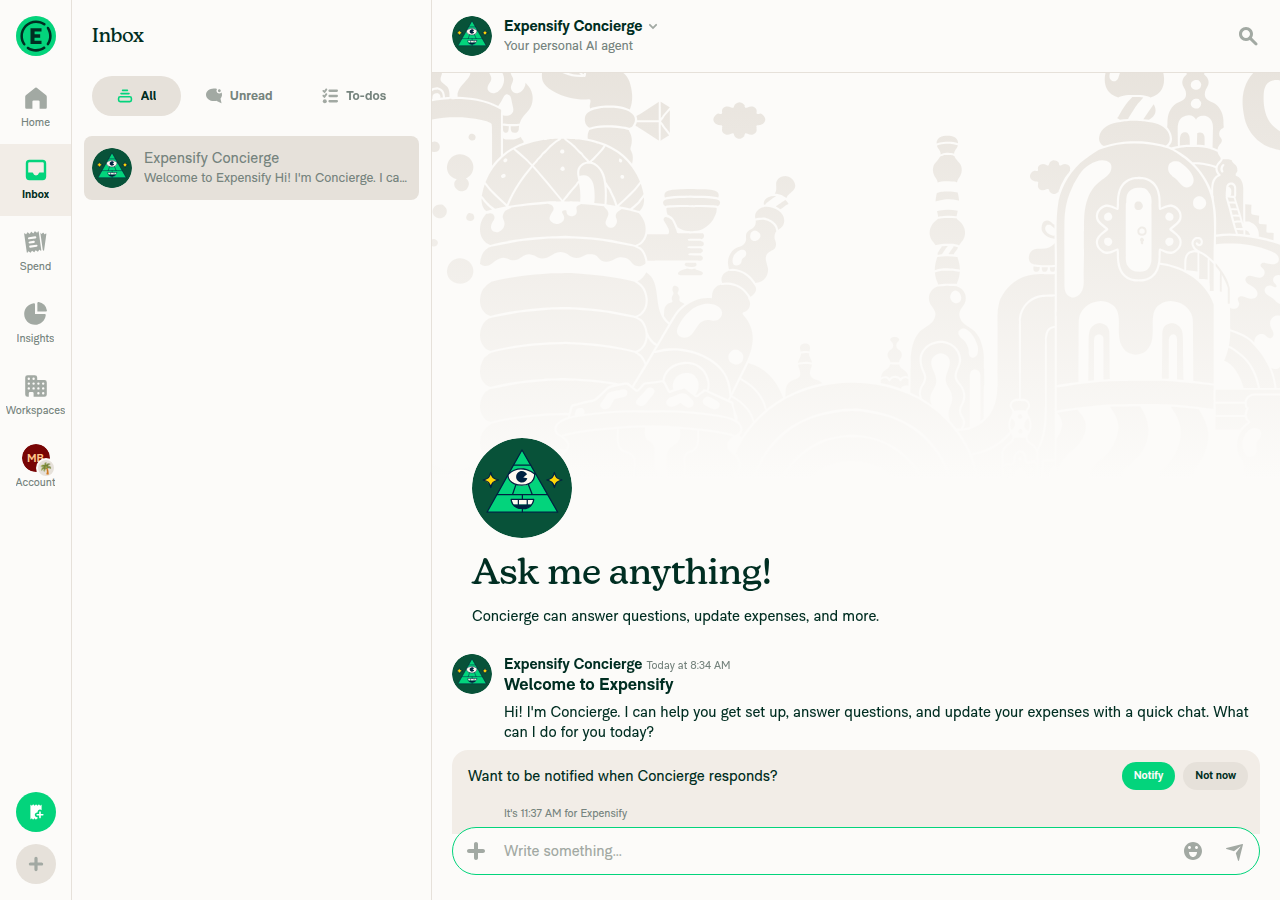
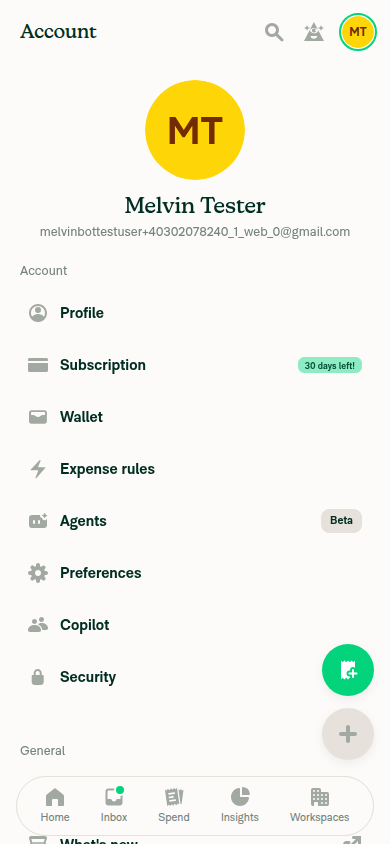
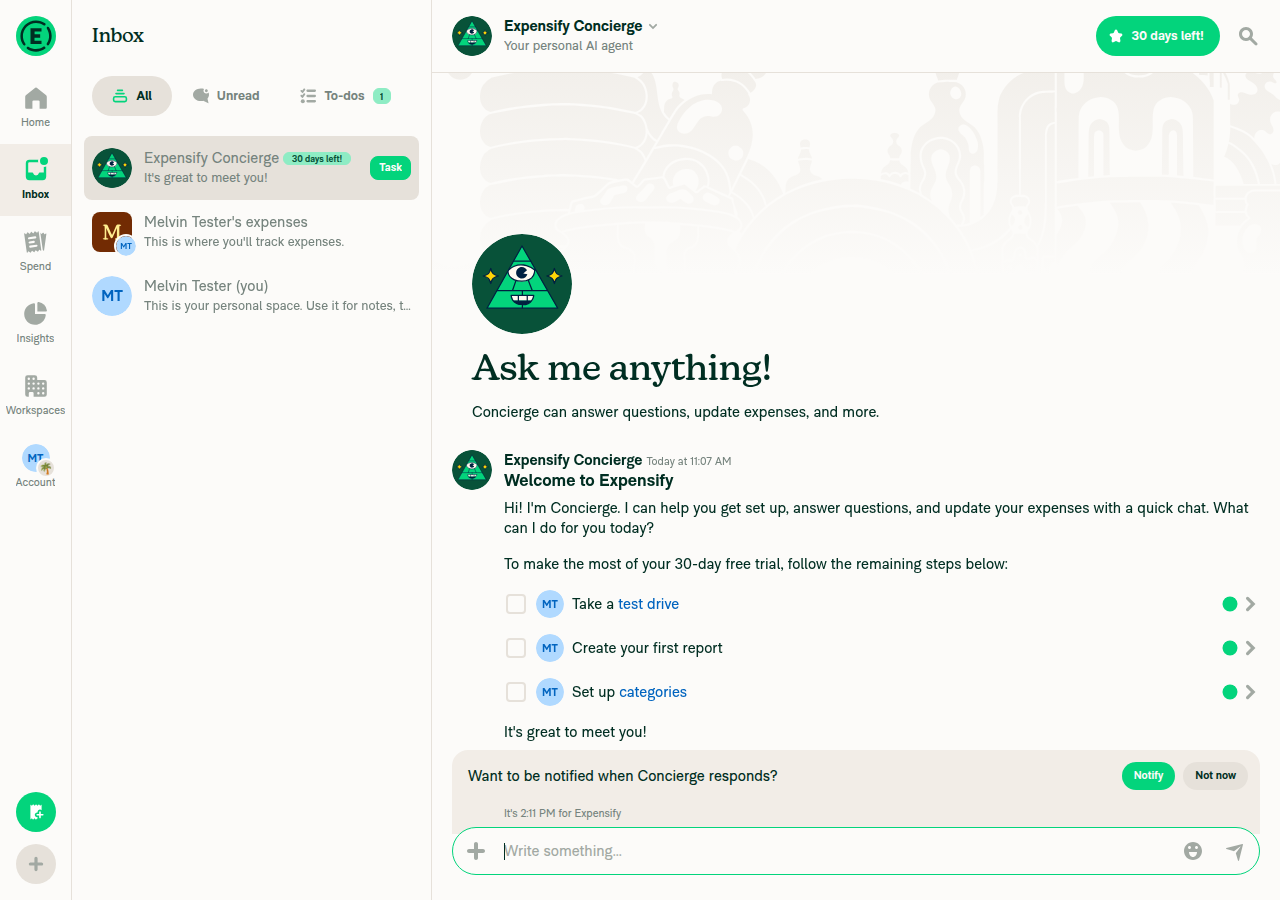
1. Bottom tab bar (390px) renders all tabs and each tab navigates correctlyHome, Inbox, Spend, Insights and Workspaces showed icons and labels, and each tab opened the right page. On web, Account is opened from the avatar button at the top-right, not a labeled bottom tab.
Bottom tab bar with Home, Inbox, Spend, Insights, Workspaces
Account page reached via avatar button, no emoji badge yet
✅
2. Before setting a status, the Account avatar shows no emoji badgeThe avatar showed plain "MT" initials with no badge.
Avatar with no emoji badge before setting a status
✅
3. Setting a 🌴 status shows the badge with Account selected and with another tab selectedAfter saving "🌴 On vacation", the avatar showed a palm tree badge on the Account page and on the Home tab.
Avatar with palm tree badge, Account selected
Avatar with palm tree badge, Home tab selected
✅
4. Wide viewport left nav shows the badge with normal layoutAt 1440x900, the left nav avatar showed the palm tree badge at its bottom-right with no overlap or clipping.
Wide viewport left nav bar showing palm tree badge on Account avatar
✅
5. Changing the emoji to 🎉 updates the badgeAfter saving 🎉, the badge changed to a party popper right away.
Wide left nav avatar badge updated to party popper emoji
✅
6. Clearing the status removes the badgeAfter "Clear status", the badge disappeared in both wide and narrow layouts, and the avatar matched its original look.
Wide left nav avatar with badge cleared
Narrow bottom tab bar avatar with badge cleared
✅
7. No new JS console errorsNot checked: the test browser gives no access to the JS console. No error banners, broken UI or unexpected redirects appeared during any flow.
⚠️

view run · view recording

@aimane-chnaif

Copy link
Copy Markdown
Contributor
Screenshot iPhone 18 Pro

@MelvinBot emoji and status are overlapped in landscape mode

…ars the status dot

Co-authored-by: Aimane Chnaif <aimane-chnaif@users.noreply.github.com>
@MelvinBot

Copy link
Copy Markdown
Contributor Author

I pushed a fix for the overlap in 6cb553b. In landscape, the emoji badge now has a 5 pt radius instead of 6 pt, with a 7 pt emoji instead of 8 pt, so it no longer runs into the status dot.

Cause: In landscape, the iOS avatar shrinks from 26 pt to 21 pt, but the badge and the dot kept their portrait sizes. On a 21 pt avatar, their cutout rings overlap by about 1 pt. On a 26 pt iOS avatar or a 24 pt Android avatar, they have room to spare.

Change: Each TabIconLayout now carries its own badge size. Only the iOS landscape layout uses the smaller badge (index.ios.ts:37, variables.ts:134). Portrait iOS and Android are unchanged. The badge keeps about the same size relative to the avatar: 10/21 in landscape, 12/26 in portrait.

Geometry and checks
  • Landscape before: the dot center is at (17, 4) with a 4 pt radius, and the badge center is at (15, 15) with a 6 pt radius. The centers are 11.2 pt apart, but the two radii plus the 2 pt cutout need 12 pt.
  • Landscape after: the badge center is at (16, 16) with a 5 pt radius. The centers are 12.04 pt apart, and they need 11 pt.
  • ESLint and npm run typecheck pass. The related Jest suites pass: useNativeTabBarOptionsTest, NativeBottomTabViewTest, nativeTabScreenListenersTest and useAccountTabIndicatorStatusTest (43 tests).
  • I couldn't run spell-changed, oxfmt or the React Compiler check in this run. The changed lines fit the 190-character format width.
  • I couldn't check this on an iOS device, because this run only had a web environment. The bug was on an iPhone, so please recheck it in landscape.

@aimane-chnaif

Copy link
Copy Markdown
Contributor

@MelvinBot address #104972 (comment), #104972 (comment), #104972 (comment)

…emojis with the custom emoji font

Matches AccountNavigationAvatar, which shows the delegate avatar instead of the status emoji. Private use area emojis such as global_create have no glyph in Skia's system fonts, so the badge waits for the custom emoji font and draws with it.

Co-authored-by: Aimane Chnaif <aimane-chnaif@users.noreply.github.com>
@MelvinBot

Copy link
Copy Markdown
Contributor Author

I pushed fixes for both points from the code review and both Codex threads in 21ace4a.

  1. Delegate mode: The native Account tab no longer shows the status emoji while you're delegated, which matches the JS tab bar. Both native hooks now get the badge from a new shared hook, useTabEmojiStatus, and it checks delegateEmailSelector.
  2. Custom global_create emoji: The badge now uses the bundled custom emoji font, so it no longer shows a blank box. The badge stays hidden until the font loads. Standard emojis still use the system color emoji font. The drawing change is in tabIconRasterizer.ts:168-173.
Checks
  • I added unit tests for both platforms: no badge while delegated, the custom font for a custom emoji, and no custom font for a standard emoji. useNativeTabBarOptionsTest passes, 12 of 12.
  • The related tab bar tests and AccountNavigationAvatarTest pass, 52 of 52.
  • npm run typecheck, ESLint, the React Compiler check and cspell pass on the changed files.
  • I couldn't run oxfmt in this environment, so CI's format check is the first check on formatting.
  • The changes only run on native, so a web test can't show them. I haven't checked the custom emoji badge on a device yet.
  • I left the delegate avatar badge off the native icon. Adding it would mean decoding a second avatar into the icon. I can add it if you want it.

view run

@aimane-chnaif

Copy link
Copy Markdown
Contributor

@codex review

@aimane-chnaif

Copy link
Copy Markdown
Contributor

@MelvinBot review

@MelvinBot

Copy link
Copy Markdown
Contributor Author

The failing check is unrelated to this PR, so I didn't push a fix.

Analysis: validate-perf-tests failed on [ReportActionsList] should re-render when the report name changes with a render count difference of 1. This PR only changes native tab bar files and variables.ts, and that perf test doesn't import any of them. An unrelated PR, Thread reportActions into isAwaitingFirstLevelApproval - 1, failed the same measurement at the same time. That points to a flaky perf test.

Evidence:

  • Failed run: Reassure Performance Tests
  • Changed files: NativeTabNavigator/*, src/styles/variables.ts, tests/unit/useNativeTabBarOptionsTest.ts
  • Failure location: tests/perf-test/ReportActionsListRowWrites.perf-test.tsx, which is not in this PR

Re-run the Reassure job and it should pass. The other failures are the reviewer checklist and independent approval checks, which pass once reviews are done.


view run

@MelvinBot

Copy link
Copy Markdown
Contributor Author

Code review (21ace4a)

The latest commit looks good, and I found no blocking bugs. Both points from my earlier review are fixed:

One small edge case is worth a look:

On iOS in landscape, the badge can clip the status dot when the account glyph shows instead of the avatar. The badge sits on the content box, which is the 18 pt glyph until the avatar decodes. A decode can fail, for example when the app starts offline. The landscape fix in 6cb553b sized the badge for the 21 pt avatar. On the 18 pt glyph, the badge's cutout ring cuts about 2 pt into the dot. Suggested fix: in tabIconRasterizer.ts:247, draw the badge only when avatar is set. That also matches the JS bar, which never puts the badge on a glyph.

Geometry, CI and other notes
  • The dot center is at (S−4, 4) with a 4 pt radius. The badge center is at (S−R, S−R). They are clear when the centers are at least R + 6 pt apart.
    • iOS landscape, 18 pt glyph, R = 5: 9.06 pt apart, but 11 pt is needed.
    • iOS portrait, 22 pt glyph, R = 6: 12.17 pt apart, with 12 pt needed, so it barely clears.
    • All avatar sizes and Android (24 pt) clear with room to spare.
  • CI: validate-perf-tests fails on "[ReportActionsList] should re-render when the report name changes" with a render count difference of 1. This PR doesn't touch anything that test renders, and the changed code only runs on native. A rerun should clear it. checklist and Check independent approval are the usual pre-approval failures.
  • The new font loader repeats part of the charts' loader in chartFontsCache.ts. This is acceptable, because the charts' loader would pull in about a dozen fonts to draw one badge.
  • Leaving fontManager out of the icon cache key is safe. A custom emoji gets no badge until the font loads, and after that the font manager never changes.
  • The PR's Tests and QA sections are still placeholders.
  • I haven't seen the custom emoji badge or the landscape layout on a device. Please check both on iOS before merge.

view run

@chatgpt-codex-connector

Copy link
Copy Markdown

Codex Review: Didn't find any major issues. You're on a roll.

Reviewed commit: 21ace4a27e

ℹ️ About Codex in GitHub

Codex has been enabled to automatically review pull requests in this repo. Reviews are triggered when you

  • Open a pull request for review
  • Mark a draft as ready
  • Comment "@codex review".

If Codex has suggestions, it will comment; otherwise it will react with 👍.

When you sign up for Codex through ChatGPT, Codex can also answer questions or update the PR, like "@codex address that feedback".

@MelvinBot

MelvinBot commented Oct 26, 2026 •

Copy link
Copy Markdown
Contributor Author

🤖 Web test steps verification results: ✅ pass

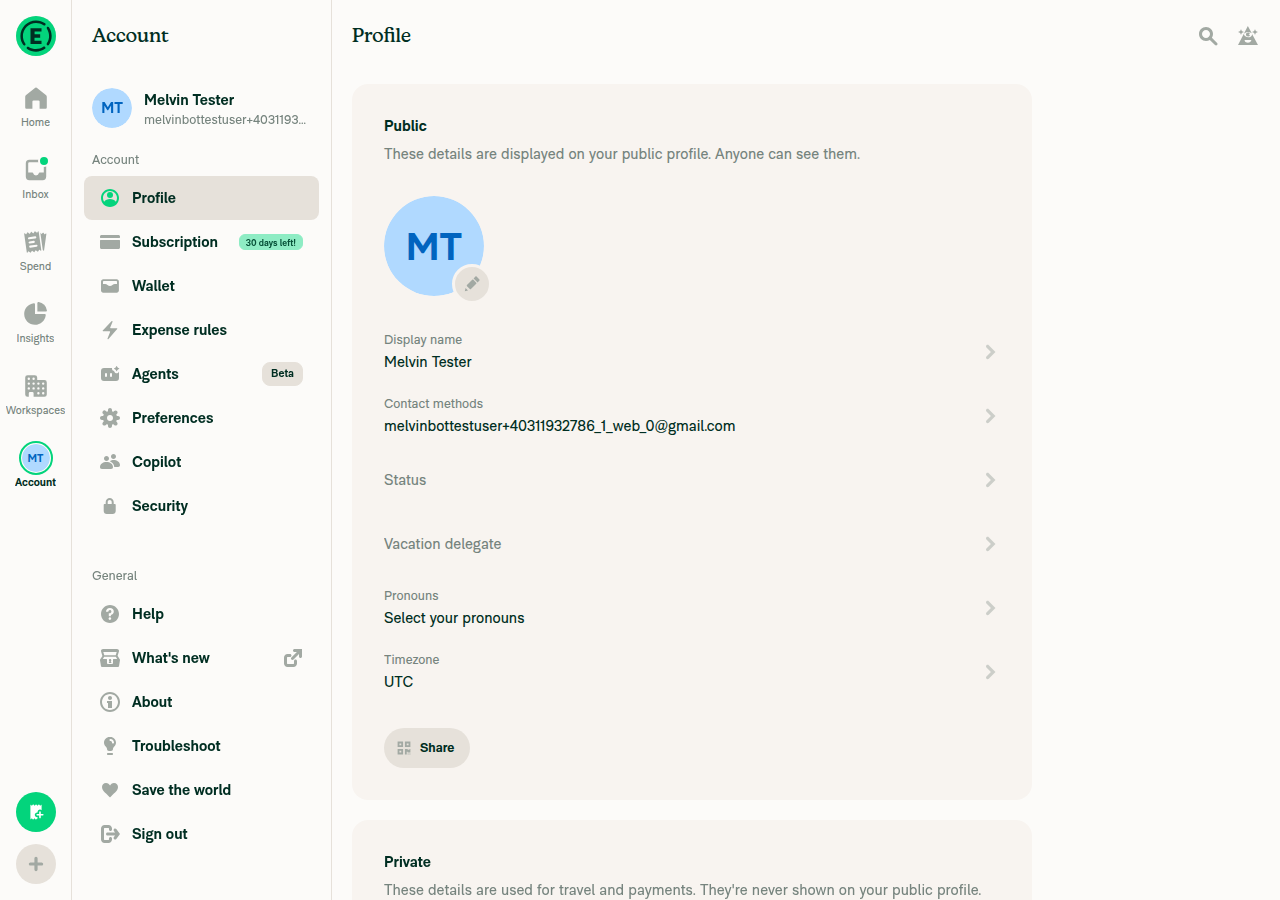
I found no regressions on web. The account avatar shows, updates and hides the status emoji badge correctly (none → 🌴 → 🎉 → none) in the wide left nav and the narrow header avatar. Web loads none of this PR's new code: the changed hooks are .android.ts / .ios.ts only, and variables.ts only adds new keys.
Profile page, Status cleared, nav avatar plain again

Step Status
1. With no status, the wide left-nav account avatar has no emoji badgeThe left-nav avatar showed plain "MT" with no badge.
Home screen, wide nav, plain avatar with no status badge
Account/Profile page, nav avatar plain, Status field empty
✅
2. Set a 🌴 "On vacation" status in Account > Profile > Status and saveThe Profile Status row read "🌴 On vacation".
Profile page showing Status: 🌴 On vacation, nav avatar has palm badge
✅
3. The nav avatar shows the 🌴 badge with Account selected and with Inbox selectedThe badge stayed on the avatar after switching from Account to Inbox.
Account selected, nav avatar with 🌴 badge
Inbox selected, nav avatar still shows 🌴 badge
✅
4. Changing the emoji to 🎉 updates the avatar badgeThe Profile showed "🎉 On vacation" and the badge changed from a palm tree to a party popper.
Status and Profile showing 🎉 On vacation, nav avatar badge updated
✅
5. Narrow viewport: the account avatar shows the badge and the bottom tab bar worksAt 390x844, the account entry is the header avatar, which showed the 🎉 badge. Tapping Inbox in the bottom tab bar navigated normally and the badge stayed visible.
Narrow viewport Home screen: header avatar with 🎉 badge, bottom tab bar visible
Narrow viewport after tapping Inbox: navigation works, badge still visible
✅
6. Clearing the status removes the badgeAfter "Clear status", the Status row was empty and the avatar went back to plain "MT".
Profile page, Status cleared, nav avatar plain again
✅
7. No JS console errors during the flowThe web test tool could not capture the console, so this is unconfirmed. All network requests, including UpdateStatus and ClearStatus, returned HTTP 200.
⚠️

view run · view recording

@aimane-chnaif

Copy link
Copy Markdown
Contributor

re: #104972 (comment)

@MelvinBot please don't hide the badge on the glyph. Web keeps the emoji badge when the avatar can't load. It shows the fallback avatar (UserAvatar.tsx:72-75) and AvatarWithOptionalStatus still draws the badge on top (AvatarWithOptionalStatus.tsx:27-37). The JS bar never draws a glyph at all, so hiding the badge here would make native differ from web.

Instead, fix the overlap by placing the dot and the badge on the avatar-sized box whenever there's an emoji, even while the glyph shows.

…account glyph shows

The badge is sized to clear the dot on the avatar. On the smaller glyph, used until the avatar decodes, the badge's cutout cut into the dot in iOS landscape. The badge stays on the glyph, matching the JS bar, which keeps it over the fallback avatar.

Co-authored-by: Aimane Chnaif <aimane-chnaif@users.noreply.github.com>
@MelvinBot

MelvinBot commented Oct 26, 2026 •

Copy link
Copy Markdown
Contributor Author

I pushed 2326d3f to fix the overlap. The emoji badge now stays on the glyph, matching web.

When there's an emoji, the status dot and the badge now sit on an avatar-sized box centered on the glyph. The badge is sized to clear the dot on that box, so the iOS landscape overlap is gone. The glyph itself doesn't move. Icons with no emoji draw the same as before. See tabIconRasterizer.ts:221-253.

I couldn't run ESLint, typecheck, oxfmt or Jest in this run, so CI will be the first check. I checked formatting against .oxfmtrc.json by hand. This code runs only on native, so I haven't seen it on a device. Please check the glyph with a badge in iOS landscape, for example by starting the app offline so the avatar doesn't load.

@melvin-bot

melvin-bot Bot commented Oct 26, 2026

Copy link
Copy Markdown

We did not find an internal engineer to review this PR, trying to assign a random engineer to #104966 as well as to this PR... Please reach out for help on Slack if no one gets assigned!

@melvin-bot
melvin-bot Bot requested a review from marcaaron October 26, 2026 11:50

import type {TabIconEmojiStatus} from './tabIconRasterizer';

// eslint-disable-next-line @typescript-eslint/no-unsafe-type-assertion -- require() of a bundled asset is untyped; Metro resolves it to an asset ID

Copy link
Copy Markdown
Contributor

Choose a reason for hiding this comment

The reason will be displayed to describe this comment to others. Learn more.

❌ CONSISTENCY-15 (docs)

The justification joins two independent clauses with a semicolon. Comments read more naturally as two separate sentences rather than one semicolon-spliced sentence.

Split it into two sentences:

// eslint-disable-next-line @typescript-eslint/no-unsafe-type-assertion -- require() of a bundled asset is untyped. Metro resolves it to an asset ID.

Reviewed at: 85e9479 | Please rate this suggestion with 👍 or 👎 to help us improve! Reactions are used to monitor reviewer efficiency.

Copy link
Copy Markdown
Contributor

Choose a reason for hiding this comment

The reason will be displayed to describe this comment to others. Learn more.

Copy link
Copy Markdown
Contributor Author

Choose a reason for hiding this comment

The reason will be displayed to describe this comment to others. Learn more.

Fixed in ce9d818. I split the justification into two sentences: useTabEmojiStatus.ts:20. ESLint passes on the file.


view run

Co-authored-by: Aimane Chnaif <aimane-chnaif@users.noreply.github.com>
@MelvinBot
MelvinBot requested a review from a team as a code owner October 26, 2026 12:02
@melvin-bot
melvin-bot Bot requested review from aimane-chnaif and removed request for a team October 26, 2026 12:02
@melvin-bot

melvin-bot Bot commented Oct 26, 2026

Copy link
Copy Markdown

@aimane-chnaif Please copy/paste the Reviewer Checklist from here into a new comment on this PR and complete it. If you have the K2 extension, you can simply click: [this button]

@shawnborton

Copy link
Copy Markdown
Contributor

Can we push the whole thing just slightly more to the right and more downwards? Maybe push to the right by 2px and down by 2px?

CleanShot 2026-10-26 at 1 01 24 PM@2x

But actually... as soon as Insights beta is lifted, this won't really be a thing because we'll only have it in the top bar I suppose. Either way, let's try to match this:
CleanShot 2026-10-26 at 1 02 51 PM@2x

@aimane-chnaif

Copy link
Copy Markdown
Contributor

@MelvinBot address #104972 (comment)

Matches the design feedback to move the badge right and down, as the JS
badge hangs off its avatar. The canvas grows to fit it. Android keeps the
badge inside, because Material scales a larger icon down to its slot.

Co-authored-by: Aimane Chnaif <aimane-chnaif@users.noreply.github.com>
@MelvinBot

Copy link
Copy Markdown
Contributor Author

I pushed d073072, which moves the emoji badge 2pt right and 2pt down on iOS. The badge and its cutout ring now hang past the avatar's bottom-right corner, like the badge in the top bar mockup. The status dot stays where it was.

  • Badge position: tabIconRasterizer.ts:154-158 uses a new nativeTabIconEmojiStatusOffset of 2 in variables.ts.
  • No clipping: the icon image grows just enough to fit the badge, evenly on both sides, so the avatar stays centered (tabIconRasterizer.ts:195-231). Tabs with no emoji draw the same as before.
  • Landscape: the badge still clears the status dot, with more room than before, and it stays clear of the label beside it.
  • Android is unchanged (index.android.ts:32). Material draws each tab icon in a fixed 24dp slot. A larger image would be scaled down to fit, so the avatar would shrink. Let me know if you want Android moved anyway.

I added a unit test that checks the offset for each platform. I couldn't run ESLint, typecheck, oxfmt or Jest in this run, so CI will be the first check. This code only runs on native, so please check the badge position on an iOS device.


view run

@aimane-chnaif

Copy link
Copy Markdown
Contributor

Can we push the whole thing just slightly more to the right and more downwards? Maybe push to the right by 2px and down by 2px?

Done

Screenshot iPhone 18 Pro 10-26-2026 at 12 29 01 PM Screenshot iPhone 18 Pro 10-26-2026 at 12 29 04 PM

@marcaaron
marcaaron merged commit a611f4c into main Oct 26, 2026
43 of 45 checks passed
@marcaaron
marcaaron deleted the claude-nativeTabBarEmojiStatus branch October 26, 2026 21:50
@OSBotify

Copy link
Copy Markdown
Contributor

✋ This PR was not deployed to staging yet because QA is ongoing. It will be automatically deployed to staging after the next production release.

@github-actions

Copy link
Copy Markdown
Contributor

🚧 marcaaron has triggered a test Expensify/App build. You can view the workflow run here.

@github-actions

Copy link
Copy Markdown
Contributor

@OSBotify

Copy link
Copy Markdown
Contributor

🚀 Deployed to staging by https://github.com/marcaaron in version: 9.5.24-1 🚀

platform result
🕸 web 🕸 success ✅
🤖 android 🤖 cancelled 🔪
🍎 iOS 🍎 cancelled 🔪

@MelvinBot

Copy link
Copy Markdown
Contributor Author

No help site update is needed. This bug fix makes the native iOS and Android tab bar show your status emoji on the Account avatar, which the app already does elsewhere, and no article describes this badge.


view run

@m-natarajan

Copy link
Copy Markdown

@aimane-chnaif do we have to test anything here.

@aimane-chnaif

Copy link
Copy Markdown
Contributor

@m-natarajan here's test case:

  1. Navigate to Accounts > Profile > Status
  2. Set a new status with an emoji
  3. Verify that emoji for status is displayed on user avatar at the bottom navigation

@MelvinBot add this to QA Steps

@MelvinBot

Copy link
Copy Markdown
Contributor Author

I added your test case to the QA Steps section of the PR description:

  1. Navigate to Accounts > Profile > Status
  2. Set a new status with an emoji
  3. Verify that emoji for status is displayed on user avatar at the bottom navigation

This change shows only in the native iOS and Android apps, so QA should test it there.


view run

@OSBotify

Copy link
Copy Markdown
Contributor

🚀 Deployed to production by https://github.com/jasperhuangg in version: 9.5.24-8 🚀

platform result
🕸 web 🕸 success ✅
🤖 android 🤖 success ✅
🍎 iOS 🍎 success ✅

Bundle Size Analysis (Sentry):

Sign up for free to join this conversation on GitHub. Already have an account? Sign in to comment

Labels

Melvin-Test-Android Melvin-Test-Web Triggers Melvin to run the testing steps of the PR on web

Projects

None yet

Development

Successfully merging this pull request may close these issues.

6 participants