Skip to content

Resume a signed-out Android share after onboarding - #102319

Closed
MelvinBot wants to merge 6 commits into
mainfrom
claude-resumeShareAfterOnboarding
Closed

MelvinBot wants to merge 6 commits into
mainfrom
claude-resumeShareAfterOnboarding

Conversation

@MelvinBot

Copy link
Copy Markdown
Contributor

Explanation of Change

When a signed-out user shares a file to the Android app and then signs in as a new user, the share deep link is replayed after sign-in. Onboarding then either drops it, tears down the share modal, or shows "Please finish the setup questions" even though the user never pressed back.

This PR:

  1. Parks the share until onboarding finishes. openReportFromDeepLink marks a pending share (new pendingShareIntent helper) instead of dropping the link or showing the back-button error. navigateAfterOnboarding and navigateToSubmitWorkspaceAfterOnboarding consume it once and open share/root. The shared file is still in the native shared preferences, so the share page reloads it.
  2. Stops the share page from hanging. When the native module returns the plain string "No data found", JSON.parse threw inside the callback and the page stayed on the skeleton forever. It now shows the attachment error alert and returns to Inbox.
  3. Excludes Share_Root from the last visited path, so a later cold start does not restore an empty share page.

AI Tests (run by MelvinBot):

  • npm run typecheck: passed
  • npm run lint on changed files: passed
  • npm run spell-changed: passed
  • npm run react-compiler-compliance-check check src/pages/Share/ShareRootPage.tsx: passed (check-changed could not resolve the base ref in this environment)
  • npm test -- tests/unit/navigateAfterOnboardingTest.ts tests/unit/LinkTest.ts tests/unit/DeepLinkHandlerTest.tsx: 40/40 passed, including a new test for resuming a parked share once
  • Not run: the full Jest suite, Storybook smoke test, and oxfmt (formatter command was blocked in this environment). The fix is Android native-share only, so it was not verified on a device.

Fixed Issues

$ #101425
PROPOSAL: #101425 (comment)

Tests

// TODO: The human co-author must fill out the tests you ran before marking this PR as "ready for review"
// Please describe what tests you performed that validates your changed worked.

  • Verify that no errors appear in the JS console

Offline tests

QA Steps

// TODO: These must be filled out, or the issue title must include "[No QA]."
// TODO: The human co-author must fill out the QA tests you ran before marking this PR as "ready for review".
// Please describe what QA needs to do to validate your changes and what areas do they need to test for regressions.

  • Verify that no errors appear in the JS console

PR Author Checklist

  • I linked the correct issue in the ### Fixed Issues section above
  • I wrote clear testing steps that cover the changes made in this PR
    • I added steps for local testing in the Tests section
    • I added steps for the expected offline behavior in the Offline steps section
    • I added steps for Staging and/or Production testing in the QA steps section
    • I added steps to cover failure scenarios (i.e. verify an input displays the correct error message if the entered data is not correct)
    • I turned off my network connection and tested it while offline to ensure it matches the expected behavior (i.e. verify the default avatar icon is displayed if app is offline)
    • I tested this PR with a High Traffic account against the staging or production API to ensure there are no regressions (e.g. long loading states that impact usability).
  • I included screenshots or videos for tests on all platforms
  • I ran the tests on all platforms & verified they passed on:
    • Android: Native
    • Android: mWeb Chrome
    • iOS: Native
    • iOS: mWeb Safari
    • MacOS: Chrome / Safari
  • I verified there are no console errors (if there's a console error not related to the PR, report it or open an issue for it to be fixed)
  • I followed proper code patterns (see Reviewing the code)
    • I verified that comments were added to code that is not self explanatory
    • I verified that any new or modified comments were clear, correct English, and explained "why" the code was doing something instead of only explaining "what" the code was doing.
    • I verified any copy / text that was added to the app is grammatically correct in English. It adheres to proper capitalization guidelines (note: only the first word of header/labels should be capitalized), and is either coming verbatim from figma or has been approved by marketing (in order to get marketing approval, ask the Bug Zero team member to add the Waiting for copy label to the issue)
  • If a new code pattern is added I verified it was agreed to be used by multiple Expensify engineers
  • I followed the guidelines as stated in the Review Guidelines
  • I tested other components that can be impacted by my changes (i.e. if the PR modifies a shared library or component like Avatar, I verified the components using Avatar are working as expected)
  • If a new CSS style is added I verified that:
    • A similar style doesn't already exist
    • The style can't be created with an existing StyleUtils function (i.e. StyleUtils.getBackgroundAndBorderStyle(theme.componentBG))
  • If new assets were added or existing ones were modified, I verified that:
    • The assets are optimized and compressed (for SVG files, run npm run compress-svg)
    • The assets load correctly across all supported platforms.
  • If the PR modifies code that runs when editing or sending messages, I tested and verified there is no unexpected behavior for all supported markdown - URLs, single line code, code blocks, quotes, headings, bold, strikethrough, and italic.
  • If the PR modifies a generic component, I tested and verified that those changes do not break usages of that component in the rest of the App (i.e. if a shared library or component like Avatar is modified, I verified that Avatar is working as expected in all cases)
  • If the PR modifies a component related to any of the existing Storybook stories, I tested and verified all stories for that component are still working as expected.
  • If the PR modifies a component or page that can be accessed by a direct deeplink, I verified that the code functions as expected when the deeplink is used - from a logged in and logged out account.
  • If the PR modifies the UI (e.g. new buttons, new UI components, changing the padding/spacing/sizing, moving components, etc) or modifies the form input styles:
    • I verified that all the inputs inside a form are aligned with each other.
    • I added Design label and/or tagged @Expensify/design so the design team can review the changes.
  • I added unit tests for any new feature or bug fix in this PR to help automatically prevent regressions in this user flow.
  • If the main branch was merged into this PR after a review, I tested again and verified the outcome was still expected according to the Test steps.

Screenshots/Videos

Android: Native
Android: mWeb Chrome
iOS: Native
iOS: mWeb Safari
MacOS: Chrome / Safari

…g it

Co-authored-by: Jayesh Mangwani <jayeshmangwani@users.noreply.github.com>
@MelvinBot
MelvinBot requested a review from a team September 25, 2026 15:19
@melvin-bot melvin-bot Bot added Melvin-Test-Android Melvin-Test-Web Triggers Melvin to run the testing steps of the PR on web labels Sep 25, 2026
@MelvinBot

Copy link
Copy Markdown
Contributor Author

I created this PR from an upstream branch since I don't have push access to your fork.

To take ownership of this branch and be able to push updates, run:

git remote add upstream https://github.com/Expensify/App.git
git fetch upstream claude-resumeShareAfterOnboarding
git checkout -b claude-resumeShareAfterOnboarding upstream/claude-resumeShareAfterOnboarding
git push -u origin claude-resumeShareAfterOnboarding

Then you can close this PR and open a new one from your fork.

@codecov

codecov Bot commented Sep 25, 2026 •

Copy link
Copy Markdown

Codecov Report

❌ Looks like you've decreased code coverage for some files. Please write tests to increase, or at least maintain, the existing level of code coverage. See our documentation here for how to interpret this table.

Files with missing lines Coverage Δ
src/CONST/runtimeConfigured.ts 100.00% <ø> (ø)
src/CONST/runtimeDefaults.ts 100.00% <ø> (ø)
src/hooks/useOnboardingFlow.ts 82.75% <100.00%> (+1.62%) ⬆️
src/libs/Navigation/linkingConfig/index.ts 100.00% <100.00%> (ø)
src/libs/Navigation/helpers/pendingShareIntent.ts 95.65% <95.65%> (ø)
...rc/libs/Navigation/linkingConfig/isShareRootURL.ts 83.33% <83.33%> (ø)
src/libs/navigateAfterOnboarding.ts 88.33% <75.00%> (-0.96%) ⬇️
src/libs/actions/Link.ts 58.19% <50.00%> (-0.12%) ⬇️
src/pages/Share/ShareRootPage.tsx 0.00% <0.00%> (ø)
... and 10 files with indirect coverage changes

@MelvinBot

MelvinBot commented Sep 25, 2026 •

Copy link
Copy Markdown
Contributor Author

🤖 Android test steps verification results: ⚠️ partial

The PR's Tests section is still a TODO, so I used the reproduction steps from Native share - Android - No sharing flow/app freezes when share image signed out. Sharing while signed out and the onboarding flow both worked: no setup-questions error and no share-modal flash. After onboarding, the share page showed "Failed to read the shared file". A control share sent while already signed in failed the same way, so the cause is probably how the test sends the share with adb, not this PR. I didn't run the private-domain scenario because no private-domain test account was available.
Inbox rendered and responsive after share attempts

Step Status
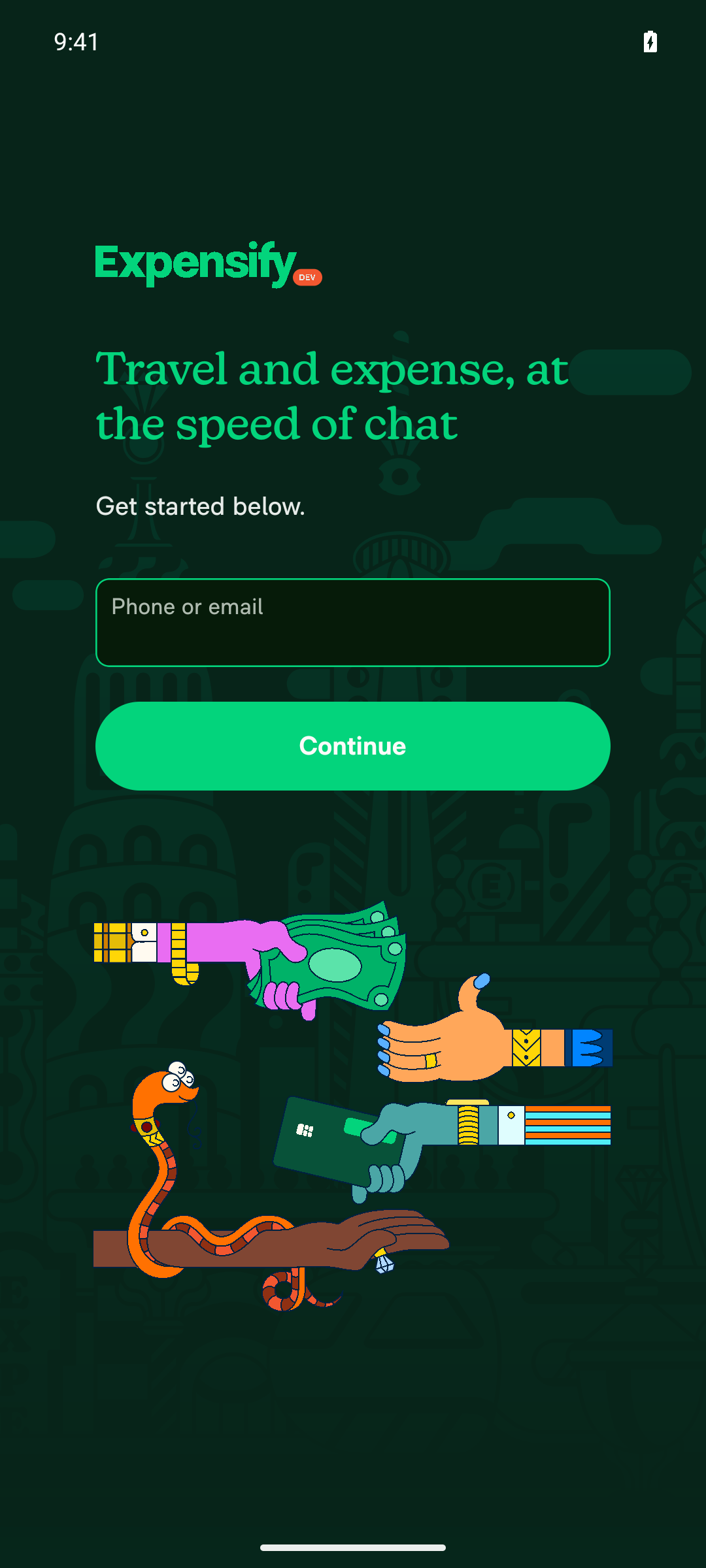
Sign-in screen shows after sharing a photo while signed outI sent an ACTION_SEND image intent while signed out. The Expensify sign-in screen (Phone or email + Continue) appeared, and the app didn't crash.
Sign-in screen shown after share intent while signed out
✅
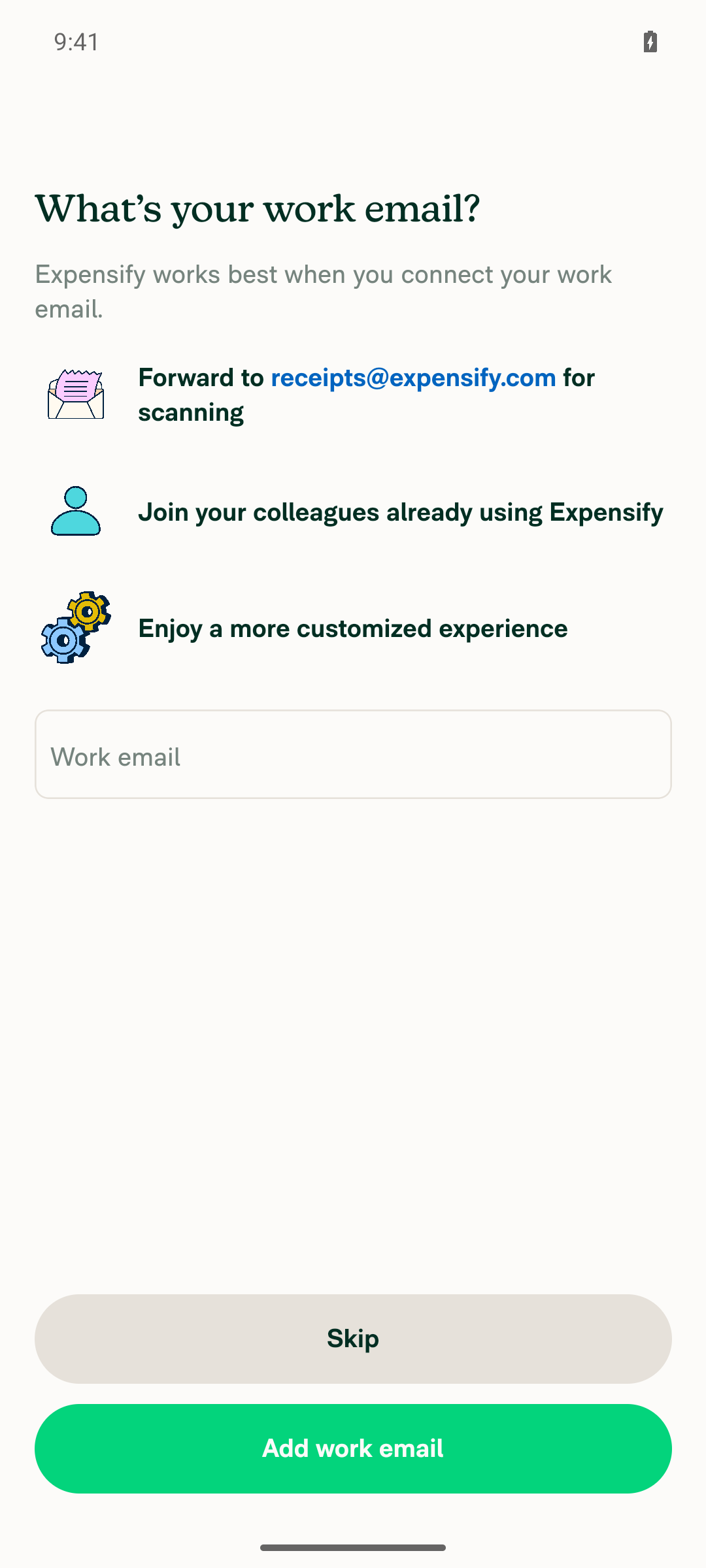
Onboarding shows with no setup-questions error and no share-modal flashAfter sign-in and Join, the onboarding modal ("What's your work email?") opened directly. It showed no error text, and no share modal opened and closed on screen.
Onboarding work-email modal after Join, no error
✅
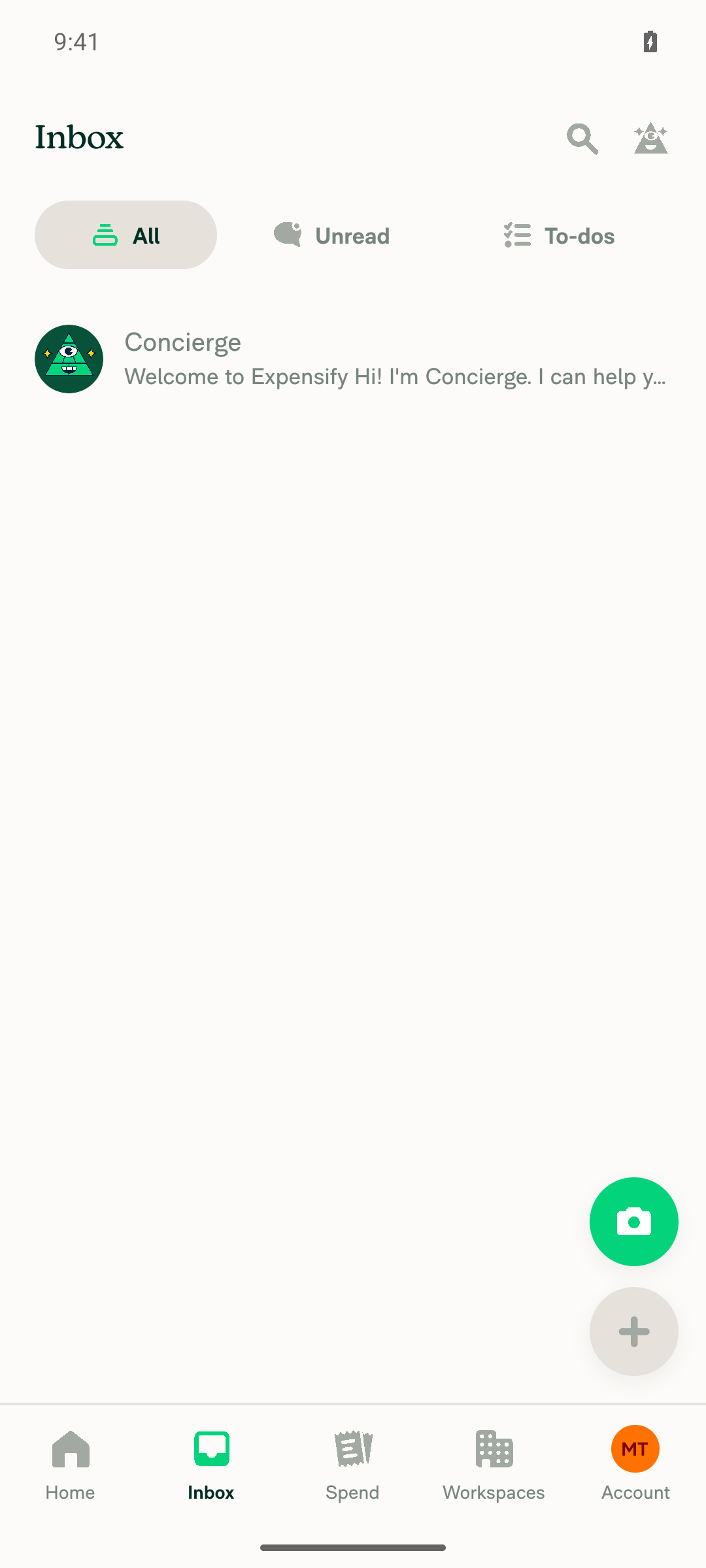
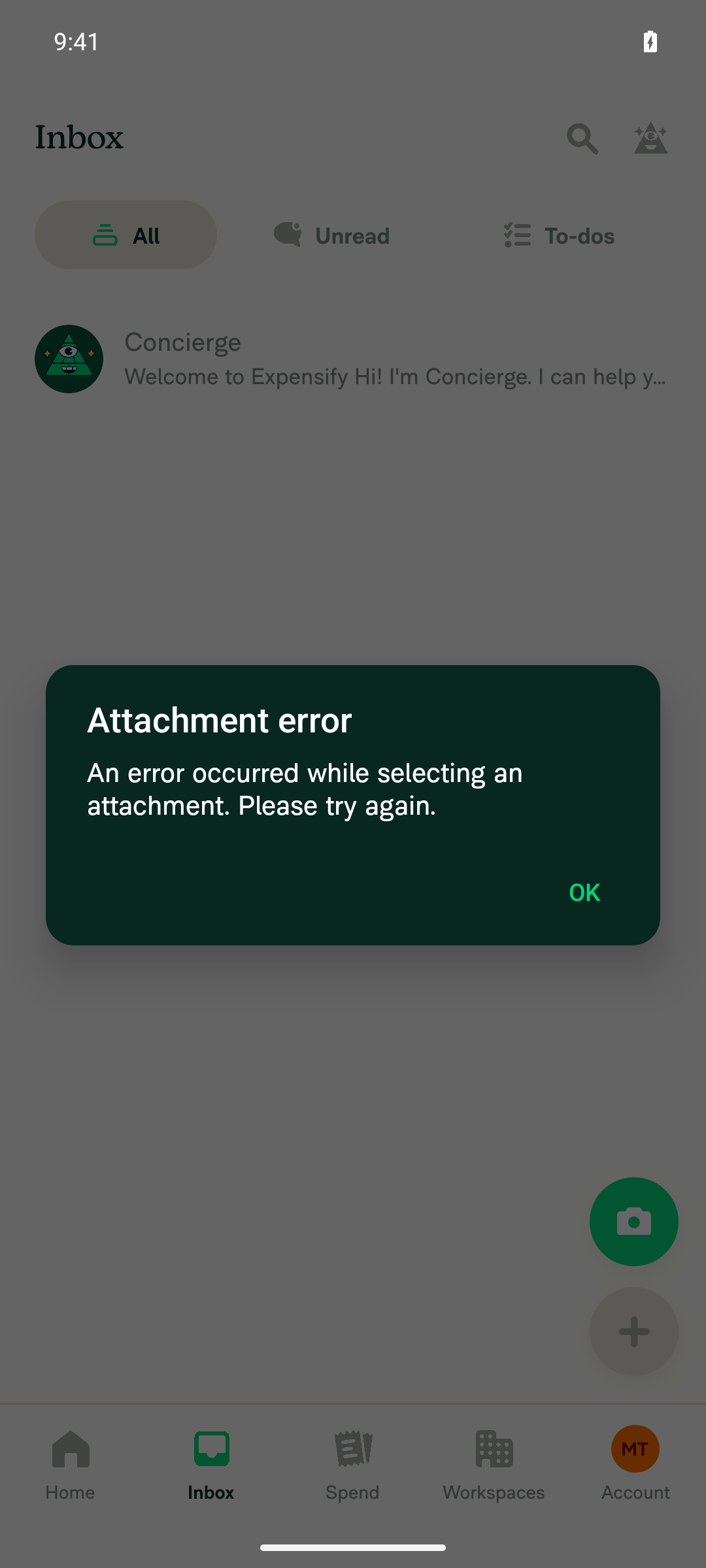
Share page opens with the shared photo after onboardingAfter onboarding, the app went to /share/root and showed an "Attachment error" dialog. It didn't hang on the skeleton. Logcat showed [ShareRootPage] Failed to read the shared file. A control share sent while already signed in and onboarded failed the same way. This points to a test-setup limit with the adb share intent, not a regression in this PR.
Attachment error dialog after onboarding completes
❌
Share flow continues without freezingThe app never froze. After I closed the error, Inbox loaded and stayed responsive. I couldn't test choosing a destination because the share page never loaded the image.
Inbox rendered and responsive after share attempts
⚠️
Scenario 1: new private-domain user repeats steps 1–3Not run. The only available test account uses a public domain (gmail).
⚠️

view run · view recording

@MelvinBot

MelvinBot commented Sep 25, 2026 •

Copy link
Copy Markdown
Contributor Author

🤖 Web test steps verification results: ⚠️ partial

Web has no native share, so I ran a regression check on the shared onboarding code this PR changes. Onboarding finished cleanly and landed on the normal Home/Inbox page, with no share page and no error text. I couldn't open /share/root directly, reload the page, or read the JS console in this test setup.
Final Inbox state, no visible error UI

Step Status
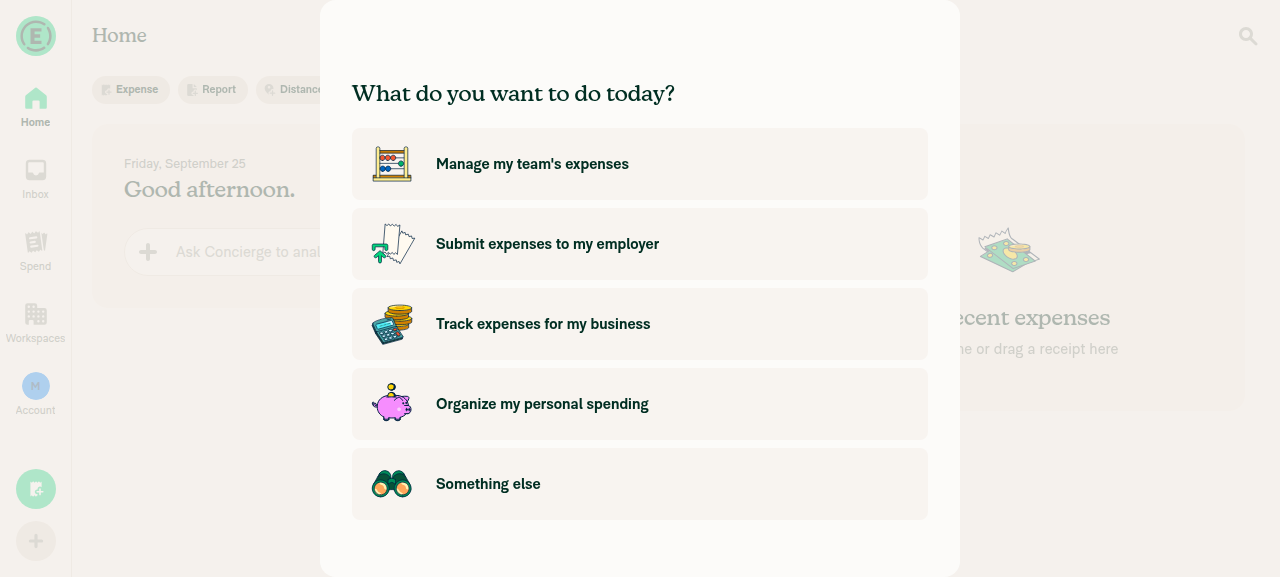
Onboarding shows with no "Please finish the setup questions" errorAfter I skipped the work-email step, the "What do you want to do today?" screen showed only the purpose buttons, with no error text.
Onboarding purpose-selection screen, no error text
✅
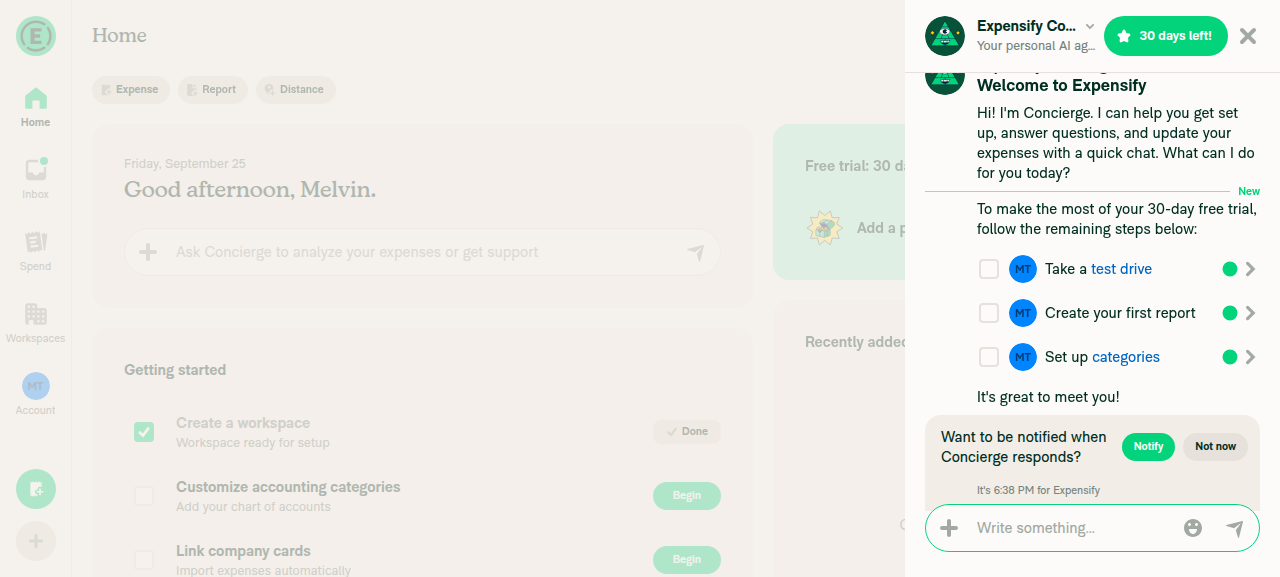
Finishing onboarding lands on the normal page, not a share pageAfter I chose "Track expenses for my business" and entered a name, the app opened Home with the Concierge welcome chat, the trial banner, and the getting-started tasks. No share page, blank screen, or skeleton appeared.
Home page with Concierge welcome chat after onboarding completion
✅
Opening /share/root directly doesn't hang or crashNot run. The test session can't open a new URL without risking sign-out.
⚠️
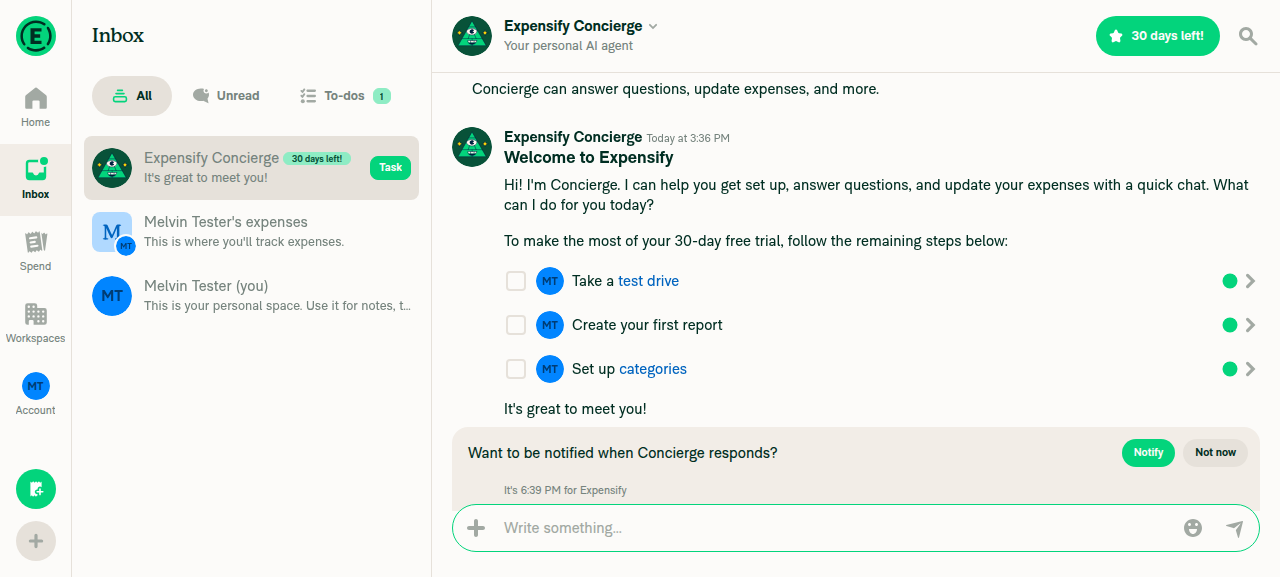
Reloading on Inbox restores a normal page, not a share pageNot run as a real reload, for the same reason. Instead I opened Inbox from the app menu, and it showed a normal chat list. This doesn't cover the reload path.
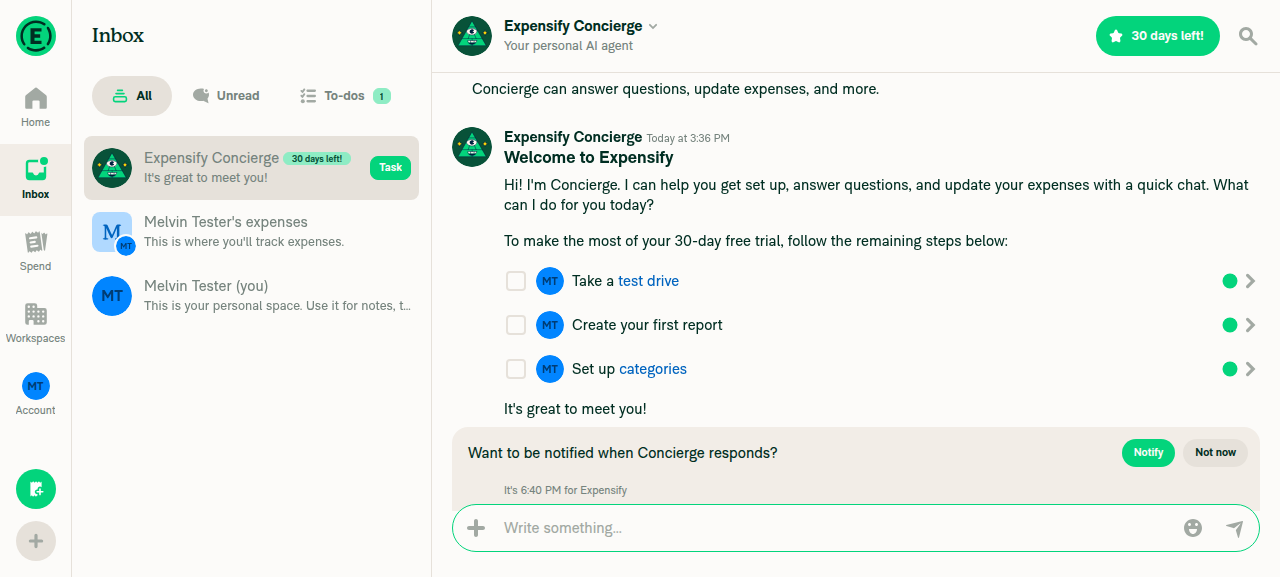
Inbox tab showing normal conversation list, not a share page
⚠️
No JS console errorsThe web test tool can't read the browser console. As a stand-in, no error banners appeared, and every network request returned 200, including CompleteGuidedSetup and OpenReport.
Final Inbox state, no visible error UI
⚠️

view run · view recording

@jayeshmangwani

Copy link
Copy Markdown
Contributor

@MelvinBot solution doesn’t work at all. Right now, when we log in with a new public domain user and press the Join button, we briefly see the “Share to Expensify” page, then the OnboardingWorkEmail page. After completing onboarding, we land on the home page.

Can we handle this flow differently?

When a new user comes from Share and logs in, they should go directly to the onboarding pages instead of briefly seeing the “Share to Expensify” page. After completing onboarding, they should land on the “Share to Expensify” page instead of the home page.

PR-flow.mov

… page once onboarding finishes

- Drop the signed-out share link from react-navigation so the share page no longer flashes after sign-in.
- Park the share once at sign-in. useOnboardingFlowRouter opens it right away for users who don't onboard, or holds it for onboarding.
- navigateAfterOnboarding opens the held share after OnboardingGuard sees the completed onboarding NVP, so the guard redirect can't drop it and leave the user on Home.

Co-authored-by: Jayesh Mangwani <jayeshmangwani@users.noreply.github.com>
@MelvinBot

MelvinBot commented Oct 1, 2026 •

Copy link
Copy Markdown
Contributor Author

I changed the flow as you asked and pushed it in 65e4fdb. A new user who shares while signed out now goes straight to onboarding, and the share page opens when onboarding finishes.

Why the last version failed

  • Flash: Android sends new-expensify://share/root. React Navigation stored that link while the user was signed out and rebuilt the share page when the signed-in screens loaded. Onboarding then replaced it.
  • Home: OnboardingGuard can still treat onboarding as incomplete when we open the share page. Its redirect closes the share modal, and the user ends up on Home. I haven't confirmed this on a device.

What changed

  • linkingConfig/index.ts:27: React Navigation now ignores the share link while signed out. Signed-in shares work as before.
  • Link.ts:511: after sign-in, the share is saved for later instead of opened.
  • useOnboardingFlow.ts:140-147: a user who has to onboard keeps the share saved until onboarding ends. A user who doesn't onboard gets the share page right away.
  • pendingShareIntent.ts:52: at the end of onboarding, the share page opens instead of Home. It waits until the completed-onboarding flag is saved, so the guard can't close it.

Tests

  • Passed: typecheck, lint, React Compiler check, and 61 unit tests, including new ones for the link filter and the saved share.
  • Not run: oxfmt and cspell, because those commands were blocked here.
  • I couldn't test Android native share. The web regression check didn't finish: the onboarding setup step failed and the page went blank after the dev server rebuilt.

Please retest the Android flow from your video.


view run · no recording available

@jayeshmangwani

Copy link
Copy Markdown
Contributor

@MelvinBot latest changes don't work at all. I think something might be missing here

IS_LOADING_APP is kept across sign-out, so right after a new user signs in on a device that was used before, the router saw "not loading" and an empty onboarding NVP, which reads as completed. It opened the share at once (the flash) and used it up, so onboarding then ended on Home. HAS_LOADED_APP is cleared on sign-out and set once OpenApp lands, so gate on it.

Co-authored-by: Jayesh Mangwani <jayeshmangwani@users.noreply.github.com>
@MelvinBot

MelvinBot commented Oct 1, 2026 •

Copy link
Copy Markdown
Contributor Author

You were right, something was missing. I pushed the fix in 6a0ccb3.

What broke: IS_LOADING_APP is kept when a user signs out (App.ts:147). On a device that was signed in before, it still reads false right after a new user signs in. The onboarding NVP was cleared at sign-out, so it's empty, and an empty NVP reads as "onboarding done." useOnboardingFlowRouter then opened the saved share at once. That caused the flash and used up the saved share. Then OpenApp returned, onboarding started, and the user ended on Home. A fresh install doesn't hit this, which is why my earlier tests missed it.

Fix: the router now opens the saved share only after HAS_LOADED_APP is true (useOnboardingFlow.ts:38, :116). That flag is cleared at sign-out and set once OpenApp lands. After that point:

  • A new user is sent to onboarding, and the share stays saved until onboarding ends.
  • A user who has already onboarded gets the share page right away.

Tests

  • Passed: typecheck, lint, the React Compiler check, and 78 unit tests.
  • Added: a hook test that copies the state right after sign-in. Without this fix, it fails the way you described: the share opens before onboarding.
  • Not run: I couldn't test Android native share here. The web onboarding check didn't finish either: the page went blank after the dev server rebuilt with my edits, the same as last run.

Please retest on a device that was signed in before you shared, since that's the case this fixes.


view run · no recording available

@jayeshmangwani

Copy link
Copy Markdown
Contributor

@MelvinBot please merge latest main.

…erOnboarding

Co-authored-by: Jayesh Mangwani <jayeshmangwani@users.noreply.github.com>

# Conflicts:
#	src/libs/navigateAfterOnboarding.ts
#	tests/unit/navigateAfterOnboardingTest.ts
@MelvinBot

Copy link
Copy Markdown
Contributor Author

I merged the latest main into this branch and pushed it in 93d431e.

I resolved two conflicts. main added a parked deep link that opens after onboarding, in the same place where this PR opens a parked share. I kept both checks: the parked share runs first, then the parked deep link (src/libs/navigateAfterOnboarding.ts:120-128, :206-212). I also kept the tests from both sides.

Checks:

  • tests/unit/navigateAfterOnboardingTest.ts: all 23 tests pass.
  • npm run typecheck: passes.
  • ESLint: not run. It ran out of memory locally, so CI will cover it.

@jayeshmangwani

Copy link
Copy Markdown
Contributor

@MelvinBot please merge latest main.

MelvinBot and others added 2 commits October 5, 2026 19:41
…erOnboarding

Co-authored-by: Jayesh Mangwani <jayeshmangwani@users.noreply.github.com>

# Conflicts:
#	src/libs/navigateAfterOnboarding.ts
#	tests/unit/navigateAfterOnboardingTest.ts
…erOnboarding

Co-authored-by: Jayesh Mangwani <jayeshmangwani@users.noreply.github.com>
@MelvinBot

Copy link
Copy Markdown
Contributor Author

I merged the latest main into this branch and pushed it. The PR has no conflicts now.

Conflicts resolved: main reverted the parked deep-link feature in [CP Staging] Revert "Open a deep link captured before onboarding instead of dropping it". That caused conflicts in src/libs/navigateAfterOnboarding.ts and tests/unit/navigateAfterOnboardingTest.ts.

  • I kept this PR's pending-share logic and its two share tests.
  • I accepted the revert, so the consumeDeepLinkToOpenAfterOnboarding() calls and the deep-link tests are gone.

Checks: The three related unit test suites pass (23 tests). Typecheck and lint pass on the resolved files.


view run

@MelvinBot

Copy link
Copy Markdown
Contributor Author

⚠️ MelvinBot CI Fix Loop Detected

MelvinBot has made 6 consecutive commits trying to fix CI failures. Automatic CI fix dispatches are now paused for this PR.

Next steps: A human should review the recent commits and resolve the conflicting CI errors manually.

@jayeshmangwani

Copy link
Copy Markdown
Contributor

@MelvinBot , please close this PR. The changes don’t solve the issue.

@MelvinBot

Copy link
Copy Markdown
Contributor Author

I tried to close this PR, but closing PRs isn't permitted in my current environment, so it is still open. Please close it manually, jayeshmangwani. Sorry the changes didn't fix the issue.


view run

Sign up for free to join this conversation on GitHub. Already have an account? Sign in to comment

Labels

Melvin-Test-Android Melvin-Test-Web Triggers Melvin to run the testing steps of the PR on web

Projects

None yet

Development

Successfully merging this pull request may close these issues.

2 participants