Skip to content

Show Pay > Mark as paid on approved reports whose expenses net to zero - #102246

Closed
MelvinBot wants to merge 2 commits into
mainfrom
claude-zeroTotalReportPayButton
Closed

MelvinBot wants to merge 2 commits into
mainfrom
claude-zeroTotalReportPayButton

Conversation

@MelvinBot

Copy link
Copy Markdown
Contributor

Explanation of Change

An approved expense report whose expenses cancel out to exactly $0 (for example a $50 and a -$50 cash expense) offered no way to be closed out in New Expensify. No Pay button appeared at all, so the approver had to go to Expensify Classic to mark it paid.

Two independent gates each required a non-zero total, and both had to change — fixing only one leaves the button hidden:

  1. isPrimaryPayAction in src/libs/ReportPrimaryActionUtils.ts decides whether PAY is offered as an action at all. It required reimbursableSpend !== 0 || (nonReimbursableSpend !== 0 && ...). With a $0 total both are 0, so PAY was left out of the primary action and the secondary action list.
  2. canIOUBePaid in src/libs/actions/IOU/ReportWorkflow.ts decides whether the button may render. It required reimbursableSpend > 0, or < 0 with pay-elsewhere, or a non-zero non-reimbursable total. A $0 report satisfied none of them.

Positive totals passed both gates, and negative totals already had a pay-elsewhere escape hatch. Exactly $0 was the only unhandled case.

Both gates now also allow a report whose expenses cancel out, treating it the same way a negative total is already treated: pay elsewhere only (Pay > Mark as paid), never a real settlement, since no money moves.

Distinguishing a real $0 report from missing data. getMoneyRequestSpendBreakdown returns {reimbursableSpend: 0, nonReimbursableSpend: 0} both for a report that genuinely nets to zero and for a report whose totals are not loaded, so a bare zero check is not enough — it made an existing "export to accounting" test start returning pay. Each gate therefore uses the strongest signal it already has available:

  • isPrimaryPayAction receives reportTransactions as a required param, so it requires at least one expense with a non-zero amount.
  • canIOUBePaid often receives no transactions (for example PayPrimaryAction passes undefined for a report header), so it checks that the report has a stored total of 0 rather than an absent one. Reading transactions there would have meant a new deprecated getReportTransactions call, which the lint seatbelt rejects.

Reports made up entirely of non-reimbursable expenses are excluded from both new conditions, preserving the existing behavior that paying those is optional (covered by existing tests in both suites).

Not included: getMoneyRequestSpendBreakdown short-circuits on totalSpend !== 0 and returns all zeros, so a report with, say, a $50 reimbursable and a -$50 non-reimbursable expense reports both components as 0 even though neither is. That is a separate latent bug with a much wider blast radius (it feeds display totals across the app), so it is left alone here. The changes above still surface the Pay button for that report.

Fixed Issues

$ #102215
PROPOSAL: #102215 (comment)

Tests

// TODO: The human co-author must fill out the tests you ran before marking this PR as "ready for review"
// Please describe what tests you performed that validates your changed worked.

  • Verify that no errors appear in the JS console

Offline tests

// TODO: The human co-author must fill out the offline tests before marking this PR as "ready for review".

QA Steps

// TODO: These must be filled out, or the issue title must include "[No QA]."
// TODO: The human co-author must fill out the QA tests you ran before marking this PR as "ready for review".
// Please describe what QA needs to do to validate your changes and what areas do they need to test for regressions.

  • Verify that no errors appear in the JS console

AI Tests

Run locally against the changed files:

  • npm run typecheck — passed
  • npm run lint-changed — passed
  • npm test -- tests/actions/IOUTest/ReportWorkflowTest.ts tests/unit/ReportPrimaryActionUtilsTest.ts tests/unit/ReportSecondaryActionUtilsTest.ts — 378 passed
  • npm test -- tests/ui/components/PayActionCellTest.tsx tests/ui/components/PayActionButtonTest.tsx tests/ui/components/useReportPreviewActionDecisionTest.tsx tests/unit/hooks/useSelectionModeReportActions.test.ts — 247 passed
  • npm test -- tests/unit/ReportUtilsTest.ts — 1391 passed
  • npm test -- tests/unit/Search — 1789 passed across 57 suites

Four unit tests were added: a report whose reimbursable expenses cancel out is payable via pay-elsewhere only, and a report with no loaded total is not (in both ReportWorkflowTest and ReportPrimaryActionUtilsTest).

Not run: npm run prettier and npm run storybook -- --smoke-test --ci — neither script exists in this repo's package.json; formatting is enforced through lint-changed, which passed. The full npm test suite was not run; the suites listed above cover every caller of the two changed functions.

PR Author Checklist

  • I linked the correct issue in the ### Fixed Issues section above
  • I wrote clear testing steps that cover the changes made in this PR
    • I added steps for local testing in the Tests section
    • I added steps for the expected offline behavior in the Offline steps section
    • I added steps for Staging and/or Production testing in the QA steps section
    • I added steps to cover failure scenarios (i.e. verify an input displays the correct error message if the entered data is not correct)
    • I turned off my network connection and tested it while offline to ensure it matches the expected behavior (i.e. verify the default avatar icon is displayed if app is offline)
    • I tested this PR with a High Traffic account against the staging or production API to ensure there are no regressions (e.g. long loading states that impact usability).
  • I included screenshots or videos for tests on all platforms
  • I ran the tests on all platforms & verified they passed on:
    • Android: Native
    • Android: mWeb Chrome
    • iOS: Native
    • iOS: mWeb Safari
    • MacOS: Chrome / Safari
  • I verified there are no console errors (if there's a console error not related to the PR, report it or open an issue for it to be fixed)
  • I followed proper code patterns (see Reviewing the code)
    • I verified that comments were added to code that is not self explanatory
    • I verified that any new or modified comments were clear, correct English, and explained "why" the code was doing something instead of only explaining "what" the code was doing.
    • I verified any copy / text that was added to the app is grammatically correct in English. It adheres to proper capitalization guidelines (note: only the first word of header/labels should be capitalized), and is either coming verbatim from figma or has been approved by marketing (in order to get marketing approval, ask the Bug Zero team member to add the Waiting for copy label to the issue)
  • If a new code pattern is added I verified it was agreed to be used by multiple Expensify engineers
  • I followed the guidelines as stated in the Review Guidelines
  • I tested other components that can be impacted by my changes (i.e. if the PR modifies a shared library or component like Avatar, I verified the components using Avatar are working as expected)
  • If a new CSS style is added I verified that:
    • A similar style doesn't already exist
    • The style can't be created with an existing StyleUtils function (i.e. StyleUtils.getBackgroundAndBorderStyle(theme.componentBG))
  • If new assets were added or existing ones were modified, I verified that:
    • The assets are optimized and compressed (for SVG files, run npm run compress-svg)
    • The assets load correctly across all supported platforms.
  • If the PR modifies code that runs when editing or sending messages, I tested and verified there is no unexpected behavior for all supported markdown - URLs, single line code, code blocks, quotes, headings, bold, strikethrough, and italic.
  • If the PR modifies a generic component, I tested and verified that those changes do not break usages of that component in the rest of the App (i.e. if a shared library or component like Avatar is modified, I verified that Avatar is working as expected in all cases)
  • If the PR modifies a component related to any of the existing Storybook stories, I tested and verified all stories for that component are still working as expected.
  • If the PR modifies a component or page that can be accessed by a direct deeplink, I verified that the code functions as expected when the deeplink is used - from a logged in and logged out account.
  • If the PR modifies the UI (e.g. new buttons, new UI components, changing the padding/spacing/sizing, moving components, etc) or modifies the form input styles:
    • I verified that all the inputs inside a form are aligned with each other.
    • I added Design label and/or tagged @Expensify/design so the design team can review the changes.
  • I added unit tests for any new feature or bug fix in this PR to help automatically prevent regressions in this user flow.
  • If the main branch was merged into this PR after a review, I tested again and verified the outcome was still expected according to the Test steps.

Screenshots/Videos

Android: Native
Android: mWeb Chrome
iOS: Native
iOS: mWeb Safari
MacOS: Chrome / Safari

Co-authored-by: mkhutornyi <mkhutornyi@users.noreply.github.com>
…matting

Co-authored-by: mkhutornyi <mkhutornyi@users.noreply.github.com>
@MelvinBot

Copy link
Copy Markdown
Contributor Author

I pushed a fix for the two failing checks in 6aa47fc.

  • test (job 1): SearchUIUtilsTest › "Should return Done action for a closed report with a zero balance" got pay instead of done. The new zero-total rule in canIOUBePaid only looked at total === 0, so an empty report also showed Pay. It now also needs at least one non-zero expense. getReportPrimaryAction already had this check.
  • Oxfmt check: ReportWorkflow.ts had a formatting diff. Oxfmt is clean now.

Locally, SearchUIUtilsTest, ReportWorkflowTest, and ReportPrimaryActionUtilsTest pass (761 tests). Typecheck and ESLint also pass.

Check independent approval is a review gate, not a code failure.


view run

@MelvinBot

MelvinBot commented Sep 25, 2026 •

Copy link
Copy Markdown
Contributor Author

🤖 Android test steps verification results: ✅ pass

On standalone Android NewDot, an approved report with a $50 and a -$50 cash reimbursable expense (total $0.00) now offers Pay > Mark as paid only, and it reaches the Paid state. The PR's Tests section is still empty, so these steps come from the linked issue's reproduction steps.
Report in Paid state

Step Status
1. Create a report in a workspace where the signed-in user can approve itCreated "Melvin Tester's Workspace" with the signed-in user as sole member and admin. The expense form showed "Submits to Melvin Tester", so the user approves their own reports.
✅
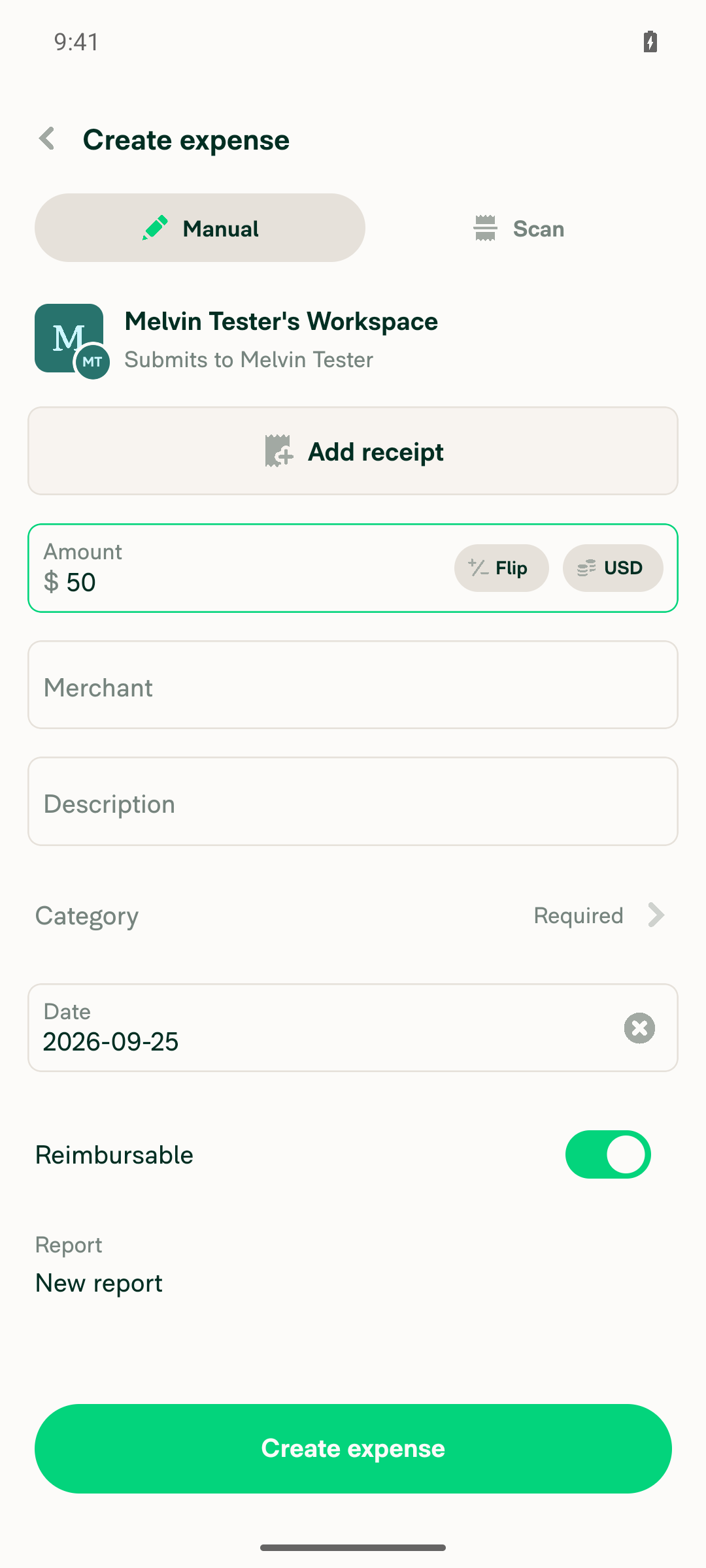
2. Add a $50 cash reimbursable manual expense to that reportCreated manual expense "Test Merchant", $50.00, Cash, Reimbursable on, category Advertising.
Manual expense form with $50 amount and Reimbursable toggle on
✅
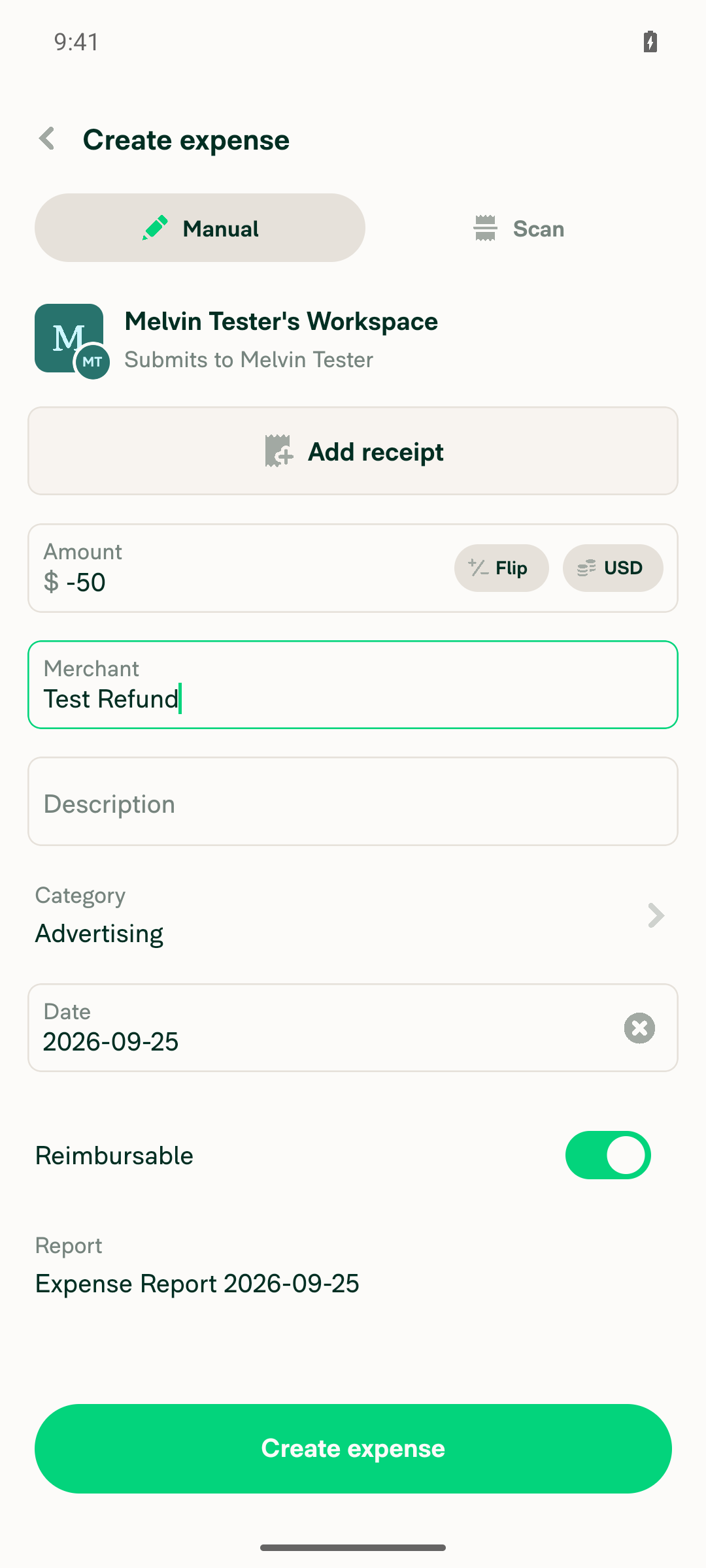
3. Add a -$50 cash reimbursable manual expense to the same report; total shows $0.00Added "Test Refund", -$50.00, Cash, Reimbursable on, to the same "Expense Report 2026-09-25". The report view showed Total $0.00.
Manual expense form with -$50 amount, same report selected
Report showing $50.00 and -$50.00 line items with Total $0.00
✅
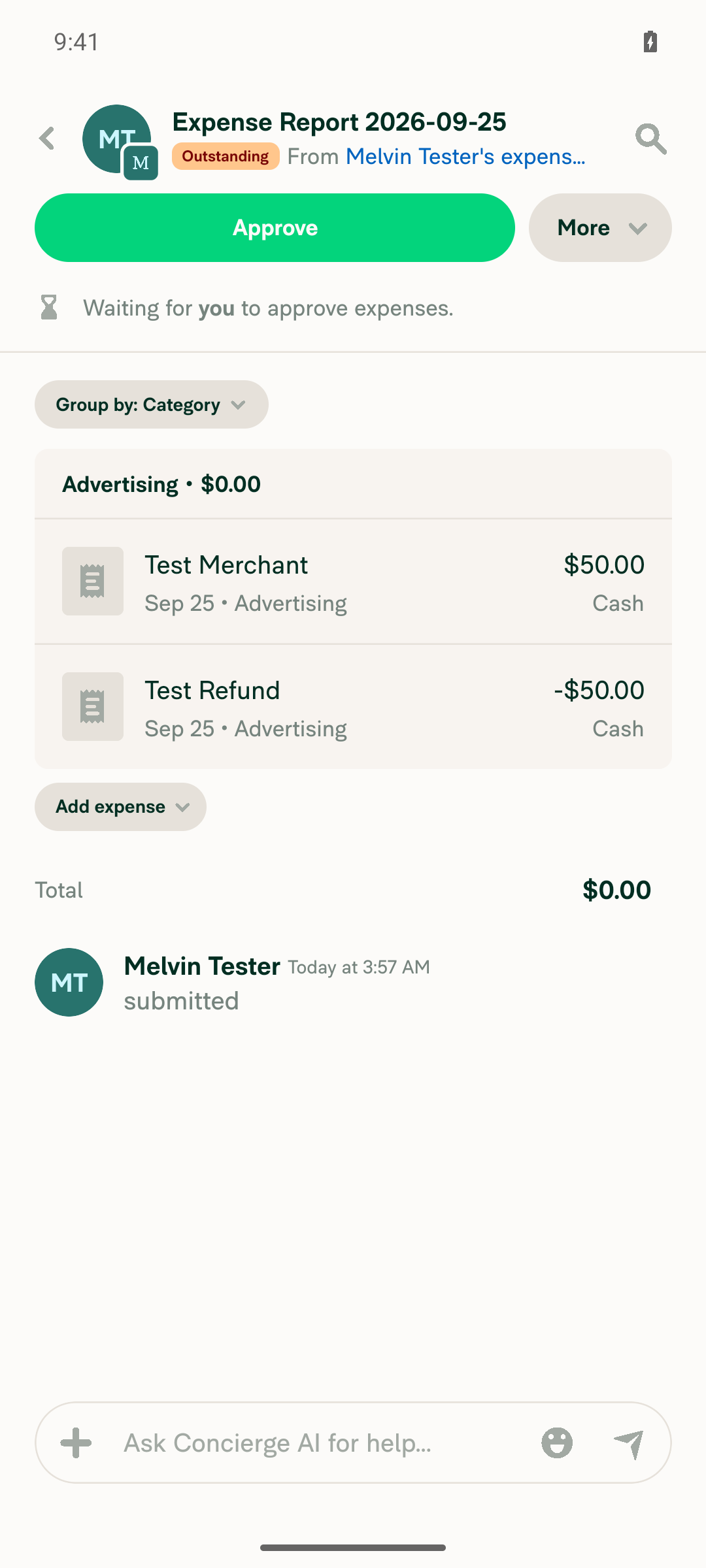
4. Submit the reportThe workspace's instant-submit default submitted the report automatically. Status showed "Outstanding", with "Melvin Tester submitted" in the activity log and "Waiting for you to approve expenses."
Report in Outstanding state after submission, with Approve button
✅
5. Approve the reportTapped Approve. Status changed to "Approved" and the activity log recorded "Melvin Tester approved".
✅
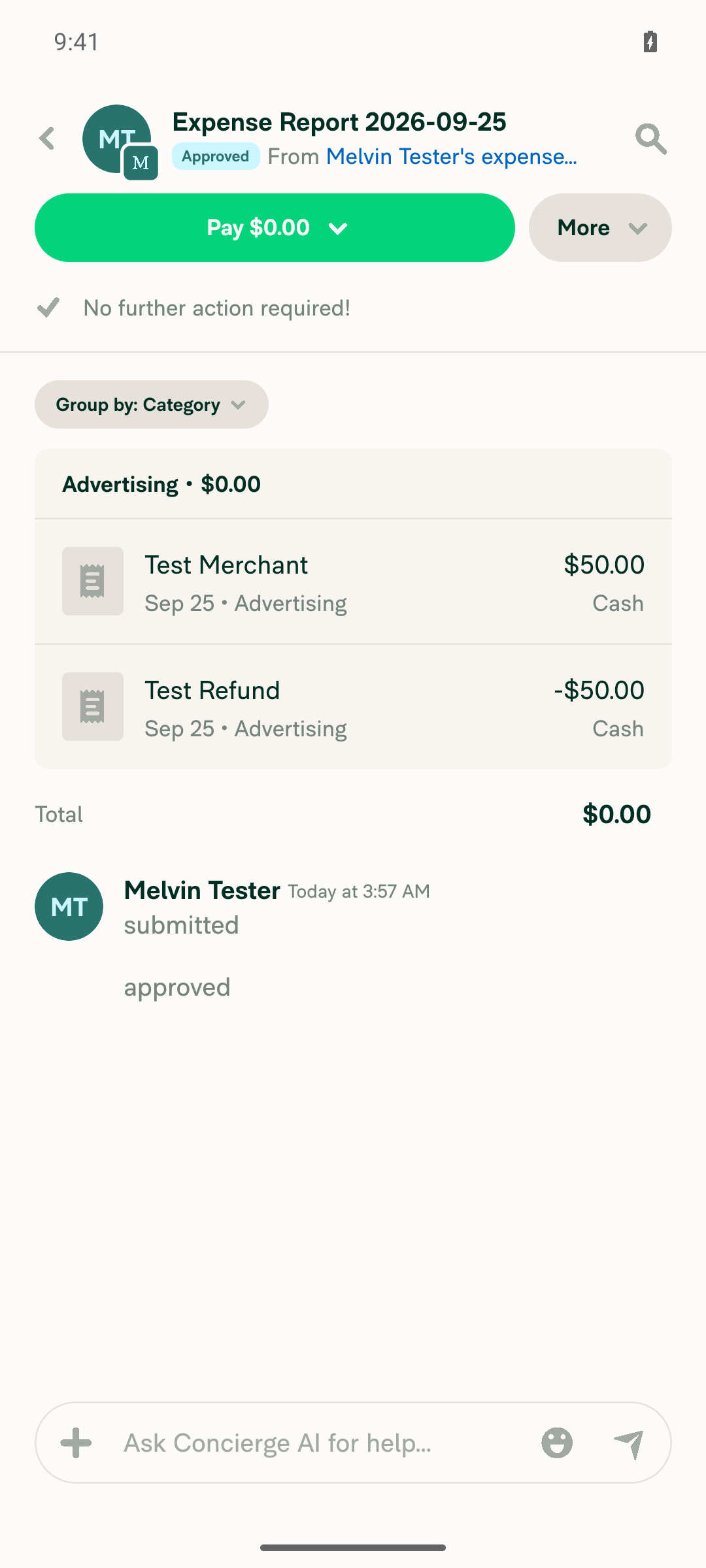
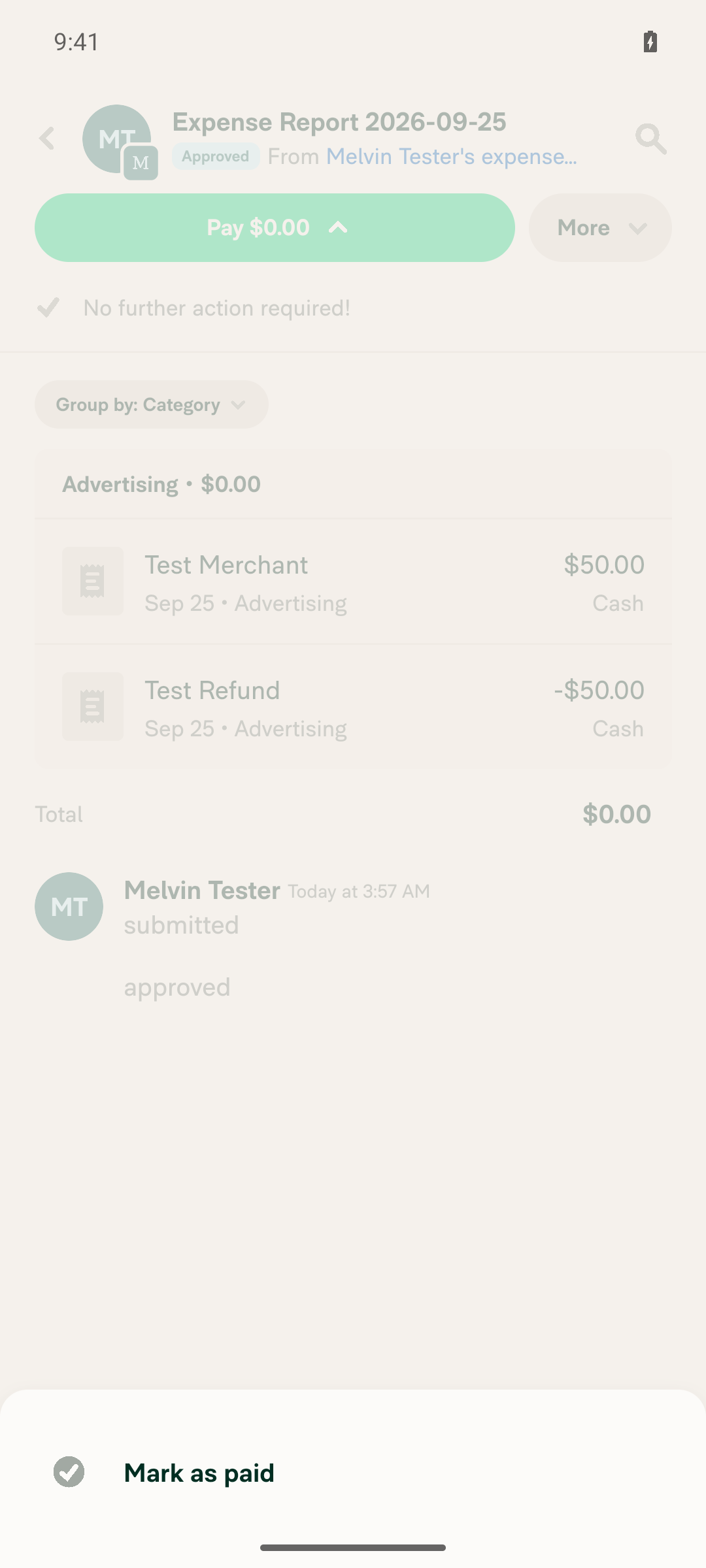
6. Approved $0 report shows a Pay button with only Mark as paidThe approved report showed a "Pay $0.00" button. Opening it listed only "Mark as paid", with no bank account or wallet options.
Approved $0.00 report with Pay button visible
Pay dropdown showing only Mark as paid option
✅
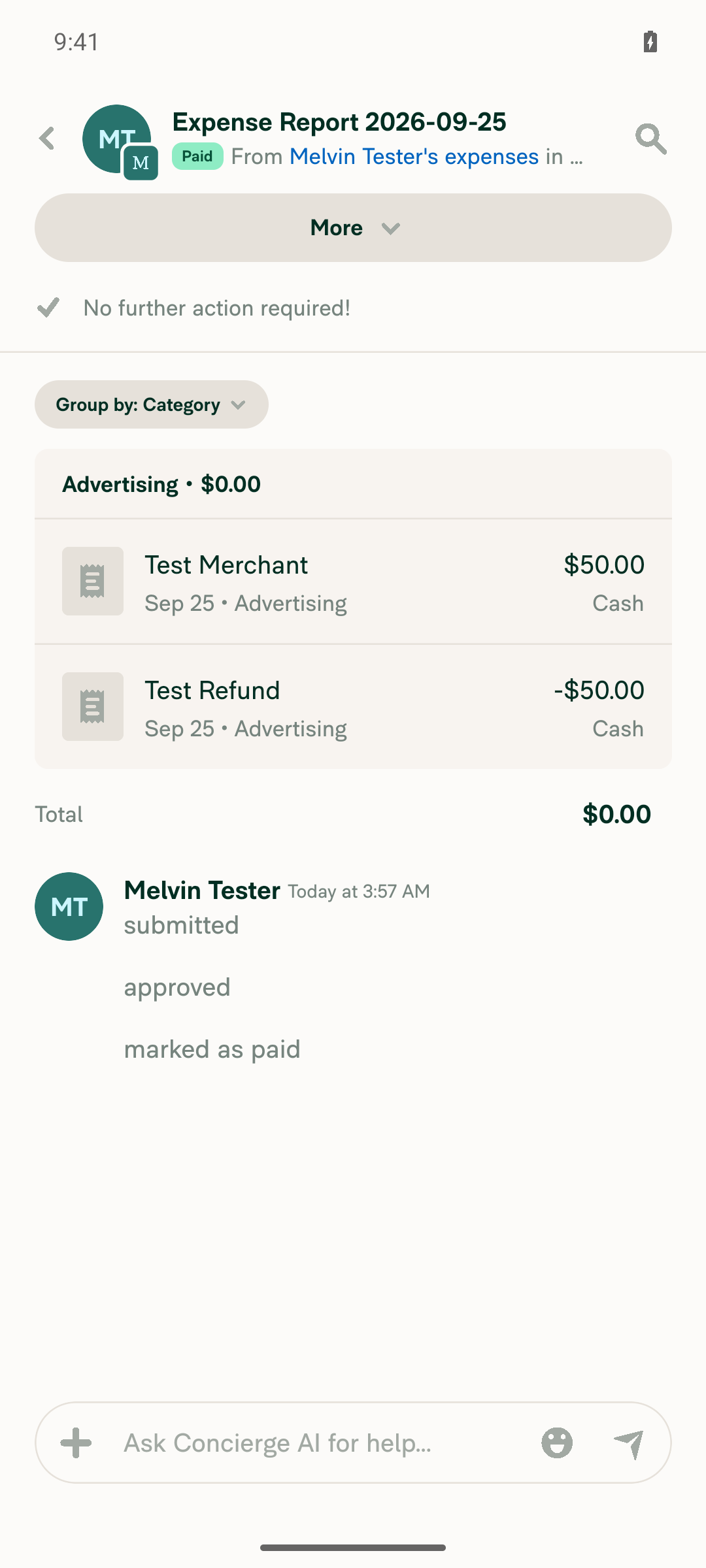
7. Tap Mark as paid; the report moves to PaidStatus changed to "Paid". The activity log recorded "Melvin Tester paid $0.00 elsewhere", and the total stayed $0.00.
Report in Paid state
✅

view run · view recording

@MelvinBot

MelvinBot commented Sep 25, 2026 •

Copy link
Copy Markdown
Contributor Author

🤖 Web test steps verification results: ⚠️ partial

On web, an approved $0.00 report now shows a Pay action, and Mark as paid moves it to Paid. However, the report header's "Pay $0.00" button did not respond to clicks, and the bulk-select Pay menu also offered "Pay with business account" for the $0 report. (The PR has no Tests section, so these steps come from the linked issue's reproduction steps.)
Report detail confirming Paid status

Step Status
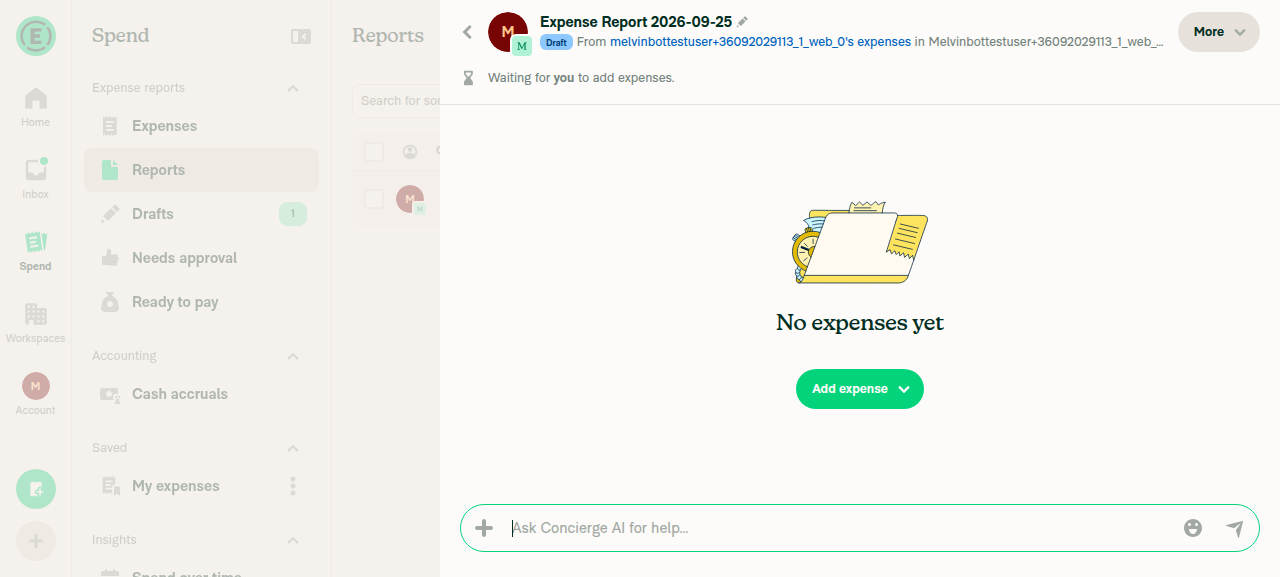
1. Create a report in a workspace where the signed-in user can approve itCreated "Expense Report 2026-09-25" in the user's own Control workspace, where they are the sole admin. The expense form showed "Submits to" the same user, so they approve their own reports.
New draft expense report created in own workspace
✅
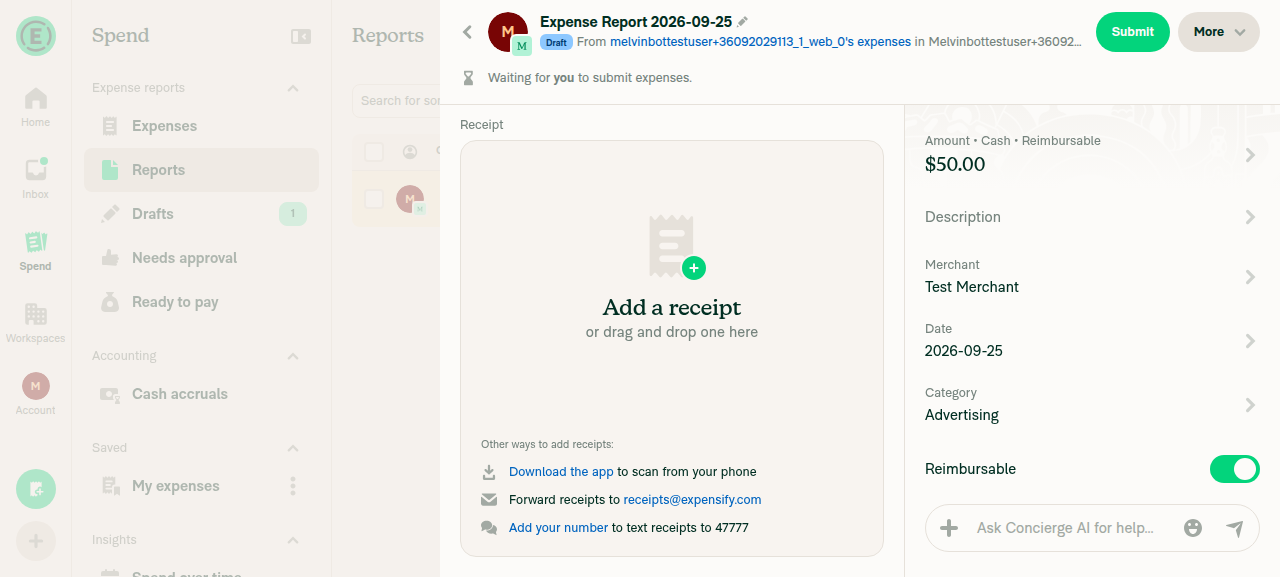
2. Add a $50 cash reimbursable manual expenseCreated manual expense "Test Merchant", $50.00, Cash, Reimbursable, category Advertising.
$50.00 cash reimbursable expense created
✅
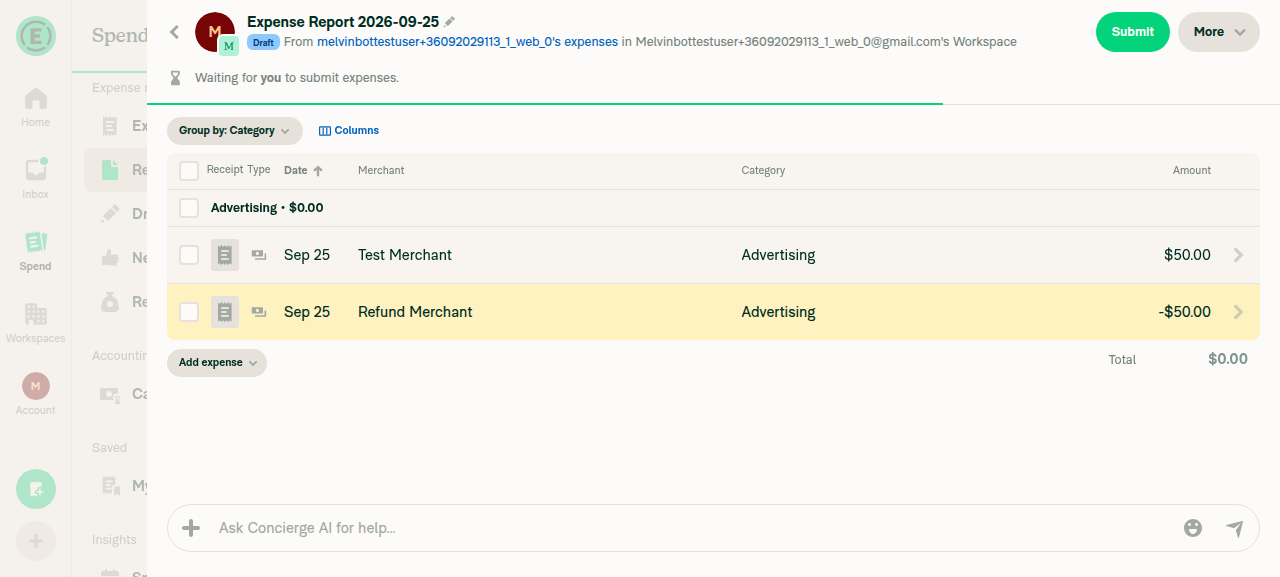
3. Add a -$50 cash reimbursable manual expense to the same report; total shows $0.00Created "Refund Merchant", -$50.00, Cash, Reimbursable. The report showed both expenses and Total $0.00.
Report with $50 and -$50 expenses, Total $0.00
✅
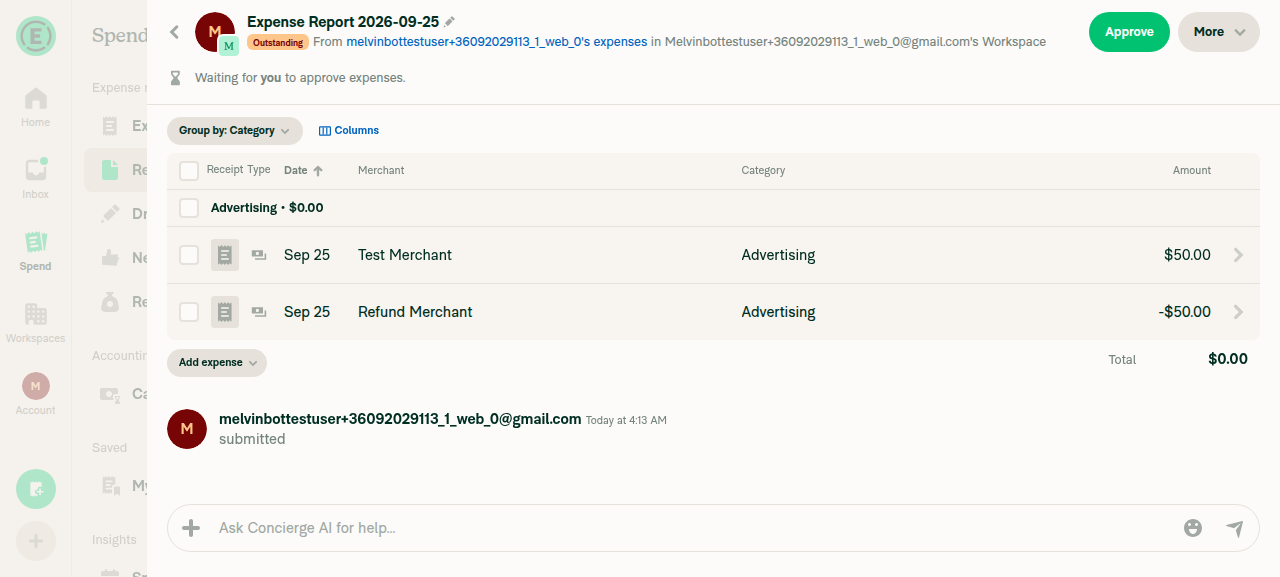
4. Submit the reportAfter Submit, status changed to "Outstanding" with "Waiting for you to approve expenses." and a "submitted" activity entry.
Report submitted, status Outstanding, awaiting approval
✅
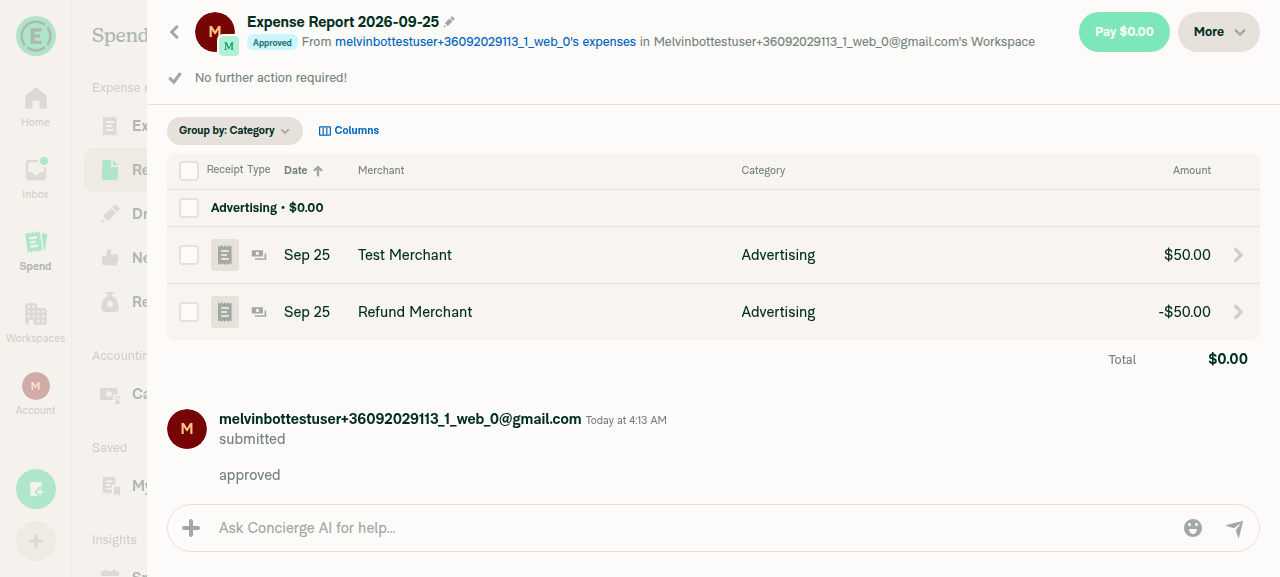
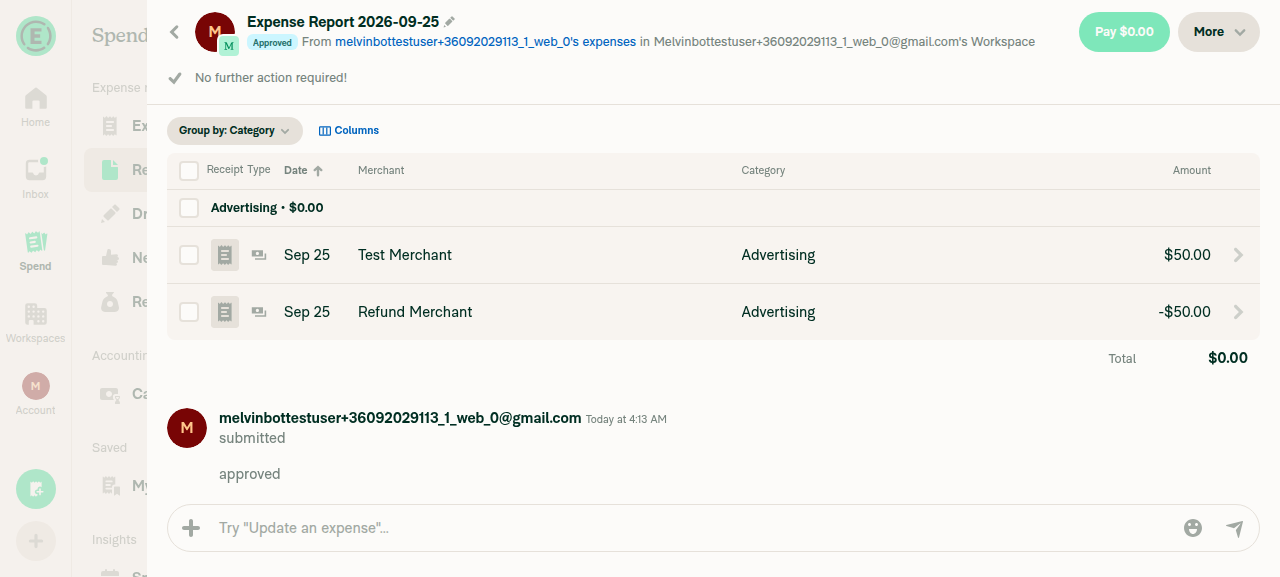
5. Approve the reportAfter Approve, status changed to "Approved" and a "Pay $0.00" button appeared in the header.
Report approved, Pay $0.00 button now visible
✅
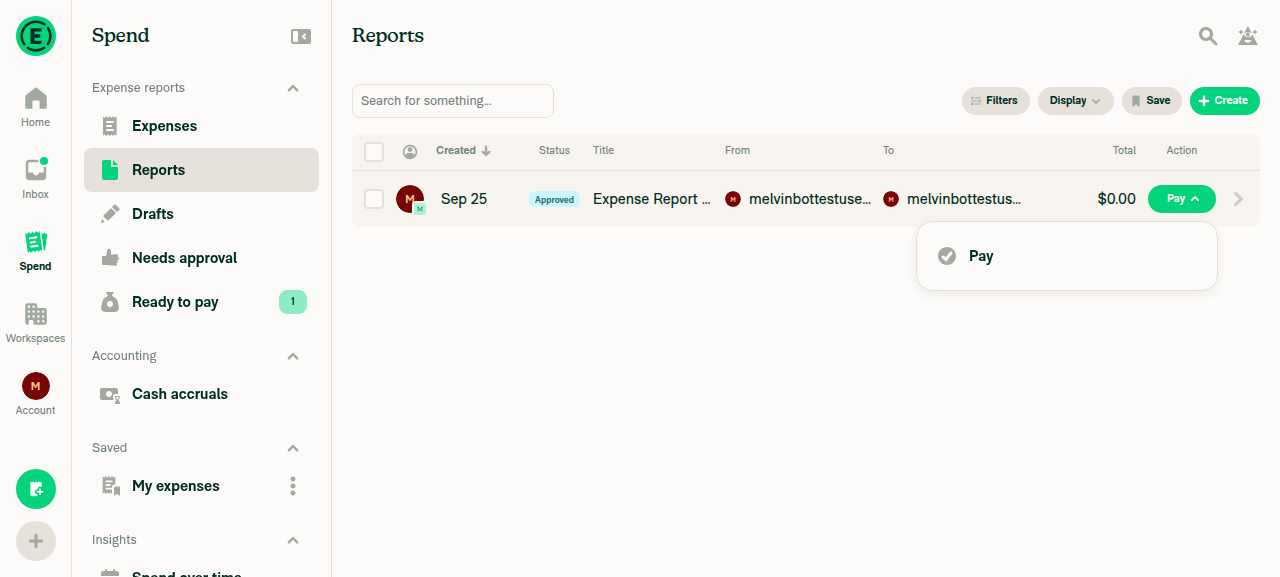
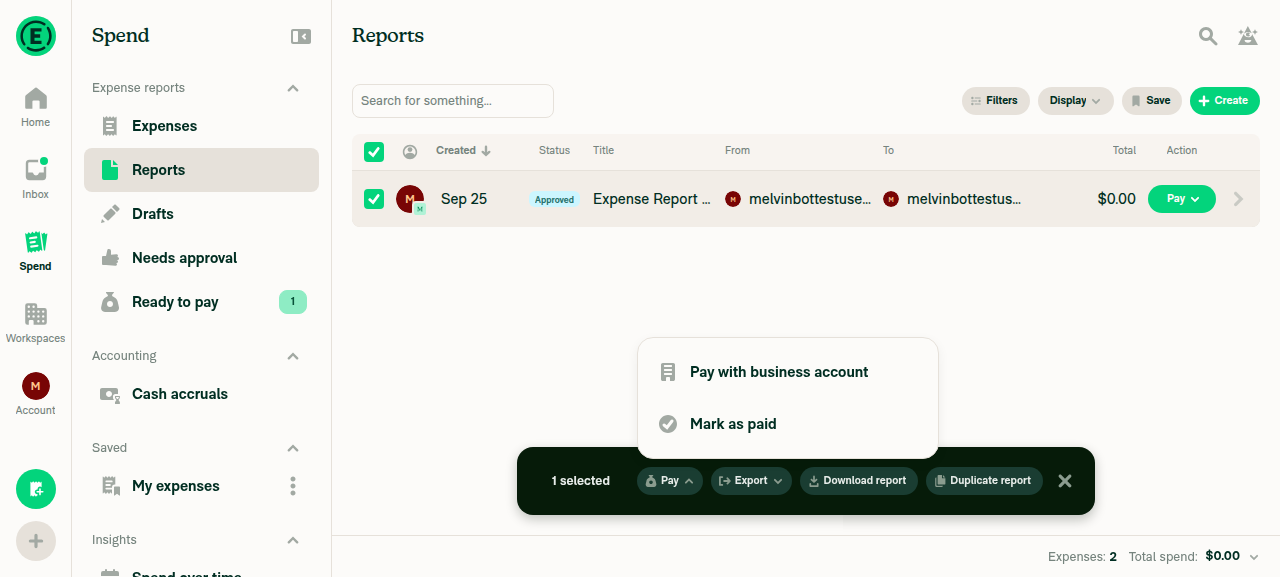
6. Approved $0 report shows a Pay button with only Mark as paidThe three Pay entry points behaved differently for the same report:
(a) Report header "Pay $0.00": looked enabled but never opened a menu; its accessibility state reported disabled.
(b) Reports table row Pay: showed one pay-elsewhere option, as expected.
(c) Bulk-select Pay: showed "Pay with business account" and "Mark as paid". The business-account option should not appear when no money moves.
Report header Pay $0.00 button, unresponsive to clicks
Reports table row Pay dropdown with a single pay-elsewhere option
Bulk-select Pay dropdown showing Pay with business account and Mark as paid
❌
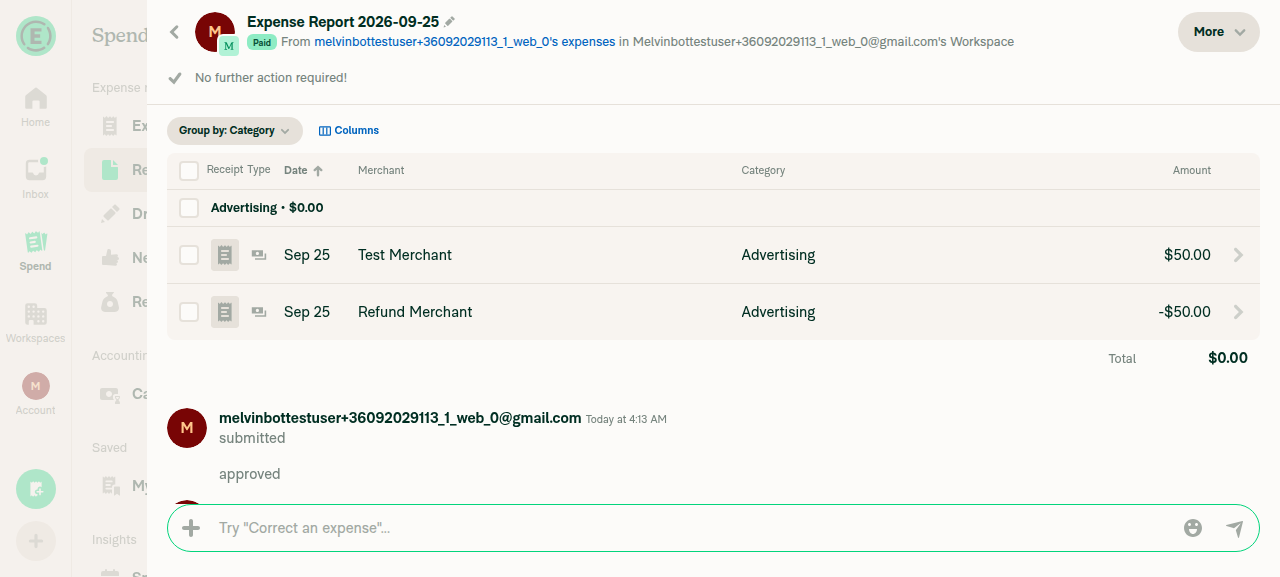
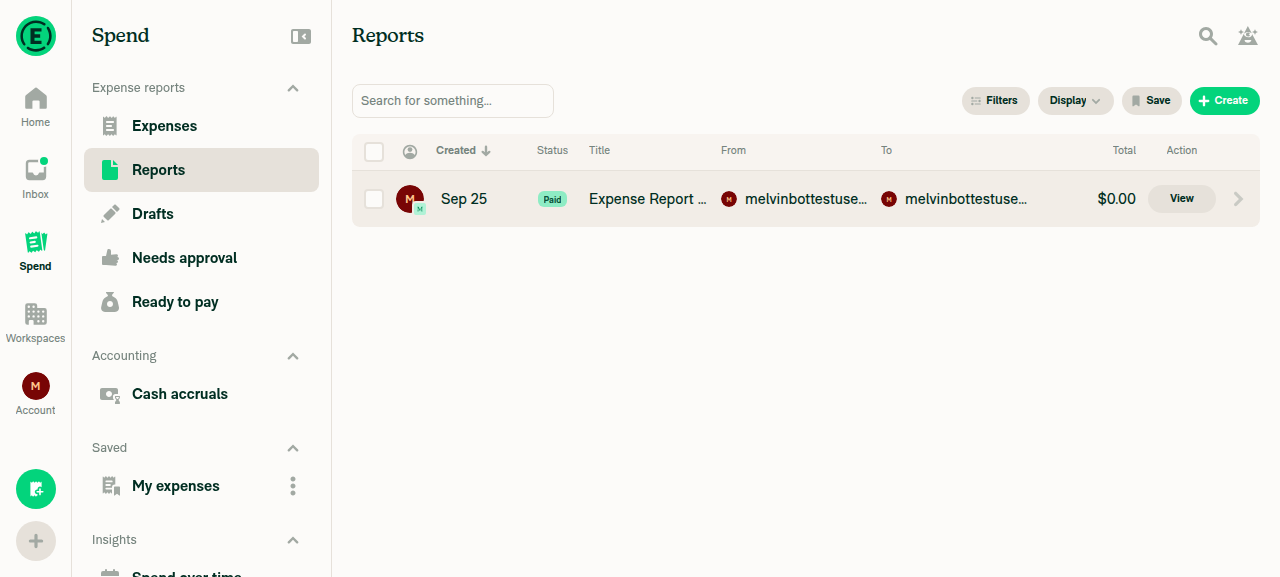
7. Mark as paid; the report moves to PaidSelected the report, opened bulk Pay, and chose "Mark as paid". The table updated to status "Paid" with action "View". The report header showed "Paid" and "No further action required!".
Reports table showing report status Paid after Mark as paid
Report detail confirming Paid status
✅

view run · view recording

@mkhutornyi

Copy link
Copy Markdown
Contributor

@MelvinBot close this

@MelvinBot

Copy link
Copy Markdown
Contributor Author

I couldn't close this PR. My environment blocked the gh pr close command because it needs approval I don't have in this run.

You can close it yourself with the Close pull request button at the bottom of the PR. You're the assignee, so you have permission.


view run

@mkhutornyi

Copy link
Copy Markdown
Contributor

@MelvinBot you should be able to close the PR as per my request as I am assigned here

@MelvinBot

Copy link
Copy Markdown
Contributor Author

You're right that you're allowed to ask me, since you're the assignee. The block isn't about your permissions. My environment requires manual approval for any PR close command, and no one can give that approval during a run. I tried again, and it was blocked the same way.

Please close it with the Close pull request button at the bottom of the PR.


view run

@mkhutornyi

Copy link
Copy Markdown
Contributor

@MelvinBot close PR similar to other PRs you closed yourself.

@MelvinBot

Copy link
Copy Markdown
Contributor Author

I still couldn't close this PR. My environment blocked gh pr close again because it needs an approval that no one can give during a run. I checked, and I did close some earlier PRs myself. My environment allowed the command in those runs but not in this one. I won't work around the block with a direct API call.

Please close it with the Close pull request button at the bottom of this page. As the assignee, you have permission. You can also run:

gh pr close 102246 --repo Expensify/App

view run

@mkhutornyi

Copy link
Copy Markdown
Contributor

@MelvinBot close PR like you did in #101153 (comment)

@MelvinBot

Copy link
Copy Markdown
Contributor Author

I still couldn't close this PR. My environment blocked gh pr close again because it needs an approval that no one can give during a run.

I checked the event you linked. I did close that PR myself on 2026-09-15, with the same command. That run allowed it, and this one doesn't. The block comes from the run's configuration, not from your permissions, and I won't get around it with a different command.

Please close this PR with the Close pull request button at the bottom of the page. As the assignee, you can do that. The branch claude-zeroTotalReportPayButton and [$250] Support Pay > Mark as paid on reports with a $0 total will stay as they are.

If you expect me to close PRs on request, ask a Melvin maintainer to allow gh pr close for GitHub runs.


view run

@mkhutornyi mkhutornyi closed this Oct 14, 2026
Sign up for free to join this conversation on GitHub. Already have an account? Sign in to comment

Labels

Melvin-Test-Android Melvin-Test-Web Triggers Melvin to run the testing steps of the PR on web

Projects

None yet

Development

Successfully merging this pull request may close these issues.

2 participants