

Ship - A terminal workspace for you and your coding agents
Overview • What works today • Installation • Docs • License
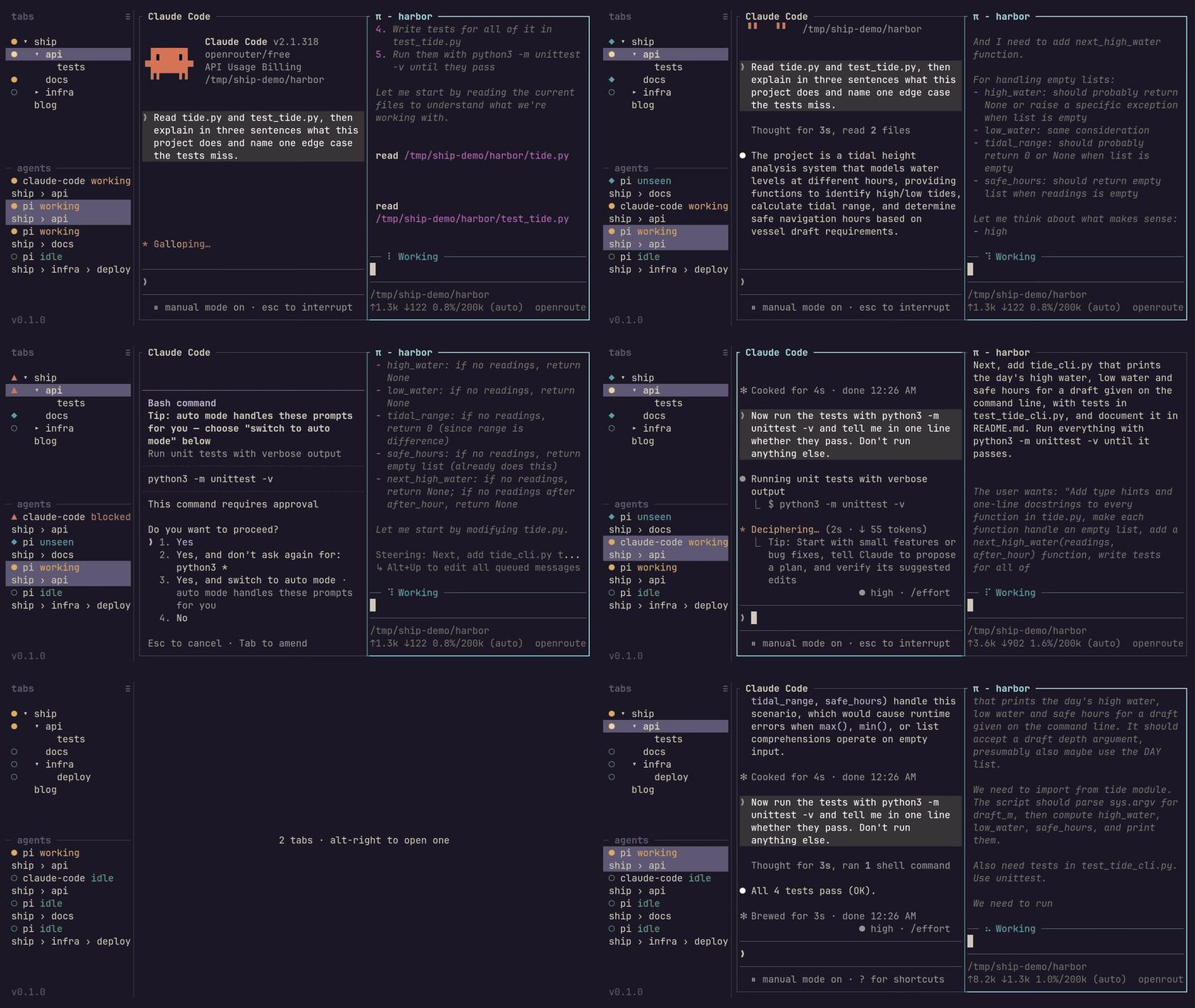
Keep your editor, shells and coding agents in one place, without switching through every tab to find out who needs you.
Ship is a terminal multiplexer, like tmux or Zellij, with a sidebar that shows what your agents are doing. Your work runs on a background server, so closing the window doesn't stop it. Open Ship again and carry on where you left off.
─ agents ─────────────
▲ claude blocked
ship › api
● codex working
ship › docs
◆ pi unseen
site
Claude needs an answer, Codex is still working, and Pi finished while you were looking elsewhere. Jump to the one that needs you instead of checking them all.
You can keep a whole project under one tab, split panes for things you want side by side, or stack a temporary shell over a busy pane without squeezing everything smaller. And your agents can use the same ship commands you do to open panes, hand work to each other and read the results. No SDK or plugin needed. See the handoff workflow.
Herdr is a big inspiration. Ship aims to cover most of its daily-use value with less code to maintain, using libraries for the hard parts, including terminal emulation from Ghostty, and owning how tabs, panes and agents fit together.
The name started as a joke about shipping software faster, and the ship and crew theme grew out of that.
- See who needs you. The sidebar shows agent status, with sounds when work finishes or needs an answer. Claude Code, Codex, Pi and crush report their state without a Ship-specific integration. Agents
- Make room for a whole project. Nest tabs, split or stack panes, zoom in, and move or rename things with the keyboard or mouse. Tabs · Panes
- Leave the window, not the work. Detach and come back to the same running programs, or open several terminal windows onto one server. Windows and the server
- Get your layout back after a restart. Tabs, stacks, splits and directories return with fresh shells. Your old programs don't restart. Saved tabs
- Search output in your own editor. Open a pane's scrollback in your editor, or drag to copy straight from the terminal. Scrollback and copy
- Give scripts and agents the controls. Create panes, send prompts or keys, wait for status reports and read output through the CLI. Scripts can follow Ship's state and show their own text in the sidebar, like each tab's git branch. Scripting Ship
- Keep your habits. Rebind keys, add a tmux-style prefix, customize menus or run your own scripts from a key. Config changes apply when you save. Configuration
Agents report through the Program Status Protocol. Anything that reports its own status can work with Ship; there's no per-agent plugin list to maintain.
Linux and macOS are the priority platforms, and both have been used successfully. Windows is best effort: Ship builds there and small fixes are welcome, but for daily use, WSL is the better bet.
- Packages, and prebuilt releases for platforms other than Linux and macOS. Elsewhere, build from source.
- Built-in history search and keyboard copy mode. Use scrollback in your editor instead.
- Resuming agent conversations or rerunning programs after a server restart. Saved tabs start fresh shells.
- A combined view of servers on several machines. You can already run Ship over SSH or forward a remote socket.
On Linux (x86_64 or arm64) or macOS:
curl -fsSL https://raw.githubusercontent.com/shipmux/ship/main/install.sh | sh
ship
The script installs ship to ~/.local/bin and tells you if that isn't on your PATH yet. Run ship update to get later releases.
On other platforms, or to build it yourself, install the build prerequisites, including Rust, Zig 0.17 and git, then:
git clone https://github.com/shipmux/ship.git
cd ship
cargo install --path crates/ship
ship
Building from source covers platform setup, local builds, updates and build problems. The first session picks up once Ship is installed.
The guide walks through a first session. From there:
- Keys for the everyday controls
- Configuration to make it yours
- Scripting Ship for scripts and agent handoffs
- Troubleshooting when something isn't working
Ship is licensed under the GNU General Public License v3.0 or later. The vendored ratatui-ghostty keeps its own MIT license.
Contributions are accepted under MIT OR Apache-2.0, as the pull request template states, so the project can change its license later without asking each contributor.