FBTabBarController is a easy-to-use UITabBarController to make any app's tab's looks like the Facebook iOS app. No need to struggle with custom tab bars to achieve the floating platform indicator. Just use this library to get your project off of the ground quickly!
Facebook iOS app:

See the Georgia Tech Hockey App for use of FBTabBarController in the wild:

- Add a pod entry to your Podfile:
pod 'FBTabBarController'- Update your Podfile by running:
pod install- Don't forget to include the necessary import statement in your target class:
import FBTabBarController- Copy FBTabBarController.swift and FBTabBarItem.swift into your project.
The setup and use is very similar to how you would work with a normal UITabBarController. Assuming that you are on an updated version of Xcode and Swift, follow a similar setup in your SceneDelegate.swift:
FirstViewController(), SecondViewController(), and ThirdViewController() are not apart of the library, but rather just example view controllers that are used in the example app. Replace these view controllers with ones from your own project.
    func scene(_ scene: UIScene, willConnectTo session: UISceneSession, options connectionOptions: UIScene.ConnectionOptions) {
        guard let windowScene = (scene as? UIWindowScene) else { return }

        window = UIWindow(frame: windowScene.coordinateSpace.bounds)
        window?.windowScene = windowScene

        let fbTabBarController = FBTabBarController()

        let firstViewController = FirstViewController()
        firstViewController.tabBarItem = FBTabBarItem(title: "First",
                                                      image: UIImage(systemName: "1.circle.fill"),
                                                      tag: 0,
                                                      tintColor: .systemBlue)

        let secondViewController = SecondViewController()
        secondViewController.tabBarItem = FBTabBarItem(title: "Second",
                                                       image: UIImage(systemName: "2.circle.fill"),
                                                       tag: 1,
                                                       tintColor: .systemTeal)

        let thirdViewController = ThirdViewController()
        thirdViewController.tabBarItem = FBTabBarItem(title: "Third",
                                                      image: UIImage(systemName: "3.circle.fill"),
                                                      tag: 2,
                                                      tintColor: .systemRed)

        fbTabBarController.setViewControllers([firstViewController, secondViewController, thirdViewController], animated: true)

        window?.rootViewController = fbTabBarController
        window?.makeKeyAndVisible()
    }
There are two ways to customize the color of your FBTabBarController.
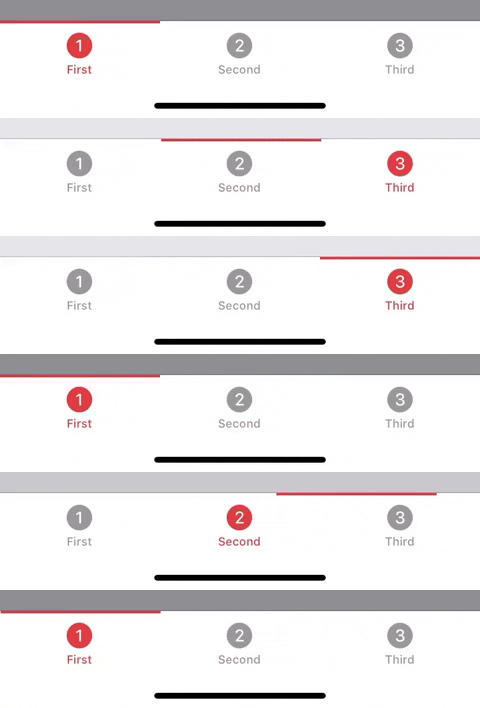
fbTabBarController.tabBar.tintColor = .systemRed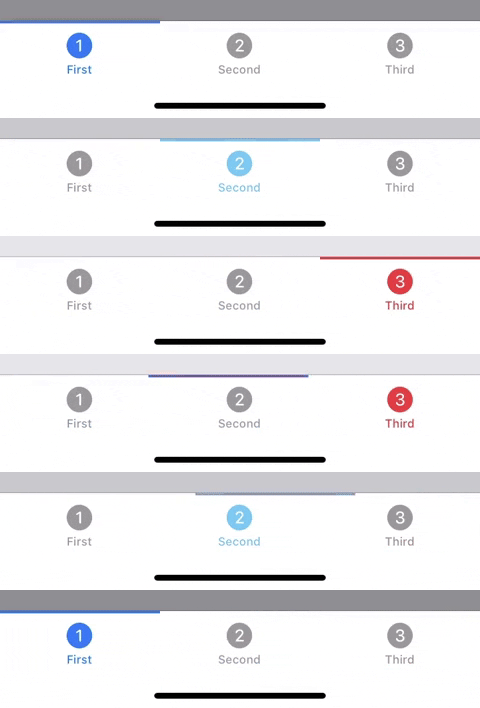
    firstViewController.tabBarItem = FBTabBarItem(title: "First",
                                                  image: UIImage(systemName: "1.circle.fill"),
                                                  tag: 0,
                                                  tintColor: .systemBlue)
Since FBTabBarController inherits from UITabBarController, you can any additional customizations that you would add to a normal UITabBarController.
Requires a minimum version of iOS 13.0.
Be sure to checkout the FBTabBarControllerExample for a working project.
This is an open-source project so any additions, fixes, or cool new ideas are welcomed! If you have interest in contributing to FBTabBarController, be sure to create your own fork of the repo and then submit a pull request when you are done.
MIT
📍 Made in PDX | 🌲 ☕️ 👟