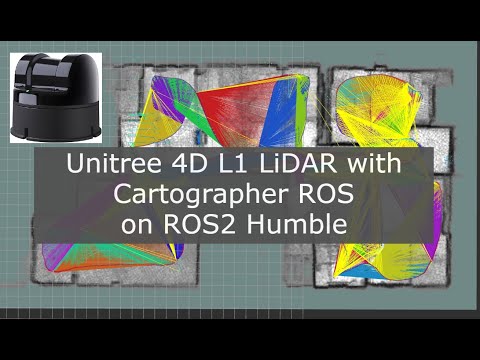
sim_carto_l1_ros2 is a ros2 package to launch the offcial Unitree's ros bag recording of the Unitree 4D L1 lidar and do a semi-online Cartographer ros SLAM mapping session.
To launch the mapping
ros2 launch sim_carto_l1_ros2 simbag.launch.py
To generates the pbstream map which will be save at your home directory
ros2 service call /write_state cartographer_ros_msgs/srv/WriteState "{filename: l2.pbstream}"
To generates the PCD point cloud file for visualization, first copy your own pbstream map to replace one inside this package, colcon build then run
ros2 launch sim_carto_l1_ros2 assets_writer3d.launch.py
Point cloud output should be inside your home folder
To run the localization
ros2 launch sim_carto_l1_ros2 simlocalizebag.launch.py
Local SLAM tuning
- Disable the global optimization by setting
POSE_GRAPH.optimize_every_n_nodes = 0to tune the local slam first - Definitely use the
use_pose_extrapolator = true,withTRAJECTORY_BUILDER_3D.pose_extrapolator.use_imu_based = true, this helps a lot. Also disableTRAJECTORY_BUILDER_3D.use_online_correlative_scan_matching = false - Try tuning the
TRAJECTORY_BUILDER_3D.submaps.num_range_datato 100 or 200, then decrease it to the balance between acceptable error accumulation (that global slam can effortlessly correct) and low memory usage (remember that more submap, more memory usage) - The acceptable error accumulation is depend on the environment. It's up to you for example 10cm error and 10 degree error when the robot moved 10m.
- If you feels like the map is slipping, check the
TRAJECTORY_BUILDER_3D.ceres_scan_matcher.translation_weightin the local_slam. Too much then the robot won't .move. Too little then the robot slip away. Same with theTRAJECTORY_BUILDER_3D.ceres_scan_matcher.rotation_weight - Feels like the Z axis is drifting or jumping ? It has something to do with the IMU, try decreasing the weight
of TRAJECTORY_BUILDER_3D.pose_extrapolator.imu_based.imu_acceleration_weightandTRAJECTORY_BUILDER_3D.pose_extrapolator.imu_based.imu_rotation_weight
Global SLAM tuning
- On first try, set the
POSE_GRAPH.optimize_every_n_nodesto the same number of your num_submap - In global slam,
POSE_GRAPH.constraint_builder.fast_correlative_scan_matcher_3ddo a corse scan matching. Basically trying to figure out where we are in the map. Increasing thePOSE_GRAPH.constraint_builder.fast_correlative_scan_matcher_3d.linear_xy_search_windowhelps its search radius wider. This is useful in robot competiton, in the retry situation that requires humans to manually relocating the robot to the starting point. - In global slam,
POSE_GRAPH.constraint_builder.ceres_scan_matcher_3drefines the pose from the fast scan matcher. So far the default value is great. But you might try tuning around the translation and rotation weight. As well as the max num iteration. - Lowering the
POSE_GRAPH.constraint_builder.min_scorehelps you match more inter submap constraint. The rope that will correct the accumulated error. But beware! the lower minimum score can let bad match throught. - The
POSE_GRAPH.optimization_problemoptimizes the submap by rearrange them. - If you decreased the
POSE_GRAPH.optimize_every_n_nodesand the robot orientation is jumping like crazy, try lowering thePOSE_GRAPH.optimization_problem.acceleration_weightandPOSE_GRAPH.optimization_problem.rotation_weight. Mine was in the range of 0.01 (1e-2). - More soon...
Further tuning of the Cartographer can be made. But this is how far I came.
- Due to the LiDAR was tilted, this limited the horizontal FoV to only just 90 degree, which made tuning the Cartographer very hard.
- In localization mode, due to noisy accelerometer and drifty gyro, the optimization problem has to tune down the acceleration and rotation weight to 1e-2 range.
- The local slam now utilized the pose extrapolator by using IMU data to help with initial pose for the Ceres scanmatcher. This also smooth the rotational movement too as the IMU rate is 200Hz compare to point cloud rate of 10Hz.
- the real time correlative matcher of the local slam was disabled, mainly becuase the CPU usage and the pose extrapolator simply performs much better.
- motion filter in local slam was also tuned to not insert new submap too much when there's a small movement which can introduce as a noise into the submap.
Currently the Cartographer was tuned to have number of range data (submap.num_range_data) of 60. The global slam was tuned while running playback speed of x2. The localization mode was tuned while running playback speed of x3. The (old) result in the video is the REALTIME (running x1).