Skip to content

Fix: open expense report (not pay message thread) for paid expenses in Recently added - #99668

Merged
JS00001 merged 7 commits into
mainfrom
claude-fixPaidExpenseOpensPayThread
Oct 8, 2026
Merged

JS00001 merged 7 commits into
mainfrom
claude-fixPaidExpenseOpensPayThread

Conversation

@MelvinBot

@MelvinBot MelvinBot commented Aug 27, 2026 •

Copy link
Copy Markdown
Contributor

Explanation of Change

When paying someone in a 1:1 DM and marking it as paid, the transaction has two IOU actions with the same IOUTransactionID: the original money-request (CREATE) action, whose childReportID is the expense/transaction thread, and the PAY action, whose childReportID is the "marked as paid" system message thread. The Home "Recently added" slot resolves each expense's action via getIOUActionForTransactionID, a first-match .find() that can return the PAY action. getReportIDToOpenForExpense then navigated straight to that action's childReportID, so opening the paid expense from "Recently added" opened the "marked as paid" message thread instead of the expense report.

This adds an isSentMoneyReportAction guard in getReportIDToOpenForExpense: when the resolved action is a sent-money (pay) action, it navigates to the parent report (the expense report) rather than the pay action's message thread. This mirrors how the Search page routes single-transaction reports to the report itself. A unit test covers the new behavior.

Fixed Issues

$ #99611
PROPOSAL: #99611 (comment)

Tests

  1. Sign in as Account A and open (or start) a 1:1 DM with Account B.
  2. In that DM, click + > Pay.
  3. Enter an amount (for example 25) > Next > confirm the details > Pay > Mark as paid.
  4. Verify the DM shows the paid system message (for example "paid $25.00 elsewhere" / "marked as paid") along with the "1 expense" preview.
  5. Navigate to Home.
  6. Verify the paid expense does not appear under Recently added for Account A — not even briefly right after paying.
  7. Sign in as Account B (the recipient) and navigate to Home.
  8. Under Recently added, click the expense Account A just paid.
  9. Verify the expense report opens — you see the expense details (Amount, Merchant, Date, Report).
  10. Verify you are not taken to the "marked as paid" system message thread.
  • Verify that no errors appear in the JS console

Offline tests

  1. Sign in as Account A and turn off your network connection.
  2. Open a 1:1 DM with Account B, click + > Pay, enter an amount > Next > Pay > Mark as paid.
  3. Navigate to Home and verify the paid expense does not appear under Recently added.
  4. Still offline, create a regular manual expense and verify it does appear under Recently added with the offline pending treatment.
  5. Go back online and verify the paid expense still does not appear in Account A's Recently added.
  6. Sign in as Account B, go offline, open the paid expense from Recently added on Home, and verify the expense report opens, not the "marked as paid" system message thread.

QA Steps

  1. Open the app on staging and sign in as Account A.
  2. Open (or start) a 1:1 DM with Account B.
  3. Tap + > Pay, enter an amount (for example 25) > Next > Pay > Mark as paid.
  4. Verify the DM shows the paid system message along with the "1 expense" preview.
  5. Navigate to Home and verify the paid expense does not appear under Recently added for Account A, not even briefly.
  6. Sign in as Account B, navigate to Home, and tap the paid expense under Recently added.
  7. Verify the expense report opens and that you are not taken to the "marked as paid" system message thread.
  • Verify that no errors appear in the JS console

PR Author Checklist

  • I linked the correct issue in the ### Fixed Issues section above
  • I wrote clear testing steps that cover the changes made in this PR
    • I added steps for local testing in the Tests section
    • I added steps for the expected offline behavior in the Offline steps section
    • I added steps for Staging and/or Production testing in the QA steps section
    • I added steps to cover failure scenarios (i.e. verify an input displays the correct error message if the entered data is not correct)
    • I turned off my network connection and tested it while offline to ensure it matches the expected behavior (i.e. verify the default avatar icon is displayed if app is offline)
    • I tested this PR with a High Traffic account against the staging or production API to ensure there are no regressions (e.g. long loading states that impact usability).
  • I included screenshots or videos for tests on all platforms
  • I ran the tests on all platforms & verified they passed on:
    • Android: Native
    • Android: mWeb Chrome
    • iOS: Native
    • iOS: mWeb Safari
    • MacOS: Chrome / Safari
  • I verified there are no console errors (if there's a console error not related to the PR, report it or open an issue for it to be fixed)
  • I followed proper code patterns (see Reviewing the code)
    • I verified that comments were added to code that is not self explanatory
    • I verified that any new or modified comments were clear, correct English, and explained "why" the code was doing something instead of only explaining "what" the code was doing.
    • I verified any copy / text that was added to the app is grammatically correct in English. It adheres to proper capitalization guidelines (note: only the first word of header/labels should be capitalized), and is either coming verbatim from figma or has been approved by marketing (in order to get marketing approval, ask the Bug Zero team member to add the Waiting for copy label to the issue)
  • If a new code pattern is added I verified it was agreed to be used by multiple Expensify engineers
  • I followed the guidelines as stated in the Review Guidelines
  • I tested other components that can be impacted by my changes (i.e. if the PR modifies a shared library or component like Avatar, I verified the components using Avatar are working as expected)
  • If a new CSS style is added I verified that:
    • A similar style doesn't already exist
    • The style can't be created with an existing StyleUtils function (i.e. StyleUtils.getBackgroundAndBorderStyle(theme.componentBG))
  • If new assets were added or existing ones were modified, I verified that:
    • The assets are optimized and compressed (for SVG files, run npm run compress-svg)
    • The assets load correctly across all supported platforms.
  • If the PR modifies code that runs when editing or sending messages, I tested and verified there is no unexpected behavior for all supported markdown - URLs, single line code, code blocks, quotes, headings, bold, strikethrough, and italic.
  • If the PR modifies a generic component, I tested and verified that those changes do not break usages of that component in the rest of the App (i.e. if a shared library or component like Avatar is modified, I verified that Avatar is working as expected in all cases)
  • If the PR modifies a component related to any of the existing Storybook stories, I tested and verified all stories for that component are still working as expected.
  • If the PR modifies a component or page that can be accessed by a direct deeplink, I verified that the code functions as expected when the deeplink is used - from a logged in and logged out account.
  • If the PR modifies the UI (e.g. new buttons, new UI components, changing the padding/spacing/sizing, moving components, etc) or modifies the form input styles:
    • I verified that all the inputs inside a form are aligned with each other.
    • I added Design label and/or tagged @Expensify/design so the design team can review the changes.
  • If the PR adds or modifies the UI:
    • I asked an AI agent to review the changes for accessibility issues and addressed its findings.
    • I tested with a screen reader (VoiceOver on macOS) and verified all new/changed elements are reachable with a logical focus order.
    • I verified all new/changed elements have meaningful accessible names and roles.
    • I verified state changes are announced (e.g. checked/unchecked, expanded/collapsed, selected).
  • I added unit tests for any new feature or bug fix in this PR to help automatically prevent regressions in this user flow.
  • If the main branch was merged into this PR after a review, I tested again and verified the outcome was still expected according to the Test steps.

Screenshots/Videos

Android: Native
Android: mWeb Chrome
iOS: Native
iOS: mWeb Safari
MacOS: Chrome / Safari

…penses in Recently added

Co-authored-by: Georgia Monahan <grgia@users.noreply.github.com>
@github-actions

Copy link
Copy Markdown
Contributor

🚧 grgia has triggered a test Expensify/App build. You can view the workflow run here.

@codecov

codecov Bot commented Aug 27, 2026 •

Copy link
Copy Markdown

Codecov Report

✅ Changes either increased or maintained existing code coverage, great job!

Files with missing lines Coverage Δ
src/libs/TransactionThreadNavigationUtils.ts 96.55% <100.00%> (+0.25%) ⬆️
.../home/RecentlyAddedSection/useRecentlyAddedData.ts 96.47% <100.00%> (+0.12%) ⬆️
... and 278 files with indirect coverage changes

@github-actions

This comment has been minimized.

@MelvinBot

Copy link
Copy Markdown
Contributor Author

🤖 Ran the testing steps from this PR on Android (standalone NewDot).

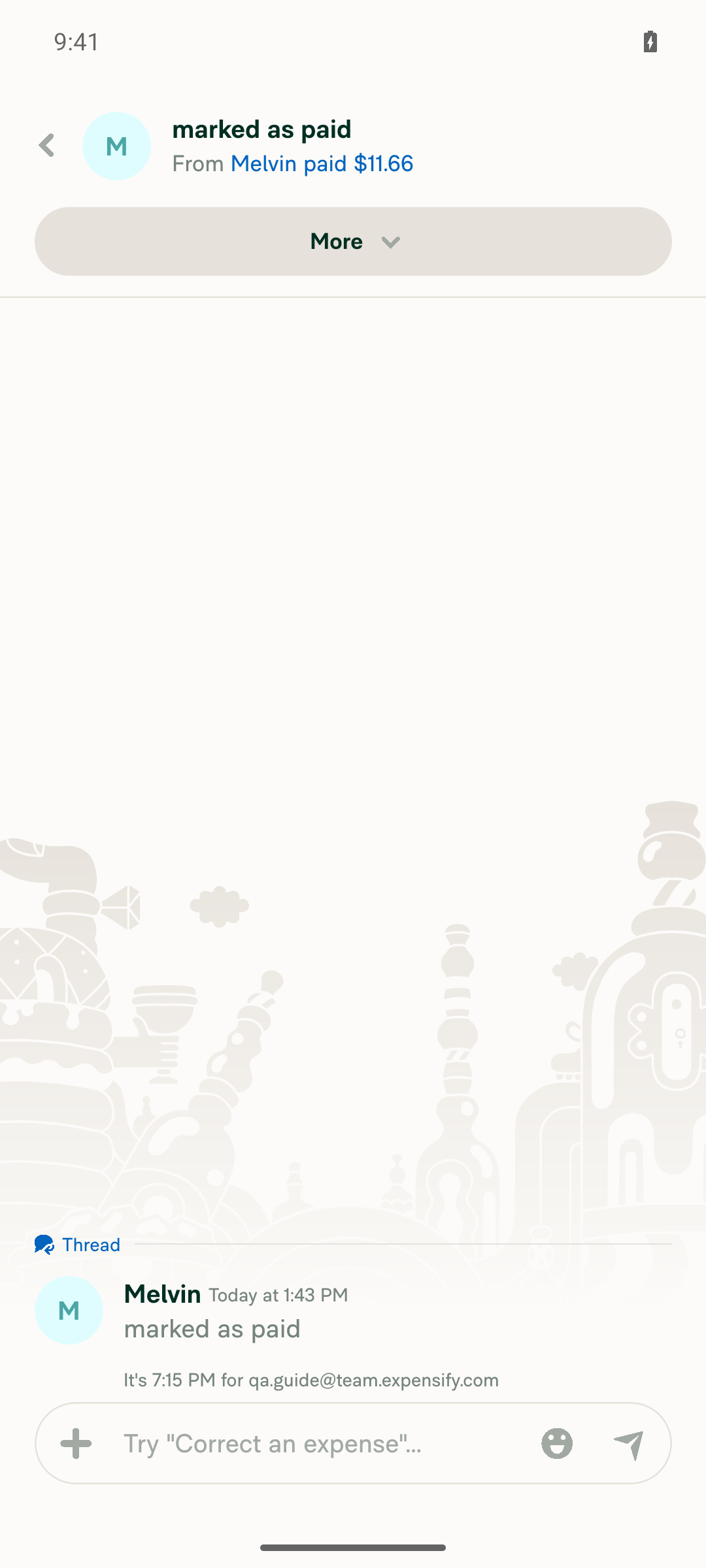
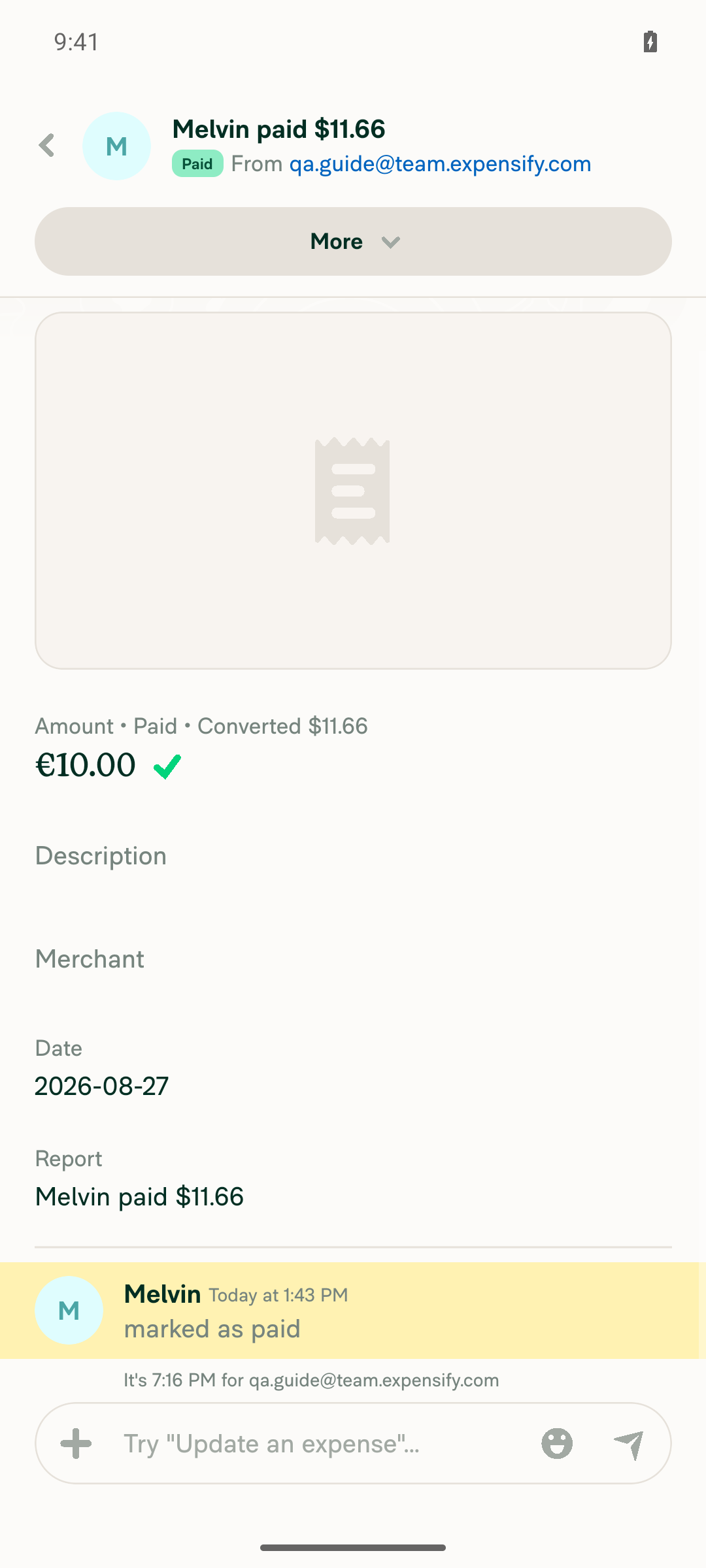
Outcome: ❌ FAIL — the payment flow works and the paid expense shows up in Home "Recently added", but tapping it from "Recently added" still opens the "marked as paid" system-message thread instead of the expense report. The regression this PR is meant to fix reproduced twice with fresh element refs. The actual expense report was only reachable by additionally tapping the "paid" link inside that thread.

Step Status Observation
Open 1:1 DM and initiate Pay via + menu ✅ pass Opened DM with qa.guide@team.expensify.com, tapped + → "Pay …", amount screen appeared
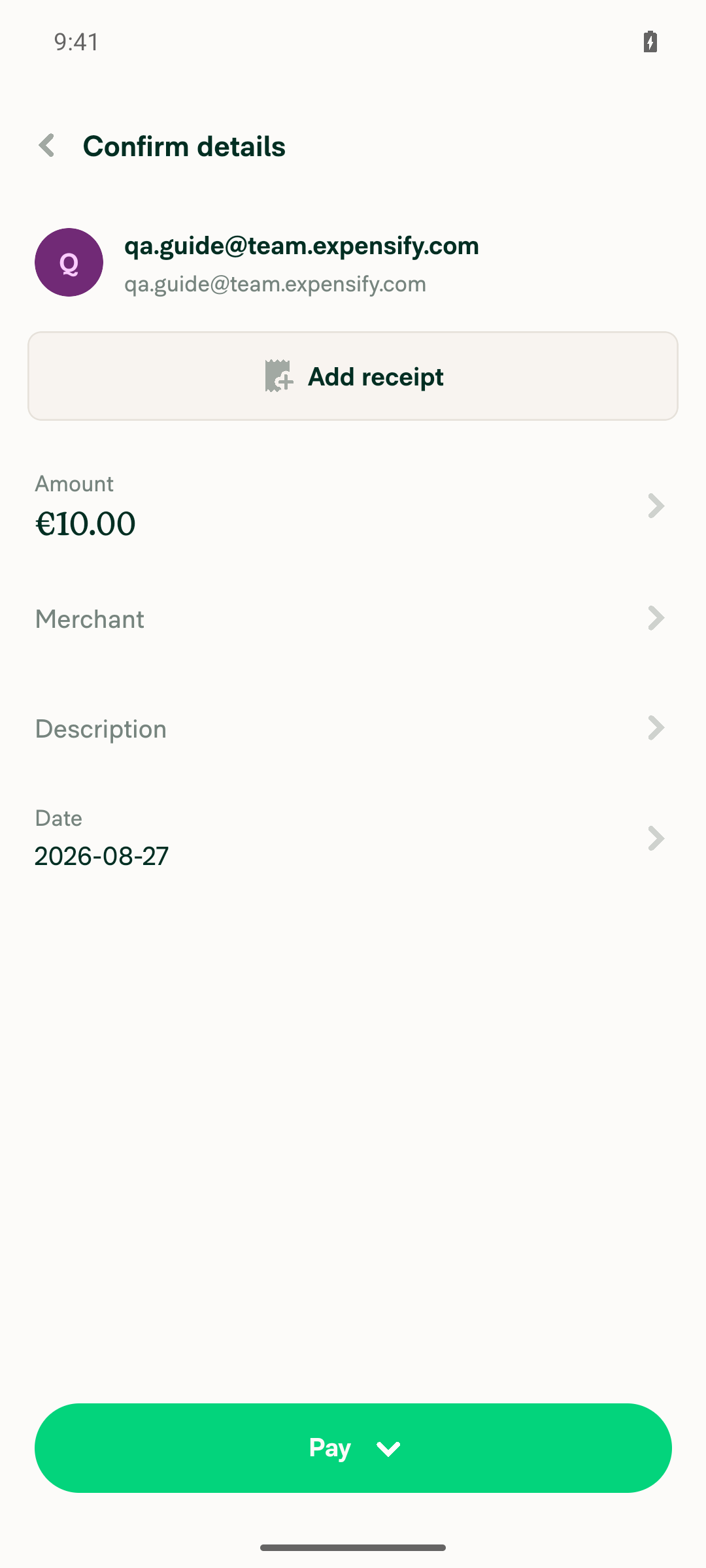
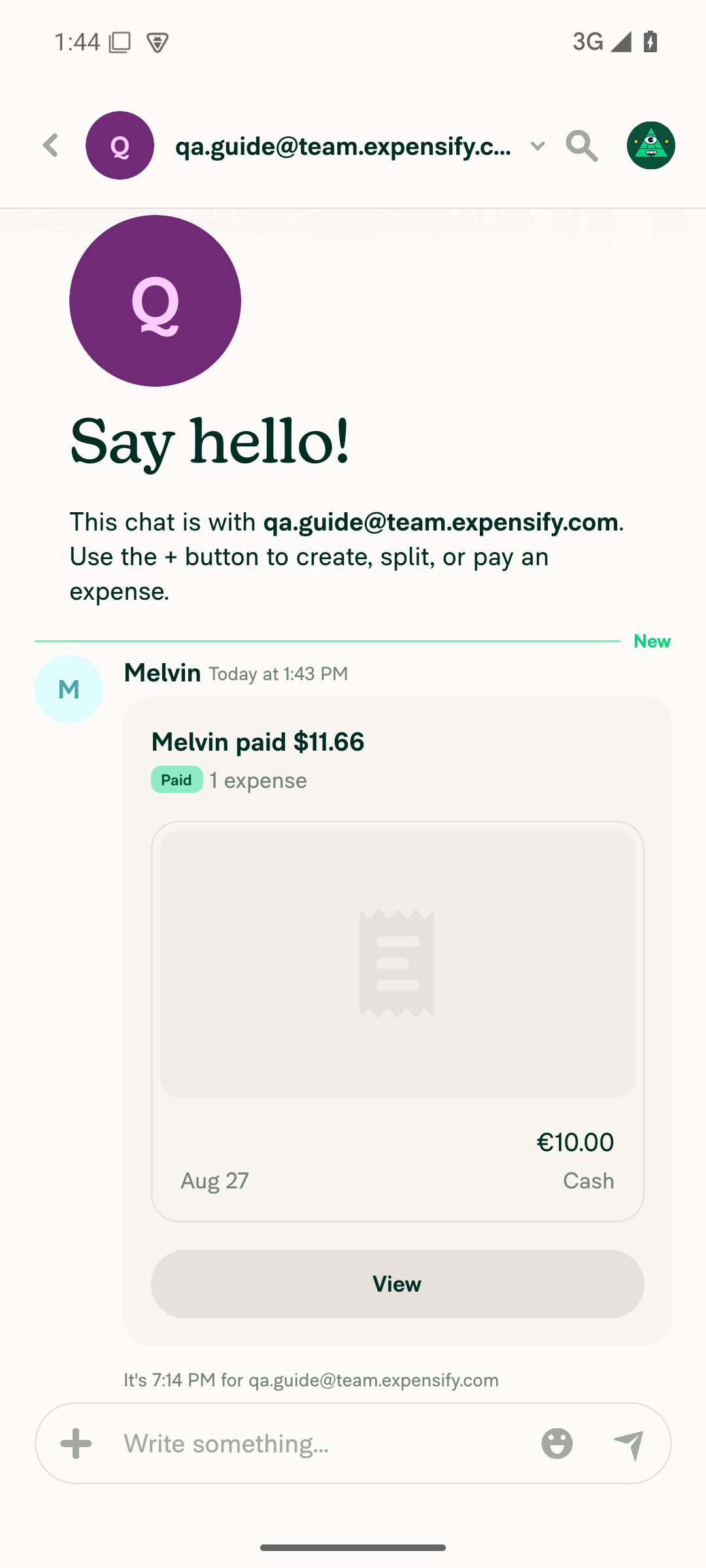
Enter amount, submit, and Mark as paid ✅ pass Entered €10.00 → Next → Confirm details → Pay → Mark as paid; chat shows "Melvin paid … / Paid / 1 expense / €10.00 / Cash"
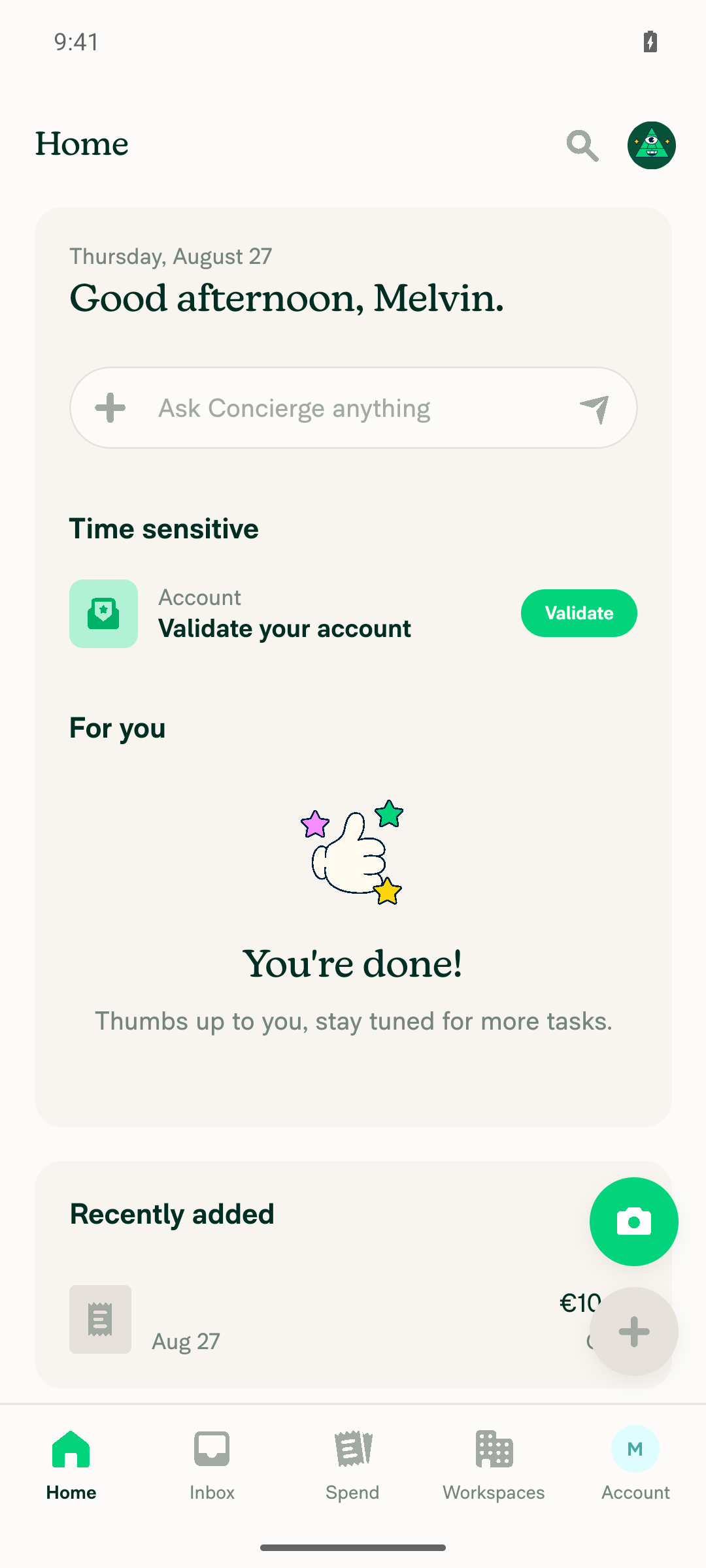
Paid expense appears in Home "Recently added" ✅ pass "Recently added" shows a card "€10.00, Aug 27, Cash"
Opening from "Recently added" opens the EXPENSE REPORT (not the pay message thread) ❌ fail Tapping the card (reproduced twice) navigated to a screen headed "marked as paid / From Melvin paid …" containing only the "marked as paid" thread message — not the expense report (Amount/Description/Merchant/Date/Report fields)
No JS console errors during the flow ✅ pass No ReactNativeJS [error]/console.error/unhandled-promise entries during the flow; only unrelated native warnings

Note: mid-test an Android "Allow notifications?" system permission dialog briefly intercepted taps (device/OS interstitial, not an App bug); it was dismissed and the flow continued normally.

Screenshots

Pay confirm details (€10.00)
Pay confirm details screen with €10.00 amount

After Mark as paid
DM chat showing paid, 1 expense after Mark as paid

Home → Recently added (paid expense visible)
Home screen with the paid expense visible under Recently added

FAIL: tapping Recently added opens the "marked as paid" thread
Tapping Recently added card opens the marked as paid system message thread, not the expense report

For contrast: the actual expense report (reached via in-thread paid link)
The actual expense report reached via the in-thread paid link


view run

@MelvinBot

Copy link
Copy Markdown
Contributor Author

🤖 Ran the testing steps from this PR on Web (dev NewDot).

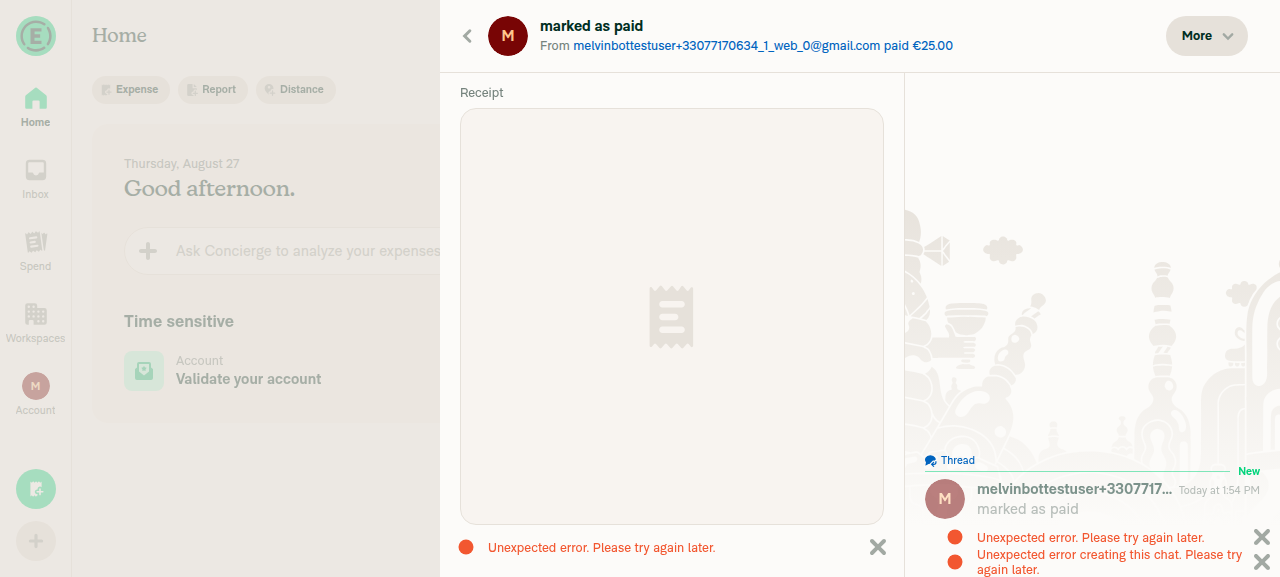
Outcome: ⚠️ PARTIAL — core fix passed. Opening the paid expense from Home "Recently added" correctly routed to the expense report detail view (/search/view/<id>?backTo=home, showing the Receipt/expense details) rather than dropping into the "marked as paid" system-message thread — i.e. the regression this PR targets is fixed on Web. The "partial" is unrelated environment noise: the SendMoneyElsewhere call returned a 404 and the UI showed "Unexpected error" banners, most likely because the payment recipient (qateam+123@expensify.com) is a synthetic address never registered in this dev environment, not a defect in this PR.

Step Status Observation
Open 1:1 DM and initiate Pay via + menu ✅ pass Started a 1:1 DM with qateam+123@expensify.com; in-chat + → "Pay …" opened the amount screen
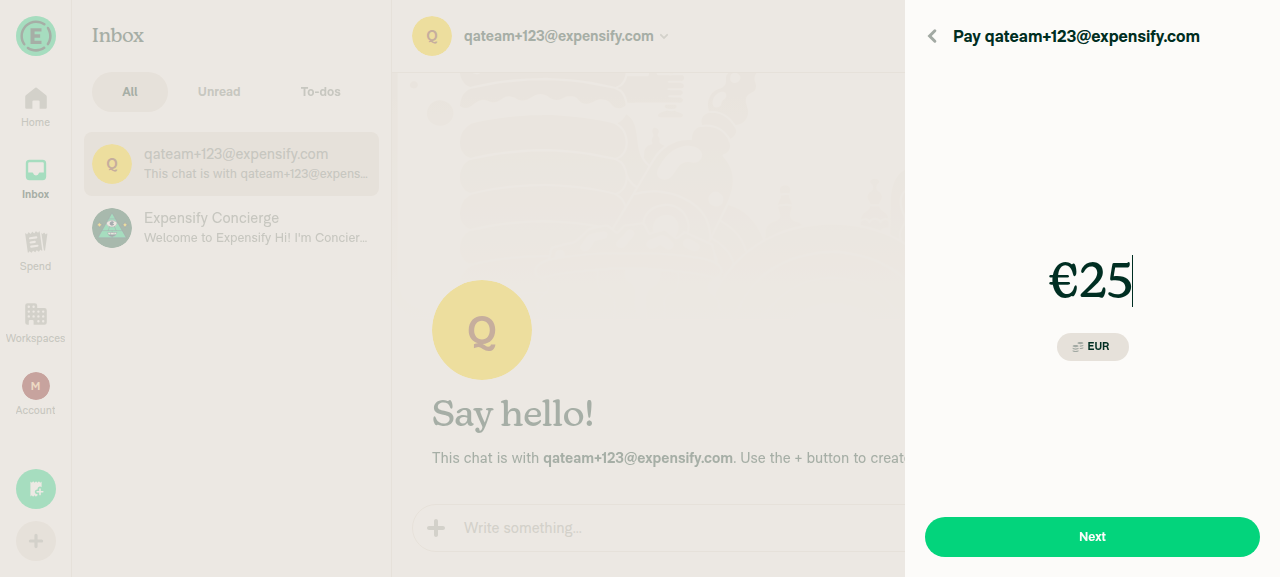
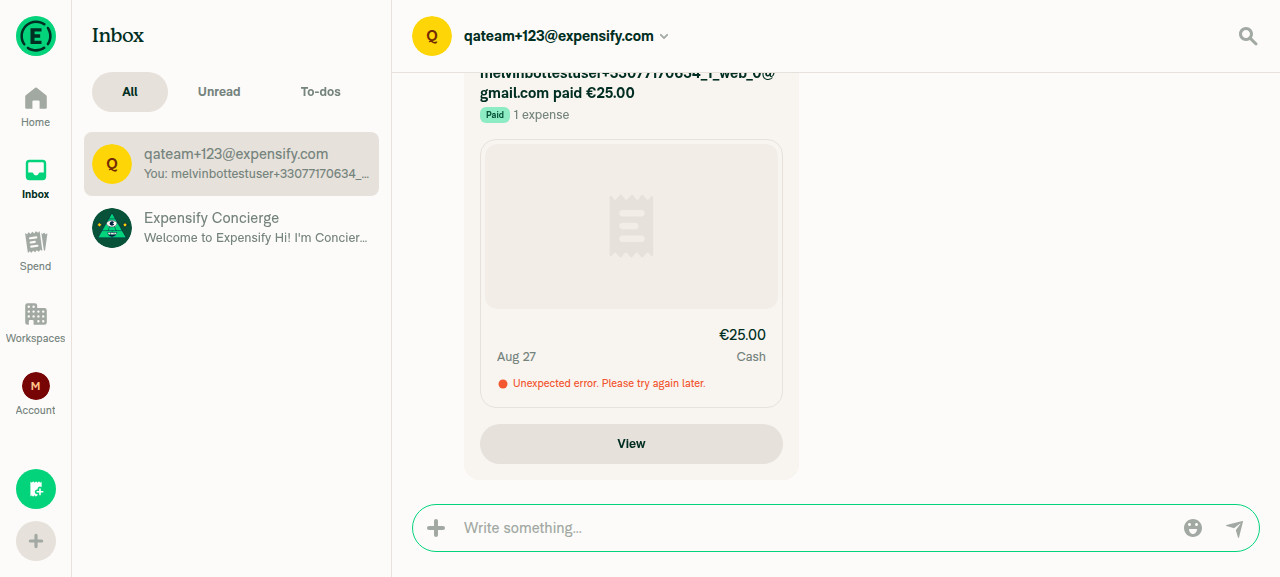
Enter amount, submit, and Mark as paid ⚠️ partial Entered €25.00 → Next → Confirm → "Mark as paid"; UI updated to "Paid / sent €25.00 elsewhere", but POST /api/SendMoneyElsewhere returned 404 and an "Unexpected error" banner appeared (likely due to the unregistered synthetic recipient)
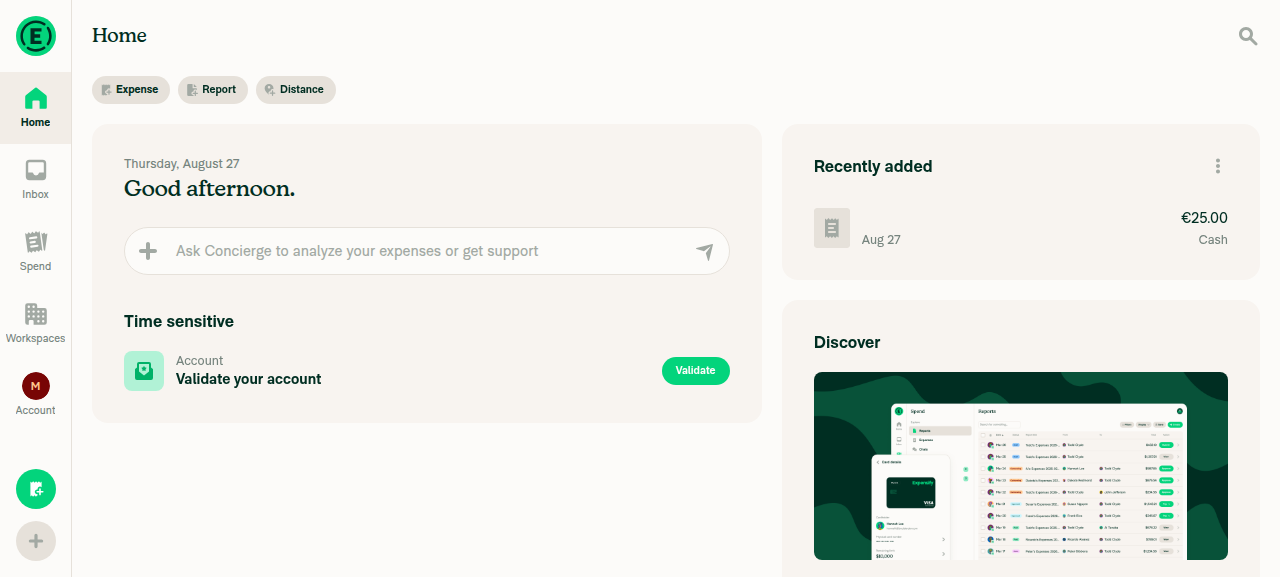
Paid expense appears in Home "Recently added" ✅ pass "Recently added" showed a €25.00 Cash entry dated Aug 27
Opening from "Recently added" opens the EXPENSE REPORT (not the pay message thread) ✅ pass Clicking the row navigated to /search/view/5265636502389756?backTo=home, rendering the expense/transaction detail view (Receipt section) as the primary pane, not the "marked as paid" chat thread
No JS console errors during the flow ❌ fail Network-level errors: SendMoneyElsewhere 404, AuthenticatePusher 403 (x2), plus visible "Unexpected error" banners — all tied to the payment API against a synthetic recipient, not the navigation fix

Recommend a clean re-run against a real registered second test account to clear the SendMoneyElsewhere 404 noise and confirm steps 2 and 5 without the environment-related banners. The primary fix (Recently added → expense report) verified as working.

Screenshots

Pay amount (€25.00)
Pay amount entry showing €25 entered

After Mark as paid
DM chat showing payment marked as paid

Home → Recently added (paid expense visible)
Home screen with the €25.00 Cash expense listed under Recently added

PASS: opening from Recently added shows the expense report detail view
Opened from Recently added: main pane shows the expense report detail view (Receipt section)


view run

@grgia
grgia marked this pull request as ready for review August 28, 2026 16:29
@grgia
grgia requested a review from a team as a code owner August 28, 2026 16:29
@melvin-bot

melvin-bot Bot commented Aug 28, 2026

Copy link
Copy Markdown

@ZhenjaHorbach @thelullabyy One of you needs to copy/paste the Reviewer Checklist from here into a new comment on this PR and complete it. If you have the K2 extension, you can simply click: [this button]

@melvin-bot
melvin-bot Bot requested review from joekaufmanexpensify and removed request for a team August 28, 2026 16:29
Comment thread tests/unit/libs/TransactionThreadNavigationUtilsTest.ts Outdated

@chatgpt-codex-connector chatgpt-codex-connector Bot left a comment

Copy link
Copy Markdown

Choose a reason for hiding this comment

The reason will be displayed to describe this comment to others. Learn more.

💡 Codex Review

Here are some automated review suggestions for this pull request.

Reviewed commit: 9d737ff0e0

ℹ️ About Codex in GitHub

Codex has been enabled to automatically review pull requests in this repo. Reviews are triggered when you

  • Open a pull request for review
  • Mark a draft as ready
  • Comment "@codex review".

If Codex has suggestions, it will comment; otherwise it will react with 👍.

When you sign up for Codex through ChatGPT, Codex can also answer questions or update the PR, like "@codex address that feedback".

Comment thread src/libs/TransactionThreadNavigationUtils.ts
@thelullabyy

Copy link
Copy Markdown
Contributor

@MelvinBot could you please unassigned me from this issue?

@MelvinBot

Copy link
Copy Markdown
Contributor Author

Done — I removed you as an assignee from the linked deploy blocker, #99611.

You were auto-assigned there as the author of #98611, but the investigation cleared that PR: the root cause was traced to the Recently added slot on Home, not the auto-fill change.

One thing I left alone: you're still a requested reviewer on this PR (#99668), which is a separate thing from the issue assignment. Reply if you want me to remove that too.


view run

@thelullabyy

Copy link
Copy Markdown
Contributor

@MelvinBot Please unassign me from this PR as well

@MelvinBot
MelvinBot removed the request for review from thelullabyy August 29, 2026 19:11
@MelvinBot

Copy link
Copy Markdown
Contributor Author

Done — you're off this PR too. I removed your review request, so you're no longer on the reviewer list here.

Current state:

You're not assigned to either one now.


view run

@joekaufmanexpensify

Copy link
Copy Markdown
Contributor

Can we add test steps to OP so it's clear what QA needs to test when we get to that point?

@ZhenjaHorbach

Copy link
Copy Markdown
Contributor

@MelvinBot
Add test steps to the PR description

@MelvinBot

Copy link
Copy Markdown
Contributor Author

Done — I filled in the Tests, Offline tests, and QA Steps sections of the PR description (and removed the // TODO placeholder from QA Steps).

The steps follow the repro from #99611 and add two regression checks that the guard in src/libs/TransactionThreadNavigationUtils.ts:56-62 could plausibly affect:

QA Steps (what QA will run on staging):

  1. Sign in as Account A, open a 1:1 DM with Account B.
  2. Tap + > Pay, enter an amount, Next > confirm > Pay > Mark as paid.
  3. Go to Home and tap that expense under Recently added.
  4. Verify the expense report opens — not the "marked as paid" system message thread.
  5. Regression: submit a normal (unpaid) expense in the same DM and verify it still opens its transaction thread from Recently added.

The Tests section adds a self-DM expense regression check, and Offline tests cover opening the paid expense from Recently added while offline (the target report is resolved locally from Onyx, so behavior should be identical).

One thing worth flagging before QA: the two automated runs on this PR disagree. The Web run confirmed the fix (Recently added → expense report), but the Android run still reproduced the bug — tapping the card opened the "marked as paid" thread. Worth checking Android specifically when testing.


view run

@MelvinBot

Copy link
Copy Markdown
Contributor Author

I verified both review comments. Both are valid, and the Codex one is almost certainly why the Android test run still reproduced the bug while Web passed.

The guard is in the wrong place — it only sees the snapshot action. useRecentlyAddedData.ts:275 populates reportAction only from the Search snapshot, with no fallback to the live reportActions_ collection. SendMoney.ts writes no optimistic snapshot entry, so a freshly paid expense is in "Recently added" with reportAction === undefined until a SEARCH round-trip lands. The new guard is skipped, and TransactionThreadNavigationUtils.ts:72-77 then resolves the live pay action and returns its childReportID — the "marked as paid" thread. That's the original bug, reproducing offline, in the post-sync/pre-snapshot window, and indefinitely if the SEARCH call fails.

The fix — re-apply the guard to the live action at TransactionThreadNavigationUtils.ts:72-75:

const iouAction = getIOUActionForReportID(reportID, transaction.transactionID) ?? expense.reportAction;
// The live action can be a sent-money (pay) action too. An offline or optimistic expense is absent from
// the snapshot, so expense.reportAction is undefined and the guard above never sees it. Re-apply it here.
if (!iouAction || isSentMoneyReportAction(iouAction)) {
    return reportID;
}

Keep the existing guard at line 59 — line 66 returns early on the snapshot path, so control never reaches line 72 there. This also stops the unguarded createTransactionThreadReport call at line 80 for pay actions. The new unit test only covers the snapshot path, so it needs a companion case with reportAction: undefined plus a sent-money action merged into reportActions_{parentPay}, mirroring the existing "resolves the thread from the main reportActions collection" test.

Plus the CONSISTENCY-16 nit at TransactionThreadNavigationUtilsTest.ts:82 — split the semicolon into two sentences, exactly as suggested.

One correction to my own PR description

The description claims the transaction has "two IOU actions with the same IOUTransactionID: the original money-request (CREATE) action ... and the PAY action". That's wrong — ReportActionsUtils.ts:866-872 states a SendMoney report never legitimately has a type=create IOU action, and SendMoney.ts builds exactly one IOU action (type: PAY). So getIOUActionForTransactionID returns the pay action deterministically, not by .find() ordering luck — which makes the line-72 gap a certainty rather than a race. Say the word and I'll correct the description.

Supporting detail: isSentMoneyReportAction requires type === PAY and IOUDetails. SendMoney.ts passes isSendMoneyFlow: true, which is the branch in ReportUtils.ts that sets IOUDetails and keeps IOUTransactionID — so being sent-money and being matchable by transaction ID coincide exactly. The settle-up "Mark as paid" on an existing expense report takes the other branch, which deletes IOUTransactionID, so it's unaffected.

I can only make code changes when directed by the PR author, an assignee, or an existing co-author. You're a requested reviewer here, but the only PR assignee is grgia. To have me push this, either grgia replies tagging me, or add yourself as a PR assignee and re-run the request — then I'll apply both fixes, add the missing test case, and run lint/typecheck/Jest.


view run

@ZhenjaHorbach

ZhenjaHorbach commented Sep 28, 2026 •

Copy link
Copy Markdown
Contributor

@MelvinBot
Update the test cases in the PR description and use these

Tests

  1. Sign in as Account A and open (or start) a 1:1 DM with Account B.
  2. In that DM, click + > Pay.
  3. Enter an amount (for example 25) > Next > confirm the details > Pay > Mark as paid.
  4. Verify the DM shows the paid system message (for example "paid $25.00 elsewhere" / "marked as paid") along with the "1 expense" preview.
  5. Navigate to Home.
  6. Verify the paid expense does not appear under Recently added for Account A — not even briefly right after paying.
  7. Sign in as Account B (the recipient) and navigate to Home.
  8. Under Recently added, click the expense Account A just paid.
  9. Verify the expense report opens — you see the expense details (Amount, Merchant, Date, Report).
  10. Verify you are not taken to the "marked as paid" system message thread.
  • Verify that no errors appear in the JS console

Offline tests

  1. Sign in as Account A and turn off your network connection.
  2. Open a 1:1 DM with Account B, click + > Pay, enter an amount > Next > Pay > Mark as paid.
  3. Navigate to Home and verify the paid expense does not appear under Recently added.
  4. Still offline, create a regular manual expense and verify it does appear under Recently added with the offline pending treatment.
  5. Go back online and verify the paid expense still does not appear in Account A's Recently added.
  6. Sign in as Account B, go offline, open the paid expense from Recently added on Home, and verify the expense report opens, not the "marked as paid" system message thread.

QA Steps

  1. Open the app on staging and sign in as Account A.
  2. Open (or start) a 1:1 DM with Account B.
  3. Tap + > Pay, enter an amount (for example 25) > Next > Pay > Mark as paid.
  4. Verify the DM shows the paid system message along with the "1 expense" preview.
  5. Navigate to Home and verify the paid expense does not appear under Recently added for Account A, not even briefly.
  6. Sign in as Account B, navigate to Home, and tap the paid expense under Recently added.
  7. Verify the expense report opens and that you are not taken to the "marked as paid" system message thread.
  • Verify that no errors appear in the JS console

@MelvinBot

Copy link
Copy Markdown
Contributor Author

I updated the PR description. The Tests, Offline tests, and QA Steps sections now use your steps. The rest of the description is unchanged.


view run

@ZhenjaHorbach

Copy link
Copy Markdown
Contributor

@MelvinBot
Add these changes

diff --git a/src/pages/home/RecentlyAddedSection/useRecentlyAddedData.ts b/src/pages/home/RecentlyAddedSection/useRecentlyAddedData.ts
index 8c327ec0e52807..f7319b70b12b29 100644
--- a/src/pages/home/RecentlyAddedSection/useRecentlyAddedData.ts
+++ b/src/pages/home/RecentlyAddedSection/useRecentlyAddedData.ts
@@ -116,6 +116,7 @@ function useRecentlyAddedData(): RecentlyAddedData {
     // Read by key only, never iterated: the collection holds tens of thousands of entries.
     const [localTransactions] = useOnyx(ONYXKEYS.COLLECTION.TRANSACTION);
     const [pendingTransactionIDs] = useOnyx(ONYXKEYS.COLLECTION.TRANSACTION, {selector: pendingTransactionIDsSelector});
+    const [localReports] = useOnyx(ONYXKEYS.COLLECTION.REPORT);
 
     // Holding a just-created expense here keeps it in the slot after `pendingAction` clears on sync but before the
     // refreshed snapshot arrives (otherwise it briefly disappears and reappears).
@@ -188,7 +189,7 @@ function useRecentlyAddedData(): RecentlyAddedData {
             }
         }
 
-        const filtered = snapshotTransactions.filter((transaction): transaction is Transaction & {reportID: string} => {
+        const isOwnedByCurrentUser = (transaction: Transaction | undefined, ownerAccountID: number | undefined): transaction is Transaction & {reportID: string} => {
             if (!transaction?.reportID) {
                 return false;
             }
@@ -196,12 +197,15 @@ function useRecentlyAddedData(): RecentlyAddedData {
             if (transaction.reportID === CONST.REPORT.UNREPORTED_REPORT_ID) {
                 return true;
             }
-            const ownerAccountID = reportByReportID.get(transaction.reportID)?.ownerAccountID;
             return ownerAccountID === undefined || ownerAccountID === accountID;
-        });
+        };
+
+        const filtered = snapshotTransactions.filter((transaction) => isOwnedByCurrentUser(transaction, reportByReportID.get(transaction?.reportID ?? '')?.ownerAccountID));
 
         // Merge in locally-pending expenses, skipping any already in the snapshot so a row never appears twice.
-        // A local optimistic ADD always belongs to the current user, so no ownership check is needed (unlike the snapshot path).
+        // A local optimistic ADD doesn't always belong to the current user: sending money (Pay someone) creates it on
+        // an IOU report owned by the recipient. Apply the same ownership check as the snapshot path, resolved from the
+        // local report, so such an expense never flashes in the payer's slot.
         const snapshotTransactionIDs = new Set(snapshotTransactions.map((transaction) => transaction.transactionID));
         const nextUnconfirmed = new Set([...unconfirmedTransactionIDs, ...(pendingTransactionIDs?.added ?? [])].filter((transactionID) => !snapshotTransactionIDs.has(transactionID)));
 
@@ -224,7 +228,7 @@ function useRecentlyAddedData(): RecentlyAddedData {
             // have had its `pendingAction` cleared by a sync.
             ...[...nextUnconfirmed]
                 .map((transactionID) => getLocalTransaction(localTransactions, transactionID))
-                .filter((transaction): transaction is Transaction & {reportID: string} => !!transaction?.reportID),
+                .filter((transaction) => isOwnedByCurrentUser(transaction, localReports?.[`${ONYXKEYS.COLLECTION.REPORT}${transaction?.reportID}`]?.ownerAccountID)),
         ].filter((transaction) => {
             const localTransaction = getLocalTransaction(localTransactions, transaction.transactionID);
 
@@ -282,7 +286,7 @@ function useRecentlyAddedData(): RecentlyAddedData {
             });
 
         return {transactions: transactionsList, nextUnconfirmedTransactionIDs: nextUnconfirmed, nextDeletedTransactionIDs: nextDeleted};
-    }, [snapshotData, unconfirmedTransactionIDs, deletedTransactionIDs, accountID, localTransactions, pendingTransactionIDs?.added, pendingTransactionIDs?.deleted, translate]);
+    }, [snapshotData, unconfirmedTransactionIDs, deletedTransactionIDs, accountID, localTransactions, localReports, pendingTransactionIDs?.added, pendingTransactionIDs?.deleted, translate]);
 
     const hasSameUnconfirmedIDs =
         nextUnconfirmedTransactionIDs.size === unconfirmedTransactionIDs.size && [...nextUnconfirmedTransactionIDs].every((id) => unconfirmedTransactionIDs.has(id));
diff --git a/tests/unit/HomePage/RecentlyAddedSection/useRecentlyAddedDataTest.ts b/tests/unit/HomePage/RecentlyAddedSection/useRecentlyAddedDataTest.ts
index e69aabbe0701bb..bc092678c8b693 100644
--- a/tests/unit/HomePage/RecentlyAddedSection/useRecentlyAddedDataTest.ts
+++ b/tests/unit/HomePage/RecentlyAddedSection/useRecentlyAddedDataTest.ts
@@ -162,6 +162,15 @@ function setupLocalTransactions(transactions: Transaction[]) {
     onyxData[ONYXKEYS.COLLECTION.TRANSACTION] = collection;
 }
 
+/** Seeds the local `report_` collection (mirrors the optimistic parent reports written alongside new expenses). */
+function setupLocalReports(reports: Report[]) {
+    const collection: Record<string, Report> = {};
+    for (const report of reports) {
+        collection[`${ONYXKEYS.COLLECTION.REPORT}${report.reportID}`] = report;
+    }
+    onyxData[ONYXKEYS.COLLECTION.REPORT] = collection;
+}
+
 function resultTransactionIDs(transactions: RecentlyAddedExpense[]): string[] {
     return transactions.map((t) => t.transactionID);
 }
@@ -299,6 +308,20 @@ describe('useRecentlyAddedData — locally pending (offline-created) expenses',
         expect(result.current.transactions.at(0)?.pendingAction).toBe(CONST.RED_BRICK_ROAD_PENDING_ACTION.ADD);
     });
 
+    it('excludes a locally-pending expense whose local parent report is owned by another account (e.g. sent money)', () => {
+        // Sending money (Pay someone) optimistically creates the expense on an IOU report owned by the recipient.
+        setupSnapshot([], [makeReport('report_owned', ACCOUNT_ID)]);
+        setupLocalReports([makeReport('report_owned', ACCOUNT_ID), makeReport('report_sent', OTHER_ACCOUNT_ID, {managerID: ACCOUNT_ID})]);
+        setupLocalTransactions([
+            makeTransaction({transactionID: 'mine', reportID: 'report_owned', inserted: '2026-06-02 10:00:00', pendingAction: CONST.RED_BRICK_ROAD_PENDING_ACTION.ADD}),
+            makeTransaction({transactionID: 'sent', reportID: 'report_sent', inserted: '2026-06-03 10:00:00', pendingAction: CONST.RED_BRICK_ROAD_PENDING_ACTION.ADD}),
+        ]);
+
+        const {result} = renderHook(() => useRecentlyAddedData());
+
+        expect(resultTransactionIDs(result.current.transactions)).toEqual(['mine']);
+    });
+
     it('does not duplicate an expense present in both the snapshot and the local collection', () => {
         setupSnapshot([makeTransaction({transactionID: 'shared', inserted: '2026-06-01 10:00:00'})], [makeReport('report_owned', ACCOUNT_ID)]);
         setupLocalTransactions([makeTransaction({transactionID: 'shared', inserted: '2026-06-01 10:00:00', pendingAction: CONST.RED_BRICK_ROAD_PENDING_ACTION.ADD})]);

Co-authored-by: Yauheni Horbach <ZhenjaHorbach@users.noreply.github.com>
@MelvinBot

Copy link
Copy Markdown
Contributor Author

I added your changes and pushed them in c7a980635c5.

I changed one line from your diff. ESLint's rulesdir/no-default-id-values rule rejects transaction?.reportID ?? '', so the snapshot filter now uses transaction.reportID ? reportByReportID.get(transaction.reportID)?.ownerAccountID : undefined. The formatter also split that line in two.

These checks pass: lint-changed, typecheck, spell-changed, the formatter, and useRecentlyAddedDataTest.ts (35/35 tests). The React Compiler compliance check didn't run in my environment.


view run

@MelvinBot

Copy link
Copy Markdown
Contributor Author

⚠️ MelvinBot CI Fix Loop Detected

MelvinBot has made 5 consecutive commits trying to fix CI failures. Automatic CI fix dispatches are now paused for this PR.

Next steps: A human should review the recent commits and resolve the conflicting CI errors manually.

@melvin-bot
melvin-bot Bot requested review from JS00001 and grgia September 28, 2026 13:57
JS00001
JS00001 previously approved these changes Sep 28, 2026
@JS00001

JS00001 commented Sep 28, 2026

Copy link
Copy Markdown
Contributor

@grgia over to you

@JS00001

JS00001 commented Oct 8, 2026

Copy link
Copy Markdown
Contributor

@ZhenjaHorbach @grgia looks like the author checklist is failing

@ZhenjaHorbach

Copy link
Copy Markdown
Contributor

@MelvinBot
Update the author checklist to use the new one
https://raw.githubusercontent.com/Expensify/App/main/.github/PULL_REQUEST_TEMPLATE.md

@MelvinBot

Copy link
Copy Markdown
Contributor Author

I updated the PR Author Checklist to match the current PULL_REQUEST_TEMPLATE.md. Items that were already checked are still checked.

These new items are unchecked. Only you can confirm them, so please check them yourself:

  • The Storybook stories item
  • The new "If the PR adds or modifies the UI" accessibility block and its 4 sub-items

The PR Author Checklist check will fail until every box is checked.

@JS00001
JS00001 merged commit 8976530 into main Oct 8, 2026
42 of 45 checks passed
@JS00001
JS00001 deleted the claude-fixPaidExpenseOpensPayThread branch October 8, 2026 11:27
@github-actions

github-actions Bot commented Oct 8, 2026

Copy link
Copy Markdown
Contributor

🚧 JS00001 has triggered a test Expensify/App build. You can view the workflow run here.

@OSBotify

OSBotify commented Oct 8, 2026

Copy link
Copy Markdown
Contributor

✋ This PR was not deployed to staging yet because QA is ongoing. It will be automatically deployed to staging after the next production release.

@OSBotify OSBotify mentioned this pull request Oct 8, 2026
90 tasks done
@OSBotify

OSBotify commented Oct 8, 2026

Copy link
Copy Markdown
Contributor

🚀 Deployed to staging by https://github.com/JS00001 in version: 9.5.6-0 🚀

platform result
🕸 web 🕸 success ✅
🤖 android 🤖 success ✅
🍎 iOS 🍎 success ✅

@MelvinBot

Copy link
Copy Markdown
Contributor Author

No help site update is needed: this is a bug fix that makes Recently added on Home behave the way users already expect, opening the paid expense itself and not showing a payment you sent as one of your own expenses. No sentence in Expensify Home Overview becomes incorrect.

@OSBotify

OSBotify commented Oct 9, 2026

Copy link
Copy Markdown
Contributor

🚀 Deployed to production by https://github.com/puneetlath in version: 9.5.6-6 🚀

platform result
🕸 web 🕸 success ✅
🤖 android 🤖 success ✅
🍎 iOS 🍎 success ✅

Bundle Size Analysis (Sentry):

Sign up for free to join this conversation on GitHub. Already have an account? Sign in to comment

Labels

Melvin-Test-Android Melvin-Test-Web Triggers Melvin to run the testing steps of the PR on web

Projects

None yet

Development

Successfully merging this pull request may close these issues.

7 participants