Skip to content

Gate company card and Expensify Card feed selection behind a Save button (a11y On Input, PR 9) - #99240

Merged
mountiny merged 17 commits into
mainfrom
claude-a11y-card-feed-selectors-save
Oct 7, 2026
Merged

mountiny merged 17 commits into
mainfrom
claude-a11y-card-feed-selectors-save

Conversation

@MelvinBot

@MelvinBot MelvinBot commented Aug 22, 2026 •

Copy link
Copy Markdown
Contributor

Explanation of Change

This addresses a WCAG 3.2.2 "On Input" accessibility violation, part of the batched plan in issue #74834 (PR 9). These two near-identical feed selectors committed the selected feed and navigated back the instant a row was tapped, so the layout/context changed without the user explicitly confirming — disorienting for screen-reader and low-vision users.

Both pages now stage the tapped feed in local state and only commit it when the user presses the Save button (via confirmButtonOptions on SelectionList), matching the pattern already shipped in PRs 2–8. The staged row is highlighted. Save stays enabled for whichever row is checked — matching the old tap-to-commit behaviour, where every row was submittable — and is only disabled when no row on the page is checked.

Every selectable row on both pages is gated behind Save, including the rows under From other workspaces. Those rows render as ordinary selectable list rows — identical in appearance to the primary feed rows — so leaving them immediate reintroduced the very same violation on the very same page, and caused real confusion in review. Tapping one now only stages it; the link/verify flow runs from Save.

  • WorkspaceCompanyCardFeedSelectorPage — selectFeed stages both the primary rows and the other-workspace rows. Save runs updateSelectedFeed + goBack for a primary feed, or linkOtherWorkspaceFeed (link the feed to this policy, then select it; may first route to add/verify work email) when the staged feed belongs to another workspace. The Add cards footer row is a navigation action rather than a selectable row, so it stays immediate.
  • WorkspaceExpensifyCardFeedSelectorPage — the same split: Save runs resetCardFlowState + updateSelectedExpensifyCardFeed + goBack for a primary feed, or linkOtherWorkspaceFeed for an other-workspace feed.
    • Per the design discussion, the Issue card footer row was removed from this page entirely: issuing a card on an already-selected feed is already offered on the card list page, and a second entry point here would have raced the staged-but-unsaved feed selection. The Issue new card (set up a new program) branch, which only renders when the workspace has no resolvable primary feed, is unchanged.

One consequence of gating the other-workspace rows, worth a look on review:

  • Both pages gained a Save button in their no-feeds state. That branch renders a plain ScrollView instead of a SelectionList, so it has no confirmButtonOptions footer — gating the rows without adding a button would have made them dead ends. It is a FixedFooter + Button mirroring SelectionList's own Footer, and the ScrollView gives up addBottomSafeAreaPadding while it renders so the padding is not applied twice.

Save's disabled rule is membership-based (is the checked feed actually a row on this page) rather than an inequality against the active feed. Inequality would have permanently disabled Save for a fallback feed that lands in otherFeeds while still resolving as the default fund, so that feed could never be linked; and a bare truthiness check would have enabled Save in the no-primary-feeds state, where the default fund resolves to the workspace account ID rather than to any listed feed.

🤖 Generated by MelvinBot. Checks run locally on the latest commit: lint-changed ✅, spell-changed ✅, typecheck ✅, react-compiler-compliance-check ✅ (babel=compiled, oxc=compiled on both files), and the 6 related Jest suites ✅ (60 tests). Neither page was verified in a browser — see the note in the Tests section.

Fixed Issues

$ #74834
PROPOSAL: #74834 (comment)

Tests

⚠️ Not verified in a browser. The account available to automation has no company card feeds and only one workspace, so these screens cannot be reached from it. The steps below come from reading the code — please run them manually.

Precondition: an admin on a workspace with at least two company card feeds, and an admin on a workspace with at least two Expensify Card feeds.

1. Company cards — a feed choice is only submitted by pressing Save

  1. Go to Workspace settings > Company cards and tap the feed name (the bold row with the caret) above the card table to open Select cards.
  2. Verify the currently active feed row is checked and the Save button at the bottom is enabled.
  3. Tap a different feed row. Verify all of the following:
    • The page stays open — it does not navigate back.
    • The checkmark moves to the row you just tapped.
    • Company cards behind the page still shows the original feed and its cards — the choice has not been submitted.
  4. Tap Save. Verify the page closes and Company cards now shows the feed you picked and its cards.
  5. Reopen Select cards, tap a different feed, then press back/close instead of Save. Verify Company cards still shows the original feed, and reopening Select cards shows the original feed checked — the unsaved choice was discarded.
  6. Repeat steps 3–5 on a row under From other workspaces: tapping only moves the checkmark and leaves the page open, Save runs the link/verify flow, and backing out links nothing.
  • Verify that no errors appear in the JS console

2. Expensify Card — a feed choice is only submitted by pressing Save

  1. Go to Workspace settings > Expensify Card and tap the Expensify Card name (the bold row with the caret) above the card table to open Select cards.
  2. Verify the currently active feed row is checked and the Save button at the bottom is enabled.
  3. Tap a different feed row. Verify all of the following:
    • The page stays open — it does not navigate back.
    • The checkmark moves to the row you just tapped.
    • Expensify Card behind the page still shows the original feed and its cards — the choice has not been submitted.
  4. Tap Save. Verify the page closes and Expensify Card now shows the feed you picked and its cards.
  5. Reopen Select cards, tap a different feed, then press back/close instead of Save. Verify Expensify Card still shows the original feed, and reopening Select cards shows the original feed checked — the unsaved choice was discarded.
  6. Repeat steps 3–5 on a row under From other workspaces: tapping only moves the checkmark and leaves the page open, Save runs the link/verify flow, and backing out links nothing.
  • Verify that no errors appear in the JS console

Offline tests

  1. Turn off your network connection.
  2. Open Workspace settings > Company cards > Select cards, tap a different feed, and tap Save. Verify the feed change is applied optimistically (the page closes and Company cards shows the new feed) and comes back with no error once you reconnect. Verify the From other workspaces rows are disabled while offline, since linking needs the network.
  3. Repeat step 2 for Workspace settings > Expensify Card > Select cards.

QA Steps

Same as Tests 1 and 2 above, run on staging. The QA account needs to be an admin on a workspace with at least two company card feeds and on a workspace with at least two Expensify Card feeds; step 6 of each test additionally needs a feed that lives on a different workspace.

  • Verify that no errors appear in the JS console

PR Author Checklist

  • I linked the correct issue in the ### Fixed Issues section above
  • I wrote clear testing steps that cover the changes made in this PR
    • I added steps for local testing in the Tests section
    • I added steps for the expected offline behavior in the Offline steps section
    • I added steps for Staging and/or Production testing in the QA steps section
    • I added steps to cover failure scenarios (i.e. verify an input displays the correct error message if the entered data is not correct)
    • I turned off my network connection and tested it while offline to ensure it matches the expected behavior (i.e. verify the default avatar icon is displayed if app is offline)
    • I tested this PR with a High Traffic account against the staging or production API to ensure there are no regressions (e.g. long loading states that impact usability).
  • I included screenshots or videos for tests on all platforms
  • I ran the tests on all platforms & verified they passed on:
    • Android: Native
    • Android: mWeb Chrome
    • iOS: Native
    • iOS: mWeb Safari
    • MacOS: Chrome / Safari
  • I verified there are no console errors (if there's a console error not related to the PR, report it or open an issue for it to be fixed)
  • I followed proper code patterns (see Reviewing the code)
    • I verified that comments were added to code that is not self explanatory
    • I verified that any new or modified comments were clear, correct English, and explained "why" the code was doing something instead of only explaining "what" the code was doing.
    • I verified any copy / text that was added to the app is grammatically correct in English. It adheres to proper capitalization guidelines (note: only the first word of header/labels should be capitalized), and is either coming verbatim from figma or has been approved by marketing (in order to get marketing approval, ask the Bug Zero team member to add the Waiting for copy label to the issue)
  • If a new code pattern is added I verified it was agreed to be used by multiple Expensify engineers
  • I followed the guidelines as stated in the Review Guidelines
  • I tested other components that can be impacted by my changes (i.e. if the PR modifies a shared library or component like Avatar, I verified the components using Avatar are working as expected)
  • If a new CSS style is added I verified that:
    • A similar style doesn't already exist
    • The style can't be created with an existing StyleUtils function (i.e. StyleUtils.getBackgroundAndBorderStyle(theme.componentBG))
  • If new assets were added or existing ones were modified, I verified that:
    • The assets are optimized and compressed (for SVG files, run npm run compress-svg)
    • The assets load correctly across all supported platforms.
  • If the PR modifies code that runs when editing or sending messages, I tested and verified there is no unexpected behavior for all supported markdown - URLs, single line code, code blocks, quotes, headings, bold, strikethrough, and italic.
  • If the PR modifies a generic component, I tested and verified that those changes do not break usages of that component in the rest of the App (i.e. if a shared library or component like Avatar is modified, I verified that Avatar is working as expected in all cases)
  • If the PR modifies a component related to any of the existing Storybook stories, I tested and verified all stories for that component are still working as expected.
  • If the PR modifies a component or page that can be accessed by a direct deeplink, I verified that the code functions as expected when the deeplink is used - from a logged in and logged out account.
  • If the PR modifies the UI (e.g. new buttons, new UI components, changing the padding/spacing/sizing, moving components, etc) or modifies the form input styles:
    • I verified that all the inputs inside a form are aligned with each other.
    • I added Design label and/or tagged @Expensify/design so the design team can review the changes.
  • I added unit tests for any new feature or bug fix in this PR to help automatically prevent regressions in this user flow.
  • If the main branch was merged into this PR after a review, I tested again and verified the outcome was still expected according to the Test steps.

Screenshots/Videos

Android: Native
Android: mWeb Chrome
iOS: Native
iOS: mWeb Safari
MacOS: Chrome / Safari

…ton (a11y On Input, PR 9)

Co-authored-by: truph01 <truph01@users.noreply.github.com>
@codecov

codecov Bot commented Aug 22, 2026 •

Copy link
Copy Markdown

Codecov Report

✅ Changes either increased or maintained existing code coverage, great job!

Files with missing lines Coverage Δ
...panyCards/WorkspaceCompanyCardFeedSelectorPage.tsx 81.33% <94.44%> (+15.75%) ⬆️
...ifyCard/WorkspaceExpensifyCardFeedSelectorPage.tsx 66.30% <68.42%> (+4.94%) ⬆️
... and 11 files with indirect coverage changes

@MelvinBot

Copy link
Copy Markdown
Contributor Author

🤖 Android testing — blocked on account data

I could not live-verify the Save-gated feed selectors on Android. The core flow requires a workspace with at least one company-card feed and one Expensify Card feed, but the CI test account has zero of each, and creating a feed hits a 6-digit account-validation code (magic-code / MFA) screen that can't be bypassed in CI.

What I confirmed on device (standalone Android NewDot):

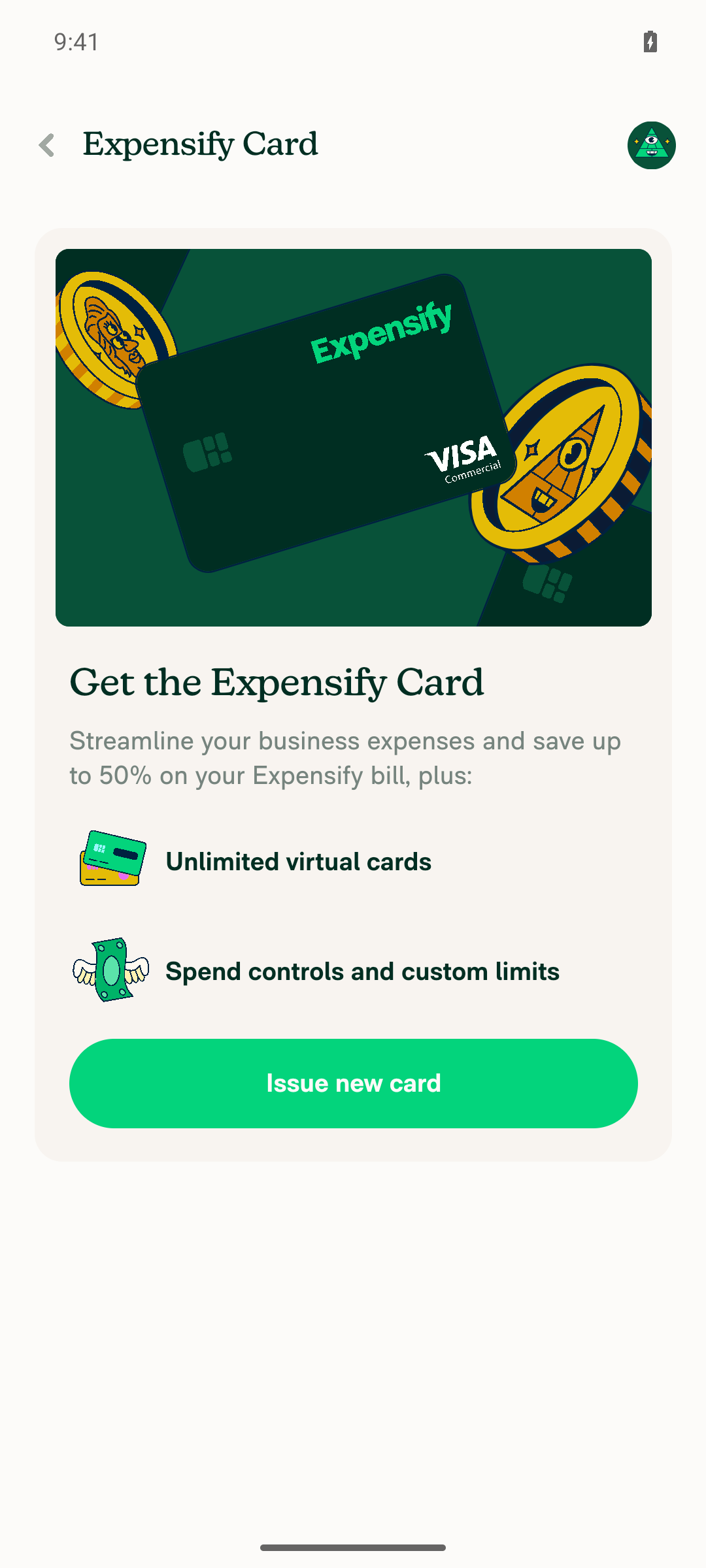
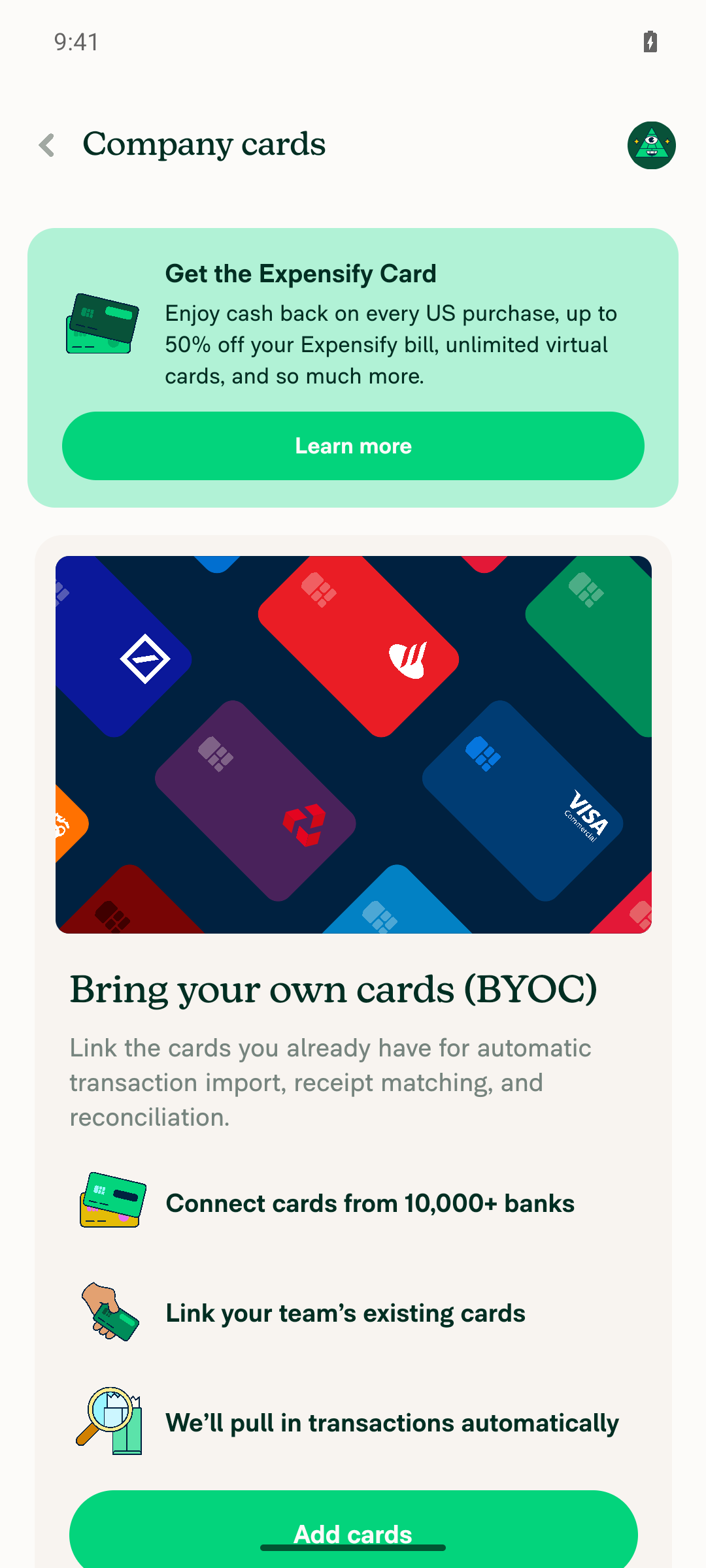
  • ✅ Company Cards and Expensify Card pages render their empty states cleanly (no crash), showing only the "Add cards" / "Issue new card" CTAs.

What I could not verify (needs ≥1 feed per surface):

  • ⛔ Save button present at the bottom of the feed selector list
  • ⛔ Tapping a feed row stages the selection (highlights) and stays on the page instead of navigating back
  • ⛔ Save is disabled when the staged feed equals the current one and enables after tapping a different feed
  • ⛔ Pressing Save commits the selection and navigates back

Because no feed exists, the SelectionList + Save-button branch of WorkspaceCompanyCardFeedSelectorPage / WorkspaceExpensifyCardFeedSelectorPage (the feeds.length > 0 path — the exact code this PR changes) never renders, so there was nothing to drive-test.

Screenshots (empty states only)

Expensify Card page empty state (no feeds) on Android

Expensify Card page empty state (no feeds) on Android

Company Cards page empty state (no feeds) on Android

Company Cards page empty state (no feeds) on Android
Code-level corroboration (read-only, not a live test)

The checked-out PR code implements exactly the described behavior:

  • selectFeed only calls setDraftFeed / setDraftFundID — no navigation on tap.
  • confirmButtonOptions uses text: translate('common.save') with isDisabled: !currentSelectedFeed || currentSelectedFeed === selectedFeedName (analogous for Expensify Card).
  • saveFeed() calls the update action and then goBack().

This confirms the logic is wired as intended, but it is not a substitute for the live UI verification above.

To get a full Android pass, this needs a test account/workspace pre-provisioned with ≥1 company-card feed and ≥1 Expensify Card feed so the feed selector actually renders. Happy to re-run once such an account is available.


view run

@MelvinBot

Copy link
Copy Markdown
Contributor Author

🤖 Web testing — blocked on account data

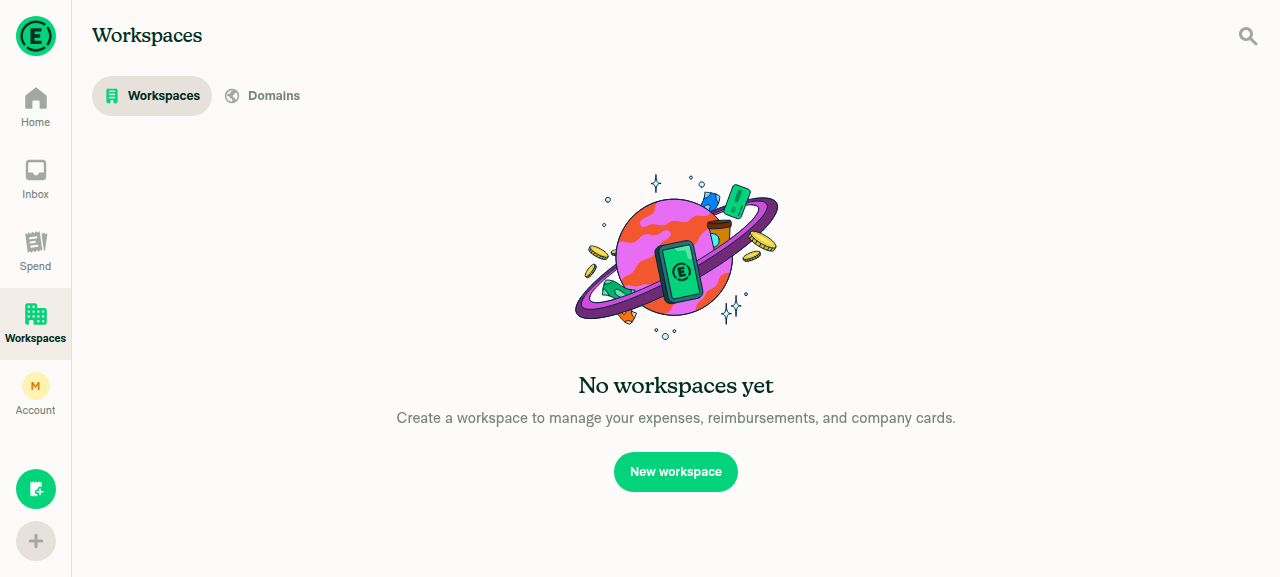
I could not live-verify the Save-gated feed selectors on Web. The change lives at Workspace → Company cards and Workspace → Expensify Card, but the CI test account has no workspace at all (the Workspaces tab shows "No workspaces yet"), so neither feed-selector page is reachable.

Even creating a fresh workspace wouldn't help: a new workspace has zero company-card and zero Expensify Card feeds connected (that needs a real bank/card connection), so there'd still be no feed rows to stage/select between.

What I could not verify (needs a workspace with ≥1 feed per surface):

  • ⛔ Save button present at the bottom of the feed selector list
  • ⛔ Clicking a feed row stages the selection (highlights) and stays on the page instead of navigating back
  • ⛔ Save is disabled when the staged feed equals the current one and enables after clicking a different feed
  • ⛔ Pressing Save commits the selection and navigates back
Screenshot

Workspaces page showing "No workspaces yet" on Web

Workspaces page showing 'No workspaces yet' on Web
Code-level corroboration (read-only, not a live test)

The PR code implements exactly the described behavior on both pages:

  • selectFeed only stages (setDraftFeed / setDraftFundID) — no navigation on click.
  • confirmButtonOptions uses text: translate('common.save') with isDisabled: !currentSelectedFeed || currentSelectedFeed === selectedFeedName (analogous for Expensify Card).
  • saveFeed() calls the update action, then goBack().

This confirms the logic is wired as intended, but it is not a substitute for the live UI verification above.

To get a full Web pass, this needs a test account/session pre-provisioned with a workspace that already has ≥1 company-card feed and ≥1 Expensify Card feed connected so the feed selector actually renders. Happy to re-run once such an account is available.


view run

@truph01

truph01 commented Aug 22, 2026

Copy link
Copy Markdown
Contributor

@MelvinBot Mark this PR as ready

@MelvinBot
MelvinBot marked this pull request as ready for review August 22, 2026 05:10
@MelvinBot
MelvinBot requested a review from a team as a code owner August 22, 2026 05:10
@melvin-bot
melvin-bot Bot requested review from heyjennahay and truph01 and removed request for a team August 22, 2026 05:10
@melvin-bot

melvin-bot Bot commented Aug 22, 2026

Copy link
Copy Markdown

@truph01 Please copy/paste the Reviewer Checklist from here into a new comment on this PR and complete it. If you have the K2 extension, you can simply click: [this button]

@melvin-bot
melvin-bot Bot removed the request for review from a team August 22, 2026 05:10
@MelvinBot

Copy link
Copy Markdown
Contributor Author

🤖 Done — this PR is now marked Ready for review (out of draft).


view run

@chatgpt-codex-connector chatgpt-codex-connector Bot left a comment

Copy link
Copy Markdown

Choose a reason for hiding this comment

The reason will be displayed to describe this comment to others. Learn more.

💡 Codex Review

Here are some automated review suggestions for this pull request.

Reviewed commit: 4d8f57d164

ℹ️ About Codex in GitHub

Codex has been enabled to automatically review pull requests in this repo. Reviews are triggered when you

  • Open a pull request for review
  • Mark a draft as ready
  • Comment "@codex review".

If Codex has suggestions, it will comment; otherwise it will react with 👍.

When you sign up for Codex through ChatGPT, Codex can also answer questions or update the PR, like "@codex address that feedback".

Comment on lines 197 to +199
const selectFeed = (feed: ExpensifyFeedListItem) => {
setDraftFundID(feed.value);
};

Copy link
Copy Markdown

Choose a reason for hiding this comment

The reason will be displayed to describe this comment to others. Learn more.

P1 Badge Apply the draft before starting card issuance

When multiple primary feeds exist, selecting feed B now only updates draftFundID, but the still-visible Issue card footer continues to derive issueCardFundID from lastSelectedExpensifyCardFeedID. If the user selects B and then taps Issue card without first pressing Save, handleAddCardPress writes the old feed A back to Onyx, and the issuance flow uses that old feed via useDefaultFundID, potentially issuing the card under the wrong program. Derive this footer action from currentSelectedFundID or disable it until the draft has been saved.

Useful? React with 👍 / 👎.

Copy link
Copy Markdown
Contributor

Choose a reason for hiding this comment

The reason will be displayed to describe this comment to others. Learn more.

@MelvinBot Check this comment.

Do we have same issue with src/pages/workspace/companyCards/WorkspaceCompanyCardFeedSelectorPage.tsx?

Copy link
Copy Markdown
Contributor Author

Choose a reason for hiding this comment

The reason will be displayed to describe this comment to others. Learn more.

No — WorkspaceCompanyCardFeedSelectorPage does not have this problem. The Codex finding on the Expensify Card page is real, though.

Why the Expensify Card page is affected: the footer's Issue card action derives its fund ID from the committed value, then writes it back to Onyx:

  • getIssueCardFundID matches against lastSelectedExpensifyCardFeedID, not currentSelectedFundID.
  • handleAddCardPress then calls updateSelectedExpensifyCardFeed(issueCardFundID, policyID) — re-committing feed A after the user staged feed B.

Why the company cards page is not: its footer action, onAddCardsPress, never reads or writes the selected feed — it only calls clearAddNewCardFlow() and navigates. There is no equivalent of issueCardFundID, so there's no stale value to write back. The add-new flow later calls updateSelectedFeed with the newly created feed (CardInstructionsStep.tsx:62, BankConnection/index.tsx:156), never a stale one.

The only other updateSelectedFeed call on that page is selectOtherFeed, which commits the feed the user just tapped — correct by construction.

One shared minor behavior worth a decision (not the Codex bug)

On both pages, if a user stages a feed and then taps a "from other workspaces" row, the staged draft is silently discarded and the tapped other-workspace feed is committed instead. That's per the PR's stated design (footer rows stay immediate because they kick off async link/verify flows), and the committed feed is the one the user explicitly tapped — so it isn't a stale-write. Flagging only in case you'd rather clear the draft explicitly for clarity.

Verified against the merged head a07eb68. This is a static read of the code — I did not live-test it.


view run

Copy link
Copy Markdown
Contributor

Choose a reason for hiding this comment

The reason will be displayed to describe this comment to others. Learn more.

Coming from #99240 (comment):

@MelvinBot Disable it until the draft has been saved.

Copy link
Copy Markdown
Contributor Author

Choose a reason for hiding this comment

The reason will be displayed to describe this comment to others. Learn more.

Done — the Issue card footer row is now disabled while an unsaved feed is staged. Pushed as 5a0c71f3.

The gate is a single derived flag, applied only to the row's press target:

So handleAddCardPress can no longer fire while the list shows one feed and issueCardFundID still points at another. Pressing Save commits the draft, which makes draftFundID equal the saved feed and re-enables the row.

Why the other footer rows are left alone

The && hasIssueCardFundID guard matters — the row has two variants and only one is affected:

  • hasIssueCardFundID true → "Issue card" runs handleAddCardPress, which writes issueCardFundID back to Onyx. This is the one Codex flagged, and the one now gated.
  • hasIssueCardFundID false → "Issue new card" runs handleSetUpNewProgramPress, which only navigates to bank account setup and never touches the selected feed. Disabling it would block program setup for no reason, so it stays enabled.

The "from other workspaces" rows also stay immediate: selectOtherFeed commits feed.value from the row that was actually tapped, so it can't go stale against a draft.

Checks run

Passing: typecheck on the app tsconfig.json ✅, react-compiler-compliance-check check ✅, cspell ✅.

Couldn't run in this environment: eslint and prettier — eslint-seatbelt and @trivago/prettier-plugin-sort-imports are missing from node_modules, and lint-changed additionally can't resolve a merge-base in this shallow clone. typecheck reports two pre-existing errors in scripts/lint.ts from that same missing package, unrelated to this change. CI will cover all of these.

I also attempted a web run to see the disabled state in the UI, but the browser session never rendered past a blank page, so this change is not runtime-verified. Worth noting that reproducing it by hand needs a workspace with two or more Expensify Card programs.

@MelvinBot

Copy link
Copy Markdown
Contributor Author

I looked into the two failing checks — neither is a code problem, so there's nothing for me to push a fix for.

Check Why it's red How it clears
checklist It's the PR Reviewer Checklist — the annotation is "No PR Reviewer Checklist was found". It fails until a reviewer completes it. A reviewer completes the reviewer checklist.
Check independent approval The PR doesn't yet have an independent reviewer approval. An eligible reviewer approves the PR.

Both are process gates that only a human reviewer can satisfy — they're on the standard ignore list precisely because they can't be resolved with a code change. Every actual code/build/test check (ESLint, Oxfmt, typecheck, React Compiler, Storybook, Bun/unit tests, perf, builds) is green ✅.

No commit was pushed.


view run

@MelvinBot

Copy link
Copy Markdown
Contributor Author

Same situation as my previous comment — the only two red checks are human-only process gates, not anything I can fix with code:

  • checklist = the PR Reviewer Checklist ("No PR Reviewer Checklist was found") — clears when a reviewer completes it.
  • Check independent approval — clears when an eligible reviewer approves.

Every actual code/build/test check is green ✅. There's no code failure here, so I haven't pushed anything. These will resolve on their own once a reviewer approves and fills out the checklist.


view run

@truph01

truph01 commented Aug 30, 2026

Copy link
Copy Markdown
Contributor

@MelvinBot Merge main

@MelvinBot
MelvinBot requested a review from a team as a code owner August 30, 2026 15:57
@melvin-bot
melvin-bot Bot requested review from lakchote and mountiny and removed request for a team August 30, 2026 15:57
@melvin-bot

melvin-bot Bot commented Aug 30, 2026

Copy link
Copy Markdown

@lakchote @mountiny One of you needs to copy/paste the Reviewer Checklist from here into a new comment on this PR and complete it. If you have the K2 extension, you can simply click: [this button]

@MelvinBot

MelvinBot commented Aug 30, 2026 •

Copy link
Copy Markdown
Contributor Author

Merged main into claude-a11y-card-feed-selectors-save — no conflicts.

Merge commit: a07eb68 (brought in 2055 commits; branch is now even with main).

Checks on the new commit are green so far — ESLint, Oxfmt, React Compiler Compliance, Bun tests, Jest (jobs 2–8), Storybook, spellcheck, knip, and all builds pass. Check independent approval fails, but that's a review-process check, not a code failure. baseline-perf-tests was still running when I checked.


view run

Evidence (1)

Recordings

- [▶ Session recording of the verification run](https://melvinbot-assets.exops.io/session-33320889613-1-12ec853e-a887-4b65-8fd2-324b0d44e5f9.webm)

@MelvinBot

Copy link
Copy Markdown
Contributor Author

No code fix is needed — nothing is actually broken.

Every build, lint, type, test, and perf check on this PR passes. The one red check is Check independent approval, which failed at its Verify peer review step. That check isn't a code failure — it's the gate requiring a human peer approval on the PR, and the only review here so far is an automated COMMENTED review from chatgpt-codex-connector[bot].

To turn it green, this PR needs an approving review from an independent Expensify reviewer. Nothing to push.

Check status
Check Result
Check independent approval ❌ failed (Verify peer review)
baseline-perf-tests / branch-perf-tests ✅ passed (were still running at first look)
typecheck, ESLint check, Oxfmt check, React Compiler Compliance ✅ passed
test (jobs 1–8), Bun tests, Storybook tests ✅ passed
Android / iOS build jobs ✅ passed
spellcheck, Check for unused styles, knip, verifySignedCommits ✅ passed

view run

…t and while offline

Co-authored-by: truph01 <truph01@users.noreply.github.com>
@MelvinBot

Copy link
Copy Markdown
Contributor Author

I fixed both review comments in acf98d9 and replied in each thread. Both pages had both gaps, so each fix covers the company card page and the Expensify Card page.

  • Save with nothing staged: Save stays disabled for an other-workspace feed until you pick it.
  • Offline: Save is disabled offline when the staged feed is an other-workspace feed.

I added tests for both cases in WorkspaceCompanyCardFeedSelectorPageTest.tsx. The tests, ESLint, typecheck, and spelling checks pass. I couldn't run the formatter check locally.


view run

@truph01

truph01 commented Sep 28, 2026

Copy link
Copy Markdown
Contributor

@lakchote Could you trigger adhoc build and request QA to test this issue?

@lakchote

lakchote commented Sep 29, 2026 •

Copy link
Copy Markdown
Contributor

Triggered adhoc build here: https://github.com/Expensify/App/actions/runs/36599425839

@github-actions

Copy link
Copy Markdown
Contributor

🚧 lakchote has triggered a test Expensify/App build. You can view the workflow run here.

@github-actions

This comment has been minimized.

@lakchote

Copy link
Copy Markdown
Contributor

Asked QA for a retest here

@truph01

truph01 commented Oct 5, 2026

Copy link
Copy Markdown
Contributor

@MelvinBot Resolve conflicts

…-selectors-save

Co-authored-by: truph01 <truph01@users.noreply.github.com>

# Conflicts:
#	src/pages/workspace/expensifyCard/WorkspaceExpensifyCardFeedSelectorPage.tsx
@MelvinBot

Copy link
Copy Markdown
Contributor Author

I merged main into this branch and fixed the conflict in WorkspaceExpensifyCardFeedSelectorPage.tsx (b4b66fd).

main moved the feed list into renderFeedListContent() and added an empty state for workspaces with no feeds or actions. I kept that change and added this PR's Save behavior back in:

  • The SelectionList still has the Save button through confirmButtonOptions.
  • When there are no primary feeds, the page still shows the FixedFooter Save button for feeds from other workspaces.
  • shouldShowFooter now checks this PR's shouldShowSetUpNewProgramButton instead of the old issue-card condition. The empty state still appears when nothing is available.

Typecheck passes, and so does tests/ui/WorkspaceExpensifyCardFeedSelectorPageTest.tsx.

@truph01

truph01 commented Oct 6, 2026

Copy link
Copy Markdown
Contributor

@MelvinBot Resolve conflict

…-selectors-save

Co-authored-by: truph01 <truph01@users.noreply.github.com>

# Conflicts:
#	src/pages/workspace/companyCards/WorkspaceCompanyCardFeedSelectorPage.tsx
#	src/pages/workspace/expensifyCard/WorkspaceExpensifyCardFeedSelectorPage.tsx
@MelvinBot

Copy link
Copy Markdown
Contributor Author

I resolved the merge conflicts with main and pushed the merge commit (e4fb01a).

Both conflicts came from the main change that removed the dead isMultilineSupported and isAlternateTextMultilineSupported list item props. In both feed selector pages, I kept this PR's item and onSelectRow={selectFeed} and dropped those two props:

  • WorkspaceCompanyCardFeedSelectorPage.tsx
  • WorkspaceExpensifyCardFeedSelectorPage.tsx

The TypeScript check passes. ESLint reports four errors in these files, but main has the same four, so this merge didn't add them.


view run

@lakchote lakchote left a comment

Copy link
Copy Markdown
Contributor

Choose a reason for hiding this comment

The reason will be displayed to describe this comment to others. Learn more.

LGTM

@lakchote

lakchote commented Oct 6, 2026 •

Copy link
Copy Markdown
Contributor

@mountiny all yours

@mountiny mountiny left a comment

Copy link
Copy Markdown
Contributor

Choose a reason for hiding this comment

The reason will be displayed to describe this comment to others. Learn more.

Thank you!

@mountiny
mountiny merged commit cb258fc into main Oct 7, 2026
43 of 44 checks passed
@mountiny
mountiny deleted the claude-a11y-card-feed-selectors-save branch October 7, 2026 19:35
@OSBotify

OSBotify commented Oct 7, 2026

Copy link
Copy Markdown
Contributor

✋ This PR was not deployed to staging yet because QA is ongoing. It will be automatically deployed to staging after the next production release.

@github-actions

github-actions Bot commented Oct 7, 2026

Copy link
Copy Markdown
Contributor

🚧 mountiny has triggered a test Expensify/App build. You can view the workflow run here.

@OSBotify OSBotify mentioned this pull request Oct 8, 2026
90 tasks done
@OSBotify

OSBotify commented Oct 8, 2026

Copy link
Copy Markdown
Contributor

🚀 Deployed to staging by https://github.com/mountiny in version: 9.5.6-0 🚀

platform result
🕸 web 🕸 success ✅
🤖 android 🤖 success ✅
🍎 iOS 🍎 success ✅

@MelvinBot

Copy link
Copy Markdown
Contributor Author

A help site update is needed. I opened Docs updates for E/A#99240 Add Save step when selecting a company card feed.

This PR means choosing a company card feed no longer applies it until you select Save. Three help site sentences described the old behavior, where choosing a feed applied it right away:

Each sentence now ends with "then select Save." No Expensify Card article mentions the removed Issue card row on the feed selector, so those articles need no change.

@truph01, please review the linked help site PR and confirm it reflects the current behavior. Then mark the linked help site PR Ready for review

@jponikarchuk

Copy link
Copy Markdown

Deploy Blocker #103551 was identified to be related to this PR.

@OSBotify

OSBotify commented Oct 9, 2026

Copy link
Copy Markdown
Contributor

🚀 Deployed to production by https://github.com/puneetlath in version: 9.5.6-6 🚀

platform result
🕸 web 🕸 success ✅
🤖 android 🤖 success ✅
🍎 iOS 🍎 success ✅

Bundle Size Analysis (Sentry):

Sign up for free to join this conversation on GitHub. Already have an account? Sign in to comment

Labels

Melvin-Test-Android Melvin-Test-Web Triggers Melvin to run the testing steps of the PR on web

Projects

None yet

Development

Successfully merging this pull request may close these issues.

9 participants