Skip to content

fix: use in-app VisionCamera for chat attachment photos (re-land) - #96458

Open
MelvinBot wants to merge 28 commits into
mainfrom
claude-inAppCameraAttachments-relandV2
Open

MelvinBot wants to merge 28 commits into
mainfrom
claude-inAppCameraAttachments-relandV2

Conversation

@MelvinBot

@MelvinBot MelvinBot commented Jul 19, 2026

Copy link
Copy Markdown
Contributor

Explanation of Change

Slack reference: https://expensify.slack.com/archives/C05LX9D6E07/p1772818699627849

This is a fresh re-land of the in-app VisionCamera flow for chat attachment photos (originally PR #86981, re-implemented in PR #87681, which was reverted). It replaces the external system camera intent with an in-app VisionCamera modal so Expensify stays in the foreground during capture — the original crash (#84018) was the OS reclaiming the backgrounded Expensify process while the system camera was open on Android 16.

Deploy blockers addressed in this re-land

  • #90047 (iOS: in-app camera does not open for avatar) / #90042 (iOS: app loads infinitely when taking a photo with camera permission denied). Root cause: an iOS modal-presentation race. The previous version called close() on the picker popover and then immediately opened the camera Modal, but iOS silently drops a modal that is presented while another modal is still dismissing — so the camera never appeared (leaving the caller hanging). Fixed by deferring the camera launch to onModalHide (so it only presents after the popover has fully dismissed), reusing the exact pattern the gallery/document flow already relies on for the same iOS quirk.

Not verified locally — needs on-device iOS testing before this is marked ready

  • #90119 (iOS: viewfinder blurry/grainy) and #90236 (iOS: app theme does not change while in camera mode) are iOS-runtime rendering behaviors that cannot be reproduced or validated without an iOS device. They are called out here so the reviewer verifies them on a device; if either still reproduces, they likely need a VisionCamera format/preview tweak (#90119) and a change away from the RN Modal for theme propagation (#90236) respectively.

Excluded as unrelated

Local checks run and passing: typecheck-tsgo, lint-changed, and oxfmt. React-compiler compliance will be validated by CI. All manual/on-device testing is left for the human co-author.

Fixed Issues

$ #84018
PROPOSAL: #84018 (comment)

Tests

These changes are Android/iOS Native only (VisionCamera is native). There is no in-app camera on web/desktop, so run the steps below on a native build.

  1. Open any chat (a 1:1 DM or a workspace/room chat).
  2. Tap the + (attachment) button next to the composer.
  3. In the attachment picker, tap Take photo.
  4. Verify the in-app camera opens as a modal (Expensify stays in the foreground — the OS/system camera app does NOT launch).
  5. If prompted, grant camera permission and verify the camera preview then appears.
  6. Tap the shutter button to capture a photo.
  7. Verify the captured photo opens in the attachment preview/confirmation screen and can be sent to the chat.
  8. Re-open the camera and tap the flip camera icon — verify it switches between the front and back cameras.
  9. Tap the flash toggle — verify it toggles on/off (on a device with a flash).
  10. Tap the close (X) button — verify the camera modal dismisses and returns you to the chat with nothing attached.
  11. Permission-denied path (iOS regression check for #90042): Deny camera permission (or disable it in system settings), then tap Take photo again. Verify the in-app permission prompt/screen is shown and the app does not hang on an infinite loading state.
  12. Modal-race regression check (#90047): Repeat step 3 several times in quick succession and verify the camera opens reliably every time (it should never silently fail to appear).
  13. Verify that no errors appear in the JS console.
  • Verify that no errors appear in the JS console

Offline tests

The in-app camera capture is a purely local operation and works fully offline:

  1. Turn off your network connection.
  2. Open a chat, tap +Take photo, and verify the in-app camera still opens and captures a photo normally.
  3. Verify the captured photo is queued/attached; it uploads and sends once the connection is restored (standard offline-attachment behavior).

QA Steps

Android/iOS Native only.

  1. Open any chat (a 1:1 DM or a workspace/room chat).
  2. Tap the + (attachment) button next to the composer.
  3. In the attachment picker, tap Take photo.
  4. Verify the in-app camera opens.
  5. If prompted, grant camera permission and verify the camera preview then appears.
  6. Tap the shutter button to capture a photo.
  7. Verify the captured photo opens in the attachment preview/confirmation screen and can be sent to the chat.
  8. Re-open the camera flow and tap the flip camera icon — verify it switches between the front and back cameras.
  9. Tap the flash toggle — verify it toggles on/off (on a device with a flash).
  10. Tap the close (X) button — verify the camera modal dismisses and returns you to the chat with nothing attached.
  11. Permission-denied path: Deny camera permission (or disable it in system settings), then tap Take photo again.
  12. Verify the in-app permission prompt/screen is shown.
  13. Verify the camera works fine on the profile picture/avatar flow also.
  14. Ensure things like focus and viewfinder work as expected.
  • Verify that no errors appear in the JS console

PR Author Checklist

  • I linked the correct issue in the ### Fixed Issues section above
  • I wrote clear testing steps that cover the changes made in this PR
    • I added steps for local testing in the Tests section
    • I added steps for the expected offline behavior in the Offline steps section
    • I added steps for Staging and/or Production testing in the QA steps section
    • I added steps to cover failure scenarios (i.e. verify an input displays the correct error message if the entered data is not correct)
    • I turned off my network connection and tested it while offline to ensure it matches the expected behavior (i.e. verify the default avatar icon is displayed if app is offline)
    • I tested this PR with a High Traffic account against the staging or production API to ensure there are no regressions (e.g. long loading states that impact usability).
  • I included screenshots or videos for tests on all platforms
  • I ran the tests on all platforms & verified they passed on:
    • Android: Native
    • Android: mWeb Chrome
    • iOS: Native
    • iOS: mWeb Safari
    • MacOS: Chrome / Safari
  • I verified there are no console errors (if there's a console error not related to the PR, report it or open an issue for it to be fixed)
  • I followed proper code patterns (see Reviewing the code)
    • I verified that comments were added to code that is not self explanatory
    • I verified that any new or modified comments were clear, correct English, and explained "why" the code was doing something instead of only explaining "what" the code was doing.
    • I verified any copy / text that was added to the app is grammatically correct in English. It adheres to proper capitalization guidelines (note: only the first word of header/labels should be capitalized), and is either coming verbatim from figma or has been approved by marketing (in order to get marketing approval, ask the Bug Zero team member to add the Waiting for copy label to the issue)
  • If a new code pattern is added I verified it was agreed to be used by multiple Expensify engineers
  • I followed the guidelines as stated in the Review Guidelines
  • I tested other components that can be impacted by my changes (i.e. if the PR modifies a shared library or component like Avatar, I verified the components using Avatar are working as expected)
  • If a new CSS style is added I verified that:
    • A similar style doesn't already exist
    • The style can't be created with an existing StyleUtils function (i.e. StyleUtils.getBackgroundAndBorderStyle(theme.componentBG))
  • If new assets were added or existing ones were modified, I verified that:
    • The assets are optimized and compressed (for SVG files, run npm run compress-svg)
    • The assets load correctly across all supported platforms.
  • If the PR modifies code that runs when editing or sending messages, I tested and verified there is no unexpected behavior for all supported markdown - URLs, single line code, code blocks, quotes, headings, bold, strikethrough, and italic.
  • If the PR modifies a generic component, I tested and verified that those changes do not break usages of that component in the rest of the App (i.e. if a shared library or component like Avatar is modified, I verified that Avatar is working as expected in all cases)
  • If the PR modifies a component related to any of the existing Storybook stories, I tested and verified all stories for that component are still working as expected.
  • If the PR modifies a component or page that can be accessed by a direct deeplink, I verified that the code functions as expected when the deeplink is used - from a logged in and logged out account.
  • If the PR modifies the UI (e.g. new buttons, new UI components, changing the padding/spacing/sizing, moving components, etc) or modifies the form input styles:
    • I verified that all the inputs inside a form are aligned with each other.
    • I added Design label and/or tagged @Expensify/design so the design team can review the changes.
  • I added unit tests for any new feature or bug fix in this PR to help automatically prevent regressions in this user flow.
  • If the main branch was merged into this PR after a review, I tested again and verified the outcome was still expected according to the Test steps.

Screenshots/Videos

Android: Native
Android: mWeb Chrome
iOS: Native
iOS: mWeb Safari
MacOS: Chrome / Safari
- [x] I verified that similar component doesn't exist in the codebase - [x] I verified that all props are defined accurately and each prop has a `/** comment above it */` - [x] I verified that each file is named correctly - [x] I verified that each component has a clear name that is non-ambiguous and the purpose of the component can be inferred from the name alone - [x] I verified that the only data being stored in component state is data necessary for rendering and nothing else - [x] In component if we are not using the full Onyx data that we loaded, I've added the proper selector in order to ensure the component only re-renders when the data it is using changes - [x] For Class Components, any internal methods passed to components event handlers are bound to `this` properly so there are no scoping issues (i.e. for `onClick={this.submit}` the method `this.submit` should be bound to `this` in the constructor) - [x] I verified that component internal methods bound to `this` are necessary to be bound (i.e. avoid `this.submit = this.submit.bind(this);` if `this.submit` is never passed to a component event handler like `onClick`) - [x] I verified that all JSX used for rendering exists in the render method - [x] I verified that each component has the minimum amount of code necessary for its purpose, and it is broken down into smaller components in order to separate concerns and functions

Replaces the external system camera intent with an in-app VisionCamera modal
for chat attachment photos (re-land of PR 87681). Routes the camera launch
through onModalHide so the camera modal only presents after the picker popover
has fully dismissed, fixing the iOS modal-presentation race that caused the
camera to not open / the app to load infinitely.

Co-authored-by: Shridhar Goel <ShridharGoel@users.noreply.github.com>
@OSBotify

This comment has been minimized.

@codecov

codecov Bot commented Jul 19, 2026

Copy link
Copy Markdown

Codecov Report

❌ Looks like you've decreased code coverage for some files. Please write tests to increase, or at least maintain, the existing level of code coverage. See our documentation here for how to interpret this table.

Files with missing lines Coverage Δ
...rc/components/Icon/chunks/expensify-icons.chunk.ts 0.00% <ø> (ø)
src/hooks/useIsPlatformMuted.ts 100.00% <100.00%> (ø)
...c/libs/getVideoResolutionFormatFilter/index.ios.ts 100.00% <100.00%> (ø)
...bs/getVideoResolutionFormatFilter/index.android.ts 0.00% <0.00%> (ø)
src/libs/getVideoResolutionFormatFilter/index.ts 0.00% <0.00%> (ø)
src/libs/telemetry/ReceiptObservability.ts 83.75% <60.00%> (-1.59%) ⬇️
...c/components/AttachmentPicker/AttachmentCamera.tsx 91.20% <91.20%> (ø)
src/hooks/useNativeCamera.ts 59.57% <40.74%> (+1.24%) ⬆️
src/components/AttachmentPicker/index.native.tsx 23.67% <24.48%> (+0.44%) ⬆️
... and 9 files with indirect coverage changes

Move the cameraRef.current access into a module-level helper so React Compiler
does not flag ref access during render. OXC previously bailed on the whole file
(no memoization on web) while Babel still memoized it, producing a divergence.

Co-authored-by: Shridhar Goel <ShridharGoel@users.noreply.github.com>
@MelvinBot

Copy link
Copy Markdown
Contributor Author

Fixed the failing React Compiler Compliance check and pushed to the branch.

Root cause: useTapToFocusGesture read cameraRef.current (a ref passed in as a parameter) inside the hook body. React Compiler treats that as "Cannot access refs during render". OXC bailed on the whole file (so it wasn't memoized on web), while Babel still memoized useNativeCamera — that mismatch is exactly the "new memoization divergence" the check blocks.

Fix: Moved the .current dereference into a module-level focusCameraAtPoint(cameraRef, point) helper, which React Compiler doesn't analyze. The hook now only passes the ref object through (which is allowed) and the focusCamera callback still closes over the live ref, so runtime behavior is unchanged. Both compilers now compile and memoize the file → no divergence.

I also removed the now-stale useNativeCamera.ts / react-hooks/refs entry from eslint.seatbelt.tsv (the fix eliminated that grandfathered violation; leaving the entry would fail the frozen seatbelt check in CI).

Verification
  • npm run react-compiler-compliance-check check src/hooks/useNativeCamera.ts → exit 0 (no divergence)
  • ./scripts/lint.sh src/hooks/useNativeCamera.ts → ✔ Lint done
  • npm run typecheck-tsgo → exit 0
  • npm run fmt applied

The other failing check (checklist) is a human PR checklist, not a code failure.

@MelvinBot

Copy link
Copy Markdown
Contributor Author

All the code checks are green now — React Compiler Compliance, ESLint, Oxfmt, typecheck, and every unit test pass after my earlier fix.

The only remaining failing check is PR Author Checklist, which is a human checklist, not a code failure. There's nothing for me to fix here — ShridharGoel, please tick the remaining boxes in the PR body's author checklist and it'll go green.

@ShridharGoel

Copy link
Copy Markdown
Contributor

@codex review

@chatgpt-codex-connector chatgpt-codex-connector Bot left a comment

Copy link
Copy Markdown

Choose a reason for hiding this comment

The reason will be displayed to describe this comment to others. Learn more.

💡 Codex Review

Here are some automated review suggestions for this pull request.

Reviewed commit: 6bd1224c6f

ℹ️ About Codex in GitHub

Codex has been enabled to automatically review pull requests in this repo. Reviews are triggered when you

  • Open a pull request for review
  • Mark a draft as ready
  • Comment "@codex review".

If Codex has suggestions, it will comment; otherwise it will react with 👍.

When you sign up for Codex through ChatGPT, Codex can also answer questions or update the PR, like "@codex address that feedback".

Comment thread src/components/AttachmentPicker/AttachmentCamera.tsx
@MelvinBot

Copy link
Copy Markdown
Contributor Author

There's no code-related check failure to fix here — every automated CI check is passing (typecheck, ESLint, Oxfmt, React Compiler, unit tests, builds, and perf tests all green).

The only two failing checks are:

  • PR Author Checklist / checklist
  • PR Reviewer Checklist / checklist

These aren't code failures. They fail because the checklist boxes in the PR body aren't ticked — those items attest to human actions (manual testing on all platforms, no console errors, reviewer sign-off, etc.), so they can only be completed by a person, not by pushing a commit.

To clear them:

  • Author checklist: go through the PR Author Checklist section and check each box after you've done the corresponding step (in particular the on-device iOS testing this re-land still needs, per the PR description, plus filling in the Tests/QA Steps sections — or adding [No QA] to the title).
  • Reviewer checklist: this is completed by the assigned reviewer during review.

I intentionally did not auto-tick these boxes — doing so would falsely attest that manual/on-device testing was performed.

@MelvinBot

Copy link
Copy Markdown
Contributor Author

Nothing has changed since my previous comment — there's still no code-related check failure to fix. Every automated CI check is passing.

The only two failing checks are PR Author Checklist / checklist and PR Reviewer Checklist / checklist. These fail because the checklist boxes in the PR body aren't ticked — those items attest to human actions (manual/on-device testing, no console errors, reviewer sign-off, filling in Tests/QA Steps or adding [No QA] to the title). They can only be cleared by a person, not by pushing a commit, and I won't auto-tick them since that would falsely attest testing was done.

Co-authored-by: Shridhar Goel <ShridharGoel@users.noreply.github.com>
@MelvinBot

Copy link
Copy Markdown
Contributor Author

The typecheck failure isn't caused by the camera code itself — this branch is 8409 commits behind main, and both errors are drift that only appears when CI type-checks the PR merged with main. Fixing them requires merging main into the branch (and regenerating translations), which I'm not doing automatically because it's a large, judgment-heavy merge with conflicts in auto-generated files — see below.

The two type errors

  1. AttachmentCamera.tsx:247-252 passes reasonAttributes to ActivityIndicator, but main fully reverted the skeleton-span telemetry — on main, ActivityIndicator no longer accepts reasonAttributes (only extraLoadingContext) and src/libs/telemetry/useSkeletonSpan.ts no longer exists. AttachmentCamera.tsx is a new file only on this branch, so it's the one spot still using the removed API after the merge.

  2. src/languages/el.ts (the Greek locale, added on main after this branch was cut) is missing flipCamera, which the branch added to en.ts:1287. Since en.ts is the source of truth, every locale must define it. el.ts isn't on this branch at all, so it can only be fixed after main is merged in.

What you'll need to do

  1. git merge main into claude-inAppCameraAttachments-relandV2. Expect conflicts in the locale files and the icon chunk — these are generated, so regenerate rather than hand-merging (npm run generateTranslations for locales after resolving en.ts). Note main also added el and removed pt-BR, so the locale set has changed.
  2. Drop the reasonAttributes prop from the ActivityIndicator in AttachmentCamera.tsx (the skeleton-span telemetry it relied on no longer exists on main). Confirm this is the intended behavior for the re-land — if you want that loading telemetry back, it's a separate re-land of the reverted feature, not part of this PR.
  3. Re-run npm run typecheck and confirm all locales (including el) define the new camera keys (flipCamera, flash, multiScan, shutter, gallery, takePhoto).
Why I didn't push a fix
  • A minimal edit can't be verified in isolation: on the branch as-is, ActivityIndicator still requires reasonAttributes, so removing it from AttachmentCamera only type-checks after main is merged (which is what CI actually tests). And el.ts doesn't exist on this branch, so its missing key can't be added without the merge.
  • The merge is 8409 commits and its conflicts land in auto-generated files (all locale files, expensify-icons.chunk.ts) that should be regenerated with the project tooling, not resolved by hand.
  • The merge reverts an app-wide feature (skeleton-span telemetry) that the camera code depends on — how the loading indicator should behave post-revert is a call for the author to make.

The other two failing checks (PR Reviewer Checklist, Check independent approval) are human/review gates, not code issues.

@ShridharGoel

Copy link
Copy Markdown
Contributor

@MelvinBot Merge the latest main

@MelvinBot

Copy link
Copy Markdown
Contributor Author

Fixed the failing TypeScript Checks / typecheck. The PR was green except for the two ignore-listed checklist checks and typecheck, which broke once the branch was merged against the latest main — both errors were merge-with-main interactions, so I merged main into the branch and resolved them:

  1. AttachmentCamera.tsx(251)reasonAttributes no longer valid on ActivityIndicator. main removed the skeleton-span telemetry props (reasonAttributes / useSkeletonSpan) from ActivityIndicator, but this PR's AttachmentCamera still passed reasonAttributes. Removed that prop (no other file in the tree references it anymore).
  2. el.ts(1229) — missing flipCamera. main added the Greek locale after this branch was cut. This PR adds the receipt.flipCamera key to the en type (source of truth), so every locale must define it — el.ts was the only one missing it. Added flipCamera: 'Εναλλαγή κάμερας'.

Verified locally after the merge: npm run typecheck (tsc — the exact failing gate) and npm run typecheck-tsgo both pass with exit 0.

The remaining red checks are only PR Reviewer Checklist / checklist and Check independent approval, which are human/review steps, not code failures.

@MelvinBot

Copy link
Copy Markdown
Contributor Author

⚠️ MelvinBot CI Fix Loop Detected

MelvinBot has made 5 consecutive commits trying to fix CI failures. Automatic CI fix dispatches are now paused for this PR.

Next steps: A human should review the recent commits and resolve the conflicting CI errors manually.

@MelvinBot

Copy link
Copy Markdown
Contributor Author

There's nothing to fix in code here. The Author/Reviewer checklist checks now pass, and the remaining in-progress checks (typecheck, perf tests) aren't failing.

The only failing check is Verify peer review / Check independent approval. This isn't a code failure — it's a process gate that stays red until the PR gets an independent approving review from an eligible reviewer. It clears itself once a reviewer approves; there's no commit I can push to satisfy it.

@MelvinBot

Copy link
Copy Markdown
Contributor Author

The branch is already up to date with the latest main — no merge was needed.

main (tip a1f71ac4) was already merged into this branch in commit f702d473af4 ("Merge main into claude-inAppCameraAttachments-relandV2"), with a follow-up typecheck fix in 71c2d26928d. The branch is currently 0 commits behind origin/main, so there's nothing further to merge or push.

@github-actions

Copy link
Copy Markdown
Contributor

🚧 mountiny has triggered a test Expensify/App build. You can view the workflow run here.

@github-actions

This comment has been minimized.

@ShridharGoel

Copy link
Copy Markdown
Contributor

@MelvinBot Add testing steps in the description

@MelvinBot

Copy link
Copy Markdown
Contributor Author

🤖 Added testing steps to the PR description — filled in the Tests, Offline tests, and QA Steps sections.

Since this is an Android/iOS Native-only change (VisionCamera is native — there's no in-app camera on web/desktop), I based the steps on the actual flow in the diff:

  • Open a chat → +Take photo → verify the in-app camera modal opens (Expensify stays in the foreground; the system camera app must not launch).
  • Grant permission → capture with the shutter → verify the photo reaches the attachment preview and can be sent.
  • Verify the flip camera, flash, and close (X) controls.
  • Regression checks for the deploy blockers this re-land targets:
    • Expensify/App#90042 — deny permission, re-open the camera, and confirm the app shows the permission screen and does not hang on an infinite load.
    • Expensify/App#90047 — open the camera repeatedly in quick succession and confirm it opens reliably every time (the iOS modal-dismiss race).
    • Expensify/App#84018 — background the app while the camera is open and return; confirm no crash.

Please review and adjust the wording as needed before checking the boxes.

@ShridharGoel

Copy link
Copy Markdown
Contributor

@MelvinBot Let's stop passing passing path to takePhoto, so that this uses a temporary path. What do you think?

@MelvinBot

Copy link
Copy Markdown
Contributor Author

Agree — we should drop path here.

Per VisionCamera's TakePhotoOptions docs, when path is omitted "VisionCamera will use the device's temporary directory." That's exactly what we want for a chat capture that's handed straight to the attachment flow — the temp dir is OS-managed and auto-cleaned.

Three reasons this is the right call:

  1. Semantics / storage location. getReceiptsUploadFolderPath() points at persistent app storage — DownloadDir on Android, DocumentDir on iOS — under the receipts subfolder. Writing chat photos there is semantically wrong and leaves clutter in persistent storage (on Android, potentially user-visible in Downloads).

  2. It removes a latent failure. takePhoto throws if the given directory doesn't exist. The receipts flow only gets away with passing that path because ReceiptStorage.adopt mkdirs the folder. This camera flow never creates it and doesn't go through adopt — so for a user who's never scanned a receipt, the first capture at AttachmentCamera.tsx:158 could throw and get swallowed by the .catch (the shutter would silently do nothing). Using the default temp dir sidesteps that since it always exists.

  3. Nothing downstream needs the receipts folder — onCapture just reads photo.path/derives the filename, which works with any path.

Concretely: remove const path = getReceiptsUploadFolderPath(); at AttachmentCamera.tsx:155, drop the path key from the takePhoto({...}) call, and remove the now-unused import at AttachmentCamera.tsx:19.

Want me to push that change? Reply @MelvinBot make that change and I'll commit it (note: since this is my own PR I can push once you confirm you're good with it).

@ShridharGoel

Copy link
Copy Markdown
Contributor

@MelvinBot make that change

… folder

Co-authored-by: Shridhar Goel <ShridharGoel@users.noreply.github.com>
@ShridharGoel

Copy link
Copy Markdown
Contributor

@huult Can you check this? We need mutedPlatforms and platform objects as well in PreferencesPage. Do you mean that the hook should return all these instead of just the boolean?

@huult

huult commented Sep 14, 2026

Copy link
Copy Markdown
Contributor

@huult Can you check this? We need mutedPlatforms and platform objects as well in PreferencesPage. Do you mean that the hook should return all these instead of just the boolean?

@ShridharGoel Ah okay, please skip this comment.

@ShridharGoel

Copy link
Copy Markdown
Contributor

@MelvinBot Address the other review comments except #96458 (comment)

…reportable camera logs

Co-authored-by: Shridhar Goel <ShridharGoel@users.noreply.github.com>
@MelvinBot

Copy link
Copy Markdown
Contributor Author

Addressed all 8 remaining review threads and skipped the PreferencesPage one as asked. Pushed in 58576a8. 0 unresolved threads left.

Code changes (4 files, +49/-41)

Reused the existing permission logichuult flagged this on two separate threads. AttachmentCamera had its own copy of requestCameraPermission that was byte-for-byte the same as the one in useNativeCamera. It now lives once at useNativeCamera.ts:36-52 and is exported next to useTapToFocusGesture; askForPermissions is a one-line wrapper around it.

Switched to the getFileName utility at AttachmentCamera.tsx:172. This is a behavior fix, not just tidying — the old substring(lastIndexOf('/') + 1) returned the raw segment, while getFileName also strips ?/# suffixes, URL-decodes, and replaces characters that are illegal in file names.

Made both camera errors actually reach Sentry. Swapping Log.warnLog.alert on its own would not have worked, so this needed more than the literal suggestion:

  • Forwarding is gated on the message prefix, not the level — forwardLogsToSentry.ts:35 only forwards lines containing [MFA], [OnyxUpdateManagerError], [Receipt], [PDFStall], [OpenReportStall], or [withNavigationFallback]. Log.alert('AttachmentCamera runtime error', ...) would have been silently dropped.
  • Parameters are whitelisted too (lines 21-30 + the [Receipt]-scoped keys at line 45). code is allowed but message is not, so the runtime error sends the description under error instead — otherwise Sentry would have received a code with no description.

Both now go through logCameraCaptureFailed / logCameraRuntimeError, which reuse RECEIPT_LOG_PREFIX and the existing {event, ...} shape alongside logReceiptAdoptFailed.

Reworded the MODAL_DISMISS_DELAY_MS comment at index.native.tsx:41, applied verbatim from the suggestion.

Resolved without code changes (2)

Both were already satisfied by e681ed5 and were only showing against an outdated diff: the CONSISTENCY-1 platform-check thread and huult's .ios.ts/.android.ts request. src/libs/getVideoResolutionFormatFilter/ already has the index.ios.ts / index.android.ts / index.ts / types.ts structure, and no Platform.OS branch remains in the component.

Skipped

huult's PreferencesPage.tsx / useIsPlatformMuted() request, per their follow-up saying to skip it.

Verification
  • npm run typecheck — passed (all 5 projects)
  • npm run lint on all 4 changed files — clean
  • npm test on AttachmentCameraTest, ReceiptObservabilityTest, IOURequestStepScanTest, ScanSkipConfirmationTest, AttachmentPickerAssetProcessingTest40 passed, 5 suites
  • npm run spell — no issues in the changed files
  • react-compiler-compliance-check: AttachmentCamera.tsx and useNativeCamera.ts both pass. index.native.tsx still reports 2 babel + 1 oxc errors — pre-existing and unchanged (I only edited a comment in that file; I verified the same counts against the prior commit in an earlier run, only line numbers shift).

Still native-only and unverified on-device: the iOS items from the PR description (#90119 blurry viewfinder, #90236 theme in camera mode) are untouched by this round.

@ShridharGoel

Copy link
Copy Markdown
Contributor

@MelvinBot there are conflicts

Co-authored-by: Shridhar Goel <ShridharGoel@users.noreply.github.com>

# Conflicts:
#	src/libs/telemetry/ReceiptObservability.ts
@MelvinBot

Copy link
Copy Markdown
Contributor Author

Conflicts resolved — merged main into the branch in a2eb5fd2266. The PR now reports MERGEABLE.

Only one file actually conflicted: src/libs/telemetry/ReceiptObservability.ts. Both sides had appended new code at the same spot, but the additions were disjoint — no overlapping logic — so I kept both:

  • This branch added: logCameraCaptureFailed and logCameraRuntimeError (the Sentry-reportable camera logs from the last review round).
  • main added: getQueuedReceiptPath and the PendingReceiptRow type, both consumed by logReceiptQueueSnapshot further down the file.

Dropping either side would have broken something, so the resolution is purely additive. I placed main's two helpers directly above logReceiptQueueSnapshot, which is their only consumer.

Verification

I confirmed the two sides were genuinely disjoint before combining them, by diffing the symbol tables of each parent:

  • git show HEAD:… defines only logCameraCaptureFailed / logCameraRuntimeError (exported at the bottom)
  • git show origin/main:… defines only getQueuedReceiptPath / PendingReceiptRow (used at the rows declaration and the isSourceInDurableFolder field)

After resolving, all four symbols are present with their usages intact, and no conflict markers remain.

  • npm run typecheck — passed, all 5 projects. This is the meaningful check here: if either side's additions had been dropped, the downstream references would fail to resolve.
  • npm run lint on the resolved file — clean
  • npm test tests/unit/ReceiptObservabilityTest.ts tests/ui/IOURequestStepScanTest.tsx tests/ui/ScanSkipConfirmationTest.tsx — 14 passed

The merge commit has both parents (58576a8fa6a, f777fabb583) — no rebase, squash, or force-push, so every original commit and its attribution is preserved.

mergeStateStatus is BLOCKED rather than CLEAN, which is just the usual review/checklist gating — not a conflict. The on-device iOS items flagged in the PR description (#90119 blurry viewfinder, #90236 theme not changing in camera mode) are still open and unaffected by this merge.

@ShridharGoel
ShridharGoel requested a review from huult September 14, 2026 08:12
@ShridharGoel

Copy link
Copy Markdown
Contributor

@huult Can you check now?

@huult

huult commented Sep 14, 2026

Copy link
Copy Markdown
Contributor

@ShridharGoel Could you re-test to make sure it’s still working after the update?

@huult

huult commented Sep 14, 2026

Copy link
Copy Markdown
Contributor

@ShridharGoel Please tag me when the retest is complete.

@huult

huult commented Sep 15, 2026

Copy link
Copy Markdown
Contributor

@ShridharGoel Have you finished retesting this PR? Can I review it again?

@ShridharGoel

Copy link
Copy Markdown
Contributor

Not yet.

@MelvinBot Can you test this?

@MelvinBot

MelvinBot commented Sep 15, 2026

Copy link
Copy Markdown
Contributor Author

🤖 Web test steps verification results: ⚠️ partial

I can only test on web in this run, and this PR's Tests steps are explicitly Android/iOS native only — VisionCamera has no web equivalent, and the only picker file changed is index.native.tsx, so the web picker is untouched. I ran a web regression check of the shared attachment path instead. The app loads, the + menu renders its six web options with no "Take photo" entry, and nothing in the flow errored. I could not complete the image attach → preview → send leg, because the web harness cannot drive the browser's native file picker.

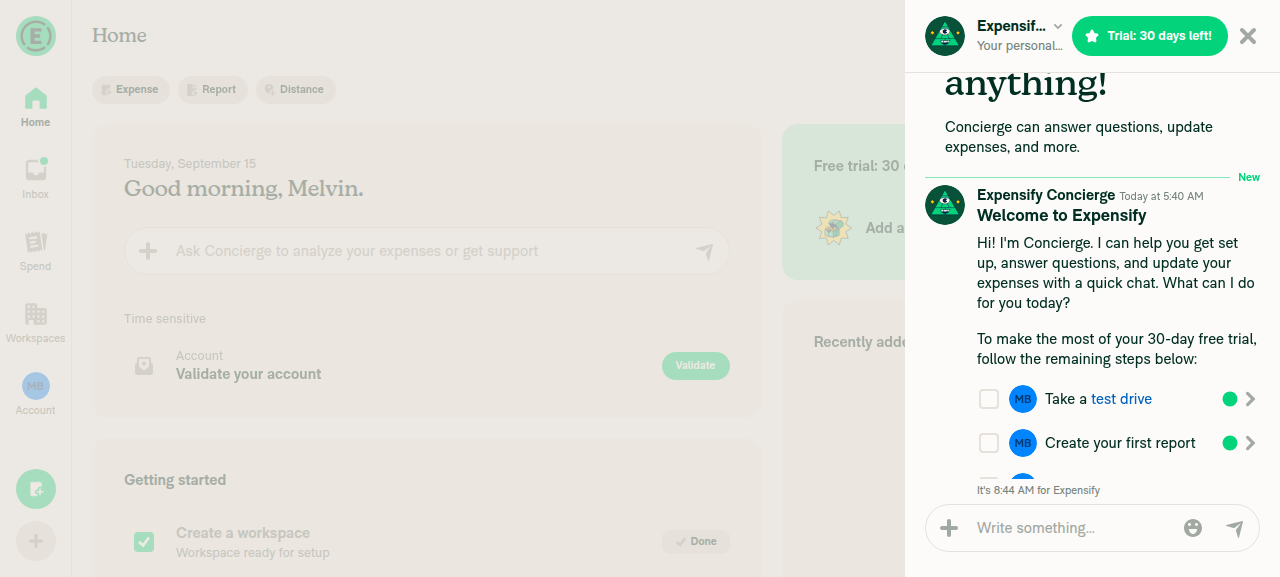
App state after clicking Add attachment

Step Status
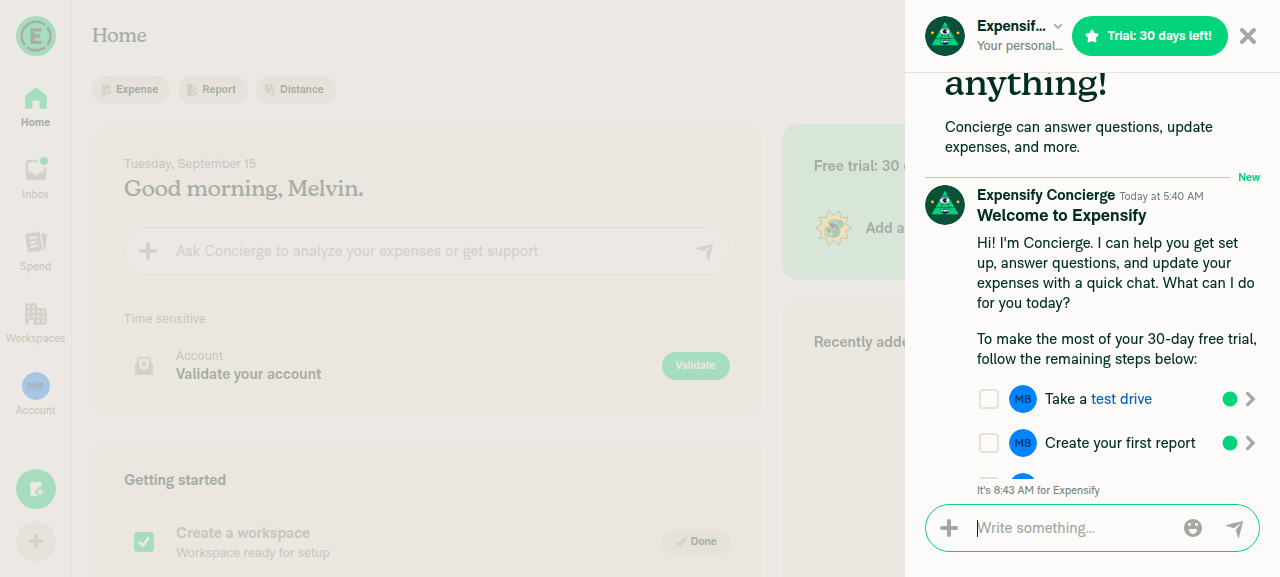
App loads and a chat opens with no JS console errorsHome rendered after onboarding; Concierge chat opened with a working composer. No error banners or crash screens. Note: the web harness has no console-capture command, so this is based on visible behavior, not a captured console stream.
Concierge chat open with composer
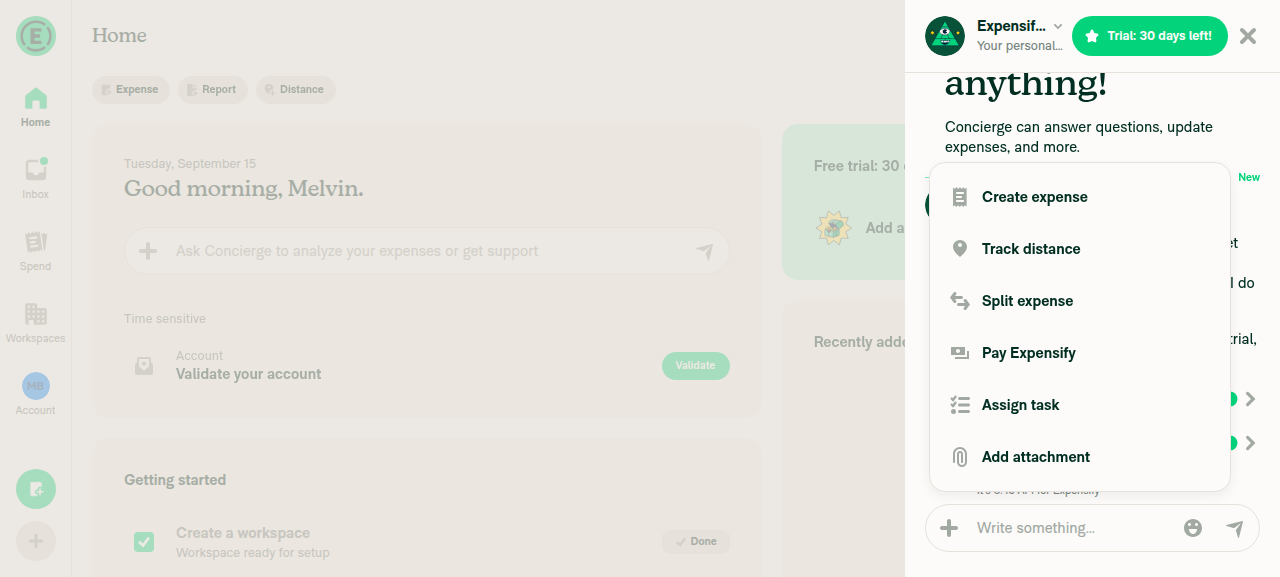
+ button opens the attachment menu with correct options (no "Take photo" on web)Menu showed exactly: Create expense, Track distance, Split expense, Pay Expensify, Assign task, Add attachment. No camera-capture entry, matching the native-only scope of this change.
Attachment menu with six web options, no Take photo
Attaching an image opens the preview and can be sentClicking "Add attachment" closed the menu as expected and left the composer working, but the harness cannot set a file input or handle the OS file chooser, so I could not select an image or reach the confirmation screen. Environment limitation, not an observed app defect.
App state after clicking Add attachment
⚠️
No JS console errors during the attachment flowNo error toasts, crash boundaries, or broken rendering at any step. Same caveat as step 1 — visual evidence only.

What this does not cover: every step that actually exercises this PR — the in-app camera opening, capture, flip, flash, close, the #90042 permission-denied path, and the #90047 modal-race repeat-open check. Those need a native Android or iOS build. huult, the retest you asked for still needs a device.


view run · no recording available

@ShridharGoel

Copy link
Copy Markdown
Contributor

@MelvinBot Test on native Android

@MelvinBot

MelvinBot commented Sep 15, 2026

Copy link
Copy Markdown
Contributor Author

🤖 Android test steps verification results: ❌ fail

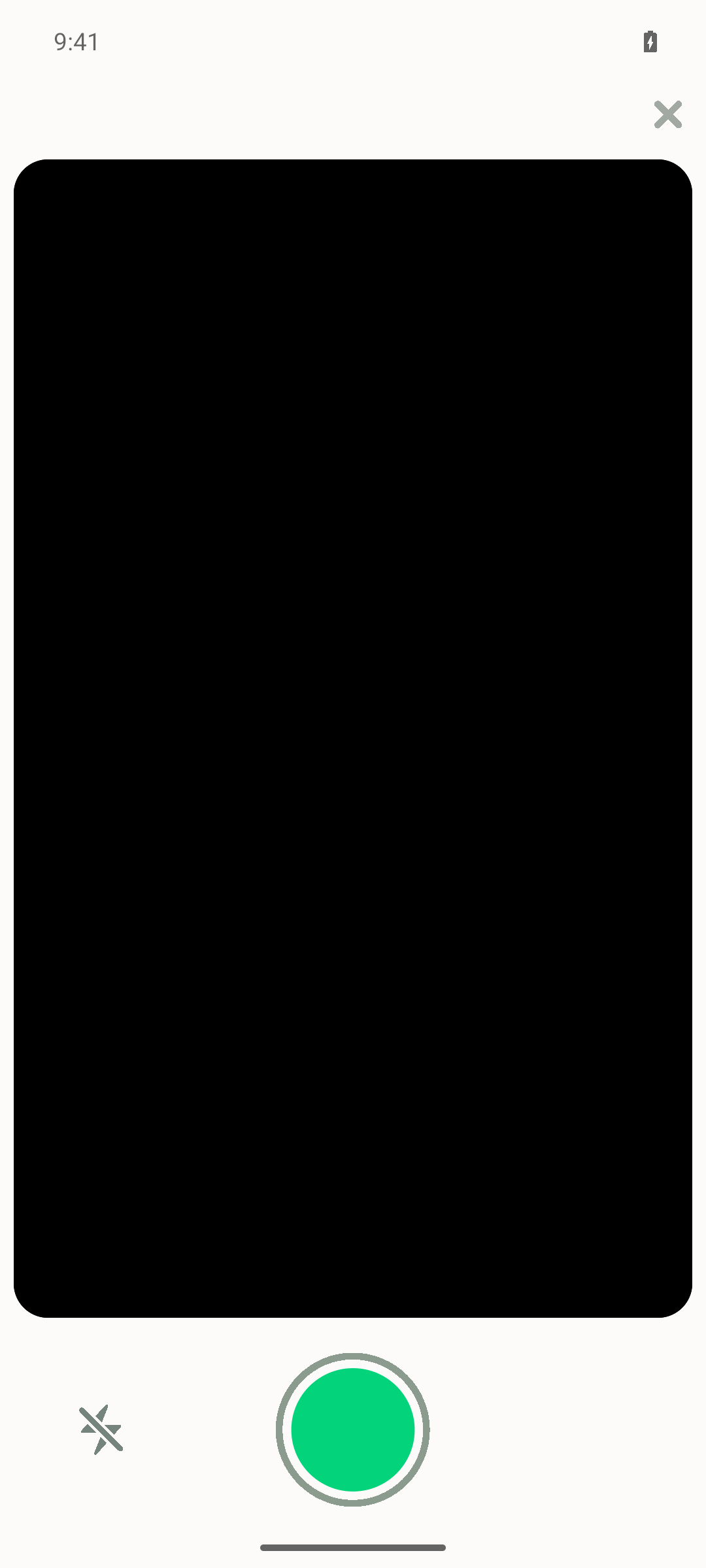
Opened the in-app VisionCamera modal from a chat and captured one photo successfully, but a second Take-photo cycle left the camera modal permanently frozen (0 fps, all buttons dead) — blocking flash-toggle and permission-denied verification and failing the modal-race check. The one successful capture also skipped the attachment preview/confirmation screen, sending directly to chat.

Camera modal frozen and unresponsive to Close

Step Status
1. Open a chat (1:1 DM or workspace/room)Opened the Concierge 1:1 chat from Inbox; composer and message list rendered.
Concierge chat opened
2. Tap the "+" attachment button next to the composerTapping "Open actions menu" showed an "Add attachment" entry, then a submenu with Take photo / Choose from gallery / Choose file.
Add attachment action menu
3. Tap "Take photo" in the attachment picker"Take photo" button present and tappable in the picker.
Attachment picker with Take photo option
4. In-app camera opens as a modal; Expensify stays foreground, no OS camera appappstate immediately after granting permission reported foreground app com.expensify.chat.dev / MainActivity — never the system camera package.
In-app camera modal with Close, flash, shutter
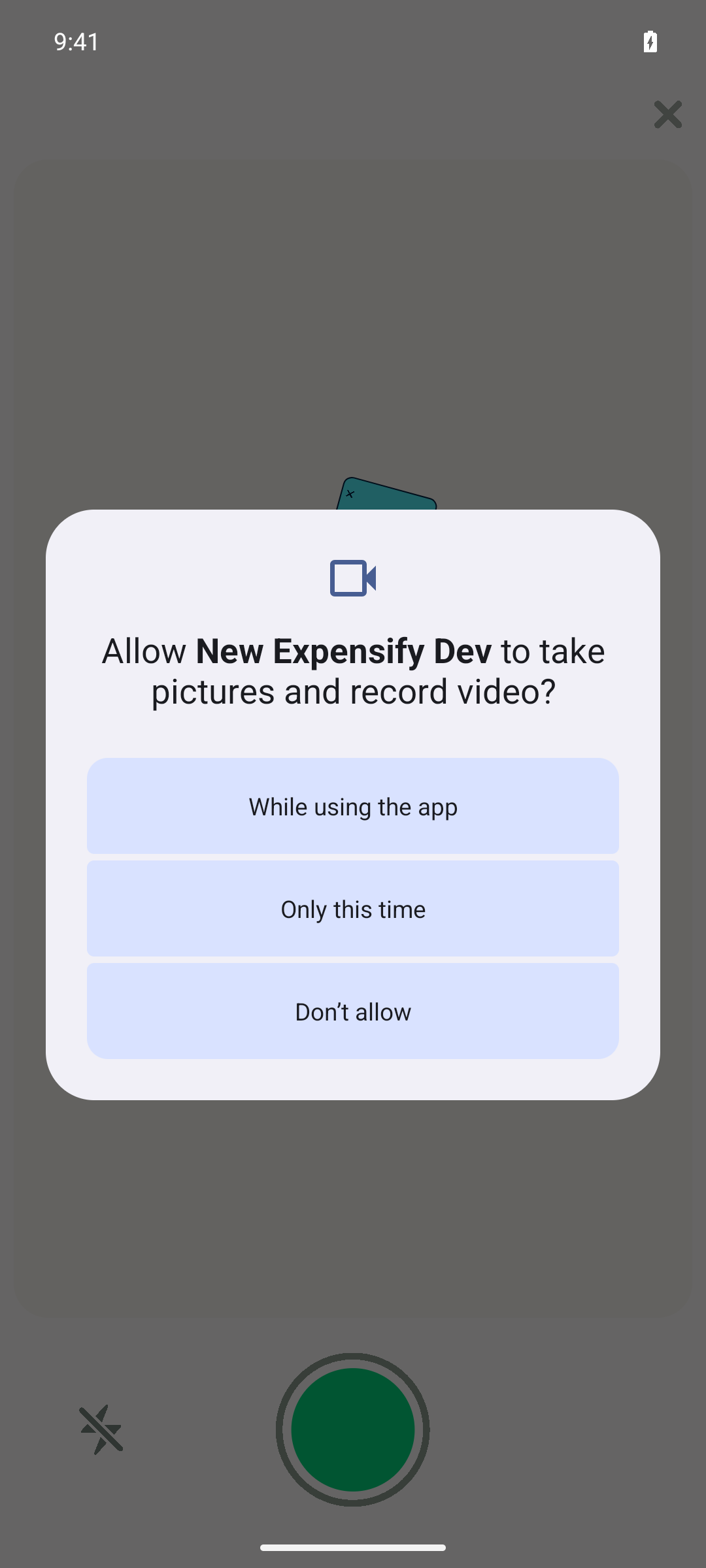
5. Grant camera permission and the preview appearsAndroid's system dialog appeared ("Allow New Expensify Dev to take pictures and record video?"); tapping "While using the app" returned focus to the app with a live preview (emulator's synthetic camera feed).
OS camera permission prompt
6. Tap the shutter button to capture a photoLogcat confirmed capture: CameraView.takePhoto: Taking photo... then Successfully captured 1856 x 1392 photo!.
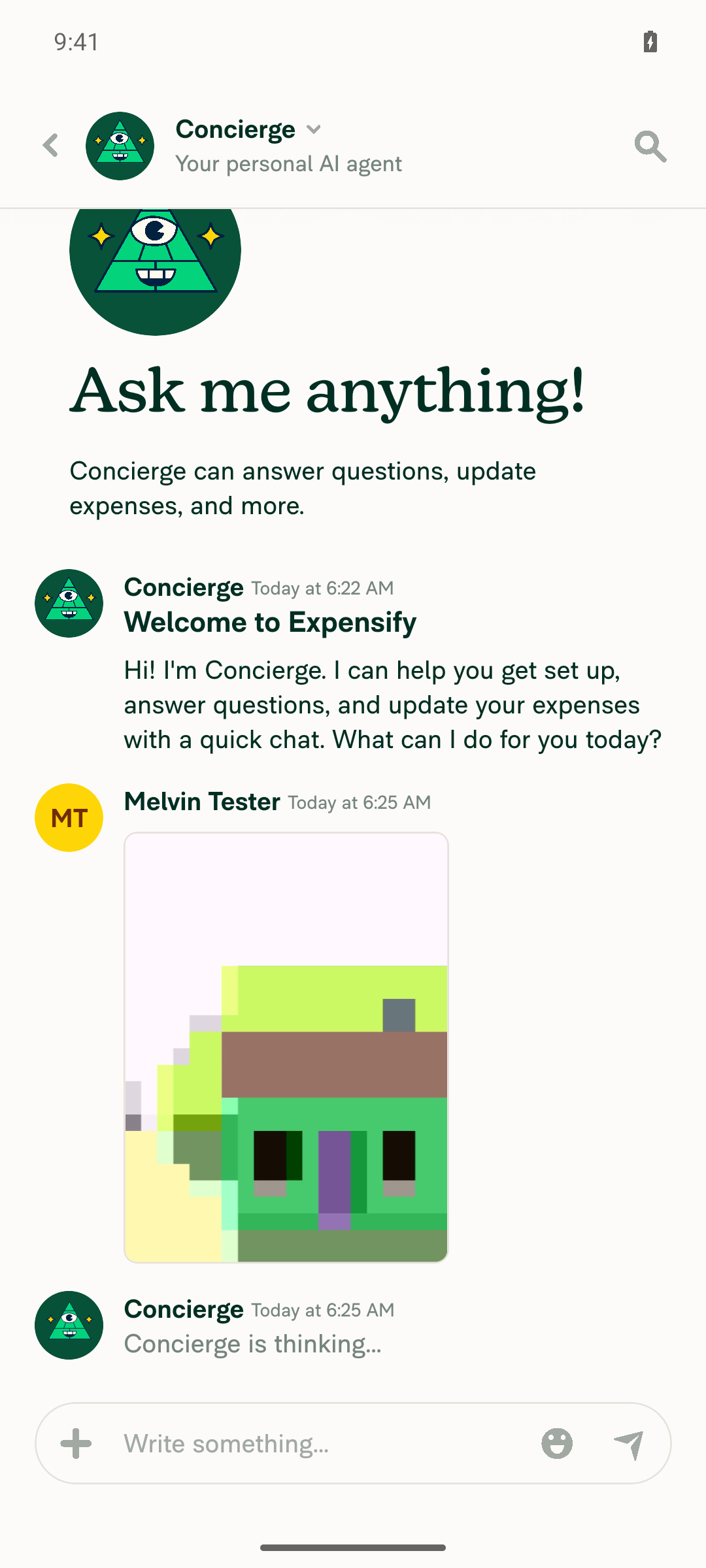
7. Captured photo opens the attachment preview/confirmation screen and can be sentNo intermediate preview/confirmation screen was observed. The captured image appeared already posted as a sent message from the user (with timestamp, Concierge already responding) within under a second of capture — shown as sent, not as a pending draft awaiting a Send tap.
Photo already sent to chat immediately after shutter, no confirmation screen
8. Flip camera icon switches front/back cameraThe flip-camera button exists in the tree but is enabled=false, visibleToUser=false. Environment, not app logic: dumpsys media.camera shows this AVD exposes only one camera device, so there is nothing to flip to. Correctly disabled given the hardware, but the flip mechanic could not be exercised here.
9. Flash toggle turns on/offNot reached — the camera modal froze (see step 12) before the flash button could be exercised on a later camera session.
10. Close (X) dismisses the modal and returns to the chat with nothing attachedAfter the modal froze, tapping Close (both via accessibility click and a raw tap on its coordinates) did nothing; system back and backgrounding/foregrounding via recents also failed. The modal never returned to the chat.
Camera modal frozen and unresponsive to Close
11. Permission-denied path shows the in-app prompt with no infinite loadingNot reached — permission was granted on the first prompt to proceed with the rest of the run, and the modal froze before a second, denial-testing camera session could start.
12. Repeating "Take photo" in quick succession opens the camera reliably every timeFirst open/capture cycle worked. On the second cycle the camera opened, takePhoto logged a successful capture, camera state went CLOSING/CLOSED in logcat, but the JS-side camera view never unmounted — it kept logging invokeOnAverageFpsChanged(0.0) continuously for 5+ minutes, and every control (shutter, flash, close) became a dead tap despite the accessibility tree reporting them hittable=true, enabled=true.
Frozen camera preview after second capture cycle
13. No errors appear in the JS consoleBoth successful captures surfaced an app-visible error: "Unexpected error posting the comment. Please try again later." in the Onyx error state for the report. No fatal JS exceptions or stack traces in logcat, but this send error occurred every time a photo was sent.

The blocker to look at first is step 12. On the second capture cycle the native camera session closes (CLOSING → CLOSED in logcat) but the JS camera view never unmounts, leaving a dead modal that nothing dismisses. That is the same shape as the #90047 modal-race this re-land was meant to fix, just on the teardown side rather than the presentation side.

Two caveats on the other failures: step 8 is an emulator limitation (single camera device), not a code problem, and the step 13 comment-post error may be environmental — both are worth a second look on a physical device. Steps 9 and 11 are untested, not failing, since the freeze blocked them.


view run · no recording available

@ShridharGoel

Copy link
Copy Markdown
Contributor

@mountiny Can you help with triggering an Android build here?

@robertjchen

Copy link
Copy Markdown
Contributor

triggered

@github-actions

Copy link
Copy Markdown
Contributor

🚧 robertjchen has triggered a test Expensify/App build. You can view the workflow run here.

@github-actions

Copy link
Copy Markdown
Contributor

🧪🧪 Use the links below to test this adhoc build on Android, iOS, and Web. Happy testing! 🧪🧪
Built from App PR #96458.

Android 🤖 iOS 🍎
https://ad-hoc-expensify-cash.s3.us-east-1.amazonaws.com/rock-artifacts/ad-hoc/rock-android-Adhoc-a2eb5fd-d890fbf-19619c98bb2d192dc81a03feda7ae90f4751a899/index.html ⏩ SKIPPED ⏩
Android The build for iOS was skipped
Web 🕸️
⏩ SKIPPED ⏩
The build for Web was skipped

👀 View the workflow run that generated this build 👀

@ShridharGoel

Copy link
Copy Markdown
Contributor

@huult Tested

Screen.Recording.2026-09-16.at.1.10.26.AM.mov

@mountiny

Copy link
Copy Markdown
Contributor

@ShridharGoel conflicts

@ShridharGoel

Copy link
Copy Markdown
Contributor

@MelvinBot Fix conflicts

@huult

huult commented Sep 16, 2026

Copy link
Copy Markdown
Contributor

@MelvinBot Test on native Android

@ShridharGoel Do you still need this?

Resolves a conflict in config/eslint/eslint.seatbelt.tsv: main added the
useMoneyReportHeaderStatusBar entry while this branch removed the
useNativeCamera react-hooks/refs entry (the refactor here eliminated that
violation). Kept both changes.
@MelvinBot

Copy link
Copy Markdown
Contributor Author

Conflicts are resolved and pushed — the PR is MERGEABLE again as of fd7c3b9.

There was one conflicted file: config/eslint/eslint.seatbelt.tsv:497. Both sides edited adjacent lines in the same sorted block:

  • main added a useMoneyReportHeaderStatusBar.ts baseline entry.
  • This branch removed the useNativeCamera.ts / react-hooks/refs entry, because the refactor here replaced the manual askForPermissions callback and ref usage in src/hooks/useNativeCamera.ts, which eliminated that violation.

I kept both changes: main's new entry stays, and the now-stale useNativeCamera.ts entry stays removed. main never touched useNativeCamera.ts, so the merged file is exactly this branch's version and the removal is still correct.

Verification

Ran against the merged tree:

Check Result
npm run typecheck ✅ pass (all 5 projects)
npm run lint-changed ✅ pass — no violations, and lint did not rewrite the seatbelt TSV, confirming the resolved baseline matches reality
npm run fmt ✅ no changes
tests/ui/components/AttachmentCameraTest.tsx ✅ 9/9 pass
tests/ui/IOURequestStepScanTest.tsx ✅ 2/2 pass
tests/ui/ScanSkipConfirmationTest.tsx ✅ 1/1 pass
flipCamera key in all 11 src/languages/*.ts ✅ present in each (files auto-merged cleanly)

On the React Compiler check: running it in strict check mode flags pre-existing "Cannot access refs during render" errors in src/components/AttachmentPicker/index.native.tsx. This is not a regression from the merge — the merge left that file byte-identical to the pre-merge tip, and React Compiler Compliance passed on that tip in CI, which runs the baseline-aware check-changed rule. I could not run check-changed locally because this environment sets GITHUB_BASE_REF to an empty string, which defeats its ?? 'main' fallback.

The merge brought in a react-native-pager-view 8.0.0 → 9.0.4 bump. I could not run npm install in this environment, so the checks above ran against the pre-bump node_modules. That package is unrelated to the files this PR touches, and CI will install the merged lockfile.

Note that mergeStateStatus is still BLOCKED, but that is the Check independent approval gate waiting on a review — not a conflict. No other checks were failing.


view run

@MelvinBot

Copy link
Copy Markdown
Contributor Author

That Android run already happened — results are in my earlier comment from 09-15, against a2eb5fd.

Whether it's still needed is ShridharGoel's call, but the relevant fact is that nothing in the camera path has changed since that run. The only commit added since is the main merge (fd7c3b9), and it touched no camera, AttachmentPicker, or VisionCamera file. The one modal change it pulled in is src/components/Modal/BaseModal.tsx:306, which adds an opt-in shouldShowBackdrop prop defaulting to false — it only affects backdrop opacity and nothing in the mount/unmount path.

So a re-run would exercise the same code as both that run and ShridharGoel's adhoc-build video, which was also built from a2eb5fd.

If the open question is specifically whether the step-12 freeze reproduces, a fresh emulator run wouldn't add much — that run already flagged emulator-specific caveats (single camera device, synthetic feed). A physical device would be the more informative check.

How I verified the merge left the camera path alone

fd7c3b9 is a merge of a2eb5fd (previous branch tip) and 89728eb (main). Diffing the two:

  • 551 files changed, none matching camera, attachmentpicker, or vision.
  • Modal-adjacent files changed: Modal/BaseModal.tsx and Modal/types.ts only — a 9-line addition introducing the shouldShowBackdrop prop. Because it defaults to false, !shouldShowBackdrop && (...) reduces to the previous (...), so existing behavior is byte-for-byte equivalent.
  • src/components/AttachmentPicker/, src/hooks/useNativeCamera.ts, src/hooks/useIsPlatformMuted.ts, src/libs/getVideoResolutionFormatFilter/, and __mocks__/react-native-vision-camera.ts are all untouched by the merge.

Note the GitHub compare API caps its file list at 300, so I diffed the two parent commits locally against a full clone to get all 551.


view run

@huult huult left a comment

Copy link
Copy Markdown
Contributor

Choose a reason for hiding this comment

The reason will be displayed to describe this comment to others. Learn more.

LGTM.

@robertjchen robertjchen left a comment

Copy link
Copy Markdown
Contributor

Choose a reason for hiding this comment

The reason will be displayed to describe this comment to others. Learn more.

thanks, let's ship it! :shipit:

Sign up for free to join this conversation on GitHub. Already have an account? Sign in to comment

Labels

None yet

Projects

None yet

Development

Successfully merging this pull request may close these issues.

8 participants