Skip to content

Replace useDelayedAutoFocus with useAutoFocusInput in sub-step forms - #105572

Merged
NicolasBonet merged 1 commit into
mainfrom
claude-replaceDelayedAutoFocusWithAutoFocusInput
Nov 2, 2026
Merged

NicolasBonet merged 1 commit into
mainfrom
claude-replaceDelayedAutoFocusWithAutoFocusInput

Conversation

@MelvinBot

@MelvinBot MelvinBot commented Nov 1, 2026 •

Copy link
Copy Markdown
Contributor

Explanation of Change

The app had two ways to delay input autofocus. SingleFieldStep and RegistrationNumberStep used useDelayedAutoFocus, which focused the input after a fixed 300 ms timer. Every other screen uses useAutoFocusInput, which waits for the screen transition to end (transitionEnd and TransitionTracker.runAfterTransitions).

On iOS, the fixed timer could focus the input while the push transition to the next step was still running. The input then lost focus, FormProvider treated that blur as a user action, and the empty field showed "This field is required" before the user typed anything. For example, this happened on the Company name step after Onfido.

This PR:

  • Uses useAutoFocusInput in SingleFieldStep and RegistrationNumberStep when shouldDelayAutoFocus is set. The input gets inputCallbackRef only in that case, matching NonUSD/SignerInfo/EnterEmail.tsx.
  • Deletes useDelayedAutoFocus, which has no other callers.

Every step that passes shouldDelayAutoFocus gets the fix, not just the Company name step. Landscape mode still skips autofocus, because useAutoFocusInput already checks isInLandscapeMode.

AI Tests

  • ✅ npm run typecheck
  • ✅ npm run lint-changed
  • ✅ npm run react-compiler-compliance-check check on both changed components
  • ✅ npm test -- --findRelatedTests on the changed files: 100 suites and 1,211 tests passed, including USDVerifiedBankAccountFlowPageTest and AddPersonalBankAccountPageTest
  • ⚠️ Not run: oxfmt --check, the full npm run lint and npm test suites, and the Storybook smoke test. The edits only remove lines and swap one import in the same sort position.
  • ⚠️ A web check of the autofocus could not run because the test browser loaded a blank page. The bug is iOS-only, so the human co-author still needs to verify on iOS.

Fixed Issues

$ #104049
PROPOSAL: #104049 (comment)

Tests

  1. Go to Workspaces > your workspace > Workflows
  2. Under Payments, tap Add bank account
  3. Tap Log into your bank, choose Regions Bank, then Saving account 1111
  4. Complete the Personal info steps (legal name, date of birth, last 4 of SSN, address)
  5. On "Let's double check that everything looks right.", tap Confirm
  6. Complete Onfido flow (if required)
  7. On "What's the name of your company?", watch the Legal company name field without touching the screen
  8. Verify that "This field is required" is not shown and the field is focused once the screen finishes sliding in
  9. Leave the field empty and tap Next
  10. Verify that "This field is required" is shown
  11. Enter a company name and tap Next
  12. On the Tax ID step, verify that the field is focused once the screen finishes sliding in and no error is shown
  13. Tap the back button
  14. Verify that the Legal company name field is focused and no error is shown
  • Verify that no errors appear in the JS console

Offline tests

  1. Follow Tests steps 1–11 to reach the Tax ID step
  2. Turn off the network connection
  3. Tap the back button
  4. Verify that the Legal company name field is focused once the screen finishes sliding in and "This field is required" is not shown

QA Steps

  1. Go to Workspaces > your workspace > Workflows
  2. Under Payments, tap Add bank account
  3. Tap Log into your bank, choose Regions Bank, then Saving account 1111
  4. Complete the Personal info steps (legal name, date of birth, last 4 of SSN, address)
  5. On "Let's double check that everything looks right.", tap Confirm
  6. Complete Onfido flow (if required)
  7. On "What's the name of your company?", watch the Legal company name field without touching the screen
  8. Verify that "This field is required" is not shown and the field is focused once the screen finishes sliding in
  • Verify that no errors appear in the JS console

PR Author Checklist

  • I linked the correct issue in the ### Fixed Issues section above
  • I wrote clear testing steps that cover the changes made in this PR
    • I added steps for local testing in the Tests section
    • I added steps for the expected offline behavior in the Offline steps section
    • I added steps for Staging and/or Production testing in the QA steps section
    • I added steps to cover failure scenarios (i.e. verify an input displays the correct error message if the entered data is not correct)
    • I turned off my network connection and tested it while offline to ensure it matches the expected behavior (i.e. verify the default avatar icon is displayed if app is offline)
    • I tested this PR with a High Traffic account against the staging or production API to ensure there are no regressions (e.g. long loading states that impact usability).
  • I included screenshots or videos for tests on all platforms
  • I ran the tests on all platforms & verified they passed on:
    • Android: Native
    • Android: mWeb Chrome
    • iOS: Native
    • iOS: mWeb Safari
    • MacOS: Chrome / Safari
  • I verified there are no console errors (if there's a console error not related to the PR, report it or open an issue for it to be fixed)
  • I verified any copy / text that was added to the app is either coming verbatim from figma or has been approved by marketing (in order to get marketing approval, ask the Bug Zero team member to add the Waiting for copy label to the issue)
  • If a new code pattern is added I verified it was agreed to be used by multiple Expensify engineers
  • I tested other components that can be impacted by my changes (i.e. if the PR modifies a shared library or component like Avatar, I verified the components using Avatar are working as expected)
  • If new assets were added or existing ones were modified, I verified that:
    • The assets are optimized and compressed (for SVG files, run npm run compress-svg)
    • The assets load correctly across all supported platforms.
  • If the PR modifies code that runs when editing or sending messages, I tested and verified there is no unexpected behavior for all supported markdown - URLs, single line code, code blocks, quotes, headings, bold, strikethrough, and italic.
  • If the PR modifies a generic component, I tested and verified that those changes do not break usages of that component in the rest of the App (i.e. if a shared library or component like Avatar is modified, I verified that Avatar is working as expected in all cases)
  • If the PR modifies a component related to any of the existing Storybook stories, I tested and verified all stories for that component are still working as expected.
  • If the PR modifies a component or page that can be accessed by a direct deeplink, I verified that the code functions as expected when the deeplink is used - from a logged in and logged out account.
  • If the PR modifies the UI (e.g. new buttons, new UI components, changing the padding/spacing/sizing, moving components, etc) or modifies the form input styles:
    • I verified that all the inputs inside a form are aligned with each other.
    • I added Design label and/or tagged @Expensify/design so the design team can review the changes.
  • If the PR adds or modifies the UI:
    • I asked an AI agent to review the changes for accessibility issues and addressed its findings.
    • I tested with a screen reader (VoiceOver on macOS) and verified all new/changed elements are reachable with a logical focus order.
    • I verified all new/changed elements have meaningful accessible names and roles.
    • I verified state changes are announced (e.g. checked/unchecked, expanded/collapsed, selected).
  • I added unit tests for any new feature or bug fix in this PR to help automatically prevent regressions in this user flow.
  • If the main branch was merged into this PR after a review, I tested again and verified the outcome was still expected according to the Test steps.

Screenshots/Videos

Android: Native
Android: mWeb Chrome
iOS: Native
iOS: mWeb Safari
MacOS: Chrome / Safari

The fixed 300 ms focus timer could fire before the screen push
transition finished. On iOS the input then lost focus, which marked the
empty field as touched and showed a 'This field is required' error.
useAutoFocusInput waits for the transition to end before focusing.

Co-authored-by: mkhutornyi <mkhutornyi@users.noreply.github.com>
@MelvinBot
MelvinBot requested a review from a team November 1, 2026 15:32
@melvin-bot melvin-bot Bot added Melvin-Test-Android Melvin-Test-Web Triggers Melvin to run the testing steps of the PR on web labels Nov 1, 2026
@MelvinBot

Copy link
Copy Markdown
Contributor Author

I created this PR from an upstream branch because I can't push to a fork for you.

If you want to take ownership of this branch and push updates, run:

git remote add upstream https://github.com/Expensify/App.git
git fetch upstream claude-replaceDelayedAutoFocusWithAutoFocusInput
git checkout -b claude-replaceDelayedAutoFocusWithAutoFocusInput upstream/claude-replaceDelayedAutoFocusWithAutoFocusInput
git push -u origin claude-replaceDelayedAutoFocusWithAutoFocusInput

Then you can close this PR and open a new one from your fork.

@codecov

codecov Bot commented Nov 1, 2026 •

Copy link
Copy Markdown

Codecov Report

✅ Changes either increased or maintained existing code coverage, great job!

Files with missing lines Coverage Δ
src/components/SubStepForms/SingleFieldStep.tsx 100.00% <100.00%> (ø)
...components/SubStepForms/RegistrationNumberStep.tsx 0.00% <0.00%> (ø)
... and 6 files with indirect coverage changes

@mkhutornyi

Copy link
Copy Markdown
Contributor

@codex review

@mkhutornyi

Copy link
Copy Markdown
Contributor

@MelvinBot review

@chatgpt-codex-connector

chatgpt-codex-connector Bot commented Nov 1, 2026 •

Copy link
Copy Markdown

Codex Review Summary

This comment shows the latest Codex review activity on this pull request.

Review Status Commit Review trigger
📝 Code Review ✅ Completed 2026-11-01T16:23:59.067941Z df24c71 Draft marked ready
ℹ️ About Codex in GitHub

Your team has set up Codex to review pull requests in this repo. Reviews are triggered when you

  • Open a pull request for review
  • Mark a draft as ready
  • Comment "@codex review" or "@codex security review".

Codex reacts with 👀 while any review is running, comments if it has suggestions, and reacts with 👍 once all reviews finish with no findings.

@MelvinBot

MelvinBot commented Nov 1, 2026 •

Copy link
Copy Markdown
Contributor Author

🤖 Web test steps verification results: ❌ fail

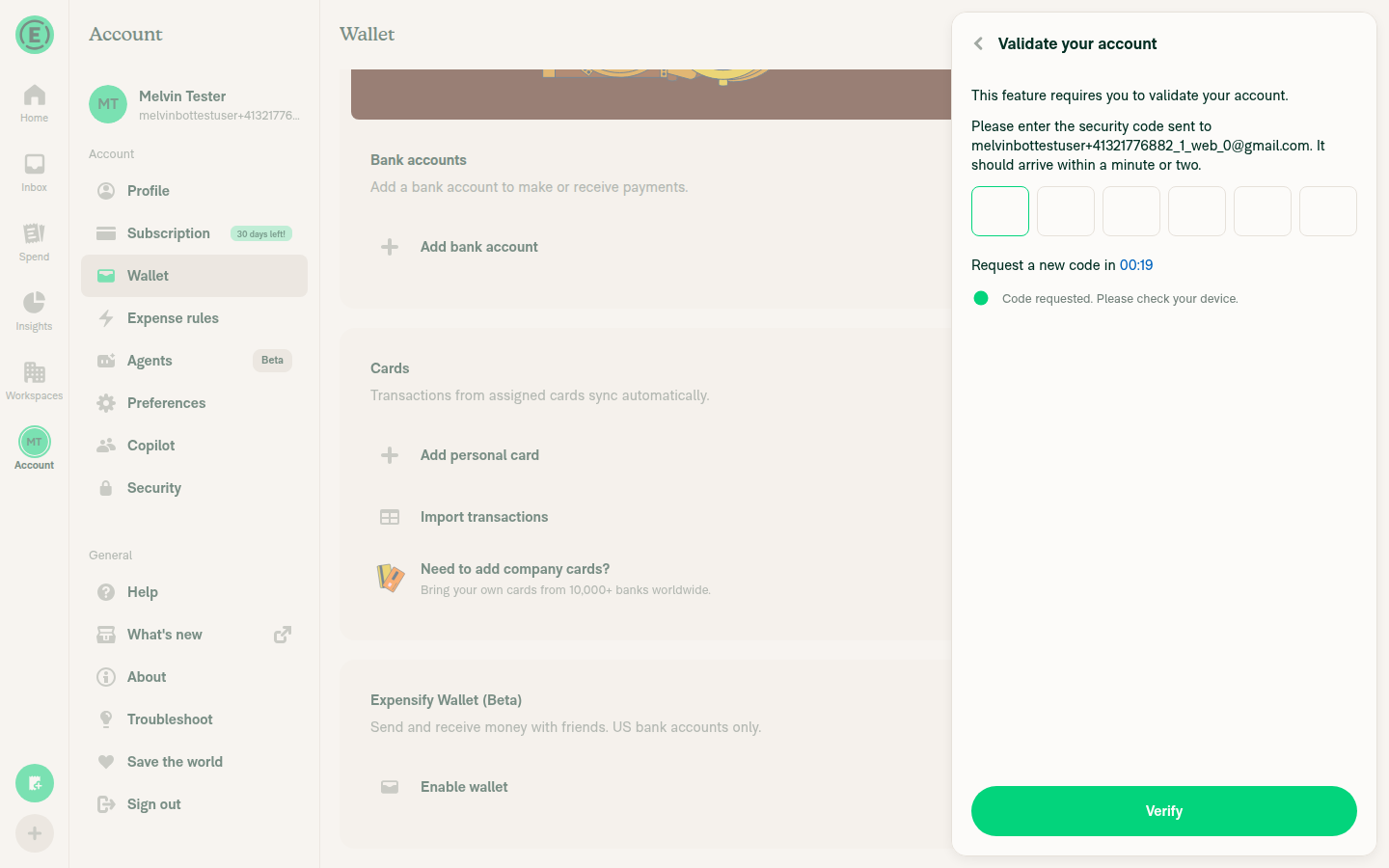
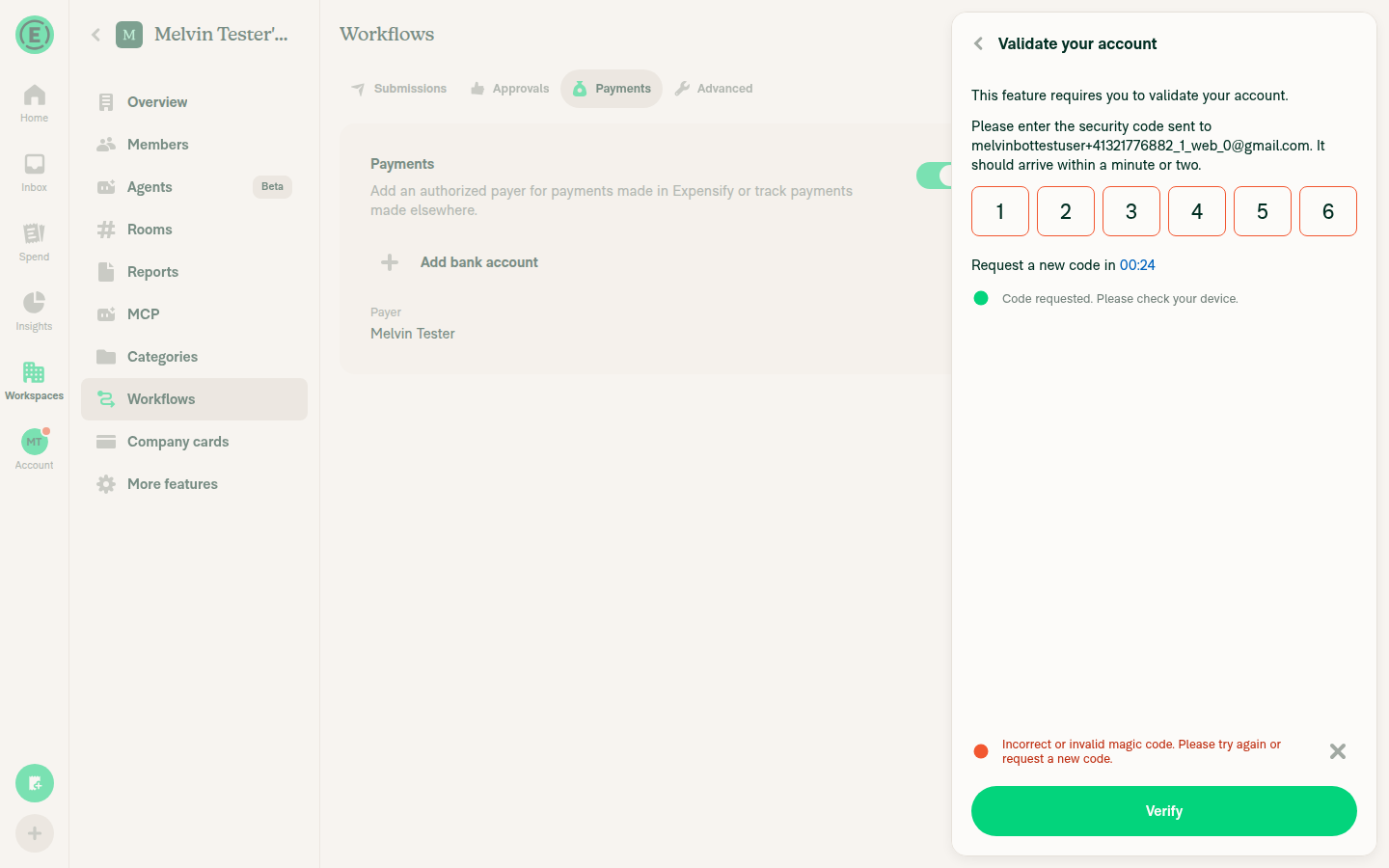
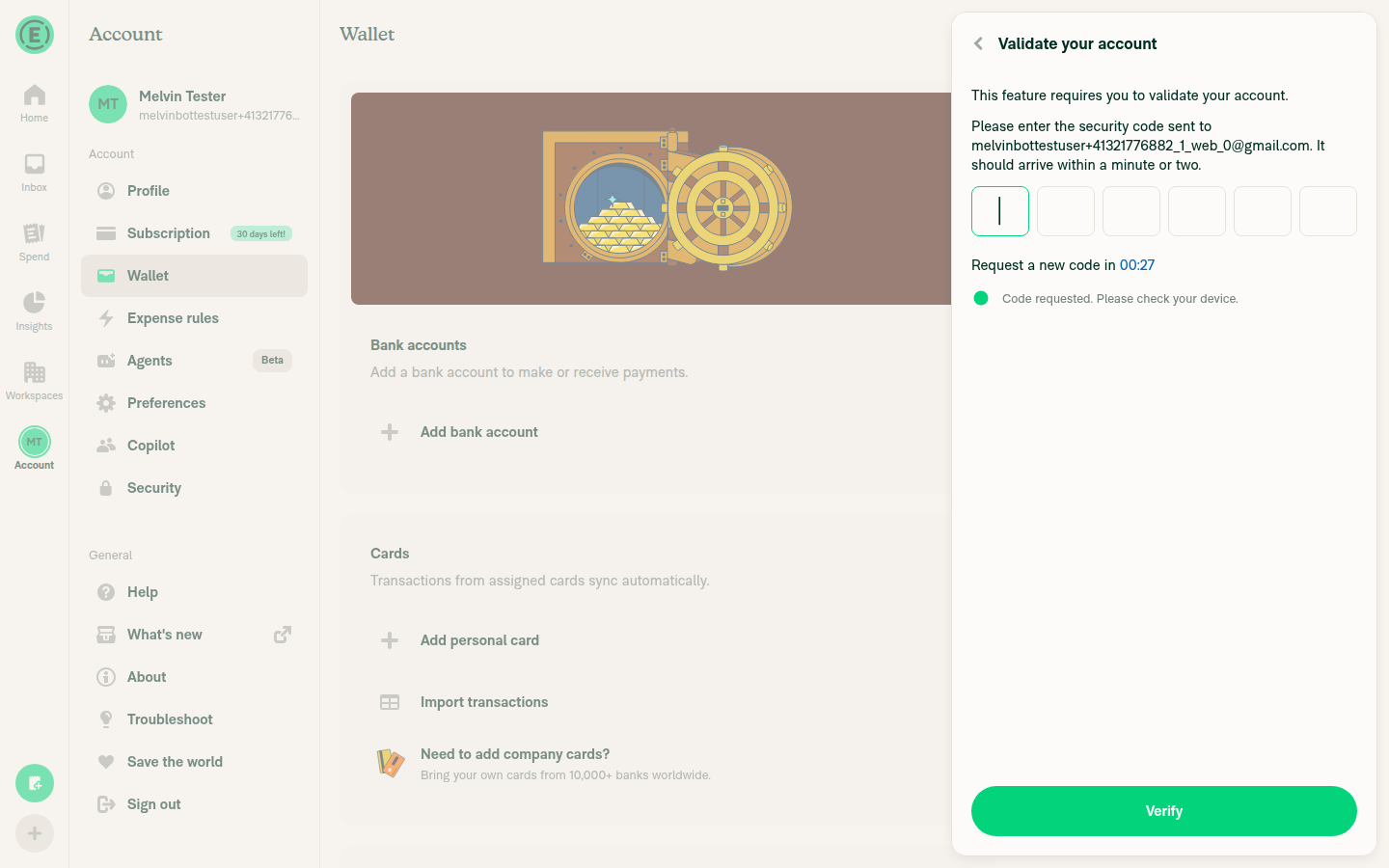
I couldn't test the changed screens on Web, so this result doesn't show whether the PR works. Every path to SingleFieldStep and RegistrationNumberStep first shows a "Validate your account" screen. That screen needs a code sent to the test account's email, and the tester can't read that inbox. The PR's Tests section has only "Verify that no errors appear in the JS console", so I built steps 1–4 from the linked issue. The tester tried six paths: workspace bank account in GBP and in USD (manual and Plaid), Wallet → Add bank account, and Wallet → Enable wallet. All six stopped at that screen. You can't open the Update personal bank account page without an existing bank account.
Wallet > Enable wallet: Validate your account gate

Step Status
Open a SingleFieldStep screen that uses shouldDelayAutoFocus. The input focuses on its own after the transition.Screen not reached. All six paths stopped at "Validate your account". A guessed code was rejected with "Incorrect or invalid magic code".
Workspace bank account flow: Validate your account gate, wrong code rejectedWallet > Add bank account: Validate your account gateWallet > Enable wallet: Validate your account gate
❌
Before typing, no "This field is required" error shows under the empty input.Not reached. Blocked by the same screen.
❌
Go to the next sub-step (RegistrationNumberStep if possible). Its input focuses on its own with no early error.Not reached. Blocked by the same screen.
❌
Submit an empty field. "This field is required" appears.Not reached. Blocked by the same screen.
❌
Verify that no errors appear in the JS console.Not checkable. The Web test tool can't read the browser console.
⚠️

To test this on Web, someone needs a test account that's already validated. Testing on iOS, where the bug happens, is still needed.


view run · view recording

@chatgpt-codex-connector

Copy link
Copy Markdown

Codex Review: Didn't find any major issues. Already looking forward to the next diff.

Reviewed commit: df24c71089

ℹ️ About Codex in GitHub

Codex has been enabled to automatically review pull requests in this repo. Reviews are triggered when you

  • Open a pull request for review
  • Mark a draft as ready
  • Comment "@codex review".

If Codex has suggestions, it will comment; otherwise it will react with 👍.

When you sign up for Codex through ChatGPT, Codex can also answer questions or update the PR, like "@codex address that feedback".

@MelvinBot

Copy link
Copy Markdown
Contributor Author

I found no high-severity regressions. Every sub-step still gets autofocus. Each Next, Back, or Edit is a real screen push, and useAutoFocusInput sets a 1-second fallback timer even if transitionEnd never fires (useAutoFocusInput.ts:105-131).

The new hook changes behavior in four small ways:

# Change Severity Where
1 Web, Back: focus can stay on the restored Next button instead of the input. Focus-return claims a higher priority than autofocus for 2 seconds. The old hook always called focus() after 300 ms. This only happens if you clicked Next with the mouse. If you pressed Enter, the input gets focus. Arguably this is the intended accessibility behavior. Low useAutoFocusInput.ts:83-88, ScreenFocusArbiter.ts:7-13
2 Slower focus: focus can take up to about 1 second instead of 300 ms. This happens when the input mounts after the transition has ended. One example is the first sub-step, which mounts after a loading redirect. Low useSubPage/index.tsx:23-31
3 Screen reader on: these sub-steps no longer autofocus. Every other useAutoFocusInput screen already works this way. Low useAutoFocusInput.ts:62
4 Side panel: closing the side panel moves focus back to the sub-step input. Very low useAutoFocusInput.ts:133-151

Not verified in the app. These findings come from reading the code. On Web, every path to these screens is blocked by the "Validate your account" code screen (see my earlier comment). The bank account flow tests (USDVerifiedBankAccountFlowPageTest.tsx) don't check focus.

Worth checking on iOS: the Company name step mounts after the loading redirect. Its focus may come from the 1-second fallback rather than transitionEnd. Confirm that the iOS Onfido case from the issue is actually fixed.

Ruled out
  • New sub-step never gets focus: ruled out. Sub-steps are separate routes pushed by linkTo (useSubPage/index.tsx:92-104), and the 1-second fallback covers a missed transitionEnd.
  • Edit from the confirmation page, and flows that replace the route (EnableGlobalReimbursements registration number): both mount a new screen, so the input gets focus.
  • Focus when returning to the screen: still driven by useFocusEffect, so it runs again each time, like the old hook.
  • Landscape mode: both hooks skip autofocus.
  • Callback ref through FormProvider: supported (FormProvider.tsx:466-472). NonUSD/SignerInfo/EnterEmail.tsx already uses the same conditional ref.
  • Steps that don't set shouldDelayAutoFocus: the ref is undefined, so the hook never focuses, and native autoFocus still works. The hook still runs, which adds an Onyx subscription and a timer, but this has no effect on behavior.
  • All callers checked: USD and NonUSD Business info, Requestor, and Beneficial owner steps; Signer info; EnablePayments; AddPersonalBankAccount; UpdatePersonalBankAccount; EnableGlobalReimbursements. All are route-based useSubPage screens. None renders outside a navigator.

view run

@mkhutornyi

Copy link
Copy Markdown
Contributor

@MelvinBot add QA Steps below and mark this PR ready for review

  1. Go to Workspaces > your workspace > Workflows
  2. Under Payments, tap Add bank account
  3. Tap Log into your bank, choose Regions Bank, then Saving account 1111
  4. Complete the Personal info steps (legal name, date of birth, last 4 of SSN, address)
  5. On "Let's double check that everything looks right.", tap Confirm
  6. Complete Onfido flow (if required)
  7. On "What's the name of your company?", watch the Legal company name field without touching the screen
  8. Verify that "This field is required" is not shown and the field is focused once the screen finishes sliding in

@MelvinBot
MelvinBot marked this pull request as ready for review November 1, 2026 16:20
@MelvinBot
MelvinBot requested a review from a team as a code owner November 1, 2026 16:20
@MelvinBot

Copy link
Copy Markdown
Contributor Author

I added your 8 QA steps to the QA Steps section and marked this PR ready for review.

The Tests section still has its TODO placeholder. The PR Author Checklist and Screenshots/Videos sections are also still empty. You may need to fill those in before the PR Author Checklist check passes.


view run

@melvin-bot
melvin-bot Bot requested review from mkhutornyi and removed request for a team November 1, 2026 16:20
@melvin-bot

melvin-bot Bot commented Nov 1, 2026

Copy link
Copy Markdown

@mkhutornyi Please copy/paste the Reviewer Checklist from here into a new comment on this PR and complete it. If you have the K2 extension, you can simply click: [this button]

@melvin-bot
melvin-bot Bot requested review from trjExpensify and removed request for a team November 1, 2026 16:20
@mkhutornyi

mkhutornyi commented Nov 1, 2026 •

Copy link
Copy Markdown
Contributor

Reviewer Checklist

  • I have verified the author checklist is complete (all boxes are checked off).
  • I verified the correct issue is linked in the ### Fixed Issues section above
  • I verified testing steps are clear and they cover the changes made in this PR
    • I verified the steps for local testing are in the Tests section
    • I verified the steps for Staging and/or Production testing are in the QA steps section
    • I verified the steps cover any possible failure scenarios (i.e. verify an input displays the correct error message if the entered data is not correct)
    • I turned off my network connection and tested it while offline to ensure it matches the expected behavior (i.e. verify the default avatar icon is displayed if app is offline)
  • I checked that screenshots or videos are included for tests on all platforms
  • I included screenshots or videos for tests on all platforms
  • I verified that the composer does not automatically focus or open the keyboard on mobile unless explicitly intended. This includes checking that returning the app from the background does not unexpectedly open the keyboard.
  • I verified tests pass on all platforms & I tested again on:
    • Android: HybridApp
    • Android: mWeb Chrome
    • iOS: HybridApp
    • iOS: mWeb Safari
    • MacOS: Chrome / Safari
  • If there are any errors in the console that are unrelated to this PR, I either fixed them (preferred) or linked to where I reported them in Slack
  • I verified any copy / text that was added to the app is either coming verbatim from figma or has been approved by marketing (in order to get marketing approval, ask the Bug Zero team member to add the Waiting for copy label to the issue)
  • If a new code pattern is added I verified it was agreed to be used by multiple Expensify engineers
  • I verified other components that can be impacted by these changes have been tested, and I retested again (i.e. if the PR modifies a shared library or component like Avatar, I verified the components using Avatar have been tested & I retested again)
  • If a new component is created I verified that:
    • A similar component doesn't exist in the codebase
    • All props are defined accurately
    • The component has a clear name that is non-ambiguous and the purpose of the component can be inferred from the name alone
    • The only data being stored in the state is data necessary for rendering and nothing else
    • The component has the minimum amount of code necessary for its purpose, and it is broken down into smaller components in order to separate concerns and functions
  • If the PR modifies code that runs when editing or sending messages, I tested and verified there is no unexpected behavior for all supported markdown - URLs, single line code, code blocks, quotes, headings, bold, strikethrough, and italic.
  • If the PR modifies a generic component, I tested and verified that those changes do not break usages of that component in the rest of the App (i.e. if a shared library or component like Avatar is modified, I verified that Avatar is working as expected in all cases)
  • If the PR modifies a component related to any of the existing Storybook stories, I tested and verified all stories for that component are still working as expected.
  • If the PR modifies a component or page that can be accessed by a direct deeplink, I verified that the code functions as expected when the deeplink is used - from a logged in and logged out account.
  • If the PR modifies the UI (e.g. new buttons, new UI components, changing the padding/spacing/sizing, moving components, etc) or modifies the form input styles:
    • I verified that all the inputs inside a form are aligned with each other.
    • I added Design label and/or tagged @Expensify/design so the design team can review the changes.
  • If the PR adds or modifies the UI:
    • I asked an AI agent to review the changes for accessibility issues and addressed its findings.
    • I tested with a screen reader (VoiceOver on macOS) and verified all new/changed elements are reachable with a logical focus order.
    • I verified all new/changed elements have meaningful accessible names and roles.
    • I verified state changes are announced (e.g. checked/unchecked, expanded/collapsed, selected).
  • For any bug fix or new feature in this PR, I verified that sufficient unit tests are included to prevent regressions in this flow.
  • If the main branch was merged into this PR after a review, I tested again and verified the outcome was still expected according to the Test steps.
  • I have checked off every checkbox in the PR reviewer checklist, including those that don't apply to this PR.

Screenshots/Videos

Android: HybridApp
android.mp4
Android: mWeb Chrome
iOS: HybridApp
ios.MP4
ios.mp4
iOS: mWeb Safari
MacOS: Chrome / Safari
web1.mov
web2.mov

@melvin-bot

melvin-bot Bot commented Nov 1, 2026

Copy link
Copy Markdown

We did not find an internal engineer to review this PR, trying to assign a random engineer to #104049 as well as to this PR... Please reach out for help on Slack if no one gets assigned!

@melvin-bot
melvin-bot Bot requested a review from NicolasBonet November 1, 2026 16:59

@NicolasBonet NicolasBonet left a comment

Copy link
Copy Markdown
Contributor

Choose a reason for hiding this comment

The reason will be displayed to describe this comment to others. Learn more.

@mkhutornyi please fill all the PR description gaps like QA, offline steps, checklist

@mkhutornyi

Copy link
Copy Markdown
Contributor

@mkhutornyi please fill all the PR description gaps like QA, offline steps, checklist

We can skip Melvin's author checklist as per #104228

https://expensify.slack.com/archives/C03TQ48KC/p1792156285927939?thread_ts=1792155976.784659&cid=C03TQ48KC

@mkhutornyi

Copy link
Copy Markdown
Contributor

@MelvinBot add missing Tests, Offline steps

@MelvinBot

Copy link
Copy Markdown
Contributor Author

I added the Tests and Offline tests sections to the PR description.

  • Tests: The same flow as the QA steps, plus three checks. Tapping Next on an empty field still shows "This field is required". The Tax ID step autofocuses with no early error. Going back autofocuses the Legal company name field.
  • Offline tests: Go back from the Tax ID step while offline. The Legal company name field should autofocus with no "This field is required" error.

I didn't run these steps. Please check them on iOS, where the bug happens.


view run

@NicolasBonet
NicolasBonet merged commit 1dad0ad into main Nov 2, 2026
58 of 61 checks passed
@NicolasBonet
NicolasBonet deleted the claude-replaceDelayedAutoFocusWithAutoFocusInput branch November 2, 2026 15:48
@OSBotify

OSBotify commented Nov 2, 2026

Copy link
Copy Markdown
Contributor

✋ This PR was not deployed to staging yet because QA is ongoing. It will be automatically deployed to staging after the next production release.

@github-actions

github-actions Bot commented Nov 2, 2026

Copy link
Copy Markdown
Contributor

🚧 NicolasBonet has triggered a test Expensify/App build. You can view the workflow run here.

@github-actions

github-actions Bot commented Nov 2, 2026

Copy link
Copy Markdown
Contributor

@OSBotify OSBotify mentioned this pull request Nov 2, 2026
75 tasks done
@OSBotify

OSBotify commented Nov 2, 2026

Copy link
Copy Markdown
Contributor

🚀 Deployed to staging by https://github.com/NicolasBonet in version: 9.5.28-4 🚀

platform result
🕸 web 🕸 success ✅
🤖 android 🤖 success ✅
🍎 iOS 🍎 success ✅

@MelvinBot

Copy link
Copy Markdown
Contributor Author

No help site update needed. This PR fixes an iOS autofocus timing bug that showed "This field is required" too early on bank account sub-steps; it changes no feature, label, or workflow that a help article describes.


view run

@OSBotify

OSBotify commented Nov 3, 2026

Copy link
Copy Markdown
Contributor

🚀 Deployed to staging by https://github.com/NicolasBonet in version: 9.5.30-0 🚀

platform result
🕸 web 🕸 success ✅
🤖 android 🤖 success ✅
🍎 iOS 🍎 success ✅

@OSBotify

OSBotify commented Nov 3, 2026

Copy link
Copy Markdown
Contributor

🚀 Deployed to production by https://github.com/blimpich in version: 9.5.30-0 🚀

platform result
🕸 web 🕸 success ✅
🤖 android 🤖 success ✅
🍎 iOS 🍎 success ✅

Bundle Size Analysis (Sentry):

Sign up for free to join this conversation on GitHub. Already have an account? Sign in to comment

Labels

Melvin-Test-Android Melvin-Test-Web Triggers Melvin to run the testing steps of the PR on web

Projects

None yet

Development

Successfully merging this pull request may close these issues.

4 participants