Repository navigation
Add a search input to the Columns page - #105477
Conversation


Co-authored-by: Krishna <Krishna2323@users.noreply.github.com>

 melvin-bot
Bot
added
Melvin-Test-Android
Melvin-Test-Web

|
I created this PR from an upstream branch because I don't have push access to your fork. To take ownership of this branch and push updates, run: Then you can close this PR and open a new one from your fork. |

Codecov Report✅ Changes either increased or maintained existing code coverage, great job!
|
|
The failing check is unrelated to this PR, so I didn't push a fix. Analysis: Evidence: The same Re-run the Reassure job. The other failing check, |
|
🤖 Android test steps verification results: ❌ fail I couldn't open the Columns page on the Android phone emulator, so none of the steps ran. This PR doesn't cause that: both "Edit columns" buttons only render on wide layouts (DisplayPopup.tsx:69-70 needs
|
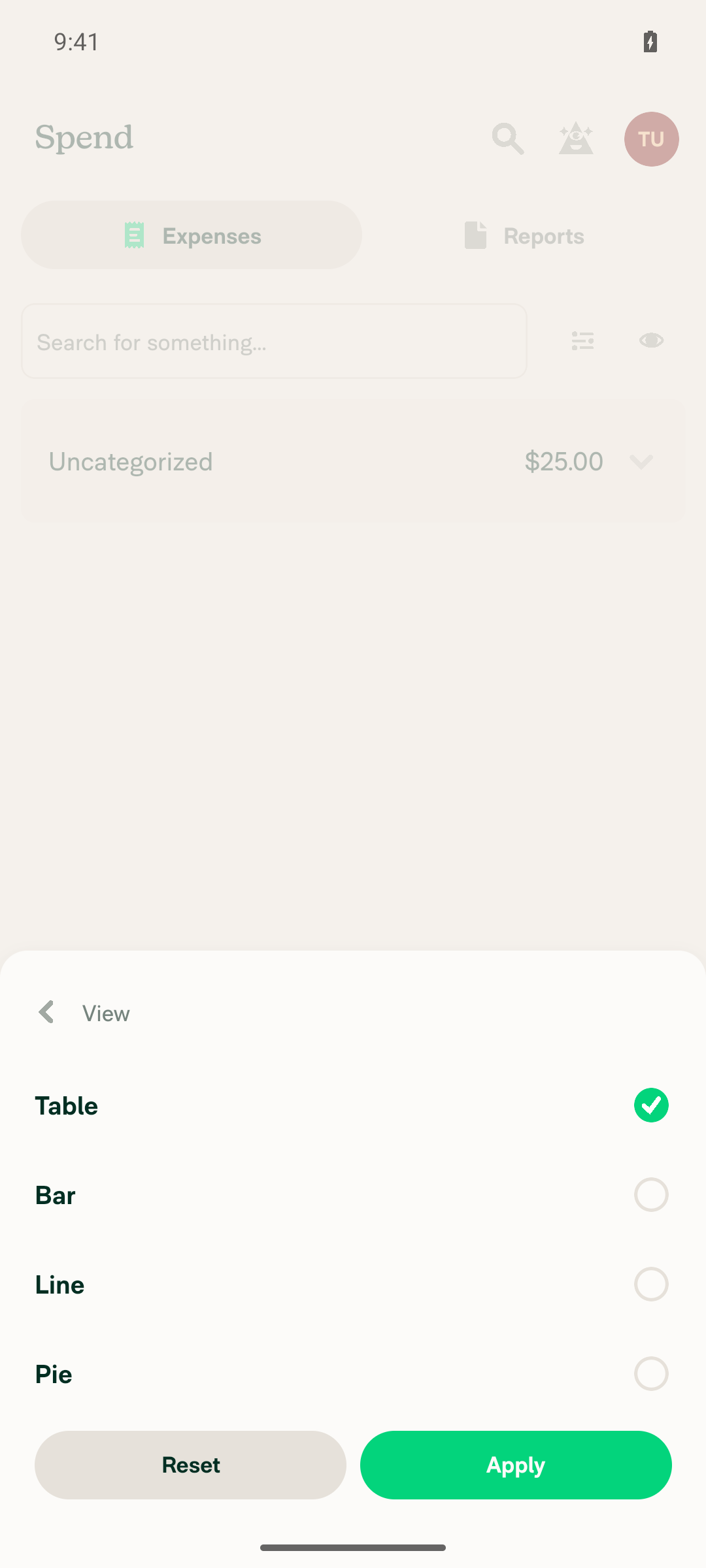
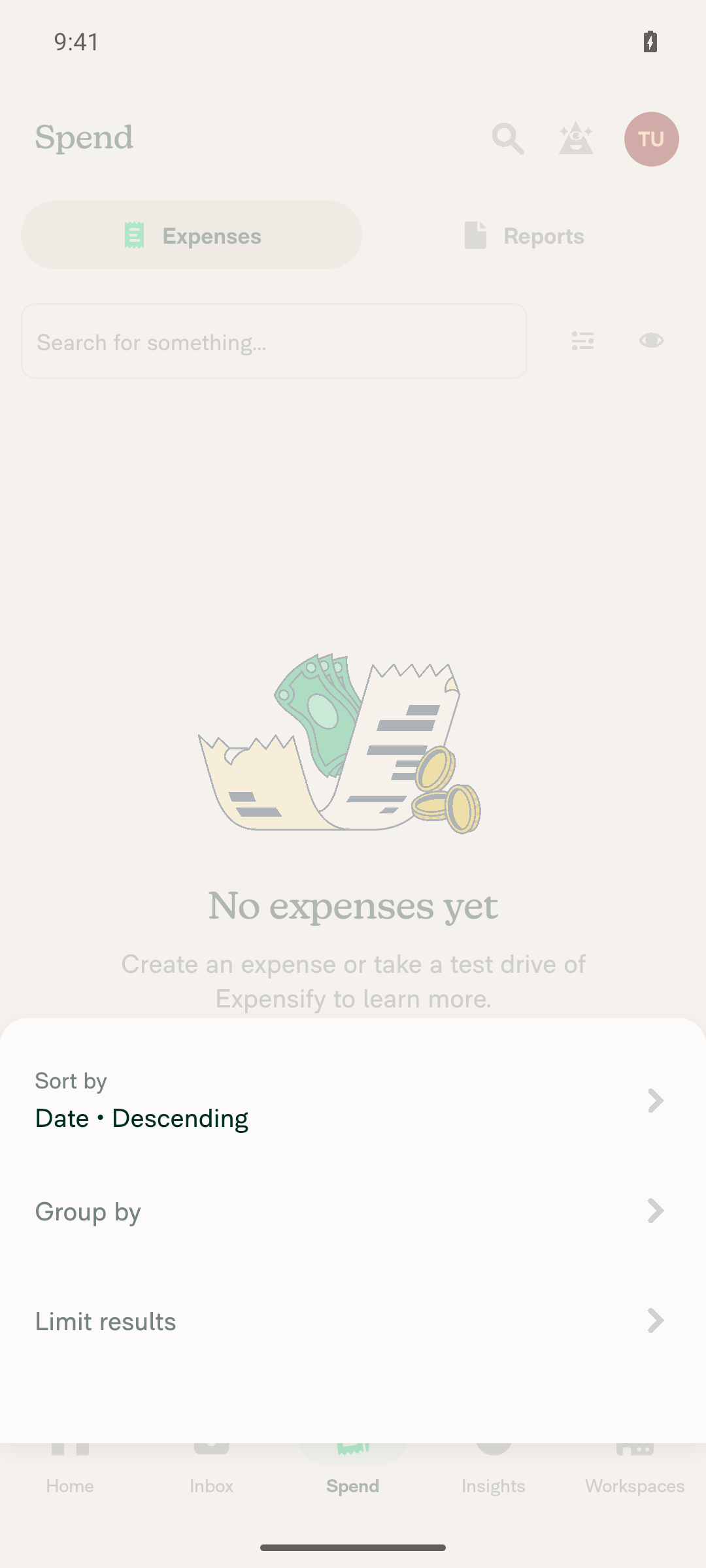
|
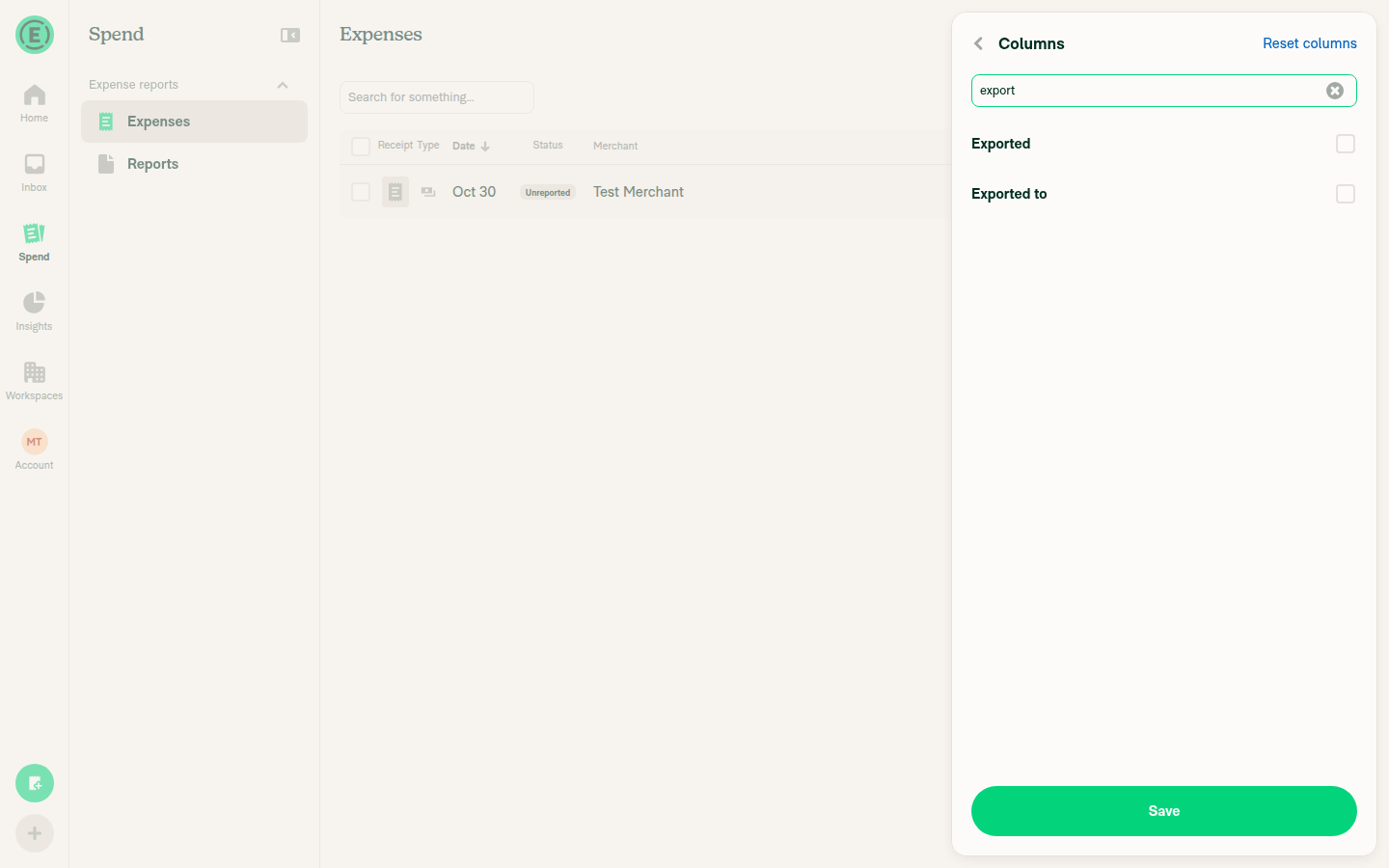
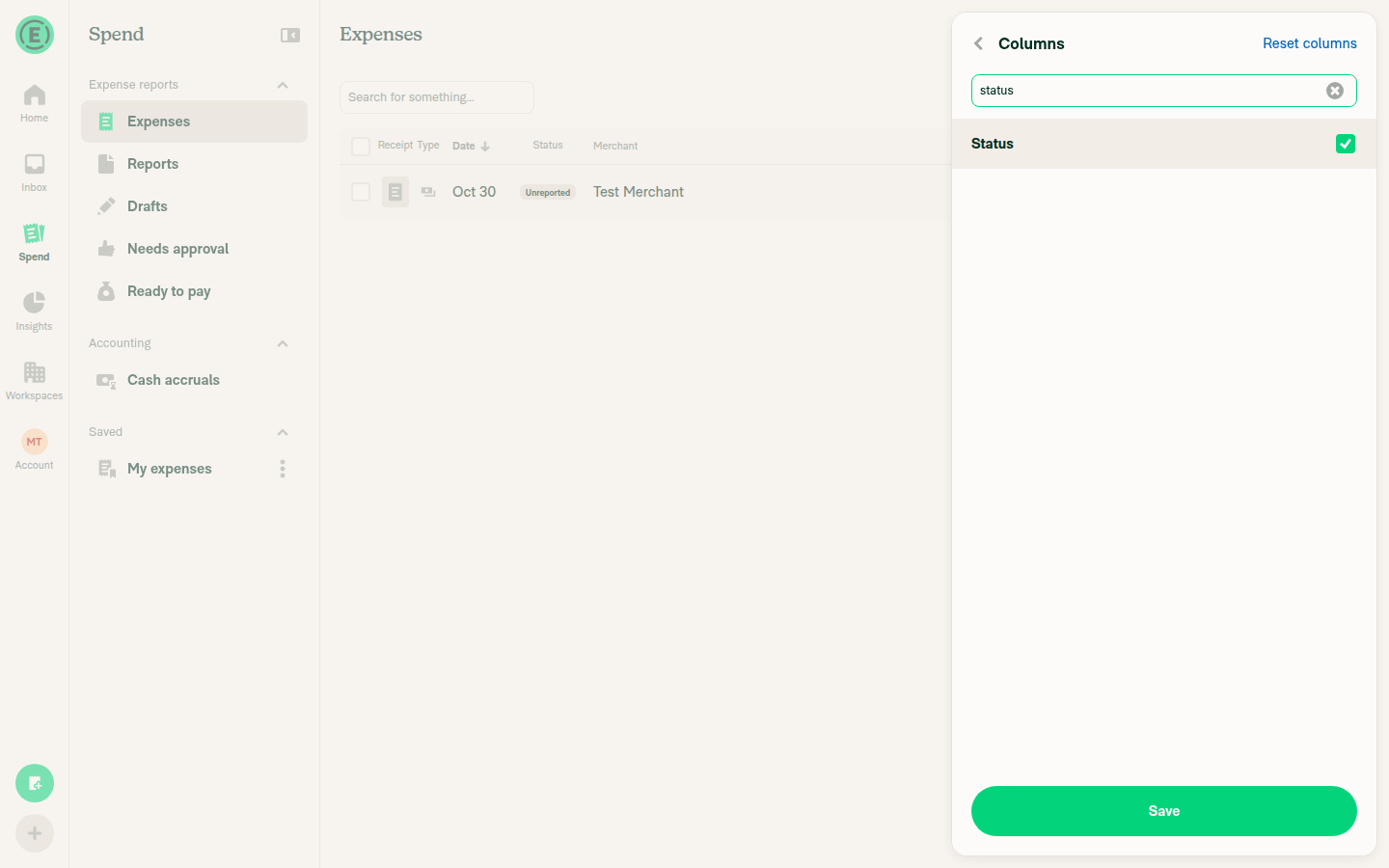
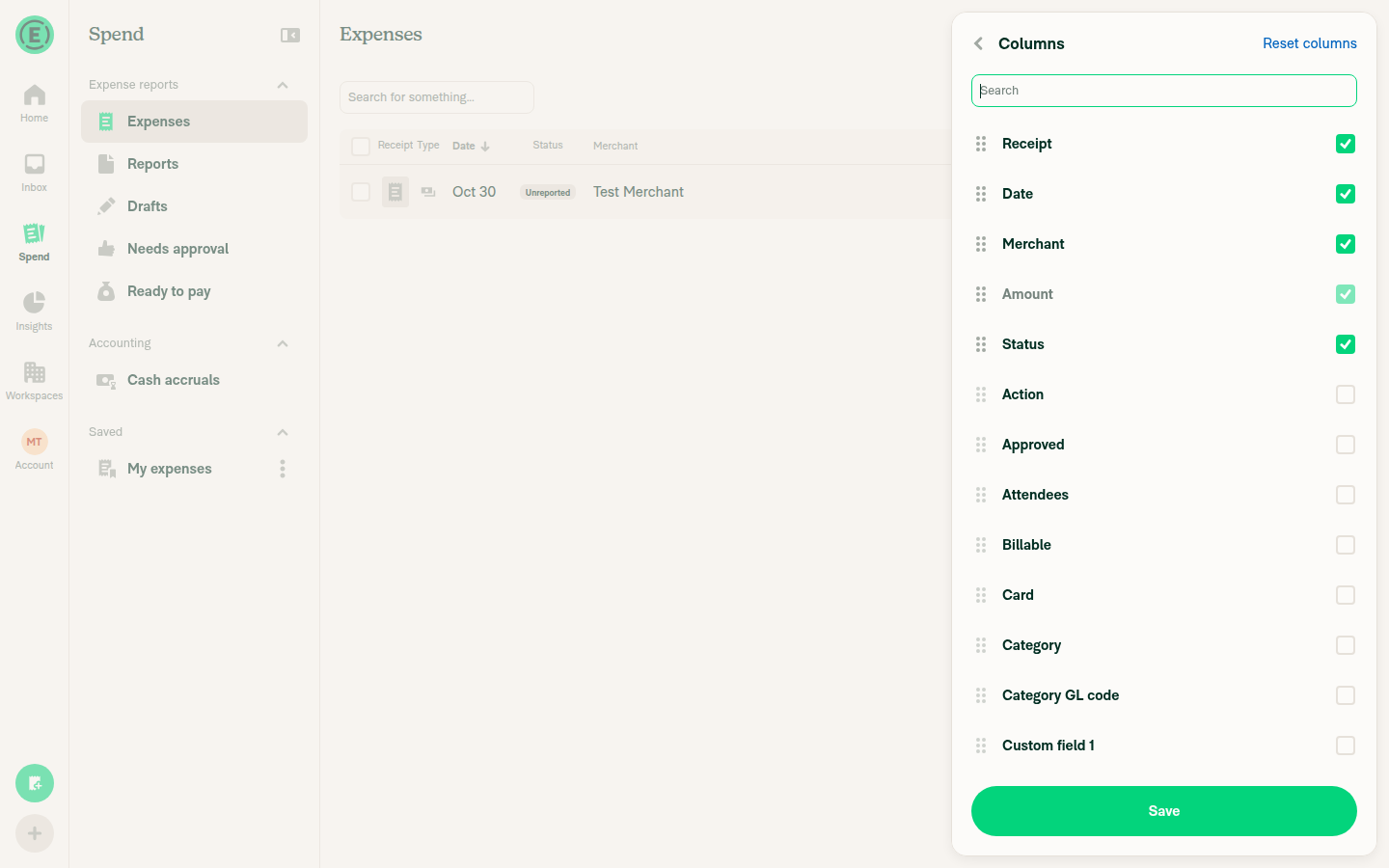
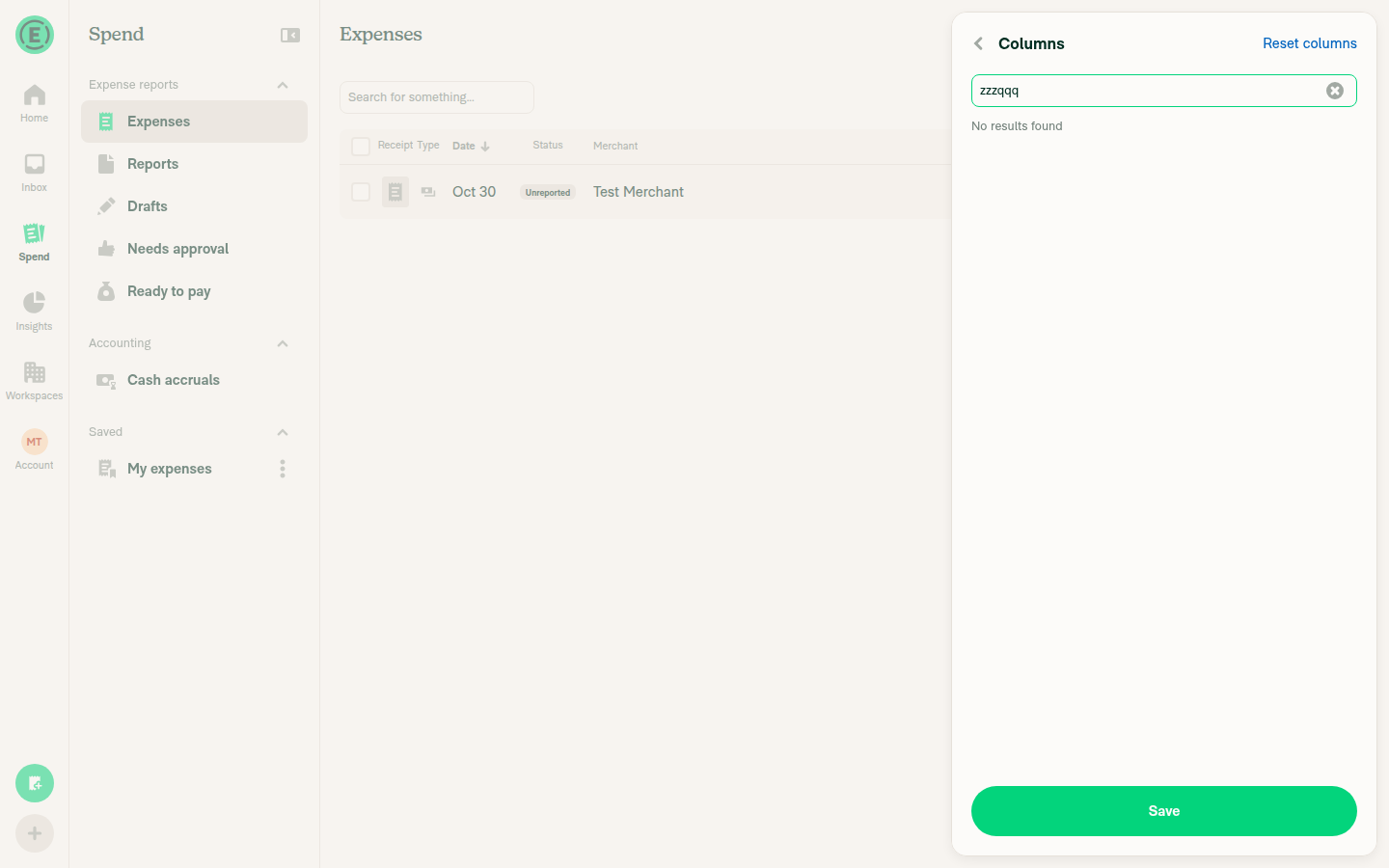
🤖 Web test steps verification results: ✅ pass All 10 steps for the Columns page search passed on Web. The PR's Tests section is still a TODO, so I took the steps from the issue's product spec. No error banners appeared, but the tester couldn't read the JS console on Web, so console errors aren't verified.
|
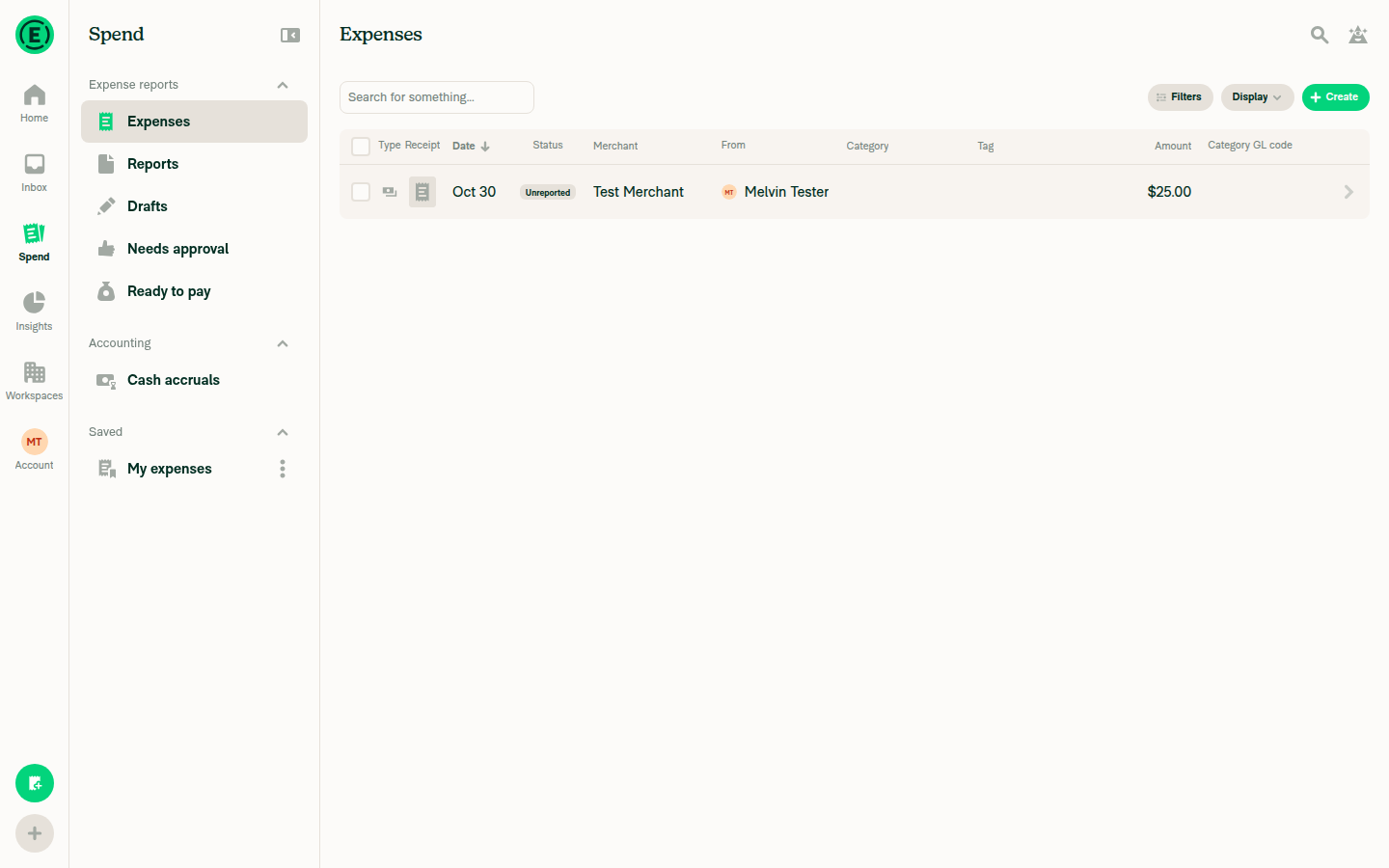
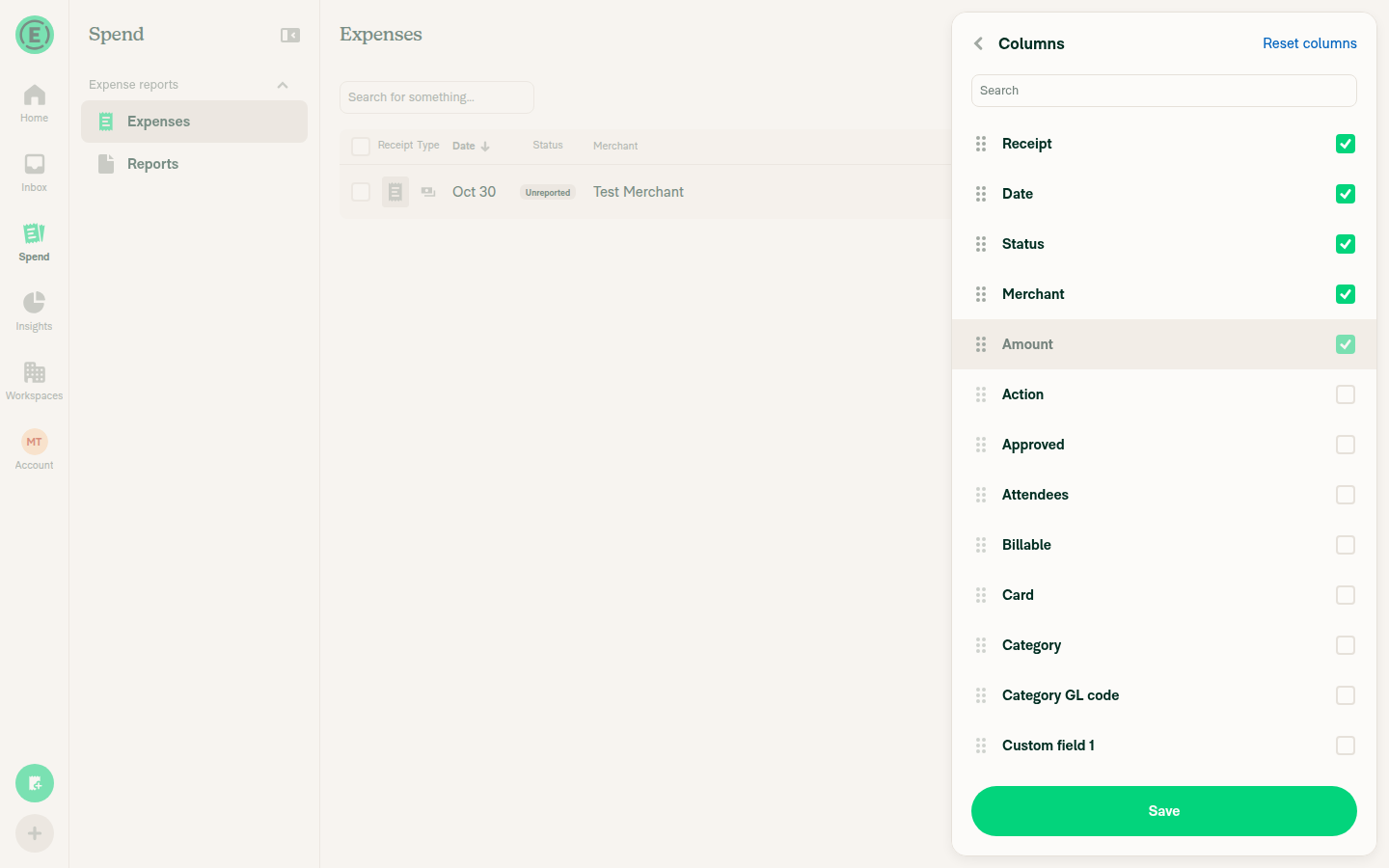

 Krishna2323
left a comment
Krishna2323
left a comment
There was a problem hiding this comment.
@MelvinBot Thanks, the keyboard-navigation fix looks right. The focus listeners in useListKeyboardNav would stay on the old container after the list remounted. Please finish the PR author checklist and open the PR for review:
- Replace the
// TODOplaceholders in### Testswith the steps below. UseSame as tests.for### Offline testsand### QA Steps. - Tag
@Expensify/designin a PR comment, since this PR adds UI. - Mark all checkboxes in the
PR Author Checklist, including the sub-items. Leave theScreenshots/Videossections and theVerify that no errors appear in the JS consoleitems alone. I'll cover recordings and console checks in the reviewer checklist. - Re-run
validate-perf-tests. The failure is inReportActionsListand also happens on unrelated PRs. - Mark the PR as ready for review.
Columns is only reachable on wide layouts (`Edit columns` needs a large screen, and the expense report `Columns` link is hidden in narrow layout), so test on desktop web and the desktop app.

**Search columns**
1. Go to `Spend` > `Expenses` > `Display` > `Edit columns`.
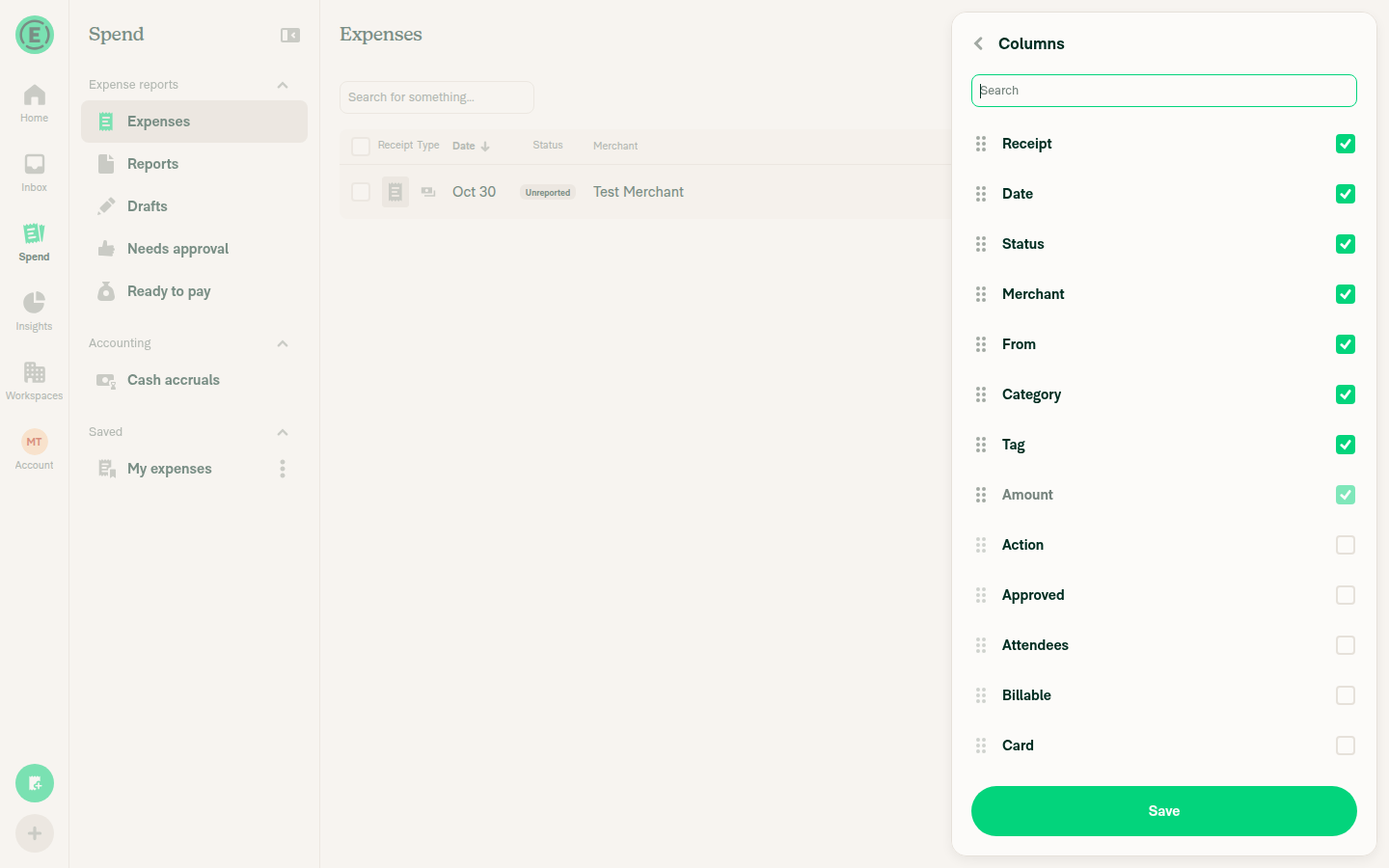
2. Verify a search input with the placeholder `Search` appears below the `Columns` header and is not focused.
3. Type `MERCHANT`. Verify only `Merchant` is listed.
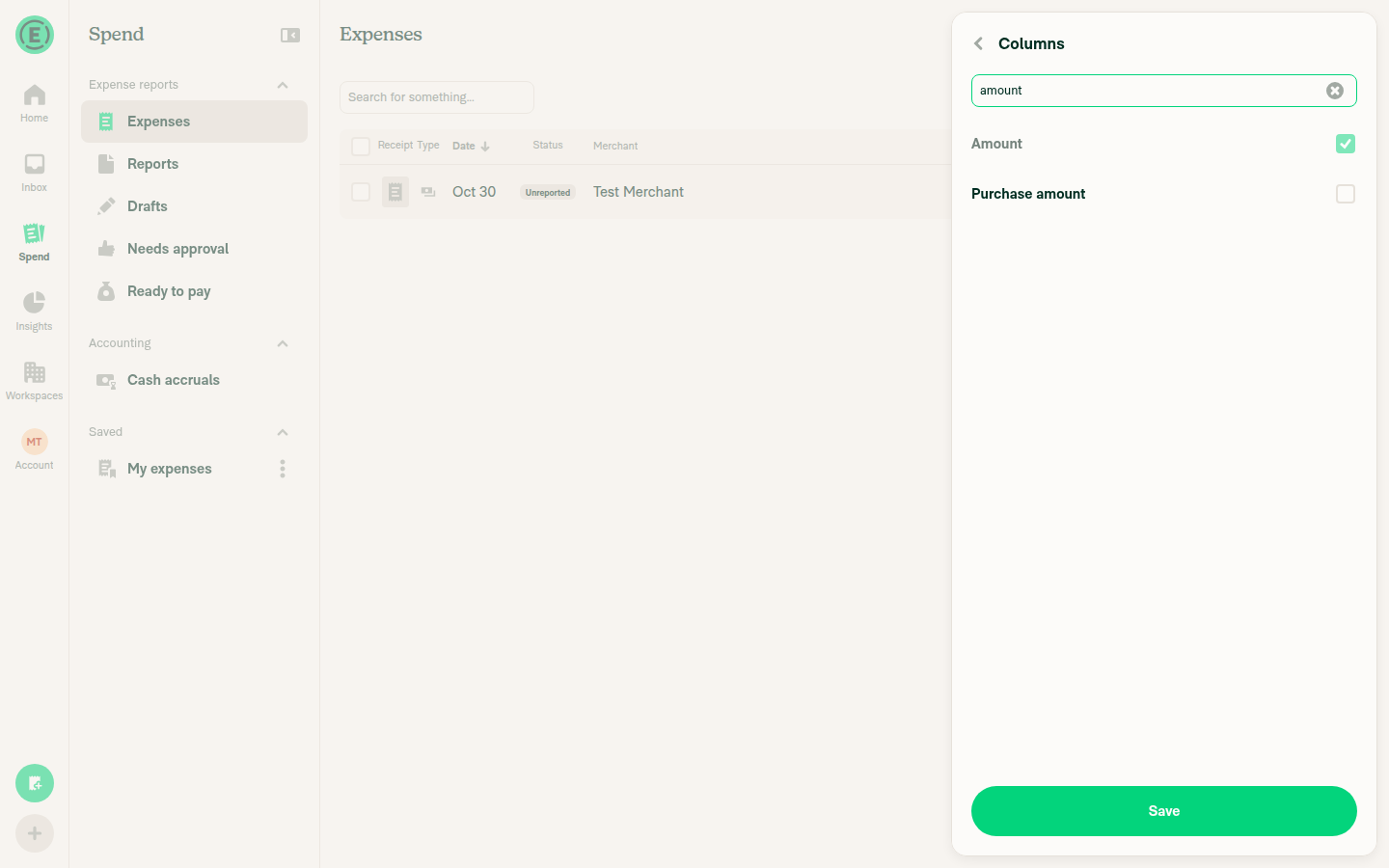
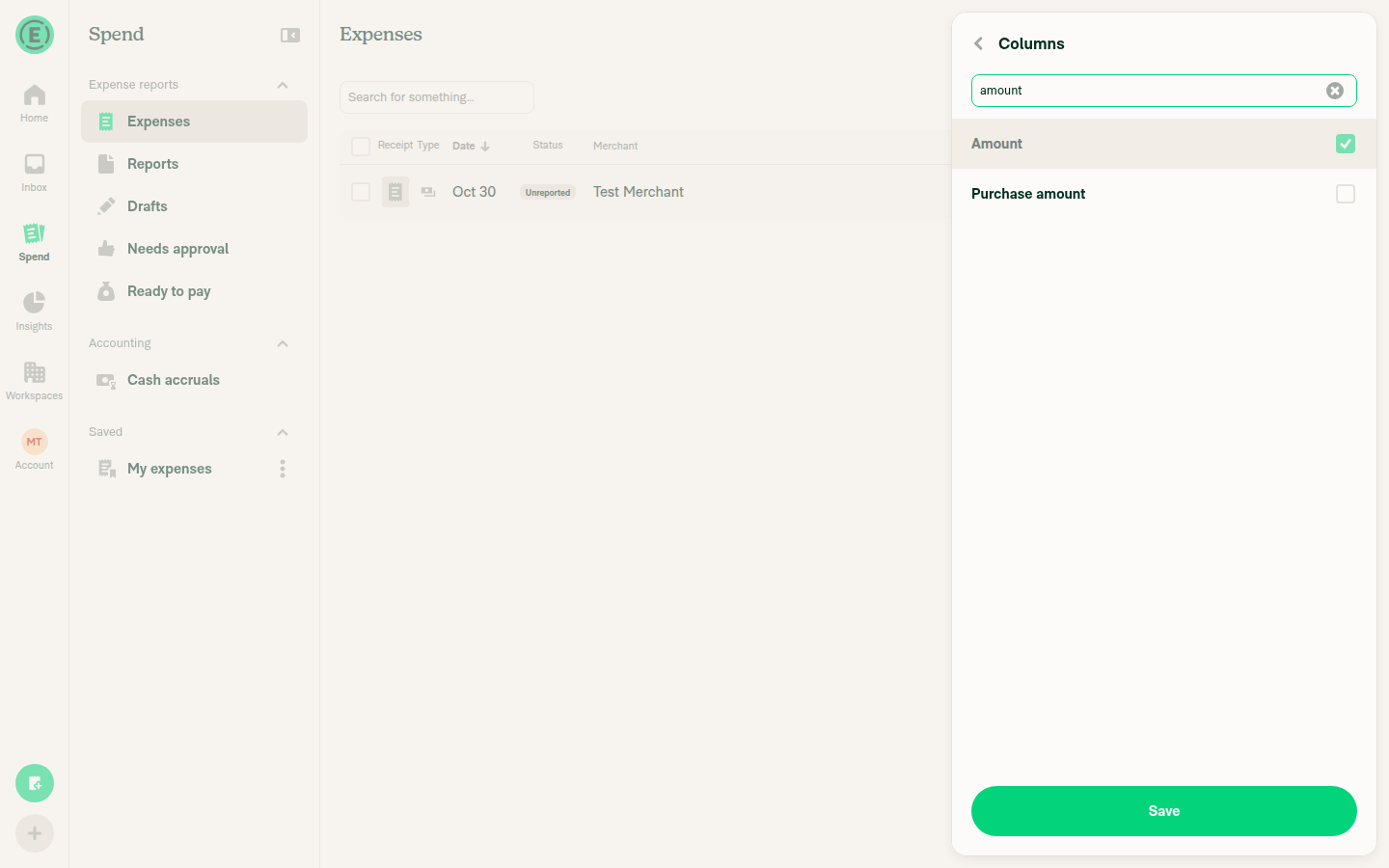
4. Type `amount`. Verify `Amount` is listed with its locked checkbox.
5. Clear the input. Verify the full list returns in the same order as before.

**Selections while searching**
1. Search for an unchecked column (e.g. `tag`) and check it.
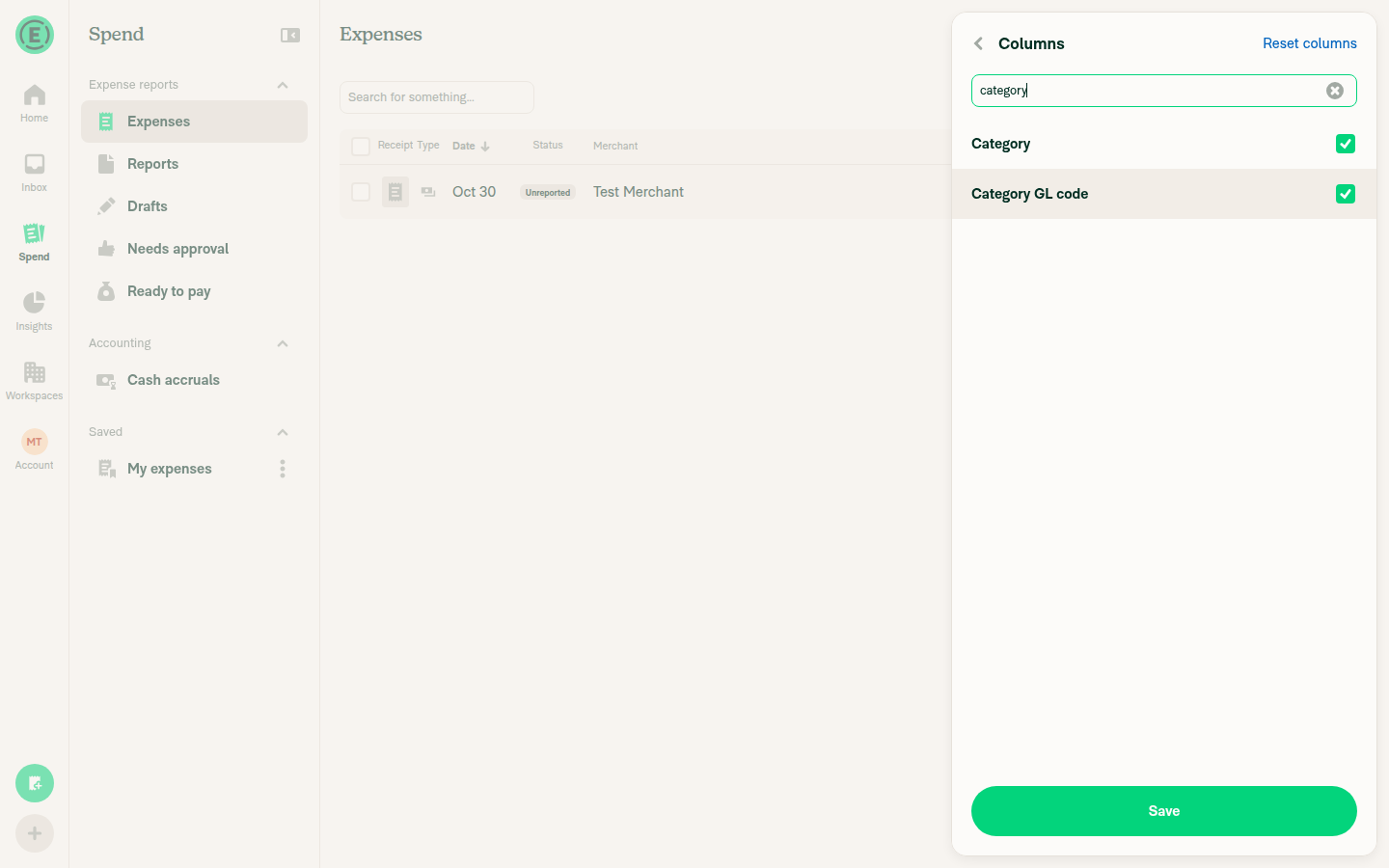
2. Search for another unchecked column (e.g. `category`) and check it.
3. Clear the search. Verify both columns are still checked.
4. Click `Save`. Verify both columns appear in the Expenses table.

**Reordering while searching**
1. Type any text in the search. Verify the drag handles are hidden and rows can't be dragged.
2. Clear the search. Verify the drag handles return and dragging reorders rows.

**No results**
1. Type `zzz`. Verify `No results found` is shown and `Save` is still enabled.
2. Clear the search. Verify the full list returns.

**Reset columns**
1. Check or uncheck a column, then type in the search.
2. Click `Reset columns`. Verify the search is cleared and the default list is shown.

**Grouped view**
1. Group the expenses by `Category`, then open `Edit columns`.
2. Search for `merchant`. Verify the group section header and the divider are hidden.
3. Type `zzz`, then clear the search. Use the arrow keys to move through the rows. Verify focus moves between rows.

**Expense report Columns page**
1. Open an expense report with expenses and click `Columns` above the expense list.
2. Repeat the "Search columns" and "Selections while searching" steps there.
|
No code fix is needed. The only real failure is the same flaky perf test I flagged earlier, and nobody has re-run it yet.
|
|
@Expensify/design This PR adds a search input to the |

|
@Krishna2323 Please copy/paste the Reviewer Checklist from here into a new comment on this PR and complete it. If you have the K2 extension, you can simply click: [this button] |

Codex Review SummaryThis comment shows the latest Codex review activity on this pull request.
ℹ️ About Codex in GitHubYour team has set up Codex to review pull requests in this repo. Reviews are triggered when you
Codex reacts with 👀 while any review is running, comments if it has suggestions, and reacts with 👍 once all reviews finish with no findings. |
|
The PR is ready for review. I added your test steps, tagged design, and checked 16 checklist boxes. I left 20 boxes unchecked because each says someone did manual testing that no one has done yet. I also couldn't rerun
Checklist boxes I left uncheckedChecking these would claim testing that hasn't happened. On the earlier Android run, the tester couldn't even reach the Columns page on a phone layout.
The checked boxes are either done (linked issue, test steps, design tag, unit tests) or don't apply (assets, markdown, Storybook, new code pattern, merging main after review). The copy box is checked because |
|
No code fix is needed. None of the failing checks is caused by this PR's changes.
|

| /> | ||
| <View style={styles.flex1}> | ||
| {shouldShowNoResultsFound && ( | ||
| <View style={[styles.ph5, styles.pb5]}> |

There was a problem hiding this comment.
❌ CONSISTENCY-3 (docs)
The "No results found" empty-state block, the useDebouncedAccessibilityAnnouncement(noResultsFoundText, shouldShowNoResultsFound, searchValue) wiring, and the CompactSearchBar invocation (style={[styles.mb3, styles.mw100]}) are copied verbatim from src/components/Search/FilterComponents/AdvancedFilters/FilterList.tsx (lines 146-169). The empty state here uses the exact same markup and style tuple [styles.textLabel, styles.colorMuted, styles.minHeight5] with the same aria-hidden Text. Two identical copies will drift when one is updated.
Extract the shared search-with-empty-state pattern into a small reusable component (e.g. a ListSearchBar wrapping CompactSearchBar + the no-results Text + useDebouncedAccessibilityAnnouncement) and consume it from both ColumnsSettingsList and FilterList:
// shared component
function ListSearchBar({label, searchValue, onChangeText, shouldShowNoResultsFound, style}: ListSearchBarProps) {
    const styles = useThemeStyles();
    const {translate} = useLocalize();
    const noResultsFoundText = translate('common.noResultsFound');
    useDebouncedAccessibilityAnnouncement(noResultsFoundText, shouldShowNoResultsFound, searchValue);
    return (
        <>
            <CompactSearchBar label={label} inputValue={searchValue} onChangeText={onChangeText} style={style} />
            {shouldShowNoResultsFound && (
                <View style={[styles.ph5, styles.pb5]}>
                    <Text style={[styles.textLabel, styles.colorMuted, styles.minHeight5]} aria-hidden>{noResultsFoundText}</Text>
                </View>
            )}
        </>
    );
}
Note: the author flagged this in the PR description, arguing a shared component would also require changing FilterList (out of scope). If reviewers agree the scope exception applies, this can be waived; otherwise consolidate to keep the two copies from diverging.
Reviewed at: f688190 | Please rate this suggestion with 👍 or 👎 to help us improve! Reactions are used to monitor reviewer efficiency.
There was a problem hiding this comment.
I moved the duplicated block into a new shared component, ListSearchBar.tsx, in 47e0349. ColumnsSettingsList and FilterList both use it now. It holds the search bar, the No results found text, and the screen reader announcement. Neither component's behavior changes.
I didn't use CompactSearchBar's built-in shouldShowEmptyState because it shows No results found matching "…", and the issue asks for plain No results found.
These checks passed: Jest (ColumnsSettingsListTest and SearchAdvancedFiltersPopupTest, 25 tests), typecheck, the React Compiler check, and spelling. ESLint found no new errors in the changed files.
|
No code fix is needed. The only real failure is still the flaky Reassure run from before, and it hasn't been re-run yet.
|
|
No code fix is needed. The remaining failures aren't caused by this PR.
|
|
No code fix is needed. Nothing has changed since my last reply, and I don't have permission to re-run the job myself.
To clear the perf failure, open the run and select Re-run failed jobs. Anyone with write access can do this. |
…nd Search filters

Co-authored-by: Krishna <Krishna2323@users.noreply.github.com>

Reviewer Checklist
Screenshots/VideosAndroid: HybridAppAndroid: mWeb ChromeiOS: HybridAppiOS: mWeb SafariMacOS: Chrome / Safariweb_chrome.mp4 |
|
No code fix is needed. I waited for every check on the new commit (
|
|
The failing checks are still unrelated to this PR, so I didn't push a fix. Analysis: Evidence: The same
Re-run the Reassure job. The other failing checks, |
|
The failing check is still unrelated to this PR, so I didn't push a fix. Analysis: After the latest commit, Evidence: The Reassure job failed on several unrelated branches this afternoon, mostly on
Re-run the Reassure job. |

|
🚧 JmillsExpensify has triggered a test Expensify/App build. You can view the workflow run here. |
This comment has been minimized.
This comment has been minimized.


|
@MelvinBot merge main |
…Search

Co-authored-by: Krishna <Krishna2323@users.noreply.github.com>
|
🤖 Merged |

|
Testing well for me too |


|
✋ This PR was not deployed to staging yet because QA is ongoing. It will be automatically deployed to staging after the next production release. |

|
🚧 JS00001 has triggered a test Expensify/App build. You can view the workflow run here. |
|
🧪🧪 Use the links below to test this adhoc build on Android, iOS, and Web. Happy testing! 🧪🧪
|


|
🚀 Deployed to staging by https://github.com/JS00001 in version: 9.5.28-4 🚀
|
|
No help site update needed. This PR adds a self-explanatory search box to the existing Edit columns list, and every step in the column customization steps (checkboxes, drag and drop, Save) is still accurate. |

|
🚀 Deployed to staging by https://github.com/JS00001 in version: 9.5.30-0 🚀
|
|
🚀 Deployed to production by https://github.com/blimpich in version: 9.5.30-0 🚀
Bundle Size Analysis (Sentry): |


Explanation of Change
Adds a search input to the top of the
Columnspage so users can filter the long column list by name.ColumnsSettingsListis shared, so the input appears on bothSpend>Expenses>Display>Edit columnsand the expense reportColumnspage.ListSearchBar, which wrapsCompactSearchBarand shows and announcesNo results foundwhen nothing matches. The Search filters list (FilterList.tsx) had this same block inline, so it now usesListSearchBartoo. The input is pinned above the scrolling list and is not autofocused, so the keyboard doesn't cover the list on mobile.isLabelMatchingSearchValue, which is case-insensitive and matches anywhere in the name. Filtering runs after the existing sort, so matching rows keep their order (checked first, then unchecked alphabetically).columnsstate stays unfiltered, so selections persist when the search changes or is cleared, andSaveapplies every selection, including rows hidden by the current search.No results foundis shown and announced to screen readers.Savestays enabled.Reset columnsalso clears the search text.ScrollViewstays mounted when nothing matches.useListKeyboardNavattaches its focus listeners tocontainerRefonly once, so unmounting the grouped container would break arrow-key navigation after the search is cleared.keyboardShouldPersistTaps="handled"lets a row be tapped while the keyboard is open on mobile.This builds on
Krishna2323's draft PR, Add a search input to the Columns page, with the keyboard-navigation fix above and two more UI tests.Code review note:
ListSearchBardoesn't useCompactSearchBar's built-inshouldShowEmptyState, because that showsNo results found matching "…"and the issue asks forNo results foundto match the other selection lists.AI Tests
npm test -- tests/ui/ColumnsSettingsListTest.tsx tests/unit/Search/SearchAdvancedFiltersPopupTest.tsx: 25 passednpm run typecheck: passednpm run react-compiler-compliance-check checkonListSearchBar.tsx,ColumnsSettingsList.tsx, andFilterList.tsx: passednpm run spell-changedon the changed files: passedeslinton the changed files: no new errors. The two reported errors (HeaderWithBackButtonimport,keyForListtype assertion) are on unchanged lines.oxfmtformatting: not run locally (left to CI)Fixed Issues
$ #105288
PROPOSAL: #105288 (comment)
Tests
Columns is only reachable on wide layouts (
Edit columnsneeds a large screen, and the expense reportColumnslink is hidden in narrow layout), so test on desktop web and the desktop app.Search columns
Spend>Expenses>Display>Edit columns.Searchappears below theColumnsheader and is not focused.MERCHANT. Verify onlyMerchantis listed.amount. VerifyAmountis listed with its locked checkbox.Selections while searching
tag) and check it.category) and check it.Save. Verify both columns appear in the Expenses table.Reordering while searching
No results
zzz. VerifyNo results foundis shown andSaveis still enabled.Reset columns
Reset columns. Verify the search is cleared and the default list is shown.Grouped view
Category, then openEdit columns.merchant. Verify the group section header and the divider are hidden.zzz, then clear the search. Use the arrow keys to move through the rows. Verify focus moves between rows.Expense report Columns page
Columnsabove the expense list.Offline tests
Same as tests.
QA Steps
Same as tests.
PR Author Checklist
### Fixed Issuessection aboveTestssectionOffline stepssectionQA stepssectionAvatar, I verified the components usingAvatarare working as expected)npm run compress-svg)Avataris modified, I verified thatAvataris working as expected)Designlabel and/or tagged@Expensify/designso the design team can review the changes.mainbranch was merged into this PR after a review, I tested again and verified the outcome was still expected according to theTeststeps.Screenshots/Videos
Android: Native
Android: mWeb Chrome
iOS: Native
iOS: mWeb Safari
MacOS: Chrome / Safari