Skip to content

[Batch 4] Add dismiss action to DecisionModalWrapper and migrate domain close-account and company cards modals - #104531

Merged
roryabraham merged 4 commits into
mainfrom
claude-migrateDecisionModalsBatch4
Oct 30, 2026
Merged

roryabraham merged 4 commits into
mainfrom
claude-migrateDecisionModalsBatch4

Conversation

@MelvinBot

@MelvinBot MelvinBot commented Oct 21, 2026 •

Copy link
Copy Markdown
Contributor

Explanation of Change

Batch 4 of the move to the global useDecisionModal. It covers the three modals listed in the issue.

Step 1: dismiss result in DecisionModalWrapper

  • Added ModalActions.DISMISS and an opt-in shouldReportDismiss prop on DecisionModalWrapper.
  • With the flag on, the backdrop, Escape, and Back resolve with DISMISS. Without it, they still resolve with CLOSE, so existing showDecisionModal callers behave the same.

Domain "Close account" modals (DomainMemberDetailsPage, DomainMembersPage)

  • Removed the local DecisionModal and the isModalVisible / shouldForceCloseAccount state. Each page now runs one async flow:
    1. Await the decision (shouldReportDismiss: true).
    2. On DISMISS, do nothing.
    3. Otherwise, await the confirm modal. First option means force close, and the second means safe close.
    4. On cancel, call the flow again so the decision modal comes back.
  • This avoids the loop described in the issue, where a dismiss counted as "Safe close".

Company cards "Offline" modal (WorkspaceCompanyCardsPage)

  • useAssignCard now takes an onOfflineAssign callback instead of the setShouldShowOfflineModal state setter.
  • The page passes a callback that shows the offline alert through showDecisionModal.

Tests

  • New tests/unit/components/DecisionModalWrapperTest.tsx: a default dismiss resolves CLOSE, an opt-in dismiss resolves DISMISS, and the buttons still resolve CONFIRM / CLOSE.
  • tests/ui/DomainMemberDetailsPageTest.tsx: dismiss does nothing, safe close and force close call closeUserAccount with the right flag, and cancelling the confirm modal reopens the decision modal.
  • tests/ui/WorkspaceCompanyCardsPageSelectionModeTest.tsx: onOfflineAssign shows the offline alert.
  • tests/unit/hooks/useAssignCard.test.ts: updated to the new onOfflineAssign prop.

AI Tests

  • ✅ npm test on the 4 changed suites (34 tests) plus ModalContextCloseByIDTest, DecisionModalTest, useExportActionsTest, and useSearchBulkActionsExportTest (74 tests)
  • ✅ npm run typecheck
  • ✅ npm run lint-changed (no findings)
  • ✅ npm run fmt (oxfmt)
  • ✅ npm run react-compiler-compliance-check check <changed src files> (no errors). check-changed and spell-changed could not run in the sandbox because git merge-base failed.
  • ⚠️ Not run locally: the full npm run lint, the full npm test, and the Storybook smoke test. CI will run them.

Fixed Issues

$ #102978
PROPOSAL:

Tests

Prerequisites

  • Account A is an admin of a verified private domain that has at least 3 members you can close. Use fresh test accounts with no pending approvals or active reimbursements, so "Close account safely" doesn't skip them.
  • Account A is an admin of a workspace with Company cards enabled and a direct (non-commercial) card feed that has at least one unassigned card.

Domain member details: Close account

  1. Sign in as account A and open the domain > Members.
  2. Click a member to open the member details page.
  3. Click "Close account".
  4. Verify a "Close account" modal opens with "Force close account" and "Close account safely" buttons.
  5. Press Escape. Verify the modal closes and no "Are you sure? This action is permanent." confirm modal opens.
  6. Click "Close account" again, then click the backdrop. Verify the modal closes and no confirm modal opens.
  7. Web only: click "Close account" again, then press the browser Back button. Verify the modal closes and no confirm modal opens. Android: use the hardware Back button instead.
  8. Click "Close account", then click "Close account safely". Verify the "Are you sure? This action is permanent." confirm modal opens.
  9. Click "Cancel". Verify the "Close account" decision modal opens again.
  10. Click "Force close account". Verify the confirm modal opens.
  11. Click "Cancel". Verify the "Close account" decision modal opens again.
  12. Click "Close account safely", then confirm. Verify the details page closes and the member is removed from the Members list.

Domain members list: bulk Close accounts
13. On the Members page, select 2 members.
14. Open the selection dropdown and click "Close accounts".
15. Verify a "Close accounts" modal opens with "Force close accounts" and "Close accounts safely" buttons.
16. Press Escape. Verify the modal closes, no confirm modal opens, and both members stay selected.
17. Click "Close accounts" again, then click the backdrop. Verify the same result as step 16.
18. Click "Close accounts", then click "Force close accounts". Verify the confirm modal opens.
19. Click "Cancel". Verify the "Close accounts" decision modal opens again.
20. Click "Force close accounts", then confirm. Verify both members are removed from the list and the selection is cleared.

Regression: existing global decision modals
21. Open an expense report, go offline, and use the report header to download a CSV.
22. Verify the "You appear to be offline." modal opens. Press Escape or click the backdrop and verify it closes without errors.

  • Verify that no errors appear in the JS console

Offline tests

Company cards: assign while offline

  1. As account A, open the workspace > Company cards and select the direct card feed.
  2. Go offline (Troubleshoot > Force offline).
  3. Click "Assign card" on an unassigned card.
  4. Verify a "You appear to be offline." modal opens with the message "You can't take this action right now." and a "Got it" button.
  5. Click "Got it". Verify the modal closes and the card stays unassigned.
  6. Click "Assign card" again, then press Escape. Verify the modal closes.

Domain: close account while offline
7. Stay offline. Open the domain > Members and click a member.
8. Click "Close account", press Escape, and verify nothing else opens.
9. Click "Close account" > "Close account safely" > "Cancel". Verify the decision modal opens again.
10. Click "Close account safely" and confirm. Verify the member shows as pending deletion (greyed out) in the Members list.
11. Go back online. Verify the member is removed from the list.

QA Steps

Same as Tests and Offline tests.

  • Verify that no errors appear in the JS console

PR Author Checklist

  • I linked the correct issue in the ### Fixed Issues section above
  • I wrote clear testing steps that cover the changes made in this PR
    • I added steps for local testing in the Tests section
    • I added steps for the expected offline behavior in the Offline steps section
    • I added steps for Staging and/or Production testing in the QA steps section
    • I added steps to cover failure scenarios (i.e. verify an input displays the correct error message if the entered data is not correct)
    • I turned off my network connection and tested it while offline to ensure it matches the expected behavior (i.e. verify the default avatar icon is displayed if app is offline)
    • I tested this PR with a High Traffic account against the staging or production API to ensure there are no regressions (e.g. long loading states that impact usability).
  • I included screenshots or videos for tests on all platforms
  • I ran the tests on all platforms & verified they passed on:
    • Android: Native
    • Android: mWeb Chrome
    • iOS: Native
    • iOS: mWeb Safari
    • MacOS: Chrome / Safari
  • I verified there are no console errors (if there's a console error not related to the PR, report it or open an issue for it to be fixed)
  • I verified any copy / text that was added to the app is either coming verbatim from figma or has been approved by marketing (in order to get marketing approval, ask the Bug Zero team member to add the Waiting for copy label to the issue)
  • If a new code pattern is added I verified it was agreed to be used by multiple Expensify engineers
  • I tested other components that can be impacted by my changes (i.e. if the PR modifies a shared library or component like Avatar, I verified the components using Avatar are working as expected)
  • If new assets were added or existing ones were modified, I verified that:
    • The assets are optimized and compressed (for SVG files, run npm run compress-svg)
    • The assets load correctly across all supported platforms.
  • If the PR modifies code that runs when editing or sending messages, I tested and verified there is no unexpected behavior for all supported markdown - URLs, single line code, code blocks, quotes, headings, bold, strikethrough, and italic.
  • If the PR modifies a generic component, I tested and verified that those changes do not break usages of that component in the rest of the App (i.e. if a shared library or component like Avatar is modified, I verified that Avatar is working as expected in all cases)
  • If the PR modifies a component related to any of the existing Storybook stories, I tested and verified all stories for that component are still working as expected.
  • If the PR modifies a component or page that can be accessed by a direct deeplink, I verified that the code functions as expected when the deeplink is used - from a logged in and logged out account.
  • If the PR modifies the UI (e.g. new buttons, new UI components, changing the padding/spacing/sizing, moving components, etc) or modifies the form input styles:
    • I verified that all the inputs inside a form are aligned with each other.
    • I added Design label and/or tagged @Expensify/design so the design team can review the changes.
  • If the PR adds or modifies the UI:
    • I asked an AI agent to review the changes for accessibility issues and addressed its findings.
    • I tested with a screen reader (VoiceOver on macOS) and verified all new/changed elements are reachable with a logical focus order.
    • I verified all new/changed elements have meaningful accessible names and roles.
    • I verified state changes are announced (e.g. checked/unchecked, expanded/collapsed, selected).
  • I added unit tests for any new feature or bug fix in this PR to help automatically prevent regressions in this user flow.
  • If the main branch was merged into this PR after a review, I tested again and verified the outcome was still expected according to the Test steps.

Screenshots/Videos

Android: Native
Android: mWeb Chrome
iOS: Native
iOS: mWeb Safari
MacOS: Chrome / Safari

…ccount and company cards modals to useDecisionModal

Co-authored-by: Yauheni Horbach <ZhenjaHorbach@users.noreply.github.com>
@melvin-bot melvin-bot Bot added Melvin-Test-Android Melvin-Test-Web Triggers Melvin to run the testing steps of the PR on web labels Oct 21, 2026
@MelvinBot
MelvinBot requested a review from a team October 21, 2026 06:52
@MelvinBot

Copy link
Copy Markdown
Contributor Author

I created this PR from an upstream branch because I don't have push access to your fork.

To take ownership of this branch and push updates, run:

git remote add upstream https://github.com/Expensify/App.git
git fetch upstream claude-migrateDecisionModalsBatch4
git checkout -b claude-migrateDecisionModalsBatch4 upstream/claude-migrateDecisionModalsBatch4
git push -u origin claude-migrateDecisionModalsBatch4

Then you can close this PR and open a new one from your fork.

@codecov

codecov Bot commented Oct 21, 2026 •

Copy link
Copy Markdown

Codecov Report

❌ Looks like you've decreased code coverage for some files. Please write tests to increase, or at least maintain, the existing level of code coverage. See our documentation here for how to interpret this table.

Files with missing lines Coverage Δ
...c/components/Modal/Global/DecisionModalWrapper.tsx 95.83% <100.00%> (+95.83%) ⬆️
src/components/Modal/Global/ModalContext.tsx 95.38% <ø> (ø)
src/hooks/useAssignCard.ts 84.81% <100.00%> (ø)
...rkspace/companyCards/WorkspaceCompanyCardsPage.tsx 95.50% <100.00%> (-0.24%) ⬇️
...c/pages/domain/Members/DomainMemberDetailsPage.tsx 90.09% <85.24%> (+7.74%) ⬆️
src/pages/domain/Members/DomainMembersPage.tsx 0.00% <0.00%> (ø)
... and 4 files with indirect coverage changes

@MelvinBot

MelvinBot commented Oct 21, 2026 •

Copy link
Copy Markdown
Contributor Author

🤖 Android test steps verification results: ⚠️ partial

The PR's Tests section is still a TODO, so I tested against the acceptance criteria in the linked issue. The test account couldn't reach the domain close-account modals or the company card "Assign card" action. The app had no crashes or red-box errors in the flows I could reach.
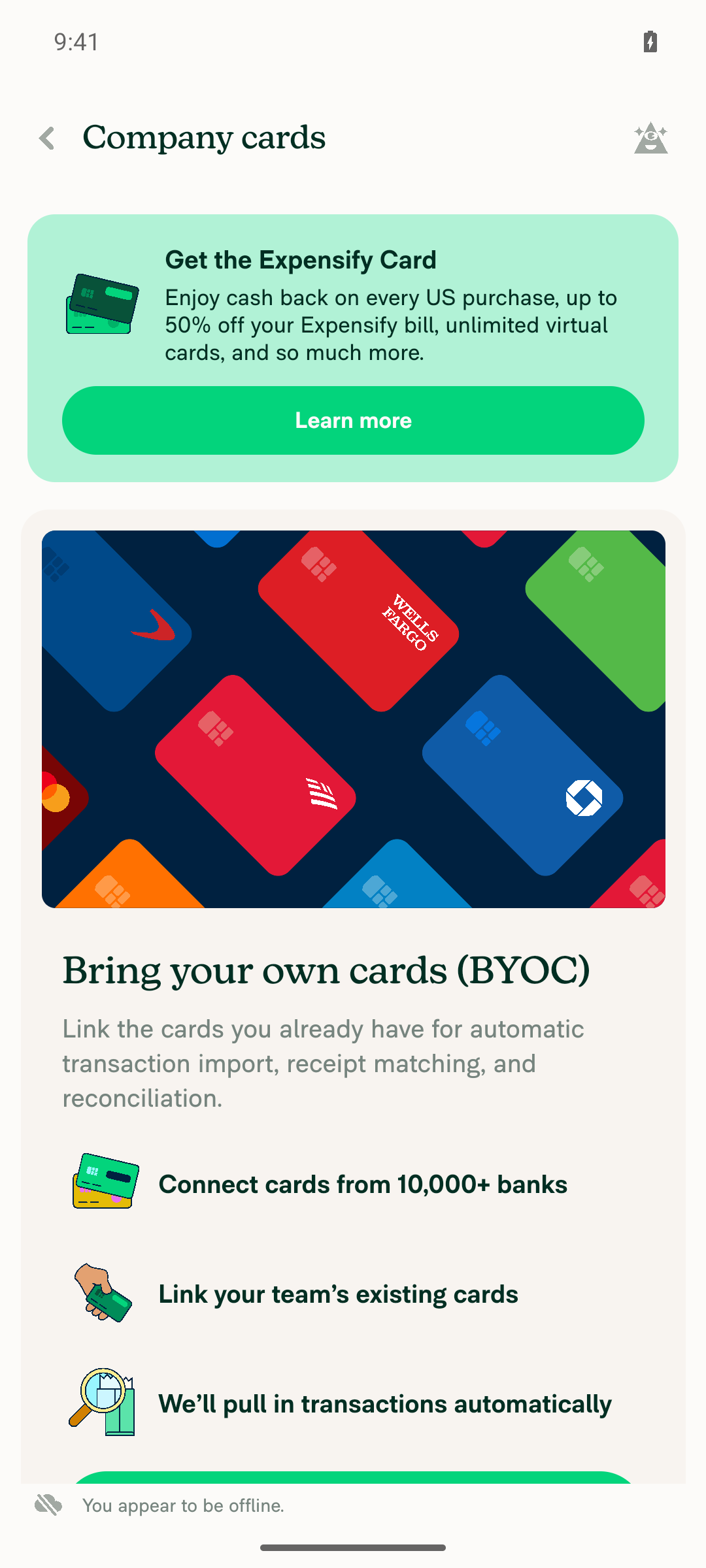
Company cards page while offline after tapping Add cards

Step Status
Domain member details: "Close account" shows a decision modal with force close and safe closeBlocked. The test account uses a public gmail.com address. Domains > New domain rejected it with "You have entered a public domain. To continue, please enter a private domain." No domain, no Domain Members page, and no member close-account modal could be reached.
⚠️
Back or backdrop dismiss on the decision modal does nothingBlocked. This step needs the modal from step 1.
⚠️
Safe close opens the confirm modal, and cancelling it brings the decision modal backBlocked. This step needs the modal from step 1.
⚠️
Force close opens the confirm modal, and cancelling it brings the decision modal backBlocked. This step needs the modal from step 1.
⚠️
Domain Members bulk "Close account" shows the same modal, and a dismiss does nothingBlocked. The Domain Members page can't be reached. The Workspace Members bulk menu has no close-account action, so it can't stand in for this step.
⚠️
Company cards: assigning a card while offline shows the "Offline" alertBlocked. Connecting a card feed needs a 6-digit code emailed to the test account, which I can't read. Without a feed, there is no "Assign card" button. With Force offline on, tapping "Add cards" showed only the offline banner. That button is not the one this PR changes, so this result doesn't confirm or rule out the fix.
Company cards page while offline after tapping Add cards
⚠️
No red-box errors or crashesThe app stayed in the foreground with no crash or error screens. I checked workspace creation, the new-domain form, the Members page, Troubleshoot settings, and the offline Company cards page.
✅

To test the main flows, use an account that is an admin of a verified private domain and has a connected company card feed.


view run · view recording

@MelvinBot

MelvinBot commented Oct 21, 2026 •

Copy link
Copy Markdown
Contributor Author

🤖 Web test steps verification results: ⚠️ partial

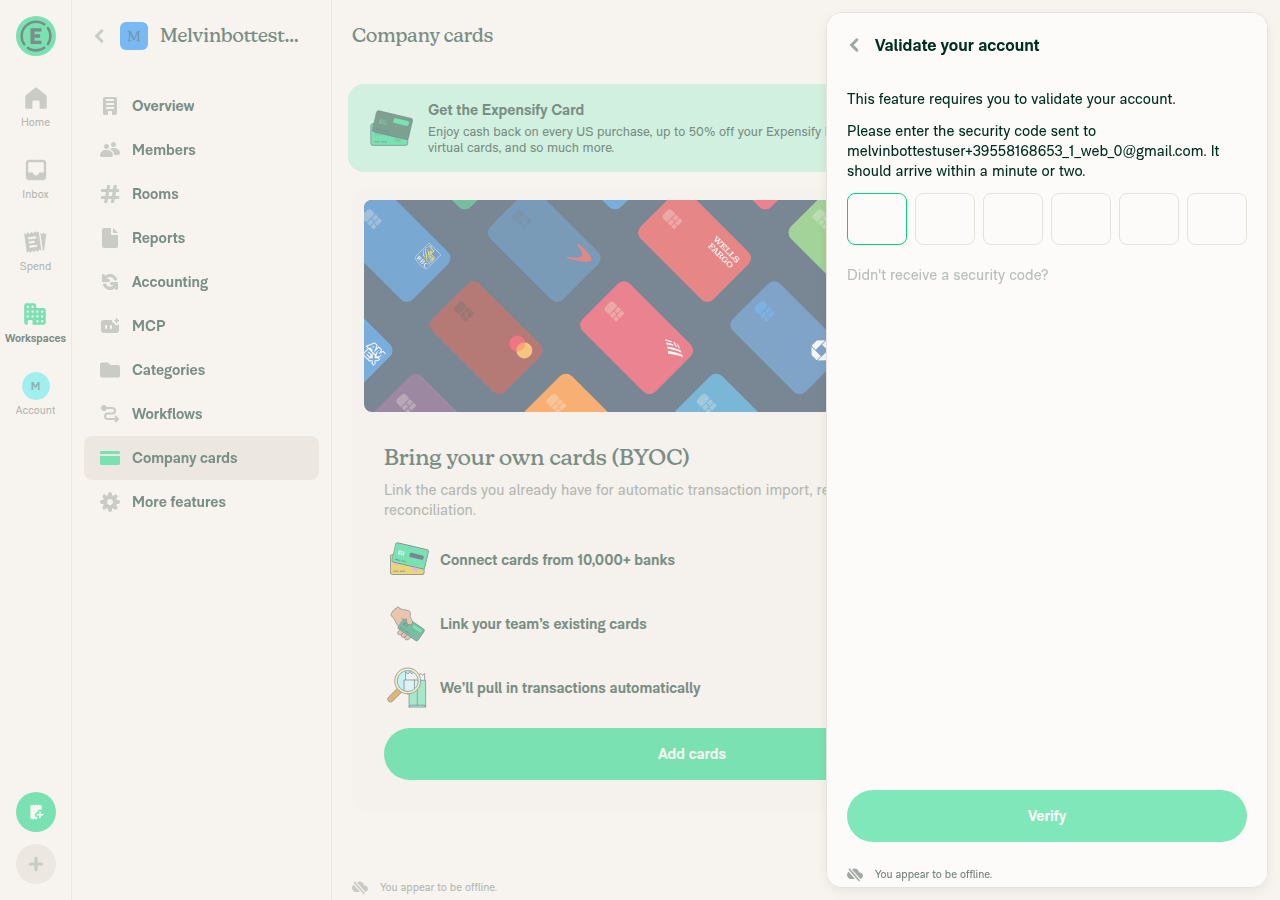
The PR's Tests section is still a TODO, so I tested against the acceptance criteria in the linked issue. I couldn't reach any of the three changed modals. The test account has no domain and no company card feed, and creating either one requires an emailed "Validate your account" code that I can't read.
Add payment card dialog shown instead of a card assignment flow

Step Status
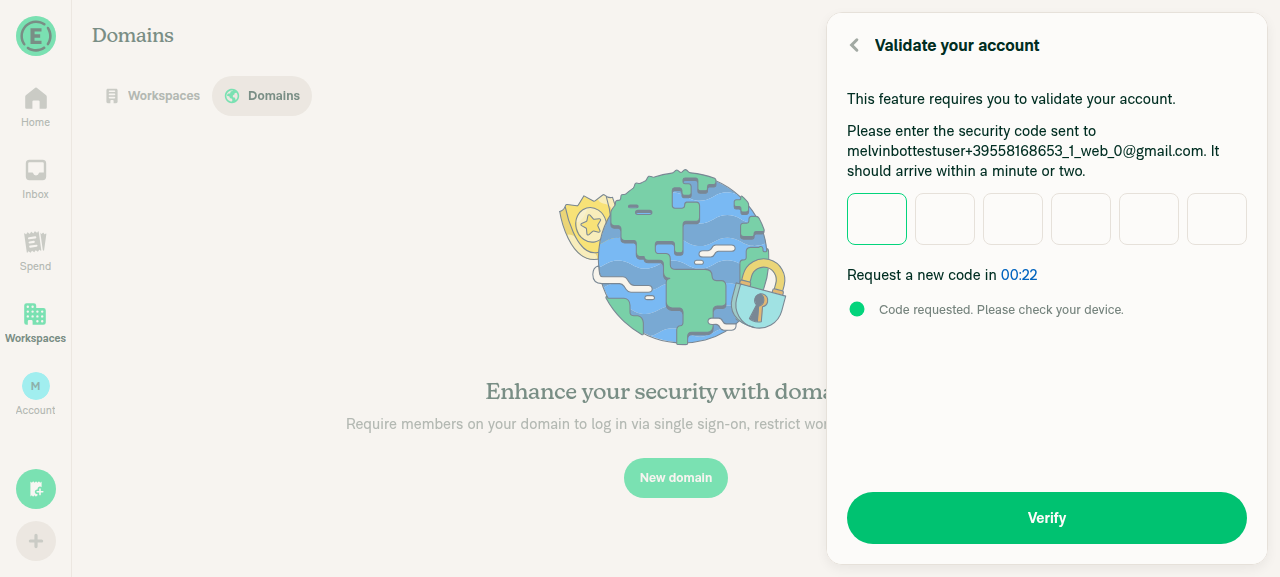
Domain member details: "Close account" shows a decision modal with force close and safe closeBlocked. The account has no domain. Creating one (melvintestdomain.com) opened a "Validate your account" screen that needs a 6-digit code sent by email.
Validate your account screen blocking new domain creation
⚠️
Escape, backdrop click, and browser Back dismiss the decision modal and do nothing elseBlocked. This step needs the modal from step 1.
⚠️
Safe close opens the confirm modal, and cancelling it brings the decision modal backBlocked. This step needs the modal from step 1.
⚠️
Force close opens the confirm modal, and cancelling it brings the decision modal backBlocked. This step needs the modal from step 1.
⚠️
Domain Members bulk "Close account" shows the same modal, and a dismiss does nothingBlocked. There is no domain member list to select from.
⚠️
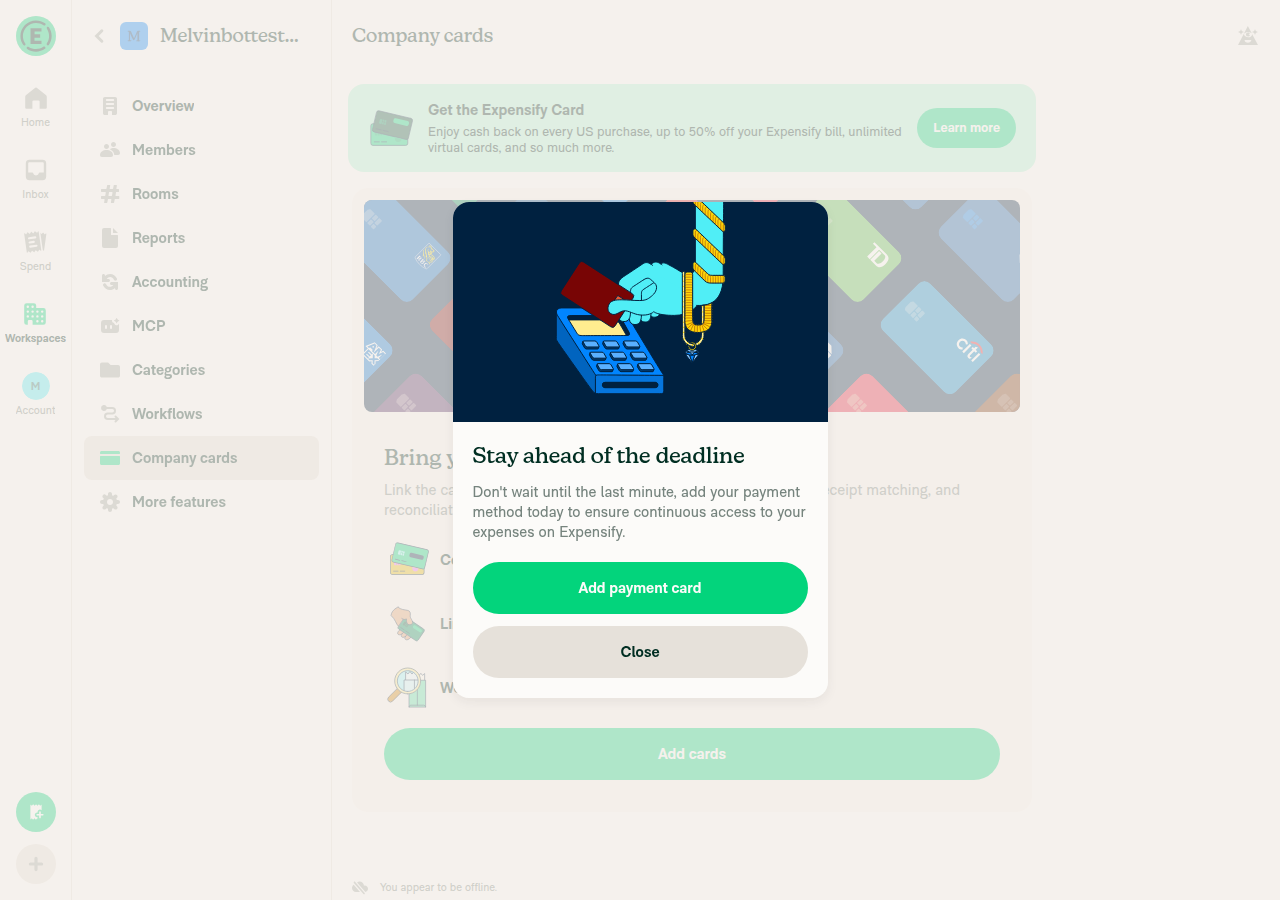
Company cards: assigning a card while offline shows the "Offline" alertBlocked. I turned on Force offline and opened Company cards. With no card feed, the only action is "Add cards", not "Assign card". "Add cards" opened the same "Validate your account" screen. Going back showed an "Add payment card" billing dialog. This result doesn't confirm or rule out the fix.
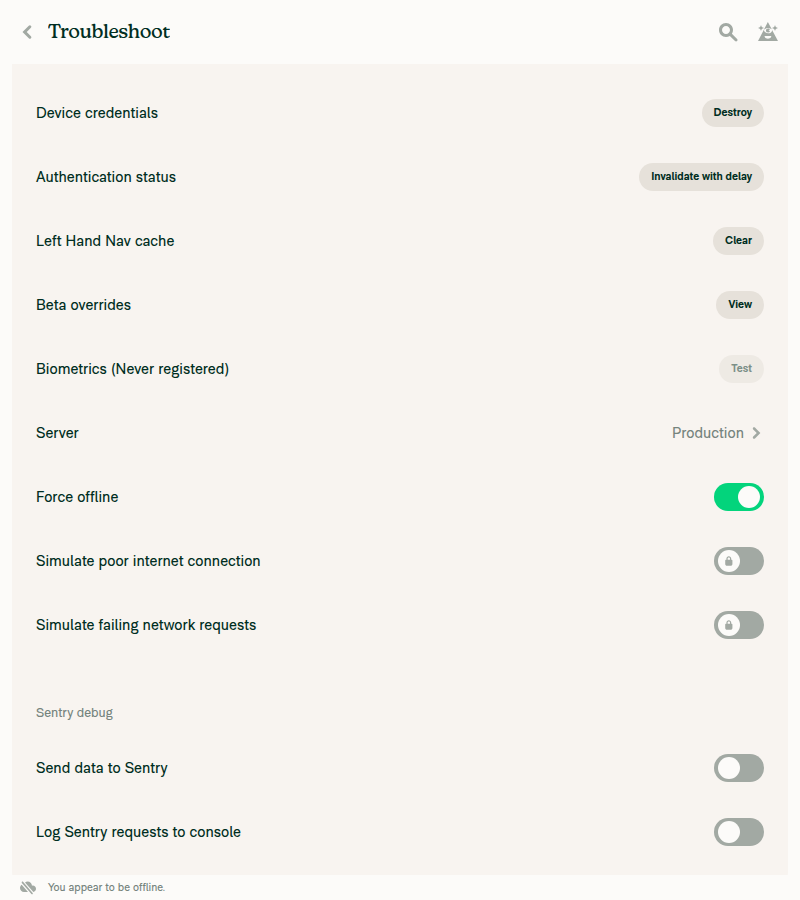
Force offline turned on in Troubleshoot
Add cards blocked by Validate your account screen while offline
Add payment card dialog shown instead of a card assignment flow
⚠️
No new JS console errorsNo error banners, crash screens, or broken UI appeared on any screen I reached. The test tool can't read the browser console on web, so this check covers visible errors only.
✅

To test the main flows, use an account that is an admin of a verified private domain and has a connected company card feed.


view run · view recording

@ZhenjaHorbach

Copy link
Copy Markdown
Contributor

@MelvinBot
Complete the author checklist and add test cases

@MelvinBot

Copy link
Copy Markdown
Contributor Author

I updated the PR description. It now has Tests, Offline tests, and QA steps, and I checked the author checklist items I can vouch for.

Test cases added

  • Domain member details: "Close account" dismiss (Escape, backdrop, Back), safe or force close, cancel returns to the decision modal, and confirm closes the account.
  • Domain members list: the same flow for bulk "Close accounts", including that the selection stays after a dismiss.
  • Regression: an existing global decision modal ("You appear to be offline." on CSV download) still dismisses normally.
  • Offline: "Assign card" on a direct feed shows the offline alert, and an offline close account shows as pending.

Still unchecked: you need to do these manually

  • Test offline and with a High Traffic account.
  • Run the tests on all 5 platforms and add screenshots or videos.
  • Check for console errors.
  • Test other components that use DecisionModalWrapper, and the generic-component item.
  • Test the domain member page through a deeplink.

The two earlier Melvin test runs couldn't reach these modals. The test account has no verified domain and no direct card feed. You'll need an account with both to run the steps.

Items checked as not applicable
  • Copy: no new text. The PR reuses existing strings.
  • New code pattern: shouldReportDismiss / ModalActions.DISMISS is the approach the linked issue asked for.
  • Assets, markdown, Storybook: not touched.
  • UI and accessibility: the modals look the same. Only their wiring changed.
  • main merged after review: no review yet.

view run

@ZhenjaHorbach

Copy link
Copy Markdown
Contributor

@MelvinBot
Fix conflicts

…nModalsBatch4

Co-authored-by: Yauheni Horbach <ZhenjaHorbach@users.noreply.github.com>

# Conflicts:
#	src/pages/domain/Members/DomainMemberDetailsPage.tsx
#	src/pages/workspace/companyCards/WorkspaceCompanyCardsPage.tsx
@MelvinBot

Copy link
Copy Markdown
Contributor Author

I fixed the merge conflicts. I merged main into the branch and pushed the merge commit (19769a5). The PR now shows as mergeable.

Both conflicts were in React imports:

  • DomainMemberDetailsPage.tsx: main removed useCallback, and this PR removed useState. The import is now import React from 'react';.
  • WorkspaceCompanyCardsPage.tsx: the same overlap. The import is now {useEffect, useEffectEvent, useRef}.

Checks after the merge

  • ✅ The PR's 4 test suites pass (34 tests).
  • ✅ Typecheck shows no errors in the PR's files. Errors in other files come from outdated local dependencies after the merge.
  • ⚠️ ESLint flags some hook and selector rules in these two files, but main has the same errors. The merge adds no new ones. npm run lint-changed couldn't run locally, so CI will confirm.

view run

@ZhenjaHorbach

Copy link
Copy Markdown
Contributor

@MelvinBot
Open the PR

@MelvinBot
MelvinBot marked this pull request as ready for review October 28, 2026 10:52
@MelvinBot
MelvinBot requested a review from a team as a code owner October 28, 2026 10:52
@melvin-bot
melvin-bot Bot requested a review from ZhenjaHorbach October 28, 2026 10:52
@MelvinBot

Copy link
Copy Markdown
Contributor Author

I marked this PR as ready for review.

The author checklist still has unchecked items that need manual testing, such as the all-platform runs, screenshots, and console checks. Complete them before review, or the PR Author Checklist check will fail.


view run

@melvin-bot
melvin-bot Bot removed the request for review from a team October 28, 2026 10:52
@melvin-bot

melvin-bot Bot commented Oct 28, 2026

Copy link
Copy Markdown

@ZhenjaHorbach Please copy/paste the Reviewer Checklist from here into a new comment on this PR and complete it. If you have the K2 extension, you can simply click: [this button]

@melvin-bot
melvin-bot Bot requested review from trjExpensify and removed request for a team October 28, 2026 10:52
@chatgpt-codex-connector

chatgpt-codex-connector Bot commented Oct 28, 2026 •

Copy link
Copy Markdown

Codex Review Summary

This comment shows the latest Codex review activity on this pull request.

Review Status Commit Review trigger
📝 Code Review ✅ Completed 2026-10-28T10:56:44.214485Z 19769a5 Draft marked ready
ℹ️ About Codex in GitHub

Your team has set up Codex to review pull requests in this repo. Reviews are triggered when you

  • Open a pull request for review
  • Mark a draft as ready
  • Comment "@codex review" or "@codex security review".

Codex reacts with 👀 while any review is running, comments if it has suggestions, and reacts with 👍 once all reviews finish with no findings.

@trjExpensify

Copy link
Copy Markdown
Contributor

PR doesn’t need product input as a refactor PR. Unassigning and unsubscribing myself.

@trjExpensify
trjExpensify removed their request for review October 29, 2026 23:08
@ZhenjaHorbach

Copy link
Copy Markdown
Contributor

@MelvinBot
Fix conflicts

MelvinBot and others added 2 commits October 30, 2026 13:09
…nModalsBatch4

Co-authored-by: Yauheni Horbach <ZhenjaHorbach@users.noreply.github.com>

# Conflicts:
#	src/pages/domain/Members/DomainMemberDetailsPage.tsx
…nModalsBatch4

Co-authored-by: Yauheni Horbach <ZhenjaHorbach@users.noreply.github.com>
@MelvinBot
MelvinBot requested a review from a team as a code owner October 30, 2026 13:12
@melvin-bot
melvin-bot Bot requested review from roryabraham and removed request for a team October 30, 2026 13:12
@melvin-bot

melvin-bot Bot commented Oct 30, 2026

Copy link
Copy Markdown

@roryabraham Please copy/paste the Reviewer Checklist from here into a new comment on this PR and complete it. If you have the K2 extension, you can simply click: [this button]

@MelvinBot

Copy link
Copy Markdown
Contributor Author

Fixed the conflicts by merging main into this branch. The PR is mergeable again.

The only conflict was in src/pages/domain/Members/DomainMemberDetailsPage.tsx. I kept this PR's useDecisionModal migration and added main's changes:

  • the authTokenTypeSelector import
  • the false, session arguments to callFunctionIfActionIsAllowed on "Report suspicious activity"

Typecheck, lint, and the PR's 4 Jest suites (34 tests) pass locally.


view run

@ZhenjaHorbach

ZhenjaHorbach commented Oct 30, 2026 •

Copy link
Copy Markdown
Contributor

Reviewer Checklist

  • I have verified the author checklist is complete (all boxes are checked off).
  • I verified the correct issue is linked in the ### Fixed Issues section above
  • I verified testing steps are clear and they cover the changes made in this PR
    • I verified the steps for local testing are in the Tests section
    • I verified the steps for Staging and/or Production testing are in the QA steps section
    • I verified the steps cover any possible failure scenarios (i.e. verify an input displays the correct error message if the entered data is not correct)
    • I turned off my network connection and tested it while offline to ensure it matches the expected behavior (i.e. verify the default avatar icon is displayed if app is offline)
  • I checked that screenshots or videos are included for tests on all platforms
  • I included screenshots or videos for tests on all platforms
  • I verified that the composer does not automatically focus or open the keyboard on mobile unless explicitly intended. This includes checking that returning the app from the background does not unexpectedly open the keyboard.
  • I verified tests pass on all platforms & I tested again on:
    • Android: HybridApp
    • Android: mWeb Chrome
    • iOS: HybridApp
    • iOS: mWeb Safari
    • MacOS: Chrome / Safari
  • If there are any errors in the console that are unrelated to this PR, I either fixed them (preferred) or linked to where I reported them in Slack
  • I verified any copy / text that was added to the app is either coming verbatim from figma or has been approved by marketing (in order to get marketing approval, ask the Bug Zero team member to add the Waiting for copy label to the issue)
  • If a new code pattern is added I verified it was agreed to be used by multiple Expensify engineers
  • I verified other components that can be impacted by these changes have been tested, and I retested again (i.e. if the PR modifies a shared library or component like Avatar, I verified the components using Avatar have been tested & I retested again)
  • If a new component is created I verified that:
    • A similar component doesn't exist in the codebase
    • All props are defined accurately
    • The component has a clear name that is non-ambiguous and the purpose of the component can be inferred from the name alone
    • The only data being stored in the state is data necessary for rendering and nothing else
    • The component has the minimum amount of code necessary for its purpose, and it is broken down into smaller components in order to separate concerns and functions
  • If the PR modifies code that runs when editing or sending messages, I tested and verified there is no unexpected behavior for all supported markdown - URLs, single line code, code blocks, quotes, headings, bold, strikethrough, and italic.
  • If the PR modifies a generic component, I tested and verified that those changes do not break usages of that component in the rest of the App (i.e. if a shared library or component like Avatar is modified, I verified that Avatar is working as expected in all cases)
  • If the PR modifies a component related to any of the existing Storybook stories, I tested and verified all stories for that component are still working as expected.
  • If the PR modifies a component or page that can be accessed by a direct deeplink, I verified that the code functions as expected when the deeplink is used - from a logged in and logged out account.
  • If the PR modifies the UI (e.g. new buttons, new UI components, changing the padding/spacing/sizing, moving components, etc) or modifies the form input styles:
    • I verified that all the inputs inside a form are aligned with each other.
    • I added Design label and/or tagged @Expensify/design so the design team can review the changes.
  • If the PR adds or modifies the UI:
    • I asked an AI agent to review the changes for accessibility issues and addressed its findings.
    • I tested with a screen reader (VoiceOver on macOS) and verified all new/changed elements are reachable with a logical focus order.
    • I verified all new/changed elements have meaningful accessible names and roles.
    • I verified state changes are announced (e.g. checked/unchecked, expanded/collapsed, selected).
  • For any bug fix or new feature in this PR, I verified that sufficient unit tests are included to prevent regressions in this flow.
  • If the main branch was merged into this PR after a review, I tested again and verified the outcome was still expected according to the Test steps.
  • I have checked off every checkbox in the PR reviewer checklist, including those that don't apply to this PR.

Screenshots/Videos

Android: HybridApp
Screen.Recording.2026-10-30.at.14.48.50.mov
Android: mWeb Chrome
Screen.Recording.2026-10-30.at.14.48.50.mov
iOS: HybridApp
Screen.Recording.2026-10-30.at.14.40.39.mov
iOS: mWeb Safari
Screen.Recording.2026-10-30.at.14.37.59.mov
MacOS: Chrome / Safari
Screen.Recording.2026-10-30.at.14.19.12.mov

@ZhenjaHorbach

Copy link
Copy Markdown
Contributor

LGTM!

@roryabraham
roryabraham merged commit 0c5a23e into main Oct 30, 2026
46 of 48 checks passed
@roryabraham
roryabraham deleted the claude-migrateDecisionModalsBatch4 branch October 30, 2026 20:02
@github-actions

Copy link
Copy Markdown
Contributor

🚧 roryabraham has triggered a test Expensify/App build. You can view the workflow run here.

@OSBotify

Copy link
Copy Markdown
Contributor

✋ This PR was not deployed to staging yet because QA is ongoing. It will be automatically deployed to staging after the next production release.

@github-actions

Copy link
Copy Markdown
Contributor

@OSBotify

Copy link
Copy Markdown
Contributor

🚀 Deployed to staging by https://github.com/roryabraham in version: 9.5.27-0 🚀

platform result
🕸 web 🕸 success ✅
🤖 android 🤖 success ✅
🍎 iOS 🍎 success ✅

@MelvinBot

Copy link
Copy Markdown
Contributor Author

No help site update needed. This PR moves the domain "Close account" and company cards "Offline" modals to the shared decision modal and fixes dismissing the close-account modal so it no longer counts as a safe close, with the same labels and options, so no help article sentence becomes incorrect.


view run

@jponikarchuk

Copy link
Copy Markdown

Deploy Blocker #105646 was identified to be related to this PR.

@OSBotify

OSBotify commented Nov 2, 2026

Copy link
Copy Markdown
Contributor

🚀 Deployed to production by https://github.com/blimpich in version: 9.5.27-2 🚀

platform result
🕸 web 🕸 success ✅
🤖 android 🤖 success ✅
🍎 iOS 🍎 success ✅

Bundle Size Analysis (Sentry):

Sign up for free to join this conversation on GitHub. Already have an account? Sign in to comment

Labels

Melvin-Test-Android Melvin-Test-Web Triggers Melvin to run the testing steps of the PR on web

Projects

None yet

Development

Successfully merging this pull request may close these issues.

6 participants