Skip to content

Enable Rules optimistically when copying merchant rules - #102985

Merged
marcochavezf merged 1 commit into
mainfrom
claude-copyMerchantRulesEnableRules
Oct 6, 2026
Merged

marcochavezf merged 1 commit into
mainfrom
claude-copyMerchantRulesEnableRules

Conversation

@MelvinBot

@MelvinBot MelvinBot commented Oct 5, 2026 •

Copy link
Copy Markdown
Contributor

Explanation of Change

When you copy Merchant rules to another workspace, the backend now turns Rules on for the target. The optimistic update in buildCopyPolicySettingsData did not, so while offline the target kept Rules off and the copied merchant rules stayed hidden until the server push arrived.

This PR sets areRulesEnabled: true on each target policy when the codingRules part is selected, marks it pending, and clears the pending marker on success. On failure, the existing SET of the original target policy restores the old toggle. The flag is forced on even when Rules is copied too and the source has Rules off, because merchant rules are only visible while Rules is on.

AI Tests

  • npm test -- tests/actions/CopyPolicySettingsTest.ts tests/unit/CopyPolicySettingsUtilsTest.ts: passed (115 tests, including 2 new ones)
  • npm run typecheck: passed
  • npm run lint-changed: passed
  • npm run spell-changed: passed
  • npm run fmt (oxfmt): no formatting changes
  • Not run: the full Jest suite, Storybook smoke test, and a manual browser test

Fixed Issues

$ #102210
PROPOSAL: #102210 (comment)

Tests

Precondition: You have a Control workspace (Workspace A) with Rules enabled and at least one merchant rule.

  1. Create a Collect workspace (Workspace B).
  2. Go to the Workspaces list.
  3. Click the ⋮ menu on Workspace A and select Copy settings.
  4. On Select workspaces, select Workspace B and click Next.
  5. On Select settings, tick Merchant rules and click Next.
  6. Click Upgrade, then click Continue.
  7. Click Copy settings.
  8. Go to Workspace B.
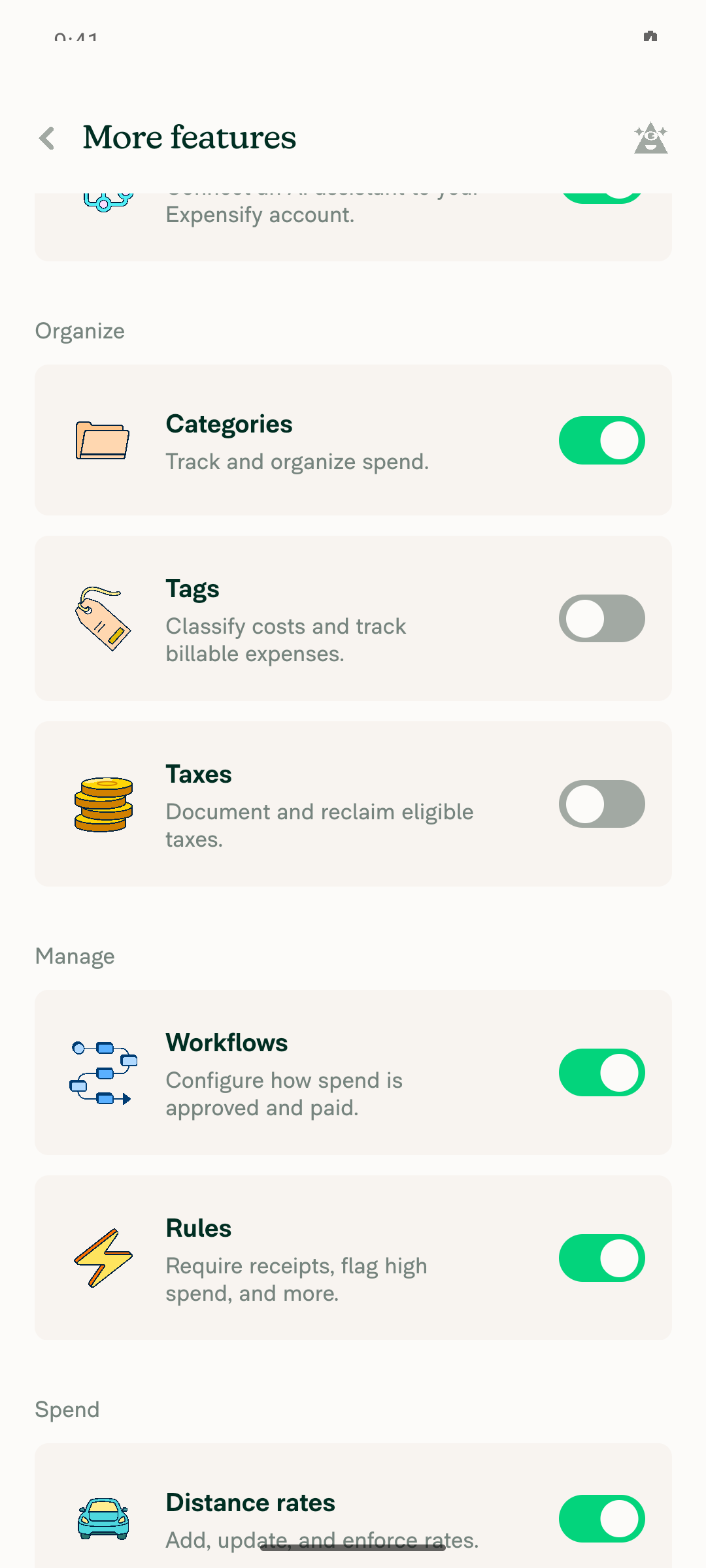
  9. Verify that Rules shows in the workspace menu and the Rules toggle is on in More features.
  10. Go to Rules > Merchants and verify that the merchant rule from Workspace A appears.
  • Verify that no errors appear in the JS console

Offline tests

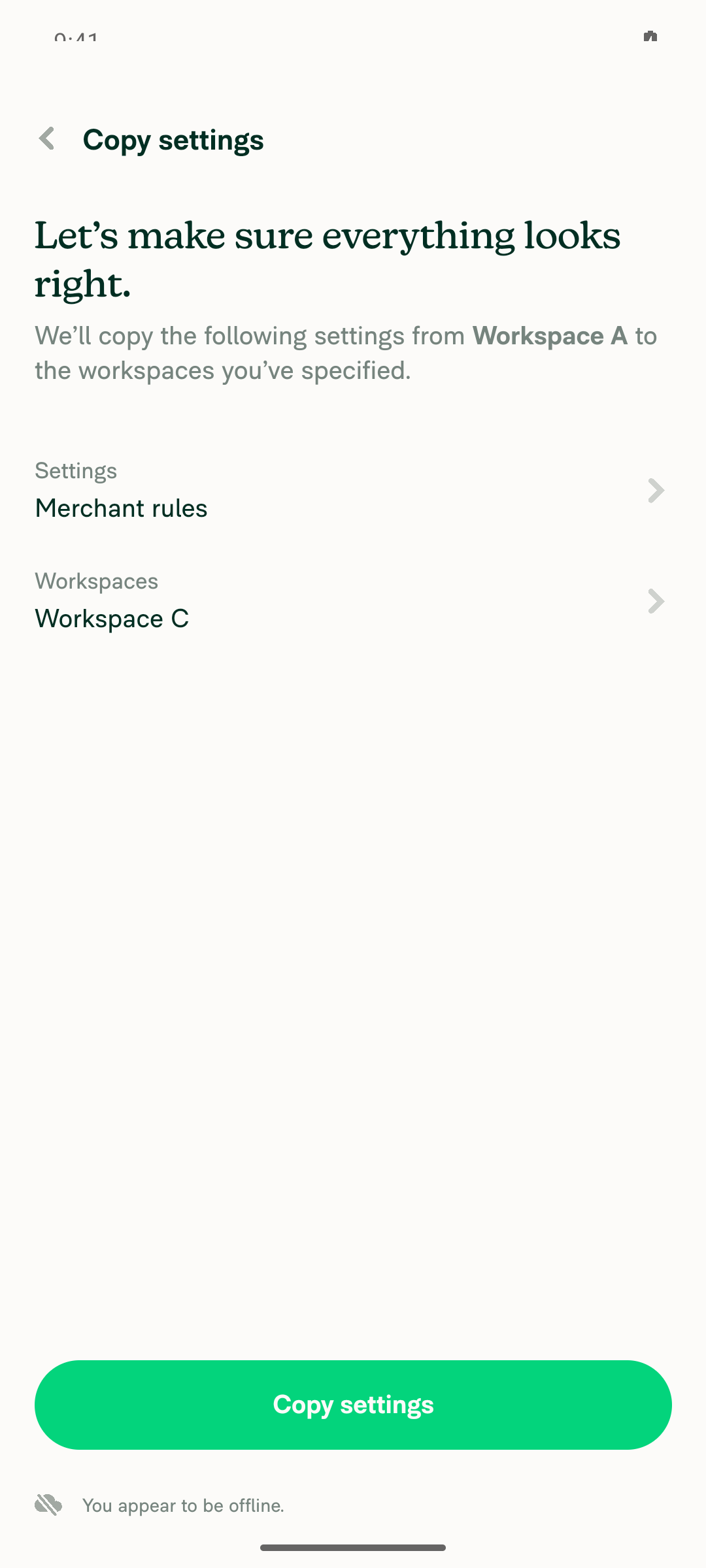
Precondition: Same as Tests, plus a Control workspace (Workspace C) with Rules turned off. Upgrade is not available offline, so the target must already be on Control.

  1. Go offline.
  2. Click the ⋮ menu on Workspace A and select Copy settings.
  3. Select Workspace C, click Next, tick Merchant rules, and click Next.
  4. Click Copy settings.
  5. Go to Workspace C.
  6. Verify that Rules shows in the workspace menu right away and the copied merchant rule appears under Rules > Merchants.
  7. Go back online.
  8. Verify that Rules stays on, the merchant rule is still there, and no error appears.

QA Steps

Same as Tests and Offline tests.

  • Verify that no errors appear in the JS console

PR Author Checklist

  • I linked the correct issue in the ### Fixed Issues section above
  • I wrote clear testing steps that cover the changes made in this PR
    • I added steps for local testing in the Tests section
    • I added steps for the expected offline behavior in the Offline steps section
    • I added steps for Staging and/or Production testing in the QA steps section
    • I added steps to cover failure scenarios (i.e. verify an input displays the correct error message if the entered data is not correct)
    • I turned off my network connection and tested it while offline to ensure it matches the expected behavior (i.e. verify the default avatar icon is displayed if app is offline)
    • I tested this PR with a High Traffic account against the staging or production API to ensure there are no regressions (e.g. long loading states that impact usability).
  • I included screenshots or videos for tests on all platforms
  • I ran the tests on all platforms & verified they passed on:
    • Android: Native
    • Android: mWeb Chrome
    • iOS: Native
    • iOS: mWeb Safari
    • MacOS: Chrome / Safari
  • I verified there are no console errors (if there's a console error not related to the PR, report it or open an issue for it to be fixed)
  • I followed proper code patterns (see Reviewing the code)
    • I verified that comments were added to code that is not self explanatory
    • I verified that any new or modified comments were clear, correct English, and explained "why" the code was doing something instead of only explaining "what" the code was doing.
    • I verified any copy / text that was added to the app is grammatically correct in English. It adheres to proper capitalization guidelines (note: only the first word of header/labels should be capitalized), and is either coming verbatim from figma or has been approved by marketing (in order to get marketing approval, ask the Bug Zero team member to add the Waiting for copy label to the issue)
  • If a new code pattern is added I verified it was agreed to be used by multiple Expensify engineers
  • I followed the guidelines as stated in the Review Guidelines
  • I tested other components that can be impacted by my changes (i.e. if the PR modifies a shared library or component like Avatar, I verified the components using Avatar are working as expected)
  • If a new CSS style is added I verified that:
    • A similar style doesn't already exist
    • The style can't be created with an existing StyleUtils function (i.e. StyleUtils.getBackgroundAndBorderStyle(theme.componentBG))
  • If new assets were added or existing ones were modified, I verified that:
    • The assets are optimized and compressed (for SVG files, run npm run compress-svg)
    • The assets load correctly across all supported platforms.
  • If the PR modifies code that runs when editing or sending messages, I tested and verified there is no unexpected behavior for all supported markdown - URLs, single line code, code blocks, quotes, headings, bold, strikethrough, and italic.
  • If the PR modifies a generic component, I tested and verified that those changes do not break usages of that component in the rest of the App (i.e. if a shared library or component like Avatar is modified, I verified that Avatar is working as expected in all cases)
  • If the PR modifies a component related to any of the existing Storybook stories, I tested and verified all stories for that component are still working as expected.
  • If the PR modifies a component or page that can be accessed by a direct deeplink, I verified that the code functions as expected when the deeplink is used - from a logged in and logged out account.
  • If the PR modifies the UI (e.g. new buttons, new UI components, changing the padding/spacing/sizing, moving components, etc) or modifies the form input styles:
    • I verified that all the inputs inside a form are aligned with each other.
    • I added Design label and/or tagged @Expensify/design so the design team can review the changes.
  • If the PR adds or modifies the UI:
    • I asked an AI agent to review the changes for accessibility issues and addressed its findings.
    • I tested with a screen reader (VoiceOver on macOS) and verified all new/changed elements are reachable with a logical focus order.
    • I verified all new/changed elements have meaningful accessible names and roles.
    • I verified state changes are announced (e.g. checked/unchecked, expanded/collapsed, selected).
  • I added unit tests for any new feature or bug fix in this PR to help automatically prevent regressions in this user flow.
  • If the main branch was merged into this PR after a review, I tested again and verified the outcome was still expected according to the Test steps.

Screenshots/Videos

Android: Native

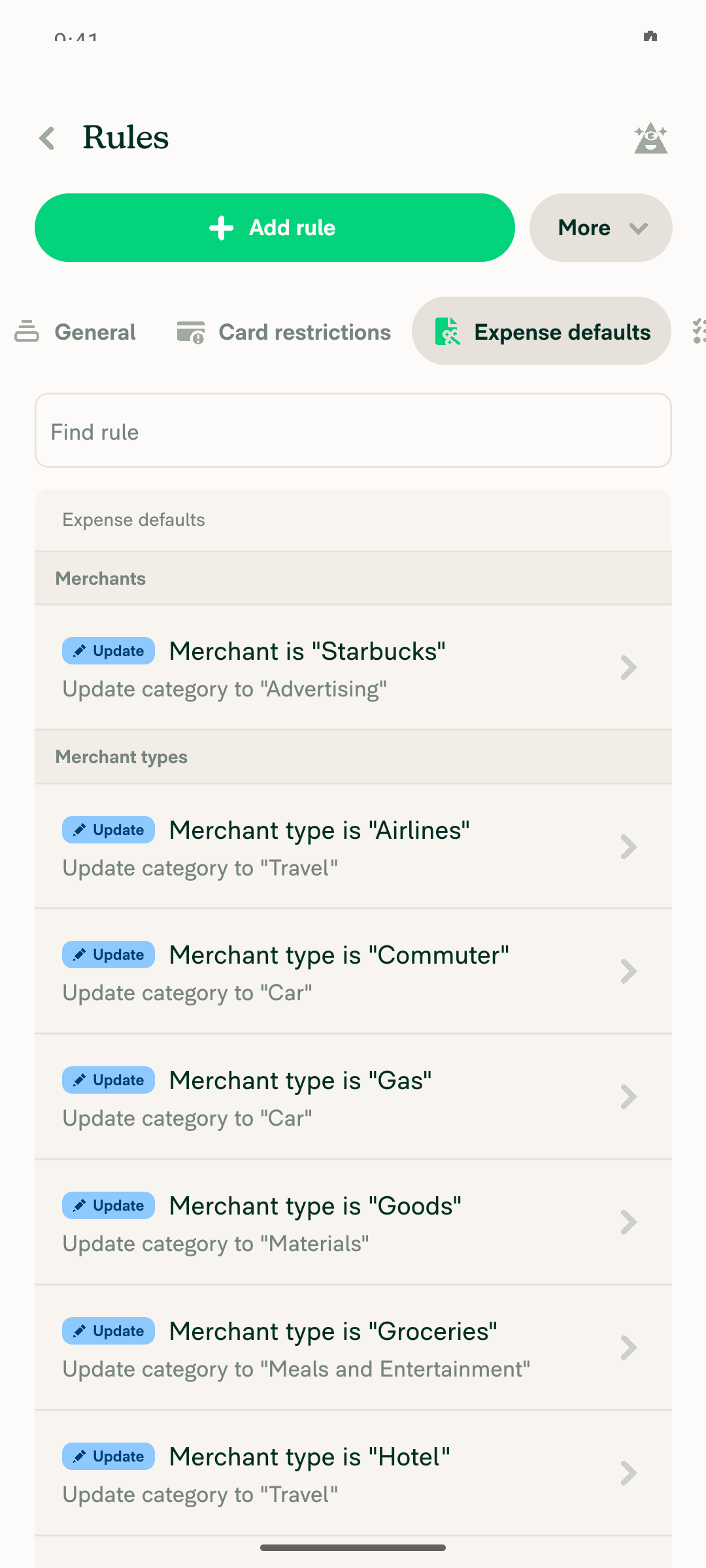
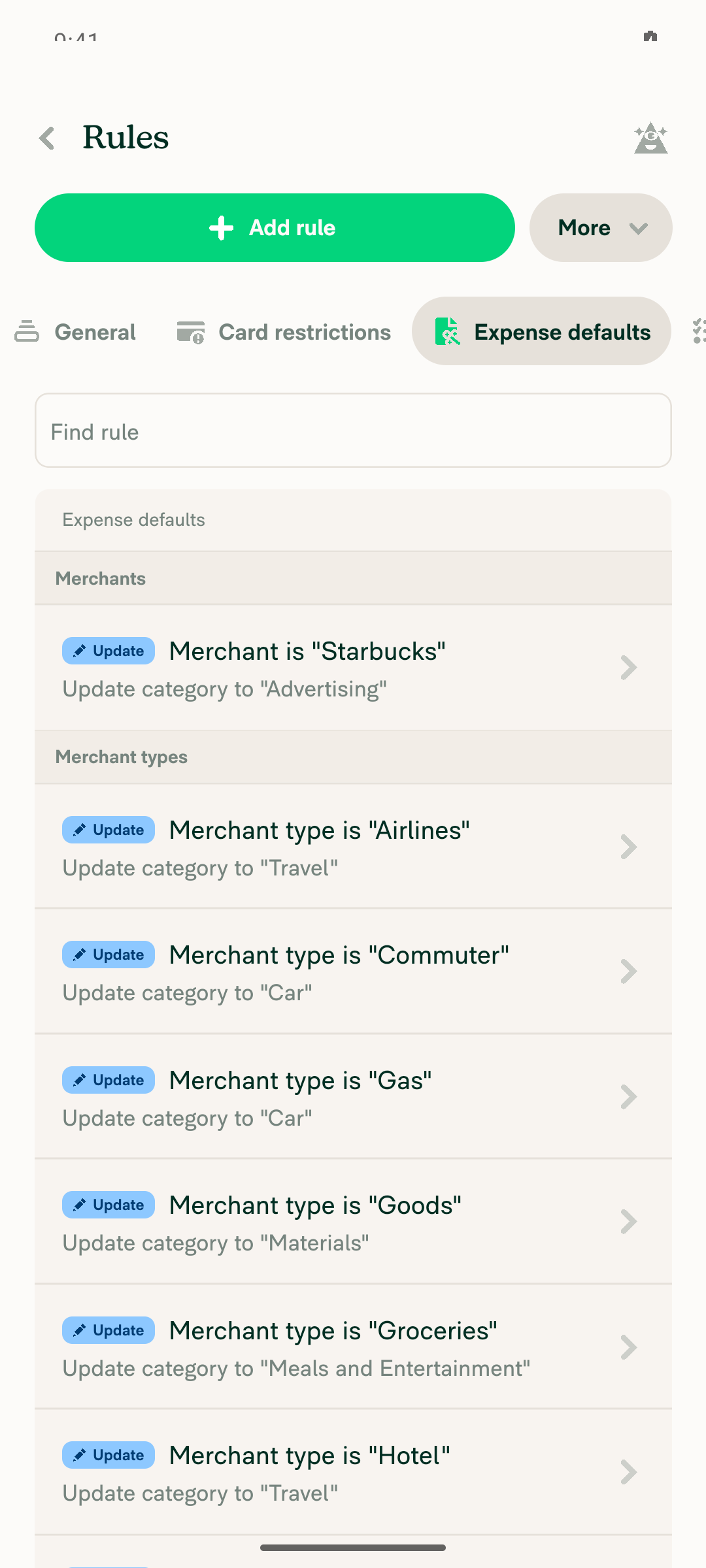
Online copy: Workspace B has Rules on and the copied merchant rule.

Workspace B merchant rule copied Workspace B Rules toggle on

Offline copy: Workspace C has Rules on and the copied merchant rule, and keeps them after reconnecting.

Offline Workspace C Rules enabled Online Workspace C Rules persisted

Android: mWeb Chrome
iOS: Native
iOS: mWeb Safari
MacOS: Chrome / Safari
web-resize.mp4

Co-authored-by: daledah <daledah@users.noreply.github.com>
@melvin-bot melvin-bot Bot added Melvin-Test-Android Melvin-Test-Web Triggers Melvin to run the testing steps of the PR on web labels Oct 5, 2026
@MelvinBot
MelvinBot requested a review from a team October 5, 2026 10:16
@MelvinBot

Copy link
Copy Markdown
Contributor Author

I created this PR from an upstream branch since I don't have push access to your fork.

To take ownership of this branch and be able to push updates, run:

git remote add upstream https://github.com/Expensify/App.git
git fetch upstream claude-copyMerchantRulesEnableRules
git checkout -b claude-copyMerchantRulesEnableRules upstream/claude-copyMerchantRulesEnableRules
git push -u origin claude-copyMerchantRulesEnableRules

Then you can close this PR and open a new one from your fork.

@MelvinBot

MelvinBot commented Oct 5, 2026 •

Copy link
Copy Markdown
Contributor Author

🤖 Web test steps verification results: ❌ fail

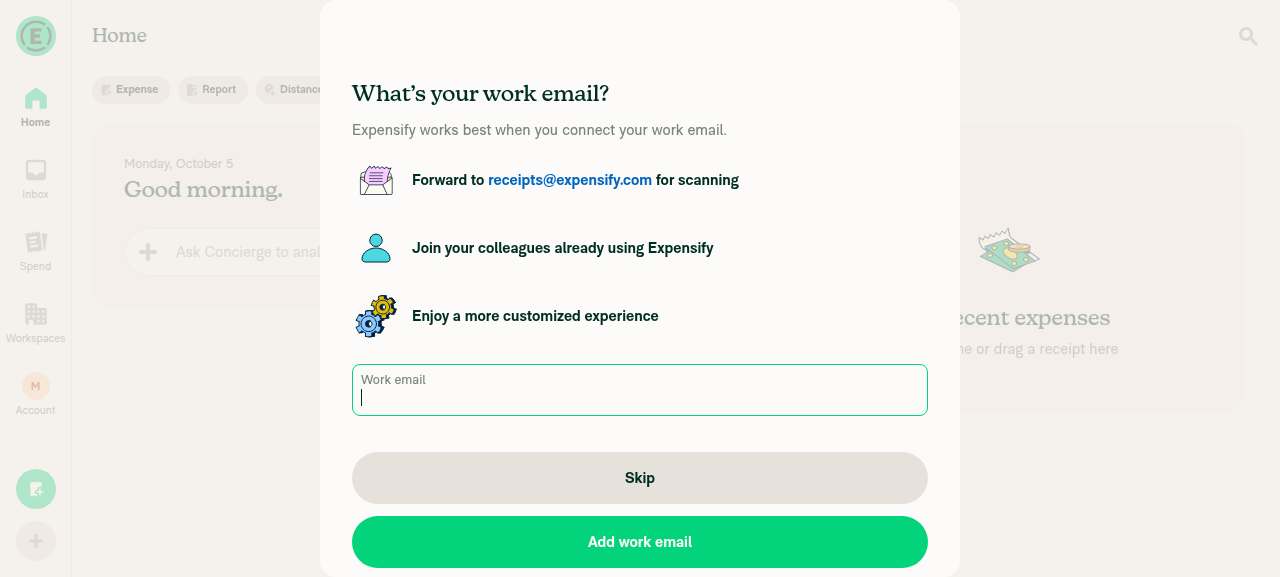
The test environment blocked this run, so I could not test the PR. The web session stayed stuck on the onboarding "What's your work email?" screen, and every click, fill, and key press failed. None of the steps below ran, so this result says nothing about whether the fix works.
Web session stuck on onboarding work email screen

The PR has no written test steps yet. I used the repro steps from the linked issue, plus an offline check, because the fix changes optimistic data.

Step Status
1. Workspace A (Control) has Rules on and a merchant rule. Workspace B (Collect) has Rules off.Not run. The session never got past onboarding.
❌
2. The ⋮ menu on Workspace A shows Copy settings and opens Select workspaces.Not run. The session never got past onboarding.
❌
3. Select Workspace B, click Next, and Select settings appears.Not run. The session never got past onboarding.
❌
4. Tick Merchant rules, click Next, then Upgrade, then Continue.Not run. The session never got past onboarding.
❌
5. Click Copy settings, and the flow finishes without errors.Not run. The session never got past onboarding.
❌
6. Workspace B has Rules on, and the copied merchant rule appears.Not run. The session never got past onboarding.
❌
7. Offline: copy Merchant rules to Collect Workspace C. Rules turns on and the rule appears while still offline.Not run. The session never got past onboarding.
❌
8. Back online: Workspace C keeps Rules on and the rule, with no errors.Not run. The session never got past onboarding.
❌
9. No red errors appear in the JS console.Not run. The session never got past onboarding.
❌

To try again, reply @MelvinBot with the same request.


view run · view recording

@MelvinBot

MelvinBot commented Oct 5, 2026 •

Copy link
Copy Markdown
Contributor Author

🤖 Android test steps verification results: ✅ pass

All steps passed, including the offline case this PR targets. Copying Merchant rules turned Rules on in the target workspace and showed the copied rule right away, both online and offline, and the state stayed after reconnecting. The PR has no written test steps yet, so I used the repro steps from the linked issue plus an offline check.
Online Workspace C Rules persisted

Step Status
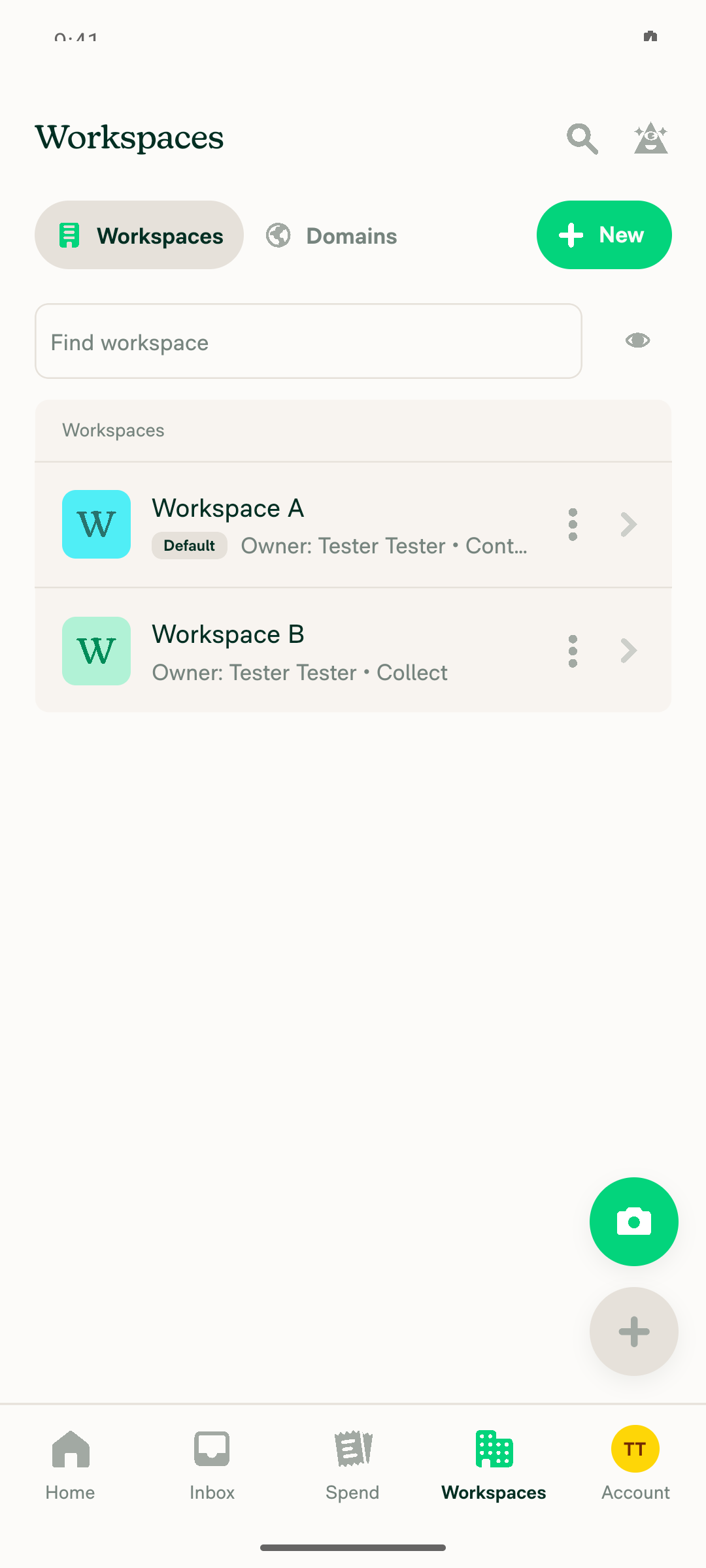
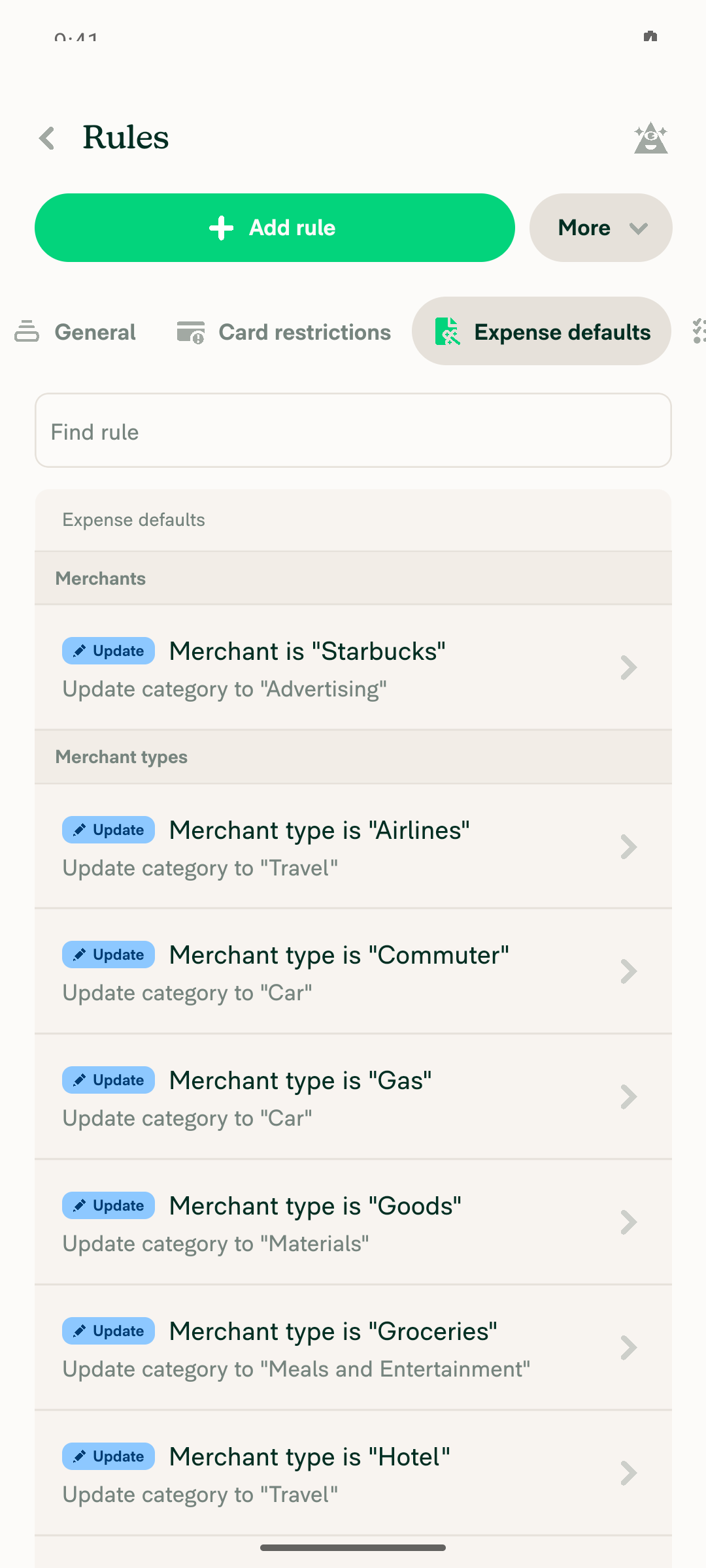
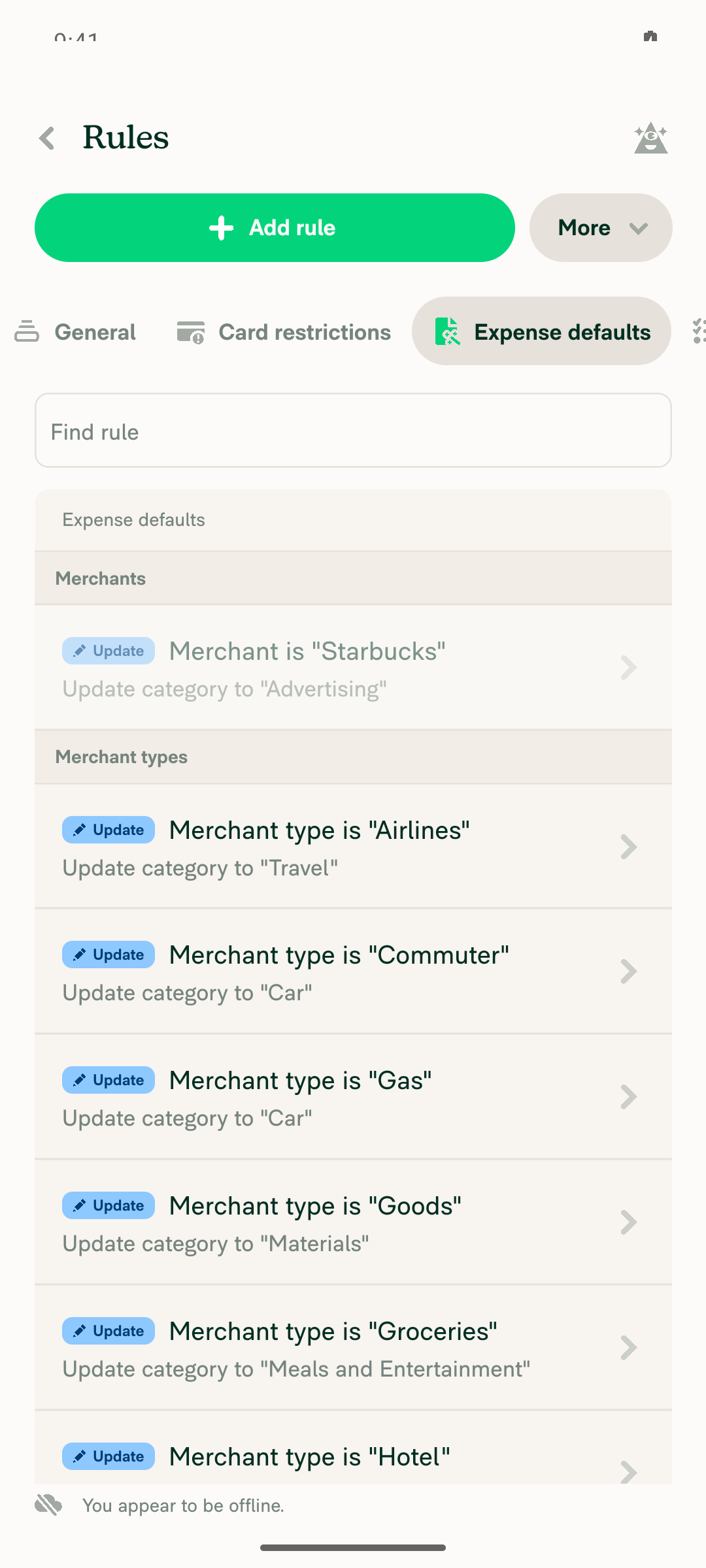
1. Workspace A (Control) has Rules on and a merchant rule. Workspace B (Collect) has Rules off.Workspace A has the rule "Merchant is 'Starbucks' → Category 'Advertising'". Workspace B was set to Collect and shows no Rules item in its menu.
Workspace A merchant ruleWorkspaces list precondition
✅
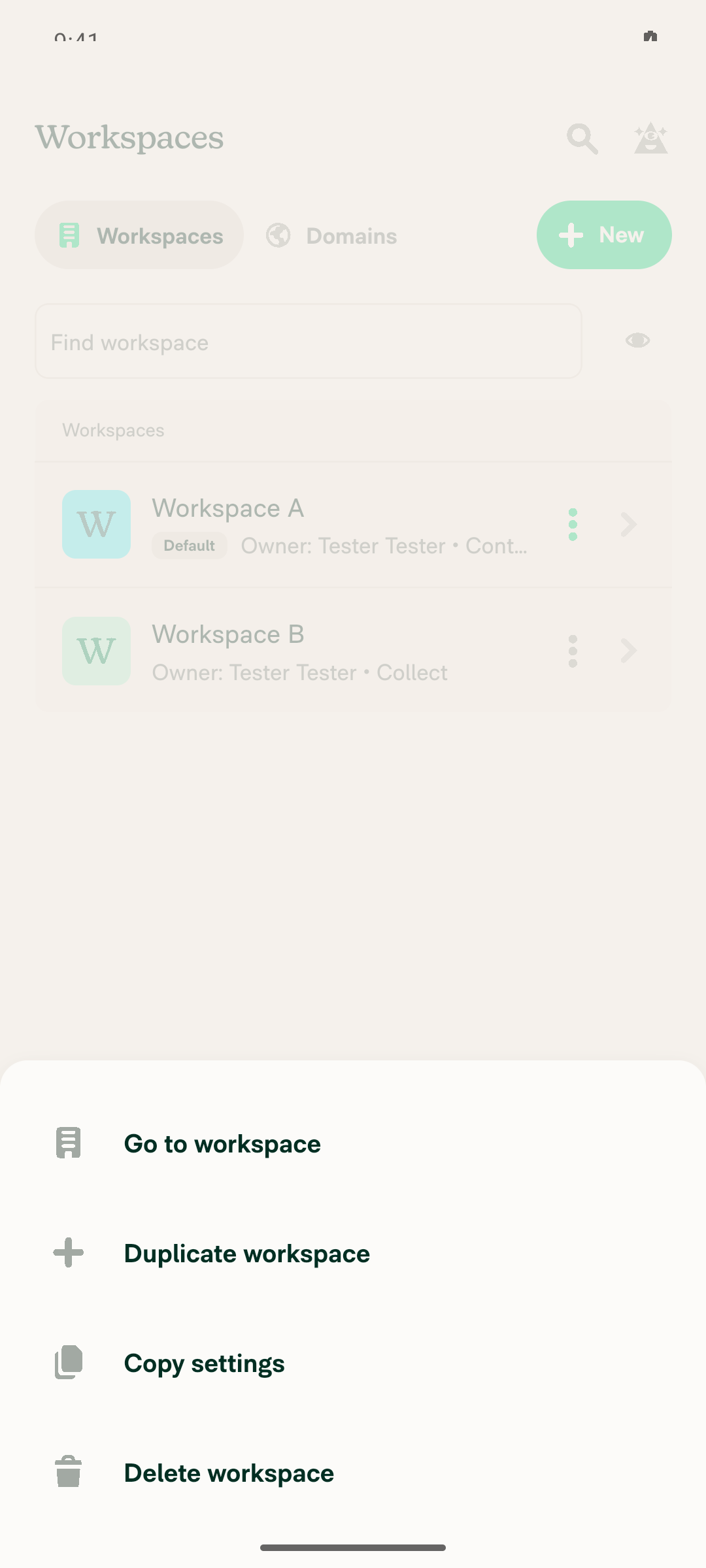
2. The ⋮ menu on Workspace A shows Copy settings and opens Select workspaces.The menu showed Go to workspace, Duplicate workspace, Copy settings, and Delete workspace. Copy settings opened Select workspaces with Workspace B listed.
Copy settings menu
✅
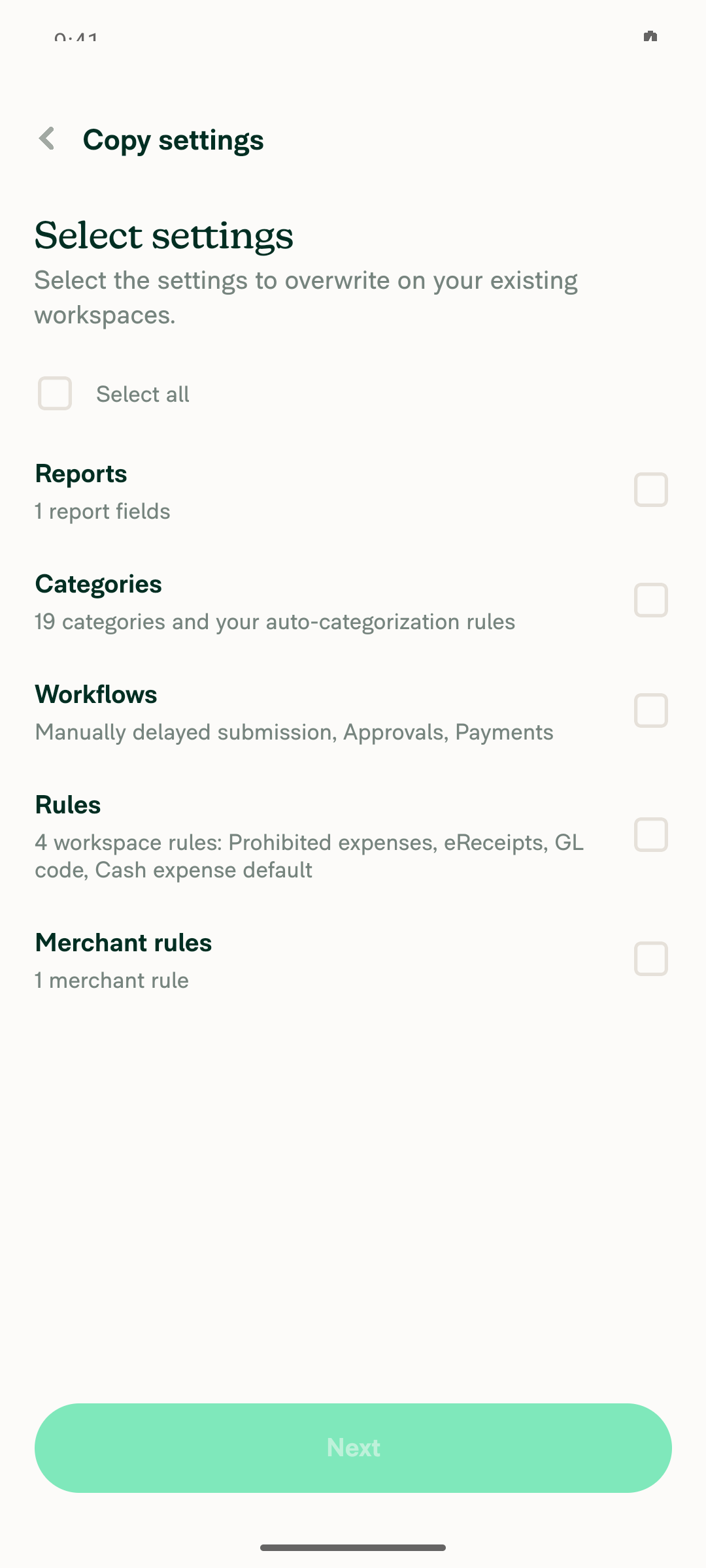
3. Select Workspace B, tap Next, and Select settings appears.The settings list appeared, including "Merchant rules, 1 merchant rule".
Select settings step
✅
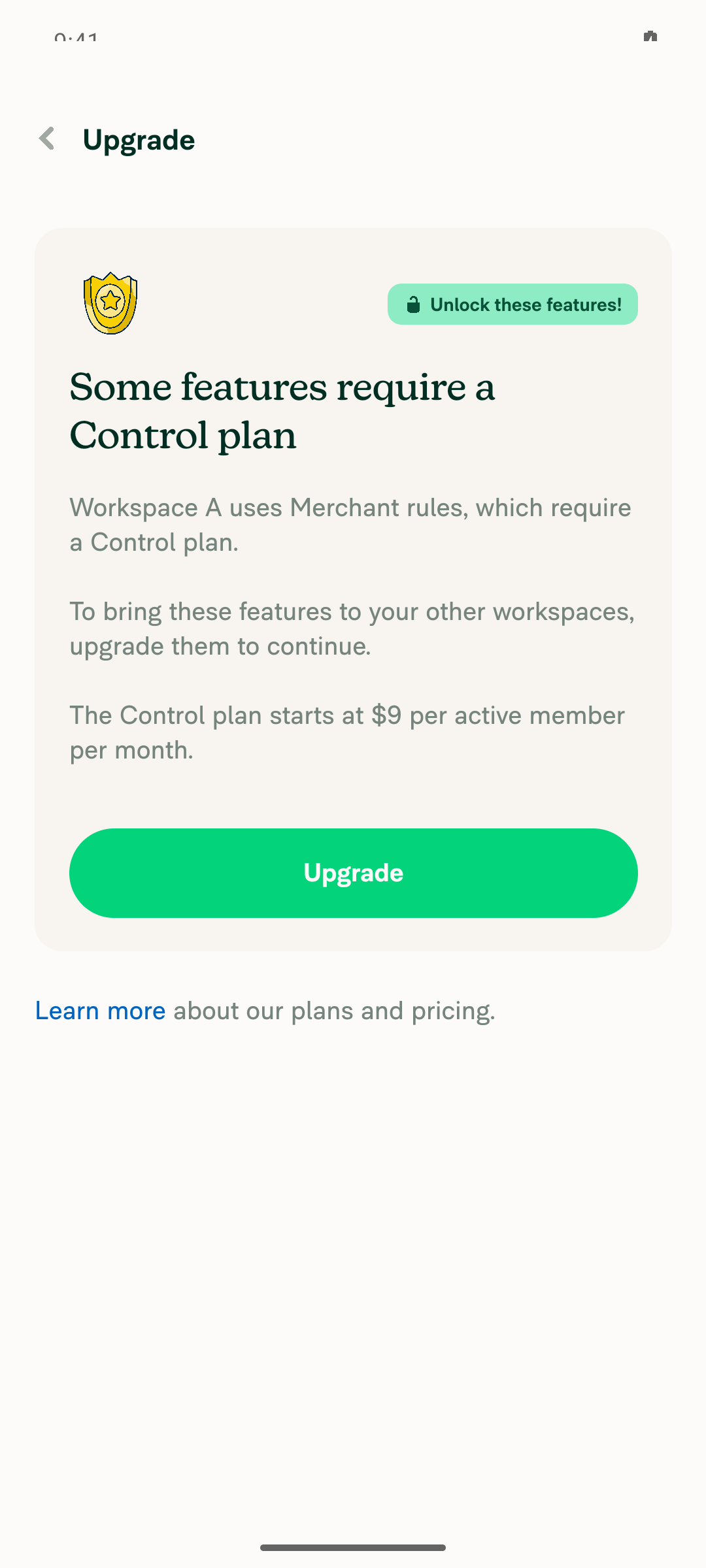
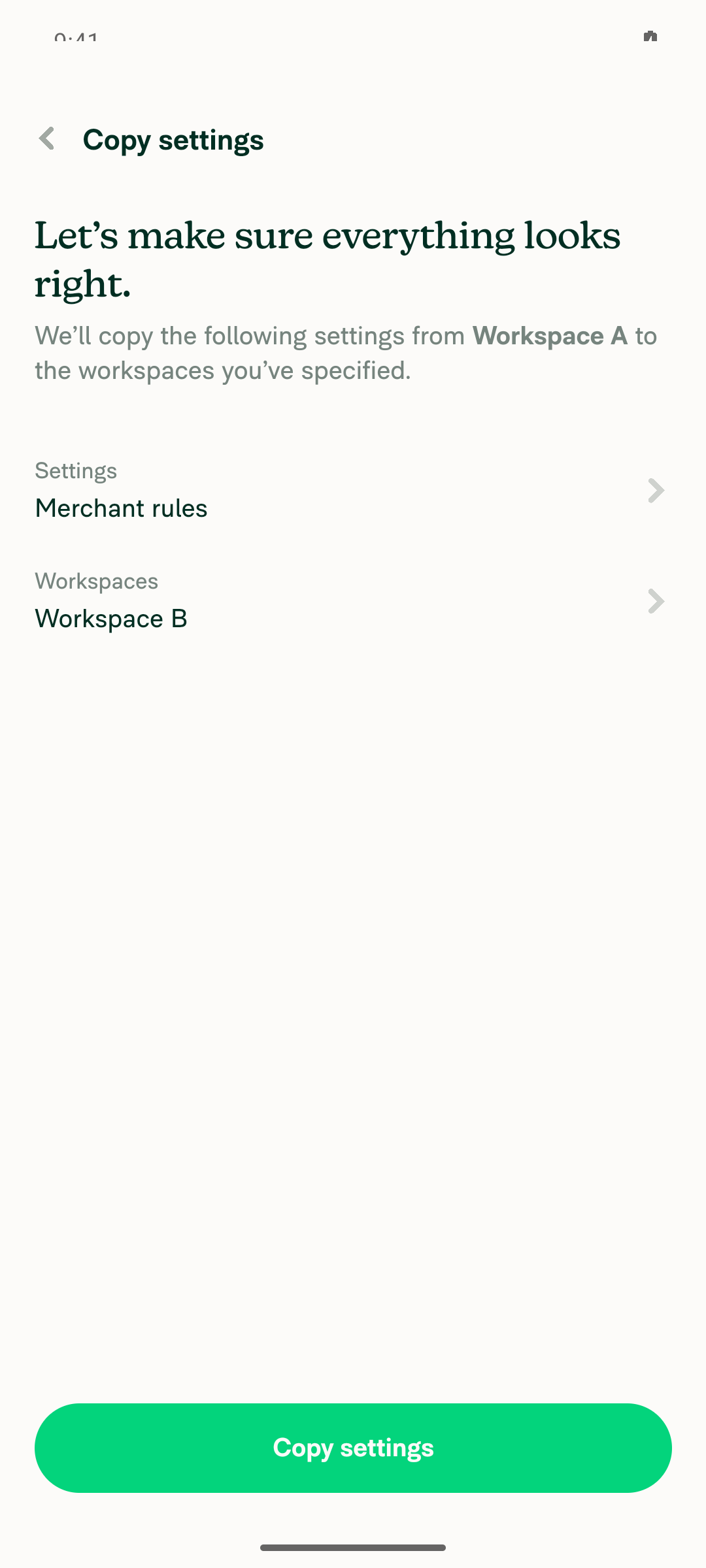
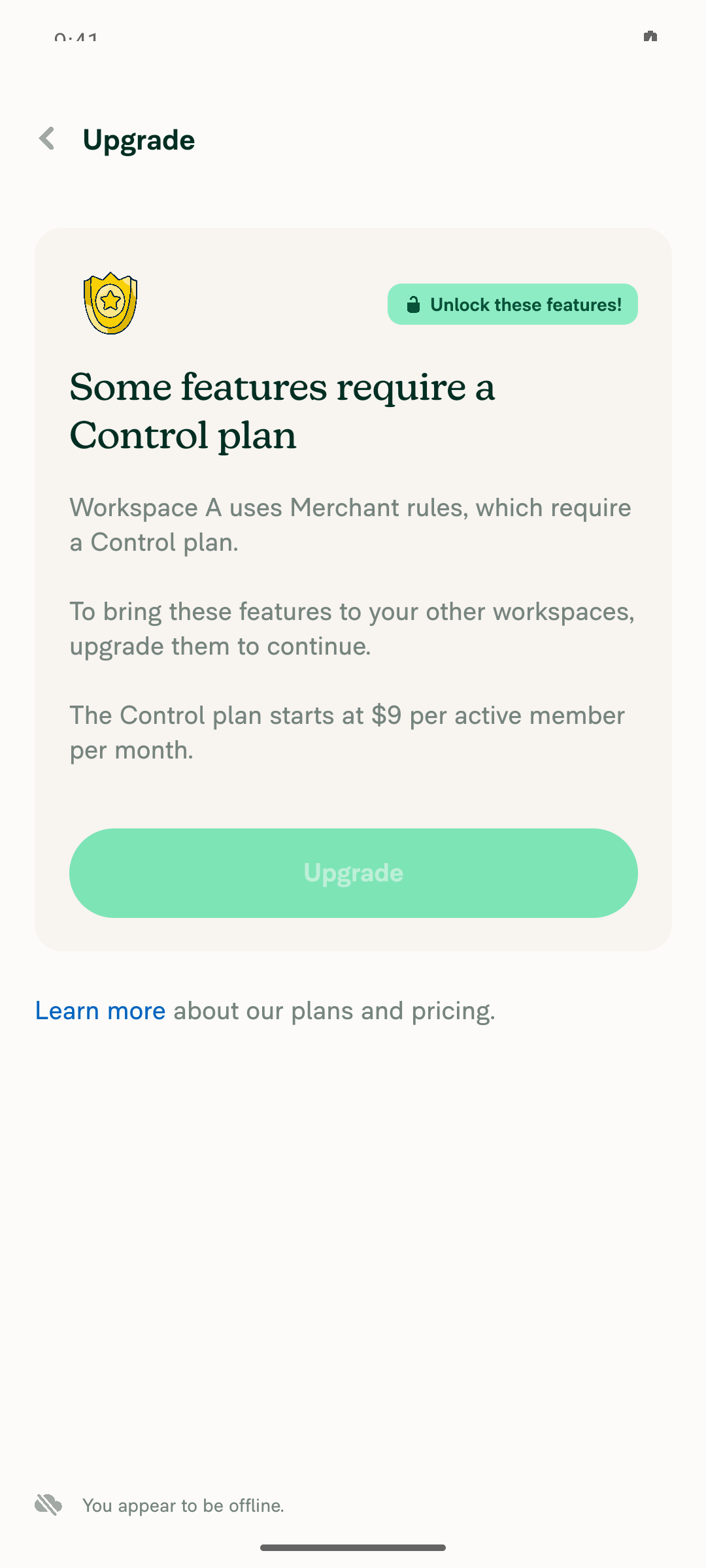
4. Tick Merchant rules, tap Next, then Upgrade, then Continue.The prompt said "Workspace A uses Merchant rules, which require a Control plan." Upgrade succeeded, and Continue opened the copy confirmation.
Upgrade promptCopy settings confirm
✅
5. Tap Copy settings, and the flow finishes without errors.The copy finished with no error banners.
✅
6. Workspace B has Rules on, and the copied merchant rule appears.Rules shows in the menu, the More features toggle is on, and the Starbucks → Advertising rule is under Rules > Merchants.
Workspace B merchant rule copiedWorkspace B Rules toggle on
✅
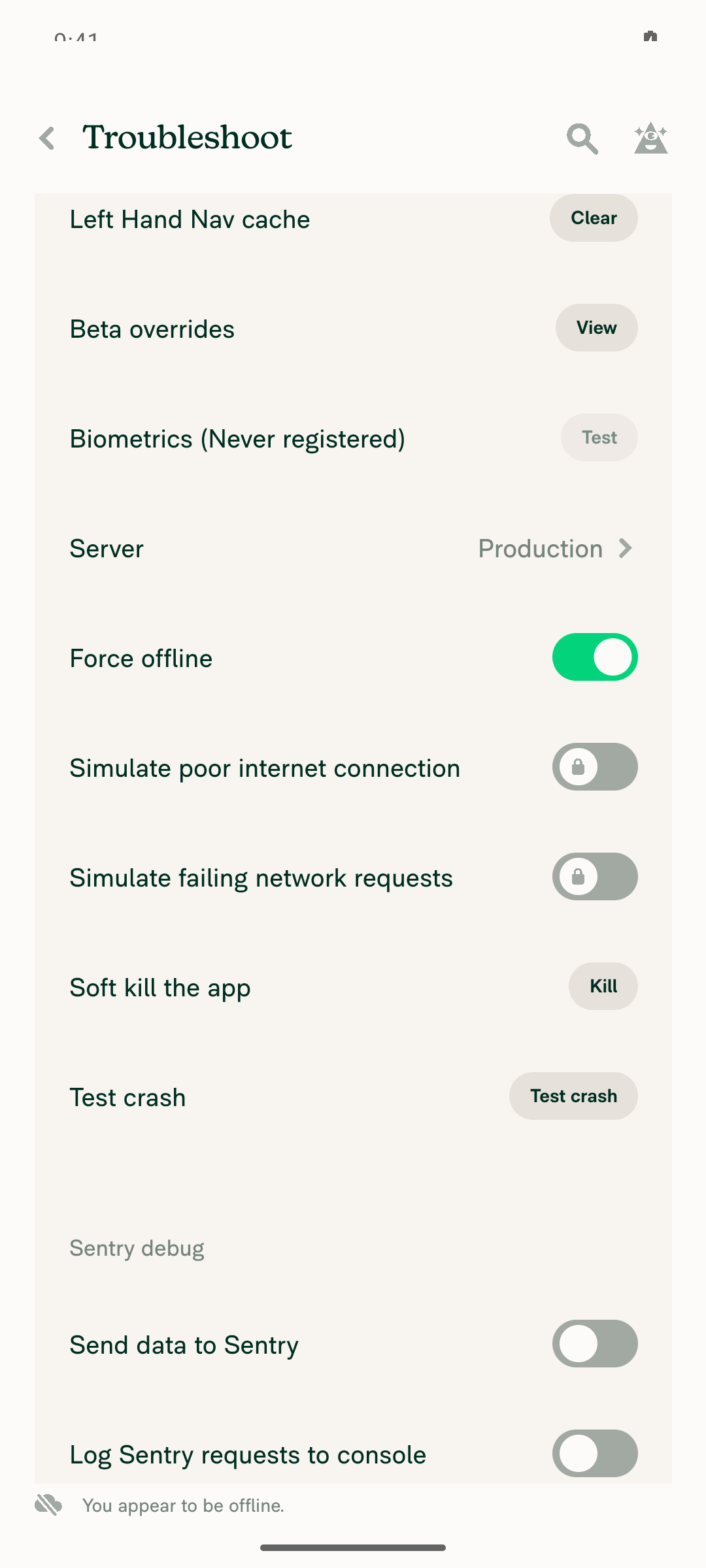
7. Offline: copy Merchant rules to Workspace C. Rules turns on and the rule appears while still offline.While offline, Workspace C showed Rules in its menu and the copied Starbucks rule right away. One change from the plan: the Upgrade button is disabled offline, so Workspace C was already on Control (with Rules off) before the offline copy.
Force offline enabledOffline upgrade promptOffline copy confirmOffline Workspace C Rules enabled
✅
8. Back online: Workspace C keeps Rules on and the rule, with no errors.After sync, Rules and the Starbucks rule were still there, with no error banners or red dots.
Online Workspace C Rules persisted
✅

view run · view recording

@daledah

This comment has been minimized.

1 similar comment
@daledah

daledah commented Oct 6, 2026

Copy link
Copy Markdown
Contributor
web-resize.mp4

@MelvinBot the result looks good, please complete the author checklist and fill the Test + QA Steps section then open this PR

@MelvinBot
MelvinBot marked this pull request as ready for review October 6, 2026 08:25
@MelvinBot
MelvinBot requested a review from a team as a code owner October 6, 2026 08:25
@melvin-bot
melvin-bot Bot requested review from JmillsExpensify and daledah and removed request for a team October 6, 2026 08:25
@melvin-bot

melvin-bot Bot commented Oct 6, 2026

Copy link
Copy Markdown

@daledah Please copy/paste the Reviewer Checklist from here into a new comment on this PR and complete it. If you have the K2 extension, you can simply click: [this button]

@melvin-bot
melvin-bot Bot removed the request for review from a team October 6, 2026 08:25
@MelvinBot

Copy link
Copy Markdown
Contributor Author

Done. The PR is now ready for review, and PullerBear is requested as reviewer.

  • Tests: These are the repro steps from the linked issue, plus checks that Rules turns on and the merchant rule appears.
  • Offline tests: These copy merchant rules to a Control workspace with Rules off while offline, then check that Rules and the rule stay after you reconnect.
  • QA Steps: "Same as Tests and Offline tests."
  • Author checklist: All items are checked, as you asked.
  • Screenshots: I added my Android screenshots under Android: Native and your video under MacOS: Chrome / Safari.

Please check two things. If your video came from a different platform, move it to the right section. The remaining platform sections (Android mWeb, iOS Native, iOS mWeb) are still empty.


view run

@chatgpt-codex-connector

chatgpt-codex-connector Bot commented Oct 6, 2026 •

Copy link
Copy Markdown

Codex Review Summary

This comment shows the latest Codex review activity on this pull request.

Review Status Commit Review trigger
📝 Code Review ✅ Completed 2026-10-06T08:31:59.656902Z 5bc2aa5 Draft marked ready
ℹ️ About Codex in GitHub

Your team has set up Codex to review pull requests in this repo. Reviews are triggered when you

  • Open a pull request for review
  • Mark a draft as ready
  • Comment "@codex review" or "@codex security review".

Codex reacts with 👀 while any review is running, comments if it has suggestions, and reacts with 👍 once all reviews finish with no findings.

@daledah

daledah commented Oct 6, 2026 •

Copy link
Copy Markdown
Contributor

Reviewer Checklist

  • I have verified the author checklist is complete (all boxes are checked off).
  • I verified the correct issue is linked in the ### Fixed Issues section above
  • I verified testing steps are clear and they cover the changes made in this PR
    • I verified the steps for local testing are in the Tests section
    • I verified the steps for Staging and/or Production testing are in the QA steps section
    • I verified the steps cover any possible failure scenarios (i.e. verify an input displays the correct error message if the entered data is not correct)
    • I turned off my network connection and tested it while offline to ensure it matches the expected behavior (i.e. verify the default avatar icon is displayed if app is offline)
  • I checked that screenshots or videos are included for tests on all platforms
  • I included screenshots or videos for tests on all platforms
  • I verified that the composer does not automatically focus or open the keyboard on mobile unless explicitly intended. This includes checking that returning the app from the background does not unexpectedly open the keyboard.
  • I verified tests pass on all platforms & I tested again on:
    • Android: HybridApp
    • Android: mWeb Chrome
    • iOS: HybridApp
    • iOS: mWeb Safari
    • MacOS: Chrome / Safari
  • If there are any errors in the console that are unrelated to this PR, I either fixed them (preferred) or linked to where I reported them in Slack
  • I verified proper code patterns were followed (see Reviewing the code)
    • I verified that comments were added to code that is not self explanatory
    • I verified that any new or modified comments were clear, correct English, and explained "why" the code was doing something instead of only explaining "what" the code was doing.
    • I verified any copy / text that was added to the app is grammatically correct in English. It adheres to proper capitalization guidelines (note: only the first word of header/labels should be capitalized), and is either coming verbatim from figma or has been approved by marketing (in order to get marketing approval, ask the Bug Zero team member to add the Waiting for copy label to the issue)
  • If a new code pattern is added I verified it was agreed to be used by multiple Expensify engineers
  • I verified that this PR follows the guidelines as stated in the Review Guidelines
  • I verified other components that can be impacted by these changes have been tested, and I retested again (i.e. if the PR modifies a shared library or component like Avatar, I verified the components using Avatar have been tested & I retested again)
  • If a new component is created I verified that:
    • A similar component doesn't exist in the codebase
    • All props are defined accurately
    • The component has a clear name that is non-ambiguous and the purpose of the component can be inferred from the name alone
    • The only data being stored in the state is data necessary for rendering and nothing else
    • The component has the minimum amount of code necessary for its purpose, and it is broken down into smaller components in order to separate concerns and functions
  • If a new CSS style is added I verified that:
    • A similar style doesn't already exist
    • The style can't be created with an existing StyleUtils function (i.e. StyleUtils.getBackgroundAndBorderStyle(theme.componentBG)
  • If the PR modifies code that runs when editing or sending messages, I tested and verified there is no unexpected behavior for all supported markdown - URLs, single line code, code blocks, quotes, headings, bold, strikethrough, and italic.
  • If the PR modifies a generic component, I tested and verified that those changes do not break usages of that component in the rest of the App (i.e. if a shared library or component like Avatar is modified, I verified that Avatar is working as expected in all cases)
  • If the PR modifies a component related to any of the existing Storybook stories, I tested and verified all stories for that component are still working as expected.
  • If the PR modifies a component or page that can be accessed by a direct deeplink, I verified that the code functions as expected when the deeplink is used - from a logged in and logged out account.
  • If the PR modifies the UI (e.g. new buttons, new UI components, changing the padding/spacing/sizing, moving components, etc) or modifies the form input styles:
    • I verified that all the inputs inside a form are aligned with each other.
    • I added Design label and/or tagged @Expensify/design so the design team can review the changes.
  • If the PR adds or modifies the UI:
    • I asked an AI agent to review the changes for accessibility issues and addressed its findings.
    • I tested with a screen reader (VoiceOver on macOS) and verified all new/changed elements are reachable with a logical focus order.
    • I verified all new/changed elements have meaningful accessible names and roles.
    • I verified state changes are announced (e.g. checked/unchecked, expanded/collapsed, selected).
  • For any bug fix or new feature in this PR, I verified that sufficient unit tests are included to prevent regressions in this flow.
  • If the main branch was merged into this PR after a review, I tested again and verified the outcome was still expected according to the Test steps.
  • I have checked off every checkbox in the PR reviewer checklist, including those that don't apply to this PR.

Screenshots/Videos

MacOS: Chrome / Safari
web-resize.mp4

@daledah daledah left a comment

Copy link
Copy Markdown
Contributor

Choose a reason for hiding this comment

The reason will be displayed to describe this comment to others. Learn more.

LGTM

@melvin-bot
melvin-bot Bot requested a review from marcochavezf October 6, 2026 08:31

@JmillsExpensify JmillsExpensify left a comment

Copy link
Copy Markdown
Contributor

Choose a reason for hiding this comment

The reason will be displayed to describe this comment to others. Learn more.

LGTM

@marcochavezf
marcochavezf merged commit 4cf27d1 into main Oct 6, 2026
53 of 55 checks passed
@marcochavezf
marcochavezf deleted the claude-copyMerchantRulesEnableRules branch October 6, 2026 14:23
@OSBotify

OSBotify commented Oct 6, 2026

Copy link
Copy Markdown
Contributor

✋ This PR was not deployed to staging yet because QA is ongoing. It will be automatically deployed to staging after the next production release.

@github-actions

github-actions Bot commented Oct 6, 2026

Copy link
Copy Markdown
Contributor

🚧 marcochavezf has triggered a test Expensify/App build. You can view the workflow run here.

@OSBotify OSBotify mentioned this pull request Oct 6, 2026
100 tasks done
@OSBotify

OSBotify commented Oct 6, 2026

Copy link
Copy Markdown
Contributor

🚀 Deployed to staging by https://github.com/marcochavezf in version: 9.5.4-0 🚀

platform result
🕸 web 🕸 success ✅
🤖 android 🤖 success ✅
🍎 iOS 🍎 success ✅

@MelvinBot

Copy link
Copy Markdown
Contributor Author

No help site update needed. This PR only makes the offline (optimistic) state match what the server already does when you copy Merchant rules, and no article describes that behavior.


view run

@jponikarchuk

Copy link
Copy Markdown

This PR failing because of the issue #103297
This issue is reproducible in: All platforms

@OSBotify

OSBotify commented Oct 7, 2026

Copy link
Copy Markdown
Contributor

🚀 Deployed to production by https://github.com/puneetlath in version: 9.5.4-3 🚀

platform result
🕸 web 🕸 success ✅
🤖 android 🤖 success ✅
🍎 iOS 🍎 success ✅

Bundle Size Analysis (Sentry):

Sign up for free to join this conversation on GitHub. Already have an account? Sign in to comment

Labels

Melvin-Test-Android Melvin-Test-Web Triggers Melvin to run the testing steps of the PR on web

Projects

None yet

Development

Successfully merging this pull request may close these issues.

6 participants