Skip to content

Show QBO bill payment account RBR only for its own field errors - #102982

Merged
puneetlath merged 1 commit into
mainfrom
claude-qboBillPaymentRowRbr
Oct 8, 2026
Merged

puneetlath merged 1 commit into
mainfrom
claude-qboBillPaymentRowRbr

Conversation

@MelvinBot

@MelvinBot MelvinBot commented Oct 5, 2026 •

Copy link
Copy Markdown
Contributor

Explanation of Change

On the QBO Advanced page, the "bill payment account" row watched both reimbursementAccountID and collectionAccountID for its RBR and pending state. So when only the invoice collection account update failed, both rows showed the RBR (and the bill payment row also greyed out while only the collection account was saving).

This change makes the bill payment row watch only reimbursementAccountID. That matches the invoice collection and FX rows, which each watch only their own field. The "Reimbursed reports" toggle still works: it updates both fields, and on failure both fields get errors, so both rows still show the RBR.

Fixed Issues

$ #102378
PROPOSAL: #102378 (comment)

Tests

Preconditions:

  • Account with QBO connection on Workspace
  1. Open Hybrid app
  2. Go to Workspace setting
  3. Go to Accounting > Advance
  4. Turn 'Simulate failing network requests' on
  5. Tap on 'QuickBooks Online invoice collection account'
  6. Select any account in the list
  • Verify that no errors appear in the JS console

Offline tests

Same as tests

QA Steps

Same as tests

  • Verify that no errors appear in the JS console

PR Author Checklist

  • I linked the correct issue in the ### Fixed Issues section above
  • I wrote clear testing steps that cover the changes made in this PR
    • I added steps for local testing in the Tests section
    • I added steps for the expected offline behavior in the Offline steps section
    • I added steps for Staging and/or Production testing in the QA steps section
    • I added steps to cover failure scenarios (i.e. verify an input displays the correct error message if the entered data is not correct)
    • I turned off my network connection and tested it while offline to ensure it matches the expected behavior (i.e. verify the default avatar icon is displayed if app is offline)
    • I tested this PR with a High Traffic account against the staging or production API to ensure there are no regressions (e.g. long loading states that impact usability).
  • I included screenshots or videos for tests on all platforms
  • I ran the tests on all platforms & verified they passed on:
    • Android: Native
    • Android: mWeb Chrome
    • iOS: Native
    • iOS: mWeb Safari
    • MacOS: Chrome / Safari
    • MacOS: Desktop
  • I verified there are no console errors (if there's a console error not related to the PR, report it or open an issue for it to be fixed)
  • I verified there are no new alerts related to the canBeMissing param for useOnyx
  • I followed proper code patterns (see Reviewing the code)
    • I verified that any callback methods that were added or modified are named for what the method does and never what callback they handle (i.e. toggleReport and not onIconClick)
    • I verified that comments were added to code that is not self explanatory
    • I verified that any new or modified comments were clear, correct English, and explained "why" the code was doing something instead of only explaining "what" the code was doing.
    • I verified any copy / text shown in the product is localized by adding it to src/languages/* files and using the translation method
      • If any non-english text was added/modified, I used JaimeGPT to get English > Spanish translation. I then posted it in #expensify-open-source and it was approved by an internal Expensify engineer. Link to Slack message:
    • I verified all numbers, amounts, dates and phone numbers shown in the product are using the localization methods
    • I verified any copy / text that was added to the app is grammatically correct in English. It adheres to proper capitalization guidelines (note: only the first word of header/labels should be capitalized), and is either coming verbatim from figma or has been approved by marketing (in order to get marketing approval, ask the Bug Zero team member to add the Waiting for copy label to the issue)
    • I verified proper file naming conventions were followed for any new files or renamed files. All non-platform specific files are named after what they export and are not named "index.js". All platform-specific files are named for the platform the code supports as outlined in the README.
    • I verified the JSDocs style guidelines (in STYLE.md) were followed
  • If a new code pattern is added I verified it was agreed to be used by multiple Expensify engineers
  • I followed the guidelines as stated in the Review Guidelines
  • I tested other components that can be impacted by my changes (i.e. if the PR modifies a shared library or component like Avatar, I verified the components using Avatar are working as expected)
  • I verified all code is DRY (the PR doesn't include any logic written more than once, with the exception of tests)
  • I verified any variables that can be defined as constants (ie. in CONST.ts or at the top of the file that uses the constant) are defined as such
  • I verified that if a function's arguments changed that all usages have also been updated correctly
  • If any new file was added I verified that:
    • The file has a description of what it does and/or why is needed at the top of the file if the code is not self explanatory
  • If a new CSS style is added I verified that:
    • A similar style doesn't already exist
    • The style can't be created with an existing StyleUtils function (i.e. StyleUtils.getBackgroundAndBorderStyle(theme.componentBG))
  • If new assets were added or existing ones were modified, I verified that:
    • The assets are optimized and compressed (for SVG files, run npm run compress-svg)
    • The assets load correctly across all supported platforms.
  • If the PR modifies code that runs when editing or sending messages, I tested and verified there is no unexpected behavior for all supported markdown - URLs, single line code, code blocks, quotes, headings, bold, strikethrough, and italic.
  • If the PR modifies a generic component, I tested and verified that those changes do not break usages of that component in the rest of the App (i.e. if a shared library or component like Avatar is modified, I verified that Avatar is working as expected in all cases)
  • If the PR modifies a component related to any of the existing Storybook stories, I tested and verified all stories for that component are still working as expected.
  • If the PR modifies a component or page that can be accessed by a direct deeplink, I verified that the code functions as expected when the deeplink is used - from a logged in and logged out account.
  • If the PR modifies the UI (e.g. new buttons, new UI components, changing the padding/spacing/sizing, moving components, etc) or modifies the form input styles:
    • I verified that all the inputs inside a form are aligned with each other.
    • I added Design label and/or tagged @Expensify/design so the design team can review the changes.
  • If a new page is added, I verified it's using the ScrollView component to make it scrollable when more elements are added to the page.
  • I added unit tests for any new feature or bug fix in this PR to help automatically prevent regressions in this user flow.
  • If the main branch was merged into this PR after a review, I tested again and verified the outcome was still expected according to the Test steps.

Screenshots/Videos

Android: Native
Android: mWeb Chrome
iOS: Native
iOS: mWeb Safari
MacOS: Chrome / Safari

Co-authored-by: parasharrajat <parasharrajat@users.noreply.github.com>
@MelvinBot

Copy link
Copy Markdown
Contributor Author

I created this PR from an upstream branch since I don't have push access to your fork.

To take ownership of this branch and be able to push updates, run:

git remote add upstream https://github.com/Expensify/App.git
git fetch upstream claude-qboBillPaymentRowRbr
git checkout -b claude-qboBillPaymentRowRbr upstream/claude-qboBillPaymentRowRbr
git push -u origin claude-qboBillPaymentRowRbr

Then you can close this PR and open a new one from your fork.

@codecov

codecov Bot commented Oct 5, 2026 •

Copy link
Copy Markdown

Codecov Report

✅ Changes either increased or maintained existing code coverage, great job!

Files with missing lines Coverage Δ
...accounting/qbo/advanced/QuickbooksAdvancedPage.tsx 0.00% <0.00%> (ø)
... and 15 files with indirect coverage changes

@MelvinBot

MelvinBot commented Oct 5, 2026 •

Copy link
Copy Markdown
Contributor Author

🤖 Web test steps verification results: ❌ fail

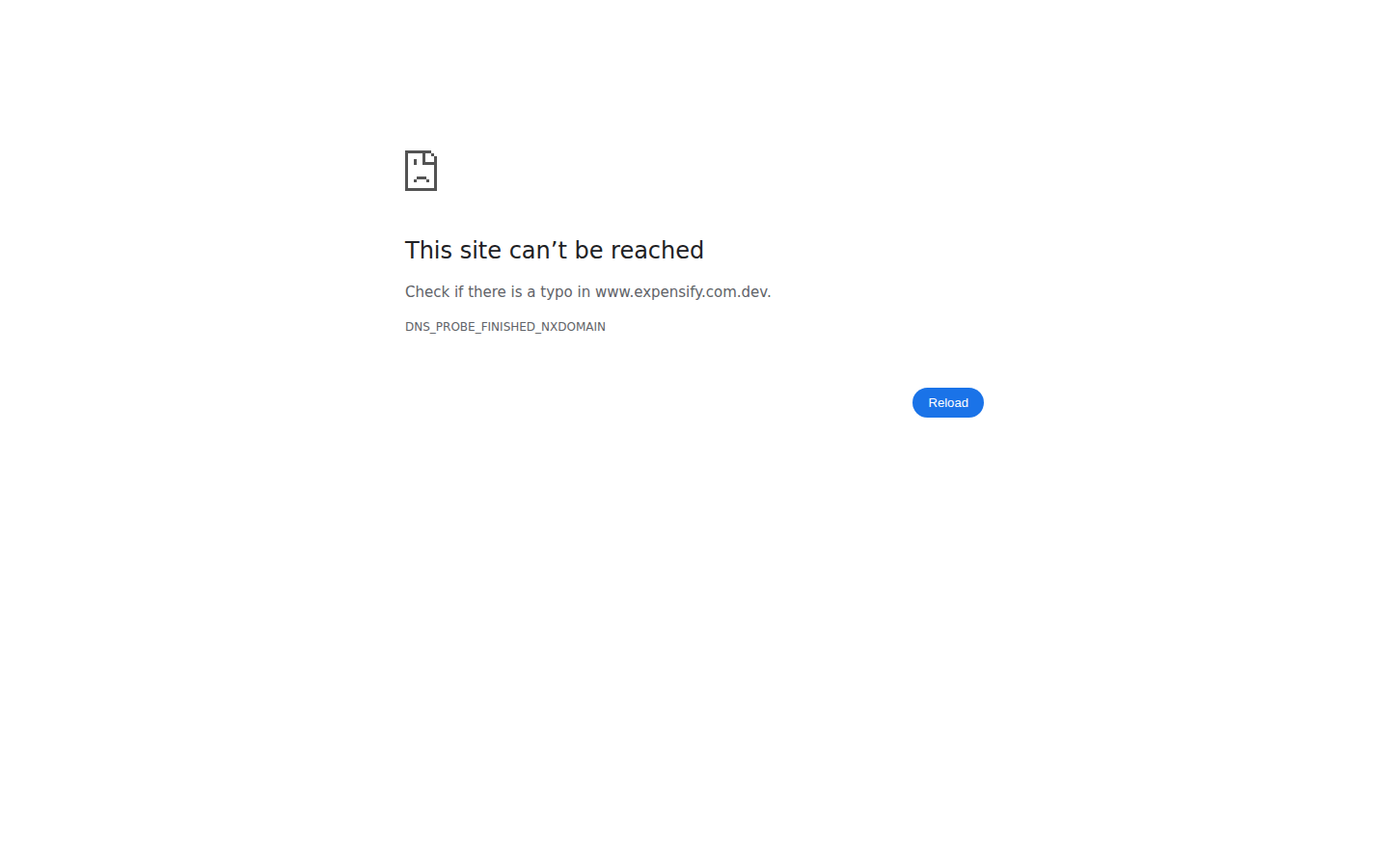
Blocked on precondition: the test workspace has no QuickBooks Online connection, and real QBO OAuth cannot be completed in this headless environment. Attempting to connect it navigated off-app to an unreachable external domain and killed the session before any of the five steps (taken from the linked issue's reproduction steps, since this PR's Tests section is empty) could be checked.
QBO Connect redirect to unreachable external domain

Step Status
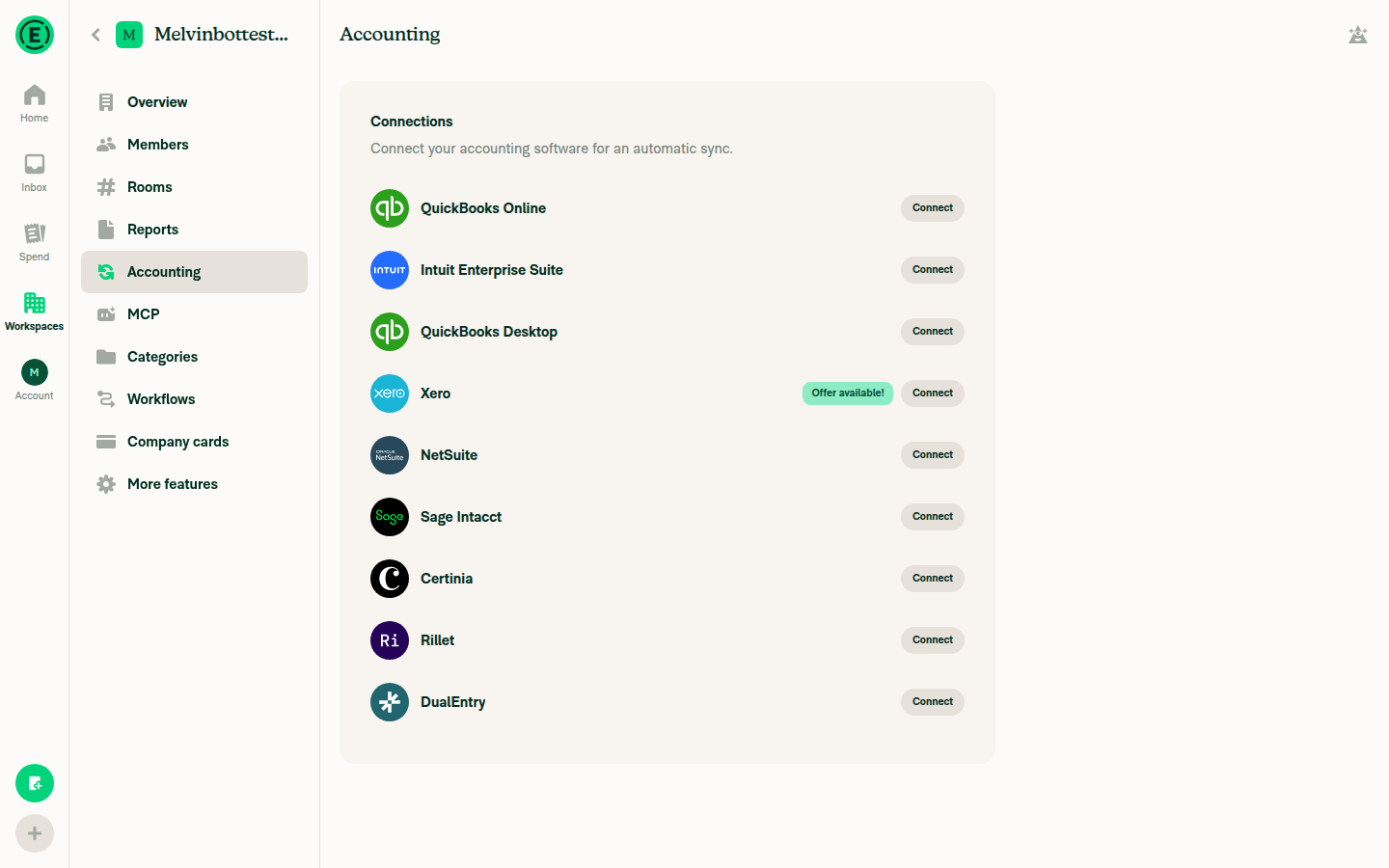
Workspace Settings > Accounting > Advanced loads with QBO bill payment / invoice collection account rows (requires a QBO-connected workspace)Workspace Accounting page shows QuickBooks Online as unconnected ("Connect" button); no QBO-connected workspace exists for this test account, so the Advanced sub-page with those two rows was never reachable.
Workspace Accounting page showing QuickBooks Online as not connected
❌
Turn on "Simulate failing network requests" (Troubleshoot settings)Not attempted — blocked before this step because establishing the required QBO connection killed the session.
❌
Tap "QuickBooks Online invoice collection account" and select any account in the listUnreachable: no QBO connection exists, so this row/page does not exist in the current workspace.
❌
RBR appears only on the "QuickBooks Online invoice collection account" rowCould not be exercised for the same reason.
❌
RBR does NOT appear on the "QuickBooks Online bill payment account" row (not greyed out/pending)Could not be exercised for the same reason.
❌

view run · view recording

@MelvinBot

MelvinBot commented Oct 5, 2026 •

Copy link
Copy Markdown
Contributor Author

🤖 Android test steps verification results: ❌ fail

Blocked: the test account's workspace has no QuickBooks Online connection, and one can't be set up without leaving the app through QuickBooks' external sign-in flow. None of the five steps (taken from the linked issue's reproduction steps, since this PR's Tests section is empty) could be checked.
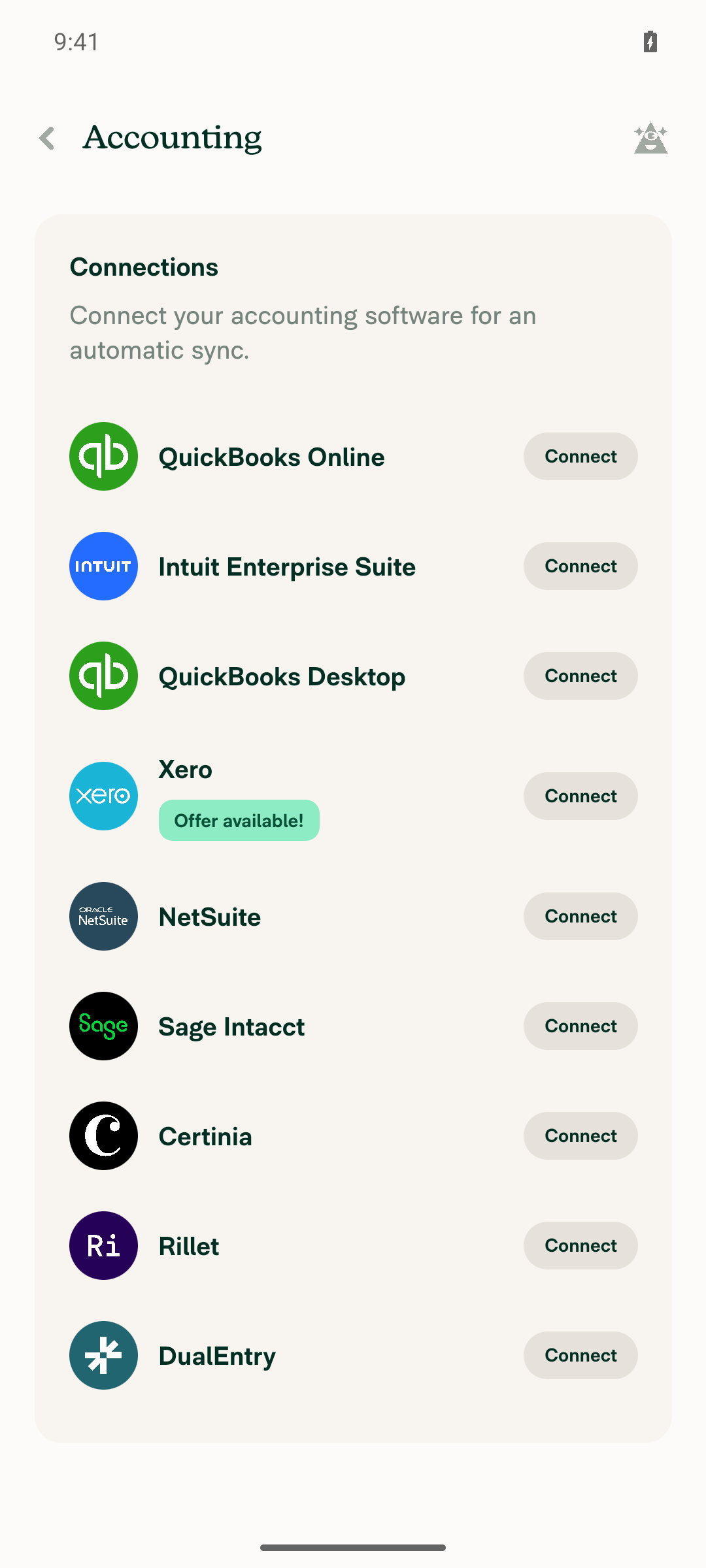
Accounting connections page showing only Connect buttons, no active QuickBooks Online connection

Step Status
Workspace Settings > Accounting > Advanced loads with QBO bill payment / invoice collection account rows (requires a QBO-connected workspace)Blocked: the only workspace on this new test account has no QuickBooks Online connection. The Accounting page shows only a "Connect" button for every integration, including QuickBooks Online. Connecting requires leaving the app for external sign-in.
Accounting connections page showing only Connect buttons, no active QuickBooks Online connection
❌
Turn on "Simulate failing network requests" (Troubleshoot settings)Not attempted: blocked by the missing QBO connection.
❌
Tap "QuickBooks Online invoice collection account" and select any account in the listNot attempted: the Advanced page and this row aren't reachable without a QBO connection.
❌
RBR appears only on the "QuickBooks Online invoice collection account" rowCould not be observed: no QBO-connected workspace available.
❌
RBR does NOT appear on the "QuickBooks Online bill payment account" row (not greyed out/pending)Could not be observed: no QBO-connected workspace available.
❌

view run · view recording

@parasharrajat

Copy link
Copy Markdown
Member

@MelvinBot Update description to following


<!-- If necessary, assign reviewers that know the area or changes well. Feel free to tag any additional reviewers you see fit. -->

### Explanation of Change
<!-- Explain what your change does and how it addresses the linked issue -->
On the QBO Advanced page, the "bill payment account" row watched both `reimbursementAccountID` and `collectionAccountID` for its RBR and pending state. So when only the invoice collection account update failed, both rows showed the RBR (and the bill payment row also greyed out while only the collection account was saving).

This change makes the bill payment row watch only `reimbursementAccountID`. That matches the invoice collection and FX rows, which each watch only their own field. The "Reimbursed reports" toggle still works: it updates both fields, and on failure both fields get errors, so both rows still show the RBR.

### Fixed Issues
<!---
1. Please postfix `$` with a URL link to the GitHub issue this Pull Request is fixing. For example, `$ https://github.com/Expensify/App/issues/<issueID>`.
2. Please postfix  `PROPOSAL:` with a URL link to your GitHub comment, which contains the approved proposal (i.e. the proposal that was approved by Expensify).  For example, `PROPOSAL: https://github.com/Expensify/App/issues/<issueID>#issuecomment-1369752925`

Do NOT add the special GH keywords like `fixed` etc, we have our own process of managing the flow.
It MUST be an entire link to the github issue and your comment proposal ; otherwise, the linking and its automation will not work as expected.

Make sure this section looks similar to this (you can link multiple issues using the same formatting, just add a new line):

$ https://github.com/Expensify/App/issues/<issueID>
$ https://github.com/Expensify/App/issues/<issueID(comment)>

Do NOT only link the issue number like this: $ #<issueID>
--->
$ https://github.com/Expensify/App/issues/102378
PROPOSAL: https://github.com/Expensify/App/issues/102378#issuecomment-5863213343


<!--- 
If you want to trigger adhoc build of hybrid app from specific Mobile-Expensify PR please link it like this:

MOBILE-EXPENSIFY: https://github.com/Expensify/Mobile-Expensify/pull/<PR-number>

--->

### Tests

Preconditions:

 - Account with QBO connection on Workspace

1. Open Hybrid app
2. Go to Workspace setting
3. Go to Accounting > Advance
4. Turn 'Simulate failing network requests' on
5. Tap on 'QuickBooks Online invoice collection account'
6. Select any account in the list

- [x] Verify that no errors appear in the JS console

### Offline tests
Same as tests

### QA Steps

Same as tests

- [ ] Verify that no errors appear in the JS console

### PR Author Checklist
<!--
This is a checklist for PR authors. Please make sure to complete all tasks and check them off once you do, or else your PR will not be merged!
-->

- [x] I linked the correct issue in the `### Fixed Issues` section above
- [x] I wrote clear testing steps that cover the changes made in this PR
    - [x] I added steps for local testing in the `Tests` section
    - [x] I added steps for the expected offline behavior in the `Offline steps` section
    - [x] I added steps for Staging and/or Production testing in the `QA steps` section
    - [x] I added steps to cover failure scenarios (i.e. verify an input displays the correct error message if the entered data is not correct)
    - [x] I turned off my network connection and tested it while offline to ensure it matches the expected behavior (i.e. verify the default avatar icon is displayed if app is offline)
    - [x] I tested this PR with a [High Traffic account](https://github.com/Expensify/App/blob/main/contributingGuides/CONTRIBUTING.md#high-traffic-accounts) against the staging or production API to ensure there are no regressions (e.g. long loading states that impact usability).
- [x] I included screenshots or videos for tests on [all platforms](https://github.com/Expensify/App/blob/main/contributingGuides/CONTRIBUTING.md#make-sure-you-can-test-on-all-platforms)
- [x] I ran the tests on **all platforms** & verified they passed on:
    - [x] Android: Native
    - [x] Android: mWeb Chrome
    - [x] iOS: Native
    - [x] iOS: mWeb Safari
    - [x] MacOS: Chrome / Safari
    - [x] MacOS: Desktop
- [x] I verified there are no console errors (if there's a console error not related to the PR, report it or open an issue for it to be fixed)
- [x] I verified there are no new alerts related to the `canBeMissing` param for `useOnyx`
- [x] I followed proper code patterns (see [Reviewing the code](https://github.com/Expensify/App/blob/main/contributingGuides/PR_REVIEW_GUIDELINES.md#reviewing-the-code))
    - [x] I verified that any callback methods that were added or modified are named for what the method does and never what callback they handle (i.e. `toggleReport` and not `onIconClick`)
    - [x] I verified that comments were added to code that is not self explanatory
    - [x] I verified that any new or modified comments were clear, correct English, and explained "why" the code was doing something instead of only explaining "what" the code was doing.
    - [x] I verified any copy / text shown in the product is localized by adding it to `src/languages/*` files and using the [translation method](https://github.com/Expensify/App/blob/4510fc76bbf5df699a2575bfb49a276af90f3ed7/src/components/LocaleContextProvider.tsx#L80)
      - [x] If any non-english text was added/modified, I used [JaimeGPT](https://chatgpt.com/g/g-2dgOQl5VM-english-to-spanish-translator-aka-jaimegpt) to get English > Spanish translation. I then posted it in #expensify-open-source and it was approved by an internal Expensify engineer. Link to Slack message:
    - [x] I verified all numbers, amounts, dates and phone numbers shown in the product are using the [localization methods](https://github.com/Expensify/App/blob/4510fc76bbf5df699a2575bfb49a276af90f3ed7/src/components/LocaleContextProvider.tsx#L116-L123)
    - [x] I verified any copy / text that was added to the app is grammatically correct in English. It adheres to proper capitalization guidelines (note: only the first word of header/labels should be capitalized), and is either coming verbatim from figma or has been approved by marketing (in order to get marketing approval, ask the Bug Zero team member to add the Waiting for copy label to the issue)
    - [x] I verified proper file naming conventions were followed for any new files or renamed files. All non-platform specific files are named after what they export and are not named "index.js". All platform-specific files are named for the platform the code supports as outlined in the README.
    - [x] I verified the JSDocs style guidelines (in [`STYLE.md`](https://github.com/Expensify/App/blob/main/contributingGuides/STYLE.md#jsdocs)) were followed
- [x] If a new code pattern is added I verified it was agreed to be used by multiple Expensify engineers
- [x] I followed the guidelines as stated in the [Review Guidelines](https://github.com/Expensify/App/blob/main/contributingGuides/PR_REVIEW_GUIDELINES.md)
- [x] I tested other components that can be impacted by my changes (i.e. if the PR modifies a shared library or component like `Avatar`, I verified the components using `Avatar` are working as expected)
- [x] I verified all code is DRY (the PR doesn't include any logic written more than once, with the exception of tests)
- [x] I verified any variables that can be defined as constants (ie. in CONST.ts or at the top of the file that uses the constant) are defined as such
- [x] I verified that if a function's arguments changed that all usages have also been updated correctly
- [x] If any new file was added I verified that:
    - [x] The file has a description of what it does and/or why is needed at the top of the file if the code is not self explanatory
- [x] If a new CSS style is added I verified that:
    - [x] A similar style doesn't already exist
    - [x] The style can't be created with an existing [StyleUtils](https://github.com/Expensify/App/blob/main/src/styles/utils/index.ts) function (i.e. `StyleUtils.getBackgroundAndBorderStyle(theme.componentBG)`)
- [x] If new assets were added or existing ones were modified, I verified that:
    - [x] The assets are optimized and compressed (for SVG files, run `npm run compress-svg`)
    - [x] The assets load correctly across all supported platforms.
- [x] If the PR modifies code that runs when editing or sending messages, I tested and verified there is no unexpected behavior for all supported markdown - URLs, single line code, code blocks, quotes, headings, bold, strikethrough, and italic.
- [x] If the PR modifies a generic component, I tested and verified that those changes do not break usages of that component in the rest of the App (i.e. if a shared library or component like `Avatar` is modified, I verified that `Avatar` is working as expected in all cases)
- [x] If the PR modifies a component related to any of the existing Storybook stories, I tested and verified all stories for that component are still working as expected.
- [x] If the PR modifies a component or page that can be accessed by a direct deeplink, I verified that the code functions as expected when the deeplink is used - from a logged in and logged out account.
- [x] If the PR modifies the UI (e.g. new buttons, new UI components, changing the padding/spacing/sizing, moving components, etc) or modifies the form input styles:
    - [x] I verified that all the inputs inside a form are aligned with each other.
    - [x] I added `Design` label and/or tagged `@Expensify/design` so the design team can review the changes.
- [x] If a new page is added, I verified it's using the `ScrollView` component to make it scrollable when more elements are added to the page.
- [x] I added [unit tests](https://github.com/Expensify/App/blob/main/tests/README.md) for any new feature or bug fix in this PR to help automatically prevent regressions in this user flow.
- [x] If the `main` branch was merged into this PR after a review, I tested again and verified the outcome was still expected according to the `Test` steps. 
### Screenshots/Videos
<details>
<summary>Android: Native</summary>

<!-- add screenshots or videos here -->

</details>

<details>
<summary>Android: mWeb Chrome</summary>

<!-- add screenshots or videos here -->

</details>

<details>
<summary>iOS: Native</summary>

<!-- add screenshots or videos here -->

</details>

<details>
<summary>iOS: mWeb Safari</summary>

<!-- add screenshots or videos here -->

</details>

<details>
<summary>MacOS: Chrome / Safari</summary>

<!-- add screenshots or videos here -->

</details>

@MelvinBot

Copy link
Copy Markdown
Contributor Author

I updated the PR description to the text you provided.


view run

@parasharrajat

Copy link
Copy Markdown
Member

@MelvinBot mark it ready for review.

@MelvinBot

Copy link
Copy Markdown
Contributor Author

I couldn't mark this PR ready for review. My environment blocked the command (gh pr ready), so the PR is still a draft.

You can mark it ready yourself: click Ready for review at the bottom of the PR page.


view run

@parasharrajat parasharrajat left a comment •

Copy link
Copy Markdown
Member

Choose a reason for hiding this comment

The reason will be displayed to describe this comment to others. Learn more.

Reviewer Checklist

  • I have verified the author checklist is complete (all boxes are checked off).
  • I verified the correct issue is linked in the ### Fixed Issues section above
  • I verified testing steps are clear and they cover the changes made in this PR
    • I verified the steps for local testing are in the Tests section
    • I verified the steps for Staging and/or Production testing are in the QA steps section
    • I verified the steps cover any possible failure scenarios (i.e. verify an input displays the correct error message if the entered data is not correct)
    • I turned off my network connection and tested it while offline to ensure it matches the expected behavior (i.e. verify the default avatar icon is displayed if app is offline)
  • I checked that screenshots or videos are included for tests on all platforms
  • I included screenshots or videos for tests on all platforms
  • I verified that the composer does not automatically focus or open the keyboard on mobile unless explicitly intended. This includes checking that returning the app from the background does not unexpectedly open the keyboard.
  • I verified tests pass on all platforms & I tested again on:
    • Android: HybridApp
    • Android: mWeb Chrome
    • iOS: HybridApp
    • iOS: mWeb Safari
    • MacOS: Chrome / Safari
  • If there are any errors in the console that are unrelated to this PR, I either fixed them (preferred) or linked to where I reported them in Slack
  • I verified proper code patterns were followed (see Reviewing the code)
    • I verified that any callback methods that were added or modified are named for what the method does and never what callback they handle (i.e. toggleReport and not onIconClick).
    • I verified that comments were added to code that is not self explanatory
    • I verified that any new or modified comments were clear, correct English, and explained "why" the code was doing something instead of only explaining "what" the code was doing.
    • I verified any copy / text that was added to the app is grammatically correct in English. It adheres to proper capitalization guidelines (note: only the first word of header/labels should be capitalized), and is either coming verbatim from figma or has been approved by marketing (in order to get marketing approval, ask the Bug Zero team member to add the Waiting for copy label to the issue)
  • If a new code pattern is added I verified it was agreed to be used by multiple Expensify engineers
  • I verified that this PR follows the guidelines as stated in the Review Guidelines
  • I verified other components that can be impacted by these changes have been tested, and I retested again (i.e. if the PR modifies a shared library or component like Avatar, I verified the components using Avatar have been tested & I retested again)
  • If a new component is created I verified that:
    • A similar component doesn't exist in the codebase
    • All props are defined accurately and each prop has a /** comment above it */
    • The file is named correctly
    • The component has a clear name that is non-ambiguous and the purpose of the component can be inferred from the name alone
    • The only data being stored in the state is data necessary for rendering and nothing else
    • For Class Components, any internal methods passed to components event handlers are bound to this properly so there are no scoping issues (i.e. for onClick={this.submit} the method this.submit should be bound to this in the constructor)
    • Any internal methods bound to this are necessary to be bound (i.e. avoid this.submit = this.submit.bind(this); if this.submit is never passed to a component event handler like onClick)
    • All JSX used for rendering exists in the render method
    • The component has the minimum amount of code necessary for its purpose, and it is broken down into smaller components in order to separate concerns and functions
  • If any new file was added I verified that:
    • The file has a description of what it does and/or why is needed at the top of the file if the code is not self explanatory
  • If a new CSS style is added I verified that:
    • A similar style doesn't already exist
    • The style can't be created with an existing StyleUtils function (i.e. StyleUtils.getBackgroundAndBorderStyle(theme.componentBG)
  • If the PR modifies code that runs when editing or sending messages, I tested and verified there is no unexpected behavior for all supported markdown - URLs, single line code, code blocks, quotes, headings, bold, strikethrough, and italic.
  • If the PR modifies a generic component, I tested and verified that those changes do not break usages of that component in the rest of the App (i.e. if a shared library or component like Avatar is modified, I verified that Avatar is working as expected in all cases)
  • If the PR modifies a component related to any of the existing Storybook stories, I tested and verified all stories for that component are still working as expected.
  • If the PR modifies a component or page that can be accessed by a direct deeplink, I verified that the code functions as expected when the deeplink is used - from a logged in and logged out account.
  • If the PR modifies the UI (e.g. new buttons, new UI components, changing the padding/spacing/sizing, moving components, etc) or modifies the form input styles:
    • I verified that all the inputs inside a form are aligned with each other.
    • I added Design label and/or tagged @Expensify/design so the design team can review the changes.
  • For any bug fix or new feature in this PR, I verified that sufficient unit tests are included to prevent regressions in this flow.
  • If the main branch was merged into this PR after a review, I tested again and verified the outcome was still expected according to the Test steps.
  • I have checked off every checkbox in the PR reviewer checklist, including those that don't apply to this PR.
05.10.2026_22.22.01_REC.mp4
05.10.2026_21.05.14_REC.mp4

🎀 👀 🎀 C+ reviewed

@melvin-bot

melvin-bot Bot commented Oct 5, 2026

Copy link
Copy Markdown

We did not find an internal engineer to review this PR, trying to assign a random engineer to #102378 as well as to this PR... Please reach out for help on Slack if no one gets assigned!

@melvin-bot
melvin-bot Bot requested a review from puneetlath October 5, 2026 16:54
@parasharrajat

Copy link
Copy Markdown
Member

@puneetlath All yours.

@puneetlath
puneetlath marked this pull request as ready for review October 7, 2026 17:50
@puneetlath
puneetlath requested a review from a team as a code owner October 7, 2026 17:50
@melvin-bot
melvin-bot Bot requested review from JmillsExpensify and parasharrajat and removed request for a team October 7, 2026 17:50
@melvin-bot

melvin-bot Bot commented Oct 7, 2026

Copy link
Copy Markdown

@parasharrajat Please copy/paste the Reviewer Checklist from here into a new comment on this PR and complete it. If you have the K2 extension, you can simply click: [this button]

@melvin-bot
melvin-bot Bot removed the request for review from a team October 7, 2026 17:50
@chatgpt-codex-connector

chatgpt-codex-connector Bot commented Oct 7, 2026 •

Copy link
Copy Markdown

Codex Review Summary

This comment shows the latest Codex review activity on this pull request.

Review Status Commit Review trigger
📝 Code Review ✅ Completed 2026-10-07T17:56:49.861059Z d8585c7 Draft marked ready
ℹ️ About Codex in GitHub

Your team has set up Codex to review pull requests in this repo. Reviews are triggered when you

  • Open a pull request for review
  • Mark a draft as ready
  • Comment "@codex review" or "@codex security review".

Codex reacts with 👀 while any review is running, comments if it has suggestions, and reacts with 👍 once all reviews finish with no findings.

@JmillsExpensify JmillsExpensify left a comment

Copy link
Copy Markdown
Contributor

Choose a reason for hiding this comment

The reason will be displayed to describe this comment to others. Learn more.

LGTM

@puneetlath
puneetlath merged commit 54cd024 into main Oct 8, 2026
53 of 56 checks passed
@puneetlath
puneetlath deleted the claude-qboBillPaymentRowRbr branch October 8, 2026 19:02
@github-actions

github-actions Bot commented Oct 8, 2026

Copy link
Copy Markdown
Contributor

🚧 puneetlath has triggered a test Expensify/App build. You can view the workflow run here.

@OSBotify

OSBotify commented Oct 8, 2026

Copy link
Copy Markdown
Contributor

✋ This PR was not deployed to staging yet because QA is ongoing. It will be automatically deployed to staging after the next production release.

@OSBotify OSBotify mentioned this pull request Oct 8, 2026
90 tasks done
@OSBotify

OSBotify commented Oct 8, 2026

Copy link
Copy Markdown
Contributor

🚀 Deployed to staging by https://github.com/puneetlath in version: 9.5.6-0 🚀

platform result
🕸 web 🕸 success ✅
🤖 android 🤖 success ✅
🍎 iOS 🍎 success ✅

@MelvinBot

Copy link
Copy Markdown
Contributor Author

No help site update needed. This bug fix only changes which QuickBooks Online Advanced row shows the error indicator when a save fails, so no article sentence is now incorrect.

@OSBotify

OSBotify commented Oct 9, 2026

Copy link
Copy Markdown
Contributor

🚀 Deployed to production by https://github.com/puneetlath in version: 9.5.6-6 🚀

platform result
🕸 web 🕸 success ✅
🤖 android 🤖 success ✅
🍎 iOS 🍎 success ✅

Bundle Size Analysis (Sentry):

Sign up for free to join this conversation on GitHub. Already have an account? Sign in to comment

Labels

Melvin-Test-Android Melvin-Test-Web Triggers Melvin to run the testing steps of the PR on web

Projects

None yet

Development

Successfully merging this pull request may close these issues.

5 participants