Skip to content

Fix the Search footer flickering to a loading skeleton after Select all - #102375

Merged
jasperhuangg merged 5 commits into
mainfrom
claude-selectAllOfflineFooter
Sep 28, 2026
Merged

jasperhuangg merged 5 commits into
mainfrom
claude-selectAllOfflineFooter

Conversation

@MelvinBot

@MelvinBot MelvinBot commented Sep 27, 2026 •

Copy link
Copy Markdown
Contributor

Explanation of Change

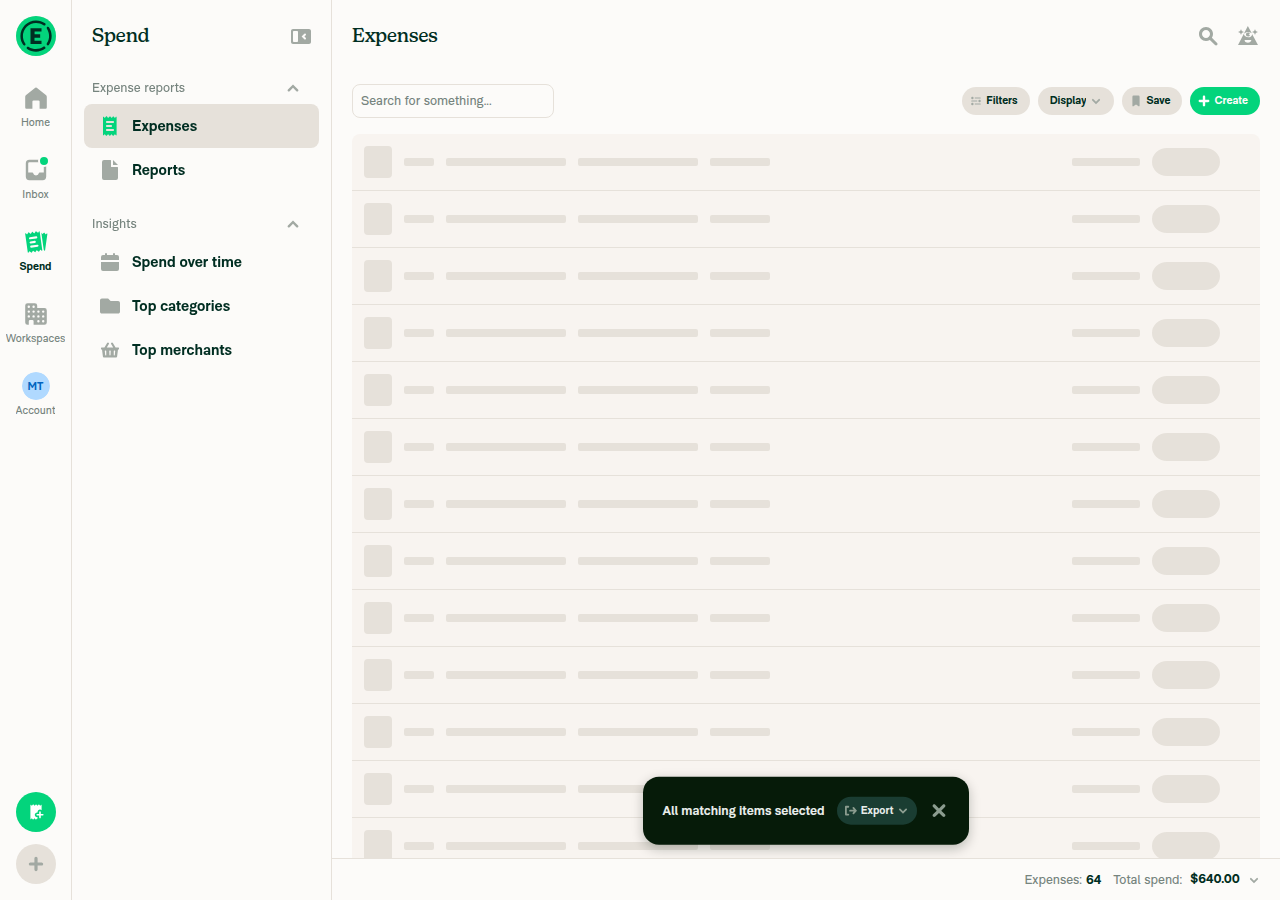
Online, picking "Select all" on Search made the footer flicker: correct totals, then the loading skeleton, then correct totals again.

  1. Search sends the select-all totals request (shouldSaveRecentSearch: false).
  2. The page sends the same query with shouldSaveRecentSearch: true. The in-flight dedupe in search() queues it as a re-fire. This second request is intentional and still goes out.
  3. The re-fire runs right after the first response lands. Its optimistic data set isLoading: true, offset: 0 while the correct count was still there, so the footer showed the skeleton.

Fix: the API calls are unchanged. When a re-fire only adds the save flag, and the request it waited on succeeded with the same totals setting, the re-fire no longer sets search.isLoading. The results on screen are already current, so the footer keeps showing the totals. search.state still tracks the request as before. A re-fire that adds totals, or that follows a failed request, still shows loading.

Fixed Issues

$ #102339
PROPOSAL: #102339 (comment)

Tests

Prerequisite: an account with 50+ expenses (so "Select all" is offered and there is more than one page).

  1. Go to Spend > Expenses and wait for the list to finish loading.
  2. With nothing selected, tap the header checkbox → Select all.
  3. Verify the footer shows the expense count and total spend, and never blanks to a loading skeleton after those values appear.
  • Verify that no errors appear in the JS console

Offline tests

N/A

QA Steps

Same as Tests

  • Verify that no errors appear in the JS console

PR Author Checklist

  • I linked the correct issue in the ### Fixed Issues section above
  • I wrote clear testing steps that cover the changes made in this PR
    • I added steps for local testing in the Tests section
    • I added steps for the expected offline behavior in the Offline steps section
    • I added steps for Staging and/or Production testing in the QA steps section
    • I added steps to cover failure scenarios (i.e. verify an input displays the correct error message if the entered data is not correct)
    • I turned off my network connection and tested it while offline to ensure it matches the expected behavior (i.e. verify the default avatar icon is displayed if app is offline)
    • I tested this PR with a High Traffic account against the staging or production API to ensure there are no regressions (e.g. long loading states that impact usability).
  • I included screenshots or videos for tests on all platforms
  • I ran the tests on all platforms & verified they passed on:
    • Android: Native
    • Android: mWeb Chrome
    • iOS: Native
    • iOS: mWeb Safari
    • MacOS: Chrome / Safari
  • I verified there are no console errors (if there's a console error not related to the PR, report it or open an issue for it to be fixed)
  • I followed proper code patterns (see Reviewing the code)
    • I verified that any callback methods that were added or modified are named for what the method does and never what callback they handle (i.e. toggleReport and not onIconClick)
    • I verified that comments were added to code that is not self explanatory
    • I verified that any new or modified comments were clear, correct English, and explained "why" the code was doing something instead of only explaining "what" the code was doing.
    • I verified any copy / text that was added to the app is grammatically correct in English. It adheres to proper capitalization guidelines (note: only the first word of header/labels should be capitalized), and is either coming verbatim from figma or has been approved by marketing (in order to get marketing approval, ask the Bug Zero team member to add the Waiting for copy label to the issue)
  • If a new code pattern is added I verified it was agreed to be used by multiple Expensify engineers
  • I followed the guidelines as stated in the Review Guidelines
  • I tested other components that can be impacted by my changes (i.e. if the PR modifies a shared library or component like Avatar, I verified the components using Avatar are working as expected)
  • If any new file was added I verified that:
    • The file has a description of what it does and/or why is needed at the top of the file if the code is not self explanatory
  • If a new CSS style is added I verified that:
    • A similar style doesn't already exist
    • The style can't be created with an existing StyleUtils function (i.e. StyleUtils.getBackgroundAndBorderStyle(theme.componentBG))
  • If new assets were added or existing ones were modified, I verified that:
    • The assets are optimized and compressed (for SVG files, run npm run compress-svg)
    • The assets load correctly across all supported platforms.
  • If the PR modifies code that runs when editing or sending messages, I tested and verified there is no unexpected behavior for all supported markdown - URLs, single line code, code blocks, quotes, headings, bold, strikethrough, and italic.
  • If the PR modifies a generic component, I tested and verified that those changes do not break usages of that component in the rest of the App (i.e. if a shared library or component like Avatar is modified, I verified that Avatar is working as expected in all cases)
  • If the PR modifies a component related to any of the existing Storybook stories, I tested and verified all stories for that component are still working as expected.
  • If the PR modifies a component or page that can be accessed by a direct deeplink, I verified that the code functions as expected when the deeplink is used - from a logged in and logged out account.
  • If the PR modifies the UI (e.g. new buttons, new UI components, changing the padding/spacing/sizing, moving components, etc) or modifies the form input styles:
    • I verified that all the inputs inside a form are aligned with each other.
    • I added Design label and/or tagged @Expensify/design so the design team can review the changes.
  • I added unit tests for any new feature or bug fix in this PR to help automatically prevent regressions in this user flow.
  • If the main branch was merged into this PR after a review, I tested again and verified the outcome was still expected according to the Test steps.

…elected offline

Co-authored-by: mkhutornyi <mkhutornyi@users.noreply.github.com>
@MelvinBot

MelvinBot commented Sep 27, 2026 •

Copy link
Copy Markdown
Contributor Author

🤖 Android test steps verification results: ✅ pass

On standalone Android NewDot with 64 unreported Self DM expenses, the Search footer now shows offline after "Select all" (all matching items), and it switches to server totals on reconnect. The PR's Tests section is still a TODO, so these steps come from the linked issue's reproduction steps.
Footer updated to server totals after reconnecting

Step Status
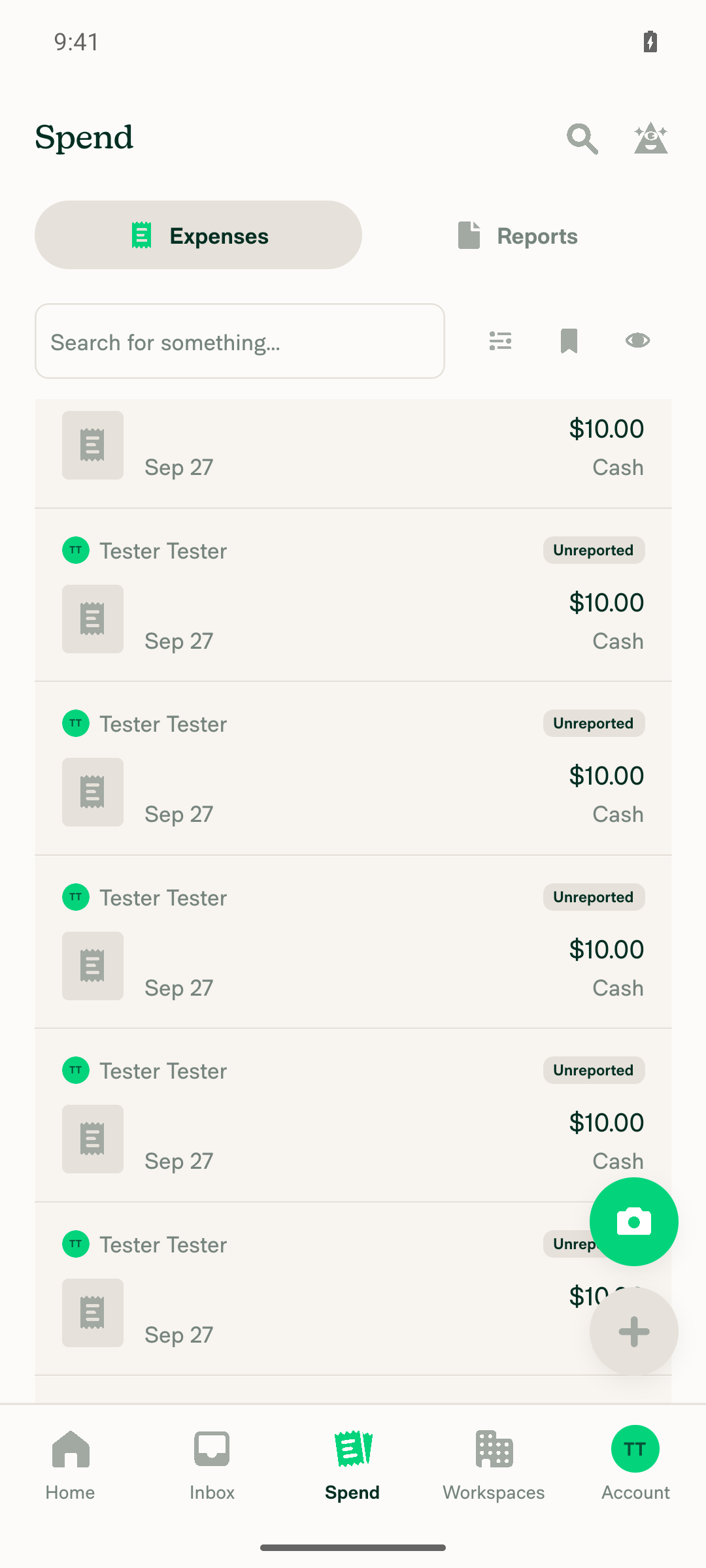
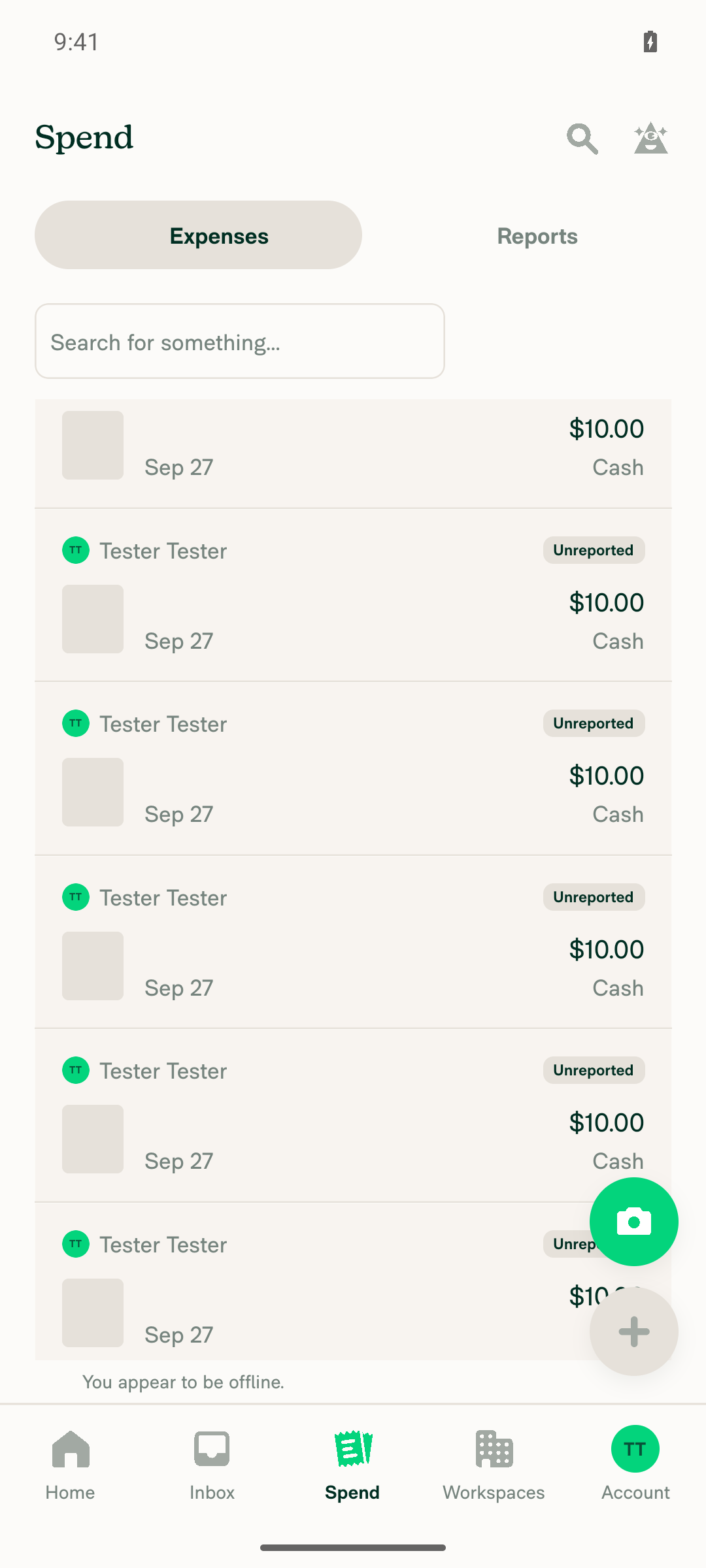
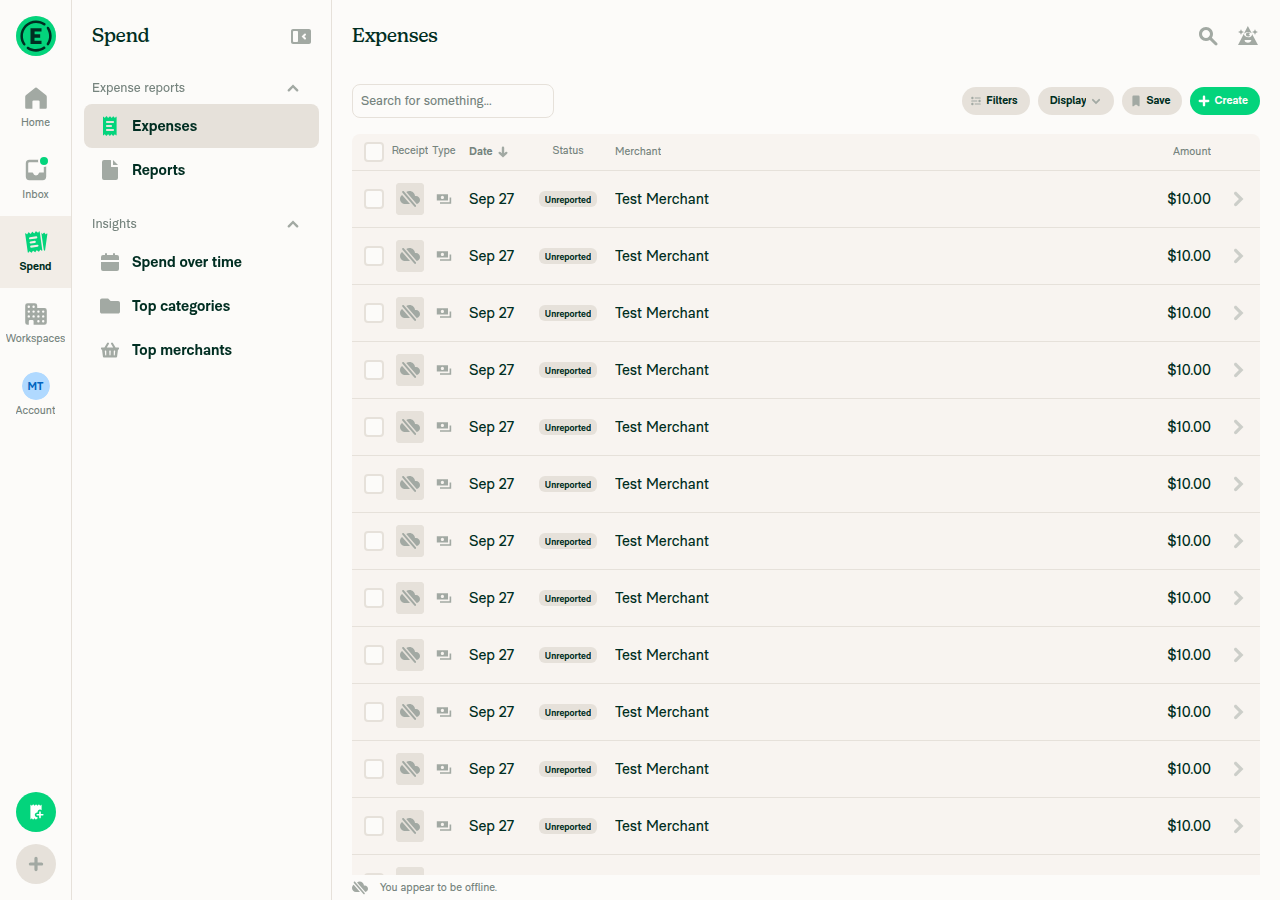
1. Navigate to Spend > Expenses; list loads onlineSpend > Expenses loaded 64 unreported $10.00 Self DM expenses while online.
Expenses list loaded online with 64 unreported expenses
✅
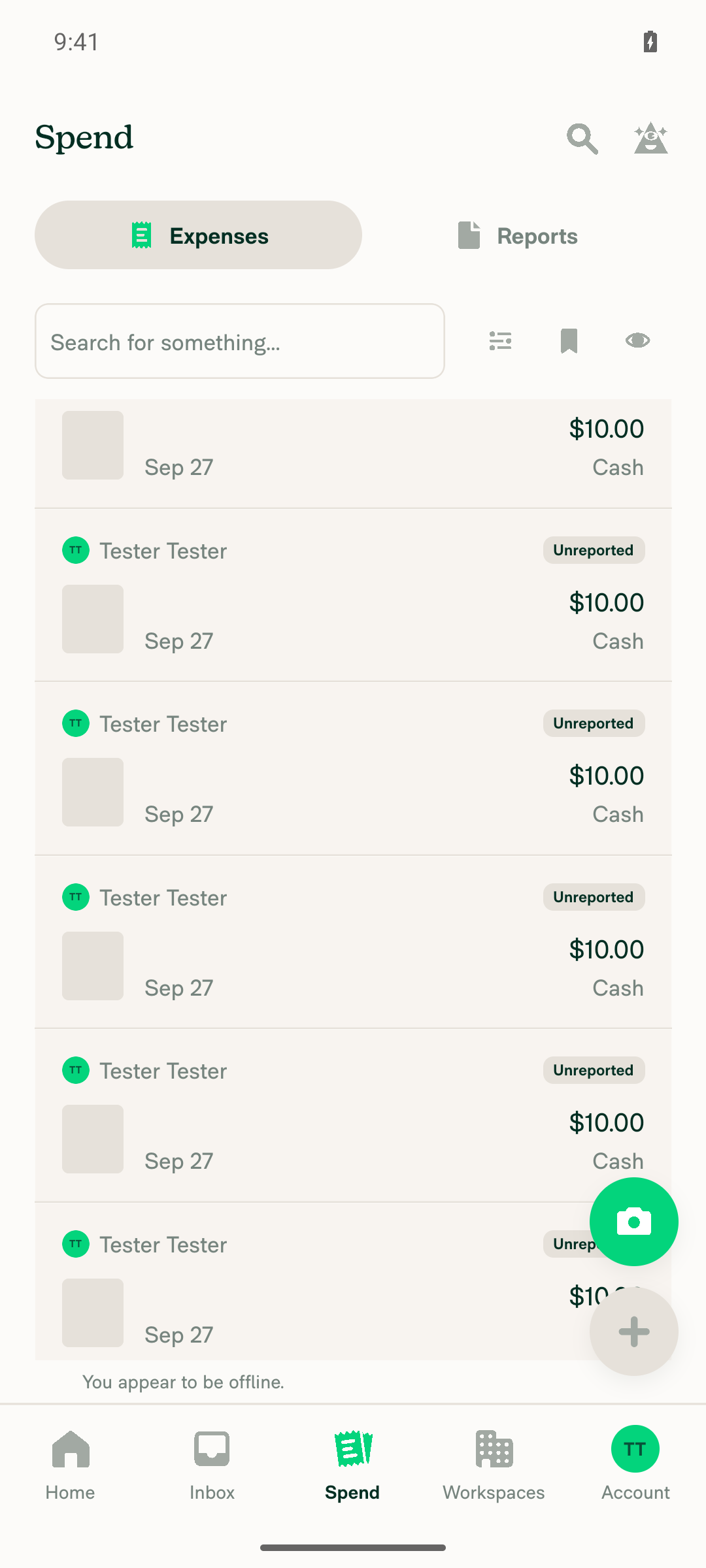
2. Turn off internet; app shows offline stateWith airplane mode on, the app showed the "You appear to be offline." banner.
Offline banner shown on Expenses list
✅
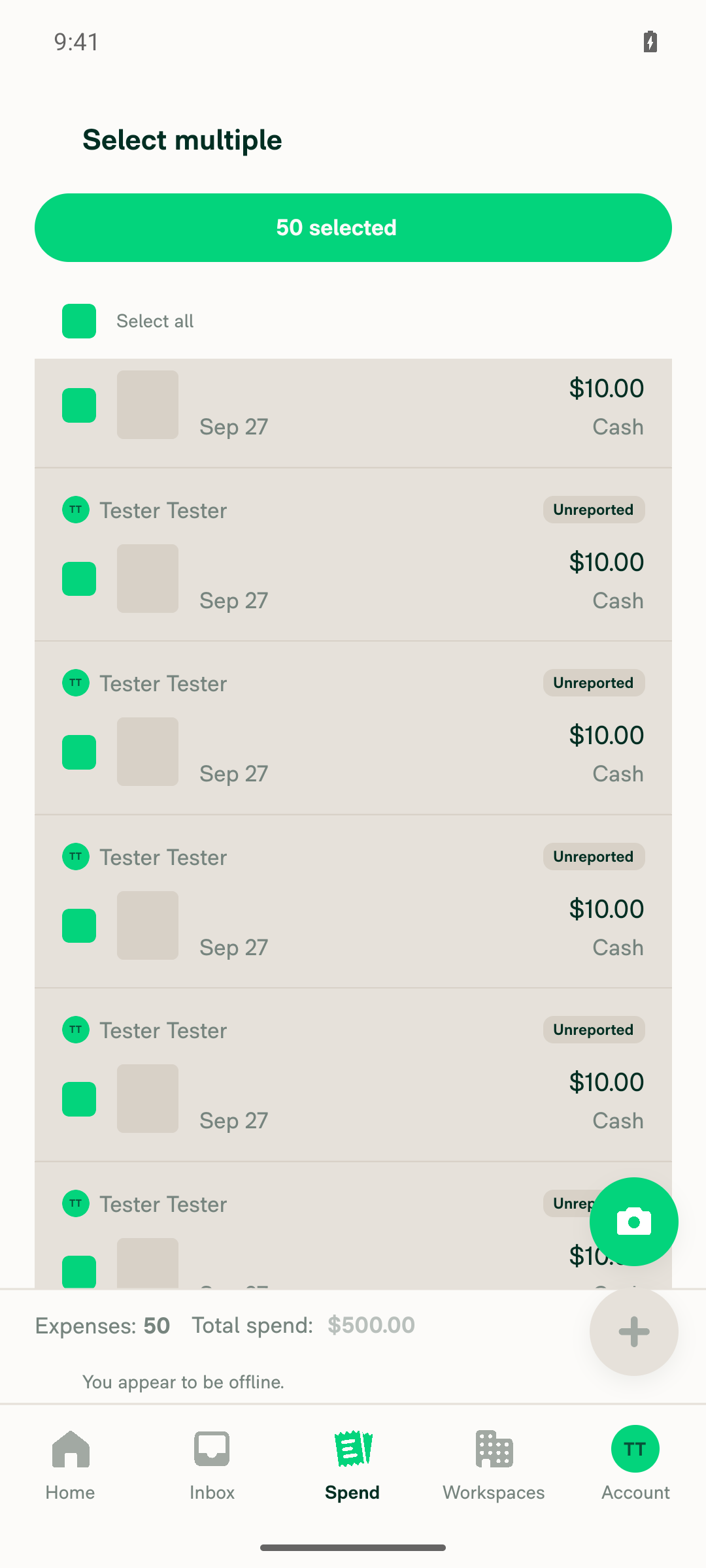
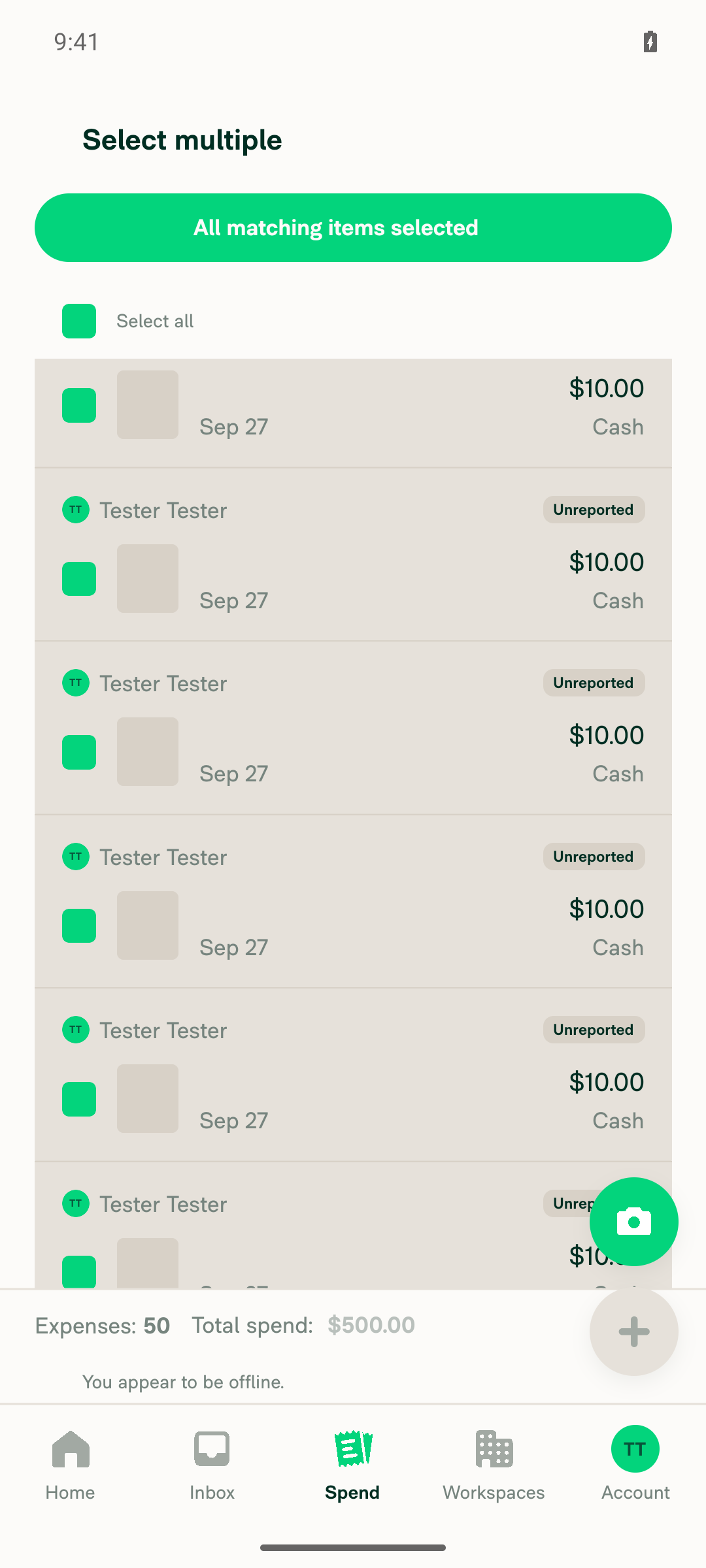
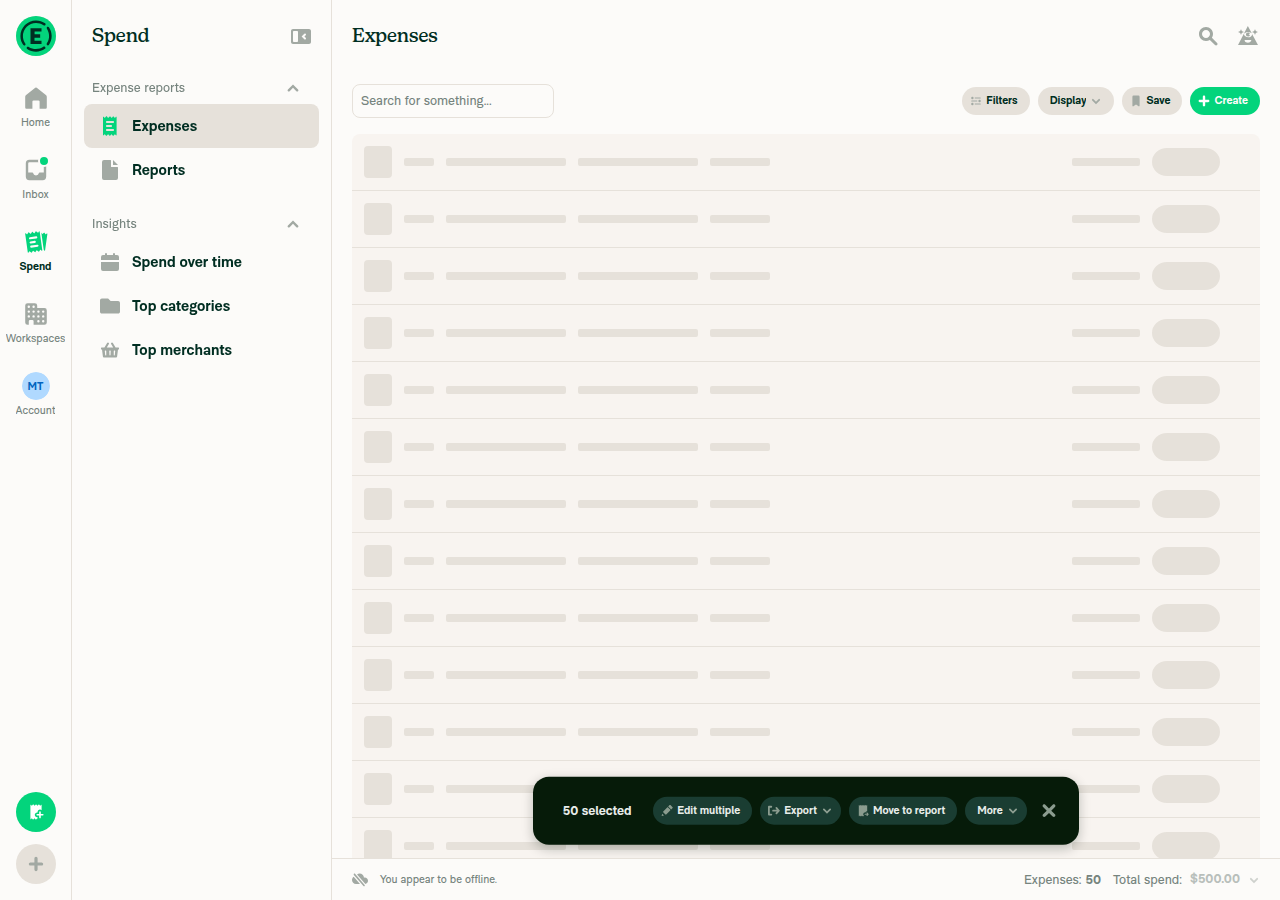
3. Select all on this page: footer appearsThe header checkbox offered both "Select all on this page" and "Select all". "Select all on this page" selected 50 items and showed the greyed-out footer "Expenses: 50, Total spend: $500.00".
Footer showing Expenses: 50, Total spend: $500.00 after selecting all on page, offline
✅
4. Clear selection modeThe header back arrow exited selection mode and returned to the normal Expenses list.
Selection mode cleared
✅
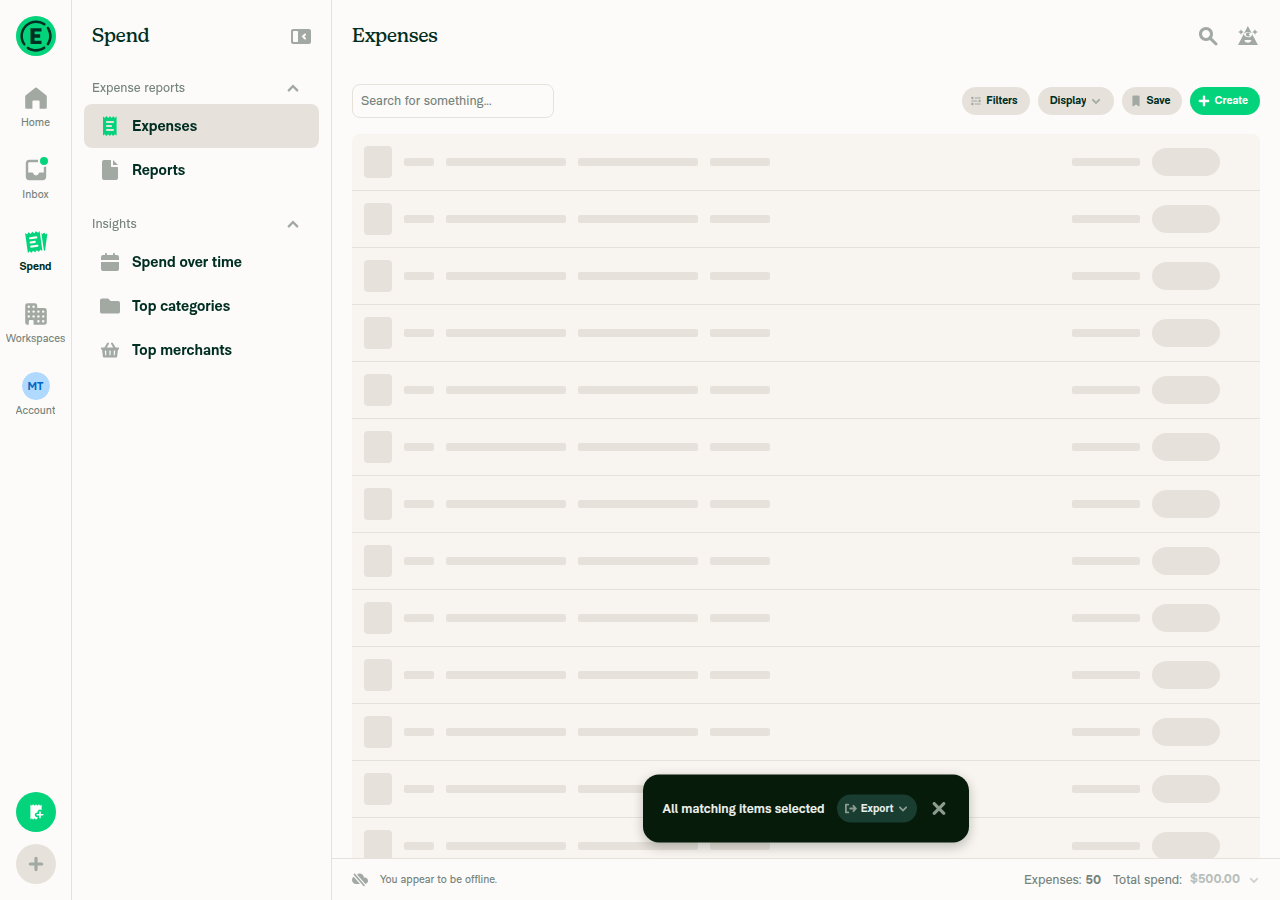
5. Select all (all matching) offline: footer is displayed (the fix)The header showed "All matching items selected". The greyed-out footer showed "Expenses: 50, Total spend: $500.00", the loaded-rows fallback.
Footer visible for All matching items selected while offline
✅
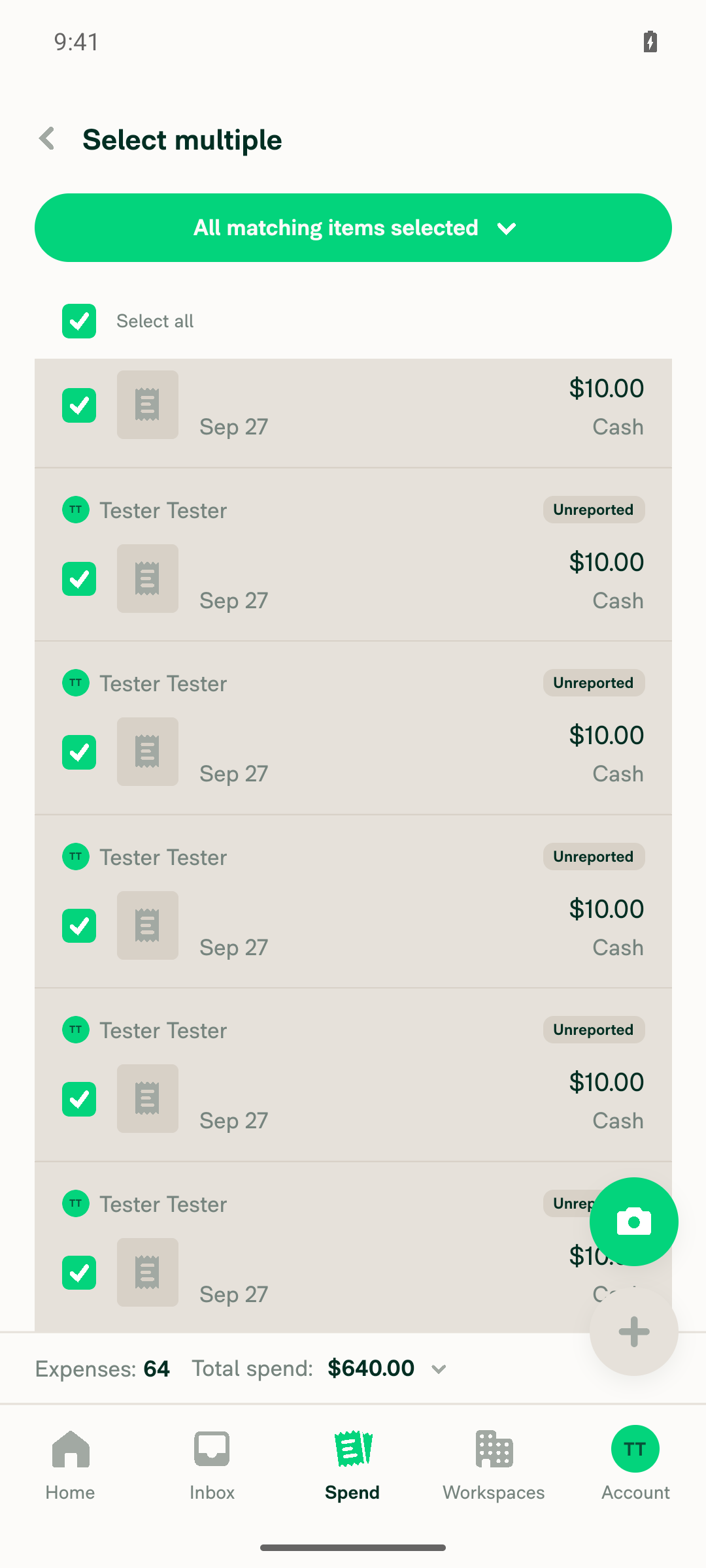
6. Reconnect: footer stays visible and updates to server totalsAfter airplane mode was turned off, the selection persisted. The footer updated from 50 / $500.00 to the server total of 64 / $640.00, with no stuck loading skeleton.
Footer updated to server totals after reconnecting
✅

view run · view recording

@MelvinBot

MelvinBot commented Sep 27, 2026 •

Copy link
Copy Markdown
Contributor Author

🤖 Web test steps verification results: ✅ pass

On dev NewDot web with 64 unreported Self DM expenses, the Search footer now shows offline after "Select all" (all matching items), and it shows server totals once back online. The PR's Tests section is still a TODO, so these steps come from the linked issue's reproduction steps.
Final online state

Step Status
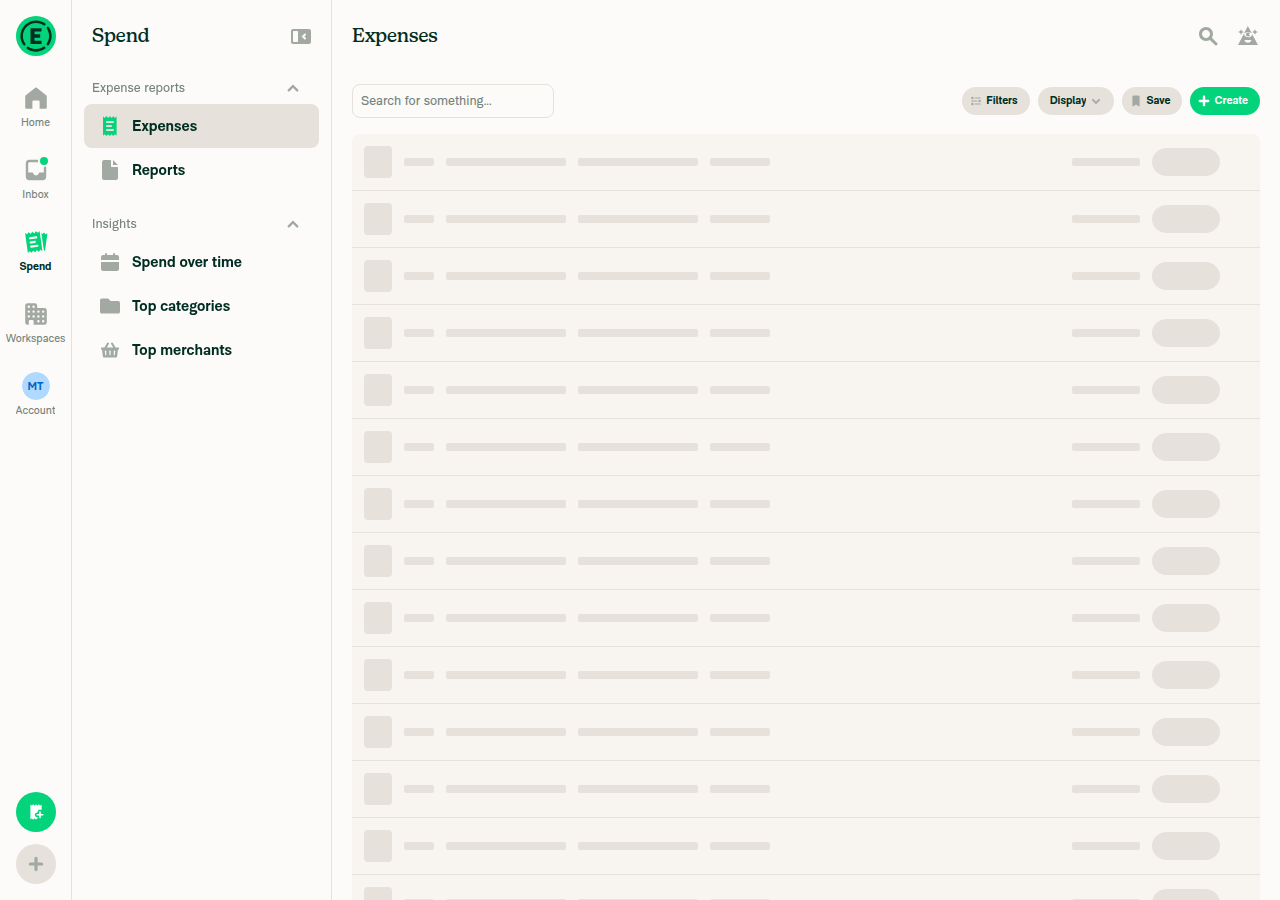
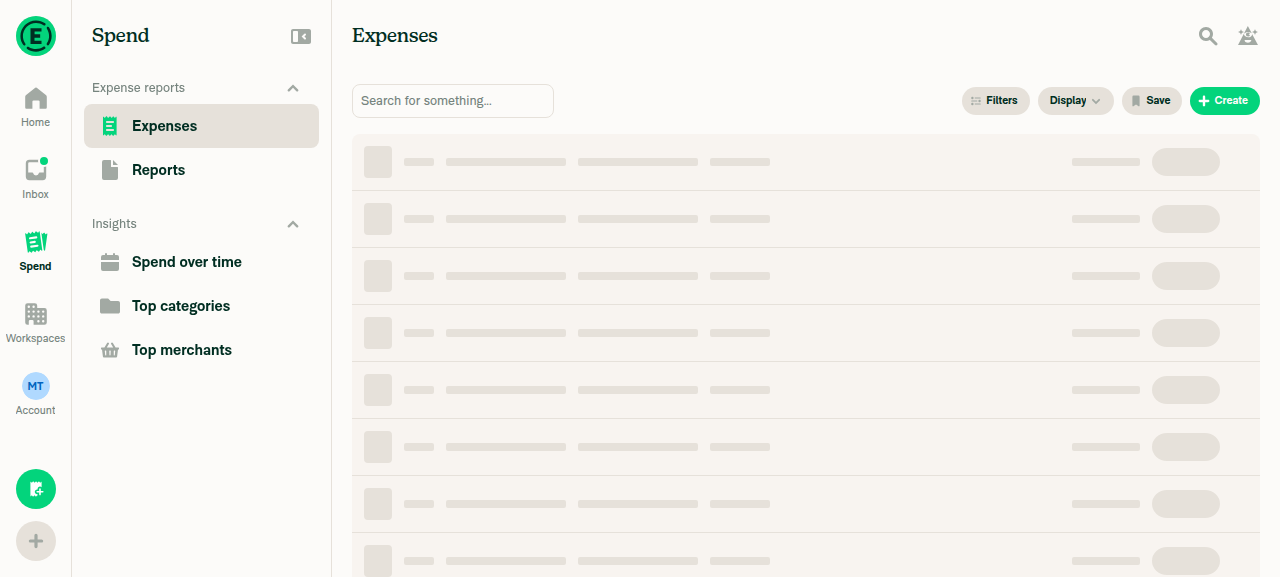
1. Navigate to Spend > Expenses; list loads onlineSpend > Expenses loaded 64 unreported expenses while online.
Expenses list loaded online
✅
2. Go offline; app shows offline stateWith Troubleshoot > "Force offline" on, the "You appear to be offline" banner appeared.
Offline banner on Expenses list
✅
3. Select all on this page: footer appears"Select all on this page" selected 50 items and showed the footer "Expenses: 50, Total spend: $500.00". Total spend is greyed out offline.
Footer after Select all on this page, offline
✅
4. Clear the selectionThe header checkbox returned to unselected and the footer went away.
Selection cleared
✅
5. Select all (all matching) offline: footer is displayed (the fix)The header showed "All matching items selected". The greyed-out footer showed "Expenses: 50, Total spend: $500.00", which counts only the loaded rows. Side note: clicking the header checkbox with one row already selected cleared the selection instead of opening the chooser, so the tester opened the chooser from zero selected. This also happened online.
Footer for All matching items selected while offline
✅
6. Go online: footer updates to server totals without getting stuckAfter turning off Force offline, the tester ran "Select all" again. The footer showed server totals of "Expenses: 64, Total spend: $640.00", Total spend was enabled, and nothing got stuck loading.
Footer updated to server totals after going online
✅

view run · view recording

MelvinBot and others added 2 commits September 28, 2026 13:17
…ed the footer skeleton after Select all

Co-authored-by: mkhutornyi <mkhutornyi@users.noreply.github.com>
@MelvinBot MelvinBot changed the title Show the Search footer when all matching items are selected offline Fix the Search footer skeleton flicker after Select all Sep 28, 2026
Co-authored-by: mkhutornyi <mkhutornyi@users.noreply.github.com>
@MelvinBot

Copy link
Copy Markdown
Contributor Author

Fixed the failing test (job 6) check in 2f16cfb.

Cause: This PR makes useSearchPageSetup call the new isSearchRequestInFlight. The older test file mocks @libs/actions/Search without that function, so the hook threw isSearchRequestInFlight is not a function. The failing test was does not clear the same hash twice when the failure comes straight back.

Fix: I added isSearchRequestInFlight: () => false to that mock in tests/unit/useSearchPageSetupTest.tsx:43-49.

I couldn't run Jest locally in this environment, so CI will confirm the fix. The Check independent approval failure needs a reviewer approval, not a code change.


view run

@MelvinBot MelvinBot changed the title Fix the Search footer skeleton flicker after Select all Fix the Search footer flickering to a loading skeleton after Select all Sep 28, 2026
@MelvinBot

Copy link
Copy Markdown
Contributor Author

No new fix is needed. After 2f16cfb, all Jest jobs, typecheck, ESLint, and the other code checks pass.

The only failing check is Check independent approval. It clears once a reviewer approves the PR.


view run

@mkhutornyi

Copy link
Copy Markdown
Contributor

@MelvinBot I think it's intentional to call 2 apis (shouldSaveRecentSearch = false / true).
This also happens on any filtered searches. (i.e. when switch type to Expense > Expense report)
Keep api call logic as is now.
Let's just fix display bug - skeleton flicker

…re-fire so the footer skeleton doesn't flash

Reverts the useSearchPageSetup dedupe from 9f8f032 per review: the page still sends its flagged request.
When that request is queued behind a successful request that already returned the same totals, the re-fire
no longer sets search.isLoading, so the footer keeps showing the totals instead of flashing its skeleton.

Co-authored-by: mkhutornyi <mkhutornyi@users.noreply.github.com>
@MelvinBot

Copy link
Copy Markdown
Contributor Author

⚠️ MelvinBot CI Fix Loop Detected

MelvinBot has made 5 consecutive commits trying to fix CI failures. Automatic CI fix dispatches are now paused for this PR.

Next steps: A human should review the recent commits and resolve the conflicting CI errors manually.

@MelvinBot

Copy link
Copy Markdown
Contributor Author

Done in f8da012. Both Search requests still go out. Only the footer skeleton flicker is fixed.

  • I reverted the useSearchPageSetup dedupe from 9f8f032, so the page sends its shouldSaveRecentSearch: true request again.
  • A queued re-fire that only adds the save flag no longer sets search.isLoading (Search.ts:1310, Search.ts:802). The request it waited on already put the same totals on screen, so the footer has nothing to reload.
  • The re-fire still shows loading if it adds totals or if the earlier request failed. search.state still tracks the request.
Testing
  • I added 2 tests to tests/unit/Search/searchSaveRecentSearchFlagTest.ts.
  • 62 related Jest suites pass (tests/unit/Search, both useSearchPageSetup test files). typecheck, lint-changed, and spell-changed pass.
  • I couldn't verify this manually on web. The test session loaded a blank page, so please check the flicker when you review.
  • I updated the PR description to match.

@codecov

codecov Bot commented Sep 28, 2026 •

Copy link
Copy Markdown

Codecov Report

✅ Changes either increased or maintained existing code coverage, great job!

Files with missing lines Coverage Δ
src/libs/actions/Search.ts 65.27% <83.33%> (+0.05%) ⬆️
... and 63 files with indirect coverage changes

@mkhutornyi

Copy link
Copy Markdown
Contributor

@MelvinBot review

@MelvinBot

Copy link
Copy Markdown
Contributor Author

⏱️ Ran out of time before I could finish. This usually means the task was too complex or I got stuck exploring. Please try again with a more specific request or post in #melvinbot-ai.

Run details

@MelvinBot

Copy link
Copy Markdown
Contributor Author

I found one likely regression. It needs a narrow timing window, so it's low severity.

Load more can now start while the save-only re-fire is still running. Search blocks "load more" only while search.isLoading is true (Search/index.tsx:422, :920). The re-fire no longer sets that flag. If you scroll to the end before the re-fire returns, the next page (offset 50) is sent at the same time as the offset 0 request. Then:

  • The re-fire's finallyData sets isLoading: false (Search.ts:836), so the "loading more" spinner stops while page 2 is still loading.
  • If page 2 returns first, the offset 0 response lands last. It can reset offset and hasMoreResults to page 1 values. The results may also be replaced, based on the comment above retrySearch in Search/index.tsx.

Before this PR, isLoading: true on the re-fire blocked this. The window is longest on high-traffic accounts, where a Search request takes seconds.

Possible fix: On the non-live path, also treat a pending first page as busy, for example isSearchPending(searchResults) && offset === 0. That keeps the footer fix and stops pagination during the re-fire.

What I checked with no regression found
  • Which re-fires skip loading: Only save-only re-fires after a successful request skip it. A totals upgrade or a re-fire after a failed request still sets isLoading.
  • Totals: When totals are on, the re-fire doesn't clear count or total. When totals are off, it clears them the same way as before.
  • Page setup: useSearchPageSetup still re-runs on state: loading. Its call is deduped against the in-flight request, which already has the save flag.
  • Duplicate callers: Callers that pass isLoading: !!search.isLoading, such as the totals retry effect and the error retry, now reach search() during the re-fire. The in-flight dedupe drops them.
  • Excluded-transaction reconciliation: It now runs during the re-fire (SearchWriteActionsProvider.tsx:752). The data is already fresh from the first response, so this is harmless.
  • Loading bars: The loading bar on the wide layout (SearchSidebar) no longer shows during the re-fire, which is intended. The narrow layout's bar reads search.state, so it still shows as before.
  • CI: All checks pass except Check independent approval.

I checked this by reading the code. I didn't test it manually.

@mkhutornyi

Copy link
Copy Markdown
Contributor
Details

Explanation of Change

Online, picking "Select all" on Search made the footer flicker: correct totals, then the loading skeleton, then correct totals again.

  1. Search sends the select-all totals request (shouldSaveRecentSearch: false).
  2. The page sends the same query with shouldSaveRecentSearch: true. The in-flight dedupe in search() queues it as a re-fire. This second request is intentional and still goes out.
  3. The re-fire runs right after the first response lands. Its optimistic data set isLoading: true, offset: 0 while the correct count was still there, so the footer showed the skeleton.

Fix: the API calls are unchanged. When a re-fire only adds the save flag, and the request it waited on succeeded with the same totals setting, the re-fire no longer sets search.isLoading. The results on screen are already current, so the footer keeps showing the totals. search.state still tracks the request as before. A re-fire that adds totals, or that follows a failed request, still shows loading.

Fixed Issues

$ #102339
PROPOSAL: #102339 (comment)

Tests

Prerequisite: an account with 50+ expenses (so "Select all" is offered and there is more than one page).

  1. Go to Spend > Expenses and wait for the list to finish loading.
  2. With nothing selected, tap the header checkbox → Select all.
  3. Verify the footer shows the expense count and total spend, and never blanks to a loading skeleton after those values appear.
  • Verify that no errors appear in the JS console

Offline tests

N/A

QA Steps

Same as Tests

  • Verify that no errors appear in the JS console

PR Author Checklist

  • I linked the correct issue in the ### Fixed Issues section above
  • I wrote clear testing steps that cover the changes made in this PR
    • I added steps for local testing in the Tests section
    • I added steps for the expected offline behavior in the Offline steps section
    • I added steps for Staging and/or Production testing in the QA steps section
    • I added steps to cover failure scenarios (i.e. verify an input displays the correct error message if the entered data is not correct)
    • I turned off my network connection and tested it while offline to ensure it matches the expected behavior (i.e. verify the default avatar icon is displayed if app is offline)
    • I tested this PR with a High Traffic account against the staging or production API to ensure there are no regressions (e.g. long loading states that impact usability).
  • I included screenshots or videos for tests on all platforms
  • I ran the tests on all platforms & verified they passed on:
    • Android: Native
    • Android: mWeb Chrome
    • iOS: Native
    • iOS: mWeb Safari
    • MacOS: Chrome / Safari
  • I verified there are no console errors (if there's a console error not related to the PR, report it or open an issue for it to be fixed)
  • I followed proper code patterns (see Reviewing the code)
    • I verified that any callback methods that were added or modified are named for what the method does and never what callback they handle (i.e. toggleReport and not onIconClick)
    • I verified that comments were added to code that is not self explanatory
    • I verified that any new or modified comments were clear, correct English, and explained "why" the code was doing something instead of only explaining "what" the code was doing.
    • I verified any copy / text that was added to the app is grammatically correct in English. It adheres to proper capitalization guidelines (note: only the first word of header/labels should be capitalized), and is either coming verbatim from figma or has been approved by marketing (in order to get marketing approval, ask the Bug Zero team member to add the Waiting for copy label to the issue)
  • If a new code pattern is added I verified it was agreed to be used by multiple Expensify engineers
  • I followed the guidelines as stated in the Review Guidelines
  • I tested other components that can be impacted by my changes (i.e. if the PR modifies a shared library or component like Avatar, I verified the components using Avatar are working as expected)
  • If any new file was added I verified that:
    • The file has a description of what it does and/or why is needed at the top of the file if the code is not self explanatory
  • If a new CSS style is added I verified that:
    • A similar style doesn't already exist
    • The style can't be created with an existing StyleUtils function (i.e. StyleUtils.getBackgroundAndBorderStyle(theme.componentBG))
  • If new assets were added or existing ones were modified, I verified that:
    • The assets are optimized and compressed (for SVG files, run npm run compress-svg)
    • The assets load correctly across all supported platforms.
  • If the PR modifies code that runs when editing or sending messages, I tested and verified there is no unexpected behavior for all supported markdown - URLs, single line code, code blocks, quotes, headings, bold, strikethrough, and italic.
  • If the PR modifies a generic component, I tested and verified that those changes do not break usages of that component in the rest of the App (i.e. if a shared library or component like Avatar is modified, I verified that Avatar is working as expected in all cases)
  • If the PR modifies a component related to any of the existing Storybook stories, I tested and verified all stories for that component are still working as expected.
  • If the PR modifies a component or page that can be accessed by a direct deeplink, I verified that the code functions as expected when the deeplink is used - from a logged in and logged out account.
  • If the PR modifies the UI (e.g. new buttons, new UI components, changing the padding/spacing/sizing, moving components, etc) or modifies the form input styles:
    • I verified that all the inputs inside a form are aligned with each other.
    • I added Design label and/or tagged @Expensify/design so the design team can review the changes.
  • I added unit tests for any new feature or bug fix in this PR to help automatically prevent regressions in this user flow.
  • If the main branch was merged into this PR after a review, I tested again and verified the outcome was still expected according to the Test steps.

@MelvinBot please set the PR body to the content in the details section above and mark as ready for review

@MelvinBot
MelvinBot marked this pull request as ready for review September 28, 2026 15:39
@MelvinBot
MelvinBot requested a review from a team as a code owner September 28, 2026 15:39
@melvin-bot
melvin-bot Bot requested review from mkhutornyi and removed request for a team September 28, 2026 15:39
@melvin-bot

melvin-bot Bot commented Sep 28, 2026

Copy link
Copy Markdown

@mkhutornyi Please copy/paste the Reviewer Checklist from here into a new comment on this PR and complete it. If you have the K2 extension, you can simply click: [this button]

@melvin-bot
melvin-bot Bot removed the request for review from a team September 28, 2026 15:39
@MelvinBot

Copy link
Copy Markdown
Contributor Author

Done. I set the PR body to the content you provided and marked the PR as ready for review.

@chatgpt-codex-connector chatgpt-codex-connector Bot left a comment

Copy link
Copy Markdown

Choose a reason for hiding this comment

The reason will be displayed to describe this comment to others. Learn more.

💡 Codex Review

Here are some automated review suggestions for this pull request.

Reviewed commit: f8da012d97

ℹ️ About Codex in GitHub

Codex has been enabled to automatically review pull requests in this repo. Reviews are triggered when you

  • Open a pull request for review
  • Mark a draft as ready
  • Comment "@codex review".

If Codex has suggestions, it will comment; otherwise it will react with 👍.

When you sign up for Codex through ChatGPT, Codex can also answer questions or update the PR, like "@codex address that feedback".

shouldSaveRecentSearch: inFlightRequest.pendingShouldSaveRecentSearch,
// A re-fire that only adds the save flag returns the same results the finished request just showed,
// so it must not show loading again (the footer would flash its skeleton over the totals).
shouldShowLoading: !inFlightRequest.didSucceed || inFlightRequest.pendingShouldCalculateTotals !== inFlightRequest.shouldCalculateTotals,

Copy link
Copy Markdown

Choose a reason for hiding this comment

The reason will be displayed to describe this comment to others. Learn more.

P2 Badge Keep the loading state after an empty successful response

When the first request returns HTTP 200 but omits snapshot data—a case the success handler explicitly records as loading_terminal_empty—didSucceed is still set to true, so this queued save-only request suppresses isLoading. Because that response leaves any cached snapshot and its count/total intact, the footer can display stale totals until the re-fire completes rather than indicating that the displayed data was not refreshed. Only suppress the loader after a successful response that actually supplied usable snapshot data.

Useful? React with 👍 / 👎.

Copy link
Copy Markdown
Contributor

Choose a reason for hiding this comment

The reason will be displayed to describe this comment to others. Learn more.

omits snapshot data - not valid

@mkhutornyi

Copy link
Copy Markdown
Contributor

Reviewer Checklist

  • I have verified the author checklist is complete (all boxes are checked off).
  • I verified the correct issue is linked in the ### Fixed Issues section above
  • I verified testing steps are clear and they cover the changes made in this PR
    • I verified the steps for local testing are in the Tests section
    • I verified the steps for Staging and/or Production testing are in the QA steps section
    • I verified the steps cover any possible failure scenarios (i.e. verify an input displays the correct error message if the entered data is not correct)
    • I turned off my network connection and tested it while offline to ensure it matches the expected behavior (i.e. verify the default avatar icon is displayed if app is offline)
  • I checked that screenshots or videos are included for tests on all platforms
  • I included screenshots or videos for tests on all platforms
  • I verified that the composer does not automatically focus or open the keyboard on mobile unless explicitly intended. This includes checking that returning the app from the background does not unexpectedly open the keyboard.
  • I verified tests pass on all platforms & I tested again on:
    • Android: HybridApp
    • Android: mWeb Chrome
    • iOS: HybridApp
    • iOS: mWeb Safari
    • MacOS: Chrome / Safari
  • If there are any errors in the console that are unrelated to this PR, I either fixed them (preferred) or linked to where I reported them in Slack
  • I verified proper code patterns were followed (see Reviewing the code)
    • I verified that any callback methods that were added or modified are named for what the method does and never what callback they handle (i.e. toggleReport and not onIconClick).
    • I verified that comments were added to code that is not self explanatory
    • I verified that any new or modified comments were clear, correct English, and explained "why" the code was doing something instead of only explaining "what" the code was doing.
    • I verified any copy / text that was added to the app is grammatically correct in English. It adheres to proper capitalization guidelines (note: only the first word of header/labels should be capitalized), and is either coming verbatim from figma or has been approved by marketing (in order to get marketing approval, ask the Bug Zero team member to add the Waiting for copy label to the issue)
  • If a new code pattern is added I verified it was agreed to be used by multiple Expensify engineers
  • I verified that this PR follows the guidelines as stated in the Review Guidelines
  • I verified other components that can be impacted by these changes have been tested, and I retested again (i.e. if the PR modifies a shared library or component like Avatar, I verified the components using Avatar have been tested & I retested again)
  • If a new component is created I verified that:
    • A similar component doesn't exist in the codebase
    • All props are defined accurately and each prop has a /** comment above it */
    • The file is named correctly
    • The component has a clear name that is non-ambiguous and the purpose of the component can be inferred from the name alone
    • The only data being stored in the state is data necessary for rendering and nothing else
    • For Class Components, any internal methods passed to components event handlers are bound to this properly so there are no scoping issues (i.e. for onClick={this.submit} the method this.submit should be bound to this in the constructor)
    • Any internal methods bound to this are necessary to be bound (i.e. avoid this.submit = this.submit.bind(this); if this.submit is never passed to a component event handler like onClick)
    • All JSX used for rendering exists in the render method
    • The component has the minimum amount of code necessary for its purpose, and it is broken down into smaller components in order to separate concerns and functions
  • If any new file was added I verified that:
    • The file has a description of what it does and/or why is needed at the top of the file if the code is not self explanatory
  • If a new CSS style is added I verified that:
    • A similar style doesn't already exist
    • The style can't be created with an existing StyleUtils function (i.e. StyleUtils.getBackgroundAndBorderStyle(theme.componentBG)
  • If the PR modifies code that runs when editing or sending messages, I tested and verified there is no unexpected behavior for all supported markdown - URLs, single line code, code blocks, quotes, headings, bold, strikethrough, and italic.
  • If the PR modifies a generic component, I tested and verified that those changes do not break usages of that component in the rest of the App (i.e. if a shared library or component like Avatar is modified, I verified that Avatar is working as expected in all cases)
  • If the PR modifies a component related to any of the existing Storybook stories, I tested and verified all stories for that component are still working as expected.
  • If the PR modifies a component or page that can be accessed by a direct deeplink, I verified that the code functions as expected when the deeplink is used - from a logged in and logged out account.
  • If the PR modifies the UI (e.g. new buttons, new UI components, changing the padding/spacing/sizing, moving components, etc) or modifies the form input styles:
    • I verified that all the inputs inside a form are aligned with each other.
    • I added Design label and/or tagged @Expensify/design so the design team can review the changes.
  • For any bug fix or new feature in this PR, I verified that sufficient unit tests are included to prevent regressions in this flow.
  • If the main branch was merged into this PR after a review, I tested again and verified the outcome was still expected according to the Test steps.
  • I have checked off every checkbox in the PR reviewer checklist, including those that don't apply to this PR.

Screenshots/Videos

Android: HybridApp
Android: mWeb Chrome
iOS: HybridApp
iOS: mWeb Safari
MacOS: Chrome / Safari
102375.mov

@melvin-bot

melvin-bot Bot commented Sep 28, 2026

Copy link
Copy Markdown

We did not find an internal engineer to review this PR, trying to assign a random engineer to #102339 as well as to this PR... Please reach out for help on Slack if no one gets assigned!

@melvin-bot
melvin-bot Bot requested a review from jasperhuangg September 28, 2026 15:49
@jasperhuangg
jasperhuangg merged commit 56e5806 into main Sep 28, 2026
48 of 53 checks passed
@jasperhuangg
jasperhuangg deleted the claude-selectAllOfflineFooter branch September 28, 2026 18:44
@OSBotify

Copy link
Copy Markdown
Contributor

✋ This PR was not deployed to staging yet because QA is ongoing. It will be automatically deployed to staging after the next production release.

@github-actions

Copy link
Copy Markdown
Contributor

🚧 jasperhuangg has triggered a test Expensify/App build. You can view the workflow run here.

@OSBotify

Copy link
Copy Markdown
Contributor

🚀 Deployed to staging by https://github.com/jasperhuangg in version: 9.4.95-0 🚀

platform result
🕸 web 🕸 success ✅
🤖 android 🤖 success ✅
🍎 iOS 🍎 success ✅

@MelvinBot

Copy link
Copy Markdown
Contributor Author

No help site changes are required for this PR.

This PR fixes a brief loading flicker in the Spend page footer after you choose Select all. It doesn't change any feature, setting, label, button, or workflow.

Why no docs update is needed
  • The only files changed are src/libs/actions/Search.ts and a unit test. The fix stops a repeated request from resetting search.isLoading. It adds no copy and makes no visible change beyond removing the flicker.
  • Getting-Started-with-the-Spend-Page.md:95-125 describes what the Total spend footer shows. It also says the currency picker is disabled while totals load. Both statements are still accurate.
  • Getting-Started-with-the-Spend-Page.md:187 covers how Select all works with filters. The PR doesn't change that behavior.
  • No article under docs/articles mentions the loading skeleton or flicker.

I didn't create a help site PR because no changes are needed.


view run

@tgolen tgolen mentioned this pull request Sep 29, 2026
40 tasks done
@OSBotify

Copy link
Copy Markdown
Contributor

🚀 Deployed to production by https://github.com/Julesssss in version: 9.4.95-4 🚀

platform result
🕸 web 🕸 success ✅
🤖 android 🤖 failure ❌
🍎 iOS 🍎 failure ❌

Sign up for free to join this conversation on GitHub. Already have an account? Sign in to comment

Labels

Melvin-Test-Android Melvin-Test-Web Triggers Melvin to run the testing steps of the PR on web

Projects

None yet

Development

Successfully merging this pull request may close these issues.

4 participants