Skip to content

Animate the action-badge forward-scroll on native to match web - #102116

Merged
arosiclair merged 4 commits into
mainfrom
claude-animatedScrollToActionBadgeTargetOnNative
Oct 2, 2026
Merged

arosiclair merged 4 commits into
mainfrom
claude-animatedScrollToActionBadgeTargetOnNative

Conversation

@MelvinBot

@MelvinBot MelvinBot commented Sep 24, 2026 •

Copy link
Copy Markdown
Contributor

Explanation of Change

#98515 made the action-badge forward-scroll fire immediately on click instead of waiting for the approve/pay/submit button animation.
That closed out the web and mobile half of the request; the remaining item on the linked issue is giving native an animated scroll so it matches web.

useReportScrollManager has two platform implementations with different animated defaults: web defaults to true, native defaults to false.
scrollToActionBadgeTarget never passed the option, so it inherited each platform's default — web animated smoothly, native teleported.
That instant jump was tolerable while the scroll waited for the button animation (the delay gave the user a beat to follow along), but now that the scroll fires on the very next frame after the click, native snaps the list to the next actionable preview with no visual continuity and the user loses track of where the list moved.

This passes {animated: true} explicitly at the single call site in scrollToActionBadgeTarget, so both platforms animate.
Web behavior is unchanged (it already defaulted to true); only native changes.
Every other scrollToIndex caller keeps its existing per-platform default — in particular ReportActionItemMessageEdit's Android Chrome keyboard hack still passes {animated: false} deliberately.

Fixed Issues

$ #98824

Tests

  1. Open a workspace chat that has several report previews requiring action (Approve/Pay/Submit), with the oldest actionable one scrolled above the current viewport.
  2. Approve (or Pay/Submit) the oldest actionable report preview.
  3. Verify the chat animates forward to the next actionable report preview on tap, rather than jumping to it instantly.
  • Verify that no errors appear in the JS console

Offline tests

Same as Tests

QA Steps

Same as Tests

  • Verify that no errors appear in the JS console

PR Author Checklist

  • I linked the correct issue in the ### Fixed Issues section above
  • I wrote clear testing steps that cover the changes made in this PR
    • I added steps for local testing in the Tests section
    • I added steps for the expected offline behavior in the Offline steps section
    • I added steps for Staging and/or Production testing in the QA steps section
    • I added steps to cover failure scenarios (i.e. verify an input displays the correct error message if the entered data is not correct)
    • I turned off my network connection and tested it while offline to ensure it matches the expected behavior (i.e. verify the default avatar icon is displayed if app is offline)
    • I tested this PR with a High Traffic account against the staging or production API to ensure there are no regressions (e.g. long loading states that impact usability).
  • I included screenshots or videos for tests on all platforms
  • I ran the tests on all platforms & verified they passed on:
    • Android: Native
    • Android: mWeb Chrome
    • iOS: Native
    • iOS: mWeb Safari
    • MacOS: Chrome / Safari
  • I verified there are no console errors (if there's a console error not related to the PR, report it or open an issue for it to be fixed)
  • I followed proper code patterns (see Reviewing the code)
    • I verified that comments were added to code that is not self explanatory
    • I verified that any new or modified comments were clear, correct English, and explained "why" the code was doing something instead of only explaining "what" the code was doing.
    • I verified any copy / text that was added to the app is grammatically correct in English. It adheres to proper capitalization guidelines (note: only the first word of header/labels should be capitalized), and is either coming verbatim from figma or has been approved by marketing (in order to get marketing approval, ask the Bug Zero team member to add the Waiting for copy label to the issue)
  • If a new code pattern is added I verified it was agreed to be used by multiple Expensify engineers
  • I followed the guidelines as stated in the Review Guidelines
  • I tested other components that can be impacted by my changes (i.e. if the PR modifies a shared library or component like Avatar, I verified the components using Avatar are working as expected)
  • If a new CSS style is added I verified that:
    • A similar style doesn't already exist
    • The style can't be created with an existing StyleUtils function (i.e. StyleUtils.getBackgroundAndBorderStyle(theme.componentBG))
  • If new assets were added or existing ones were modified, I verified that:
    • The assets are optimized and compressed (for SVG files, run npm run compress-svg)
    • The assets load correctly across all supported platforms.
  • If the PR modifies code that runs when editing or sending messages, I tested and verified there is no unexpected behavior for all supported markdown - URLs, single line code, code blocks, quotes, headings, bold, strikethrough, and italic.
  • If the PR modifies a generic component, I tested and verified that those changes do not break usages of that component in the rest of the App (i.e. if a shared library or component like Avatar is modified, I verified that Avatar is working as expected in all cases)
  • If the PR modifies a component related to any of the existing Storybook stories, I tested and verified all stories for that component are still working as expected.
  • If the PR modifies a component or page that can be accessed by a direct deeplink, I verified that the code functions as expected when the deeplink is used - from a logged in and logged out account.
  • If the PR modifies the UI (e.g. new buttons, new UI components, changing the padding/spacing/sizing, moving components, etc) or modifies the form input styles:
    • I verified that all the inputs inside a form are aligned with each other.
    • I added Design label and/or tagged @Expensify/design so the design team can review the changes.
  • If the PR adds or modifies the UI:
    • I asked an AI agent to review the changes for accessibility issues and addressed its findings.
    • I tested with a screen reader (VoiceOver on macOS) and verified all new/changed elements are reachable with a logical focus order.
    • I verified all new/changed elements have meaningful accessible names and roles.
    • I verified state changes are announced (e.g. checked/unchecked, expanded/collapsed, selected).
  • I added unit tests for any new feature or bug fix in this PR to help automatically prevent regressions in this user flow.
  • If the main branch was merged into this PR after a review, I tested again and verified the outcome was still expected according to the Test steps.

Native's scrollToIndex defaults to an instant jump, so the immediate forward-scroll teleported to the next actionable preview. Pass animated: true at the call site so both platforms animate.

Co-authored-by: Aimane Chnaif <aimane-chnaif@users.noreply.github.com>
Comment thread src/hooks/useReportActionsScroll.ts Outdated
Comment on lines +397 to +399
// `animated` is passed explicitly because native's scrollToIndex defaults to an instant jump. The forward-scroll fires
// immediately on click, so without the animation native teleports to the next actionable preview and the user loses
// track of where the list moved. Animating matches web and keeps the movement readable on both platforms.

@aimane-chnaif aimane-chnaif Sep 24, 2026 •

Copy link
Copy Markdown
Contributor

Choose a reason for hiding this comment

The reason will be displayed to describe this comment to others. Learn more.

@MelvinBot simplify (or remove if redundant) all inline comments

@MelvinBot

MelvinBot commented Sep 24, 2026 •

Copy link
Copy Markdown
Contributor Author

🤖 Android test steps verification results: ❌ fail

The PR's animated: true reaches the device (confirmed in the served Metro bundle), but the action-badge forward-scroll and the pill tap both still move the list in a single rendered frame — no intermediate scroll positions, so native still jumps instantly. Setup and the Approve action itself worked. A control fling on the same list produced a smooth 13-frame trajectory, so the capture method does detect animation. The likely gap is that FlashList's scrollToIndex({animated: true}) on Android doesn't animate for these targets — worth checking before merging, since the PR's stated user-visible effect isn't reproducible here. Call site: src/hooks/useReportActionsScroll.ts:400 → src/hooks/useReportScrollManager/index.native.ts:17-22.

App frozen with Pay popover stuck on screen after Mark as paid

Step Status
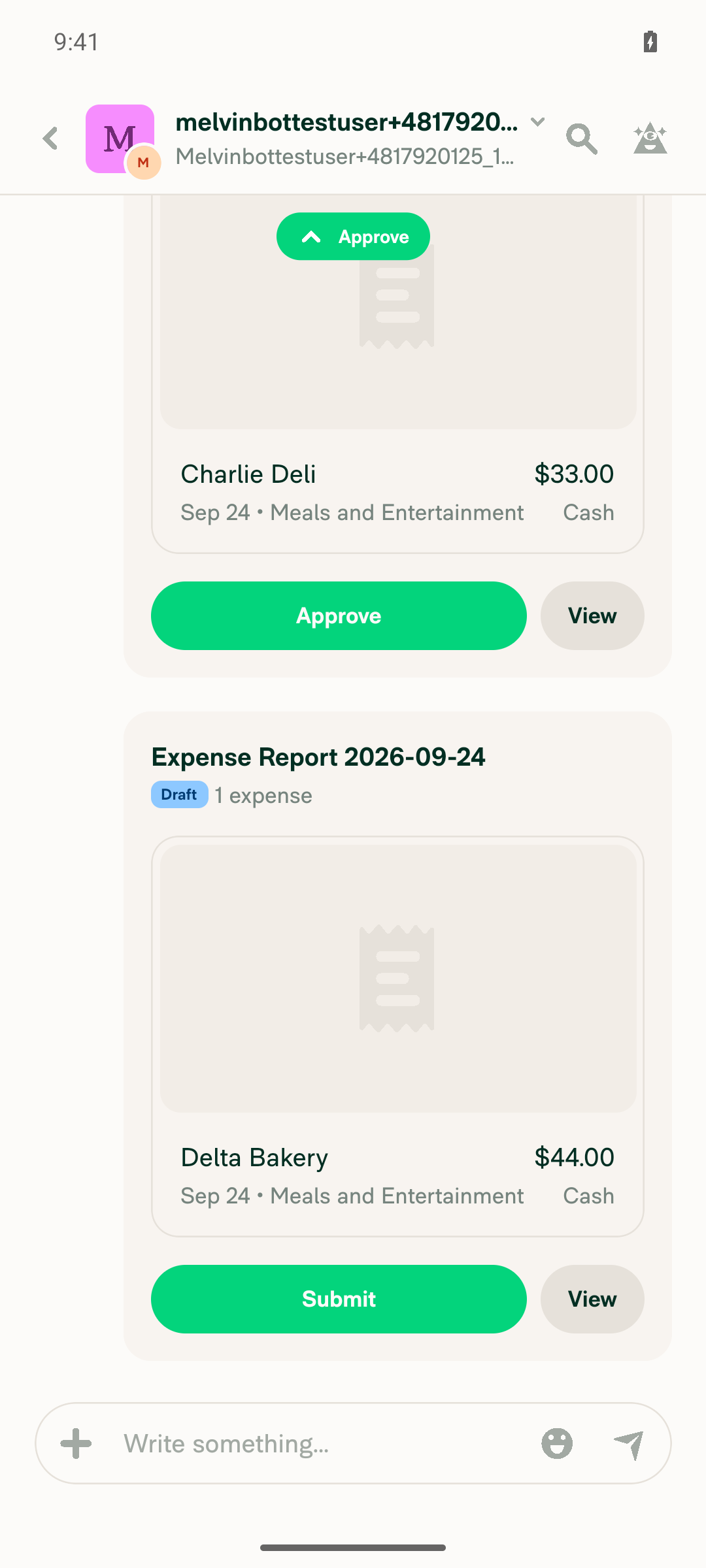
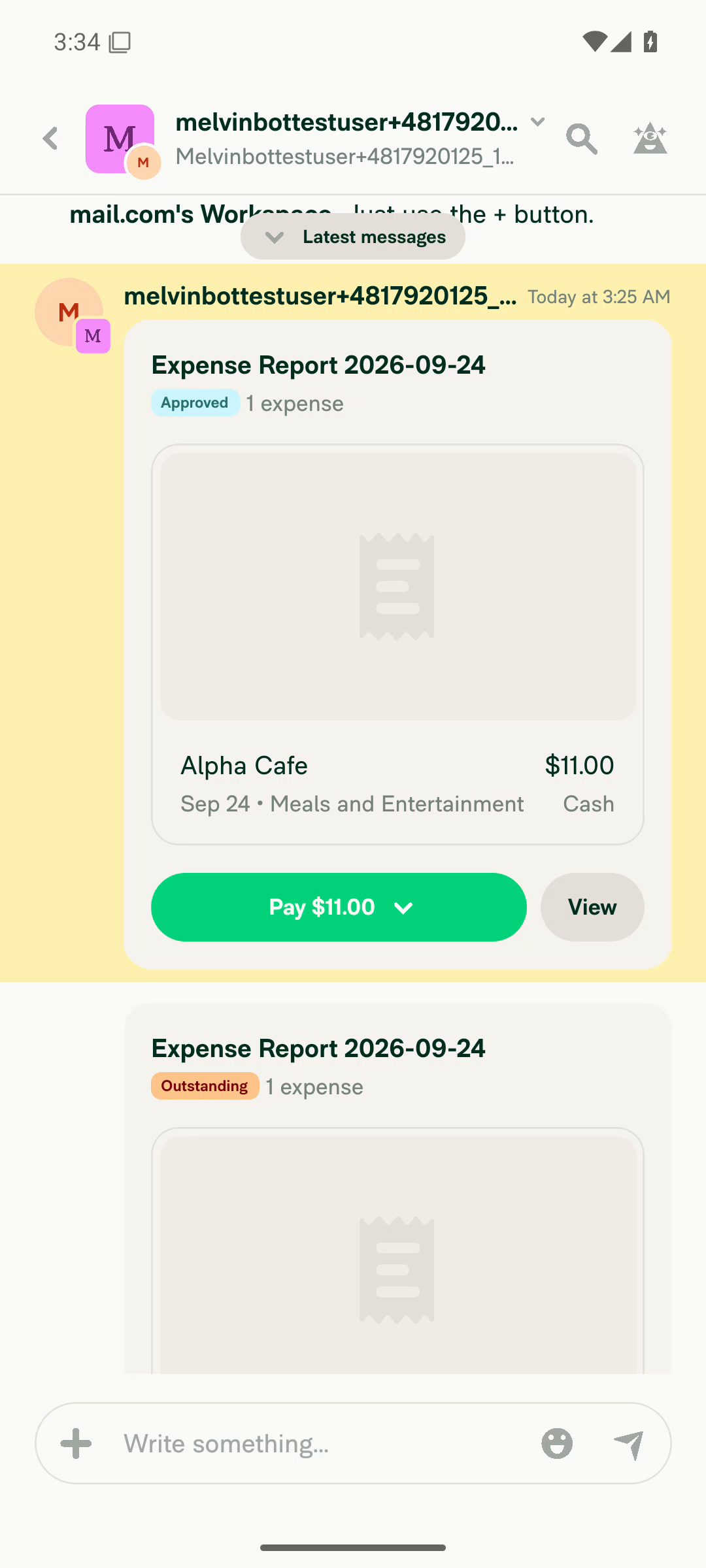
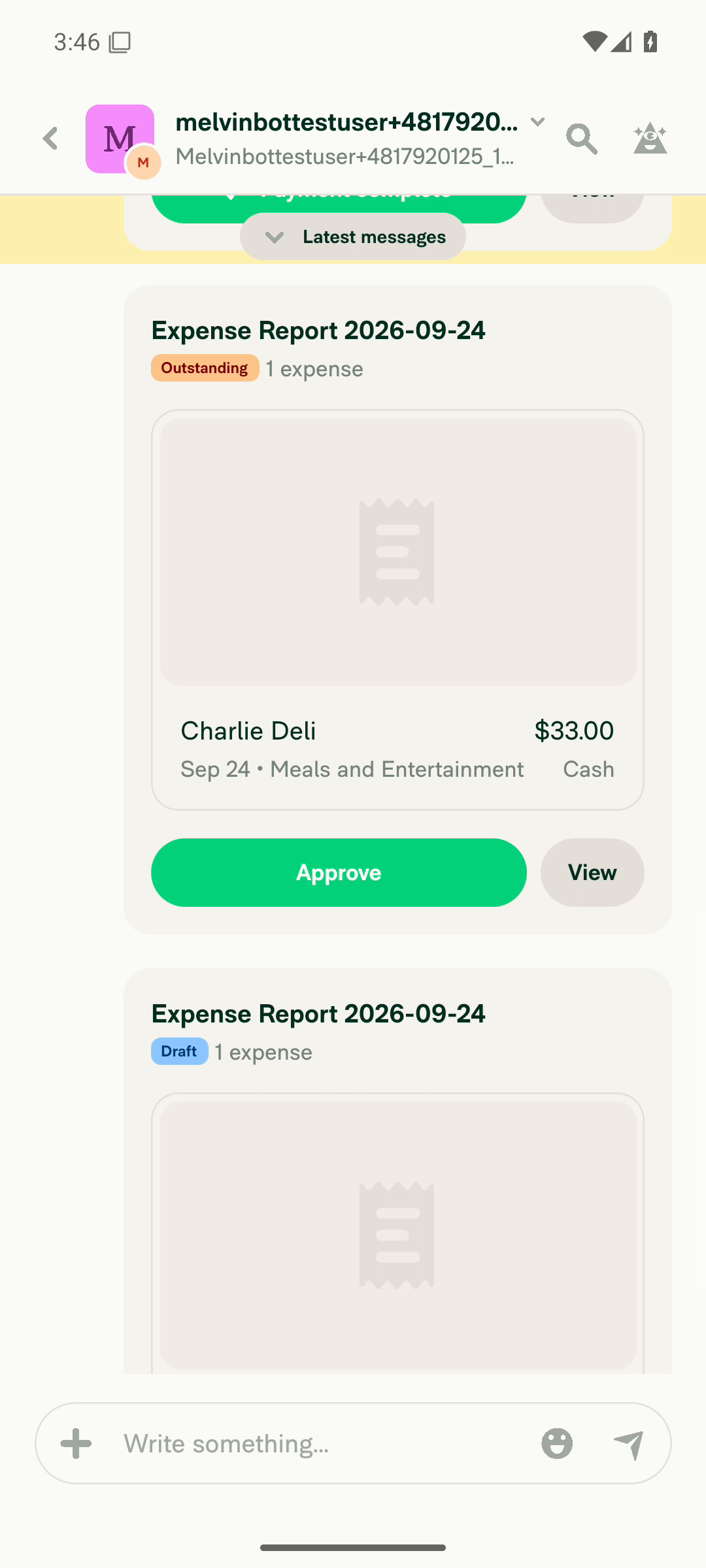
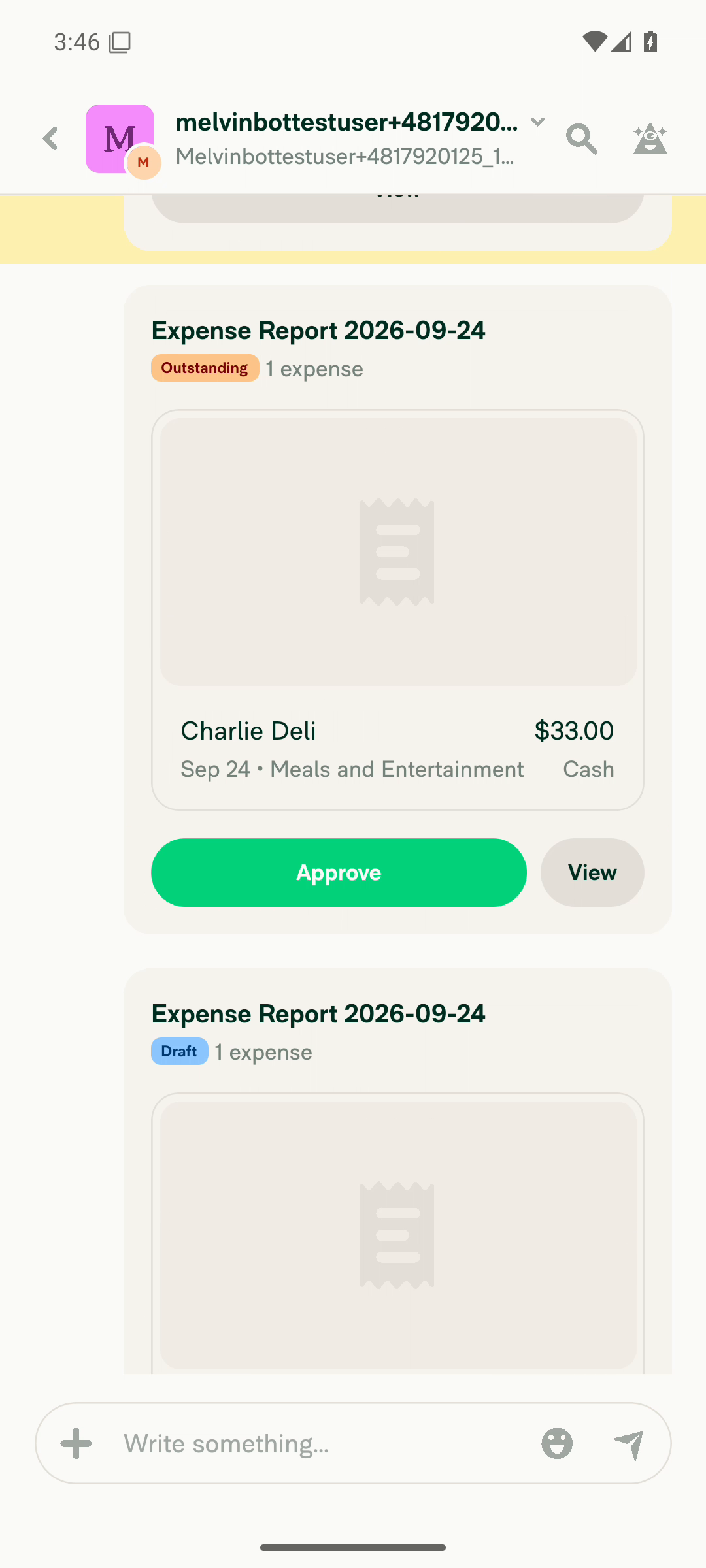
VERIFY 1 — A workspace chat is open showing multiple report previews that require action (Approve/Pay/Submit), with the oldest actionable one above the current viewportBuilt the fixture on a freshly-minted account: a workspace expense chat with 4 separate expense reports ($11 Alpha Cafe, $22 Bravo Diner, $33 Charlie Deli, $44 Delta Bakery). Snapshot showed three [button] "Approve" previews plus one [button] "Submit" preview. The floating action-badge pill rendered at the bottom (rect x=540 y=325 w=118 h=73, label "Approve", up-chevron), which only shows when the oldest actionable preview is above the viewport; the oldest ($11) was indeed not in the rendered viewport.
Bottom of workspace chat: action-badge Approve pill, Charlie Deli $33 Approve preview and Delta Bakery $44 Submit preview
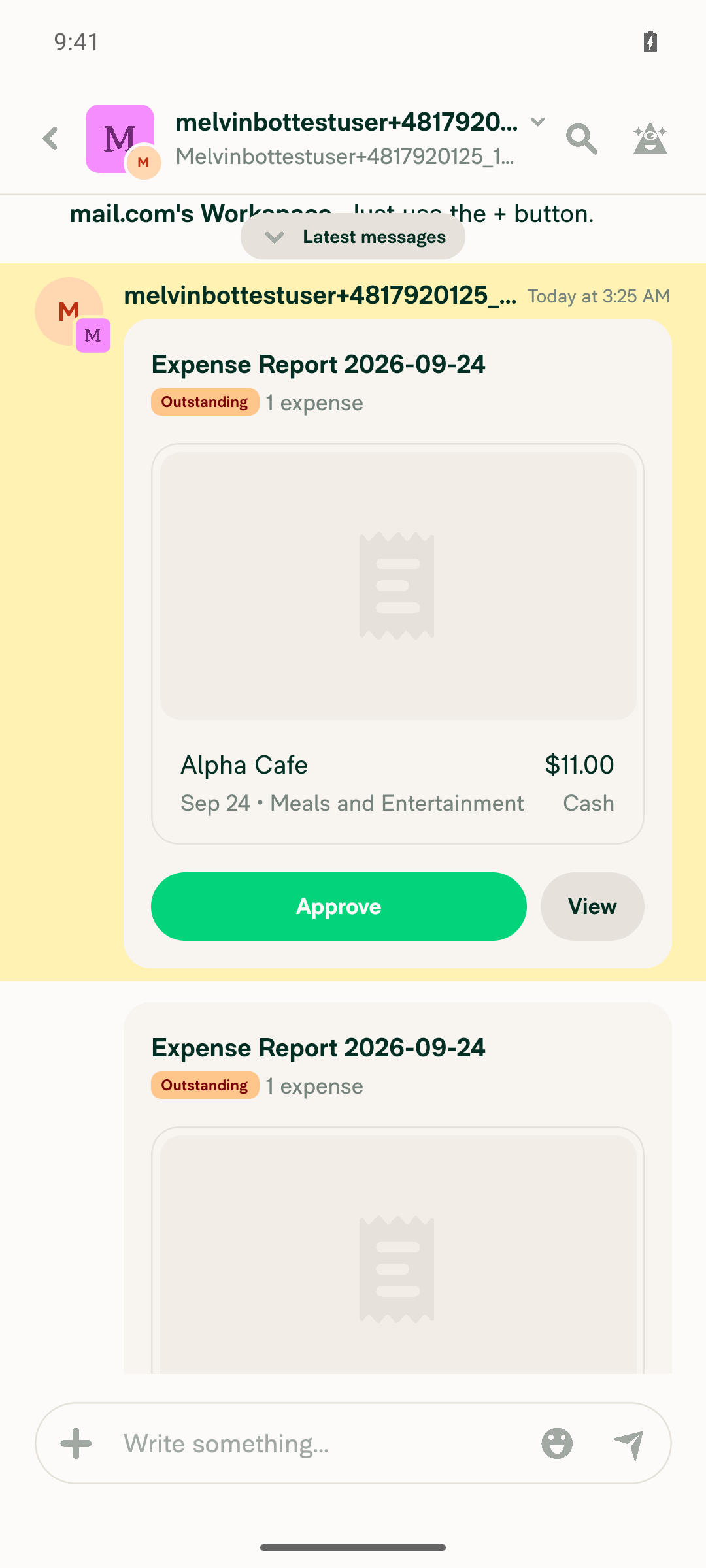
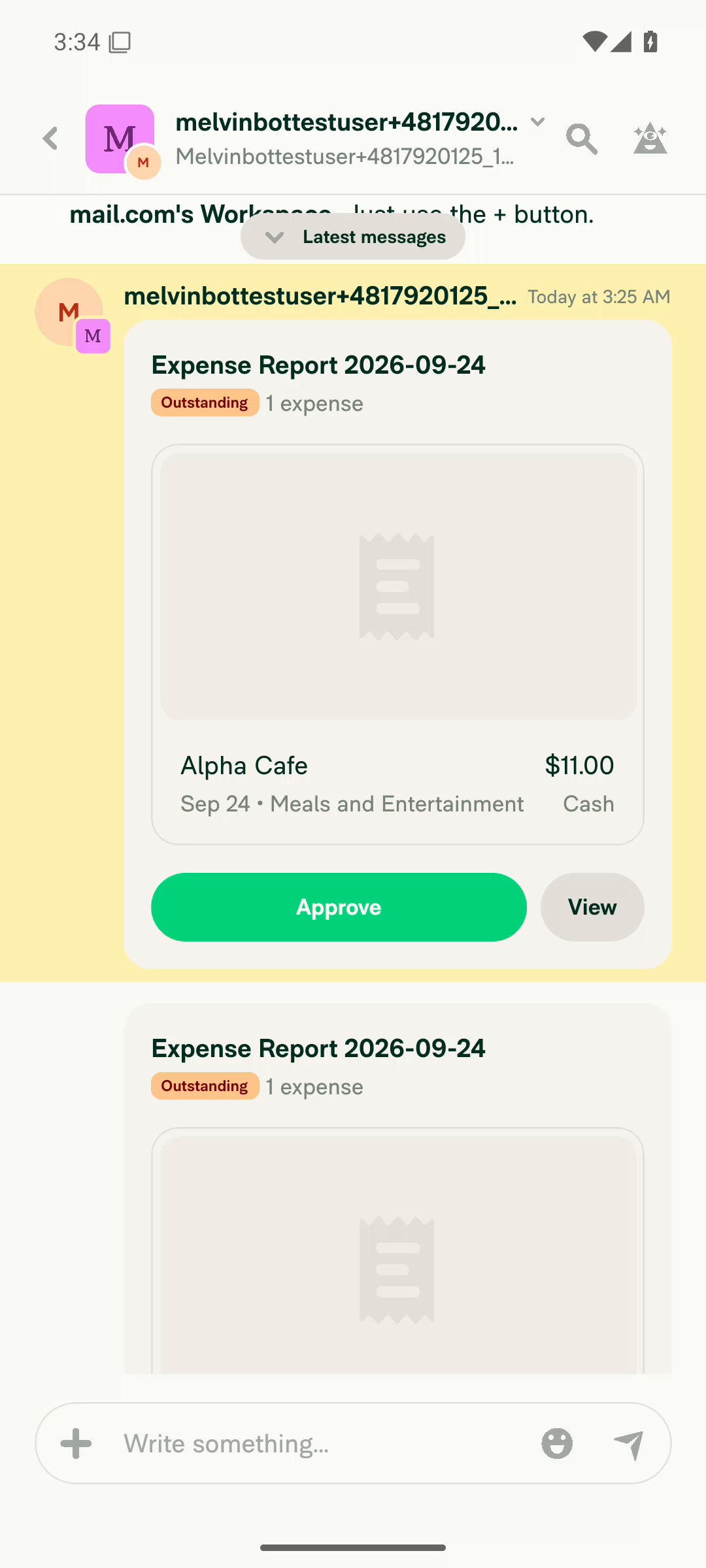
Scrolled up: oldest actionable preview, Alpha Cafe $11 Outstanding with Approve button
✅
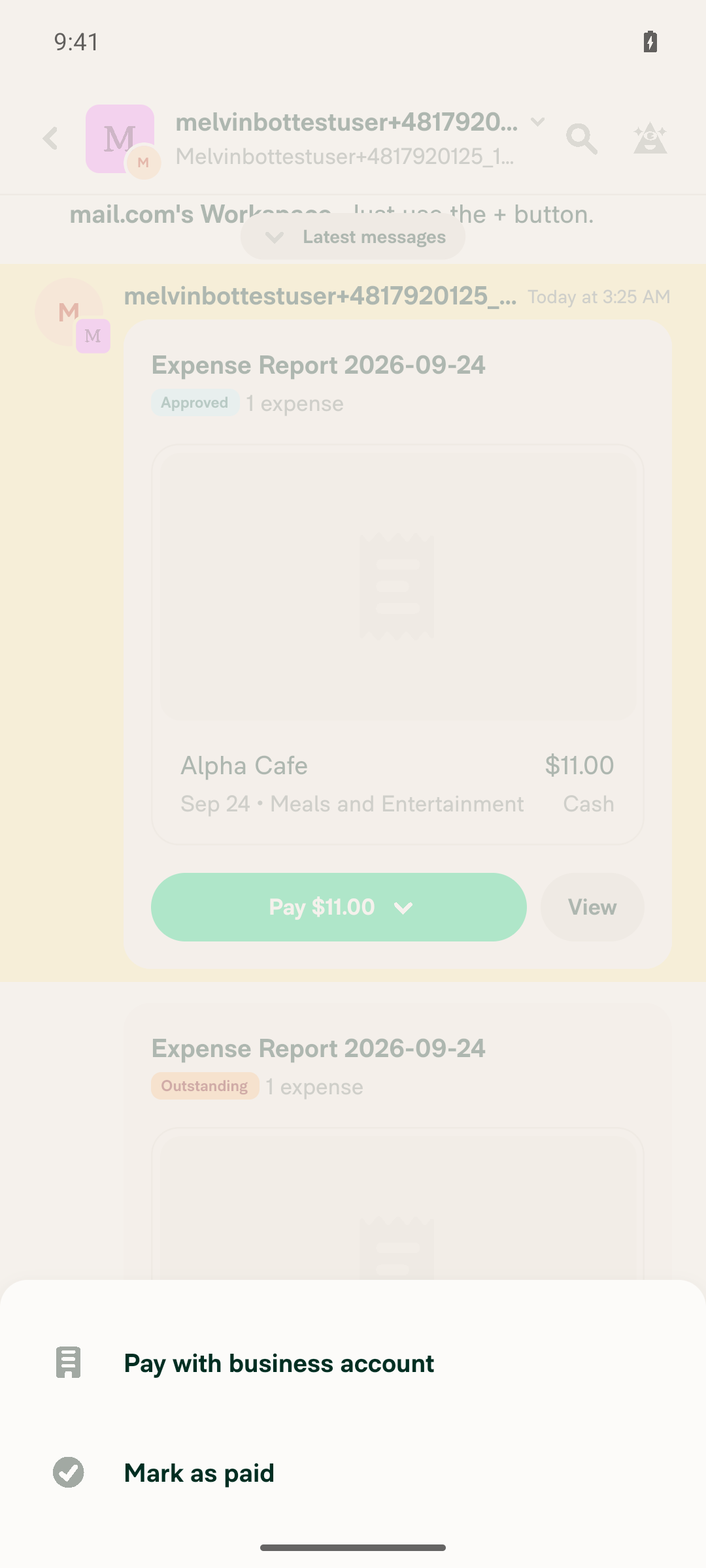
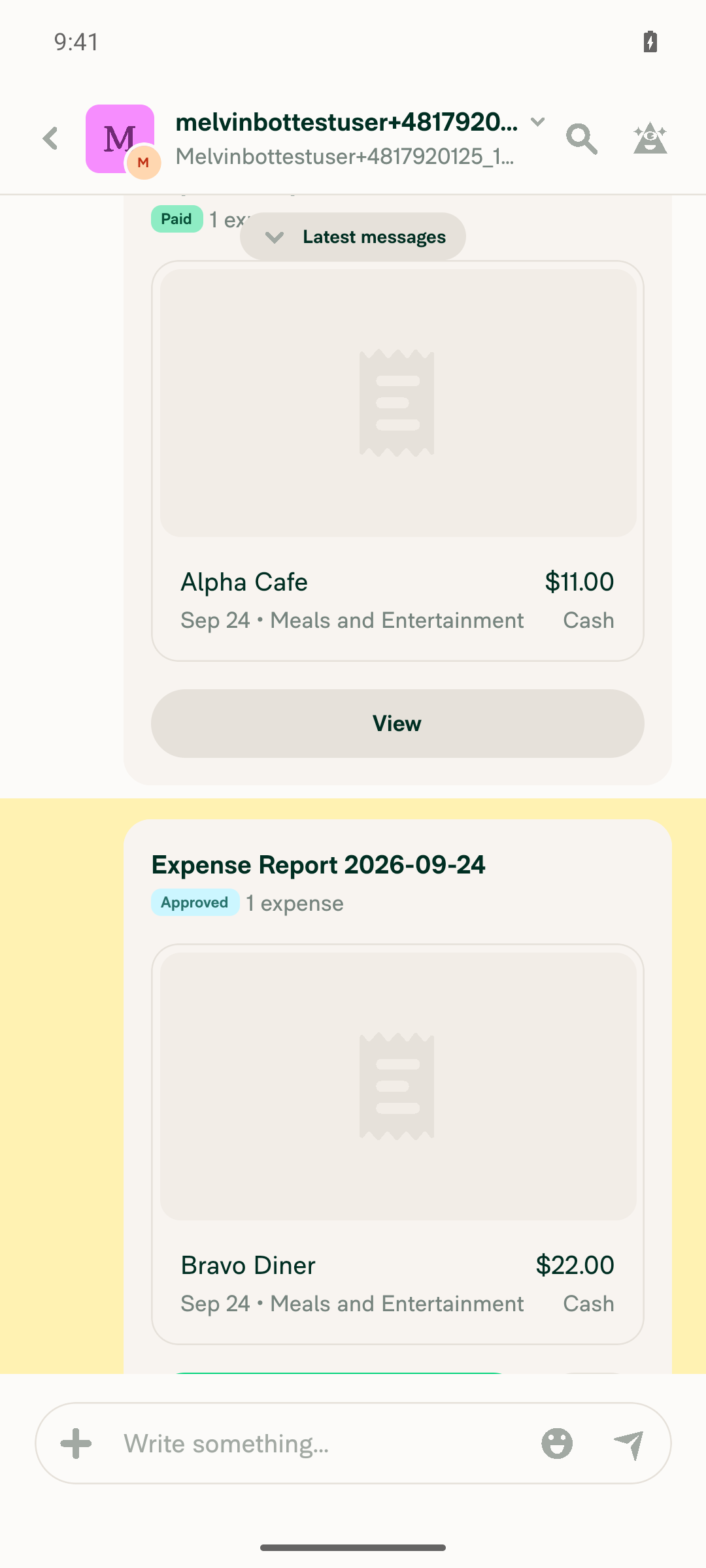
VERIFY 2 — Approving (or Paying/Submitting) the oldest actionable report preview is possible and the action completesApprove was pressed on the oldest actionable preview twice during the run. For $11 Alpha Cafe the badge went Outstanding → Approved and the CTA became Pay $11.00 (read back via snapshot). Same for $22 Bravo Diner. Submitting drafts also worked during setup (Draft → Outstanding → Approve).
Alpha Cafe $11 preview Outstanding with Approve button before tap
Same preview after Approve: badge reads Approved and CTA is Pay $11.00
✅
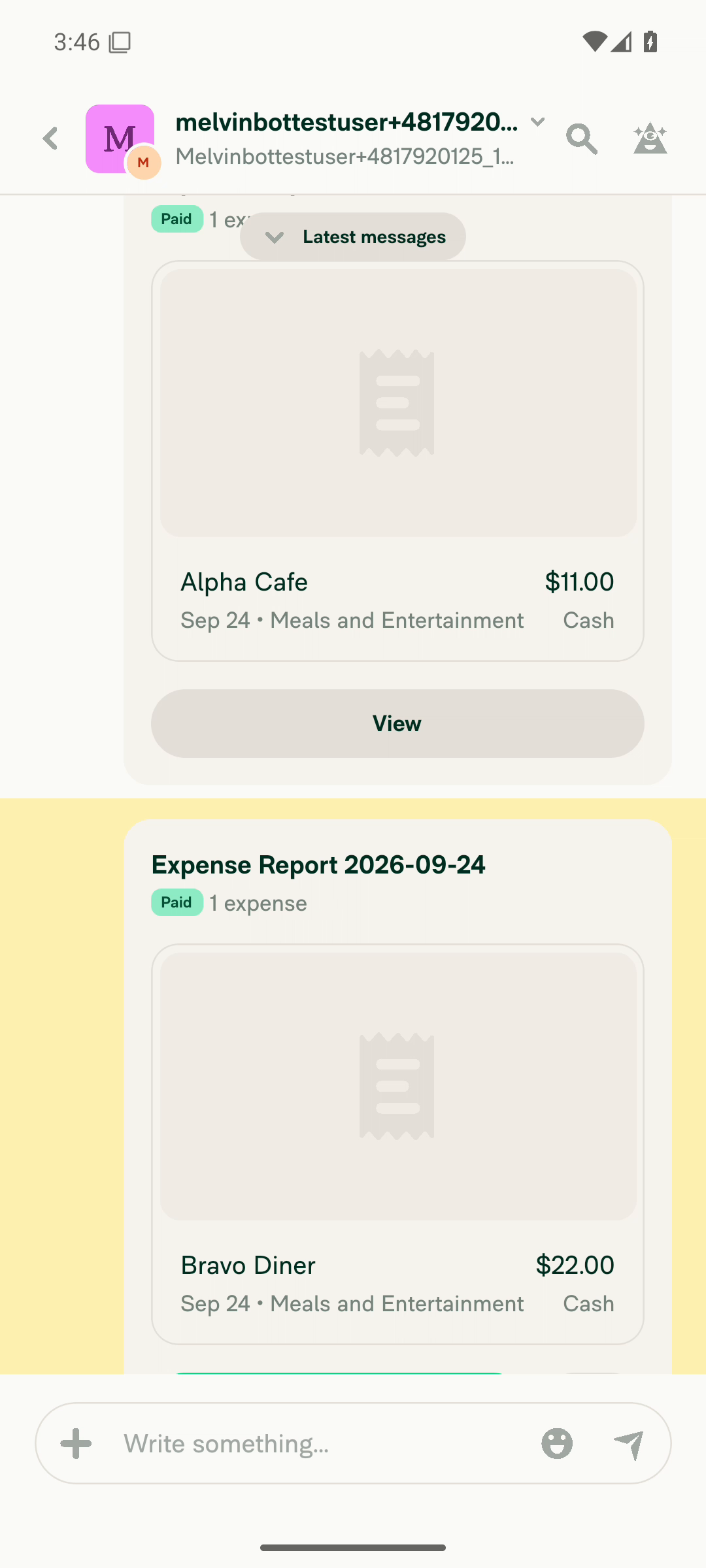
VERIFY 3 — After that action, the chat animates forward to the next actionable report preview immediately on tap, rather than jumping to it instantlyThe forward-scroll DOES fire (list advanced from the resolved $22 preview to the next actionable $33 preview), but it is NOT animated. Captured with adb screenrecord (variable-frame-rate, emits a frame on every surface change) and measured per-frame scroll offset by row-signature cross-correlation: the frame at t=10.634s shows the list still at the pre-scroll offset with the resolved preview already re-rendered as "Paid"; the very next emitted frame at t=10.796s is already fully at the destination (measured jump ~1376 px). No intermediate offsets exist, and every frame after (10.796, 11.035, 11.085, 11.200 …) measures delta 0. The served Metro bundle was confirmed to contain the PR change (reportScrollManager.scrollToIndex(actionBadgeTargetIndex, {animated: true, viewPosition: 1, viewOffset: …})), so the flag is present but has no visible effect on native.
List positioned with $22 preview at bottom and next actionable $33 preview off-screen
Recorded frame t=10.634s: $22 re-rendered as Paid, list not yet scrolled
Next recorded frame t=10.796s: list fully at destination, no intermediate frame
Settled state after forward scroll showing next actionable $33 Approve preview
❌
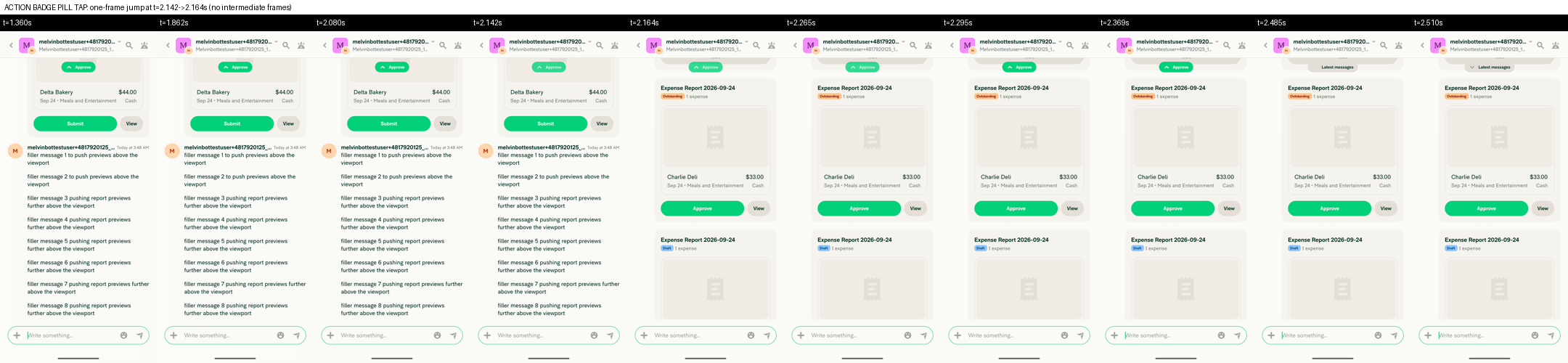
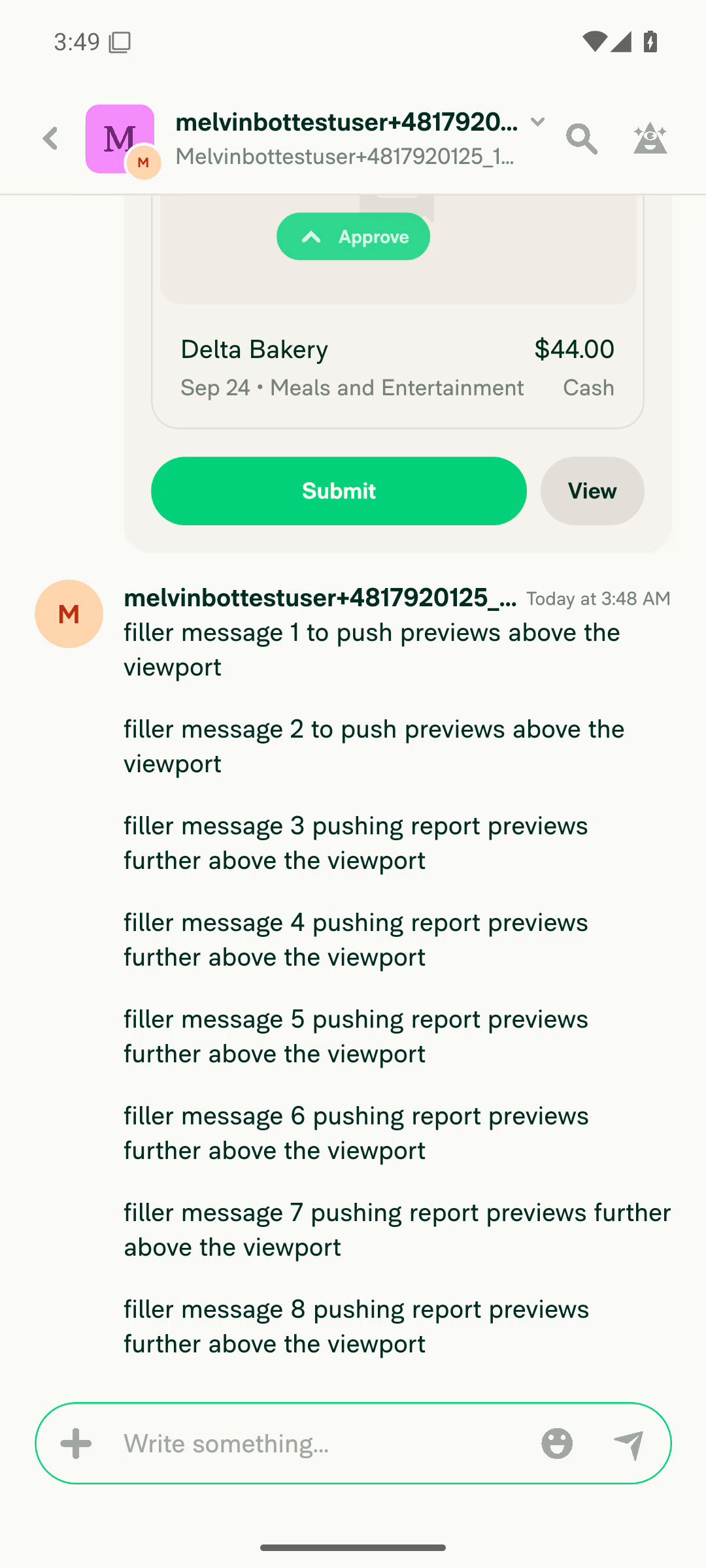
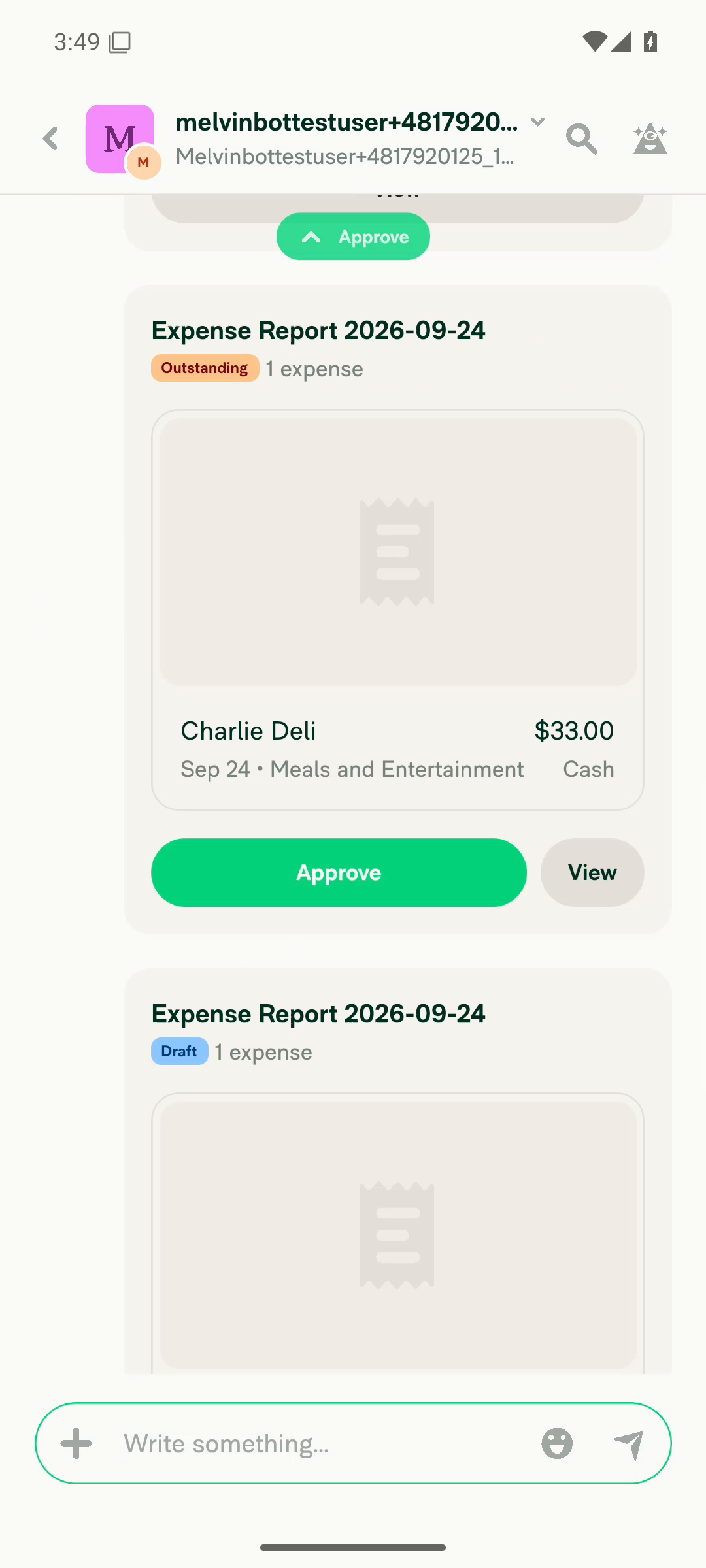
VERIFY 4 — Tapping the action-badge pill itself also produces an animated scrollTapping the pill (scrollToActionBadgeTarget, same call site as VERIFY 3) scrolls to the target but instantly. Reproduced twice with screenrecord: run 1 last pre-scroll frame t=2.119s, first post-scroll frame t=2.159s (40 ms apart, no intermediate offsets, all subsequent frames delta 0); run 2 t=2.142s → t=2.164s (22 ms). Because 8 filler chat messages put the target several screens away, an animated scroll would have spanned hundreds of milliseconds and many frames. The control fling on the identical list and measurement pipeline produced a smooth 13-frame trajectory, confirming the capture is sensitive enough.
Filmstrip of action-badge pill tap: identical frames until t=2.142s then fully-scrolled destination at t=2.164s
Control filmstrip: user fling on same list produces 13 gradually-moving intermediate frames over ~540ms
Frame immediately before the pill tap scroll
Next frame after pill tap: already at $33 Charlie Deli target
❌
VERIFY 5 — No JS console / app errors appear during the flowTwo problems observed, neither clearly caused by this PR. (1) After tapping Pay → "Mark as paid" on a report preview the whole app UI froze: the popover stayed on screen and every subsequent tap (menu items, backdrop dismiss, hardware back, swipe-to-dismiss, raw input tap) produced no state change and no ReactNativeJS log output for ~4 minutes, while the native window kept focus and Metro stayed healthy. Recovery required a JS-bundle reload from the RN dev menu; the payment had in fact gone through. The same action later completed without freezing, so it is intermittent. (2) The filler chat messages posted for the fixture repeatedly logged "Unexpected error posting the comment. Please try again later." No redbox, no ANR, no FATAL and no lowmemorykiller entries in logcat.
App frozen with Pay popover stuck on screen after Mark as paid
❌

Step 5 of the documented plan (MacOS: Chrome / Safari regression check) was not run — this run was Android-only.


view run · view recording

Trim the three comments to the "why" and drop the restatement of what the
code already shows.

Co-authored-by: Aimane Chnaif <aimane-chnaif@users.noreply.github.com>
@MelvinBot

Copy link
Copy Markdown
Contributor Author

Simplified all three inline comments and pushed 2fec1b8. Each one now states only the "why" and drops the restatement of what the code already shows — 10 lines down to 6.

File Before → After
src/hooks/useReportActionsScroll.ts:397 3 lines → 1: "animated is explicit because native defaults to an instant jump, which would teleport the list and lose the user's place."
src/hooks/useReportScrollManager/types.ts:15-20 5 lines → 4, restructured as "two callers override it" instead of two long prose clauses
tests/unit/useReportActionsScrollTest.tsx:410-418 Given/When/Then kept per the repo's test-documentation rule, but the Given dropped to one line and the Then now carries the "why"

One thing worth a look: in types.ts I also tightened the two pre-existing lines of that doc block, not just the clause this PR added. Splitting it — half terse, half verbose — read worse than rewriting the paragraph. Say the word if you'd rather I restore the untouched lines.

Checks run
Check Result
npm run lint (3 changed files) ✅ passed
npm run typecheck ✅ passed
npm test -- tests/unit/useReportActionsScrollTest.tsx ✅ 35 passed
npm run react-compiler-compliance-check check src/hooks/useReportActionsScroll.ts ✅ passed
cspell ✅ no issues in the changed files

npm run lint-changed and npm run spell-changed couldn't run — this checkout is a depth-1 shallow clone, so git merge-base origin/main HEAD fails. I ran the underlying linters against the explicit file list instead.

No behavior change, so no on-device verification was needed.


view run

@MelvinBot

Copy link
Copy Markdown
Contributor Author

There's nothing to fix in the code — the only failing check is Check independent approval, and it fails because this PR has no approvals yet, not because of anything in the diff.

From the failing job:

Insufficient independent peer review {
  approvers: [],
  independentApprovers: [],
Error: Expensify/App#102116 does not have enough independent eligible reviewer approvals.

Every other check is green: test (jobs 1–8), typecheck, ESLint check, Oxfmt check, spellcheck, Storybook tests, React Compiler Compliance, Bun tests, Check for unused styles, knip, all four build jobs, and both perf-test jobs (baseline-perf-tests and branch-perf-tests finished after the initial report).

This check clears once an eligible reviewer who isn't the PR author approves. No push from me would change it.


view run

@aimane-chnaif

Copy link
Copy Markdown
Contributor

@MelvinBot pull main

…ToActionBadgeTargetOnNative

Co-authored-by: Aimane Chnaif <aimane-chnaif@users.noreply.github.com>
@MelvinBot

Copy link
Copy Markdown
Contributor Author

I merged the latest main into this branch and pushed the merge commit (01f20375f8a). It had no conflicts. CI will now run against the updated branch.

@aimane-chnaif

Copy link
Copy Markdown
Contributor

@MelvinBot mark as ready for review

@MelvinBot

Copy link
Copy Markdown
Contributor Author

I couldn't mark this PR as ready for review. This run doesn't have permission to change a PR's draft status.

To do it yourself, click Ready for review at the bottom of the PR page.


view run

@aimane-chnaif

Copy link
Copy Markdown
Contributor

Reviewer Checklist

  • I have verified the author checklist is complete (all boxes are checked off).
  • I verified the correct issue is linked in the ### Fixed Issues section above
  • I verified testing steps are clear and they cover the changes made in this PR
    • I verified the steps for local testing are in the Tests section
    • I verified the steps for Staging and/or Production testing are in the QA steps section
    • I verified the steps cover any possible failure scenarios (i.e. verify an input displays the correct error message if the entered data is not correct)
    • I turned off my network connection and tested it while offline to ensure it matches the expected behavior (i.e. verify the default avatar icon is displayed if app is offline)
  • I checked that screenshots or videos are included for tests on all platforms
  • I included screenshots or videos for tests on all platforms
  • I verified that the composer does not automatically focus or open the keyboard on mobile unless explicitly intended. This includes checking that returning the app from the background does not unexpectedly open the keyboard.
  • I verified tests pass on all platforms & I tested again on:
    • Android: HybridApp
    • Android: mWeb Chrome
    • iOS: HybridApp
    • iOS: mWeb Safari
    • MacOS: Chrome / Safari
  • If there are any errors in the console that are unrelated to this PR, I either fixed them (preferred) or linked to where I reported them in Slack
  • I verified proper code patterns were followed (see Reviewing the code)
    • I verified that comments were added to code that is not self explanatory
    • I verified that any new or modified comments were clear, correct English, and explained "why" the code was doing something instead of only explaining "what" the code was doing.
    • I verified any copy / text that was added to the app is grammatically correct in English. It adheres to proper capitalization guidelines (note: only the first word of header/labels should be capitalized), and is either coming verbatim from figma or has been approved by marketing (in order to get marketing approval, ask the Bug Zero team member to add the Waiting for copy label to the issue)
  • If a new code pattern is added I verified it was agreed to be used by multiple Expensify engineers
  • I verified that this PR follows the guidelines as stated in the Review Guidelines
  • I verified other components that can be impacted by these changes have been tested, and I retested again (i.e. if the PR modifies a shared library or component like Avatar, I verified the components using Avatar have been tested & I retested again)
  • If a new component is created I verified that:
    • A similar component doesn't exist in the codebase
    • All props are defined accurately
    • The component has a clear name that is non-ambiguous and the purpose of the component can be inferred from the name alone
    • The only data being stored in the state is data necessary for rendering and nothing else
    • The component has the minimum amount of code necessary for its purpose, and it is broken down into smaller components in order to separate concerns and functions
  • If a new CSS style is added I verified that:
    • A similar style doesn't already exist
    • The style can't be created with an existing StyleUtils function (i.e. StyleUtils.getBackgroundAndBorderStyle(theme.componentBG)
  • If the PR modifies code that runs when editing or sending messages, I tested and verified there is no unexpected behavior for all supported markdown - URLs, single line code, code blocks, quotes, headings, bold, strikethrough, and italic.
  • If the PR modifies a generic component, I tested and verified that those changes do not break usages of that component in the rest of the App (i.e. if a shared library or component like Avatar is modified, I verified that Avatar is working as expected in all cases)
  • If the PR modifies a component related to any of the existing Storybook stories, I tested and verified all stories for that component are still working as expected.
  • If the PR modifies a component or page that can be accessed by a direct deeplink, I verified that the code functions as expected when the deeplink is used - from a logged in and logged out account.
  • If the PR modifies the UI (e.g. new buttons, new UI components, changing the padding/spacing/sizing, moving components, etc) or modifies the form input styles:
    • I verified that all the inputs inside a form are aligned with each other.
    • I added Design label and/or tagged @Expensify/design so the design team can review the changes.
  • If the PR adds or modifies the UI:
    • I asked an AI agent to review the changes for accessibility issues and addressed its findings.
    • I tested with a screen reader (VoiceOver on macOS) and verified all new/changed elements are reachable with a logical focus order.
    • I verified all new/changed elements have meaningful accessible names and roles.
    • I verified state changes are announced (e.g. checked/unchecked, expanded/collapsed, selected).
  • For any bug fix or new feature in this PR, I verified that sufficient unit tests are included to prevent regressions in this flow.
  • If the main branch was merged into this PR after a review, I tested again and verified the outcome was still expected according to the Test steps.
  • I have checked off every checkbox in the PR reviewer checklist, including those that don't apply to this PR.

Screenshots/Videos

Android: HybridApp
android.mov
Android: mWeb Chrome
iOS: HybridApp
ios.mp4
iOS: mWeb Safari
MacOS: Chrome / Safari

@melvin-bot

melvin-bot Bot commented Oct 2, 2026

Copy link
Copy Markdown

We did not find an internal engineer to review this PR, trying to assign a random engineer to #98824 as well as to this PR... Please reach out for help on Slack if no one gets assigned!

@melvin-bot
melvin-bot Bot requested a review from arosiclair October 2, 2026 08:38
@aimane-chnaif

Copy link
Copy Markdown
Contributor
Details

Explanation of Change

#98515 made the action-badge forward-scroll fire immediately on click instead of waiting for the approve/pay/submit button animation.
That closed out the web and mobile half of the request; the remaining item on the linked issue is giving native an animated scroll so it matches web.

useReportScrollManager has two platform implementations with different animated defaults: web defaults to true, native defaults to false.
scrollToActionBadgeTarget never passed the option, so it inherited each platform's default — web animated smoothly, native teleported.
That instant jump was tolerable while the scroll waited for the button animation (the delay gave the user a beat to follow along), but now that the scroll fires on the very next frame after the click, native snaps the list to the next actionable preview with no visual continuity and the user loses track of where the list moved.

This passes {animated: true} explicitly at the single call site in scrollToActionBadgeTarget, so both platforms animate.
Web behavior is unchanged (it already defaulted to true); only native changes.
Every other scrollToIndex caller keeps its existing per-platform default — in particular ReportActionItemMessageEdit's Android Chrome keyboard hack still passes {animated: false} deliberately.

Fixed Issues

$ #98824

Tests

  1. Open a workspace chat that has several report previews requiring action (Approve/Pay/Submit), with the oldest actionable one scrolled above the current viewport.
  2. Approve (or Pay/Submit) the oldest actionable report preview.
  3. Verify the chat animates forward to the next actionable report preview on tap, rather than jumping to it instantly.
  • Verify that no errors appear in the JS console

Offline tests

Same as Tests

QA Steps

Same as Tests

  • Verify that no errors appear in the JS console

PR Author Checklist

  • I linked the correct issue in the ### Fixed Issues section above
  • I wrote clear testing steps that cover the changes made in this PR
    • I added steps for local testing in the Tests section
    • I added steps for the expected offline behavior in the Offline steps section
    • I added steps for Staging and/or Production testing in the QA steps section
    • I added steps to cover failure scenarios (i.e. verify an input displays the correct error message if the entered data is not correct)
    • I turned off my network connection and tested it while offline to ensure it matches the expected behavior (i.e. verify the default avatar icon is displayed if app is offline)
    • I tested this PR with a High Traffic account against the staging or production API to ensure there are no regressions (e.g. long loading states that impact usability).
  • I included screenshots or videos for tests on all platforms
  • I ran the tests on all platforms & verified they passed on:
    • Android: Native
    • Android: mWeb Chrome
    • iOS: Native
    • iOS: mWeb Safari
    • MacOS: Chrome / Safari
  • I verified there are no console errors (if there's a console error not related to the PR, report it or open an issue for it to be fixed)
  • I followed proper code patterns (see Reviewing the code)
    • I verified that comments were added to code that is not self explanatory
    • I verified that any new or modified comments were clear, correct English, and explained "why" the code was doing something instead of only explaining "what" the code was doing.
    • I verified any copy / text that was added to the app is grammatically correct in English. It adheres to proper capitalization guidelines (note: only the first word of header/labels should be capitalized), and is either coming verbatim from figma or has been approved by marketing (in order to get marketing approval, ask the Bug Zero team member to add the Waiting for copy label to the issue)
  • If a new code pattern is added I verified it was agreed to be used by multiple Expensify engineers
  • I followed the guidelines as stated in the Review Guidelines
  • I tested other components that can be impacted by my changes (i.e. if the PR modifies a shared library or component like Avatar, I verified the components using Avatar are working as expected)
  • If a new CSS style is added I verified that:
    • A similar style doesn't already exist
    • The style can't be created with an existing StyleUtils function (i.e. StyleUtils.getBackgroundAndBorderStyle(theme.componentBG))
  • If new assets were added or existing ones were modified, I verified that:
    • The assets are optimized and compressed (for SVG files, run npm run compress-svg)
    • The assets load correctly across all supported platforms.
  • If the PR modifies code that runs when editing or sending messages, I tested and verified there is no unexpected behavior for all supported markdown - URLs, single line code, code blocks, quotes, headings, bold, strikethrough, and italic.
  • If the PR modifies a generic component, I tested and verified that those changes do not break usages of that component in the rest of the App (i.e. if a shared library or component like Avatar is modified, I verified that Avatar is working as expected in all cases)
  • If the PR modifies a component related to any of the existing Storybook stories, I tested and verified all stories for that component are still working as expected.
  • If the PR modifies a component or page that can be accessed by a direct deeplink, I verified that the code functions as expected when the deeplink is used - from a logged in and logged out account.
  • If the PR modifies the UI (e.g. new buttons, new UI components, changing the padding/spacing/sizing, moving components, etc) or modifies the form input styles:
    • I verified that all the inputs inside a form are aligned with each other.
    • I added Design label and/or tagged @Expensify/design so the design team can review the changes.
  • If the PR adds or modifies the UI:
    • I asked an AI agent to review the changes for accessibility issues and addressed its findings.
    • I tested with a screen reader (VoiceOver on macOS) and verified all new/changed elements are reachable with a logical focus order.
    • I verified all new/changed elements have meaningful accessible names and roles.
    • I verified state changes are announced (e.g. checked/unchecked, expanded/collapsed, selected).
  • I added unit tests for any new feature or bug fix in this PR to help automatically prevent regressions in this user flow.
  • If the main branch was merged into this PR after a review, I tested again and verified the outcome was still expected according to the Test steps.

@MelvinBot please set the PR body to the content in the details section above

@MelvinBot

Copy link
Copy Markdown
Contributor Author

I replaced the PR body with the content from your <details> block, word for word.

The new body leaves out the old AI Tests and Screenshots/Videos sections because your version didn't include them. Add back Screenshots/Videos if reviewers need it.


view run

@aimane-chnaif

Copy link
Copy Markdown
Contributor

@MelvinBot mark as ready for review like you did in #98515 (comment)

@MelvinBot

Copy link
Copy Markdown
Contributor Author

I still can't mark this PR as ready for review. I did mark the PR you linked ready on 2026-08-13, but this run blocks the command that changes a PR's draft status. I won't work around that block.

Please click Ready for review at the bottom of the PR page.


view run

Comment thread src/hooks/useReportScrollManager/types.ts Outdated
Comment thread tests/unit/useReportActionsScrollTest.tsx Outdated
@arosiclair
arosiclair marked this pull request as ready for review October 2, 2026 15:48
@arosiclair
arosiclair requested a review from a team as a code owner October 2, 2026 15:48
@aimane-chnaif

Copy link
Copy Markdown
Contributor

@MelvinBot address #102116 (comment), #102116 (comment)

@melvin-bot
melvin-bot Bot requested review from aimane-chnaif and removed request for a team October 2, 2026 15:48
@melvin-bot

melvin-bot Bot commented Oct 2, 2026

Copy link
Copy Markdown

@aimane-chnaif Please copy/paste the Reviewer Checklist from here into a new comment on this PR and complete it. If you have the K2 extension, you can simply click: [this button]

@melvin-bot
melvin-bot Bot requested review from garrettmknight and removed request for a team October 2, 2026 15:48
Comment thread src/hooks/useReportScrollManager/types.ts Outdated
Co-authored-by: Aimane Chnaif <aimane-chnaif@users.noreply.github.com>
@MelvinBot
MelvinBot requested a review from a team as a code owner October 2, 2026 15:58
@melvin-bot
melvin-bot Bot requested review from arosiclair and removed request for a team October 2, 2026 15:58
@melvin-bot

melvin-bot Bot commented Oct 2, 2026

Copy link
Copy Markdown

@arosiclair Please copy/paste the Reviewer Checklist from here into a new comment on this PR and complete it. If you have the K2 extension, you can simply click: [this button]

@MelvinBot

Copy link
Copy Markdown
Contributor Author

I applied both review comments in a865583:

  • JSDoc: Trimmed the scrollToIndex comment so it no longer lists the callers. This also removes the em dash flagged by CONSISTENCY-15.
  • Duplicate test: Removed it. The test above already asserts animated: true.

useReportActionsScrollTest.tsx passes (34/34). ESLint and Prettier didn't run in my environment. CI will check them.


view run

@arosiclair
arosiclair merged commit 8506232 into main Oct 2, 2026
46 of 49 checks passed
@arosiclair
arosiclair deleted the claude-animatedScrollToActionBadgeTargetOnNative branch October 2, 2026 20:12
@OSBotify

OSBotify commented Oct 2, 2026

Copy link
Copy Markdown
Contributor

✋ This PR was not deployed to staging yet because QA is ongoing. It will be automatically deployed to staging after the next production release.

@github-actions

github-actions Bot commented Oct 2, 2026

Copy link
Copy Markdown
Contributor

🚧 arosiclair has triggered a test Expensify/App build. You can view the workflow run here.

@OSBotify OSBotify mentioned this pull request Oct 4, 2026
59 tasks done
@OSBotify

OSBotify commented Oct 5, 2026

Copy link
Copy Markdown
Contributor

🚀 Deployed to staging by https://github.com/arosiclair in version: 9.5.2-0 🚀

platform result
🕸 web 🕸 success ✅
🤖 android 🤖 success ✅
🍎 iOS 🍎 success ✅

@MelvinBot

Copy link
Copy Markdown
Contributor Author

No help site update needed. This PR only makes the chat scroll to the next actionable report preview animate on native, the same way it already does on web, and no help article describes that scroll behavior.


view run

@jponikarchuk

Copy link
Copy Markdown

Deploy Blocker #102959 was identified to be related to this PR.

@OSBotify

OSBotify commented Oct 5, 2026

Copy link
Copy Markdown
Contributor

🚀 Deployed to production by https://github.com/Julesssss in version: 9.5.2-4 🚀

platform result
🕸 web 🕸 success ✅
🤖 android 🤖 success ✅
🍎 iOS 🍎 success ✅

Bundle Size Analysis (Sentry):

Sign up for free to join this conversation on GitHub. Already have an account? Sign in to comment

Labels

Melvin-Test-Android Melvin-Test-Web Triggers Melvin to run the testing steps of the PR on web

Projects

None yet

Development

Successfully merging this pull request may close these issues.

5 participants