Skip to content

Fix Wallet bank account setup progress not being preserved - #100648

Open
nabi-ebrahimi wants to merge 42 commits into
Expensify:mainfrom
nabi-ebrahimi:fix/95279-preserve-wallet-bank-account-progress
Open

nabi-ebrahimi wants to merge 42 commits into
Expensify:mainfrom
nabi-ebrahimi:fix/95279-preserve-wallet-bank-account-progress

Conversation

@nabi-ebrahimi

@nabi-ebrahimi nabi-ebrahimi commented Sep 8, 2026 •

Copy link
Copy Markdown
Contributor

Explanation of Change

This PR preserves bank account setup progress when the Wallet modal is dismissed unintentionally.

For US personal bank accounts, it uses the existing PERSONAL_BANK_ACCOUNT.source field to identify setups started from Wallet and stores the last visited page in currentPage. When the flow is reopened, the app waits for the relevant Onyx data to load before deciding whether to resume the existing setup or start a new one.

For international personal bank accounts, it preserves the existing draft and refreshes the required Corpay fields without overwriting saved values.

For business bank accounts, it identifies Wallet setups using the `backTo`` route. This prevents an abandoned Wallet setup from affecting a bank account flow opened from Workspace settings.

Starting a new or incompatible setup clears stale data. Saved progress is also cleared after successful completion or when the user explicitly leaves from the first page.

This PR also:

  • Requires a state only for US and Canadian addresses.
  • Explicitly maps each setup type to its corresponding page.
  • Avoids introducing a new Onyx key or additional Onyx.connectWithoutView subscriptions.
  • Adds focused regression tests covering progress restoration and cleanup.

Fixed Issues

$#95279
PROPOSAL:#95279 (comment)

Tests

US personal account — manual connection

  1. Go to Settings > Wallet and select Add bank account.
  2. Select Get reimbursed and choose the United States.
  3. Select Connect manually.
  4. Enter valid bank details and continue to a later page.
  5. Enter valid information on that page, then dismiss the modal by clicking outside it.
  6. Open the same bank account flow again.
  7. Verify the same page opens and the previously entered information is preserved.
  8. Complete the flow.
  9. Open the flow again and verify the completed setup progress was cleared.

US personal account — Plaid connection

  1. Start the US personal bank account flow.
  2. Select Connect online with Plaid and connect an account.
  3. Continue to a later page and dismiss the modal by clicking outside it.
  4. Reopen the flow.
  5. Verify the same page opens and the selected Plaid account and entered information are preserved.
  6. Verify continuing the flow does not switch to the manual connection flow.

International personal account

  1. Start a personal bank account flow and select a non-US country.
  2. Enter valid bank account information and continue to a later page.
  3. Dismiss the modal by clicking outside it.
  4. Reopen the flow.
  5. Verify the same page opens and all previously entered information is preserved.
  6. Complete the flow and verify its saved progress is cleared.
  7. Repeat the flow with a non-US/CA address that has no state and verify it does not remain stuck on the address page.

USD business account

  1. Go to Settings > Wallet > Add bank account.
  2. Select Pay expenses and choose a country that uses the USD business flow.
  3. Enter valid information and continue to a later step.
  4. Dismiss the modal by clicking outside it.
  5. Reopen the same flow.
  6. Verify the current step and previously entered information are preserved.
  7. Go to Workspace > Workflows > Connect bank account.
  8. Verify the abandoned Wallet setup does not cause the Workspace flow to skip or preserve unrelated steps.

Non-USD business account

  1. Go to Settings > Wallet > Add bank account.
  2. Select Pay expenses and choose a country that uses the non-USD business flow.
  3. Enter valid information and continue to a later step.
  4. Dismiss and reopen the flow.
  5. Verify the current step and previously entered information are preserved.
  6. Select a different country and verify incompatible progress from the previous country is cleared.

Explicit exit

  1. Start any personal bank account flow.
  2. Enter some information and return to its first page.
  3. Use the back button to explicitly leave the flow.
  4. Reopen it and verify the abandoned progress was cleared.
  • Verify that no errors appear in the JS console

Offline tests

  1. Start a Wallet bank account flow while online and continue to a page containing editable fields.
  2. Disable the network connection.
  3. Enter information into fields available offline.
  4. Dismiss and reopen the flow.
  5. Verify the saved page and entered information are preserved.
  6. Restore the network connection.
  7. Verify the flow can continue without losing progress.
  8. Verify the expected offline indicator is displayed and no unexpected error appears.

QA Steps

// TODO: These must be filled out, or the issue title must include "[No QA]."
Same as tests.

  • Verify that no errors appear in the JS console

PR Author Checklist

  • I linked the correct issue in the ### Fixed Issues section above
  • I wrote clear testing steps that cover the changes made in this PR
    • I added steps for local testing in the Tests section
    • I added steps for the expected offline behavior in the Offline steps section
    • I added steps for Staging and/or Production testing in the QA steps section
    • I added steps to cover failure scenarios (i.e. verify an input displays the correct error message if the entered data is not correct)
    • I turned off my network connection and tested it while offline to ensure it matches the expected behavior (i.e. verify the default avatar icon is displayed if app is offline)
    • I tested this PR with a High Traffic account against the staging or production API to ensure there are no regressions (e.g. long loading states that impact usability).
  • I included screenshots or videos for tests on all platforms
  • I ran the tests on all platforms & verified they passed on:
    • Android: Native
    • Android: mWeb Chrome
    • iOS: Native
    • iOS: mWeb Safari
    • MacOS: Chrome / Safari
  • I verified there are no console errors (if there's a console error not related to the PR, report it or open an issue for it to be fixed)
  • I followed proper code patterns (see Reviewing the code)
    • I verified that comments were added to code that is not self explanatory
    • I verified that any new or modified comments were clear, correct English, and explained "why" the code was doing something instead of only explaining "what" the code was doing.
    • I verified any copy / text that was added to the app is grammatically correct in English. It adheres to proper capitalization guidelines (note: only the first word of header/labels should be capitalized), and is either coming verbatim from figma or has been approved by marketing (in order to get marketing approval, ask the Bug Zero team member to add the Waiting for copy label to the issue)
  • If a new code pattern is added I verified it was agreed to be used by multiple Expensify engineers
  • I followed the guidelines as stated in the Review Guidelines
  • I tested other components that can be impacted by my changes (i.e. if the PR modifies a shared library or component like Avatar, I verified the components using Avatar are working as expected)
  • If a new CSS style is added I verified that:
    • A similar style doesn't already exist
    • The style can't be created with an existing StyleUtils function (i.e. StyleUtils.getBackgroundAndBorderStyle(theme.componentBG))
  • If new assets were added or existing ones were modified, I verified that:
    • The assets are optimized and compressed (for SVG files, run npm run compress-svg)
    • The assets load correctly across all supported platforms.
  • If the PR modifies code that runs when editing or sending messages, I tested and verified there is no unexpected behavior for all supported markdown - URLs, single line code, code blocks, quotes, headings, bold, strikethrough, and italic.
  • If the PR modifies a generic component, I tested and verified that those changes do not break usages of that component in the rest of the App (i.e. if a shared library or component like Avatar is modified, I verified that Avatar is working as expected in all cases)
  • If the PR modifies a component related to any of the existing Storybook stories, I tested and verified all stories for that component are still working as expected.
  • If the PR modifies a component or page that can be accessed by a direct deeplink, I verified that the code functions as expected when the deeplink is used - from a logged in and logged out account.
  • If the PR modifies the UI (e.g. new buttons, new UI components, changing the padding/spacing/sizing, moving components, etc) or modifies the form input styles:
    • I verified that all the inputs inside a form are aligned with each other.
    • I added Design label and/or tagged @Expensify/design so the design team can review the changes.
  • I added unit tests for any new feature or bug fix in this PR to help automatically prevent regressions in this user flow.
  • If the main branch was merged into this PR after a review, I tested again and verified the outcome was still expected according to the Test steps.

Screenshots/Videos

Android: Native

N/A

Android: mWeb Chrome

N/A

iOS: Native

N/A

iOS: mWeb Safari

N/A

MacOS: Chrome / Safari
Screen.Recording.2026-09-09.at.2.36.53.PM.mov
Screen.Recording.2026-09-09.at.2.39.13.PM.mov
Screen.Recording.2026-09-09.at.2.44.36.PM.mov
Screen.Recording.2026-09-09.at.2.47.29.PM.mov
Screen.Recording.2026-09-09.at.3.05.24.PM.mov
Screen.Recording.2026-09-09.at.3.11.24.PM.mov

@codecov

codecov Bot commented Sep 8, 2026 •

Copy link
Copy Markdown

Codecov Report

✅ Changes either increased or maintained existing code coverage, great job!

Files with missing lines Coverage Δ
src/CONST/index.ts 95.79% <ø> (ø)
src/components/AddressForm.tsx 92.85% <ø> (ø)
src/components/Form/FormDraftPersistenceContext.ts 100.00% <100.00%> (ø)
src/components/Form/FormProvider.tsx 73.22% <100.00%> (+0.53%) ⬆️
src/components/Form/InputWrapper.tsx 100.00% <100.00%> (ø)
src/hooks/useSubPage/index.tsx 100.00% <100.00%> (ø)
src/pages/AddPersonalBankAccountPage/index.tsx 88.23% <100.00%> (+13.81%) ⬆️
...count/NonUSD/NonUSDVerifiedBankAccountFlowPage.tsx 86.20% <100.00%> (+86.20%) ⬆️
.../ReimbursementAccount/ReimbursementAccountPage.tsx 77.50% <100.00%> (+6.72%) ⬆️
...mentAccount/USD/USDVerifiedBankAccountFlowPage.tsx 91.66% <100.00%> (+1.19%) ⬆️
... and 12 more
... and 69 files with indirect coverage changes

@nabi-ebrahimi
nabi-ebrahimi marked this pull request as ready for review September 9, 2026 10:57
@nabi-ebrahimi
nabi-ebrahimi requested review from a team as code owners September 9, 2026 10:57
@melvin-bot
melvin-bot Bot requested review from heyjennahay and mkhutornyi and removed request for a team September 9, 2026 10:58
@melvin-bot

melvin-bot Bot commented Sep 9, 2026

Copy link
Copy Markdown

@mkhutornyi Please copy/paste the Reviewer Checklist from here into a new comment on this PR and complete it. If you have the K2 extension, you can simply click: [this button]

@melvin-bot
melvin-bot Bot removed the request for review from a team September 9, 2026 10:58
Comment thread src/hooks/useWalletPersonalBankAccountSetup.ts
Comment thread src/pages/settings/Wallet/InternationalDepositAccount/index.tsx Outdated

@chatgpt-codex-connector chatgpt-codex-connector Bot left a comment

Copy link
Copy Markdown

Choose a reason for hiding this comment

The reason will be displayed to describe this comment to others. Learn more.

💡 Codex Review

Here are some automated review suggestions for this pull request.

Reviewed commit: 61c0203593

ℹ️ About Codex in GitHub

Your team has set up Codex to review pull requests in this repo. Reviews are triggered when you

  • Open a pull request for review
  • Mark a draft as ready
  • Comment "@codex review".

If Codex has suggestions, it will comment; otherwise it will react with 👍.

Codex can also answer questions or update the PR. Try commenting "@codex address that feedback".

Comment thread src/pages/settings/Wallet/BankAccountPurposePage/substeps/CountrySelection.tsx Outdated
@nabi-ebrahimi

Copy link
Copy Markdown
Contributor Author

@mkhutornyi, I’ve addressed all AI review feedback, including the related CI lint issues. Could you please review the latest changes when you have a chance? thanks!

@chatgpt-codex-connector chatgpt-codex-connector Bot left a comment

Copy link
Copy Markdown

Choose a reason for hiding this comment

The reason will be displayed to describe this comment to others. Learn more.

💡 Codex Review

Here are some automated review suggestions for this pull request.

Reviewed commit: 02042a6e7c

ℹ️ About Codex in GitHub

Codex has been enabled to automatically review pull requests in this repo. Reviews are triggered when you

  • Open a pull request for review
  • Mark a draft as ready
  • Comment "@codex review".

If Codex has suggestions, it will comment; otherwise it will react with 👍.

When you sign up for Codex through ChatGPT, Codex can also answer questions or update the PR, like "@codex address that feedback".

Comment on lines +31 to +34
const hasMatchingCorpayFields =
corpayFields?.bankCountry === draftValues?.bankCountry &&
(!draftValues?.bankCurrency || corpayFields?.bankCurrency === draftValues.bankCurrency) &&
!!corpayFields?.formFields?.length;

Copy link
Copy Markdown

Choose a reason for hiding this comment

The reason will be displayed to describe this comment to others. Learn more.

P1 Badge Distinguish personal and business Corpay field schemas

When a saved Wallet international-personal draft is followed by a non-USD business setup for the same country and currency, getCorpayBankAccountFields() overwrites the shared ONYXKEYS.CORPAY_FIELDS entry with the business/withdrawal schema. This predicate considers that entry compatible based only on country, currency, and a nonempty field list, so reopening the personal flow skips the refresh and renders—and can submit—the business field schema. Include the account purpose/request mode in the compatibility check, or always refresh the personal schema when resuming.

Useful? React with 👍 / 👎.

Copy link
Copy Markdown
Contributor Author

Choose a reason for hiding this comment

The reason will be displayed to describe this comment to others. Learn more.

@mkhutornyi, Quick confirmation before I update this: would you prefer the Wallet international personal resume to always refresh the personal Corpay fields, or should we avoid the extra loading state by adding an explicit personal/business compatibility check for cached CORPAY_FIELDS?

Always refreshing fixes the stale business-schema case, but it can briefly show a loader on each international resume.

Copy link
Copy Markdown
Contributor

Choose a reason for hiding this comment

The reason will be displayed to describe this comment to others. Learn more.

could you attach videos so I can compare?

Copy link
Copy Markdown
Contributor Author

Choose a reason for hiding this comment

The reason will be displayed to describe this comment to others. Learn more.

Current PR status:

Screencast.From.2026-09-17.18-14-22.mp4

Always refreshing fixes:

Screencast.From.2026-09-17.18-18-10.mp4

Copy link
Copy Markdown
Contributor

Choose a reason for hiding this comment

The reason will be displayed to describe this comment to others. Learn more.

I prefer avoiding extra loading state.

Copy link
Copy Markdown
Contributor Author

Choose a reason for hiding this comment

The reason will be displayed to describe this comment to others. Learn more.

Addressed. Compatible personal Corpay fields are now reused, avoiding the extra loading state, while incompatible business fields are refreshed. You can see the updated behavior in the demo below.

Screencast.From.2026-09-21.16-08-41.mp4

The same behavior also exists on main:

Screencast.From.2026-09-21.16-09-51.mp4

Comment thread src/pages/settings/Wallet/InternationalDepositAccount/index.tsx Outdated
@MelvinBot

MelvinBot commented Sep 14, 2026 •

Copy link
Copy Markdown
Contributor

🤖 Code review — one blocker, plus a few things worth a second look.

🔴 Wallet marker overwrites entry context for non-Wallet flows

InternationalDepositAccount/subPages/CountrySelection.tsx:27 and :41 call clearPersonalBankAccount({source: WALLET}) unconditionally. That's an Onyx.set, so it replaces PERSONAL_BANK_ACCOUNT with {source: 'wallet'} and drops exitReportID, onSuccessFallbackRoute, and policyID.

This screen is not Wallet-only. Both of these land here:

Failure: open "Add bank account" from a report, pick a country on this screen, finish the setup. exitFlow now reads undefined for both fields, so it skips dismissModalWithReport and continueSetup and dumps the user in Settings instead of back on the payment. These flows also get stamped source: wallet, which switches on the new resume + HOME_ADDRESS_FORM draft persistence for them.

Preserve what was seeded instead of hardcoding the marker — AccountFlowEntryPoint.tsx:62 already does exactly this for onSuccessFallbackRoute.

🟡 The Corpay "wait for refreshed fields" gate doesn't wait

InternationalDepositAccount/index.tsx:51 chains .finally() off fetchCorpayFields, but API.write resolves as soon as the request is pushed to the SequentialQueue, not when the response arrives — see makeRequest.ts:101-105. So setCompletedResumeFieldsKey fires immediately and releases the loading gate before the fields land. What actually holds the spinner is personalBankAccount.isLoading from the optimistic data. The requestedResumeFieldsKeyRef / completedResumeFieldsKey pair is doing less than it reads like. Gating on hasMatchingCorpayFields + isLoading alone would be clearer and behave the same.

🟡 Business resume has no Wallet marker

BankAccountPurposePage/substeps/CountrySelection.tsx:84 decides shouldResume purely from reimbursementAccountDraft.country/currency matching the selection, then reuses achData.policyID and achData.bankAccountID. Personal accounts got an explicit source: wallet marker for exactly this reason; the business path has no equivalent.

The workspace flow normally clears the draft on unmount, but the unmount guard skips clearing when isChangingBankAccount is set (route set here). Start "change bank account" on a workspace, get past the country step, abandon it, then go Wallet → Pay expenses → same country: the Wallet flow resumes that workspace's setup, policy ID and all. Worth confirming — it's the inverse of the leak this PR fixes.

Smaller things
  • WalletPage/index.tsx:272 — pressing "Add bank account" while the new Onyx subscriptions hydrate silently does nothing. Disable the row or show a spinner. (ChooseTransferAccountPage has the same guard, but it already returns a loader above it, so that copy is unreachable.)
  • useWalletPersonalBankAccountSetup.ts:14 subscribes WalletPage to the full PLAID_DATA value just to read its metadata. Add a selector so a Plaid update doesn't re-render the Wallet page.
  • AddPersonalBankAccountPage/index.tsx:200 — pages.at(startFrom) with the -1 loading sentinel resolves to the last page (SUCCESS). Both consumers bail out while loading so it's currently unreachable, but startFrom < 0 silently meaning "last page" is a trap.
  • firstIncompletePageIndex re-implements each substep's required-field rules. If a substep's validation changes, resume silently lands on the wrong page. Deriving it from the substeps' own validators would keep the two in sync.
  • The new successData entry clearing INTERNATIONAL_BANK_ACCOUNT_FORM_DRAFT in createCorpayBankAccountForWalletFlow lands in the same Onyx batch that flips isSuccess, and Confirmation renders its summary rows from that draft. There may be a frame where the summary blanks before onNext() navigates — worth a quick look on a slow connection.

CI: test (job 4) is failing on tests/navigation/NavigateTests.tsx (workspace sidebar assertions), which doesn't touch anything in this diff. spellcheck is also red. Both runs are from the 2026-09-12 commit — worth re-running to confirm they're not yours.

The shouldUseDraftValues addition to FormProvider/AddressForm looks right to me: the two other HOME_ADDRESS_FORM consumers (AddressPage and WorkspaceAddressStep) never wrote to that draft, and their country/state round trips come back through URL params rather than the draft, so turning the read off there is a fix rather than a regression.


view run · no recording available

@nabi-ebrahimi

Copy link
Copy Markdown
Contributor Author

Two behavior changes to confirm
BankAccountPurpose.tsx:35-36 — tapping "Get reimbursed" now calls clearReimbursementAccount() + clearReimbursementAccountDraft(); it previously touched neither. That wipes in-flight business reimbursement-account state, including the isChangingBankAccount case that deliberately survives unmount.
WalletPage/index.tsx:279 — the Wallet "Add bank account" press now forwards isUserValidated, where openPersonalBankAccountSetupView({}) used to default it to true. Unvalidated users now route through account verification first. Looks like a fix and matches what AddBankAccount.tsx does, but it isn't mentioned in the PR and ChooseTransferAccountPage.tsx:66 — the other converted call site — still doesn't pass it, so the two entry points now disagree.

Hi,@mkhutornyi, I plan to address the two behavior changes identified in the AI feedback: preserve workspace-owned business setup progress when switching to Get reimbursed, and consistently use the real account-validation state across both Wallet entry points. Could you please confirm this approach before I update and push the changes?

@nabi-ebrahimi

Copy link
Copy Markdown
Contributor Author

@mkhutornyi, Gentle bump. thanks.

@mkhutornyi

Copy link
Copy Markdown
Contributor

Two behavior changes to confirm
BankAccountPurpose.tsx:35-36 — tapping "Get reimbursed" now calls clearReimbursementAccount() + clearReimbursementAccountDraft(); it previously touched neither. That wipes in-flight business reimbursement-account state, including the isChangingBankAccount case that deliberately survives unmount.
WalletPage/index.tsx:279 — the Wallet "Add bank account" press now forwards isUserValidated, where openPersonalBankAccountSetupView({}) used to default it to true. Unvalidated users now route through account verification first. Looks like a fix and matches what AddBankAccount.tsx does, but it isn't mentioned in the PR and ChooseTransferAccountPage.tsx:66 — the other converted call site — still doesn't pass it, so the two entry points now disagree.

Hi,@mkhutornyi, I plan to address the two behavior changes identified in the AI feedback: preserve workspace-owned business setup progress when switching to Get reimbursed, and consistently use the real account-validation state across both Wallet entry points. Could you please confirm this approach before I update and push the changes?

Just follow the production behavior

@nabi-ebrahimi

Copy link
Copy Markdown
Contributor Author

Hi, @mkhutornyi I’ve addressed all the feedback and ensured that the updated flow remains consistent with production behavior. Could you please review the changes again when you have a chance? thanks!

@MelvinBot

Copy link
Copy Markdown
Contributor

🤖 Code review of 7ce31c7 — two blockers, three real bugs, a few nits. I could not drive this in a browser this run, so everything below is static analysis against the checked-out head; the repro steps are traced through code, not executed.


🔴 1. A failed Corpay fetch traps the user on a spinner with no way out

InternationalDepositAccount/index.tsx:39-51 renders a bare <FullScreenLoadingIndicator /> whenever shouldWaitForResumeFields is true, and only clears it when the refetch produces matching CORPAY_FIELDS.

fetchCorpayFields has no failureData. So when the call fails, CORPAY_FIELDS is untouched, hasMatchingCorpayFields stays false, and requestedResumeFieldsKeyRef blocks the retry. The spinner is now permanent for that (country, currency) pair, and it's rendered outside ScreenWrapper/HeaderWithBackButton — no back button, no offline indicator, no error.

Worst case is a lock-out that survives restarts:

  1. Wallet → Add bank account → pick Germany → EUR form loads.
  2. On the details page change the currency to one Corpay rejects for DE (the picker only filters 6 excluded currencies). That call runs without preserveExistingDraft, so optimisticData SETs the draft to the bad currency.
  3. Server rejects → no failureData → draft and CORPAY_FIELDS now disagree forever → spinner.
  4. Reopen from Wallet: hasInternationalProgress is true, so openWalletPersonalBankAccountSetup takes the resume branch and never calls clearInternationalBankAccount(). Straight back to the spinner.

The only code that clears the poisoned draft lives inside the component that no longer renders. A non-admin has no other route to it.

Retry-exhaustion is worse still: SequentialQueue applies only failureData and never finallyData, so PERSONAL_BANK_ACCOUNT.isLoading sticks at true, which permanently disables shouldRefreshResumeFields — zero retries, even across remounts. Same shape offline: the write queues, the spinner stays up for the whole offline period with the offline indicator unmounted.

Fix: add failureData to fetchCorpayFields and gate shouldWaitForResumeFields on the absence of that error so the form or an error state renders. At minimum, keep the spinner inside ScreenWrapper + HeaderWithBackButton, pass shouldUseGoBackButton, and reset requestedResumeFieldsKeyRef on failure.

🔴 2. spellcheck is failing on this PR

tests/ui/AddressPageTest.tsx:121 and :141 — unknown word BANKTEST. Rename the fixture or add it to the dictionary.


🟡 3. The micro-deposit cleanup branch you added never runs

ReimbursementAccountPage.tsx:204 gates the AMOUNT1/2/3 → null reset on hasRedirectedToPendingValidation, which requires !!policyIDParam — and the comment right above it says Wallet entry points are excluded outright because they pass no policyID.

They can't pass one either: BANK_ACCOUNT_WITH_STEP_TO_OPEN.getRoute drops policyID whenever bankAccountID is present, and your resume call in BankAccountPurposePage/substeps/CountrySelection.tsx passes both. A pending account always has a bankAccountID.

So in a Wallet setup: branch 1 is false (hasRedirected false), branch 2 is false (!shouldPreserve), branch 3 is false. Nothing is cleared on unmount.

Repro: Wallet → Add bank account → Make payments → US → complete to the micro-deposit form → type amounts → close the RHP → reopen. The amounts are prefilled from the draft. On main they were cleared. That matters because attempts are capped (maxAttemptsReached → "Validation for this bank account has been disabled due to too many incorrect attempts").

Same root cause, second symptom: clearReimbursementAccount() also never runs, so reimbursementAccount.errors survives. That feeds useAccountIndicatorChecks.ts:63 → a red dot on the account avatar that persists after the user abandons the flow.

Your new test at tests/unit/pages/ReimbursementAccountPagePendingRedirectTest.tsx renders with {policyID, backTo: SETTINGS_BANK_ACCOUNT_PURPOSE} — a param combination the route builder cannot produce. It passes; production takes the other branch. Worth adding a test driving {bankAccountID, backTo} with no policyID.

🟡 4. currentPage goes stale when the user navigates backwards

index.tsx:222-231 persists currentPageName, whose deps are [currentPageName, source, pages]. prevPage calls Navigation.goBack(buildRoute(...)), which pops to the already-mounted shallower instance. Its params never change, so its effect doesn't re-run and Onyx keeps the deepest page reached.

Repro: manual flow → fill routing/account → Next (Onyx = legal-name) → tap header back to fix the account number → dismiss the RHP with X (so the pageIndex === 0 clear never fires) → reopen from Wallet. You land on Legal name, not the page you were actually on.

🟡 5. canResumeSavedPage is dead on the main resume path

index.tsx:170-171 only affects startFrom, and useSubPage ignores startFrom entirely once the URL carries a subPage. But openWalletPersonalBankAccountSetup always navigates with the saved page in the URL, validating it only against SUB_PAGE_NAMES. So the guard never runs on resume, and skipPages isn't consulted either.

Consequence: resume with setupType: PLAID and currentPage: legal-name after something else cleared PLAID_DATA (any workspace Plaid attempt calls clearPlaid()) lands the user past the Plaid step with no selected account. submitBankAccountForm then posts an empty plaidAccessToken with no routing/account numbers. Move the canResumeSavedPage/skipPages check into the action, or have the page re-validate and redirect when the URL page isn't resumable.


Nits and things I checked and cleared

Nits

  • index.tsx:200 — pages.at(startFrom) with startFrom === -1 returns the last page (Success), not undefined. Not reachable today because the only consumer bails on isResumeStateLoading, but it's one new consumer away from navigating someone to the Success page. Guard it: startFrom >= 0 ? pages.at(startFrom)?.pageName : undefined.
  • index.tsx:260 uses raw clearPersonalBankAccount({source: WALLET}) where this PR's own clearPersonalBankAccountPreservingEntryContext exists for exactly this. Harmless today, but the preserved {source: 'wallet'} is sticky — any later entry that uses Onyx.merge (openPersonalBankAccountSetupWithPlaid, setPersonalBankAccountContinueKYCOnSuccess) or a direct deep link inherits it and silently switches on resume + currentPage persistence for a non-Wallet flow. It also makes AccountFlowEntryPoint's cleanup effect short-circuit permanently.
  • The isUserValidated inconsistency flagged earlier is still open: WalletPage/index.tsx:279 passes it, ChooseTransferAccountPage.tsx:63-68 still doesn't, so it defaults to true there. Intentional? If so, a comment would help.
  • Minor: during the loading render useSubPage still runs navigation.setParams({subPage: undefined}). Not a loop, just a redundant write.

Cleared after tracing

  • AddressForm + shouldUseDraftValues={shouldSaveDraft} — not a regression. Call sites that don't pass shouldSaveDraft also forward false to every InputWrapper, so those inputs never wrote to homeAddressFormDraft; the old {...draftValues} seed only imported another flow's leftovers, which is the bug being fixed. The state/country round trip survives because those selectors POP_TO the still-mounted screen and country/state are parent-controlled value props, not draft-driven.
  • getCorpayBankAccountFields hardcoding isWithdrawal: true, isBusinessBankAccount: true — correct. Its only caller is the non-USD business withdrawal VBBA flow, and the request params already hardcoded the same values.
  • clearInternationalBankAccount is properly defined at BankAccounts.ts:113-117; the new export resolves.
  • backTo === ROUTES.SETTINGS_BANK_ACCOUNT_PURPOSE works — it's a plain string, and backTo arrives decoded with no leading slash. Two existing production comparisons use the same idiom.
  • The restructured non-Wallet unmount cleanup is behaviourally identical to main across all four isChanging/hasRedirected/isLeaving combinations.
  • No hooks-order violation from the new early returns in BankAccountPurpose.tsx / CountrySelection.tsx — all hooks precede them.
  • No render/write loop from the currentPage persistence effect (deps don't include the written value, and useOnyx shallow-compares).
  • Backward compatibility of the new isWithdrawal/isBusinessBankAccount flags: pre-PR users can't hit the gated path, because source === 'wallet' is introduced by this PR. No extra round trip for them.

Reply with @MelvinBot <feedback> if you want me to dig into any of these further.

@MelvinBot

Copy link
Copy Markdown
Contributor

🤖 Code quality review of 7ce31c7 — correctness is covered in my earlier comment; this one is only about how the code reads, performs, and is tested. Browser verification wasn't available this run, so this is static analysis against the checked-out head.

The logic is sound and the comments are genuinely good — mostly why, not what, with no jargon. The problems are concentrated in three places: the new hook over-subscribes, the same call block is pasted three times, and a big chunk of resume arithmetic lives inline in a component where nothing can test it.


Top 5

1. The new hook subscribes to four whole Onyx keys to serve an onPress

useWalletPersonalBankAccountSetup.ts:11-16 takes no selectors, and line 14 subscribes to PLAID_DATA only to throw the value away. Downstream, openWalletPersonalBankAccountSetup reads exactly five scalars: source, shouldShowSuccess, currentPage, personalDraft.setupType, internationalDraft.bankCountry.

That matters because WalletPage stays mounted under the RHP while the bank forms are open, and FormProvider writes to the draft on every keystroke — so WalletPage (918 lines, PaymentMethodList, policy/transaction/report collections) now re-renders per character typed. Add three narrow selectors per PERF-11 and drop the PLAID_DATA subscription entirely.

Same rule, same file family: InternationalDepositAccount/index.tsx:27 deleted a compliant primitive selector (isLoadingPersonalBankAccountSelector) and replaced it with a whole-key subscription, when only isLoading and source are read. A two-field selector restores it.

2. Have the hook return a callback instead of a prop bag

The identical five-line block is pasted at WalletPage/index.tsx:272-280, ChooseTransferAccountPage.tsx:63-70 and BankAccountPurpose.tsx:37-41 — each destructuring the hook result back into the object the hook just built (CONSISTENCY-3). Return {isLoading, openSetup} and the call sites collapse to openSetup() / openSetup({isUserValidated}). Three Onyx objects stop leaking into pages that have no other use for them, and the duplicated if (isLoading) return; guard lives in one documented place.

While you're there: the guard at ChooseTransferAccountPage.tsx:63-65 is unreachable — line 128 already returns a full-screen loader for that condition, so the button never renders while loading. In WalletPage the same guard is reachable and silently swallows the tap.

3. UI-1: two new loaders paint over a header that's already on screen

BankAccountPurpose.tsx:31 and BankAccountPurposePage/substeps/CountrySelection.tsx:116 both return FullScreenLoadingIndicator, but both are rendered by BankAccountPurposePage/index.tsx:39-45 directly under an unconditional HeaderWithBackButton. Loader and navigation in the same branch is UI-1's incorrect case, and it's worse than usual here because FullscreenLoadingIndicator uses absoluteFill and covers the header it's nested beneath. Use ActivityIndicator in a flex container for both.

The three genuinely-fullscreen loaders — InternationalDepositAccount/index.tsx:51, AddPersonalBankAccountPage/index.tsx:290, ChooseTransferAccountPage.tsx:128 — are the right component but need shouldUseGoBackButton. This PR widened all three trigger conditions, so the escape hatch matters more than it did before.

4. ~40 lines of resume arithmetic inline in a component

AddPersonalBankAccountPage/index.tsx:162-201 — setupPageName, canResumeSavedPage, savedPageIndex, setupPageIndex, a 16-line firstIncompletePageIndex predicate encoding per-page completeness rules, hasCompletedConnection, draftStartFrom, startFrom, fallbackPageName. All of it is a pure function of its inputs, none of it touches the render loop, and none of it is reachable from a test.

The directory already has the pattern: utils/getSkippedStepsPersonalInfo.ts. Extract a sibling utils/getResumeStartFrom.ts and unit-test the branch matrix directly. That's also the cheapest way to close the biggest coverage gap in the PR (see below).

Related: startFrom = -1 is an unnamed sentinel with two incompatible meanings — useSubPage reads < 0 as "keep redirecting", while pages.at(-1) three lines later returns the last page. Name it (START_FROM_UNRESOLVED) and clamp the fallback with pages.at(Math.max(startFrom, 0)).

5. One test assertion can't fail

There's no clearMocks/resetMocks in jest.config.js and no jest.clearAllMocks() in the suite's beforeEach (BankAccountsTest.ts:56-60), so Navigation.navigate calls accumulate across tests in the file. The navigate assertion at BankAccountsTest.ts:267 is byte-identical to the one already made at line 215, so it passes even if openWalletPersonalBankAccountSetup navigated nowhere. (The Onyx assertion in that test is real — only the navigate one is soft.)

The three ad-hoc jest.mocked(Navigation.navigate).mockClear() calls later in the file were added because this collision was hit once already. Put jest.clearAllMocks() in beforeEach, delete the ad-hoc clears, and use toHaveBeenNthCalledWith(1, ...) in the resume tests.


Remaining findings (API design, typing, readability, tests)

API design

  • BankAccounts.ts:1548 — fetchCorpayFields is now five positional params with two adjacent booleans, called as fetchCorpayFields(country, currency, false, false, {preserveExistingDraft: true}). The false, false is also redundant, since successData already stores !!undefined as false. With only three call sites, fold the trailing params into the options bag that now exists: fetchCorpayFields(country, currency, {isWithdrawal, isBusinessBankAccount, preserveExistingDraft}).
  • BankAccounts.ts:187-207 — const setPersonalBankAccount = Onyx.set(...) is awaited in only one of three exits, under a comment saying the wait is required so the destination reads fresh data. Either await in all three, or move the comment onto the branch that needs it and say why the others don't.
  • BankAccounts.ts:895,917 — isWithdrawal: true, isBusinessBankAccount: true is now a literal in both parameters and successData of getCorpayBankAccountFields, so the request and the recorded metadata can drift. Reference parameters.isWithdrawal instead.

Typing (CONSISTENCY-2)

  • PersonalBankAccount.ts:33 currentPage?: string → ValueOf<typeof CONST.ADD_PERSONAL_BANK_ACCOUNT.SUB_PAGE_NAMES>, and the same on updatePersonalBankAccountCurrentPage. That type-checks every write, which is what the Object.values(SUB_PAGE_NAMES).some(...) scan at BankAccounts.ts:197-199 does by hand. Keep the runtime check if you want (the value is persisted, so a stale on-disk value is possible) — but make it a named isPersonalBankAccountSubPage() guard so it reads as narrowing untrusted storage rather than as a substitute for typing.
  • ReimbursementAccountForm.ts:184 source?: string → ValueOf<typeof CONST.BANK_ACCOUNT.SOURCE>.

Two sources of truth for "is this a Wallet setup?"

The PR adds source: WALLET to the reimbursement draft in BankAccountPurposePage/substeps/CountrySelection.tsx:102 and reads it back in the same file — while ReimbursementAccountPage.tsx:113, the page that branches on this five times, sniffs backTo instead. The new field's only consumer is its own writer. The personal side standardised on personalBankAccount.source; matching that on the business side is the cheaper consolidation, and reimbursementAccountDraft is already subscribed on that page.

Readability

  • ReimbursementAccountPage.tsx:197-230 — !isChangingBankAccountInstance && !shouldPreserveWalletSetup is tested twice, an else if pairs with an if whose true-branch is unrelated, and a nested if re-tests locals read above. An early if (isChangingBankAccountInstance) return; plus two independent decisions gets you three exclusive outcomes with each condition tested once — and makes the unconditional cancelChangingToNewBankAccount() / getPaymentMethods() visible without reading past two nested blocks. The dead branch in my correctness comment is a direct symptom of this shape.
  • AddPersonalBankAccountPage/index.tsx — fullPersonalBankAccount?.source === CONST.BANK_ACCOUNT.SOURCE.WALLET is spelled out five times (107, 196, 223, 258, 303). Hoist const isWalletSetup = ....
  • Clearing the home-address draft is written two ways in one PR: clearDraftValues(ONYXKEYS.FORMS.HOME_ADDRESS_FORM) at five sites versus Onyx.set(ONYXKEYS.FORMS.HOME_ADDRESS_FORM_DRAFT, null) at BankAccounts.ts:181. It's paired with a clearPersonalBankAccount* call at every one of them — fold it in so the pairing can't be forgotten.
  • AddressForm.tsx:210 — shouldUseDraftValues={shouldSaveDraft} fuses two independent concerns (persist-on-keystroke vs prefill-from-draft) under a prop name that only describes the first, and silently flips behaviour for two call sites that never opted in. I concluded in my correctness review that no value is actually lost, but a separate shouldUseDraftValues prop on AddressForm defaulting to true, set explicitly from AddressStep, would make the intent legible.
  • FormProvider.tsx:112 — the prop doc restates the name, omits the true default, and says "initialize" when the flag also gates the ongoing draft-to-state sync. Suggest: "Whether input values are seeded from, and kept in sync with, the form draft. Defaults to true."

Comments audit: I read every comment the PR adds. No CONSISTENCY-15 or -16 violations; the why comments at BankAccounts.ts:186, ReimbursementAccountPage.tsx:205 and AccountFlowEntryPoint.tsx:58-59 are good as written, and the new-file header satisfies CONSISTENCY-13. Only exception besides the FormProvider one: BankAccounts.ts:174 says the function "resumes a compatible unfinished setup after its Onyx state has hydrated" — that's a precondition the caller must satisfy, but it reads as something the function does.

Tests

  • AddressPageTest.tsx:121,141 — BANKTEST123 is what's failing spellcheck. 'Stale Suite 900' reads like a real address line 2, is unmistakably distinct from the 'Suite 500' expected to win, and every token is a dictionary word. That file also has no afterEach, and this is the first test to write HOME_ADDRESS_FORM_DRAFT — it leaks into the next test, which only passes because the page under test doesn't consume drafts.
  • ReimbursementAccountPagePendingRedirectTest.tsx:269 renders {policyID, backTo}, a shape getRoute can't emit. The amount1/2/3 assertions at 280-282 are the only coverage of the new setDraftValues block, and they sit on the unreachable path. The country/currency assertions at 278-279 are vacuous even inside the test's own shape — delete the setDraftValues block entirely and they still pass. Render {bankAccountID: '1234', backTo} instead.
  • BankAccountPurposeCountrySelectionTest.tsx:116 asserts the args handed to a mocked navigateToBankAccountRoute — it checks intent, never outcome. One case that lets the real action run and asserts the resulting URL would have surfaced the policyID-dropping at review time.
  • BankAccountsTest.ts:294-296 — not.toBe(...) plus two toBeUndefined() passes on {setupType: 'plaid'}. expect(clearedPersonalDraft).toBeFalsy() is the positive assertion, and it's what the sibling test at line 391 already uses. Also: 'settings/wallet' is a literal in the getActiveRoute mock and again inside four getRoute('settings/wallet') expectations — hoist ROUTES.SETTINGS_WALLET. And the whole new openWalletPersonalBankAccountSetup block is missing the // Given / // When / // Then comments every other test in the file has.
  • Biggest gap: the PR's headline behaviour — persist page, resume at page — has no test. updatePersonalBankAccountCurrentPage appears once in the tree, as a bare jest.fn() that's never asserted. Delete both the persistence effect and the entire startFrom derivation and every test in this PR still passes. Extracting the helper (finding 4) makes this cheap to fix. Also untested: the fetchCorpayFields failure path, and the isChangingBankAccount × hasRedirectedToPendingValidation × isWalletSetup truth table (4 of 8 combinations covered, two of those on the unreachable shape).

Genuinely good, worth keeping: BankAccountsTest.ts:338-359 runs the real createCorpayBankAccountForWalletFlow to produce the cleared draft rather than hand-writing the fixture, so it can't drift from production — that's the best-constructed test in the PR. The mount/unmount counters in BankAccountPurposeCountrySelectionTest.tsx:163-204 are a well-chosen guard for the exact useState(initialCountry) bug being fixed, and the comment explaining why the act must be async will save someone an hour.


Reply with @MelvinBot <feedback> if you want me to expand on any of these.

@nabi-ebrahimi

Copy link
Copy Markdown
Contributor Author

Hi @mkhutornyi! I’ve completed a thorough pass on the Wallet bank-account resume behavior, fixed the issues I found, and addressed Milven’s feedback.

The latest updates cover:

  • Corpay failure handling, retry behavior, offline access, and prevention of permanent loading states.
  • Safe cleanup when dismissing a Wallet flow, including micro-deposit values and account errors.
  • Exact page restoration after backward navigation, including the “Double check that everything looks right” step.
  • Safe Plaid resume validation while preserving the selected account.
  • US manual and Plaid flows, both before and after the backend bank account is created.
  • Non-US flows, including exact page/subpage restoration and edit-mode drafts.
  • Make payments business flows for both USD and non-USD accounts.
  • Preservation of edited field values after dismissing and reopening a flow.
  • Refreshing the incomplete bank-account card after bank information is completed.
  • Narrower Onyx selectors to prevent unnecessary Wallet page rerenders.
  • Defensive routing, cleanup, typing, lint, and regression-test fixes.

Draft persistence is limited to the relevant Wallet edit flows, leaving unrelated flows unchanged. I also added focused regression coverage for these scenarios, and all affected tests pass.

Could you please review the latest changes when you have a chance? Thank you!

@MelvinBot

Copy link
Copy Markdown
Contributor

🤖 Re-review of 7bb2f32: my earlier blockers are fixed, and CI is green. I found one new high-severity bug and two medium ones.

I couldn't test in the browser. Add bank account asks for a magic code that the test account can't receive, so everything below comes from reading the code.

🔴 1. In Wallet edit mode, Back no longer cancels an edit

InputWrapper.tsx:98 forces shouldSaveDraft: true whenever FormDraftPersistenceContext is on. The flow pages turn it on for Wallet edits (USDVerifiedBankAccountFlowPage.tsx:205, NonUSDVerifiedBankAccountFlowPage.tsx:149, InternationalDepositAccountContent.tsx:210).

That overrides shouldSaveDraft={!isEditing}, which about 25 edit inputs set on purpose, for example SingleFieldStep.tsx:118. Until now, an edit reached the draft only after the form passed validation, so Back worked as Cancel.

Now every keystroke is saved to the draft. Back (BusinessInfo.tsx:124-127) returns to a confirmation page that reads the draft. That page validates only the cannabis checkbox (ConfirmationBusiness.tsx:51-64).

Repro: Wallet → Make payments → US → Business info confirmation → edit Tax ID → type 12 → header Back. The confirmation shows 12, and Confirm submits it. An invalid IBAN in the international Wallet flow behaves the same way.

Fix: Save the edit progress somewhere other than the live draft. Or discard the unsubmitted edit when Back is pressed in edit mode.

🟡 2. The saved US personal page is overwritten while data loads

While isResumeStateLoading is true, startFrom is -1 (AddPersonalBankAccountPage/index.tsx:203-204). In that state, useSubPage reports pages.at(0) as currentPageName (useSubPage/index.tsx:42).

The persistence effect (index.tsx:230-241) has no loading guard, so it writes that first page into currentPage. After a reload, PLAID_DATA is not cached yet, so PERSONAL_BANK_ACCOUNT is loaded while the page as a whole is still loading. The saved page (for example, phone-number) is replaced with manual, and the user resumes on the setup page. The tests seed PLAID_DATA before rendering, so they don't catch this.

Fix: Skip the effect when isResumeStateLoading || isRedirecting.

🟡 3. Workspace accounts are no longer cleared after Continue → Validation

This is in shared code. ReimbursementAccountPage.tsx:657 sets isNavigatingToPendingValidationRef inside continueUSDVBBASetup, which Workspace flows also use. Only leavePendingValidationFlow resets that flag. So when the modal is dismissed from Validation, line 252 skips clearReimbursementAccount().

When the user reopens the same workspace, the early return at line 443 skips fetchData, so stale account state appears. On main, the account was cleared on this path.

Fix: Set the flag only for Wallet setups, or reset it when the page regains focus or the Validation screen unmounts.

Lower-severity items, and status of my earlier findings

Lower severity

  • After a local Wallet bank-info resume, going back to the root page shows a loader that never goes away. hasLocalWalletBankInfoProgress stays true, but the one-shot redirect ref blocks a second redirect (ReimbursementAccountPage.tsx:473-493). The pending-validation path has a refocus handler for exactly this case. This path doesn't.
  • A Wallet business setup that has been submitted and is under review (VERIFYING/PENDING) is still preserved (line 220 counts only OPEN/ENABLE as done). The next Wallet → Business setup for the same country resumes it, and there "Start over" deletes the account under review.
  • When the URL already names a subpage (for example, a web refresh on .../add-us-bank-account/confirmation), the canResumeSavedPage check is skipped. isURLSubPageValid only checks that the name exists. This is a narrower form of my earlier Plaid finding.
  • The hook still returns a set of props that all three call sites spread back by hand. Returning an openSetup() callback would remove that duplication.

Earlier findings: all fixed

  • Corpay spinner trap: failureData, a retry button, and a back button inside ScreenWrapper are all added.
  • Spellcheck passes.
  • The micro-deposit and clearReimbursementAccount cleanup now runs for Wallet, and the tests use the real {bankAccountID, backTo} shape.
  • currentPage now updates when the page regains focus, so backward navigation is saved.
  • Resume now goes through startFrom, which checks the Plaid and skipPages rules.
  • The pages.at(-1) nit, the leftover source, isUserValidated, the broad Onyx subscriptions, the header-covering loaders, and jest.clearAllMocks are all fixed. Tests now cover saving the page and resuming there.

Checked and cleared: FormDraftPersistenceContext defaults to false, and only the three Wallet pages above provide it, so no other form in the app changes. The useSubPage changes don't affect other callers. AddressForm still requires a state for every country, and the US/CA-only rule applies only to the resume check.

Browser test attempt

After onboarding, Wallet → Add bank account opened a "Validate your account" magic-code screen, so no step of the flow could be reached.
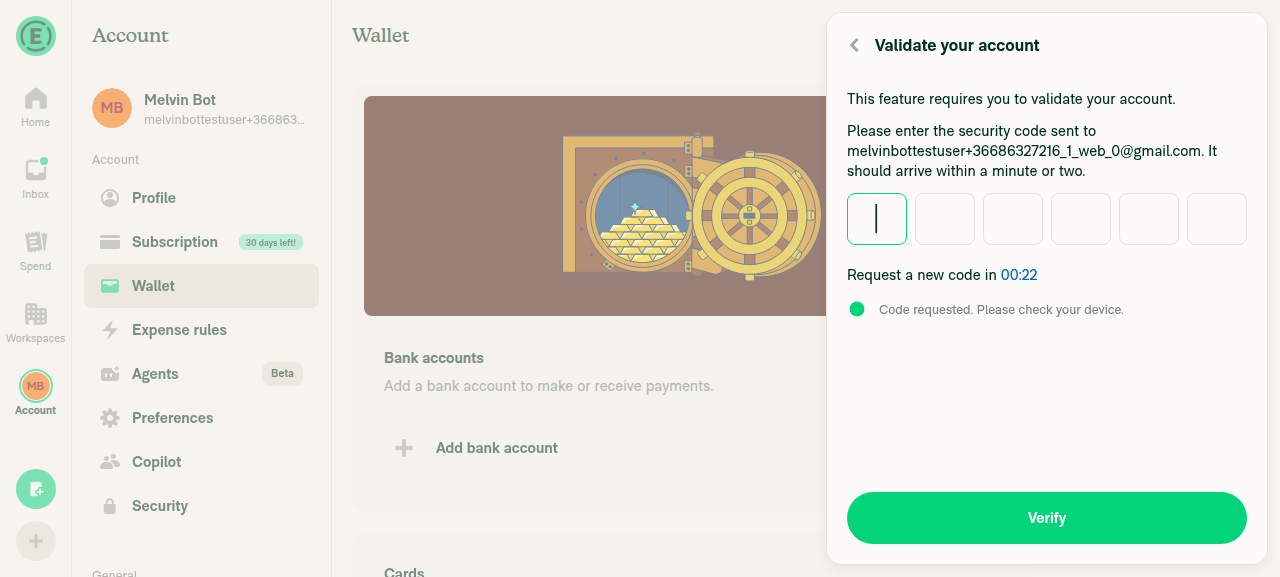
Validate your account magic-code screen blocking Add bank account

Reply with @MelvinBot <feedback> if you want me to dig into any of these.

Comment on lines 93 to +101
const {shouldSetTouchedOnBlurOnly, submitBehavior, shouldSubmitForm} = computeComponentSpecificRegistrationParams(props as InputComponentBaseProps);
const {key, ...registerInputProps} = registerInput(inputID, shouldSubmitForm, {ref, valueType, ...rest, shouldSetTouchedOnBlurOnly, submitBehavior});
const {key, ...registerInputProps} = registerInput(inputID, shouldSubmitForm, {
ref,
valueType,
...rest,
...(shouldPersistDraft ? {shouldSaveDraft: true} : {}),
shouldSetTouchedOnBlurOnly,
submitBehavior,
});

Copy link
Copy Markdown
Contributor

Choose a reason for hiding this comment

The reason will be displayed to describe this comment to others. Learn more.

Bug: draft-persistence context overrides the "discard unless confirmed" convention

The confirmation step shows the updated value even after edit is discarded

Screen.Recording.2026-09-30.at.11.17.01.AM.mov

@MelvinBot

Copy link
Copy Markdown
Contributor

🤖 Regression check of 7bb2f32: I found five regressions against main. Three are in my review from this morning, and two are new. Shared code outside the bank flows traced clean.

Regressions

  1. 🔴 Wallet edit: Back no longer cancels an edit (already reported). InputWrapper.tsx:98 overrides shouldSaveDraft={!isEditing}. Unsubmitted and invalid edits land on the confirmation page and get submitted.
  2. 🟡 Workspace account isn't cleared after Continue → Validation (already reported). ReimbursementAccountPage.tsx:657 sets the flag for Workspace flows too. On reopen, line 443 skips fetchData and shows stale data.
  3. 🟡 New: switching the international flow to a US-flow country wipes everything entered, for every entry point. CountrySelection.tsx:26-35 now calls clearInternationalBankAccount() before navigating. On main it only navigated. Once fieldsMap is empty, the shortcut at line 38 can't fire.
    • Repro: enter a GB account up to Confirm → edit Country → pick US → Back from "Connect manually / Plaid" → pick GB again.
    • main: you return to Confirm with your data intact.
    • This PR: every field is blank, starting again from Bank account details.
    • Fix: clear only when the user continues into the US flow, or only for Wallet setups.
  4. 🟡 Still-loading US personal flow overwrites the saved page (already reported, Wallet only). AddPersonalBankAccountPage/index.tsx:230-241 needs an isResumeStateLoading guard.
  5. 🟢 New: a leftover source: 'wallet' makes non-Wallet entries run in Wallet mode. After an abandoned Wallet setup, clearPersonalBankAccountPreservingEntryContext keeps source, and AccountFlowEntryPoint.tsx:55 then skips its reset.
    • Invoice/IOU "Add bank account" (usePaymentOptions.ts:193, useBulkPayOptions.ts:215) goes straight to that screen without openPersonalBankAccountSetupView.
    • Result: those flows save address drafts, track currentPage, and can resume a stale Wallet setup.
    • Fix: reset source in those entry points, or key Wallet mode off the route (backTo) instead of persisted state.
Lower-severity note and what traced clean

Low: abandoned Wallet business data now persists. On main, unmount always called clearReimbursementAccountDraft(). Now an unfinished Wallet business setup keeps bank, EIN and requestor fields in REIMBURSEMENT_ACCOUNT_FORM_DRAFT (ReimbursementAccountPage.tsx:236-244). That's by design, but other readers fall back to this shared draft, for example EnterSignerInfo/subSteps/UploadDocuments.tsx:44-45. Those screens could now pick the wrong currency or country.

Traced clean:

  • useSubPage: the isRedirecting change only affects callers that pass a negative startFrom. The only other one, EnableTravelContent, can't reach -1. About 115 other callers are unchanged.
  • FormProvider / AddressForm: forms that don't save drafts (Profile, Workspace and Travel addresses) never wrote HOME_ADDRESS_FORM_DRAFT. They only stop picking up another flow's leftovers. The state and country round trip uses URL params. UpdatePersonalBankAccountPage still prefills from its draft.
  • FormDraftPersistenceContext defaults to false, and only the Wallet pages turn it on.
  • Workspace ReimbursementAccountPage cleanup matches main apart from item 2. Every Wallet-only branch is gated on isWalletSetup.
  • fetchCorpayFields and getCorpayBankAccountFields callers are unaffected by the new parameter and flags.
  • Non-Wallet personal entries (KYC, report, Home) start at page 0 as on main. Exit and success behavior is unchanged.
Browser check (web): address form passes; bank flows blocked by magic code
Step Status
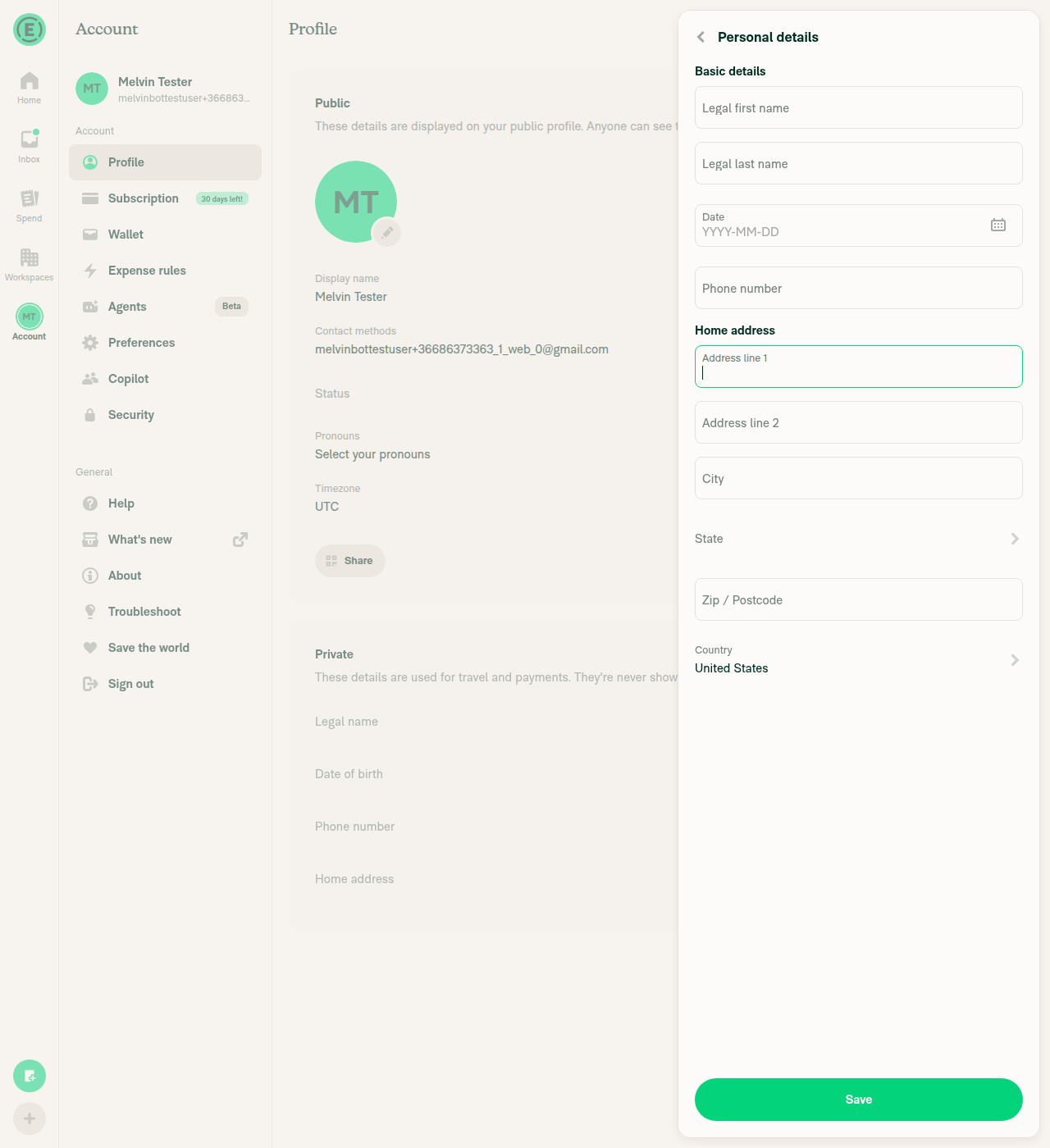
Profile → Home address opens the formIt opens the combined Personal details panel with the address fields.
Address form opened
✅
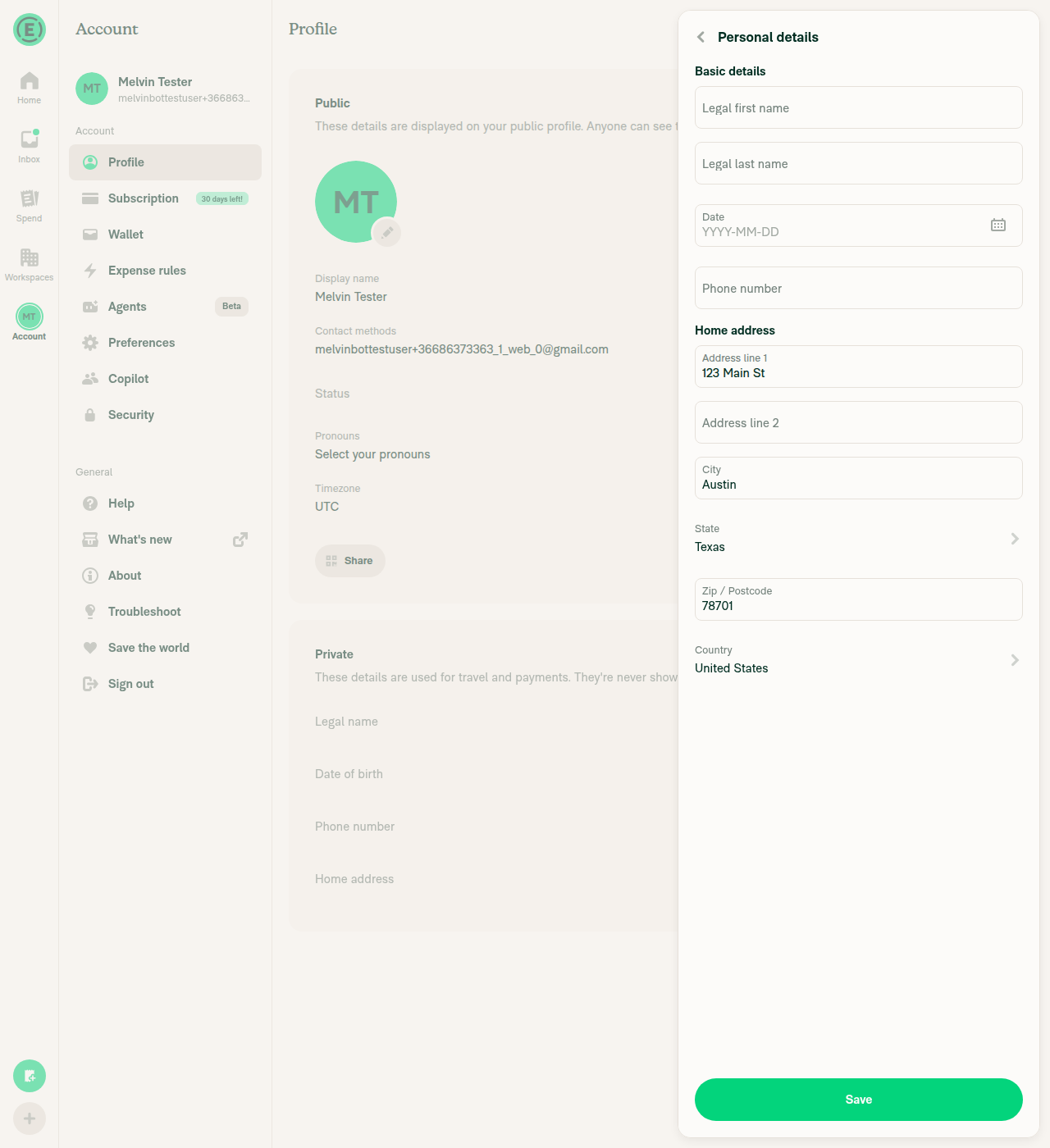
Street, city and zip survive the state pickerAfter picking Texas, 123 Main St / Austin / 78701 were still filled in.
Address values kept after state picker
✅
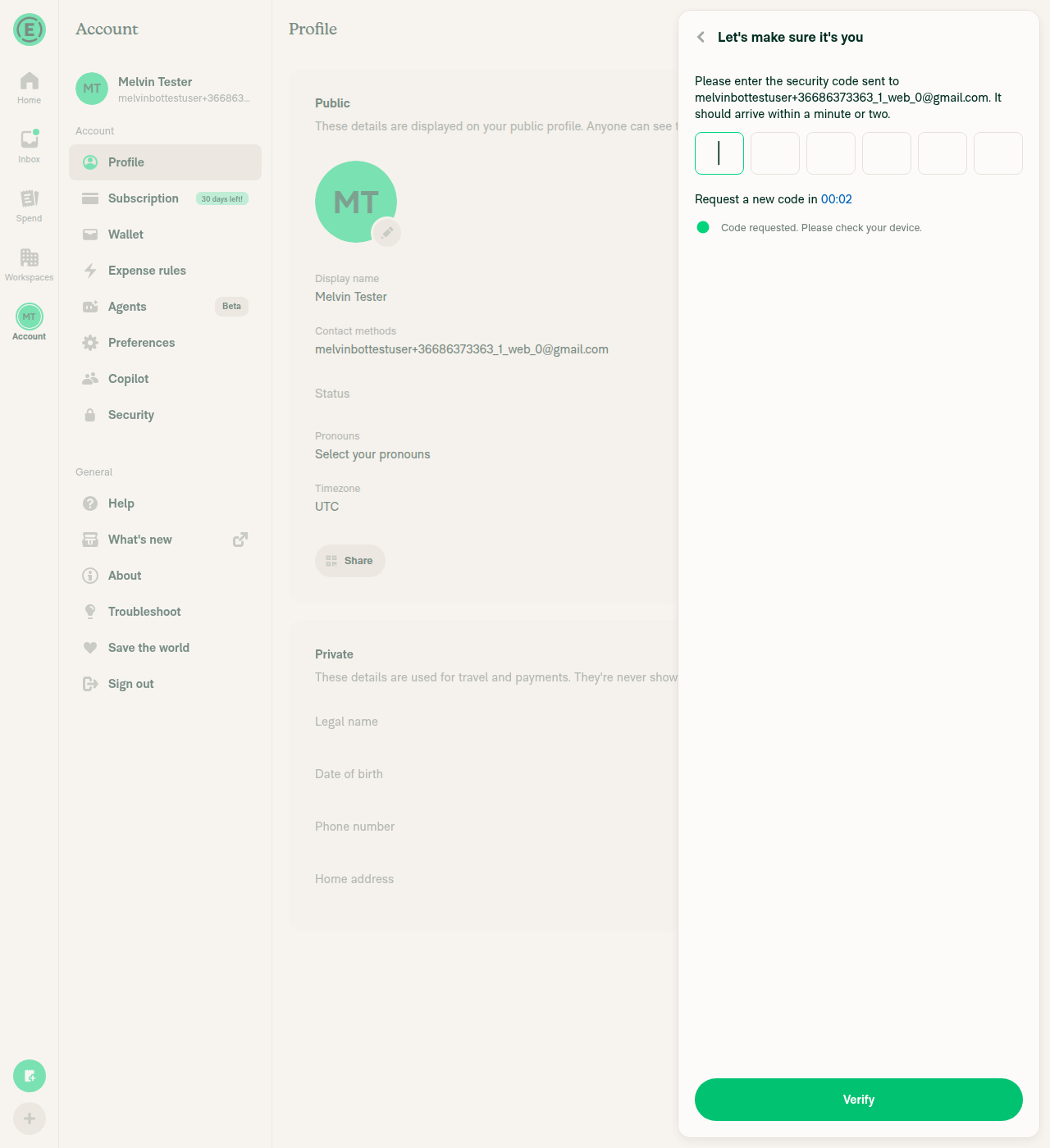
Save, then reopen and check the prefillBlocked: Save needs a phone number, which triggers a magic-code prompt.
Magic-code prompt blocking Save
❌
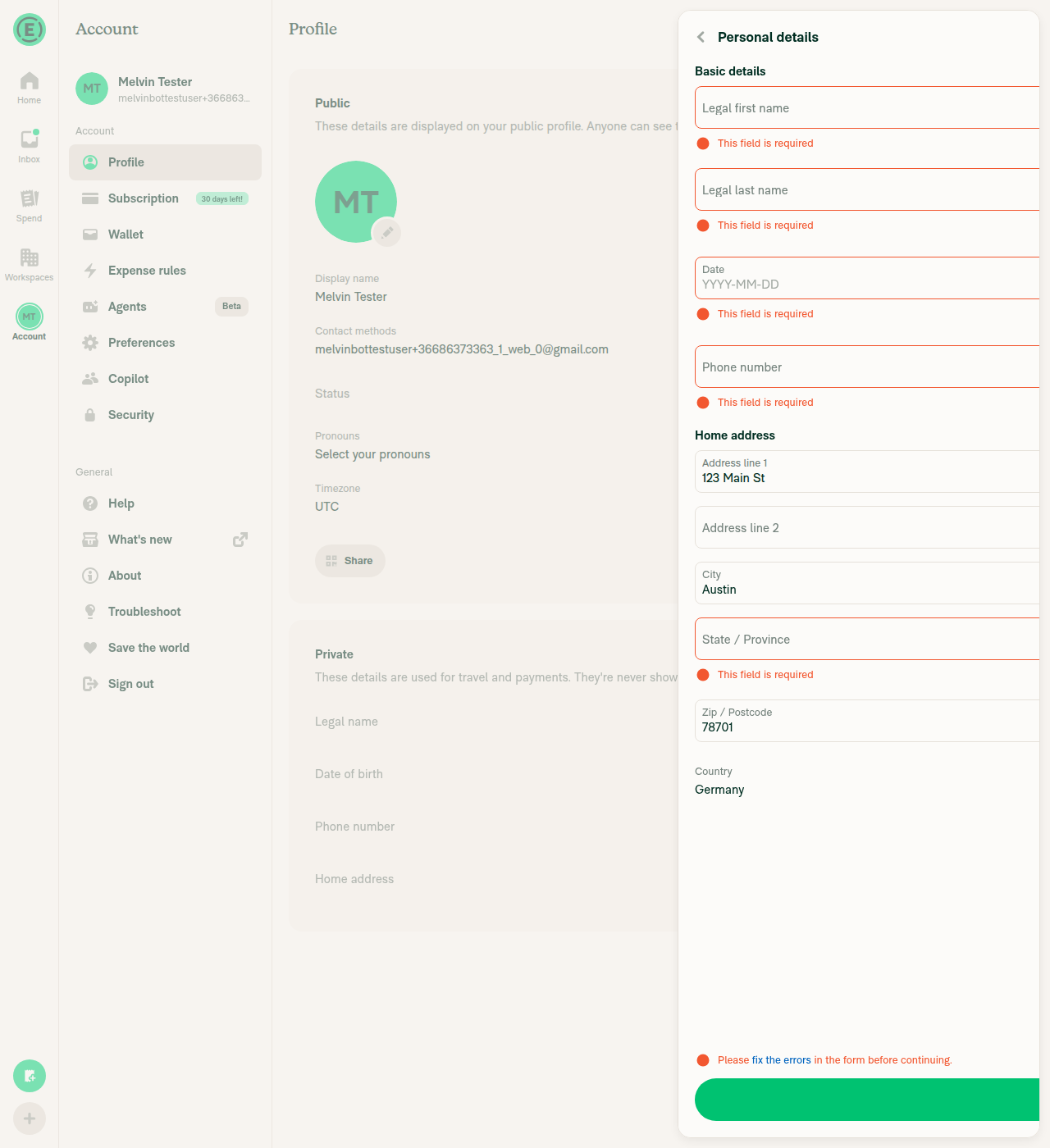
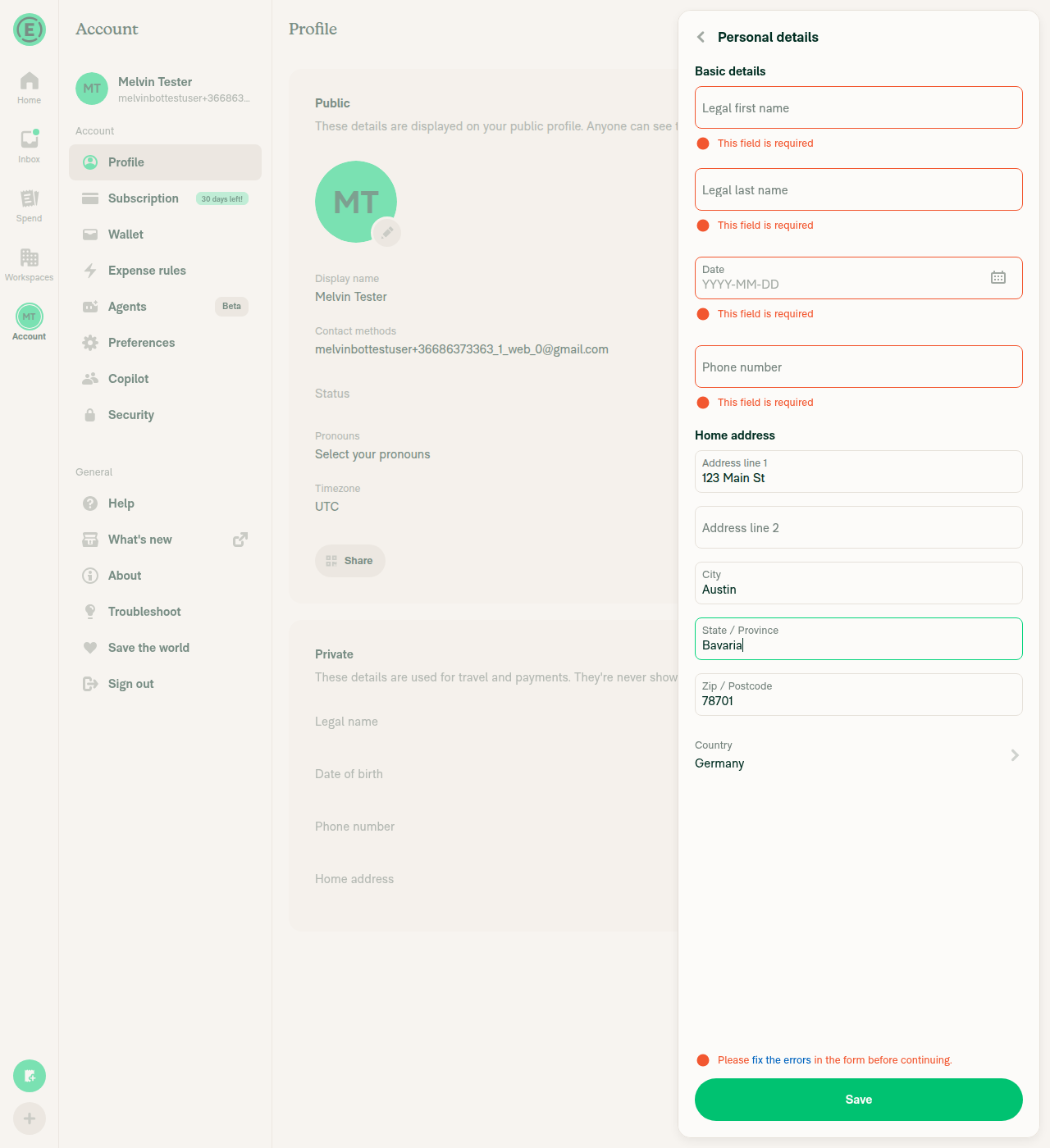
Germany: state field validationThe state field switches to free text. Leaving it empty shows "This field is required", the same as on main. Typing a value clears the error. No JS error. The PR description's "state only for US/CA" applies only to the resume check.
Germany with empty state shows required error
State error cleared after entering Bavaria
✅
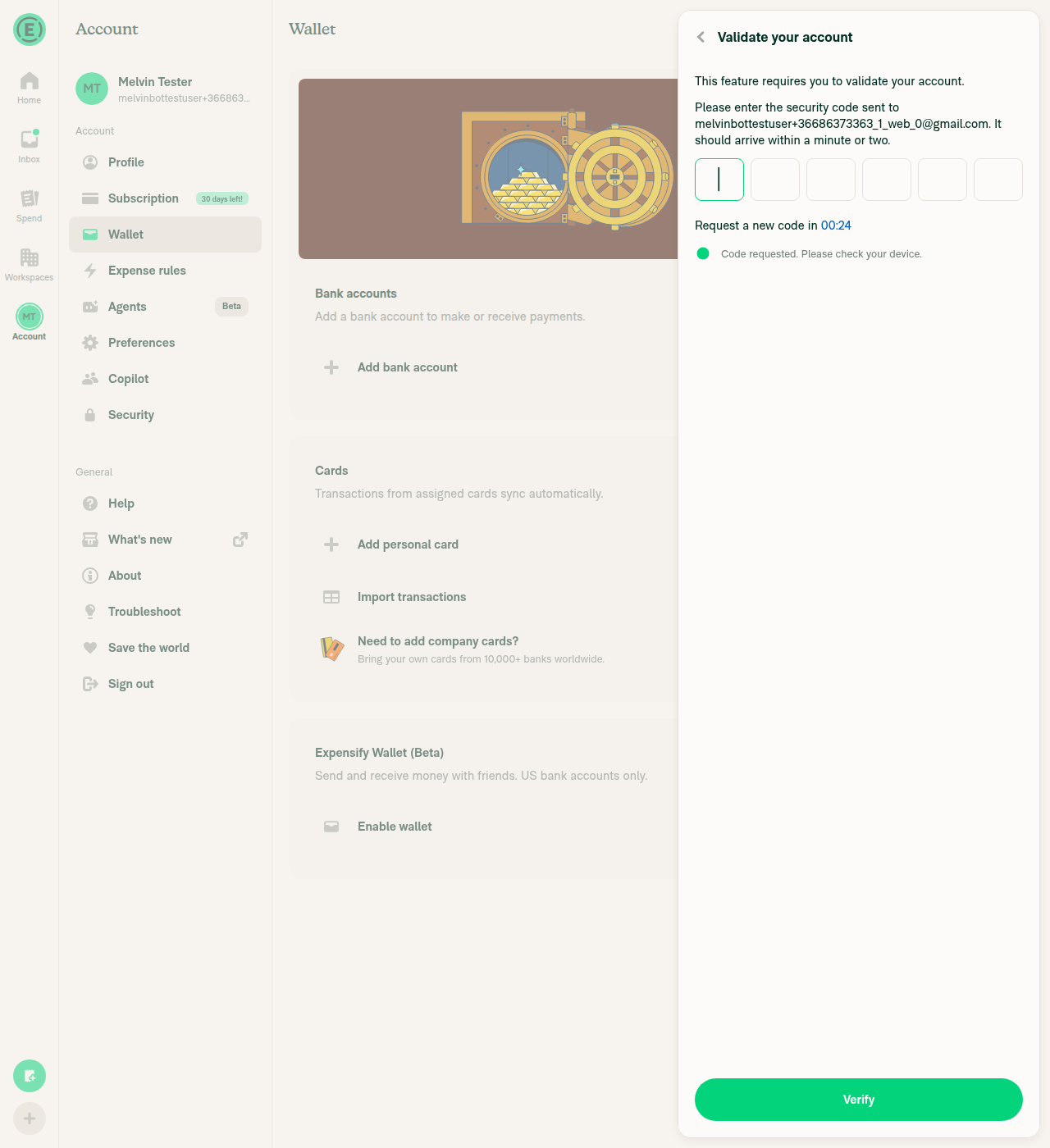
Wallet → Add bank accountBlocked: it opens the "Validate your account" magic-code prompt, so the bank flows can't be driven.
Wallet Add bank account magic-code prompt
⚠️

Reply with @MelvinBot <feedback> if you want me to dig into any of these.

This branch has not been deployed

No deployments
Sign up for free to join this conversation on GitHub. Already have an account? Sign in to comment

Labels

None yet

Projects

None yet

Development

Successfully merging this pull request may close these issues.

4 participants